User Manual for CHAUVET PROFESSIONAL Maverick MK1 Spot Light Fixture Click to enlarge the picture
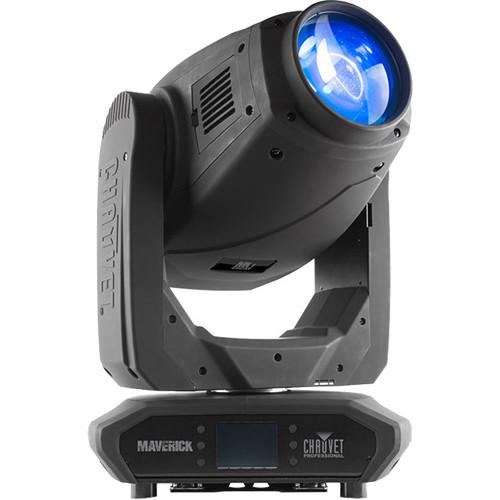 Contents of the user manual for the CHAUVET PROFESSIONAL Maverick MK1 Spot Light
- Product category: DJ & Effect Lights CHAUVET PROFESSIONAL
- Brand: CHAUVET PROFESSIONAL
- Description and content of package
- Technical information and basic settings
- Frequently asked questions – FAQ
- Troubleshooting (does not switch on, does not respond, error message, what do I do if...)
- Authorized service for CHAUVET PROFESSIONAL DJ & Effect Lights
 |
User manual for the CHAUVET PROFESSIONAL Maverick MK1 Spot Light contain basic instructions
that need to be followed during installation and operation.
Before starting your appliance, the user manual should be read through carefully.
Follow all the safety instructions and warnings, and be guided by the given recommendations.
User manual is an integral part of any CHAUVET PROFESSIONAL product,
and if it is sold or transferred, they should be handed over jointly with the product.
Following the instructions for use is an essential prerequisite for protecting
health and property during use, as well as recognition of liability on the part of the manufacturer
for possible defects should you make a warranty claim. Download an official CHAUVET PROFESSIONAL user manual in which you will find instructions on how to install, use, maintain and service your product.
And do not forget – unsuitable use of a CHAUVET PROFESSIONAL product will considerably shorten its lifespan!
|
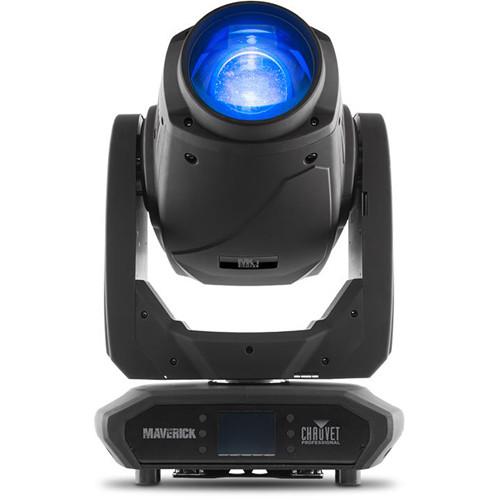
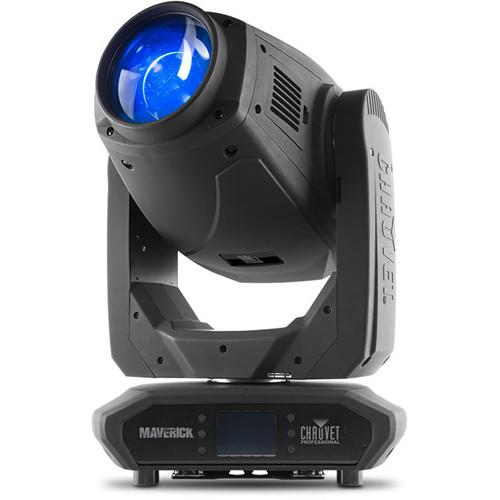
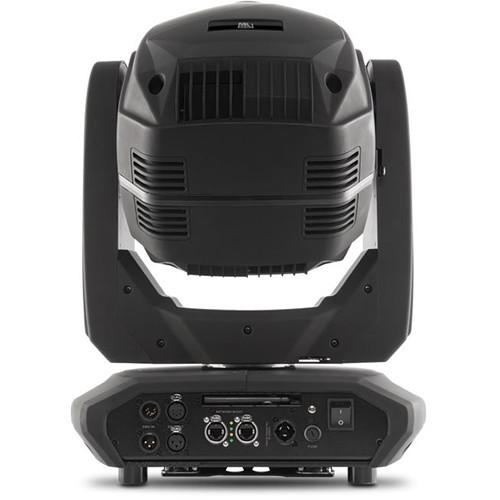
Product description The black Maverick MK1 Spot Light Fixture from Chauvet features a flat field, CMY color mixing, 5:1 zoom, and multiple control options. Powered by a 350W LED engine, it features one static and one rotating gobo wheel, a 7-position-plus-white color wheel, variable frost, and 3-facet prism. The fixture can be controlled with DMX, sACN, Art-Net, or W-DMX, and can receive Art-Net or sACN in and send DMX out, simplifying cable runs. - Fully featured 350W LED spot fixture including CMY color mixing, a color wheel, zoom optics, one rotating gobo wheel, and one static gobo wheel
- 16-bit dimming of master dimmer for smooth control of fades
- Variable CMY color mixing system to create a wide pallet of colors
- DMX, WDMX, sACN, and Art-Net for full flexibility of control options
- RDM-enabled for remote addressing and trouble shooting
- Converts TCP/IP to DMX for shorter data cable runs
- 7 to 33° zoom angle for variable beam sizes
- Iris, 3-facet prism, and frost for beam control
- True 1 compatible power input
- Battery backup touchscreen display with auto-rotate depending on fixture orientation
UPC: 781462216597 In the Box CHAUVET PROFESSIONAL Maverick MK1 Spot Light Fixture Seetronic Powerkon IP65 Power Cord Omega Bracket with Mounting Hardware Limited 2-Year Warranty Table of Contents
|
Upload User Manual
Have you got an user manual for the CHAUVET PROFESSIONAL Maverick MK1 Spot Light Fixture in electronic form? Please send it to us and help us expand our library of instruction manuals.
Thank you, too, on behalf of other users.
To upload the product manual, we first need to check and make sure you are not a robot. After that, your "Submit Link" or "Upload File" will appear.
Technical parametersCHAUVET PROFESSIONAL Maverick MK1 Spot Specs | | | Light Source | 1 LED (CW) 350 W, (9.6 A)
Life Expectancy: 50,000 hours | | Color Temperature | 6808K | | Beam Angle | 7 to 29° | | Field Angle | 7 to 33° | | Zoom Angle | 7 to 33° | | Illuminance | 7°: 34,282 lux at 16.4' / 5 m
33°: 2097 lux at 16.4' / 5 m | | PWM Frequency | 600, 1200, 2000, 4000, 6000, and 25,000 Hz | | | | Pan & Tilt | 540°/270° | | Pan & Tilt Range | Pan: 540°, 360°, 180°
Tilt: 270°, 180°, 90° | | Colors | 7 + white, split colors, continuous scroll at variable speeds
CMY flags | | Gobos | Gobos (1): 7 + open (7 glass), rotating, interchangeable, indexing, slot-n-lock, continuous scroll at variable speeds
Gobos (2): 7 + open (7 metal), continuous scroll at variable speeds
Gobo Size (1): Gobo Wheel 1 (rotating): 1" / 26 mm (outside), 0.8" / 22 mm (image), 0.04" / 1.2 mm (maximum thickness) | | Dimmer | Electronic | | Shutter/Strobe | Electronic | | Zoom | Motorized | | Frost | Motorized | | Iris | Motorized | | Prism | 3 facets, motorized, rotating | | Strobe Rate | 0 to 20 Hz | | Dimmer Curves | 4 | | | | Power Connections | Edison plug to Seetronic Powerkon IP65 | | Power Input | Seetronic Powerkon IP65 | | Data | Data Connectors: 3- and 5-pin XLR | | Cable Length | 5' (1.5 m) | | | | Control Protocol | Art-Net, Kling-Net, sACN, DMX, W-DMX | | Channels | DMX Channels: 22 or 29
Art-Net Channels: 22 or 29 | | DMX Personalities | 2 personalities (22, 29) | | | | Input Voltage | 100 to 240 VAC, 50/60 Hz (auto-ranging) | | Power and Current | 592 W, 5.07 A at 120 V, 60 Hz
555 W, 2.74 A at 208 V, 60 Hz
536 W, 2.47 A at 230 V, 50 Hz | | | | Certifications | CE, MET | | IP Rating | IP20, dry location | | Housing Material | High-impact flame-retardant polymer | | Dimensions | 15.5 x 9.8 x 25" (394 x 250 x 636 mm) | | Weight | 60 lb (27.2 kg) |
Rating90% users recommend this product to others. And what about you?

This product has already been rated by 26 owners. Add your rating and experience with the product.
Discussion
 Ask our technicians if you have a problem with your settings,
or if anything is unclear in the user manual you have downloaded.
You can make use of our moderated discussion.
The discussion is public and helps other users of our website who may be encountering similar problems.
Ask our technicians if you have a problem with your settings,
or if anything is unclear in the user manual you have downloaded.
You can make use of our moderated discussion.
The discussion is public and helps other users of our website who may be encountering similar problems.
The discussion is empty - enter the first post
Post a new topic / query / comment:
|
|


