|
User Manual for Cisco Catalyst 3850 Stackable 24-Port 10 100 1000 Gigabit Ethernet Switch with PoE Click to enlarge the picture
 Contents of the user manual for the Cisco Catalyst 3850 Stackable 24-Port 10
- Product category: Network Switches, Bridges & Hubs Cisco
- Brand: Cisco
- Description and content of package
- Technical information and basic settings
- Frequently asked questions – FAQ
- Troubleshooting (does not switch on, does not respond, error message, what do I do if...)
- Authorized service for Cisco Network Switches, Bridges & Hubs
 |
User manual for the Cisco Catalyst 3850 Stackable 24-Port 10 contain basic instructions
that need to be followed during installation and operation.
Before starting your appliance, the user manual should be read through carefully.
Follow all the safety instructions and warnings, and be guided by the given recommendations.
User manual is an integral part of any Cisco product,
and if it is sold or transferred, they should be handed over jointly with the product.
Following the instructions for use is an essential prerequisite for protecting
health and property during use, as well as recognition of liability on the part of the manufacturer
for possible defects should you make a warranty claim. Download an official Cisco user manual in which you will find instructions on how to install, use, maintain and service your product.
And do not forget – unsuitable use of a Cisco product will considerably shorten its lifespan!
|
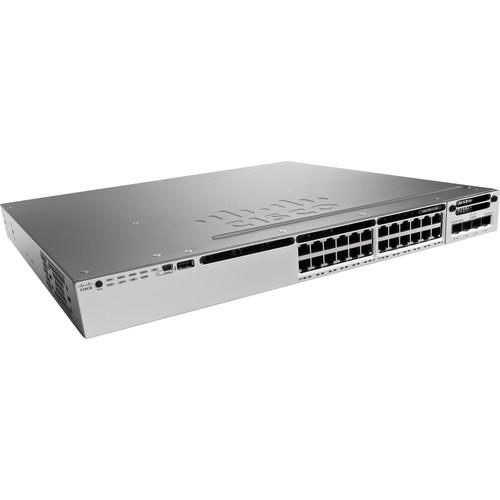
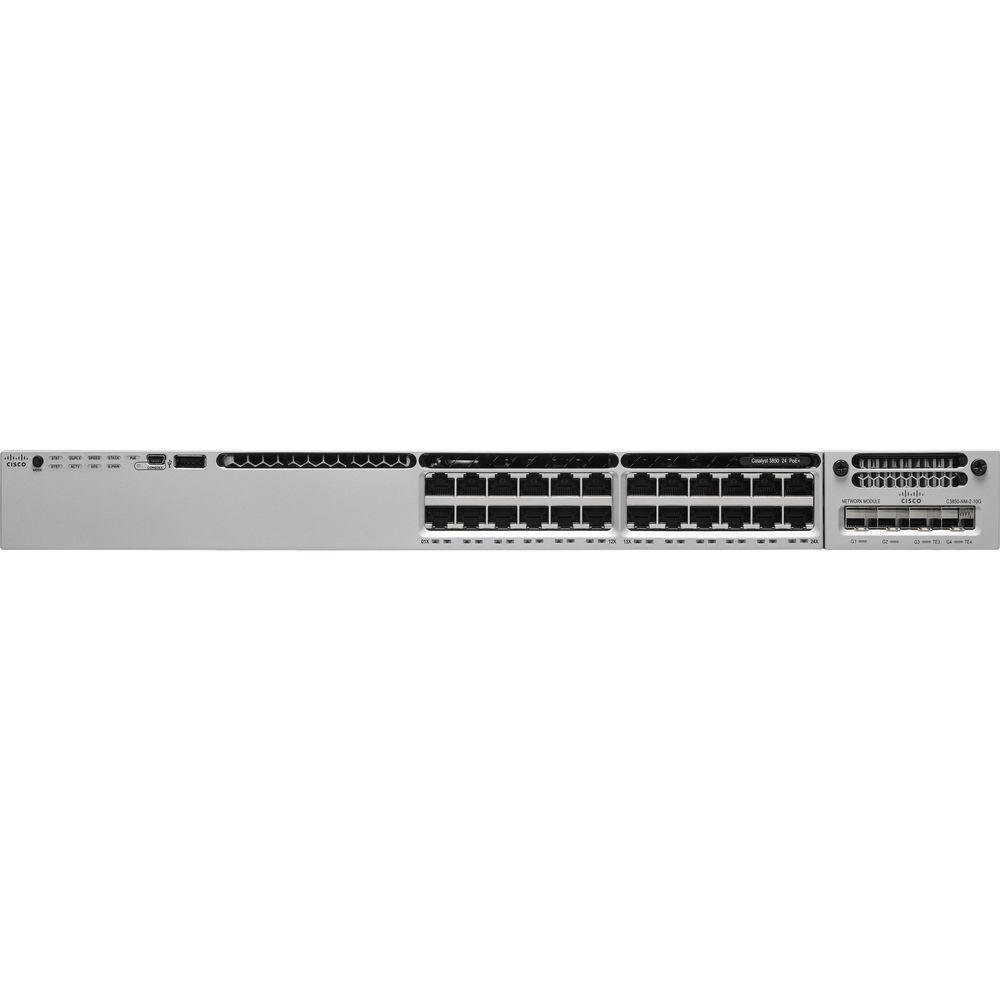
Product description Boost the network capacity and stability of your enterprise-class business with the Catalyst 3850 Stackable 24-Port 10/100/1000 Gigabit Ethernet Switch with PoE+ from Cisco. Capable of up to 92 Gb/s total switching bandwidth, the 24-port Catalyst 3850 switch is equipped with 24 Gigabit Ethernet ports, each of which supports PoE+ (Power over Ethernet) and up to 30W of power output per port. This rack-mountable Catalyst 3850 switch supports Cisco StackWise-480 technology, which offers a stack bandwidth up to 480 Gb/s, as well as Cisco StackPower Technology, which allows a stack of switches to share their power supplies as a common resource. IEEE 802.1ba AV bridging helps to optimize low-latency, time-synchronized AV streaming services. This Catalyst 3850 switch comes with the LAN Base feature set, which offers support for a variety of Layer 2 features, up to 255 VLANs, and MCQ-based QoS. - LAN Base Feature Set
- This switch's LAN Base feature set offers enhanced intelligent services that include comprehensive Layer 2 features, with up to 255 VLANs, along with support for advanced security and MQC-based QoS. Cisco Catalyst 3850 Series switches with LAN Base feature sets can only stack with other Cisco Catalyst 3850 Series LAN Base switches. For wireless controller functionality, you'll need to upgrade your license to IP Base or higher. You can transparently upgrade the software feature set in the Cisco Catalyst 3850 Series Switches through Cisco IOS Software CLI using the Right To Use (RTU)-based software upgrade process. Software activation enables the Cisco IOS Software feature sets. Based on the license's type, Cisco IOS Software activates the appropriate feature set. License types can be changed, or upgraded, to activate a different feature set.
- Power over Ethernet Plus (PoE+)
- In addition to PoE (IEEE 802.3af), the Cisco Catalyst 3850 Series Switches support PoE+ (IEEE 802.3at standard), which provides up to 30W of power per port. PoE removes the need for wall power to each PoE-enabled device and eliminates the cost for additional electrical cabling and circuits that would otherwise be necessary in IP phone and WLAN deployments.
- Cisco StackWise-480 Technology
- Cisco StackWise-480 technology is built on StackWise technology, which is a premium stacking architecture. StackWise-480 has a stack bandwidth of 480 Gb/s. StackWise-480 uses Cisco IOS Software SSO for providing resiliency within the stack. The stack behaves as a single switching unit that is managed by an "active" switch elected by the member switches. The active switch automatically elects a standby switch within the stack. The active switch creates and updates all the switching/routing/wireless information and constantly synchronizes that information with the standby switch. If the active switch fails, the standby switch assumes the role of the active switch and continues to the keep the stack operational. Access points continue to remain connected during an active-to-standby switchover. A working stack can accept new members or delete old ones without service interruption. StackWise-480 creates a resilient single unified system of up to nine switches, providing simplified management using a single IP address, single Telnet session, single CLI, autoversion checking, autoupgrading, autoconfiguration, and more. StackWise-480 also enables local switching in Cisco Catalyst 3850 Series Switches.
- Cisco StackPower Technology
- StackPower is a power interconnect system that allows the power supplies in a stack to be shared as a common resource among all the switches. Cisco StackPower unifies the individual power supplies installed in the switches and creates a pool of power, directing that power where it is needed. Up to four switches can be configured in a StackPower stack with the special connector at the back of the switch using the StackPower cable, which is different than the StackWise-480 cables. StackPower can be deployed in either power-sharing mode or redundancy mode. In power-sharing mode, the power of all the power supplies in the stack is aggregated and distributed among the switches in the stack. In redundant mode, when the total power budget of the stack is calculated, the wattage of the largest power supply is not included. That power is held in reserve and used to maintain power to switches and attached devices when one power supply fails, enabling the network to operate without interruption. Following the failure of one power supply, the StackPower mode becomes power sharing. StackPower allows customers to simply add one extra power supply in any switch of the stack and either provide power redundancy for any of the stack members or simply add more power to the shared pool. StackPower eliminates the need for an external redundant power system or installation of dual power supplies in all the stack members. StackPower is available in LAN Base license level (or higher). For LAN Base, cables need to be purchased separately.
- DHCP Autoconfiguration
- DHCP autoconfiguration of multiple switches through a boot server eases switch deployment.
- Automatic QoS (AutoQoS)
- Simplifies QoS configuration in Voice over IP (VoIP) networks by issuing interface and global switch commands to detect Cisco IP phones, classify traffic, and help enable egress queue configuration.
- Autonegotiation on All Ports
- Automatically selects half- or full-duplex transmission mode to optimize bandwidth.
- Automatic Media-Dependent Interface Crossover (MDIX)
- Automatically adjusts transmit and receive pairs if an incorrect cable type (crossover or straight through) is installed.
- AV Bridging
- Provides reliable time-synchronized transmission with minimal pops, clicks, or video dropouts, without the need for the installer to perform extensive hand tuning of the network.
- Dynamic Trunking Protocol (DTP)
- Facilitates dynamic trunk configuration across all switch ports.
- Port Aggregation Protocol (PAgP)
- Automates the creation of Cisco Fast EtherChannel groups or Gigabit EtherChannel groups to link to another switch, router, or server.
- Link Aggregation Control Protocol (LACP)
- Allows the creation of Ethernet channeling with devices that conform to IEEE 802.3ad. This feature is similar to Cisco EtherChannel technology and PAgP.
- Unidirectional Link Detection Protocol (UDLD) and Aggressive UDLD
- Allow unidirectional links caused by incorrect fiber-optic wiring or port faults to be detected and disabled on fiber-optic interfaces.
- Cisco VLAN Trunking Protocol (VTP) Version 3
- Supports dynamic VLANs and dynamic trunk configuration across all switches.
- Switching Database Manager (SDM) Templates
- Switching Database Manager (SDM) templates, VLAN template (specific to LAN Base license level), and advanced template allow the administrator to automatically optimize the Ternary Content-Addressable Memory (TCAM) allocation to the desired features based on deployment-specific requirements.
- Local Proxy Address Resolution Protocol (ARP)
- Works in conjunction with private VLAN edge to minimize broadcasts and maximize available bandwidth.
- Automatic Software Version Checking
- Stacking master configuration management with Cisco StackWise-480 technology helps make sure that all switches are automatically upgraded when the master switch receives a new software version. Automatic software version checking and updating help ensure that all stack members have the same software version.
- Trivial File Transfer Protocol (TFTP)
- Reduces the cost of administering software upgrades by downloading from a centralized location.
- Network Timing Protocol (NTP)
- Helps to provide an accurate and consistent timestamp to all intranet switches.
- IGMP and MLD Snooping
- Internet Group Management Protocol (IGMP) v1, v2, v3 snooping for IPv4 and Multicast Listener Discovery (MLD) v1 and v2 snooping provide fast client joins and leaves of multicast streams and limit bandwidth-intensive video traffic to only the requestors.
- Remote Switch Port Analyzer (RSPAN)
- Allows administrators to remotely monitor ports in a Layer 2 switch network from any other switch in the same network.
- Embedded Remote Monitoring (RMON)
- For enhanced traffic management, monitoring, and analysis, the Embedded Remote Monitoring (RMON) software agent supports four RMON groups (history, statistics, alarms, and events).
- Layer 2 Traceroute
- Eases troubleshooting by identifying the physical path that a packet takes from source to destination.
- Reduced Power Modes
- The Cisco Catalyst 3850 ports are capable of reduced power modes so that ports not in use can move into a lower power utilization state.
- Cisco Discovery Protocol Version 2
- Allows the Cisco Catalyst 3850 switch to negotiate a more granular power setting when connecting to a Cisco-powered device, such as IP phones or access points, than what is provided by IEEE classification.
- Per-Port Power Consumption Command
- Allows customers to specify maximum power setting on an individual port. Per-port PoE power sensing measures actual power being drawn, enabling more intelligent control of powered devices.
- PoE MIB
- Provides proactive visibility into power usage and allows customers to set different power-level thresholds.
- Cisco Prime Infrastructure
- Provides provisioning, ongoing monitoring and maintenance, configuration templates, and device and user 360-degree views and serves as the FNF collector for user traffic views using the Prime Assurance Manager module.
- Port Security
- Secures the access to an access or trunk port based on MAC address. It limits the number of learned MAC addresses to deny MAC address flooding.
- DHCP Snooping
- Helps to prevent malicious users from spoofing a DHCP server and sending out bogus addresses. This feature is used by other primary security features to prevent a number of other attacks, such as ARP poisoning.
- Dynamic ARP inspection (DAI)
- Helps ensure user integrity by preventing malicious users from exploiting the insecure nature of ARP.
- IP Source Guard
- Prevents a malicious user from spoofing another user's IP address by creating a binding table between the client's IP and MAC address, port, and VLAN, and by using it to selectively block bogus packets.
- Unicast Reverse Path Forwarding (uRPF)
- Helps mitigate problems caused by the introduction of malformed or forged (spoofed) IP source addresses into a network by discarding IP packets that lack a verifiable IP source address.
- Bidirectional Data Support on a SPAN Port
- Allows the Cisco Intrusion Detection System (IDS) to take action when an intruder is detected.
- Flexible Authentication
- Supports multiple authentication mechanisms, including 802.1x, MAC authentication bypass, and web authentication using a single, consistent configuration.
- RADIUS
- RADIUS change of authorization and downloadable calls for comprehensive policy management capabilities.
- Private VLAN Edge
- Restricts traffic between hosts in a switch by segregating traffic at Layer 2, turning a broadcast segment into a nonbroadcast multiaccess-like segment. Private VLAN edge provides security and isolation between switch ports, which helps ensure that users cannot snoop on other users' traffic.
- Multidomain Authentication
- Allows an IP phone and a PC to authenticate on the same switch port while placing them on appropriate voice and data VLAN.
- MAC Address Notification
- Allows administrators to be notified of users added to or removed from the network.
- IGMP Filtering
- Provides multicast authentication by filtering out non-subscribers and limits the number of concurrent multicast streams available per port.
- ACLs
- Cisco security VLAN ACLs on all VLANs help to prevent unauthorized data flows from being bridged within VLANs. Cisco standard and extended IP security router ACLs define security policies on routed interfaces for control-plane and data-plane traffic. IPv6 ACLs can be applied to filter IPv6 traffic. Port-based ACLs for Layer 2 interfaces allow security policies to be applied on individual switch ports.
- Secure Shell (SSH) Protocol
- Secure Shell (SSH) Protocol, Kerberos, and Simple Network Management Protocol Version 3 (SNMPv3) provide network security by encrypting administrator traffic during Telnet and SNMP sessions. SSH Protocol, Kerberos, and the cryptographic version of SNMPv3 require a special cryptographic software image because of U.S. export restrictions.
- TACACS+ and RADIUS Authentication
- Facilitates centralized control of the switch and restricts unauthorized users from altering the configuration.
- Multilevel Security on Console Access
- Prevents unauthorized users from altering the switch configuration.
- Bridge Protocol Data Unit (BPDU) Guard
- Shuts down Spanning Tree PortFast-enabled interfaces when BPDUs are received to avoid accidental topology loops.
- Spanning Tree Root Guard (STRG)
- Helps to prevent edge devices not in the network administrator's control from becoming Spanning Tree Protocol root nodes.
- Cross-Stack EtherChannel
- Provides the ability to configure Cisco EtherChannel technology across different members of the stack for high resiliency.
- Flexlink
- Provides link redundancy with convergence time less than 100 ms.
- IEEE 802.1s Multiple Spanning Tree Protocol (MSTP)
- Provides rapid spanning-tree convergence independent of spanning-tree timers and also offers the benefit of Layer 2 load balancing and distributed processing.
- Per-VLAN Rapid Spanning Tree (PVRST+)
- Allows rapid spanning-tree (IEEE 802.1w) reconvergence on a per-VLAN spanning-tree basis, providing simpler configuration than MSTP. In both MSTP and PVRST+ modes, stacked units behave as a single spanning-tree node.
- Switch-Port Autorecovery
- Automatically attempts to reactivate a link that is disabled because of a network error.
- IPv6 Addressing
- Supported on interfaces with appropriate show commands for monitoring and troubleshooting.
- 802.1p CoS and DSCP Field Classification
- Provided using marking and reclassification on a per-packet basis by source and destination IP address, MAC address, or Layer 4 Transmission Control Protocol/User Datagram Protocol (TCP/UDP) port number.
- Shaped Round Robin (SRR) Scheduling
- Helps ensure differential prioritization of packet flows by intelligently servicing the ingress queues and egress queues. Weighted Tail Drop (WTD) provides congestion avoidance at the ingress and egress queues before a disruption occurs. Strict priority queuing helps ensure that the highest priority packets are serviced ahead of all other traffic.
- Cisco Committed Information Rate (CIR)
- Provides bandwidth in increments as low as 8 kb/s.
- Rate Limiting
- Provided based on source and destination IP address, source and destination MAC address, Layer 4 TCP/UDP information, or any combination of these fields, using QoS ACLs (IP ACLs or MAC ACLs), class maps, and policy maps.
- Egress Queues
- Eight egress queues per port for wired traffic and four egress queues for wireless help enable differentiated management of different traffic types across the stack for wired traffic. Up to 2,000 aggregate policers are available per switch.
- Audio Video Bridging
- With Cisco IOS XE Software Release 16.3, Cisco Catalyst 3850 Multigigabit and 3850 10G SFP+ support the IEEE 802.1 AVB standard. This standard provided the means for highly reliable delivery of low-latency, time-synchronized AV streaming services through Layer 2 Ethernet networks. The standard also makes it easier to integrate new services and for AV equipment from different vendors to interoperate. Whether the AV endpoint connections are analog or are inflexible digital one to one, the network transport enables many-to-many transparent plug-and-play connections for multiple AV endpoints.
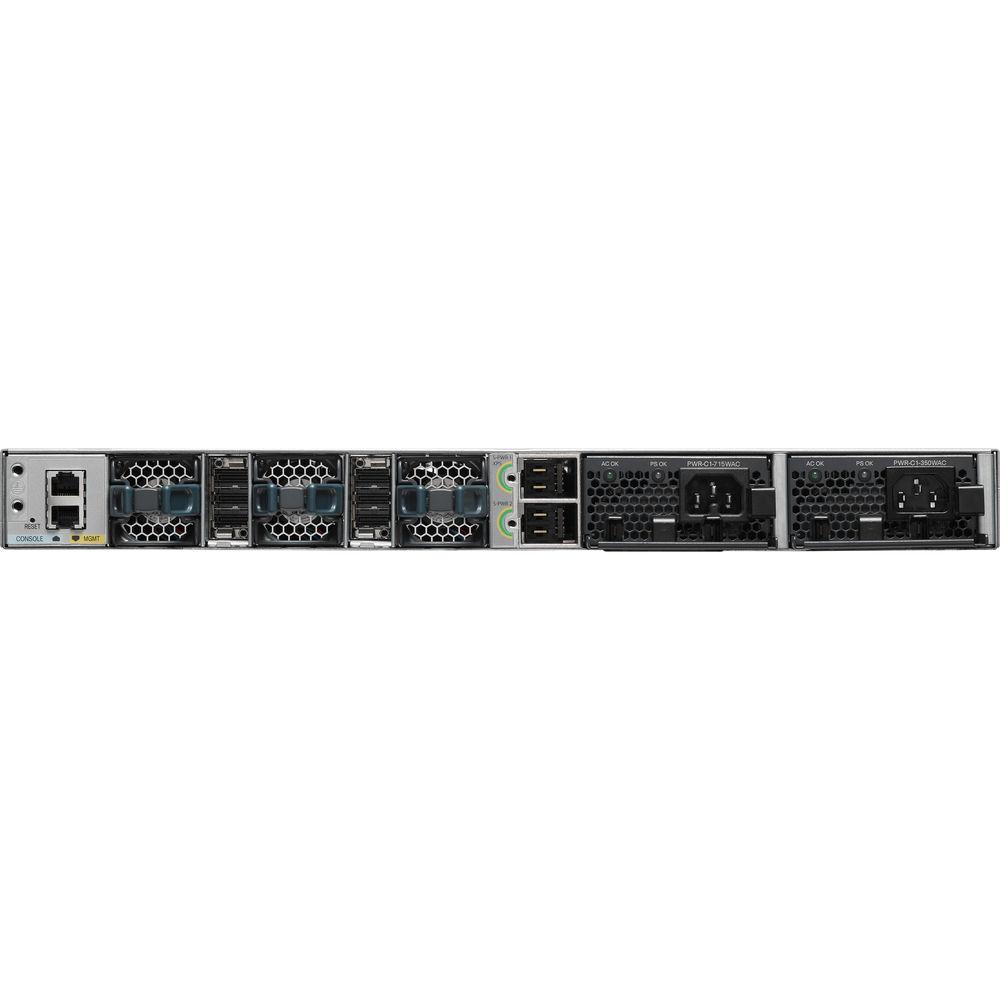
In the Box Cisco Catalyst 3850 Stackable 24-Port 10/100/1000 Gigabit Ethernet Switch with PoE+ Power Supply (715W) Limited Lifetime Warranty Table of Contents
|
Upload User Manual
Have you got an user manual for the Cisco Catalyst 3850 Stackable 24-Port 10 100 1000 Gigabit Ethernet Switch with PoE in electronic form? Please send it to us and help us expand our library of instruction manuals.
Thank you, too, on behalf of other users.
To upload the product manual, we first need to check and make sure you are not a robot. After that, your "Submit Link" or "Upload File" will appear.
Technical parametersCisco WS-C3850 Specs | | | Ports | 24 x 10/100/1000 Mb/s Gigabit Ethernet (RJ45) PoE+ | | | | Layer Services Supported | Layer 2 Support | | Supported Protocols | Auto-MDIX/MDI
IGMP Snooping
IPv4
IPv6
Link Aggregation
MAC Filtering
SNMPv3 | | Queuing | Strict Priority | | Jumbo Frames Support | 9198 Bytes | | VLAN IDs | 255 | | | | Security Features | DHCP Snooping
RADIUS Authentication
Storm Control
Wireless Encryption | | SNMP Support | 1, 2c, 3 | | | | Supported IEEE Standards | 802.1as, 802.1d, 802.1p, 802.1q, 802.1qat, 802.1qav, 802.1s, 802.1w, 802.1x, 802.3, 802.3ab, 802.3ad, 802.3af, 802.3at, 802.3bz, 802.3u, 802.3x, 802.3z | | | | Forwarding Rate | 68.4 Mpps | | Switching Bandwidth | 92 Gb/s | | | | Power Draw | 87.11 W (Active)
86.22 W (Idle)
86.81 W (Standby) | | AC Input Power | 100 to 240 VAC, 50 / 60 Hz at 10 to 5 A | | PoE Power Budget | 435 W | | PoE per Port | 30 W | | Power Supply Type | Internal | | | | Operating Temperature | 41 to 122°F / 5 to 50°C | | Operating Humidity | 10 to 95% | | Storage Temperature | -40 to 158°F / -40 to 70°C | | Storage Altitude | 15,000' / 4572 m | | Noise Level | 45.0 dB (Active) | | Certifications | BSMI, CCC, CE, EN 60950-1, FCC, UL, VCCI, as per Manufacturer | | | | Mean Time Between Failures (MTBF) | 269,450 Hours | | Indicator Lights | Power | | Rack Form Factor | 1 RU | | Dimensions | 17.7 x 17.5 x 1.75" / 44.96 x 44.45 x 4.45 cm | | Weight | 16.3 lb / 7.4 kg |
Rating90% users recommend this product to others. And what about you?

This product has already been rated by 96 owners. Add your rating and experience with the product.
Discussion
 Ask our technicians if you have a problem with your settings,
or if anything is unclear in the user manual you have downloaded.
You can make use of our moderated discussion.
The discussion is public and helps other users of our website who may be encountering similar problems.
Ask our technicians if you have a problem with your settings,
or if anything is unclear in the user manual you have downloaded.
You can make use of our moderated discussion.
The discussion is public and helps other users of our website who may be encountering similar problems.
The discussion is empty - enter the first post
Post a new topic / query / comment:
|
|
|
| Request for user manual |
You can’t find the operation manual you are looking for? Let us know and we will try to add the missing manual:
I’m looking for a manual / Request for manual
Current requests for instruction manuals:
Call Of Duty World War Two For Xbox...
controller stratus XL...
stratus XL...
smart whatch serie S11 42mm...
Allen & Heath SQ-6 manual...
|
| Discussion |
Latest contributions to the discussion:
AEW R 4100
Name: MAURICIO ANGARITA
Audio-Technica AEW-R4100 UHF Diversity Receiver for
AEW R 4100 has the mute function blocked and does not allow audio to pass. I tried several times to turn off the mute from the transmitter but it does nothing, the mute stays on. Solution?
Thank you...
Instructions for assembling the 2015 Forecast Image Master Consoles GC3-A
Name: mike elam
Forecast Consoles GC3-A ImageMaster Editing Console
Looking for instructions for assembling this console. ...
EMPTY TONER ERROR MESSAGE AFTER REPLACING TONER
Name: LINDA BAD YELLOW EYES
Brother TN223BK Standard-Yield Toner
I HAD TO CHANGE OUT ALL THREE TONERS DUE TO LEAKS IN THE YELLOW AND CYAN. AFTER I REPLACED THEM, THE MACHINE KEEPS GIVING ME AN EMPTY TONER ERROR MESSAGE. HELP!!...
PS480D 20/24 pin Switching 480W Power Supply
Name: swkargo
Logisys 480W Power Supply
This item states in can run -5vdc .It is NOT listed on the board or I beleive is r4 is missing the resitior. Any body have thid issue. Shawn
...
Help needed
Name: Ann Carter
SanDisk 1TB Extreme Portable USB 3.1
When I click the link to download the user manual for my Sandisk Extreme external hard drive, it gives me the manual for the LG Cricket. Can you please change the link so I can download the Sandisk manual and begin using this drive? Thank you....
|
|


