|
User Manual for Cisco SF250-48 48-Port Fast Ethernet Smart Switch Click to enlarge the picture
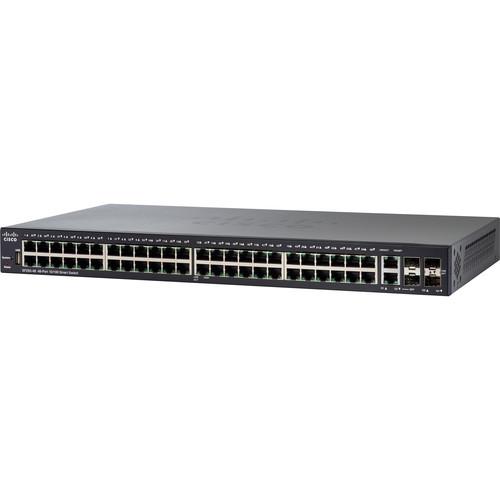 Contents of the user manual for the Cisco SF250-48 48-Port Fast Ethernet Smart
- Product category: Network Switches, Bridges & Hubs Cisco
- Brand: Cisco
- Description and content of package
- Technical information and basic settings
- Frequently asked questions – FAQ
- Troubleshooting (does not switch on, does not respond, error message, what do I do if...)
- Authorized service for Cisco Network Switches, Bridges & Hubs
 |
User manual for the Cisco SF250-48 48-Port Fast Ethernet Smart contain basic instructions
that need to be followed during installation and operation.
Before starting your appliance, the user manual should be read through carefully.
Follow all the safety instructions and warnings, and be guided by the given recommendations.
User manual is an integral part of any Cisco product,
and if it is sold or transferred, they should be handed over jointly with the product.
Following the instructions for use is an essential prerequisite for protecting
health and property during use, as well as recognition of liability on the part of the manufacturer
for possible defects should you make a warranty claim. Download an official Cisco user manual in which you will find instructions on how to install, use, maintain and service your product.
And do not forget – unsuitable use of a Cisco product will considerably shorten its lifespan!
|
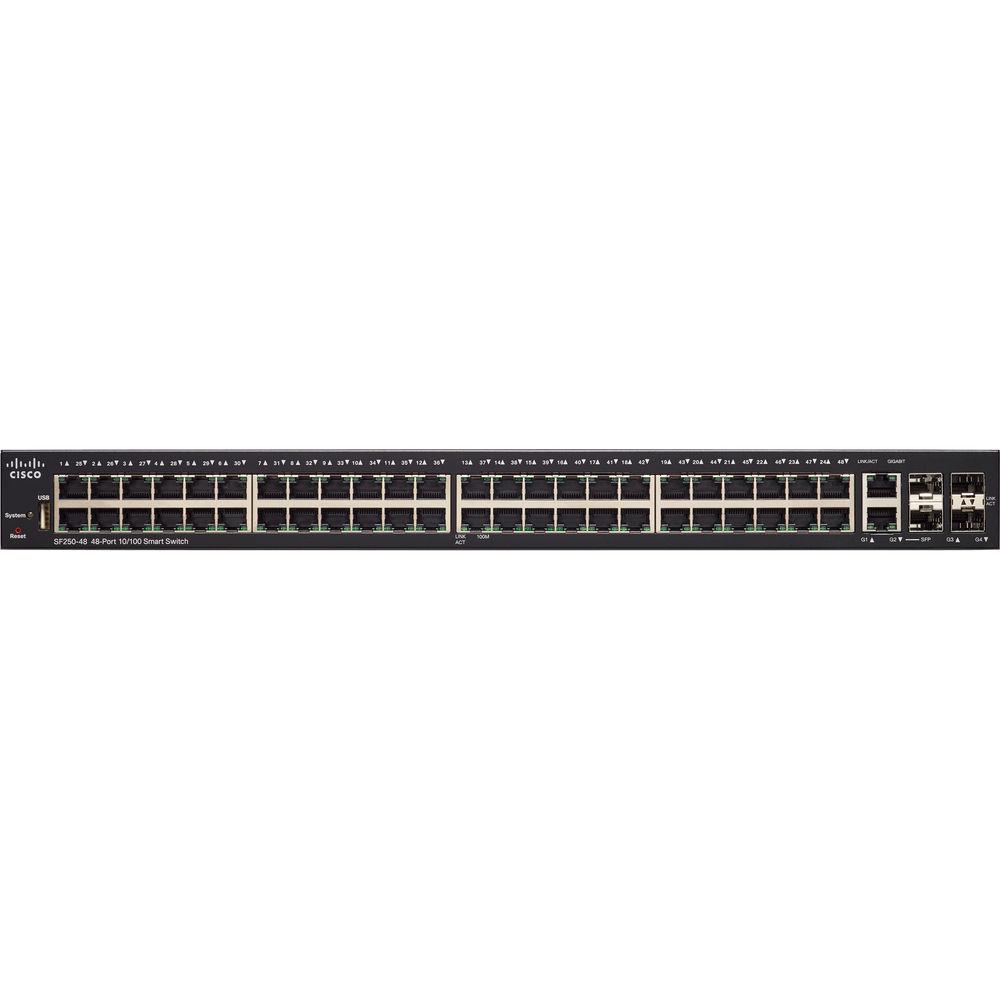
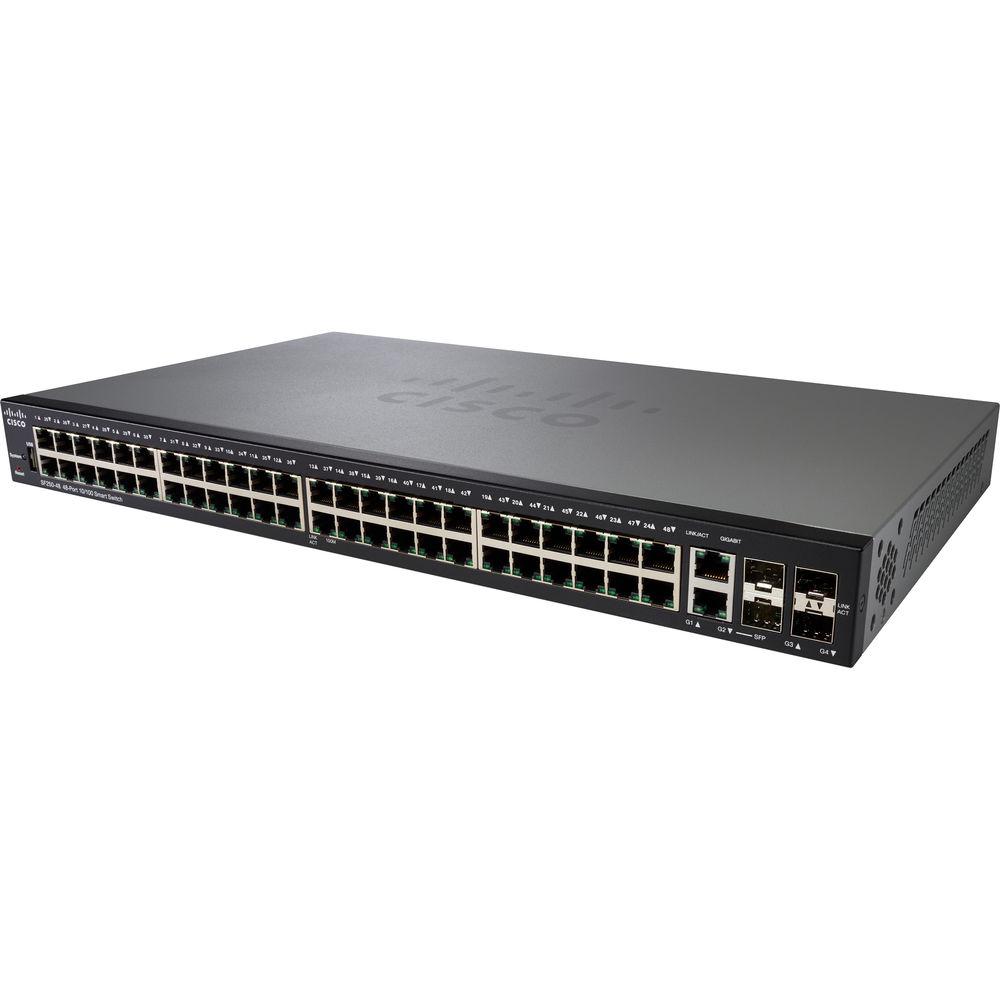
Product description Add more switching capacity to your corporate network with the SF250-48 48-Port Fast Ethernet Smart Switch from Cisco. This switch comes equipped with 48 10/100 Mb/s Ethernet ports, a pair of 10/100/1000 Mb/s RJ45/SFP combo ports, and two SFP ports, while a USB Type-A port allows for image and configuration transfers. Powered by an 800 MHz ARM processor with 512 MB of RAM and 256 MB of flash memory, the SF250-48 Smart Switch boasts network security features such as 802.11x user authentication, denial-of-service attack prevention, and access control lists. The SF250-48's support for the Energy Efficient Ethernet standard allows the switch to conserve power during periods of low data traffic. Management - Web User Interface
- Built-in switch configuration utility for easy browser-based device configuration (HTTP/HTTPS). Supports configuration, wizards, system dashboard, system maintenance, and monitoring. Basic and advanced mode.
- Smart Network Application (SNA)
- A network-level monitoring and management tool, SNA can discover network topology, display link status, monitor events, apply configurations, and upgrade software images across multiple switches in the network.
- SNMP
- Support for versions 1, 2c, 3, traps, and SNMP v3 User-based Security Model (USM).
- FindIT Network Manager and Probe
- Designed to manage select Cisco switches, routers, and wireless access points, the FindIT Network Manager and Probe let you proactively manage the network, eliminating the need to set up a separate hardware or virtual machine on site.
- FindIT Network Discovery Utility
- Accessible through a simple toolbar on the user's web browser, the FindIT Network Discovery Utility lets you discover Cisco devices on the network and find basic device information, inventory, and firmware updates.
- Cisco Smartports Technology
- A feature that facilitates zero-touch deployments, Smartports technology automatically configures ports with specific levels of security, QoS, and availability according to the type of connected device, based on Cisco best practices and pretested configurations. The Auto Smartports feature automatically applies the intelligence delivered through the Smartports roles to the port based on the device types discovered over Cisco Discovery Protocol or Link Layer Discovery Protocol-Media Endpoint Discovery (LLDP-MED).
- Remote monitoring (RMON)
- Embedded RMON software agent supports 4 RMON groups (history, statistics, alarms, and events) for enhanced traffic management, monitoring, and analysis.
- IPv4 and IPv6 Dual Stack
- Coexistence of both protocol stacks to ease migration.
- Firmware Upgrade
- Web browser upgrade (HTTP/HTTPS) and TFTP and upgrade over SCP running over SSH. Dual images for resilient firmware upgrades.
- Port Mirroring
- Traffic on a port can be mirrored to another port for analysis with a network analyzer or RMON probe. Up to 4 source ports can be mirrored to one destination port.
- VLAN Mirroring
- Traffic from a VLAN can be mirrored to a port for analysis with a network analyzer or RMON probe. Up to 4 source VLANs can be mirrored to one destination port.
- Dynamic Host Configuration Protocol (DHCP)
- DHCP options facilitate tighter control from a central point (DHCP server), to obtain IP address, autoconfiguration (with configuration file download), DHCP Relay, and host name.
- Secure Copy (SCP)
- Securely transfers files to and from the switch.
- Autoconfiguration with SCP File Download
- Enables mass deployment with protection of sensitive data.
- Text-Editable Configs
- Config files can be edited with a text editor and downloaded to another switch, facilitating easier mass deployment.
- Textview Command-Line Interface (CLI)
- Scriptable CLI. A full CLI as well as a menu-based CLI is supported. User privilege levels 1, 7, and 15 are supported for the CLI.
- Cisco Network Plug and Play (PnP) Agent
- Provides a simple, secure, unified, and integrated tool to aid new branch or campus device rollouts or for provisioning updates to an existing network. The solution provides a unified approach to provision Cisco routers, switches, and wireless devices with a near-zero-touch deployment experience.
- Localization
- Localization of GUI and documentation into multiple languages.
- Login Banner
- Configurable multiple banners for web as well as CLI.
- Additional Management Features
- Traceroute; single IP management; HTTP/HTTPS; RADIUS; port mirroring; TFTP upgrade; DHCP client; Simple Network Time Protocol (SNTP); cable diagnostics; Ping; syslog; Telnet client (SSH secure support); automatic time settings from Management Station.
- IP Telephony Support
- The SF250-48's QoS features prioritize delay-sensitive services such as voice and video, simplifying unified communications deployments while helping to ensure consistent network performance.
- Link Layer Discovery Protocol with LLDP-MED Extensions
- Allows the switch to advertise its identification, configuration, and capabilities to neighboring devices that store the data in a MIB (Management Information Base). Link Layer Discovery Protocol-Media Endpoint Discovery (LLDP-MED) is an enhancement to LLDP that adds the extensions needed for IP phones.
- Networkwide Automatic Voice Deployment
- Using a combination of Cisco Discovery Protocol, LLDP-MED, Auto Smartports, and Voice Services Discovery Protocol (VSDP, a patented Cisco protocol), users can deploy an end-to-end voice network dynamically. The switches in the network automatically converge into a single voice VLAN and set of QoS parameters and then propagate them out to the phones on the ports where they are discovered. For example, automated voice VLAN capabilities let you plug any IP phone (including third-party phones) into your IP telephony network and receive an immediate dial tone. The switch automatically configures the device with the right VLAN and QoS parameters to prioritize voice traffic.
Energy-Saving Features - Energy Detect
- Automatically turns power off on RJ-45 port when detecting link down. Active mode is resumed without loss of any packets when the switch detects the link is up.
- Cable Length Detection
- Adjusts the signal strength based on the cable length. Reduces power consumption for shorter cables.
- Energy Efficient Ethernet
- Supports IEEE 802.3az on all copper Gigabit Ethernet ports.
- Manually Controlled LEDs
- LEDs can be manually turned off to conserve power.
- Time-Based Port Operation
- Link up or down based on user-defined schedule (when the port is administratively up).
- Time-based PoE
- On PoE-capable models, PoE power can be on or off based on user-defined schedule to save energy.
Layer 2 Switching - Spanning Tree Protocol (STP)
- Standard 802.1d spanning tree support. Fast convergence using 802.1w (Rapid Spanning Tree Protocol), enabled by default. Multiple spanning tree instances using 802.1s (MSTP), with up to 8 instances supported.
- Port Grouping/Link Aggregation
- Support for IEEE 802.3ad Link Aggregation Control Protocol (LACP). Up to 4 groups supported with up to 8 ports per group with 16 candidate ports for each (dynamic) 802.3ad LAG.
- VLAN Support
- Capable of handling up to 256 active VLANs simultaneously. Support for port-based and 802.1Q tag-based VLANs, management VLAN, and guest VLAN.
- Voice VLAN
- Voice traffic is automatically assigned to a voice-specific VLAN and treated with appropriate levels of QoS. Auto-voice capabilities deliver network-wide zero-touch deployment of voice endpoints and call control devices.
- GVRP and GARP Support
- Generic VLAN Registration and Generic Attribute Registration protocols for automatically propagating and configuring VLANs in a bridged domain.
- IGMP Snooping
- Internet Group Management Protocol (IGMP) limits bandwidth-intensive multicast traffic to only the requesters. Supports 4K multicast groups; source-specific multicasting is also supported.
- IGMP Querier
- Used to support a Layer 2 multicast domain of snooping switches in the absence of a multicast router.
- Loopback Detection
- Provides protection against loops by transmitting loop protocol packets out of ports on which loop protection has been enabled. It operates independently of STP.
Layer 3 - Layer 3 Static Routing
- Allows you to segment your network into separate workgroups and communicate across VLANs without degrading application performance. As a result, you can manage internal routing with your switches and dedicate your router to external traffic and security, helping your network run more efficiently.
- Layer 3 Routing Features
-
- Wire-speed routing of IPv4 packets; up to 32 static routes and up to 16 IP interfaces.
- Wire-speed routing of IPv6 packets.
- Configuration of Layer 3 interface on physical port, LAG, VLAN interface, or loopback interface
- Support for Classless Interdomain Routing (CIDR).
- Relay of DHCP traffic across IP domains.
- User Datagram Protocol (UDP) relay: Relay of broadcast information across Layer 3 domains for application discovery or relaying of bootP/DHCP packets.
Security - Main Security Features
- IEEE 802.1X port security controls access to your network, denial-of-service (DoS) attack prevention helps to increase network uptime during an attack, and Access Control Lists (ACLs) help protect sensitive portions of the network from unauthorized users.
- Secure Sockets Layer (SSL)
- Encrypts all HTTPS traffic, allowing secure access to the browser-based management GUI in the switch.
- Secure Shell (SSH) Protocol
- A secure replacement for Telnet traffic. Secure Copy (SCP) also uses SSH. Both SSH v1 and v2 are supported.
- IEEE 802.1X (Authenticator Role)
- RADIUS authentication, guest VLAN, single/multiple host mode, and single/multiple sessions.
- Secure Core Technology (SCT)
- Ensures that the switch will receive and process management and protocol traffic no matter how much traffic is received.
- Secure Sensitive Data (SSD)
- A mechanism to manage sensitive data (such as passwords, keys, and so on) securely on the switch, populating this data to other devices, and secure autoconfig. Access to view the sensitive data as plain text or encrypted is provided according to the user-configured access level and the access method of the user.
- Port Security
- Ability to lock source MAC addresses to ports and limit the number of learned MAC addresses.
- RADIUS Authentication
- Supports RADIUS authentication for management access. Switch functions as a client.
- Storm Control
- Supports broadcast, multicast, and unknown unicast.
- Access Control Lists (ACLs)
- Support for up to 512 rules. Drop or rate limit based on source and destination MAC, VLAN ID or IP address, protocol, port, differentiated services code point (DSCP)/IP precedence, TCP/UDP source and destination ports, 802.1p priority, Ethernet type, Internet Control Message Protocol (ICMP) packets, IGMP packets, or TCP flag.
- STP Loopback Guard
- Provides additional protection against Layer 2 forwarding loops (STP loops).
Quality of Service - Scheduling
- Strict priority and Weighted Round-Robin (WRR) queue assignment based on DSCP and class of service (802.1p/CoS).
- Class of Service
-
- Port-based
- 802.1p VLAN priority-based
- IPv4/v6 IP precedence/Type of Service (ToS)/DSCP-based
- Differentiated Services (DiffServ)
- Classification and re-marking ACLs, trusted QoS
- Rate Limiting
-
- Ingress policer
- Egress shaping and rate control
- Per VLAN, per port, and flow-based
- Congestion Avoidance
- A TCP congestion avoidance algorithm is required to reduce and prevent global TCP loss synchronization.
IPv6 - IPv6 Support
- The SF250-48 provides native support for IPv6 alongside traditional IPv4. With USGv6 and IPv6 Gold Logo certifications, the SF250-48 will enable you to take advantage of IPv6-enabled operating systems and applications without having to upgrade your network equipment.
- IPv6 Features
-
- IPv6 host mode
- IPv6 over Ethernet
- Dual IPv6/IPv4 stack
- IPv6 neighbor and Router Discovery (ND)
- IPv6 stateless address auto configuration
- Path Maximum Transmission Unit (MTU) discovery
- Duplicate Address Detection (DAD)
- Internet Control Message Protocol (ICMP) version 6
- IPv6 over IPv4 network with Intrasite Automatic Tunnel Addressing Protocol (ISATAP) support USGv6 and IPv6 Gold Logo certified
- IPv6 QoS
- Prioritize IPv6 packets in hardware.
- IPv6 ACL (Access Control Lists)
- Drop or rate limit IPv6 packets in hardware.
- Multicast Listener Discovery (MLD V1/2) Snooping
- Deliver IPv6 multicast packets only to the required receivers.
- IPv6 Applications
- Web/SSL, Telnet server/SSH, Ping, Traceroute, Simple Network Time Protocol (SNTP), Trivial File Transfer Protocol (TFTP), Simple Network Management Protocol (SNMP), Remote Authentication Dial-In User Service (RADIUS), Syslog, DNS client, DHCP client, and DHCP autoconfig.
Discovery - Bonjour
- The switch advertises itself using the Bonjour protocol.
- Cisco Discovery Protocol
- Allows the switch to advertise itself while discovering the connected device and its characteristics.
- General Features
-
- Jumbo frames: Frame sizes up to 9K bytes. The default MTU is 2kB.
- MAC table: 8K addresses
UPC: 882658767265 In the Box Cisco SF250-48 48-Port Fast Ethernet Smart Switch Power Cord Mounting Kit Limited Lifetime Warranty Table of Contents
|
Upload User Manual
Have you got an user manual for the Cisco SF250-48 48-Port Fast Ethernet Smart Switch in electronic form? Please send it to us and help us expand our library of instruction manuals.
Thank you, too, on behalf of other users.
To upload the product manual, we first need to check and make sure you are not a robot. After that, your "Submit Link" or "Upload File" will appear.
Technical parametersCisco SF250-48-K9-NA Specs | | | Ports | 48 x 10/100 Mb/s Ethernet (RJ45)
2 x 10/100/1000 Mb/s Gigabit Combo (Ethernet/SFP)
2 x SFP
1 x USB Type-A | | | | Layer Services Supported | Layer 2 Support, Layer 3 Support | | Supported Protocols | Head-of-Line (HOL) Blocking
IGMP Snooping
IPv4
IPv6
Link Aggregation | | Queuing | Strict Priority, Weighted Round Robin (WRR) | | Transmission Method | Store-and-Forward | | Jumbo Frames Support | 9000 Bytes | | MAC Address Table Size | 8K | | | | Security Features | DoS Attack Prevention
RADIUS Authentication
Storm Control | | SNMP Support | 1, 2c, 3 | | | | RFC | RFC 768
RFC 783
RFC 791
RFC 792
RFC 793
RFC 813
RFC 826
RFC 854
RFC 855
RFC 856
RFC 858
RFC 879
RFC 894
RFC 896
RFC 919
RFC 920
RFC 922
RFC 950
RFC 951
RFC 1042
RFC 1071
RFC 1123
RFC 1141
RFC 1155
RFC 1157
RFC 1213
RFC 1215
RFC 1286
RFC 1350
RFC 1442
RFC 1451
RFC 1493
RFC 1533
RFC 1541
RFC 1542
RFC 1573
RFC 1624
RFC 1643
RFC 1700
RFC 1757
RFC 1867
RFC 1907
RFC 1981
RFC 2011
RFC 2012
RFC 2013
RFC 2030
RFC 2131
RFC 2132
RFC 2233
RFC 2460
RFC 2576
RFC 2616
RFC 2618
RFC 2665
RFC 2666
RFC 2674
RFC 2737
RFC 2819
RFC 2863
RFC 3164
RFC 3411
RFC 3412
RFC 3413
RFC 3414
RFC 3415
RFC 3416
RFC 3484
RFC 3595
RFC 4007
RFC 4291
RFC 4293
RFC 4330
RFC 4443
RFC 4861
RFC 4862
RFC 5214 | | Supported IEEE Standards | 802.1d, 802.1p, 802.1q, 802.1q/p, 802.1s, 802.1w, 802.1x, 802.3, 802.3ab, 802.3ad, 802.3u, 802.3x, 802.3z | | | | Forwarding Rate | 13.1 Mpps | | Switching Bandwidth | 17.6 Gb/s | | Priority Queues | 8 | | Packet Buffer | 24 Mb | | | | Flash Memory | 256 MB | | Processor | 800 MHz ARM | | Memory | 512 MB | | | | Power Draw | 24.2 W | | AC Input Power | 100 to 240 VAC, 50 / 60 Hz | | | | Operating Temperature | 32 to 122°F / 0 to 50°C | | Operating Humidity | 10 to 90% | | Storage Temperature | -4 to 158°F / -20 to 70°C | | Storage Humidity | 10 to 90% | | | | Cooling System | Passive | | Mean Time Between Failures (MTBF) | 256,281 Hours | | Indicator Lights | Link/Activity, PoE, Speed, System | | Dimensions | 17.32 x 1.73 x 10.12" / 440 x 44 x 257 mm | | Weight | 17.4 lb / 7.9 kg | | | | Package Weight | 10.55 lb | | Box Dimensions (LxWxH) | 21.3 x 15.3 x 4.2" |
Rating100% users recommend this product to others. And what about you?

This product has already been rated by 24 owners. Add your rating and experience with the product.
Discussion
 Ask our technicians if you have a problem with your settings,
or if anything is unclear in the user manual you have downloaded.
You can make use of our moderated discussion.
The discussion is public and helps other users of our website who may be encountering similar problems.
Ask our technicians if you have a problem with your settings,
or if anything is unclear in the user manual you have downloaded.
You can make use of our moderated discussion.
The discussion is public and helps other users of our website who may be encountering similar problems.
The discussion is empty - enter the first post
Post a new topic / query / comment:
|
|
|
| Request for user manual |
You can’t find the operation manual you are looking for? Let us know and we will try to add the missing manual:
I’m looking for a manual / Request for manual
Current requests for instruction manuals:
Call Of Duty World War Two For Xbox...
controller stratus XL...
stratus XL...
smart whatch serie S11 42mm...
Allen & Heath SQ-6 manual...
|
| Discussion |
Latest contributions to the discussion:
AEW R 4100
Name: MAURICIO ANGARITA
Audio-Technica AEW-R4100 UHF Diversity Receiver for
AEW R 4100 has the mute function blocked and does not allow audio to pass. I tried several times to turn off the mute from the transmitter but it does nothing, the mute stays on. Solution?
Thank you...
Instructions for assembling the 2015 Forecast Image Master Consoles GC3-A
Name: mike elam
Forecast Consoles GC3-A ImageMaster Editing Console
Looking for instructions for assembling this console. ...
EMPTY TONER ERROR MESSAGE AFTER REPLACING TONER
Name: LINDA BAD YELLOW EYES
Brother TN223BK Standard-Yield Toner
I HAD TO CHANGE OUT ALL THREE TONERS DUE TO LEAKS IN THE YELLOW AND CYAN. AFTER I REPLACED THEM, THE MACHINE KEEPS GIVING ME AN EMPTY TONER ERROR MESSAGE. HELP!!...
PS480D 20/24 pin Switching 480W Power Supply
Name: swkargo
Logisys 480W Power Supply
This item states in can run -5vdc .It is NOT listed on the board or I beleive is r4 is missing the resitior. Any body have thid issue. Shawn
...
Help needed
Name: Ann Carter
SanDisk 1TB Extreme Portable USB 3.1
When I click the link to download the user manual for my Sandisk Extreme external hard drive, it gives me the manual for the LG Cricket. Can you please change the link so I can download the Sandisk manual and begin using this drive? Thank you....
|
|


