|
User Manual for Corel CorelCAD 2018 Click to enlarge the picture
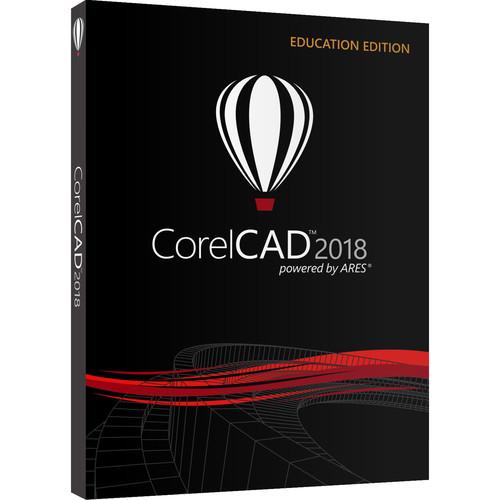 Contents of the user manual for the Corel CorelCAD 2018
- Product category: Animation & CAD Software Corel
- Brand: Corel
- Description and content of package
- Technical information and basic settings
- Frequently asked questions – FAQ
- Troubleshooting (does not switch on, does not respond, error message, what do I do if...)
- Authorized service for Corel Animation & CAD Software
 |
User manual for the Corel CorelCAD 2018 contain basic instructions
that need to be followed during installation and operation.
Before starting your appliance, the user manual should be read through carefully.
Follow all the safety instructions and warnings, and be guided by the given recommendations.
User manual is an integral part of any Corel product,
and if it is sold or transferred, they should be handed over jointly with the product.
Following the instructions for use is an essential prerequisite for protecting
health and property during use, as well as recognition of liability on the part of the manufacturer
for possible defects should you make a warranty claim. Download an official Corel user manual in which you will find instructions on how to install, use, maintain and service your product.
And do not forget – unsuitable use of a Corel product will considerably shorten its lifespan!
|
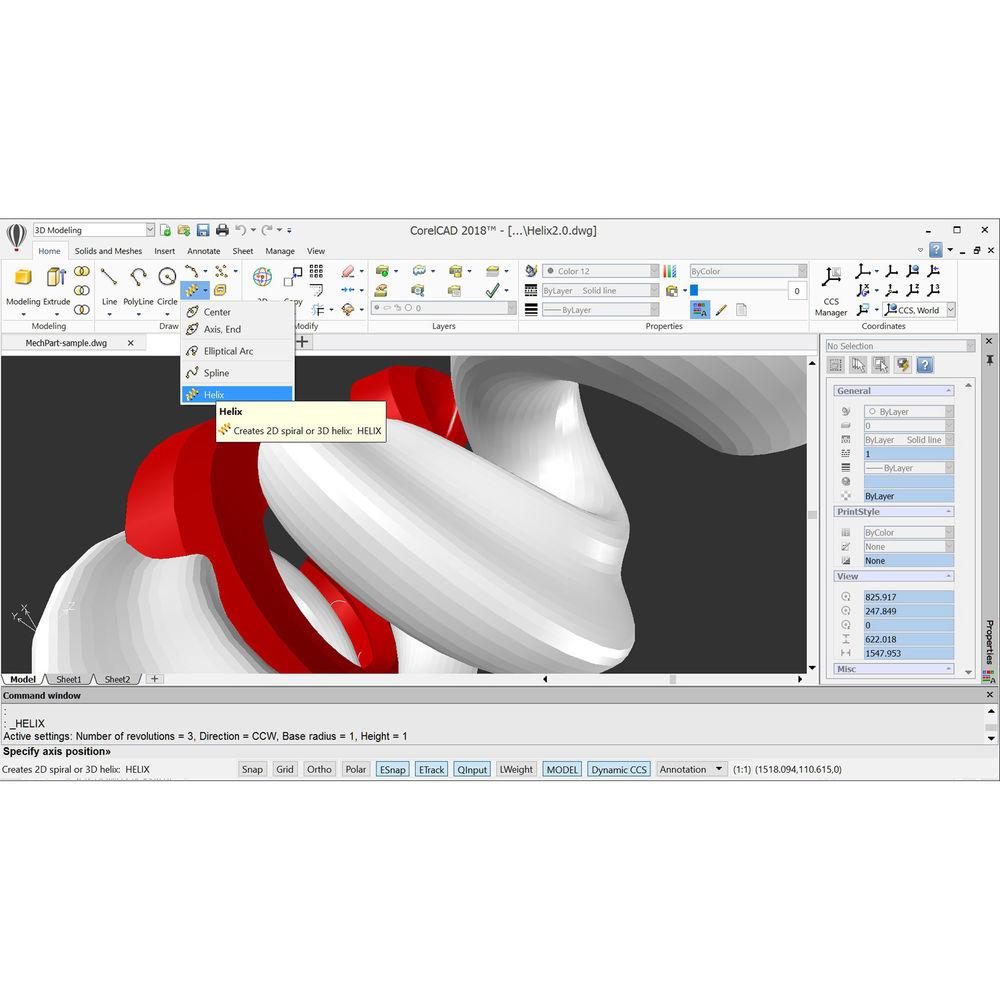
Product description CorelCAD 2016 from Corel is a relatively affordable CAD software offering industry-standard CAD tools and features. Transform your 2D designs into 3D models using customizable 2D drafting tools and 3D editing and modeling tools for any industry. CorelCAD uses the industry-standard .DWG file format, so you can easily collaborate with colleagues/partners using other software. Work in a familiar environment as well as design and annotate on the go with the CorelCAD Mobile app for iOS and Android. CorelCAD Mobile is available as a free companion app with basic functionality or as a subscription with full features and editing capabilities. Note: This Educational edition is valid for accredited schools, faculties, full- or part-time registered students, academic supervisory organizations, hospitals, libraries, museums, or non-profit charitable and religious organizations with official identification. - Helix Tool (New)
- Increase shaping possibilities using the new Helix tool to create 2D spirals and 3D helixes to provide any object with a three-dimensional shape in a single layer around a cylindrical shape, such as a spring or spiral staircase.
- Move Entities Incrementally (New)
- Accelerate your workflow with the Copy command to quickly copy selected objects to the active layer instead of the source layer. Use the enhanced Paste command to copy content from the clipboard to the active layer instead of the source layer, or choose the Shift + Arrow keys to move selected entities with a specific increment.
- Native .DWG Files (Enhanced)
- Open, edit, and save files in .DWG format for easy collaboration with colleagues and suppliers. Increase project sharing with both internal teams and external suppliers using the latest version, AutoCAD R2018 .DWG file format, to ensure worry-free collaboration.
- Industry-Standard CAD Features (Enhanced)
- CorelCAD is compatible with all major CAD programs, so experienced users will feel comfortable with the familiar command bar, command aliases, and menu and toolbar items.
- 3D Solid Editing and Modeling Tools (Enhanced)
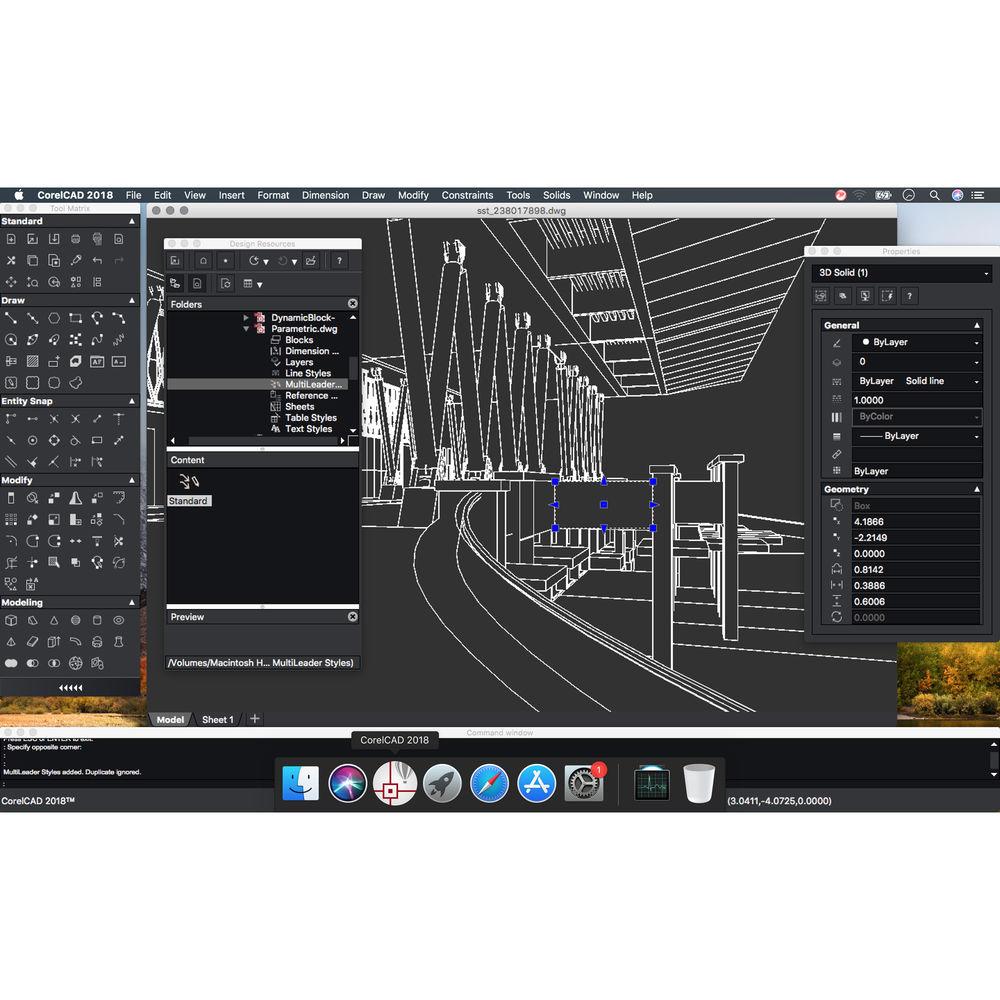
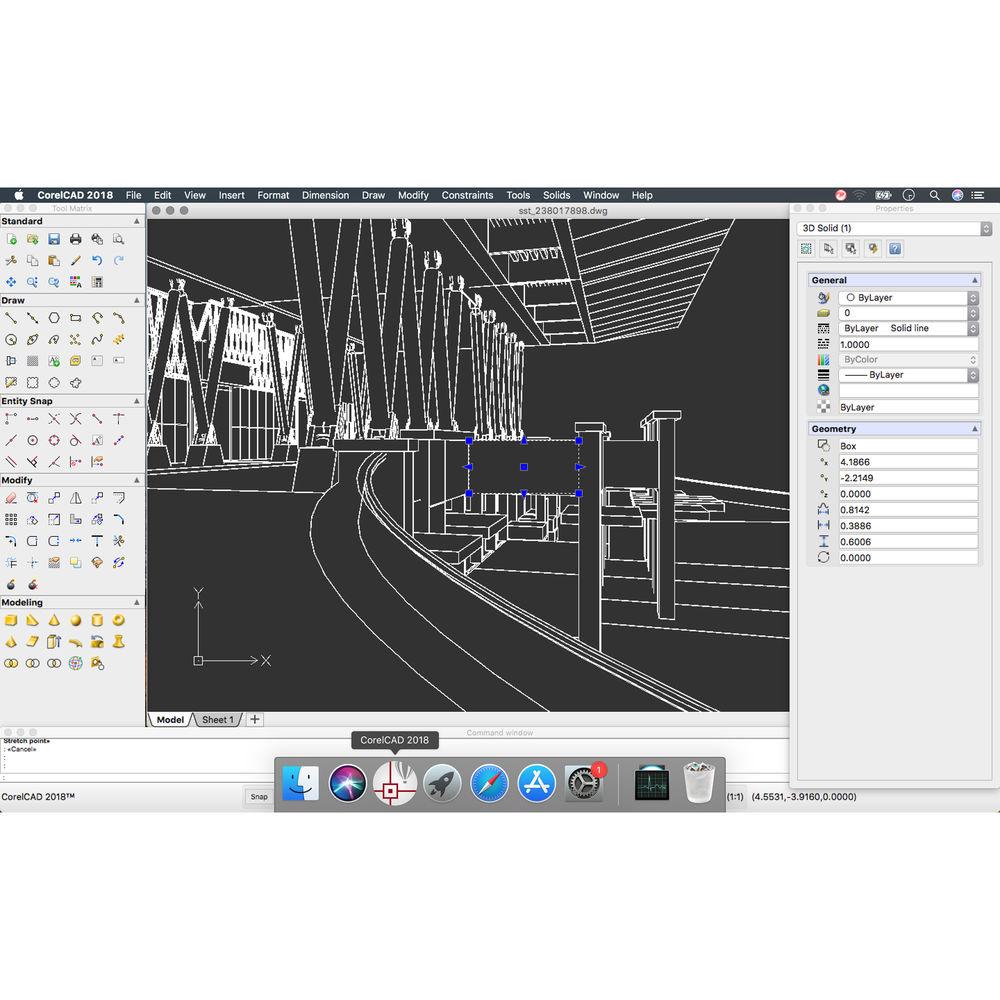
- Save invaluable design time with faster on-screen editing tools. The enhanced EntityGrips and Properties palette allow for 3D editing and provide intuitive manipulation capabilities in 3D. Add 3D solid primitives to your design and use Boolean operations to unite, intersect, and subtract bodies. Use advanced editing tools, like Filleting Edges of 3D Solids, and coloring, moving, rotating, and offsetting individual faces of 3D solids.
- Table Support (Enhanced)
- Use the new ExportTable command to export tables in a comma-separated format (CSV), and import CSV files in Microsoft Excel or database applications. In tables, you can add formulas into cells plus insert, delete, merge, or resize cells, rows, and columns within existing tables.
- Object Snaps and EntityGrips (Enhanced)
- Use CorelCAD smart tools, such as object snaps, grips and polar guides, to quickly reposition, align, copy, or resize objects. The enhanced EntityGrips provide 3D editing and intuitive manipulation. Simply use the contextual shortcut menus to instantly edit the geometry of objects in place when you hover over any EntityGrip.
- MultiLeader and Smart Dimension Tools (Enhanced)
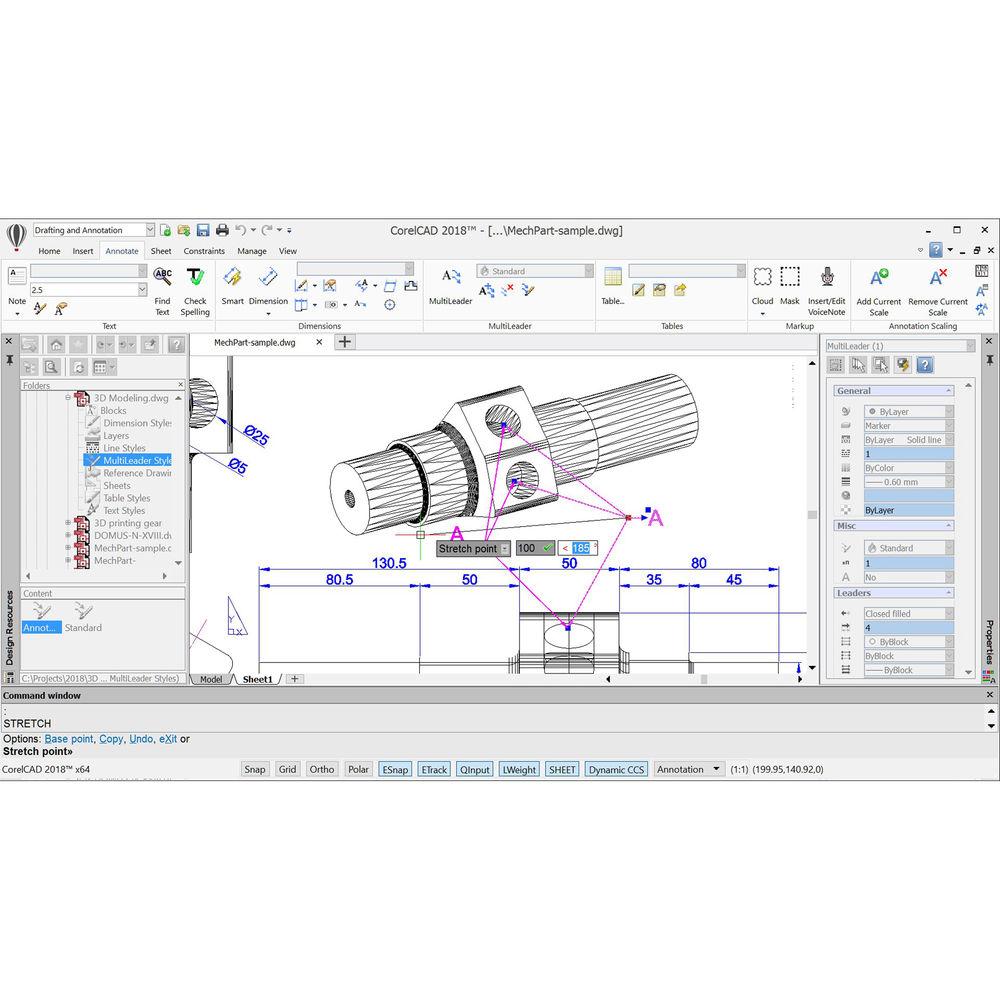
- Draw, edit, and configure callouts with multiple leader lines. This handy tool also allows you to add and remove leader lines to and from the MultiLeaders to adjust and edit as your drawing changes. Use dimension tools for accurate measurements, plus the Smart Dimension tool will suggest the most appropriate and precise dimension type automatically.
- Manage BlockAttribute Properties and Settings (Enhanced)
- Use the Block support to edit the BlockAttribute properties and settings in Block (symbol) definitions. With a few keystrokes, you can change the order in which you are prompted for BlockAttribute values when you insert a Block. You can synchronize all instances of Blocks based on settings in the Block Attribute Manager, or delete BlockAttributes from Blocks.
- CorelCAD Mobile (Enhanced)
- Design and annotate on the go with CorelCAD Mobile, the latest tablet version of CorelCAD for iOS and Android that complements the existing Windows and Mac platforms. CorelCAD Mobile is available as a free companion app with basic functionality, or as a subscription with full features and editing capabilities.
- Quick Input
- Establish a command interface in your project using the cursor in the drawing area. It's an efficient and time-saving feature that brings commands directly to the cursor so when you move it, the tooltips track and enable input of coordinate positions, lengths, angles, lines, and more — when and where you need it.
- Auto-Completion for Commands
- Streamline your workflow with a UI that allows you to apply an auto-completion function for command and variable names as you type them. In addition, it can display a list of suggested command and variable names that will contain your typed substring.
- Layer Tools
- Work in a consistent manner with Layer Preview and Layer transparency features to align project elements, including drawing components from the recent versions of AutoCAD .DWG files. Keep the layers in perfect order by using the Layer States dialog, or save in a LayerState to manage the appearance of design components with named layer states. Turn them on and off, and switch between displays.
- Drawing Constraints
- Add the precision you need by applying dimensional constraints to ensure your 2D designs meet your exact proportion, angle, and size requirements by forcing a geometric shape to perform in a specified way. In addition, you can use geometric constraints to control dependencies and relationships between your objects.
- Patterns Along Paths
- Utilize the Pattern commands to create copies of specified objects along a path. The established path can be in various shapes, such as a line, polyline, arc, circle, ellipse, or spline, plus the alignment options will control the pattern's final appearance.
- Centerline Construction
- Establish exacting centerlines between pairs of lines, arcs, and polyline segments and even set the extension for centerlines to exceed the shapes that define the contour. Best of all, the specific LineStyle for centerlines is assigned automatically.
- Trimming Options
- Cut quickly with confidence using the handy Trim and PowerTrim tools to precisely edit shapes including hatches and solid, single-color or multicolor-gradient fills. Once the divisions are made, the resulting hatch and color fills will maintain their association to subsequent boundary objects and remain as one object.
- Enhanced Performance
- Gain the advantages from computer-aided design software that delivers the strength you need from a new version that has been optimized for the latest operating systems and features intuitive updates to the user interface.
- Windows Ribbon UI (Windows Only)
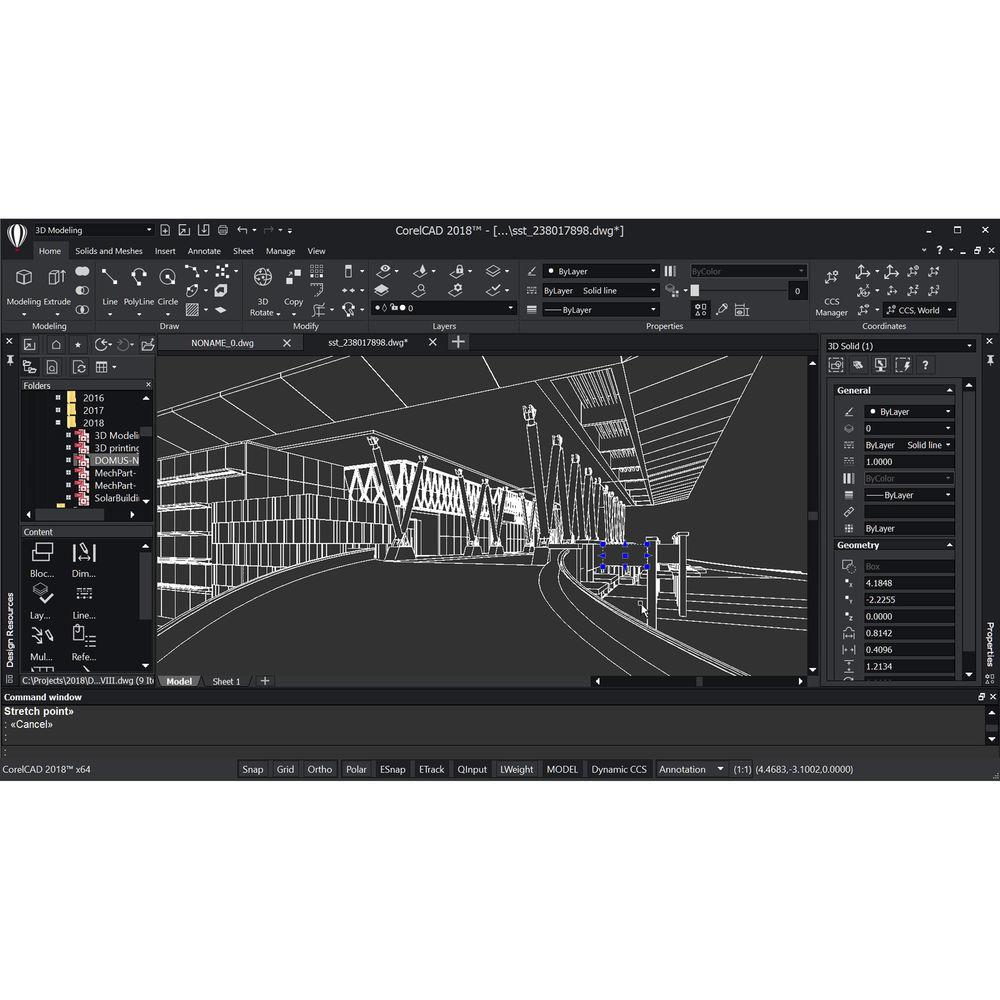
- Increase productivity with the customizable ribbon UI workspaces and use the contextual ribbon options to select and implement the various design tools you need, such as tables, in-place text editing, and more.
- Drawing Tabs (Windows Only)
- Stay organized in CorelCAD with the ability to instantly switch between several documents that are open and active at the same time. Use the DrawingTabs command to show drawing tabs at the top of your drawing window. It's an efficient feature that allows you to open, edit, close, and save multiple drawing windows.
- In-Place Text Editing
- Create or modify existing text with the ability to quickly stack text and paste formatted text from Microsoft Word within your project. It's ideal for controlling the font, appearance, and location of text blocks.
- Head-Up Display
- Use the Head-up toolbar to select various entities and then zoom in on the selected entities to make required changes. With the ability to edit your entities in one place, you can set the line style and line width, change layers, create dimension entities, or make a Block.
- Dynamic Blocks
- Save valuable drawing time by inserting dynamic blocks from AutoCAD and then accessing the block settings and attributes for your own .DWG files in CorelCAD.
- Design Resources
- With the comprehensive Design Resources, users can instantly find, access, and manage design components like blocks, styles, drawings, and images, for use within and across a variety of CAD projects.
- CAD File Standards Verification
- CorelCAD 2018 can verify a CAD drawing against drawing standards, such as those stored in .DWS files. This verification will detect and repair industry-standard violations to ensure compliant CAD drawings.
- Annotation and Collaboration
- Use the unique VoiceNotes tool to add recorded messages, reminders, or instructions directly in your drawing. Mark up drawing items with freehand sketches. Mask portions of a drawing to exempt them from annotations.
- PDF and DGN Underlay Functionality
- Attach one or more pages of a PDF document or DGN files originated from MicroStation or other CAD software to your drawing as an Underlay. Control the layer visibility and clipping (masking areas) of the PDF and DGN Underlays.
- Transition from 2D to 3D
- Windows users can create 2D designs in CorelCAD or create 2D sketches in the optional CorelDRAW. Import the sketch into CorelCAD and transform the 2D sketch to 3D. Extrude, revolve, or sweep 2D entities along a path to progress from 2D drafting into 3D modeling. Mac users can import but can still create 2D designs in CorelCAD and transform them into 3D.
- 3D Mouse Support (Windows Only)
- Navigate in 3D with support for 3Dconnexion input devices. Rotate 2D and 3D drawings by moving the cap of the optional 3D mouse. Assign preferred navigation settings or custom commands to the buttons of the 3D mouse.
- Print 3D Designs
- Export multiple 3D solid objects to .STL (Stereolithography), the most commonly used file format for 3D prints. Print 3D prototypes using .STL support for direct connection to 3D printers or output to 3rd-party 3D printing services.
- CorelDRAW File Import (Windows Only)
- Easily import CorelDRAW (.CDR) and Corel DESIGNER (.DES) files into CorelCAD as model space objects with a representation in a layout sheet. A direct way to import drafts from CorelDRAW for advanced 2D and 3D modeling in CorelCAD on Windows allows you to work with multi-page .CDR/.DES files.
- CorelDRAW and Corel DESIGNER Export (Windows Only)
- Export from CorelCAD on Windows to .CDR and .DES to easily re-purpose your work in CorelDRAW for presentations and marketing-related deliverables, or in Corel DESIGNER for technical documentation.
- Migration Assistance
- Transfer custom settings such as profiles, preferences, file locations, and UI customizations from a previous version of CorelCAD. A dialog box opens automatically when you start CorelCAD 2018 the first time after installation.
- Easy File Sharing
- Collaborate and share more easily with colleagues and clients with support for leading formats, including .PDF, .SVG, .EPS, and .DWF.
- Work with GIS Files
- Visualize maps and geographic models created by geographic information systems (GIS) applications with support for ESRI Shape files (.SHP).
- Exchange 3D Files with Colleagues and Suppliers
- Open and work with 3D models with support for the ACIS model file format (.SAT) that you can share with co-workers and 3D manufacturers.
- Print Dialog
- Enjoy enriched functionality with a redesigned print dialog box that improves the user experience. The print preview updates dynamically when you change any of the print settings, and it shows an optimized preview of the image before you print.
- Print Configurations
- Store all your advanced print settings, including paper size, scale, orientation, color to line width assignments, and many more, in named configurations to use them across CAD files and projects.
- Pack & Go Command
- Create a ZIP archive or folder containing the current drawing and its dependent files, such as References, images, PDF files, font and mapping files, and PrintStyle and Print Configuration files.
- Automation Support (Windows only)
- With support for Microsoft Visual Studio Tools for Applications (VSTA) (Windows only) and LISP, you can load or create your own functions, routines, and plug-ins in the CorelCAD automation interface.
UPC: 735163151831 In the Box Corel CorelCAD 2018 (Educational, DVD) DVD Table of Contents
|
Upload User Manual
Have you got an user manual for the Corel CorelCAD 2018 in electronic form? Please send it to us and help us expand our library of instruction manuals.
Thank you, too, on behalf of other users.
To upload the product manual, we first need to check and make sure you are not a robot. After that, your "Submit Link" or "Upload File" will appear.
Technical parametersCorel CorelCAD 2018 Specs | | | Delivery Method | DVD | | Version | Educational, Standard | | | | Supported Operating Systems | Windows 7 or Later
macOS X 10.1 or Later | | Memory Requirement | 2 GB (8 GB Recommended) | | Storage Requirement | 500 MB | | CPU Requirement | Windows:
Intel Core 2 Duo and Faster or
AMD Athlon X2 Dual-Core and Faster
Mac:
Intel Core 2 Duo and Faster | | Display Resolution Requirement | 1280 x 768 (1920 x 1080 Recommended) | | OpenGL Graphics Requirement | 1.4 (3.2 Recommended) | | Internet Connection Required | Yes | | | | Package Weight | 0.165 lb | | Box Dimensions (LxWxH) | 7.55 x 5.35 x 0.65" |
Rating50% users recommend this product to others. And what about you?

This product has already been rated by 50 owners. Add your rating and experience with the product.
Discussion
 Ask our technicians if you have a problem with your settings,
or if anything is unclear in the user manual you have downloaded.
You can make use of our moderated discussion.
The discussion is public and helps other users of our website who may be encountering similar problems.
Ask our technicians if you have a problem with your settings,
or if anything is unclear in the user manual you have downloaded.
You can make use of our moderated discussion.
The discussion is public and helps other users of our website who may be encountering similar problems.
The discussion is empty - enter the first post
Post a new topic / query / comment:
|
|
|
| Request for user manual |
You can’t find the operation manual you are looking for? Let us know and we will try to add the missing manual:
I’m looking for a manual / Request for manual
Current requests for instruction manuals:
Call Of Duty World War Two For Xbox...
controller stratus XL...
stratus XL...
smart whatch serie S11 42mm...
Allen & Heath SQ-6 manual...
|
| Discussion |
Latest contributions to the discussion:
AEW R 4100
Name: MAURICIO ANGARITA
Audio-Technica AEW-R4100 UHF Diversity Receiver for
AEW R 4100 has the mute function blocked and does not allow audio to pass. I tried several times to turn off the mute from the transmitter but it does nothing, the mute stays on. Solution?
Thank you...
Instructions for assembling the 2015 Forecast Image Master Consoles GC3-A
Name: mike elam
Forecast Consoles GC3-A ImageMaster Editing Console
Looking for instructions for assembling this console. ...
EMPTY TONER ERROR MESSAGE AFTER REPLACING TONER
Name: LINDA BAD YELLOW EYES
Brother TN223BK Standard-Yield Toner
I HAD TO CHANGE OUT ALL THREE TONERS DUE TO LEAKS IN THE YELLOW AND CYAN. AFTER I REPLACED THEM, THE MACHINE KEEPS GIVING ME AN EMPTY TONER ERROR MESSAGE. HELP!!...
PS480D 20/24 pin Switching 480W Power Supply
Name: swkargo
Logisys 480W Power Supply
This item states in can run -5vdc .It is NOT listed on the board or I beleive is r4 is missing the resitior. Any body have thid issue. Shawn
...
Help needed
Name: Ann Carter
SanDisk 1TB Extreme Portable USB 3.1
When I click the link to download the user manual for my Sandisk Extreme external hard drive, it gives me the manual for the LG Cricket. Can you please change the link so I can download the Sandisk manual and begin using this drive? Thank you....
|
|


