|
User Manual for Corel VideoStudio Pro 2018 Click to enlarge the picture
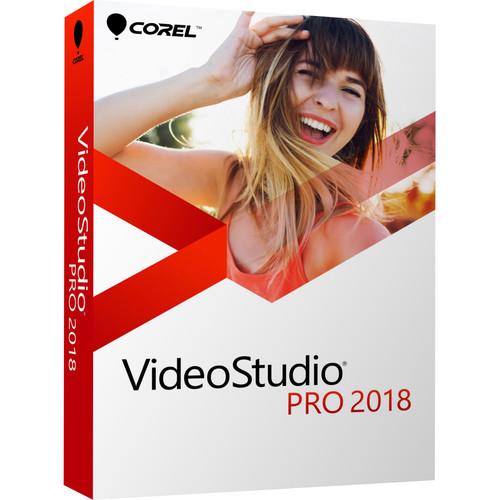 Contents of the user manual for the Corel VideoStudio Pro 2018
- Product category: Video Editing Corel
- Brand: Corel
- Description and content of package
- Technical information and basic settings
- Frequently asked questions – FAQ
- Troubleshooting (does not switch on, does not respond, error message, what do I do if...)
- Authorized service for Corel Video Editing
 |
User manual for the Corel VideoStudio Pro 2018 contain basic instructions
that need to be followed during installation and operation.
Before starting your appliance, the user manual should be read through carefully.
Follow all the safety instructions and warnings, and be guided by the given recommendations.
User manual is an integral part of any Corel product,
and if it is sold or transferred, they should be handed over jointly with the product.
Following the instructions for use is an essential prerequisite for protecting
health and property during use, as well as recognition of liability on the part of the manufacturer
for possible defects should you make a warranty claim. Download an official Corel user manual in which you will find instructions on how to install, use, maintain and service your product.
And do not forget – unsuitable use of a Corel product will considerably shorten its lifespan!
|
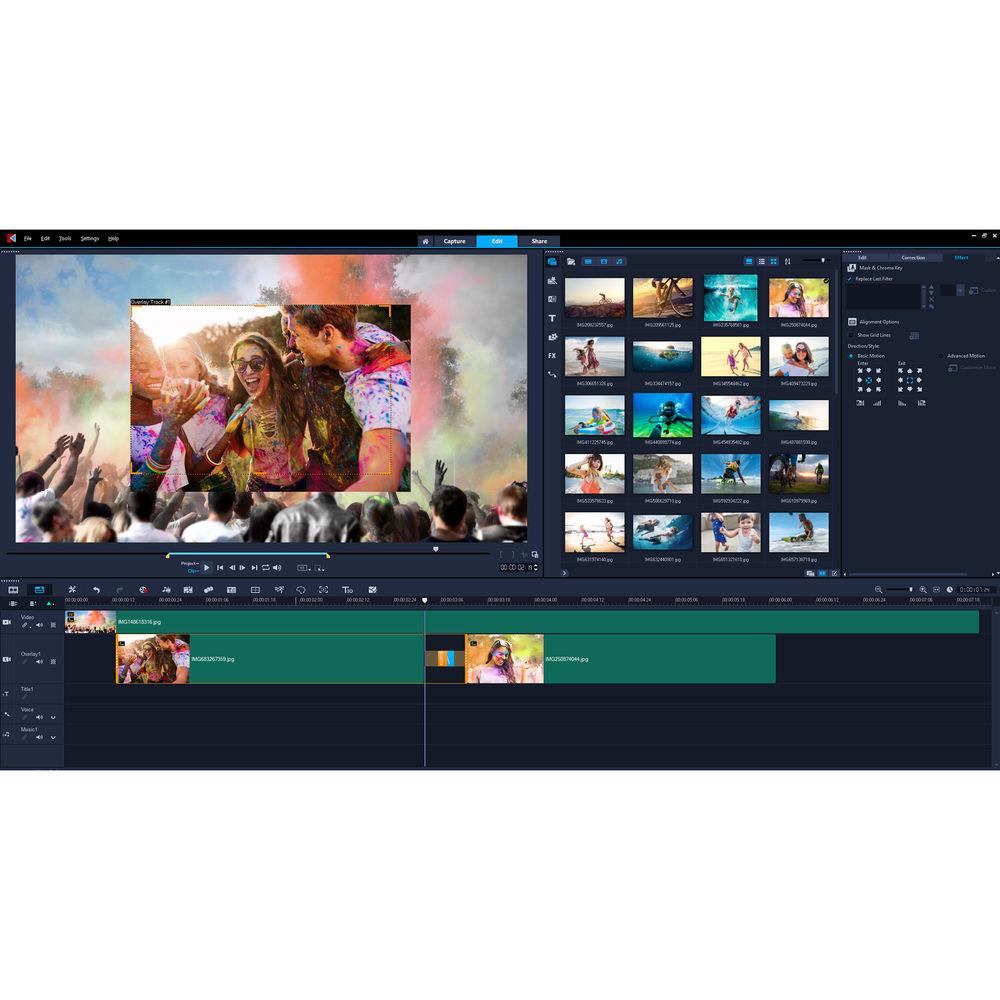
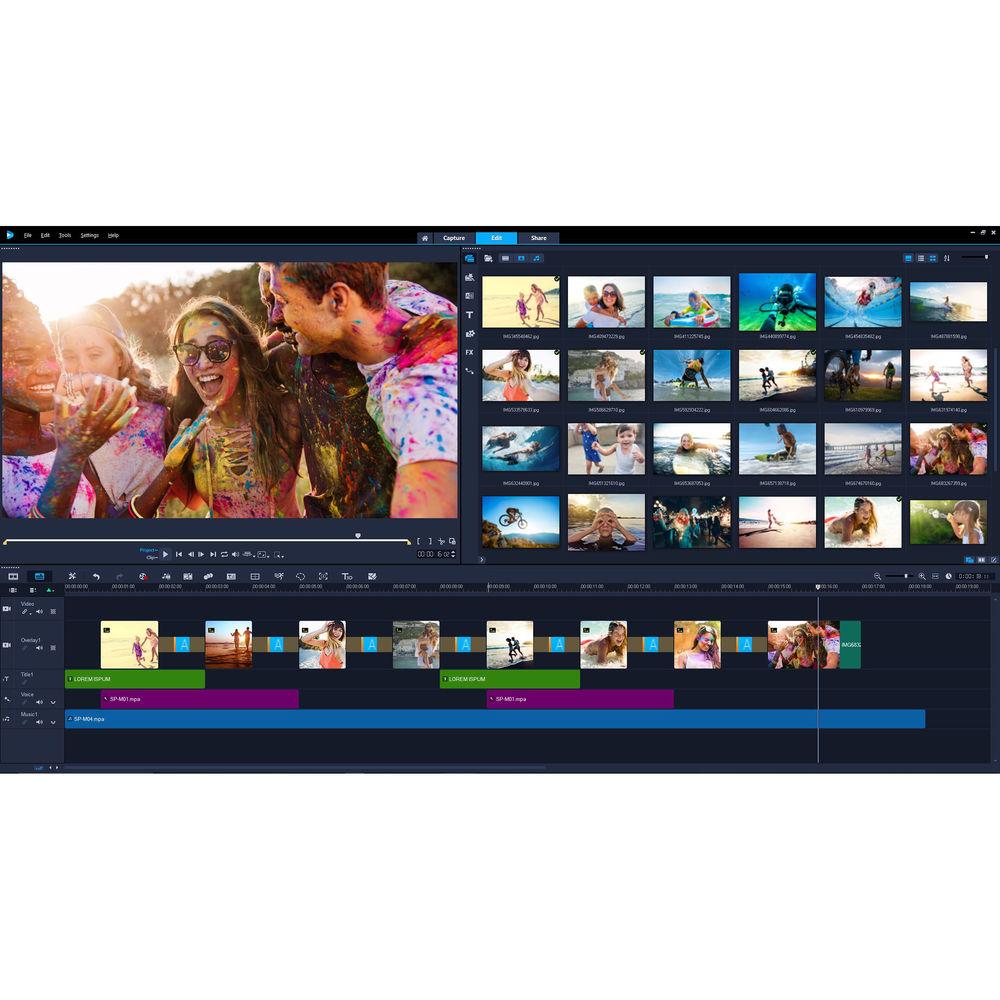
Product description Corel VideoStudio Pro 2018 is a comprehensive consumer video editing application designed with editing enthusiasts, students, social media marketers, and new videographers in mind. The program offers an easy-to-learn and easy-to-use interface and workflow which allow you to achieve results quickly, and at the same time it features a thorough collection of standard and advanced tools and functions that will let you turn your projects into creative works of art.
VideoStudio supports up to Ultra HD 4K resolution, so you'll be able to make use of most 4K cameras and 4K displays that you may already own or will in the future. 1500+ creative effects, transitions, titles, image correction tools, and other filters are integrated to enable you to polish up your projects with style and precision.
VideoStudio Pro 2018 incorporates a variety of sophisticated video and audio features, including 4-camera multi-cam editing and multi-point motion tracking for those who want to get really creative. Multi-point motion tracking will allow you to easily add moving text or graphics to your videos or apply a mosaic blur to moving faces, logos, license plates, and other elements. The application also includes several 3rd-party plug-ins from NewBlue FX for further stylizing your videos.
VideoStudio Pro 2018 is compatible with Windows 10, 8, and 7. The default operating language is English but you can choose between a variety of languages in the settings menu. New Features - Enhanced User Interface
- VideoStudio 2018 features a new, intuitive user interface with easy-to-use tools, allowing you to focus on the fun stuff and edit faster and easier.
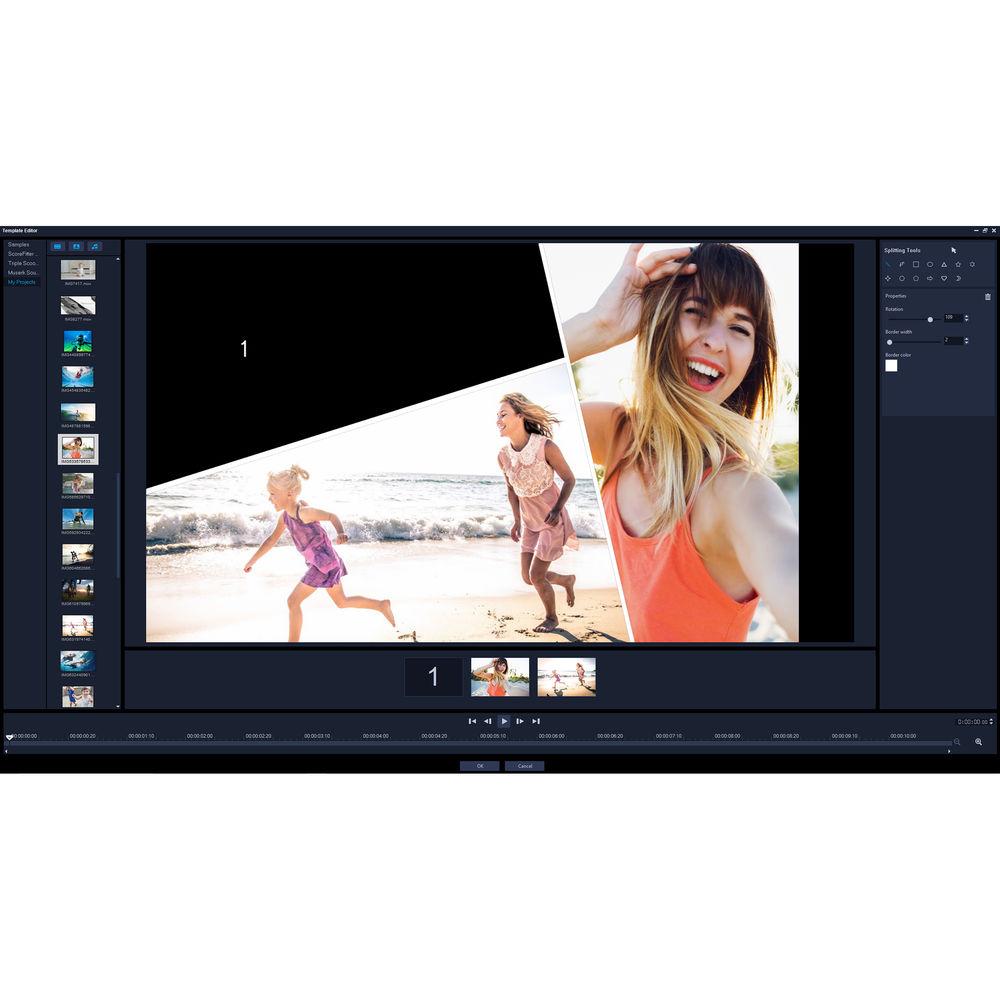
- Split Screen Video
- Show multiple video streams simultaneously with new Split Screen video templates. Easily drag and drop content to create impressive promotional videos or share the highlights from your latest trip!
- Lens Correction Tools
- Quickly remove distortion from wide-angle cameras or action cameras with new and intuitive controls.
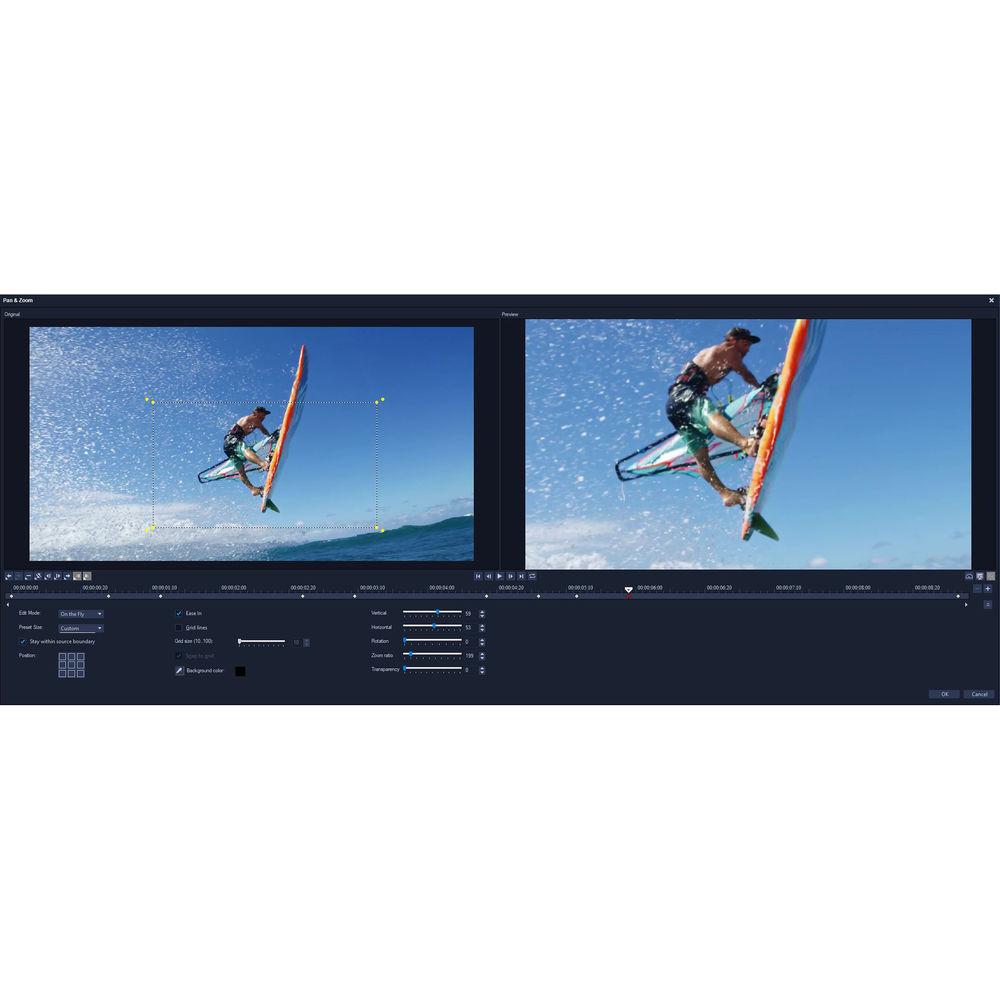
- Pan and Zoom
- Zoom in on the action, pan across a scene, and apply visual pan and zoom effects to your videos across custom motion paths.
- 360 Video Editing (Enhanced)
- Import your 360° footage and start editing. VideoStudio 2018 offers expanded support for popular 360 cameras as well as exporting your 360 video directly to YouTube, your VR headset, and other destinations.
- Stop Motion Animation (Enhanced)
- Plug in your camera and capture your animation frame by frame. This feature now has support for all popular Canon and Nikon cameras and enhanced controls to help you capture your stop motion animation.
- Resize and Crop Video Tools
- Quickly crop video, resize, and position your media directly in the preview pane. Snap your media in place with new Smart Guide alignment tools.
- XAVC-S Export to SD Cards
- VideoStudio supports most of the latest common file formats and associated peripherals, now including XAVC-S authoring to an SD card so you can export your video for playback directly on your camera.
- Smoother and Faster Rendering (Enhanced)
- VideoStudio is optimized for the latest video hardware acceleration technologies from Intel and NVIDIA, which provides for a more efficient workflow and dramatically speeds up rendering to popular file formats.
All Features - Key Tools & Functions
-
- 1500+ video effects, filters, and transitions
- 4-camera multi-cam editing
- Lens correction / fisheye correction
- Split screen video templates
- 360-degree video editing
- Track transparency
- Stop motion animation
- Video titles
- Motion tracking
- Screen recorder
- Chroma key effects / green screen
- Time-lapse video
- Subtitle editor
- Color correction tools
- Picture-in-picture
- Video overlays
- Video templates
- Video masking
- Time remapping
- Video stabilization
- Video Editing
-
- 21 tracks
- Timeline editing
- Storyboard editing
- Portrait video editing
- Track height adjustment
- Smart Guide alignment tools
- Group objects
- 360 video to standard video
- Crop video
- Pan and zoom
- Dual window display
- Scalable windows
- Detachable windows
- Right-to-left text
- Voiceover tools
- Video trim
- Split video
- Merge video
- Rotate video
- Convert titles to alpha channel files
- Create custom workspaces
- Smart proxy editing
- Backup library
- Audio Editing
-
- 8 tracks
- Normalize audio
- Audio ducking
- Audio filters
- ScoreFitter royalty-free music library
- Dolby Digital support
- Included Plug-Ins & Extras
-
- Integrated video tutorials
- Corel Live Screen Capture
- Corel FastFlicks slideshow maker
- Corel MyDVD disc authoring software - 50 templates
- NewBlueFX Titler EX
- NewBlueFX Video Sampler Pack
- NewBlueFX Video Essentials I
- NewBlueFX Video Essentials II
- Export
-
- Insert chapter points in timeline
- Burn DVD and AVCHD with menus and chapters
- Export to common video formats
- Export to YouTube, Facebook, Flickr, and Vimeo
- Export to smartphones and tablets
- XAVC-S authoring to SD card
- SD card output
- Export 360 videos
- Smart Package for easy archive/restore
- Formats & Support
-
- 360 video
- 4K video
- HD video
- HTML5 editing
- HEVC import
- 64-bit architecture
- NVIDIA, Intel, and AMD DirectX video acceleration support
- Intel Quick Sync Video hardware acceleration
- NVIDIA CUDA optimization
UPC: 735163152098 In the Box Corel VideoStudio Pro 2018 (Box) Installation DVD & Digital Download Code Table of Contents
|
Upload User Manual
Have you got an user manual for the Corel VideoStudio Pro 2018 in electronic form? Please send it to us and help us expand our library of instruction manuals.
Thank you, too, on behalf of other users.
To upload the product manual, we first need to check and make sure you are not a robot. After that, your "Submit Link" or "Upload File" will appear.
Technical parametersCorel VideoStudio 2018 Professional Specs | Operating System | Windows 10, 8, 7 (64-bit recommended)
The program is available for installation in 32- or 64-bit. Some features are only available in 64-bit (3D Title Editor, NewBlue Titler Pro, Boris Title Studio)
HEVC (H.265) support requires Windows 10 supporting PC hardware or graphics card and Microsoft HEVC video extension installed | | CPU | Intel Core i3 or AMD A4 3.0 GHz or higher
(Intel Core i5 or i7 1.06 GHz or higher required for AVCHD and Intel Quick Sync Video support; Intel Core i7 or AMD Athlon A10 or higher for Ultra HD 4K, multi-camera, or 360 video) | | RAM | 4 GB of RAM or higher
(8+ GB recommended for Ultra HD 4K, multi-camera, or 360 video)
Minimum 256 MB VRAM
(512 MB or higher recommended for hardware decoding acceleration) | | Display Resolution | 1024 x 768 | | Sound Card | Windows-compatible sound card | | Hard Disk Space | Minimum 8 GB HDD space for full installation | | | | Package Weight | 0.2 lb | | Box Dimensions (LxWxH) | 7.5 x 5.3 x 1.5" |
Rating50% users recommend this product to others. And what about you?

This product has already been rated by 60 owners. Add your rating and experience with the product.
Discussion
 Ask our technicians if you have a problem with your settings,
or if anything is unclear in the user manual you have downloaded.
You can make use of our moderated discussion.
The discussion is public and helps other users of our website who may be encountering similar problems.
Ask our technicians if you have a problem with your settings,
or if anything is unclear in the user manual you have downloaded.
You can make use of our moderated discussion.
The discussion is public and helps other users of our website who may be encountering similar problems.
The discussion is empty - enter the first post
Post a new topic / query / comment:
|
|
|
| Request for user manual |
You can’t find the operation manual you are looking for? Let us know and we will try to add the missing manual:
I’m looking for a manual / Request for manual
Current requests for instruction manuals:
Call Of Duty World War Two For Xbox...
controller stratus XL...
stratus XL...
smart whatch serie S11 42mm...
Allen & Heath SQ-6 manual...
|
| Discussion |
Latest contributions to the discussion:
AEW R 4100
Name: MAURICIO ANGARITA
Audio-Technica AEW-R4100 UHF Diversity Receiver for
AEW R 4100 has the mute function blocked and does not allow audio to pass. I tried several times to turn off the mute from the transmitter but it does nothing, the mute stays on. Solution?
Thank you...
Instructions for assembling the 2015 Forecast Image Master Consoles GC3-A
Name: mike elam
Forecast Consoles GC3-A ImageMaster Editing Console
Looking for instructions for assembling this console. ...
EMPTY TONER ERROR MESSAGE AFTER REPLACING TONER
Name: LINDA BAD YELLOW EYES
Brother TN223BK Standard-Yield Toner
I HAD TO CHANGE OUT ALL THREE TONERS DUE TO LEAKS IN THE YELLOW AND CYAN. AFTER I REPLACED THEM, THE MACHINE KEEPS GIVING ME AN EMPTY TONER ERROR MESSAGE. HELP!!...
PS480D 20/24 pin Switching 480W Power Supply
Name: swkargo
Logisys 480W Power Supply
This item states in can run -5vdc .It is NOT listed on the board or I beleive is r4 is missing the resitior. Any body have thid issue. Shawn
...
Help needed
Name: Ann Carter
SanDisk 1TB Extreme Portable USB 3.1
When I click the link to download the user manual for my Sandisk Extreme external hard drive, it gives me the manual for the LG Cricket. Can you please change the link so I can download the Sandisk manual and begin using this drive? Thank you....
|
|


