User Manual for Corel VideoStudio Ultimate 2019 Click to enlarge the picture
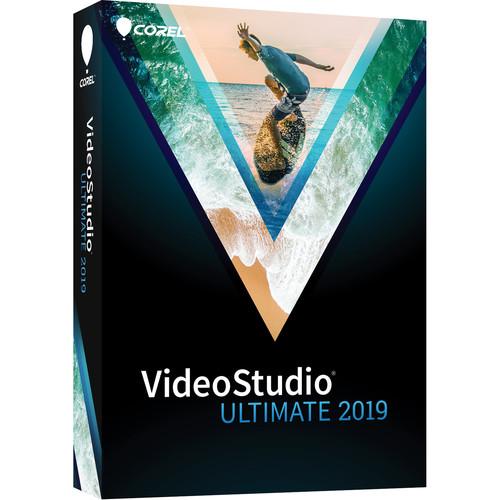 Contents of the user manual for the Corel VideoStudio Ultimate 2019
- Product category: Video Editing Corel
- Brand: Corel
- Description and content of package
- Technical information and basic settings
- Frequently asked questions – FAQ
- Troubleshooting (does not switch on, does not respond, error message, what do I do if...)
- Authorized service for Corel Video Editing
 |
User manual for the Corel VideoStudio Ultimate 2019 contain basic instructions
that need to be followed during installation and operation.
Before starting your appliance, the user manual should be read through carefully.
Follow all the safety instructions and warnings, and be guided by the given recommendations.
User manual is an integral part of any Corel product,
and if it is sold or transferred, they should be handed over jointly with the product.
Following the instructions for use is an essential prerequisite for protecting
health and property during use, as well as recognition of liability on the part of the manufacturer
for possible defects should you make a warranty claim. Download an official Corel user manual in which you will find instructions on how to install, use, maintain and service your product.
And do not forget – unsuitable use of a Corel product will considerably shorten its lifespan!
|
Product description - Introducing Corel VideoStudio 2019
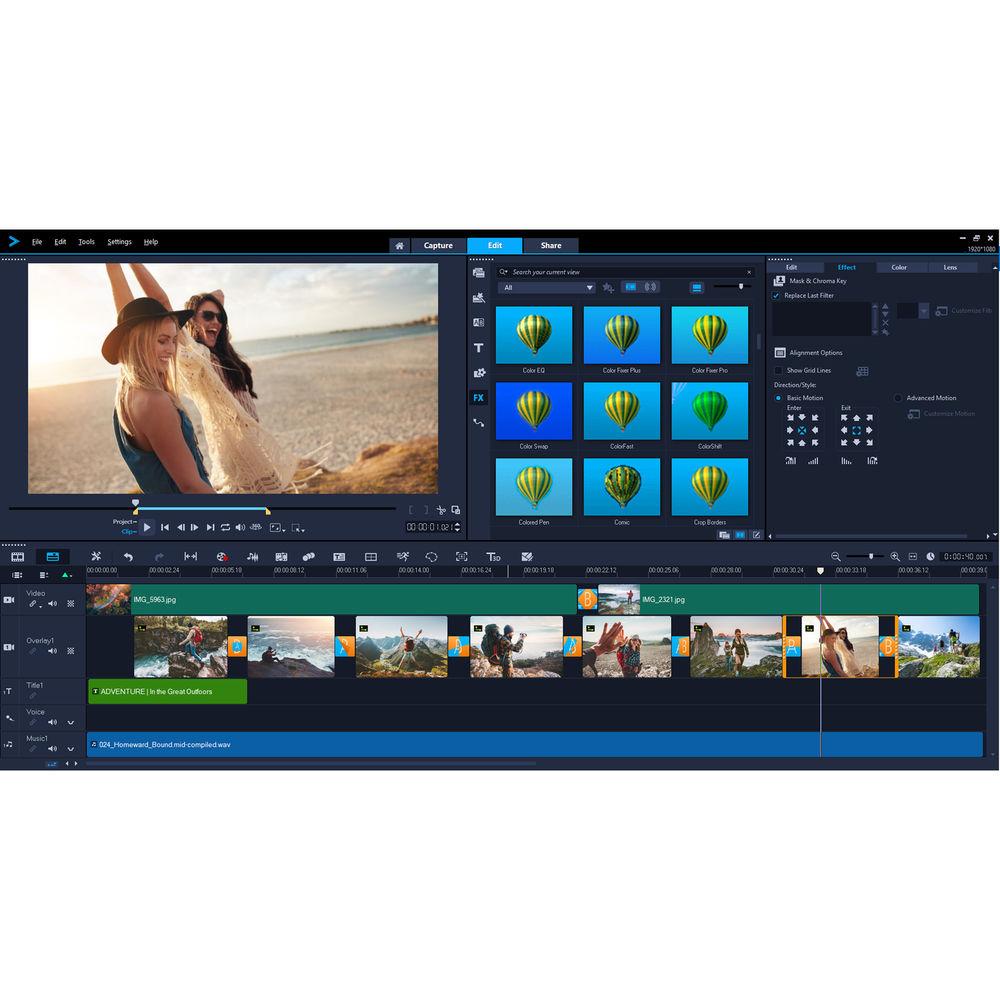
Corel VideoStudio Ultimate 2019 is a comprehensive consumer video editing application designed with editing enthusiasts, students, social media marketers, and new videographers in mind. The program offers an easy-to-learn and easy-to-use interface and workflow, which allow you to achieve results quickly, and at the same time it features a thorough collection of standard and advanced tools and functions that will let you turn your projects into creative works of art.
VideoStudio supports up to Ultra HD 4K resolution, so you'll be able to make use of most 4K cameras and 4K displays. 2000+ creative effects, transitions, titles, image correction tools, and other filters are integrated to enable you to polish up your projects with style and precision.
VideoStudio Ultimate 2019 incorporates a variety of sophisticated video and audio features, including 6-camera multi-cam editing and multi-point motion tracking for those who want to get really creative. Multi-point motion tracking will allow you to easily add moving text or graphics to your videos or apply a mosaic blur to moving faces, logos, license plates, and other elements. The application also includes a large variety of 3rd-party plug-ins from Boris FX, NewBlue FX, and proDAD for further stylizing your videos.
VideoStudio Ultimate 2019 is compatible with Windows 10, 8, and 7. The default operating language is English, but you can choose between a variety of languages in the settings menu. New and Enhanced Features - Morph Transitions
- Transform a single image, shape, or sequence and make cuts or transitions between scenes and merge video so that there is no discernible beginning or end.
- Seamless Transitions
- Flip, zoom, spin, or whip between scenes with Seamless Transitions that add energy to your cuts. Just align similar colors or objects to create a smooth and artful transition between imagery. Choose from transitions templates for immediate results or dive in deeper and create custom Seamless Transitions.
- Spherical Panorama Effects
- Create new Tiny Planet or Rabbit Hole effects with the 360 video editor.
- Alpha Channel Video Import/Export
- Create your own unique overlays and export motion graphics, masks, or text with a transparent background, all using the new alpha channel. Create your video on the overlay track and export to .MOV with alpha channel.
- Color Grading
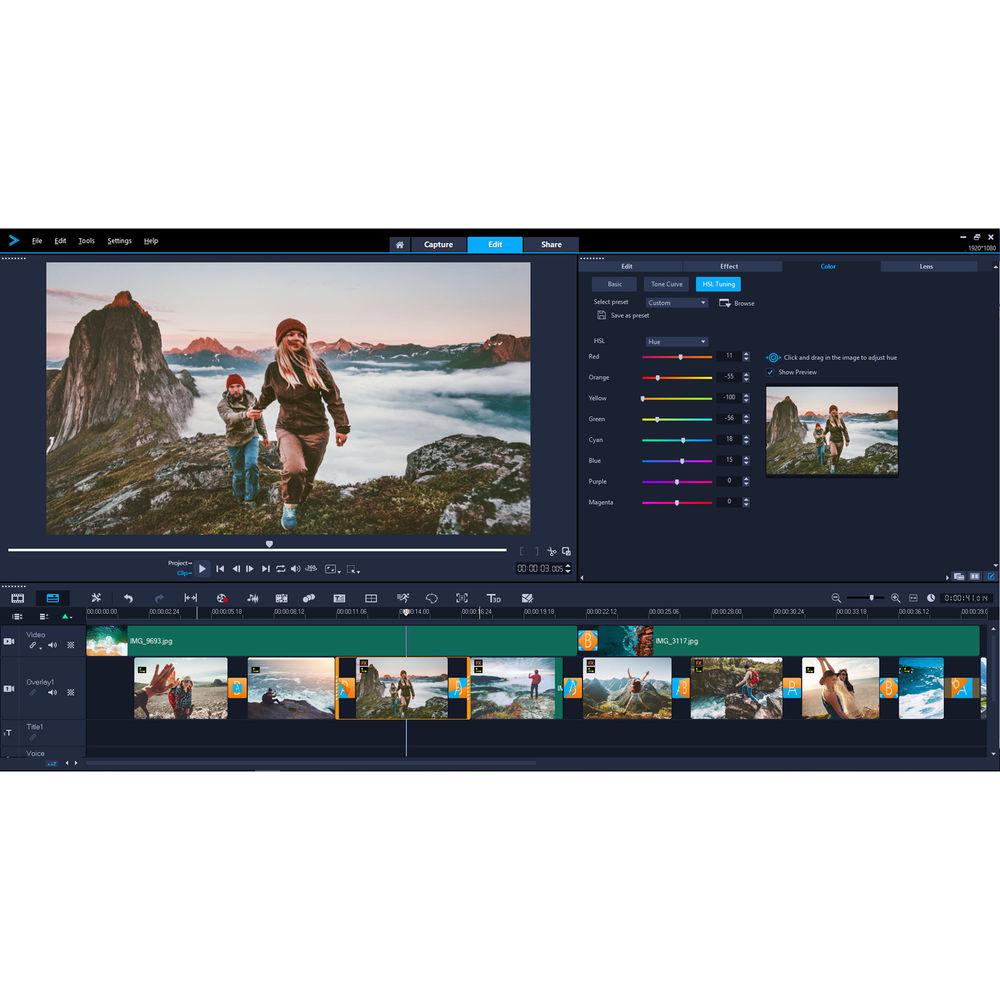
- Set the mood and ambiance of your video with powerful color correction and adjustment tools. Easily shift the colors and boost the saturation and luminance on a per-color basis. Fine tune each color with HSL tuning, tone curves, waveform scope, Look-Up Table (LUT) profiles, and more.
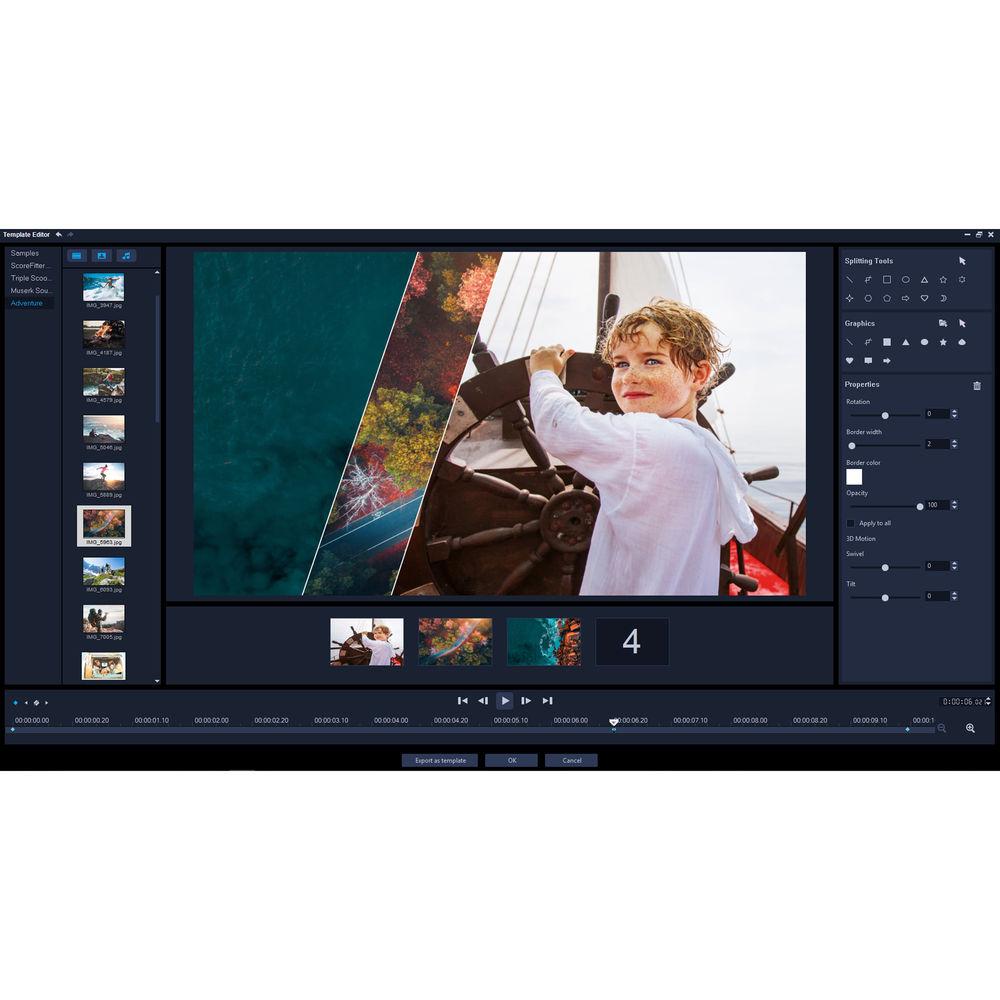
- Dynamic Split Screen Video Template Creator
- Introduce new frames with keyframes and create custom split screen layouts. Show multiple videos simultaneously with motion effects, shapes, and more.
- Mask Creator (Enhanced)
- Create text masks or try free select masks to select areas of your video. Easily create alpha channels with precision, quickly converting sections of an image or video to a mask. When you're finished, export your masks to your library to use again in future projects.
- Stabilize Video (Enhanced)
- Help fix one of the most common problems when capturing video. Remove the shake and stabilize video from handheld cameras for a cleaner, smoother end result with enhanced proDAD Mercalli.
- 3D Title Editor (Enhanced)
- Start with presets or create your custom motion, control lighting, textures, and more in the 3D Title Editor.
- Color Correction (Enhanced)
- Boost colors and correct the color in your picture in a few easy clicks. Fine tune highlights, saturation, clarity, and more with new, intuitive controls. Bring out the colors in your video with hue, saturation, and white balance controls, including auto-tune adjustments. Match the lighting between two clips, warm-up the tone of your video, and more.
- Customize Motion (Enhanced)
- Create and customize the movement of graphics, shapes, titles, and overlays along a defined path with new flexible controls. It's the perfect way to create a fun effect or emphasize elements in your video.
- Title Editor (Enhanced)
- Introduce and tell your story with style. Create stunning titles with motion, text, and graphics in the enhanced Title Editor. No matter what you create, save custom titles in the library to spare cycles on future productions.
- Ultimate Effects Collection (Enhanced)
- Tap into hundreds of pro-quality presets and creative effects to deliver results beyond what you thought possible.
- Other New and Enhanced Features and Extras
-
- 50 Multimedia editing tracks
- Dual-window display
- Timeline editing
- Keyboard shortcuts and hotkeys
- 50 Templates for MyDVD Disc authoring software
- 360 Video (equirectangular, single fisheye, dual fisheye, spherical panorama)
- MultiCam Capture Light software
- Library Keyword Search
All Features - Split-Screen Video
- Show multiple video streams simultaneously with Split-Screen video templates. Easily drag-and-drop content to create impressive promotional videos or share the highlights from your latest trip. Create your own custom split-screen layouts with the Template Creator in VideoStudio Ultimate.
- Stop Motion Animation
- Plug-in your camera and capture your animation frame by frame. This feature has support for all popular Canon and Nikon cameras and controls to help you capture your stop motion animation.
- Lens Correction Tools
- Quickly remove distortion from wide-angle/fisheye cameras or action cameras with intuitive controls.
- Pan and Zoom
- Zoom in on the action, pan across a scene, and apply visual pan and zoom effects to your videos across custom motion paths.
- 360 Video Editing
- Import your 360° footage and start editing. VideoStudio 2019 offers support for popular 360 cameras as well as exporting your 360 video directly to YouTube, your VR headset, and other destinations.
- 3D Title Editor
- Create graphics and introduce and tell your story with style. Add fun effects, choose from templates, or create your own custom 3D motion titles. Control textures, lighting, motion, and more to create that dramatic cinematic opening you want to see.
- Resize and Crop Video Tools
- Quickly crop video, resize, and position your media directly in the preview pane. Snap your media in place with new Smart Guide alignment tools.
- XAVC-S Export to SD Cards
- VideoStudio supports most of the latest common file formats and associated peripherals, now including XAVC-S authoring to an SD card so you can export your video for playback directly on your camera.
- Smoother and Faster Rendering
- VideoStudio is optimized for the latest video hardware acceleration technologies from Intel and NVIDIA, which provides for a more efficient workflow and dramatically speeds up rendering to popular file formats.
- Key Tools & Functions
-
- 2000+ video effects, filters, and transitions
- 6-camera multi-cam editing
- Lens correction / fisheye correction
- Split-screen video templates
- 360° video editing
- Track transparency
- Stop-motion animation
- Video titles
- Motion tracking
- Screen recorder
- Chroma key effects / green screen
- Time-lapse video
- Subtitle editor
- Color correction tools
- Picture-in-picture
- Video overlays
- Video templates
- Video masking
- Time remapping
- Video stabilization
- Video mask creator
- Split-screen template creator
- 3D title editor
- Video Editing
-
- 50 tracks
- Timeline editing
- Storyboard editing
- Portrait video editing
- Track height adjustment
- Smart Guide alignment tools
- Group objects
- 360 video to standard video
- Crop video
- Pan and zoom
- Dual-window display
- Scalable windows
- Detachable windows
- Right-to-left text
- Voiceover tools
- Video trim
- Split video
- Merge video
- Rotate video
- Convert titles to alpha channel files
- Create custom workspaces
- Smart proxy editing
- Backup library
- Audio Editing
-
- 8 tracks
- Normalize audio
- Audio ducking
- Audio filters
- ScoreFitter royalty-free music library
- Dolby Digital support
- Included Plug-Ins & Extras
-
- Integrated video tutorials
- Corel Live Screen Capture
- Corel FastFlicks slideshow maker
- Corel MyDVD disc authoring software - 100 templates
- Boris Title Studio (enhanced)
- MultiCam Capture Lite
- Ultimate Effects Collection
- NewBlue Titler Pro 5
- NewBlueFX Titler EX
- NewBlueFX Video Essentials I
- NewBlueFX Video Essentials II
- Boris Graffiti 7
- NewBlueFX Video Essentials VII
- NewBlueFX Video Essentials IV
- NewBlueFX Video Essentials V (new)
- NewBlueFX ColorFast
- NewBlueFX Motion Effects
- NewBlueFX Background Generator
- proDAD Handscript Animation
- proDAD Mercalli v4 (new)
- proDAD Adorage Volume 13 (new)
- proDAD Adorage Starter Pack
- proDAD VitaScene LE v3 (new)
- proDAD RotoPen
- Export
-
- Insert chapter points in timeline
- Burn DVD and AVCHD with menus and chapters
- Export to common video formats
- Export to YouTube, Facebook, Flickr, and Vimeo
- Export to smartphones and tablets
- Alpha channel video import/export
- XAVC-S authoring to SD card
- SD card output
- Export 360 videos
- Smart Package for easy archive/restore
- Formats & Support
-
- 360 video (enhanced)
- 4K video
- HD video
- HTML5 editing
- HEVC import
- XAVC-S import
- MXF (XAVC) import
- 64-bit architecture
- NVIDIA, Intel, and AMD DirectX video acceleration support
- Intel Quick Sync Video hardware acceleration
- NVIDIA CUDA optimization
UPC: 735163154689 Table of Contents
|
Upload User Manual
Have you got an user manual for the Corel VideoStudio Ultimate 2019 in electronic form? Please send it to us and help us expand our library of instruction manuals.
Thank you, too, on behalf of other users.
To upload the product manual, we first need to check and make sure you are not a robot. After that, your "Submit Link" or "Upload File" will appear.
Technical parametersCorel VS2019UMLMBAM Specs | Operating System | Windows 10, 8, 7 (64-Bit Recommended)
The Program Is Available for Installation in 64-Bit Only.
HEVC (H.265) Support Requires Windows 10 Supporting PC Hardware or Graphics Card and Microsoft HEVC Video Extension Installed | | CPU | Intel Core i3 or AMD A4 3.0 GHz or Higher
(Intel Core i5 or i7 1.06 GHz or Higher Required for AVCHD and Intel Quick Sync Video Support; Intel Core i7 or AMD Athlon A10 or Higher for Ultra HD 4K, Multi-Camera, or 360 Video) | | RAM | 4 GB of RAM or Higher
(8+ GB Recommended for Ultra HD 4K, Multi-Camera, or 360 Video)
Minimum 256 MB VRAM
(512 MB or Higher Recommended for Hardware Decoding Acceleration) | | Display Resolution | 1024 x 768 | | Sound Card | Windows-Compatible Sound Card | | Hard Disk Space | Minimum 4 GB HDD Space for Full Installation | | Supported Video Input Formats | HD Video: AVCHD (.M2T/.MTS, Windows 10 Only), AVI, DV, DVR-MS, HDV, HEVC (H.265), M2TS, M4V, MKV, MOD, MOV (H.264), MPEG-1/-2/-4, MXF, TOD, UIS, UISX, WebM, WMV, XAVC, XAVC S, 3GP, Non-Encrypted DVD Titles
360 Video: Equirectangular, Single Fisheye, Dual Fisheye | | Supported Audio Input Formats | AAC, Aiff, AMR, AU, CDA, M4A, MOV, MP3, MP4, MPA, OGG, WAV, WMA | | Supported Video Output Formats | Video: AVC, AVI, DV, HDV, HEVC (H.265), M2T, MOV, MPEG-1/-2/-4, UIS, UISX, WebM, WMV, XAVC S, 3GP
Disc: DVD, AVCHD, SD Card | | Supported Audio Output Formats | M4A, OGG, WAV, WMA | | Supported Image Formats | Import: CLP, CUR, DCS, DCX, EPS, FAX, FPX, GIF87a, ICO, IFF, IMG, JP2, JPC, JPG, MAC, MPO, MSP, PBM, PCT, PCX, PGM, PIC, PNG, PPM, PSD, PSPImage, PXR, RAS, SCI, SCT, SHG, TGA, TIF/TIFF, UFO, UFP, WBM, WBMP, WMF, 001, Camera RAW
Output: BMP, JPG | | Supported Languages | Dutch, English, French, German, Italian, Japanese, Traditional Chinese, Simplified Chinese | | | | Package Weight | 0.17 lb | | Box Dimensions (LxWxH) | 7.65 x 5.3 x 1.45" |
Rating90% users recommend this product to others. And what about you?

This product has already been rated by 66 owners. Add your rating and experience with the product.
Discussion
 Ask our technicians if you have a problem with your settings,
or if anything is unclear in the user manual you have downloaded.
You can make use of our moderated discussion.
The discussion is public and helps other users of our website who may be encountering similar problems.
Ask our technicians if you have a problem with your settings,
or if anything is unclear in the user manual you have downloaded.
You can make use of our moderated discussion.
The discussion is public and helps other users of our website who may be encountering similar problems.
Post new comment to Corel VideoStudio Ultimate 2019
| Subject: video studio 2019 | | Date: 14.12.2022 16:23:52 | Name: Barbara E Musgrave | I am creating a picture slideshow. For some reason it is starting in the middle and not the beginning. It looks like i have done something to start the slideshow later in my pictures. I want it to start at the beginning. Can you help me?
| | Post reply |
| Subject: Starting point | | Date: 14.12.2022 16:18:24 | Name: Barbara E Musgrave | | I am creating a picture slideshow. For some reason it is starting in the middle and not the beginning. It looks like i have done something to start the slideshow later in my pictures. I want it to start at the beginning. Can you help me? | | Post reply |
Post a new topic / query / comment:
|
|


