|
User Manual for CyberLink Director Suite 6 Click to enlarge the picture
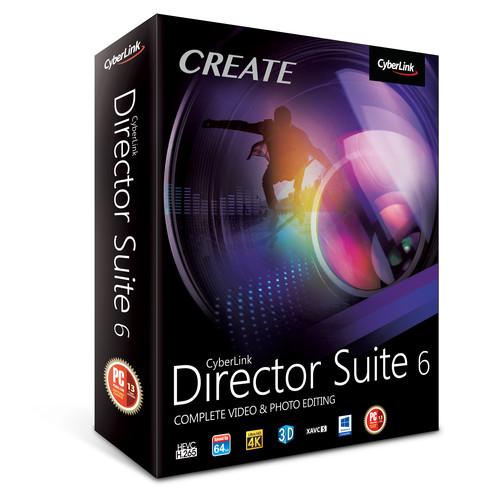 Contents of the user manual for the CyberLink Director Suite 6
- Product category: Video Editing CyberLink
- Brand: CyberLink
- Description and content of package
- Technical information and basic settings
- Frequently asked questions – FAQ
- Troubleshooting (does not switch on, does not respond, error message, what do I do if...)
- Authorized service for CyberLink Video Editing
 |
User manual for the CyberLink Director Suite 6 contain basic instructions
that need to be followed during installation and operation.
Before starting your appliance, the user manual should be read through carefully.
Follow all the safety instructions and warnings, and be guided by the given recommendations.
User manual is an integral part of any CyberLink product,
and if it is sold or transferred, they should be handed over jointly with the product.
Following the instructions for use is an essential prerequisite for protecting
health and property during use, as well as recognition of liability on the part of the manufacturer
for possible defects should you make a warranty claim. Download an official CyberLink user manual in which you will find instructions on how to install, use, maintain and service your product.
And do not forget – unsuitable use of a CyberLink product will considerably shorten its lifespan!
|
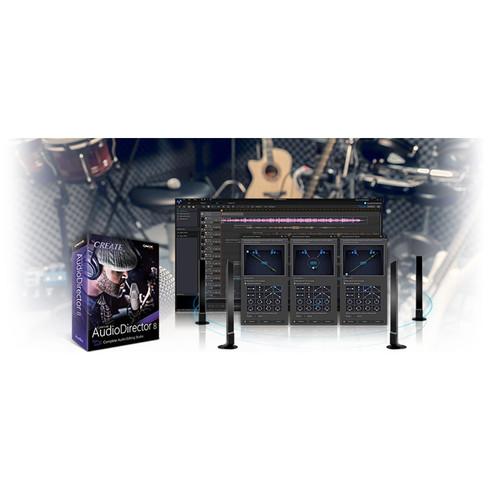
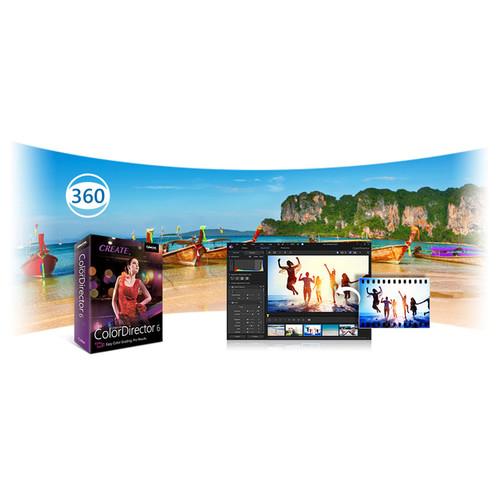
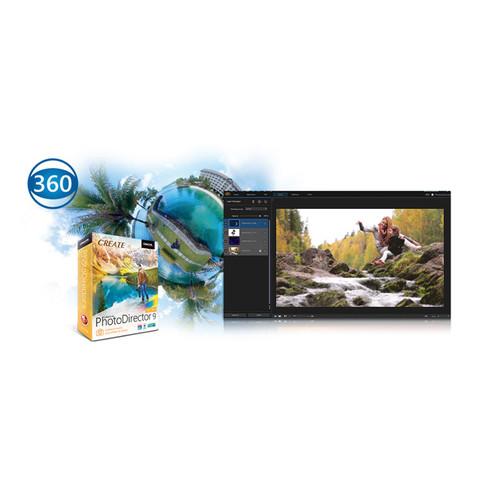
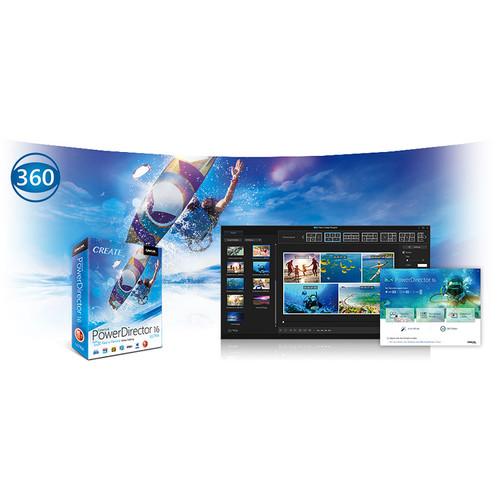
Product description CyberLink Director Suite 6 consists of several major CyberLink applications to provide you with a comprehensive video, photo, audio, and color editing solution. The suite includes the award-winning PowerDirector 16 video editing software, PhotoDirector 9 photo editor, AudioDirector 8 for sound editing, and ColorDirector 6 for color grading. In addition to these, the suite also includes 18 effects package plug-ins and 50GB of CyberLink cloud service for one year. Director Suite 6 is Windows-compatible and supports a wide variety of file formats.
With all these applications, you can edit standard and 360° videos and photos, apply advanced tools such as motion tracking, correct issues in your audio with tools such as hum removal and hiss removal, add color grading to polish your videos/photos and highlight aspects of them, and much, much more. On top of it all, the different applications work well with one another, providing you with a seamless workflow. Included Software & Features - PowerDirector 16
-
- Import, edit, and produce videos, including 360° videos
- (New) 360° video stabilizer
- (New) Apply titles and images to 360° motion paths
- (New) Little Planet effect
- (New) Convert titles and picture-in-picture to 360° objects
- (New) Video collage designer
- (New) Color match
- (New) Look-up table support (LUT)
- (New) Split toning and HDR effect
- (New) Audio ducking
- (New) TrueVelocity 7
- (New) QuickTime MOV import
- Action Camera Center
- Stop motion
- Zoom and pan
- Video stabilizer
- Video blending modes
- Motion tracking
- Mask designer
- Transition designer
- Theme designer
- Menu designer
- Title designer
- Picture-in-Picture designer
- MultiCam designer
- Vertical video import, editing, and export
- Produce 120/240 fps high frame rate videos
- Express projects
- Chroma key
- TrueTheater Color Enhancements
- 100-track timeline
- Content aware editing
- Native 64-bit support
- Multi-GPGPU acceleration
- OpenCL support
- NVIDIA, Intel, and AMD H.265 (HEVC) hardware decoding
- Intelligent SVRT
- PhotoDirector 9
-
- Express layer templates
- (Enhanced) Layer-based editing
- (New) 360° photo editing and adjustment
- (New) Little Planet mode
- (New) 360° photo to panorama
- (New) Timelapse capture from video
- (New) Smart panorama from video
- (New) Create animated GIFs
- (New) Create motion stills
- (New) Create multi-exposure images
- (New) Content-aware move
- (New) Dehaze
- (New) Defringe
- Content-aware removal
- Video-to-photo
- 2D panorama
- Overlays
- Color splash
- Bracketed HDR
- Face swap
- Face beautification tools
- Body shaper
- Color adjustment (RGB, HSL)
- Auto-lens correction
- RAW format support
- Face recognition technology
- Hierarchical tag system support
- AudioDirector 8
-
- (New) Ambience match
- (New) Multi-device recording
- (New) Auto-duration adjustment
- (New) Plosive removal
- (New) Codec preview
- (New) 360 viewer playback mode
- Automated dialogue alignment
- Beats per minute (BPM) timing
- Surround sound panning
- Pitch bender
- Stereo expender
- Loop recording
- Spectral frequency visual repair
- Group tracks to adjust volume
- Hum removal
- Hiss removal
- Vocal transformer
- DSD format support
- ColorDirector 6
-
- Color correction for standard and 360° video
- (New) Preview 360° video
- (New) Set 360 project format
- (New) Auto tone
- (New) Auto denoise
- (New) Dehaze
- Vertical video color grading (9:16 aspect ratio)
- Motion tracking
- RGB curves
- HDR effects
- Global and regional blur
- Color splash
- Color shift
- Split toning
- Radial gradient mask
- Vignette
- Import and export 120/240 fps video
- Effects & Templates
-
- (New) Content Pack Premium 3
- (New) Holiday Pack 8
- (New) Travel Pack 4
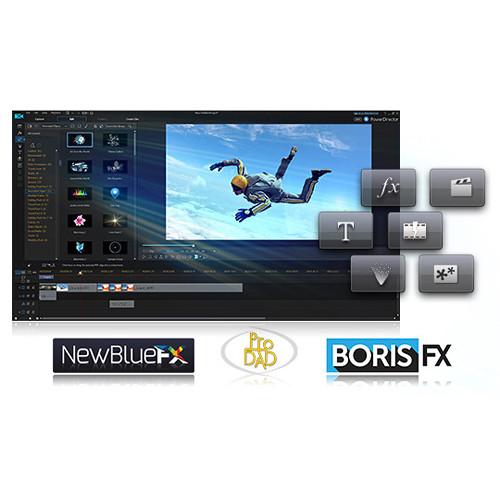
- (New) BorisFX Film Style (all BorisFX packs are compatible with 64-bit Windows only)
- (New) BorisFX Stylize
- (New) BorisFX Lights
- (New) BorisFX Image Restoration
- Content Pack Essential
- Content Pack Premium
- Content Pack Premium 2
- Wedding Pack
- NewBlue Video Essentials 1
- NewBlue Video Essentials 7
- NewBlue Paint Effect
- NewBlue Titler Pro v1.5
- proDAD Adorage 2
- proDAD Adorage 13 Lite
- proDAD VitaScene 2 LE
Table of Contents
|
Upload User Manual
Have you got an user manual for the CyberLink Director Suite 6 in electronic form? Please send it to us and help us expand our library of instruction manuals.
Thank you, too, on behalf of other users.
To upload the product manual, we first need to check and make sure you are not a robot. After that, your "Submit Link" or "Upload File" will appear.
Technical parametersCyberLink Director Suite 6 Specs | | | Operating System | Microsoft Windows 10, 8/8.1, 7 (64-bit OS recommended) | | CPU | Intel Core i-series or AMD Phenom II and above | | GPU | 128 MB VGA VRAM or higher (for standard video), DirectX 11 compatible (for 360 video), 2 GB VGA VRAM or higher (for plug-ins) | | Memory | 2 GB required (6 GB or above recommended) | | Hard Disk Space | 10 GB | | Burning Drive | Burning drive is required for disc burning purpose | | Sound Card | Windows compatible sound card is required | | Internet Connection | Internet connection also required for initial software and file formats activation | | Screen Resolution | 1024 x 768, 16-bit color or above | | Language Support | English, Chinese Simplified, Chinese Traditional, French, German, Italian, Japanese, Korean, Spanish (European) | | | | Video (Import) | - (New) MOV (H.264/alpha PNG)
- H.265/HEVC
- MVC (MTS)
- Side-by-side video
- Top-under video
- Dual-stream AVI
- FLV (H.264)
- MKV (multiple audio streams)
- 3GPP2
- AVCHD (M2T, MTS)
- AVI
- DAT
- DivX (DiVX codec must be downloaded online, available for 32-bit Windows OS only)
- DV-AVI
- DVR-MS
- MOD
- MPEG-1
- MPEG-2
- MPEG-4 AVC (H.264)
- MP4 (XAVC S)
- TOD
- VOB
- VRO
- WMV
- WMV-HD
- WTV in H.264/MPEG2 (multiple video and audio streams)
- DSLR video clip in H.264 format with LPCM/AAC/ Dolby Digital audio
- 360 Video: Equirectangular format MP4 (H.264), supports up to 4K resolution in 2:1 aspect ratio
| | Video (Export) | - 3D Video: MVC, side-by-side, anaglyph
- HD: AVCHD, AVCHD 2.0 (3D/Progressive), MPEG-2 HD, WMV-HD
- 2K/4K Resolution: H.264 AVC, WMV, MPEG-4, MKV
- MKV
- MPEG-2
- MPEG-4
- MPEG-4 AVC
- WMV
- DV-AVI
- AVCHD2.0 for SD/SDHC/SDXC/MS memory card or flash memory
- 3GPP2 for 3G mobile phones
- 360 Video: Equirectangular format MP4 (H.264)
| | Audio (Import) | - WAV
- MP3
- WMA
- M4A
- OGG
- FLAC
- AAC
| | Audio (Export) | - AAC
- Dolby Digital
- Dolby Digital Plus
- DTS
- WAVE
- MPEG-1 Layer III
- FLAC
- ALAC
| | Photo (Import) | - MPO
- JPS
- RAW
- GIF
- BMP
- JPG
- TIF
- PNG
- Animated GIF
- PHI
- 360 Photo: Equirectangular format JPG/TIF in 2:1 aspect ratio
|
Rating100% users recommend this product to others. And what about you?

This product has already been rated by 95 owners. Add your rating and experience with the product.
Discussion
 Ask our technicians if you have a problem with your settings,
or if anything is unclear in the user manual you have downloaded.
You can make use of our moderated discussion.
The discussion is public and helps other users of our website who may be encountering similar problems.
Ask our technicians if you have a problem with your settings,
or if anything is unclear in the user manual you have downloaded.
You can make use of our moderated discussion.
The discussion is public and helps other users of our website who may be encountering similar problems.
The discussion is empty - enter the first post
Post a new topic / query / comment:
|
|
|
| Request for user manual |
You can’t find the operation manual you are looking for? Let us know and we will try to add the missing manual:
I’m looking for a manual / Request for manual
Current requests for instruction manuals:
Call Of Duty World War Two For Xbox...
controller stratus XL...
stratus XL...
smart whatch serie S11 42mm...
Allen & Heath SQ-6 manual...
|
| Discussion |
Latest contributions to the discussion:
AEW R 4100
Name: MAURICIO ANGARITA
Audio-Technica AEW-R4100 UHF Diversity Receiver for
AEW R 4100 has the mute function blocked and does not allow audio to pass. I tried several times to turn off the mute from the transmitter but it does nothing, the mute stays on. Solution?
Thank you...
Instructions for assembling the 2015 Forecast Image Master Consoles GC3-A
Name: mike elam
Forecast Consoles GC3-A ImageMaster Editing Console
Looking for instructions for assembling this console. ...
EMPTY TONER ERROR MESSAGE AFTER REPLACING TONER
Name: LINDA BAD YELLOW EYES
Brother TN223BK Standard-Yield Toner
I HAD TO CHANGE OUT ALL THREE TONERS DUE TO LEAKS IN THE YELLOW AND CYAN. AFTER I REPLACED THEM, THE MACHINE KEEPS GIVING ME AN EMPTY TONER ERROR MESSAGE. HELP!!...
PS480D 20/24 pin Switching 480W Power Supply
Name: swkargo
Logisys 480W Power Supply
This item states in can run -5vdc .It is NOT listed on the board or I beleive is r4 is missing the resitior. Any body have thid issue. Shawn
...
Help needed
Name: Ann Carter
SanDisk 1TB Extreme Portable USB 3.1
When I click the link to download the user manual for my Sandisk Extreme external hard drive, it gives me the manual for the LG Cricket. Can you please change the link so I can download the Sandisk manual and begin using this drive? Thank you....
|
|


