|
User Manual for D-Link DGS-1210 24-Port Gigabit Ethernet Web Smart Switch with 4 SFP Ports Click to enlarge the picture
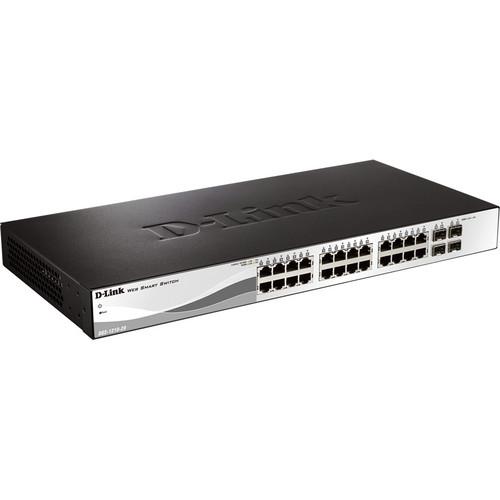 Contents of the user manual for the D-Link DGS-1210 24-Port Gigabit Ethernet Web
- Product category: Network Switches, Bridges & Hubs D-Link
- Brand: D-Link
- Description and content of package
- Technical information and basic settings
- Frequently asked questions – FAQ
- Troubleshooting (does not switch on, does not respond, error message, what do I do if...)
- Authorized service for D-Link Network Switches, Bridges & Hubs
 |
User manual for the D-Link DGS-1210 24-Port Gigabit Ethernet Web contain basic instructions
that need to be followed during installation and operation.
Before starting your appliance, the user manual should be read through carefully.
Follow all the safety instructions and warnings, and be guided by the given recommendations.
User manual is an integral part of any D-Link product,
and if it is sold or transferred, they should be handed over jointly with the product.
Following the instructions for use is an essential prerequisite for protecting
health and property during use, as well as recognition of liability on the part of the manufacturer
for possible defects should you make a warranty claim. Download an official D-Link user manual in which you will find instructions on how to install, use, maintain and service your product.
And do not forget – unsuitable use of a D-Link product will considerably shorten its lifespan!
|
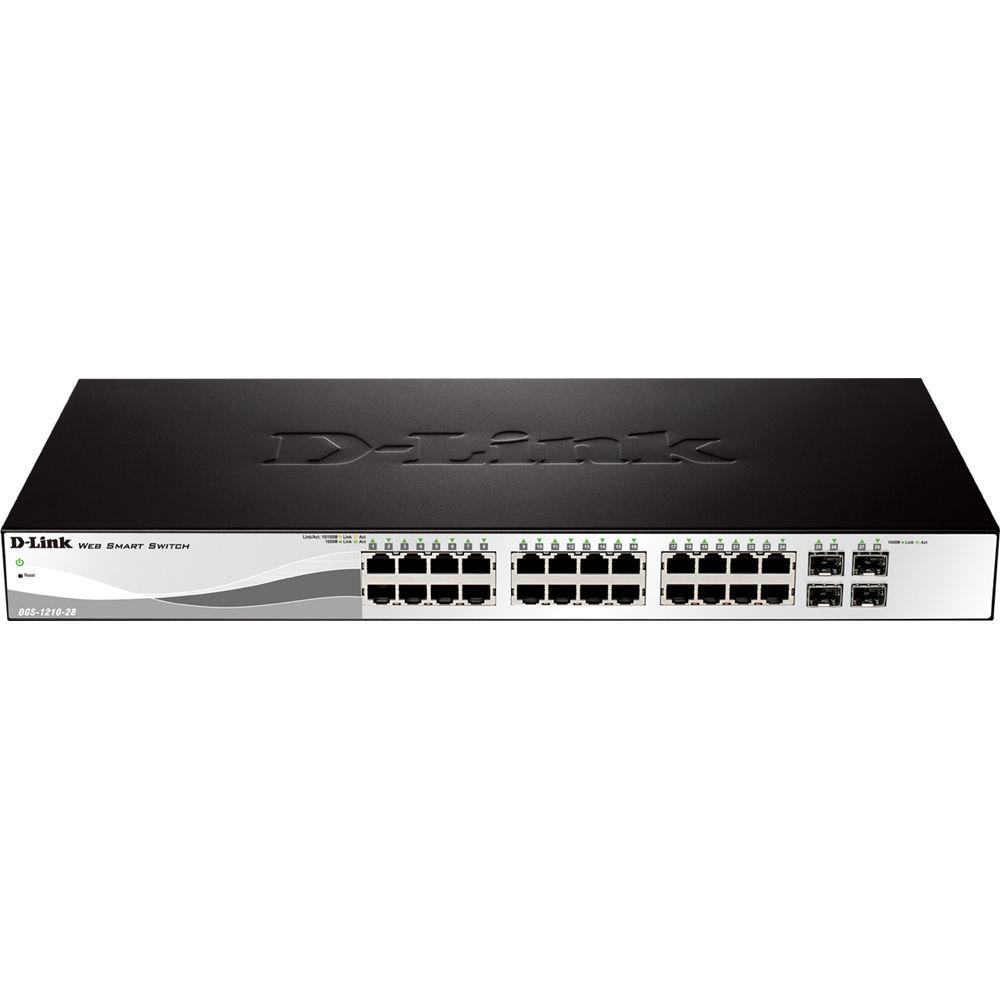
Product description Boost the network capacity of your small- or medium-sized business with the DGS-1210 24-Port Gigabit Ethernet Web Smart Switch with 4 SFP Ports from D-Link. Equipped with 24 Gigabit Ethernet ports and 4 Gigabit SFP ports, the switch boasts a total switching capacity up to 56 Gb/s and a packet forwarding rate up to 41.7 Mpps. D-Link's Safeguard Engine helps to defend the switch against virus attacks while 802.1x enables client authentication through external RADIUS servers. Access control lists filter network traffic from suspicious MAC or IP addresses, while ARP (Address Resolution Protocol) snooping prevention helps to thwart ARP message attacks. Auto Surveillance VLAN and Auto Voice VLAN are ideal for prioritizing security and IP telephony systems. The switch's support for D-Link's Green 3.0 technology and the Energy Efficient Ethernet standard helps to conserve power and reduce operating costs. - Energy Saving
- The DGS-1210 Series switches are capable of conserving power without sacrificing operational performance or functionality by using D-Link Green 3.0 technology. Using the Energy Efficient Ethernet standard, the network automatically decreases power usage when traffic is low. For environments not fully supporting the standard, these switches offer advanced power-saving settings including port shutoff, LED shutoff, and system hibernation based on custom time profiles.
- Easy Management
- The D-Link Web Smart Switch series is designed for easy management. All configuration can be performed through an intuitive browser-based graphical user interface regardless of the host PC's operating system. The DGS-1210 Series switches also support a D-Link Network Assistant Utility that enables administrators to remotely control their network down to the port level. This utility allows customers to discover multiple D-Link Web Smart Switches within the same L2 network segment. With this utility, users do not need to change the IP address of their PC. It also simplifies the initial setup by taking switches within the same L2 network segment and displaying them on screen for instant access. This allows extensive switch configuration and basic setup of discovered devices, including password changes and firmware upgrades. In addition, the DGS-1210 Series supports D-Vie 6.0 and Compact Command Line Interface (CLI) through Telnet. D-View 6.0 is a network management system that allows for the central management of critical network characteristics such as availability, reliability, resilience, and security.
- Auto Surveillance VLAN and Voice VLAN
- The D-Link Web Smart series automates the process of setting up IP surveillance and VoIP devices on a network. Auto Surveillance VLAN consolidates data and surveillance video transmission through the network, sparing businesses the expense of maintaining dedicated facilities. ASV also protects the quality of real-time video by grouping IP surveillance devices on a single high priority VLAN. This helps to ensure that surveillance video streams are not affected by periods of high data traffic. Similarly, the Auto Voice VLAN is designed for clear quality and efficient transmission of all voice communication.
- Layer 2 Features
- Equipped with a complete lineup of L2 features, these switches include IGMP snooping, port mirroring, Spanning Tree, and Link Aggregation Control Protocol (LACP). The IEEE 802.3x Flow Control function allows servers to directly connect to the switch for fast, reliable data transfer. At 2000 Mb/s full duplex, the Gigabit ports provide high-speed data pipes to servers with minimum data transfer loss. Network maintenance features include Loopback Detection and Cable Diagnostics. Loopback Detection is used to detect loops created by a specific port and automatically shut down the affected port. The Cable Diagnostic feature designed primarily for administrators and customer service representatives, can rapidly discover the type of error and determine the cable quality.
- Security
- D-Link's Safeguard Engine is designed to protects the switch against traffic flooding caused by virus attacks. The switch also supports 802.1x port-based authentication, allowing network clients to be authenticated through external RADIUS servers. In addition, the Access Control List (ACL) feature enhances network security and protects the network by screening traffic from illegal MAC or IP addresses. ARP Spoofing Prevention helps to prevent malicious intruders from sending massive fake ARP messages through a manipulated source. This protects important data from being stolen by man-in-the-middle attacks, and prevents wasting CPU cycles on these packets. For added security, the DHCP Server Screening feature blocks rogue DHCP server packets from user ports to prevent unauthorized IP assignment.
- Additional Features
- Port security
Smart IP-MAC-port binding
DHCP server screening
SNMP and RMON
IPv4/ IPv6 dual stack
Supports IEEE 802.1p QoS (Quality of Service)
Supports DSCP
LLDP/LLDP-MED UPC: 790069372964 In the Box D-Link DGS-1210 24-Port Gigabit Ethernet Web Smart Switch with 4 SFP Ports Limited Lifetime Warranty More info from D-Link fqeeacaaf Table of Contents
|
Upload User Manual
Have you got an user manual for the D-Link DGS-1210 24-Port Gigabit Ethernet Web Smart Switch with 4 SFP Ports in electronic form? Please send it to us and help us expand our library of instruction manuals.
Thank you, too, on behalf of other users.
To upload the product manual, we first need to check and make sure you are not a robot. After that, your "Submit Link" or "Upload File" will appear.
Technical parametersD-Link DGS-1210-28 Specs | | | Ports | 24 x 10/100/1000 Mb/s Gigabit Ethernet (RJ45)
4 x 10/100/1000 Mb/s Gigabit SFP | | | | Layer Services Supported | Layer 2 Support | | Supported Protocols | Auto-MDIX/MDI
IPv4
IPv6
Link Aggregation
Port Mirroring
MAC Filtering
SNMPv1
SNMPv2c
SNMPv3 | | Queuing | Strict Priority, Weighted Round Robin (WRR) | | Transmission Method | Store-and-Forward | | Jumbo Frames Support | 9216 Bytes | | MAC Address Table Size | 16K | | VLAN Groups | 256 | | VLAN IDs | 4094 | | | | Security Features | DHCP Snooping
RADIUS Authentication
Storm Control | | Access Control List | 50 | | Static MAC | 256 | | SNMP Support | 1, 2c, 3 | | | | RFC | RFC 783
RFC 951
RFC 1157
RFC 1213
RFC 1215
RFC 1350
RFC 1493
RFC 1769
RFC 1542
RFC 1901
RFC 1907
RFC 1908
RFC 2131
RFC 2138
RFC 2139
RFC 2233
RFC 2246
RFC 2475
RFC 2570
RFC 2575
RFC 2598
RFC 2618
RFC 2819
RFC 2865
RFC 3164
RFC 3195
RFC 3411 | | Supported IEEE Standards | 802.1p, 802.1q, 802.1x, 802.3, 802.3ab, 802.3u, 802.3x | | | | Forwarding Rate | 41.7 Mpps | | Switching Bandwidth | 56 Gb/s | | Priority Queues | 8 | | Packet Buffer | 1.5 MB | | | | Power Draw | 9.3 W (Active)
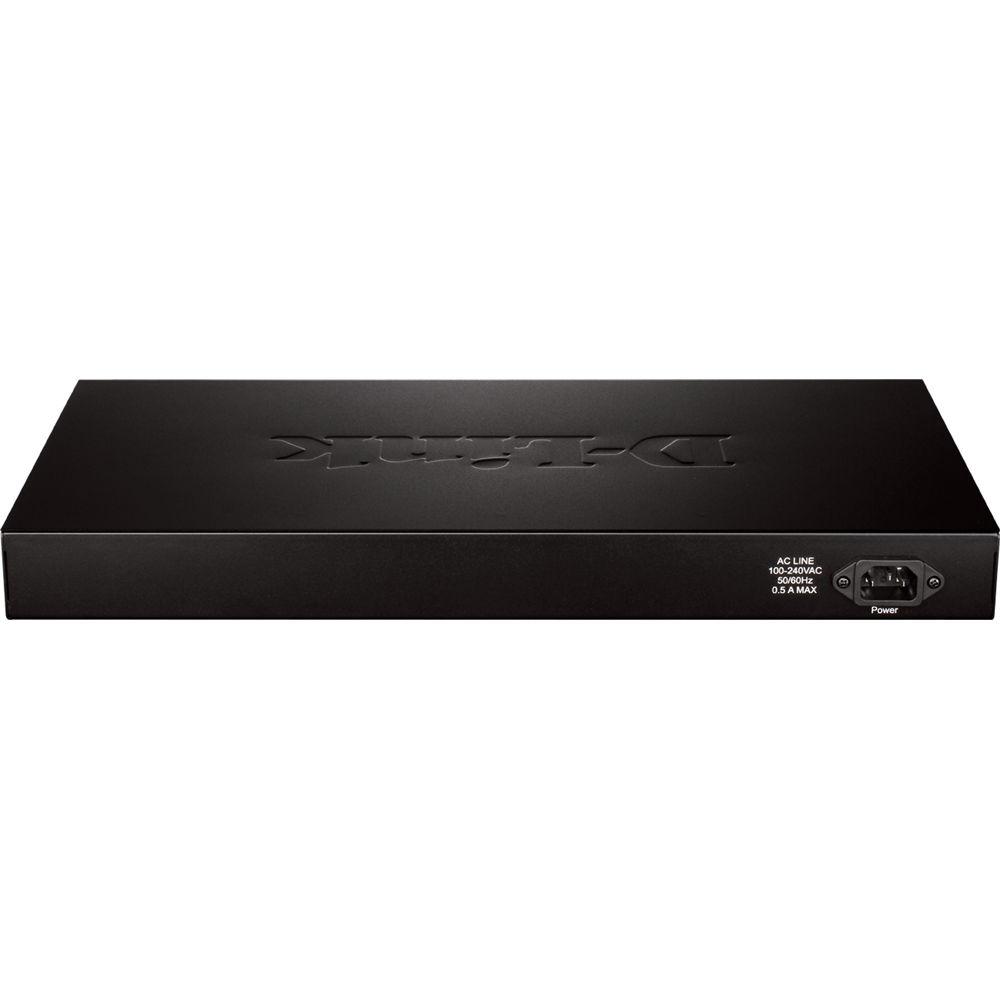
17.65 W (Standby) | | AC Input Power | 100 to 240 VAC, 50 / 60 Hz | | | | Operating Temperature | 23 to 122°F / -5 to 50°C | | Operating Humidity | 0 to 95% | | Storage Temperature | -4 to 158°F / -20 to 70°C | | Storage Humidity | 0 to 95% | | Noise Level | 0.0 dB | | Certifications | BSMI, C-Tick, CE, FCC, UL, VCCI, as per Manufacturer | | | | Cooling System | Passive | | Mean Time Between Failures (MTBF) | 540,000 Hours | | Indicator Lights | Link/Activity/Speed, Power | | Dimensions | 17.32 x 5.51 x 1.73" / 439.93 x 139.95 x 43.94 mm | | Weight | 3.7 lb / 1.7 kg | | | | Package Weight | 5.75 lb | | Box Dimensions (LxWxH) | 19.5 x 9.9 x 2.8" |
Rating80% users recommend this product to others. And what about you?

This product has already been rated by 97 owners. Add your rating and experience with the product.
Discussion
 Ask our technicians if you have a problem with your settings,
or if anything is unclear in the user manual you have downloaded.
You can make use of our moderated discussion.
The discussion is public and helps other users of our website who may be encountering similar problems.
Ask our technicians if you have a problem with your settings,
or if anything is unclear in the user manual you have downloaded.
You can make use of our moderated discussion.
The discussion is public and helps other users of our website who may be encountering similar problems.
The discussion is empty - enter the first post
Post a new topic / query / comment:
|
|
|
| Request for user manual |
You can’t find the operation manual you are looking for? Let us know and we will try to add the missing manual:
I’m looking for a manual / Request for manual
Current requests for instruction manuals:
Call Of Duty World War Two For Xbox...
controller stratus XL...
stratus XL...
smart whatch serie S11 42mm...
Allen & Heath SQ-6 manual...
|
| Discussion |
Latest contributions to the discussion:
AEW R 4100
Name: MAURICIO ANGARITA
Audio-Technica AEW-R4100 UHF Diversity Receiver for
AEW R 4100 has the mute function blocked and does not allow audio to pass. I tried several times to turn off the mute from the transmitter but it does nothing, the mute stays on. Solution?
Thank you...
Instructions for assembling the 2015 Forecast Image Master Consoles GC3-A
Name: mike elam
Forecast Consoles GC3-A ImageMaster Editing Console
Looking for instructions for assembling this console. ...
EMPTY TONER ERROR MESSAGE AFTER REPLACING TONER
Name: LINDA BAD YELLOW EYES
Brother TN223BK Standard-Yield Toner
I HAD TO CHANGE OUT ALL THREE TONERS DUE TO LEAKS IN THE YELLOW AND CYAN. AFTER I REPLACED THEM, THE MACHINE KEEPS GIVING ME AN EMPTY TONER ERROR MESSAGE. HELP!!...
PS480D 20/24 pin Switching 480W Power Supply
Name: swkargo
Logisys 480W Power Supply
This item states in can run -5vdc .It is NOT listed on the board or I beleive is r4 is missing the resitior. Any body have thid issue. Shawn
...
Help needed
Name: Ann Carter
SanDisk 1TB Extreme Portable USB 3.1
When I click the link to download the user manual for my Sandisk Extreme external hard drive, it gives me the manual for the LG Cricket. Can you please change the link so I can download the Sandisk manual and begin using this drive? Thank you....
|
|


