User Manual for DataNumen Word Repair v2.5 Click to enlarge the picture
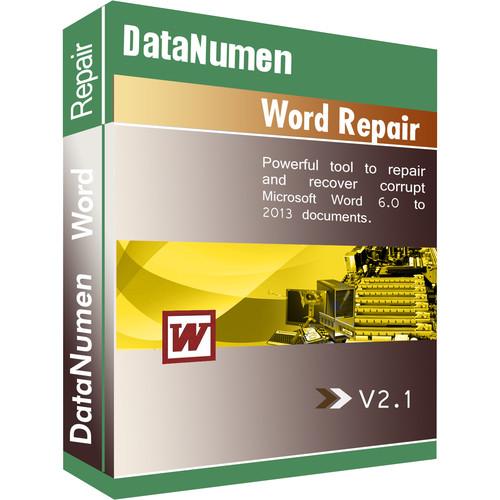 Contents of the user manual for the DataNumen Word Repair v2.5
- Product category: Home & Office DataNumen
- Brand: DataNumen
- Description and content of package
- Technical information and basic settings
- Frequently asked questions – FAQ
- Troubleshooting (does not switch on, does not respond, error message, what do I do if...)
- Authorized service for DataNumen Home & Office
|
User manual for the DataNumen Word Repair v2.5 contain basic instructions
that need to be followed during installation and operation.
Before starting your appliance, the user manual should be read through carefully.
Follow all the safety instructions and warnings, and be guided by the given recommendations.
User manual is an integral part of any DataNumen product,
and if it is sold or transferred, they should be handed over jointly with the product.
Following the instructions for use is an essential prerequisite for protecting
health and property during use, as well as recognition of liability on the part of the manufacturer
for possible defects should you make a warranty claim. Download an official DataNumen user manual in which you will find instructions on how to install, use, maintain and service your product.
And do not forget – unsuitable use of a DataNumen product will considerably shorten its lifespan!
|
Product description Word Repair v2.5 from DataNumen allows users to scan and repair damaged Microsoft Word documents to recover as much of their data as possible, helping to minimize any losses caused by file corruption. Word Repair supports .doc and .docx files generated from both Windows and Mac versions of Microsoft Word 2013, 2010, 2007, 2003, XP, 2000, 97, 95, and 6.0. Using this software, users will be able recover text, images, formatting, tables, bulleted and numbered lists, formatting, hyperlinks, and bookmarks, as well as recover Word documents from temporary files. Users will also be able to recover Word documents from corrupted media, such as floppy disks, Zip disks, CD-ROM media, and more. Additionally, Word Repair supports batch file repair, Windows Explorer integration, drop & drop operations, and command line (DOS prompt) parameters for fixing Word files. It may also be used as a computer forensic tool and an electronic discovery tool. While this software does support Word documents created on Windows and Mac systems, the recovery software is only compatible with Windows-based systems. - Supports Microsoft Word 2013, 2010, 2007, 2003, XP, 2000, 97, 95, and 6.0 .doc and .docx files
- Supports documents generated by Word for Windows and Mac
- Recover text, images, and formatting in Word documents
- Recover bulleted or numbered lists
- Recover formatting and hyperlinks
- Recover a Word document from temporary files
- Supports the repair of Word documents that are stored on corrupted media, such as floppy disks, Zip disks, CD-ROM's, and more
- Repair batches of Word documents
- Find and select Word documents to be repaired on a local computer
- Supports integration with Windows Explorer, so you can repair a Word document with the context menu (right click) of Windows Explorer
- Supports drag & drop operations
- Supports command line (DOS prompt) parameters for fixing Word files
- Can be used as a computer forensic tool and electronic discovery tool
In the Box DataNumen Word Repair v2.5 Limited 30-Day Refund Policy Table of Contents
|
Upload User Manual
Have you got an user manual for the DataNumen Word Repair v2.5 in electronic form? Please send it to us and help us expand our library of instruction manuals.
Thank you, too, on behalf of other users.
To upload the product manual, we first need to check and make sure you are not a robot. After that, your "Submit Link" or "Upload File" will appear.
Technical parametersDataNumen AWRFULL Specs | | | Supported OS Versions | Windows 10, 2000, 7, 8, 8.1, 95, 98, ME, NT, Server 2003, Server 2008, Server 2012, Vista, XP |
Rating80% users recommend this product to others. And what about you?

This product has already been rated by 97 owners. Add your rating and experience with the product.
Discussion
 Ask our technicians if you have a problem with your settings,
or if anything is unclear in the user manual you have downloaded.
You can make use of our moderated discussion.
The discussion is public and helps other users of our website who may be encountering similar problems.
Ask our technicians if you have a problem with your settings,
or if anything is unclear in the user manual you have downloaded.
You can make use of our moderated discussion.
The discussion is public and helps other users of our website who may be encountering similar problems.
The discussion is empty - enter the first post
Post a new topic / query / comment:
|
|


