User Manual for Datavideo CG-500 CG Software & DeckLink 4K Extreme Click to enlarge the picture
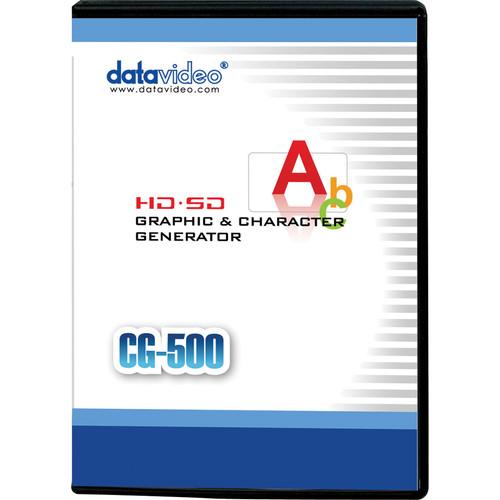 Contents of the user manual for the Datavideo CG-500 CG Software & DeckLink
- Product category: Video Editing Datavideo
- Brand: Datavideo
- Description and content of package
- Technical information and basic settings
- Frequently asked questions – FAQ
- Troubleshooting (does not switch on, does not respond, error message, what do I do if...)
- Authorized service for Datavideo Video Editing
|
User manual for the Datavideo CG-500 CG Software & DeckLink contain basic instructions
that need to be followed during installation and operation.
Before starting your appliance, the user manual should be read through carefully.
Follow all the safety instructions and warnings, and be guided by the given recommendations.
User manual is an integral part of any Datavideo product,
and if it is sold or transferred, they should be handed over jointly with the product.
Following the instructions for use is an essential prerequisite for protecting
health and property during use, as well as recognition of liability on the part of the manufacturer
for possible defects should you make a warranty claim. Download an official Datavideo user manual in which you will find instructions on how to install, use, maintain and service your product.
And do not forget – unsuitable use of a Datavideo product will considerably shorten its lifespan!
|
Product description The CG-500 CG Software & DeckLink 4K Extreme from Datavideo includes Datavideo's Windows-based CG-500 character generator software and the compatible Blackmagic Design DeckLink 4K Extreme PCIe I/O card.
The CG-500 features a multi-layer, real-time workflow and supports play-out of multiple playlists even while titles are being created. It's ideal for live and post production broadcast programming in SD or HD. The DeckLink 4K Extreme supports 1080p 4:2:2 via single-link HD-SDI and 1080p 4:4:4 by dual-link HD-SDI. It also supports Component, Composite, and S-Video signals via an included breakout cable. - CG-500 HD/SD Character Generator Software The Datavideo CG-500 HD/SD Character Generator Software is a Windows based graphics, titling, and character generator software for live programming and post production. It features a multi-layer and real-time workflow and supports flexible play-out of multiple playlists, even while titles are being created. It's ideal for SD or HD news, reports, weather forecasts, and entertainment programming.
- High-Quality Render & GPU Effects
- 3D PageCurl, Swipe, Explode, and Linear Light can be rendered in real-time
- Effects Keyframing
- All effects are keyframe-able
- Group & Text Playing
- Group and text playing by character, line, and text, with GPU dynamic texture
- Premade Templates
- A collection of premade templates includes Layout, CGlayout, Animation, Effects, and more
- Modify on the Fly
- Create and modify without interrupting the current playout
- Flexible Playlist Control
- 3 playlists, 1 subtitle, and 1 quick play list each with sequence play, arbitrary play, schedule time play, or auto play
- Real-Time Data
- Real-time data for text crawler objects, stock crawler objects, and universal flip objects; these objects can be linked with different kinds of external data sources (like CSV file, text file, etc.) for real-time updating of graphics
- Title Editing/Playing Display
- External monitor displays title editing and playing through a single VGA link
- 3D Stereoscopic Creating and Playing
- Side-by-side, top and bottom, line interleave output; advanced hardware supports 3D stereoscopic dual output of left eye and right eye (full color, fill color, and alpha color)
UPC: 672255005934 - DeckLink 4K Extreme Capture & Playback Card The Blackmagic Design DeckLink 4K Extreme Capture & Playback Card features two SDI inputs supporting 6G and 3G capability, assignable in the Blackmagic Control Panel. With all the latest firmware updates installed, you can ingest DCI 4K, 4:2:2, or UHD 4K, YUV, 4:2:2 by single-link 6G-SDI. The second input shuts off in this setup. DCI 4K, 4:2:2 can also be ingested via the HDMI input with the latest firmware installed.
With 3G-SDI assigned, you can ingest single-link, 1080p, RGB, 4:4:4; and with HD-SDI assigned, you can ingest single-link 1080p, 4:2:2, or dual-link, 1080p, 4:4:4. You can also use the SDI inputs for dual-channel 2D/3D stereoscopic workflows.
The remaining connections include two SDI outputs, an HDMI output, and Component, Composite, S-Video, XLR, RS-422, and genlock on an included breakout cable. The card also features an internal SD/HD keyer and broadcast-quality up/down/cross conversion. DeckLink 4K Extreme is compatible with Mac, Windows, and Linux based workstations and media servers and supports a comprehensive list of software (please see below). - Key Features
- - PCIe I/O card compatible with Mac, Windows, and Linux based workstations and servers
- DCI 4K, 4:2:2, or UHD 4K, YUV, 4:2:2 by single-link 6G-SDI
- DCI 4K, 4:2:2 by HDMI
- 1080p, RGB, 4:4:4 by single-link 3G-SDI
- 1080p, 4:2:2 by single-link HD-SDI
- 1080p, 4:4:4 by dual-link HD-SDI
- Dual-channel 2D/3D stereoscopic by SDI
- Component, Composite, S-Video, XLR, RS-422, and genlock on an included breakout cable
- Internal SD/HD keyer
- Broadcast-quality up/down/cross conversion - Mac OS X Support
- Drivers are available that work with software such as Avid Media Composer, Apple Final Cut Pro X, Apple Final Cut Pro 7, Adobe Premiere Pro, Avid Symphony, and Avid News Cutter. For visual effects, DeckLink 4K Extreme supports full compatibility with Adobe After Effects, The Foundry Nuke, and Adobe Photoshop. For audio, it supports ProTools, Steinberg Nuendo, and Cubase. And for streaming, you can use Flash Media Encoder, Wirecast, or Livestream Procaster.
- Linux Support
- DeckLink 4K Extreme is an open standard capture card and is perfect for the development of Linux based video applications. The availability of a free, well documented SDK facilitates developing specific solutions to meet your needs or to work with solutions developed by others. A free download of Blackmagic Design Media Express is available for capture and playback when using DeckLink 4K Extreme with Linux operating systems.
- Windows Support
- In use with a Windows system, you get access to vast range of software because DeckLink 4K Extreme supports WDM, DirectShow, and QuickTime. For editing, you can use Avid Media Composer, Avid News Cutter, Adobe Premiere Pro, Sony Vegas Pro, Corel VideoStudio, CyberLink Power Director, and MAGIX Video Pro. For visual effects, the card is compatible with After Effects, The Foundry Nuke, Adobe After Effects, and Adobe Photoshop. The list of supported audio software includes Steinberg Nuendo and Cubase. And for streaming, you can use Flash Media Encoder, Xsplit Broadcaster, Wirecast, and Livestream Procaster.
- Supported Applications
- Apple Final Cut Pro X, Adobe Premiere Pro, Avid Media Composer, Adobe After Effects, Nuke - The Foundry, DaVinci Resolve, Avid Pro Tools, Steinberg Cubase, Autodesk Smoke, Adobe Photoshop, Steinberg Nuendo, Avid Symphony, Avid News Cutter, Tools On Air just:in / live:cut / just:play / just:live, Softron OnTheAir / MovieRecorder / OnTheAir CG, Flash Media Encoder, Wirecast, Livestream Procaster, Resolume Avenue 4, Sony Vegas Pro, Corel VideoStudio Pro X4, CyberLink Power Director, MAGIX Video Pro X4, Vidcaster Pro / Studio / Broadcast, Uniplay, Playbox AirBox, CasparCG, Magicsoft CG, Xsplit Broadcaster, Harris Infocaster
In the Box Bundle Items CG-500 HD/SD Character Generator Software xdsfzsdtfbze DeckLink 4K Extreme Capture & Playback Card xdsfzsdtfbze - Breakout Cable for Analog and RS-422 Control
Table of Contents
|
Upload User Manual
Have you got an user manual for the Datavideo CG-500 CG Software & DeckLink 4K Extreme in electronic form? Please send it to us and help us expand our library of instruction manuals.
Thank you, too, on behalf of other users.
To upload the product manual, we first need to check and make sure you are not a robot. After that, your "Submit Link" or "Upload File" will appear.
Technical parameters - CG-500 HD/SD Character Generator Software
| Minimum System Requirements | For HD:
Intel i5 Quad Core 2.8 GHz
Able to support Pixel/Vertex Shader Model 3.0 graphics card or above
512 MB graphics memory and 128-bit or above
NVIDIA card with 192 or more stream processors
ATI card with 720 stream processors or more
2 GB system memory / 500 GB system hard disk space
1400 x 900 screen resolution monitor or higher
Windows 7 64-bit Professional
For SD:
Intel Core Duo 2.4 GHz
Able to support Pixel/Vertex Shader Model 3.0 graphics card or above
256 MB graphics memory and 128-bit or above
NVIDIA with 96 stream processors or above
ATI with 480 stream processors or above
1 GB system memory / 500 GB system hard disk space
1280 x 800 screen resolution monitor or higher
Windows XP Professional SP2 | | Recommended System Configuration | For HD:
Intel i7 2600 3.4 GHz
NVIDIA card with 336 or more stream processors
ATI card with 1120 or more stream processors
1000 MB graphics memory and 256-bit or above
4 GB system memory / 1 TB system hard disk space
1680 x 1050 screen resolution monitor or higher
Windows 7 64-bit Professional or Ultimate
For SD:
Intel i3 3.0 GHz or i5 2.8 GHz
NVIDIA card with 192 or more stream processors
ATI card with 720 or more stream processors
512 MB graphics memory and 128-bit or above
2 GB system memory / 1 TB system hard disk space
1440 x 900 screen resolution monitor or higher
Windows 7 32-bit or 64-bit Professional or Ultimate | | Compatible PC Hardware Cards | Decklink SD: SD Internal Key
Decklink Studio: SD Internal Key, SD External Key
Decklink 4K Extreme
Decklink HD Extreme 3D: SD Internal Key, SD External Key, HD Internal Key, HD External Key | | | | Box Dimensions (LxWxH) | 7.5 x 5.4 x 0.6" | - DeckLink 4K Extreme Capture & Playback Card
| SDI Video Input | 2x 10-bit SD/HD/2K/4K and 2D/3D switchable
Supports 3 Gb/s and 6 Gb/s single link 4:2:2/4:4:4 and dual link 4:2:2/4:4:4 | | SDI Video Output | 2x 10-bit SD/HD/2K/4K and 2D/3D switchable
Supports 3 Gb/s and 6 Gb/s single link 4:2:2/4:4:4 and dual link 4:2:2/4:4:4 | | Analog Video Input | 1x Component YUV on 3 BNCs switchable to S-Video or Composite
Component supports HD and SD | | Analog Video Output | 1x Component YUV on 3 BNCs switchable to S-Video and Composite
Component supports HD and SD | | HDMI Video Input | 1x HDMI type A connector including 3D frame packing support and Ultra HD 4K support | | HDMI Video Output | 1x HDMI type A connector including 3D frame packing and 4K monitoring support | | Analog Audio Input | 2 channels of professional balanced analog audio via XLR connectors | | Analog Audio Output | 2 channels of professional balanced analog audio via XLR connectors | | AES/EBU Audio Input | 2 channels unbalanced with sample rate converter | | AES/EBU Audio Output | 2 channels unbalanced | | SDI Audio Input | 16 channels embedded in HD/2K/4K
8 channels embedded in SD | | SDI Audio Output | 16 channels embedded in HD/2K/4K
8 channels embedded in SD | | HDMI Audio Input | 8 channels embedded in SD and HD | | HDMI Audio Output | 8 channels embedded in SD and HD | | Sync Input | Blackburst in SD, 720p50, 720p59.94, 1080i50 and 1080i59.94 formats or Tri-Sync in any HD or 2K format | | Device Control | Sony compatible RS-422 deck control ports
Serial ports TxRx direction reversible under software control | | Computer Interface | PCI Express 4 lane generation 2, compatible with 4, 8 and 16 lane PCIe Slots | | SD Format Support | 625/25 PAL, 525/29.97 NTSC and 525/23.98 NTSC | | Codecs | AVC-Intra, AVCHD, Canon XF MPEG2, Digital SLR, DV-NTSC, DV-PAL, DVCPRO50, DVCPROHD, DPX, HDV, XDCAM EX, XDCAM HD, XDCAM HD422, Apple ProRes 4444, Apple ProRes 422 (HQ), Apple ProRes 422, Apple ProRes (LT), Apple ProRes 422 (Proxy), Uncompressed 8-bit 4:2:2, Uncompressed 10-bit 4:2:2, Uncompressed 10 bit 4:4:4 | | Supported Applications | Apple Final Cut Pro X, Adobe Premiere Pro, Avid Media Composer, Adobe After Effects, Nuke - The Foundry, DaVinci Resolve, Avid Pro Tools, Steinberg Cubase, Autodesk Smoke, Adobe Photoshop, Steinberg Nuendo, Avid Symphony, Avid News Cutter, Tools On Air just:in / live:cut / just:play / just:live, Softron OnTheAir / MovieRecorder / OnTheAir CG, Flash Media Encoder, Wirecast, Livestream Procaster, Resolume Avenue 4, Sony Vegas Pro, Corel VideoStudio Pro X4, CyberLink Power Director, MAGIX Video Pro X4, Vidcaster Pro / Studio / Broadcast, Uniplay, Playbox AirBox, CasparCG, Magicsoft CG, Xsplit Broadcaster, Harris Infocaster | | SD Format Support | 625/25 PAL, 525/29.97 NTSC, and 525/23.98 NTSC | | HD Format Support | 720p50, 720p59.94, 720p60, 1080PsF23.98, 1080p23.98, 1080PsF24, 1080p24, 1080PsF25, 1080p25, 1080PsF29.97, 1080p29.97, 1080PsF30, 1080p30, 1080i50, 1080p50, 1080i59.94, 1080p59.94, 1080i60, and 1080p60 | | 2K Format Support | 2048 x 1556PsF23.98, 2048 x 1556PsF24, 2048 x 1556PsF25, 2048 x 1556p23.98, 2048 x 1556p24 and 2048 x 1556p25 | | 4K Format Support | 3840 x 2160p23.98, 3840 x 2160p24, 3840 x 2160p25, 3840 x 2160p29.97, 3840 x 2160p30, 3840 x 2160p50 (output only), 3840 x 2160p59.94 (output only), 3840 x 2160p60 (output only), 4096 x 2160p23.98, 4096 x 2160p24, 4096 x 2160p25 (SDI only) | | SDI Compliance | SMPTE 259M, SMPTE 292M, SMPTE 372M, ITU-R BT.656 and ITU-R BT.601 | | SDI Metadata Support | VITC read for 3:2 pulldown removal
VANC capture and playback using up to 3 lines of video in file
HD RP188
Closed captioning | | Sampling | Video:
4:2:2 and 4:4:4 (4K is 4:2:2 only)
Audio:
Television standard sample rate of 48 kHz at 24 bit | | Color Precision | SDI:
8, 10, 12-bit RGB 4:4:4 in all modes up to 2K DCI 25p and 8, 10-bit YUV 4:2:2 in all modes (12-bit RGB is output only)
HDMI:
8 and 10-bit (Deep Color)
(10-bit RGB in HD capture only; 10-bit YUV in HD and 4K) | | Color Space | REC 601, REC 709 | | HDMI Configuration | HDMI automatically configures to connected display | | HDMI Resolution | Pixel for pixel up to 4K resolutions | | HDMI Color Precision | 10-bit | | Multiple Rate Support | HDMI and SDI video connections are switchable between SD/HD/2K and 4K
Component analog video connections are switchable between SD and HD | | Copy Protection | HDMI input is unable to capture from copy protected HDMI sources
Always confirm copyright ownership before capture or distribution of content | | Colorspace Conversion | Hardware based real time | | 3D Processing | Dual stream and frame packed capture & playback | | HD Down Conversion | Built in, high quality hardware down converter outputs HD-SDI on SDI A output, SD-SDI on SDI B output and Composite and S-Video when working in HD video formats on playback. Switch analog video to Component and choose HD or SD output. Selectable between letterbox, anamorphic 16:9 and center cut 4:3 styles. | | HD Up Conversion | Built-in, high quality hardware up conversion from SD to 720HD or 1080HD on playback. Selectable between 4:3 pillarbox, 14:9 pillarbox and 16:9 zoom. HD outputs via HD-SDI, HDMI and component analog. | | Cross Conversion | Built-in, high quality hardware cross conversion from 720HD to 1080HD and 1080HD to 720HD on playback | | Real Time Effects | Apple Final Cut Pro internal effects
Adobe Premiere Pro Mercury Playback Engine effects
Avid Media Composer internal effects DaVinci Resolve | | Operating Systems Supported | Mac OS X 10.8 Mountain Lion, Mac OS X 10.9 Mavericks or later
Windows 7 or Windows 8
Linux | | Internal Software Upgrade | Firmware built into software driver. Loaded at system start or via updater software. | | Physical Installation | PCI Express 4 lane generation 2, compatible with 4, 8, 16 lane PCI Express slots on Mac OS X, Windows and Linux | | Operating Temperature | 32 to 104°F (5 to 40°C) | | Storage Temperature | -4 to 113°F (-20 to 45°C) | | Relative Humidity | 0 to 90% non-condensing | | Dimensions | Depth: 6.38" (16.2 cm) | | Weight | 6.7 oz (190 g) | | | | Box Dimensions (LxWxH) | 9.0 x 5.8 x 2.8" |
Rating60% users recommend this product to others. And what about you?

This product has already been rated by 99 owners. Add your rating and experience with the product.
Discussion
 Ask our technicians if you have a problem with your settings,
or if anything is unclear in the user manual you have downloaded.
You can make use of our moderated discussion.
The discussion is public and helps other users of our website who may be encountering similar problems.
Ask our technicians if you have a problem with your settings,
or if anything is unclear in the user manual you have downloaded.
You can make use of our moderated discussion.
The discussion is public and helps other users of our website who may be encountering similar problems.
The discussion is empty - enter the first post
Post a new topic / query / comment:
|
|


