User Manual for Datavideo DVK-300 Chromakeyer Click to enlarge the picture
 Contents of the user manual for the Datavideo DVK-300 Chromakeyer
- Product category: Switcher Accessories Datavideo
- Brand: Datavideo
- Description and content of package
- Technical information and basic settings
- Frequently asked questions – FAQ
- Troubleshooting (does not switch on, does not respond, error message, what do I do if...)
- Authorized service for Datavideo Switcher Accessories
 |
User manual for the Datavideo DVK-300 Chromakeyer contain basic instructions
that need to be followed during installation and operation.
Before starting your appliance, the user manual should be read through carefully.
Follow all the safety instructions and warnings, and be guided by the given recommendations.
User manual is an integral part of any Datavideo product,
and if it is sold or transferred, they should be handed over jointly with the product.
Following the instructions for use is an essential prerequisite for protecting
health and property during use, as well as recognition of liability on the part of the manufacturer
for possible defects should you make a warranty claim. Download an official Datavideo user manual in which you will find instructions on how to install, use, maintain and service your product.
And do not forget – unsuitable use of a Datavideo product will considerably shorten its lifespan!
|
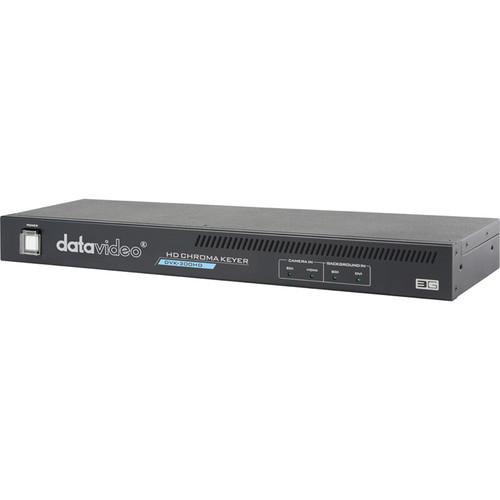
Product description The DVK-300 Chromakeyer from Datavideo allows you to use your PC to create real time HD or SD Chroma keying using the included DVKey HD Software designed to work with Windows 7, 8 and XP. Shoot your HDMI or SDI video and feed it into the Chromakeyer. Foreground and background are entered separately and can be layered to produce the final images you desire. Post processing features allow you to make changes to the foreground brightness, contrast and color saturation. Final productions can be output to any video output device such as a switcher, recorder, or projector.The Chromakeyer incorporates noise reduction, color spill processing as well as a garbage mask feature that eliminates bad edges. Signal LEDs display the your input format. And, if everything should go wrong, a reset feature restores the unit to its original factory settings. The system operates on 110/220VAC, 50/60 Hz via the included power adapter. - Basics
-
- Key noise reduction
- Color spill processing
- Edge brightness control
- Post processing - correction of picture parameters (brightness, contrast, saturation) applied on foreground signal after keying process
- Video inputs (SD, HD, and 3G)
Background inputs SDI, DVI-I (HDMI, DVI, VGA)- in case of VGA input the best quality will be available when VGA resolutions will be as close as possible to output resolution
Camera inputs (foreground): SDI, HDMI - Video outputs (SD, HD, and 3G)
Main output 1 (2xSDI) - (foreground + background) or matte view
Main output 2 (HDMI) - (foreground + background) or matte view - Garbage mask - User can define rectangle area which will be taken as garbage mask for Chromakeying process
- Controls
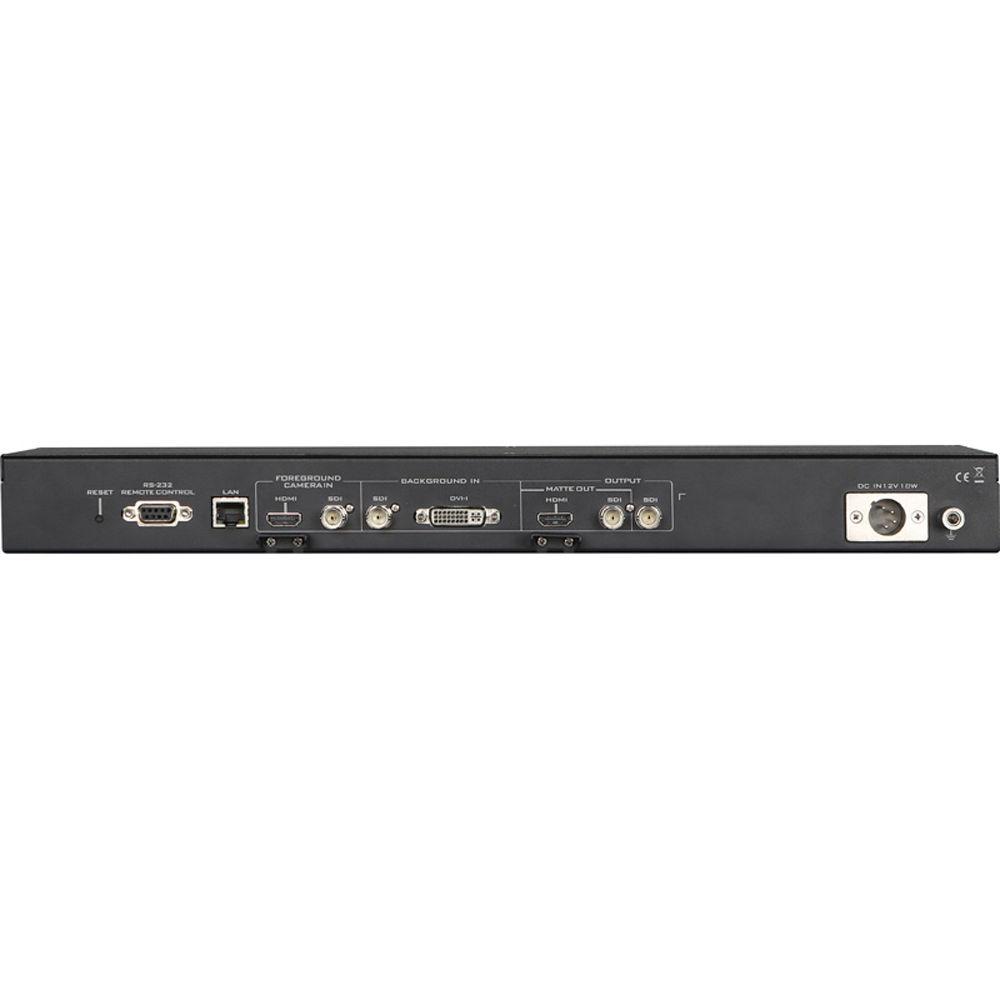
LAN: DHCP support, in case system receives IP address automatically set 192.168.1.10. User has the possibility to set his own IP address in case there is no DHCP availability so he can work in other network segment
RS 232: remote PC control port that will be functional when future firmware updates are applied
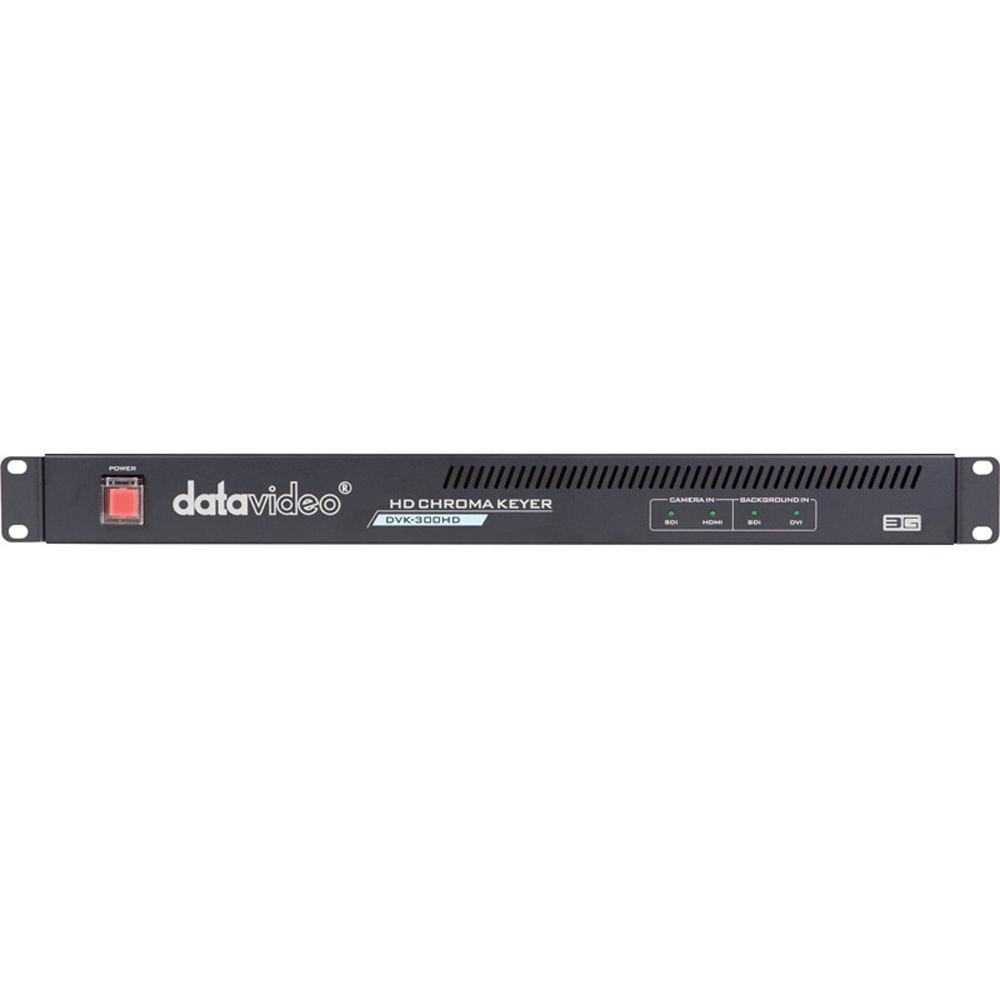
Signal LEDs: Signal detects/ inputs format present
RESET: Reset button will restore factory default UPC: 672255004388 In the Box Datavideo DVK-300 Chromakeyer DVKey HD Software 3' Power Cord 110/220V Power Adapter Quick Start Guide Accessory Note Limited One-Year Warranty Extendable to Two-Years When Registered with Datavideo Table of Contents
|
Upload User Manual
Have you got an user manual for the Datavideo DVK-300 Chromakeyer in electronic form? Please send it to us and help us expand our library of instruction manuals.
Thank you, too, on behalf of other users.
To upload the product manual, we first need to check and make sure you are not a robot. After that, your "Submit Link" or "Upload File" will appear.
Technical parametersDatavideo DVK-300HD Specs | Software | DVKey HD
Works with Windows 7, 8 and XP | | Input interfaces-Video | Video camera - 1 x BNC connector, 75 Ohm up to 3 GB/s SDI input
Video background - 1 HDMI v1.4 connector
Foreground inputs: 1 x HDMI, 1x HD/SD-SDI
Background inputs: 1 x HD/SD-SDI, 1x DVI-I | | Output Interface | Video PGM - 1 x BNC connector, 75 Ohm for SDI output
Video PRV - 1 x BNC connector, 75 Ohm for SDI output; 1 x HDMI v1.4 connector Camera input
SDI formats - 576i, 480i (SMPTE 259M-C) 1080i50, 1080i59.94,1080i60, 720p50,720p59.94, 720p60, 1080p25, 1080p30 (SMPTE 292M)1080p50, 1080p59.94, 1080p60 (SMPTE 425M) HDMI formats - 480i, 576i, 720p50, 720p59.94, 720p60, 1080i50, 1080i59.94, 1080i60, 1080p25, 1080p30, 1080p50, 1080p59.94, 1080p60 Matte outputs: 1 x HD-SDI
1 x HDMI Program outputs: 1 x HD-SDI | | Signal Format | Background input
SDI formats - 576i, 480i (SMPTE 259M-C) 1080i50, 1080i59.94,1080i60, 720p50,720p59.95, 720p60, 1080p25, 1080p30 (SMPTE 292M)1080p50, 1080p59.94,1080p60 (SMPTE 425M) HDMI/DVI formats - 480i, 576i, 480p, 576p, 720p50, 720p59.94, 720p60, 1080i50, 1080i5 9.94, 1080i60, 1080p25, 1080p30, 1080p50, 1080p59.94, 1080p60 VGA formats - 800x600, 1024x768, 1152x864, 1280x720, 1280x1024, 1360x768, 1400x1050, 1440x900, 1920x1080 | | Front Panel | Power switch
LED input source indication for camera in (SDI/HDMI) and background in (SDI/DVI) | | Rear Panel |
Lan: 100/10M base Ethernet Network interface; connect to laptop or PC, use software to control the DVK-300HD functions
Background in: Receives SDI and DVI-I input signal from your SDI and DVI-I equipped camera or device
Output: HDMI and SDI output signal connects (MATTE OUT is for preview black and white level for chroma key effect
SDI Output: For program output
DC in: Connects the supplied 12V PSU to this socket. The connection can be secured by screwing the outer fastening ring of the DC in plug to the socket | | Power | 110/220, 50/60Hz; with power adapter
3' power cord suitable for a North American outlet | | Dimensions | 19.0 x 5.0 x 2.0" (48.3 x 12.7 x 5.0 cm) | | Weight | 4.0 lb (1.8 kg) | | | | Package Weight | 6.4 lb | | Box Dimensions (LxWxH) | 23.9 x 8.1 x 5.4" |
Rating100% users recommend this product to others. And what about you?

This product has already been rated by 93 owners. Add your rating and experience with the product.
Discussion
 Ask our technicians if you have a problem with your settings,
or if anything is unclear in the user manual you have downloaded.
You can make use of our moderated discussion.
The discussion is public and helps other users of our website who may be encountering similar problems.
Ask our technicians if you have a problem with your settings,
or if anything is unclear in the user manual you have downloaded.
You can make use of our moderated discussion.
The discussion is public and helps other users of our website who may be encountering similar problems.
The discussion is empty - enter the first post
Post a new topic / query / comment:
|
|


