User Manual for DayStar Filters Eclipse Orchestrator Pro 3.7 Camera Control Software Click to enlarge the picture
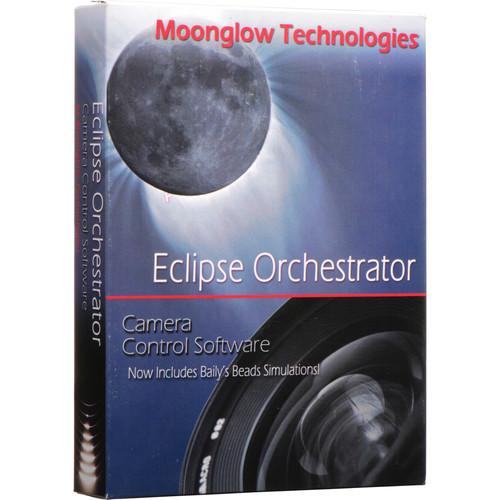 Contents of the user manual for the DayStar Filters Eclipse Orchestrator Pro 3.7
- Product category: Photo Software DayStar Filters
- Brand: DayStar Filters
- Description and content of package
- Technical information and basic settings
- Frequently asked questions – FAQ
- Troubleshooting (does not switch on, does not respond, error message, what do I do if...)
- Authorized service for DayStar Filters Photo Software
|
User manual for the DayStar Filters Eclipse Orchestrator Pro 3.7 contain basic instructions
that need to be followed during installation and operation.
Before starting your appliance, the user manual should be read through carefully.
Follow all the safety instructions and warnings, and be guided by the given recommendations.
User manual is an integral part of any DayStar Filters product,
and if it is sold or transferred, they should be handed over jointly with the product.
Following the instructions for use is an essential prerequisite for protecting
health and property during use, as well as recognition of liability on the part of the manufacturer
for possible defects should you make a warranty claim. Download an official DayStar Filters user manual in which you will find instructions on how to install, use, maintain and service your product.
And do not forget – unsuitable use of a DayStar Filters product will considerably shorten its lifespan!
|
Product description Women of Influence: Katrin Eismann Read More tbxyfeyzdczeyzqcqxbzffvsxwqcyyrb Keep your eyes on the skies with the Eclipse Orchestrator Pro 3.7 Camera Control Software from DayStar Filters. This helpful program ensures that you don't miss the solar eclipse, the transit of Mercury or Venus, or any other big astronomical event because you were too focused on getting the settings and composition just right on your Canon or Nikon DSLR. It takes care of this work for you, freeing you up to enjoy the experience fully.
Using a USB or Firewire cable, connect your camera to a laptop running Windows XP, Vista, 7, 8, or 10. Enter your latitude and longitude coordinates, or connect an NMEA 0183-compatible GPS, and the software will automatically determine the local conditions and make calculations based on them. The program was first developed for the 2002 total solar eclipse, and since then, has been used around the world.
Eclipse Orchestrator Pro features a script wizard that allows you to pre-program exposures, indicating when you would like each one to occur and which settings you would like selected for each. All actions of the camera can be timed to line up with specific phases of the event you're observing, so that all you need to do during the actual eclipse or transit is sit back, relax, and enjoy the show. All features of Orchestrator Pro are optional, so you can use the program for as much or as little as you would like.
The software is delivered on a CD and shipped in a standard retail box, along with a USB installation memory stick and a license key. - Script Wizard
-
- Allows you to pre-program exposures, indicating when you would like each one to occur and which settings you would like selected for each
- Set shutter speed, ISO, aperture, file type, and quality
- Scripted shutter press control available via serial port cable
- All actions of the camera can be timed to line up with specific phases of the event you're observing
- Software sends commands to camera through USB to select settings and capture images, which are saved to camera's memory card
- All features of Orchestrator Pro are optional, so you can use the program for as much or as little as you like
- Benefit from script editing and customization
- Scriptable command lines
- Intervalometer function, including "ending at" time, can also be scripted
- Scripted playback of self-recorded .wav sound files
- Upcoming script event display
- Support for "emergency" script, which can be executed easily to adapt to cloud openings
- Time and Location Accuracy and Info
-
- Enter latitude and longitude coordinates or connect an NMEA 0183-compatible GPS, in order to enable the software to determine your precise location (within about 200 m), time (within about 0.5 sec), and other circumstances/conditions
- Features satellite terrain map, umbral path (the path of the Moon's inner shadow across Earth's surface), and zones of longest duration
- Animated umbral shadow with mouse-over duration info
- Map, simulated view, and countdown in separate windows that can be resized
- Main display screen can be customized
- Local circumstances table
- Refraction, limb effects, and delta-T correction are supported
- With limb and refraction corrections enabled, and precise GPS coordinates and GPS time set at your observation site, contact time predictions should be accurate to within +/- 2 sec
- Using UTC event times also allows for extreme accuracy
- Predictions for previous eclipses were usually within 1 sec
- "Simulated second contact" option
- Manual entry or override of computed contact times if necessary
- Easy adjustment of computer clock without GPS
- Additional Features
-
- Neilsen-Kellerman Kestrel 4000 weather tracker support, allowing for scheduled memory downloads with required Kestrel Interface
- "View Exposure Sequence" option
- "View Log" option
- Live View window with focus metric for Canon DSLRs
- Capture single exposure via settings dialog
- Mirror lock-up support to reduce vibration
- Camera "nicknaming" ID feature
- Setup and Support
-
- Using a USB or Firewire cable, connect your camera to a laptop running Microsoft Windows XP, Vista, 7, 8, or 10
- Support for up to 16 cameras at once
- High-speed shooting is possible with serial ports and optional serial-to-camera shutter cables, which can save 2-5 seconds' worth of delay time. Typical speeds with cables range from 2-8 fps
- Software supports powered, non-powered, inverted, and Nikon IR shutter cables
- Serial RTS, DTR, and dual cables, as well as USB-to-serial converters, are supported. Multiple converters can be used via USB hub
- Purchase includes all minor upgrades and updates (3.xx)
- Customer support provided via website and email
- Compatible Cameras
-
Canon EOS:- 1D
- 1D Mark II
- 1D Mark III
- 1D Mark IV
- 1D X
- 1D X Mark II
- 1D C
- 1Ds
- 1Ds Mark II
- 1Ds Mark III
- 5D
- 5D Mark II
- 5D Mark III
- 5D Mark IV
- 5DS
- 5DS R
- 6D
- 7D
- 7D Mark II
- 10D
- 20D
- 20Da
- 30D
- 40D
- 50D
- 60D
- 60Da
- 70D
- 80D
- Digital Rebel/300D
- Rebel XT/350D
- Rebel XTi/400D
- Rebel XSi/450D
- Rebel XS/1000D
- Rebel T1i/500D
- Rebel T2i/550D
- Rebel T3/1100D
- Rebel T3i/600D
- Rebel T4i/650D
- Rebel T5/1200D
- Rebel T5i/700D
- Rebel T6/1300D
- Rebel T6i
- Rebel T6s/760D
- Rebel SL1/100D
Digital cameras not on this list are not supported
Following cameras not compatible with Windows Vista or 7, due to instability or lack of Canon driver: 1D, 1D Mark II, 1D Mark II N, 1Ds, 1Ds Mark II, 10D, 20D, 20Da, and Digital Rebel
Menu option "Setup/ Support Old Canons" must be checked to use one of these cameras on Windows XP: 1D, 1Ds, 10D, and Digital Rebel
Nikon:- D3
- D3X
- D3S
- D4
- D4S
- D5
- D40
- D40X
- D60
- D80
- D90
- D200
- D300
- D300s
- D500
- D600
- D610
- D700
- D750
- D800
- D800E
- D810
- D810A
- D7000
- D7100
- D7200
- D7500
Cameras must be set for PTP or MTP, not Mass Storage
Following cameras are not supported: D1, D1H, D1X, D100, D2H, D2Hs, D2X, D2Xs, D50, D70, D70s, D3000, D3100, D3200, D3300, D3400, D5000, D5100, D5200, D5300, D5500, D5600
Software can be used with film cameras via shutter operator (not included) UPC: 724696425977 In the Box DayStar Filters Eclipse Orchestrator Pro 3.7 Camera Control Software (Boxed CD) USB Installation Memory Stick Table of Contents
|
Upload User Manual
Have you got an user manual for the DayStar Filters Eclipse Orchestrator Pro 3.7 Camera Control Software in electronic form? Please send it to us and help us expand our library of instruction manuals.
Thank you, too, on behalf of other users.
To upload the product manual, we first need to check and make sure you are not a robot. After that, your "Submit Link" or "Upload File" will appear.
Technical parametersDayStar Filters EOPRO Specs | | | Supported OS Versions | Windows XP, Vista, 7, 8, 10 | | | | Minimum Display Resolution | 640 x 480 | | | | Package Weight | 0.35 lb | | Box Dimensions (LxWxH) | 7.5 x 5.5 x 1.2" |
Rating100% users recommend this product to others. And what about you?

This product has already been rated by 54 owners. Add your rating and experience with the product.
Discussion
 Ask our technicians if you have a problem with your settings,
or if anything is unclear in the user manual you have downloaded.
You can make use of our moderated discussion.
The discussion is public and helps other users of our website who may be encountering similar problems.
Ask our technicians if you have a problem with your settings,
or if anything is unclear in the user manual you have downloaded.
You can make use of our moderated discussion.
The discussion is public and helps other users of our website who may be encountering similar problems.
The discussion is empty - enter the first post
Post a new topic / query / comment:
|
|


