|
User Manual for Deity Microphones Deity Connect Dual-Channel True Diversity Wireless System Click to enlarge the picture
 Contents of the user manual for the Deity Microphones Deity Connect Dual-Channel True
- Product category: Wireless Systems Deity Microphones
- Brand: Deity Microphones
- Description and content of package
- Technical information and basic settings
- Frequently asked questions – FAQ
- Troubleshooting (does not switch on, does not respond, error message, what do I do if...)
- Authorized service for Deity Microphones Wireless Systems
 |
User manual for the Deity Microphones Deity Connect Dual-Channel True contain basic instructions
that need to be followed during installation and operation.
Before starting your appliance, the user manual should be read through carefully.
Follow all the safety instructions and warnings, and be guided by the given recommendations.
User manual is an integral part of any Deity Microphones product,
and if it is sold or transferred, they should be handed over jointly with the product.
Following the instructions for use is an essential prerequisite for protecting
health and property during use, as well as recognition of liability on the part of the manufacturer
for possible defects should you make a warranty claim. Download an official Deity Microphones user manual in which you will find instructions on how to install, use, maintain and service your product.
And do not forget – unsuitable use of a Deity Microphones product will considerably shorten its lifespan!
|
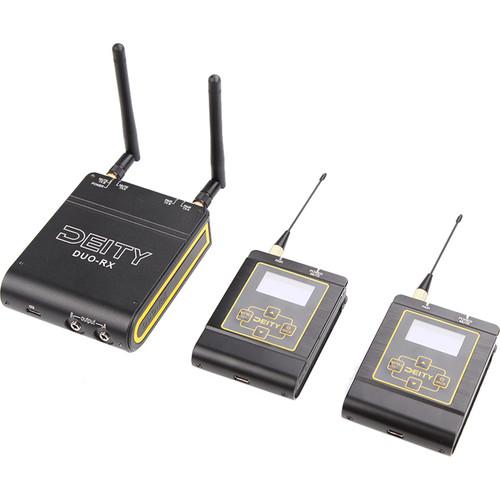
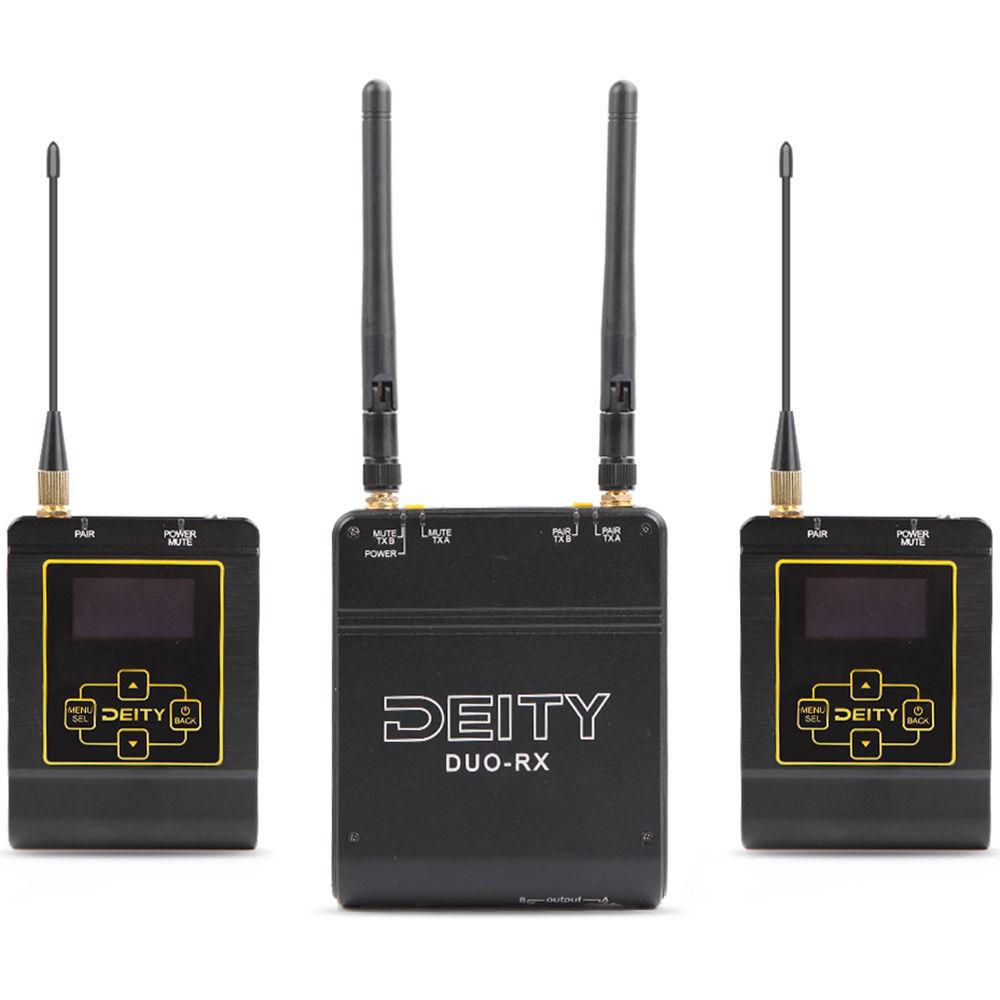
Product description Leave the UHF band behind and break into pro-level 2.4 GHz operation with the sound bag-ready Deity Microphones Deity Connect, a dual-channel, true diversity wireless system offering a host of high-end features and everything you need to produce broadcast-quality sound for your next film shoot, television project, or video production gig. Whether you're tasked with electronic news gathering, recording interviews, or capturing speeches at conferences, the Deity Connect empowers you with the advanced technology, rugged durability, and extensive customization requisite for dependable, high-grade results.Knowing that a strong and solid audio link is crucial for professional results, the Deity Connect was designed as a bidirectional transceiver system with adaptive frequency hopping, "Listen-Before-Talk" stream repair, and encrypted, uncompressed digital signal integrity. The receiver sports four antennas—two internal dipole horizontal antennas, and two external elbow antennas—to allow versatile positioning and deliver uninterrupted signal reception. Through its OLED screen and straightforward buttons, the receiver provides comprehensive remote control of each transmitter; no more walking over to your subject to adjust transmitter settings! There are two gain-adjustable 3.5mm TRS outputs, which can be utilized in any of the three output modes—Balanced XLR mode sends a separate audio channel as a balanced signal to each output jack, DSLR Blended mode mixes both audio channels to one output and turns the other jack into a headphone output, while Stereo mode routes a stereo feed from each transmitter to separate outputs.In addition to having the same OLED screen and user-friendly menu navigation as the receiver, the transmitters grant thorough control of your signal quality via automatic or manual RF power adjustment, switchable analog limiters, low-cut filters, and high-frequency boosts; tame peaks, reduce rumble, enhance clarity, and more! The locking 3.5mm TRS input jack on each transmitter conforms to the Sennheiser-standard pin configuration, and can be set to accept a mono mic signal or a stereo line-level source for camera hopping. The transmitters and receiver boast 10 hours of operating time at 100mW (more time at lower mW settings) via internal lithium batteries, which recharge in about an hour via USB Type-C connections. If you want efficiency and versatility without sacrificing quality, make the Deity Connect your wireless audio solution. - Applications
-
- Film, video, and television production
- ENG (Electronic News Gathering)
- Interviews
- Conferences
- Trade shows
- System Features
-
- 2.4 GHz ecosystem with proprietary advancements for strong audio linkup while coexisting with other devices in the same frequency band
- Bidirectional transceiver system is constantly scanning and mapping out the 2.4 GHz band, coordinating and planning the next 70 frequency hops to avoid RF interference
- "Listen-Before-Talk" mechanism detects RF interruption then adds missing audio and data into the stream without increasing system latency
- Dual true diversity design—as found in commercial-grade Wi-Fi and high-end drones—ensures reliable signal delivery
- Encrypted 24-bit / 48 kHz signal transmission
- Easy pairing and configuration
- Powered via internal lithium batteries for up to 10 hours at 100mW RF output power
- Recharges via USB Type-C connections in about an hour
- Up to 500 battery cycles
- 19 ms latency
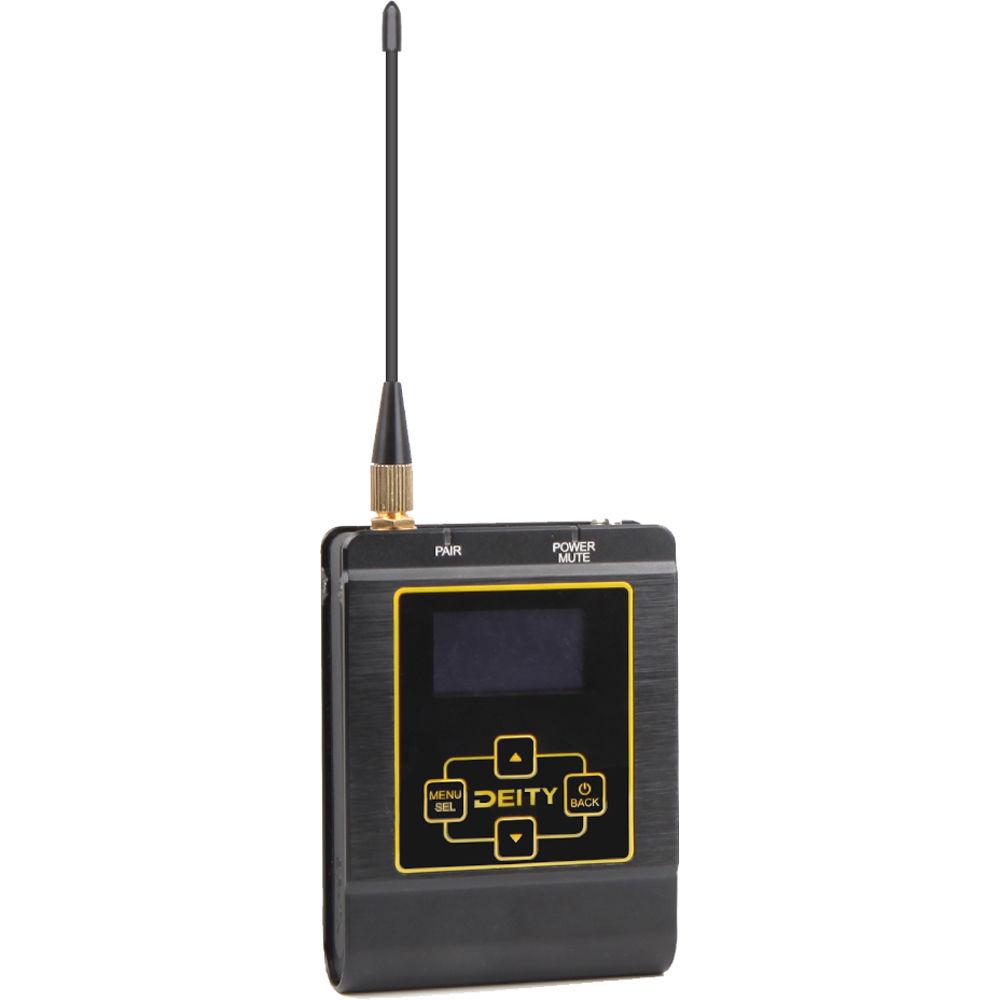
- BP-TX Transmitter
-
- Compact, durable brushed-aluminum housing
- SMA antenna connector
- 1/4"-20 mounting point for the belt clip
- Two multicolor LED alert lights
- Daylight-bright, high-resolution OLED screen shows statuses of all major features and real-time VU metering on the home screen
- Auto/manual RF power output adjustment from 10 to 100mW
- Automatic RF power mode increases battery life by never using more power than the system needs
- Latching mute switch
- Guardrail limiter
- 75/150 Hz low-cut filters
- 7 to 20 kHz high-frequency boost in 1 dB steps
- Assignable unique user ID
- Screen and button lock
- Sennheiser-standard locking 3.5mm TRS input
- Accepts mic- or line-level signals
- Selectable stereo line-level input mode
- Transmits to one receiver
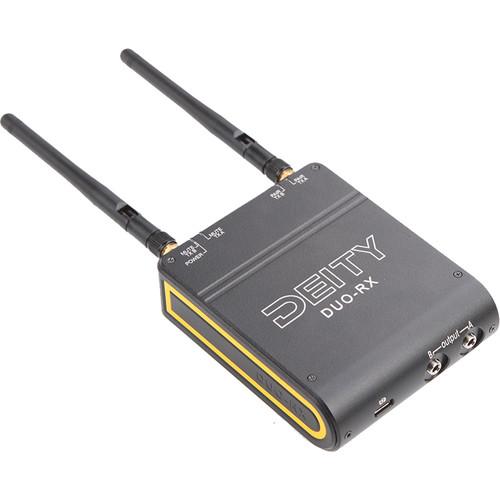
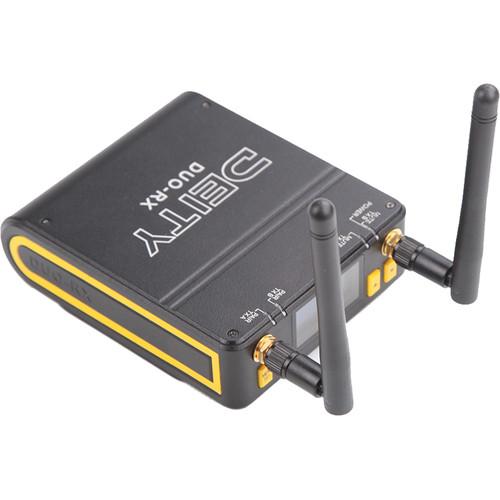
- DUO-RX Receiver
-
- Dual true diversity antenna arrays for a quad antenna setup
- Removable SMA elbow antennas allow user upgrades to clover antennas, directional antennas, or antenna splitters
- Screen, buttons, and antennas face up in a sound bag, while USB Type-C and audio outputs are on the bottom for easy cable management
- Lightweight at just 8.7 ounces
- Daylight-bright, high-resolution OLED screen shows real-time VU metering, transmitter battery level, and more on the home screen
- Convenient remote control of every audio adjustment on each transmitter
- Easy firmware updates
- Two locking 3.5mm outputs with multiple output modes
- 1/4" and 3/8" mounting points
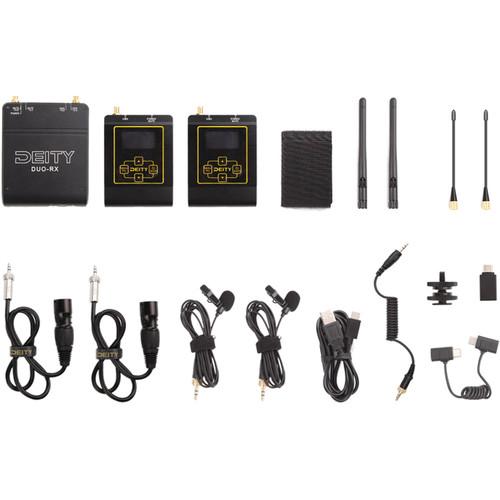
- Included Accessories
-
- Two omnidirectional lavalier microphones with tie clips and locking 3.5mm TRS plugs
- Foam windscreens for reduction of wind noise and plosives
- Two XLR to 3.5mm audio cables for receiver-to-recorder connections
- DSLR locking audio cable
- DUO-RX cable for synchronizing multiple Deity Connect systems
- USB Type-C charging cable
- USB Type-C to USB Type-A firmware update adapter
- Two straight transmitter antennas and two elbow-style receiver antennas
- Cold shoe to 1/4"-20 adapter for easy camera mounting
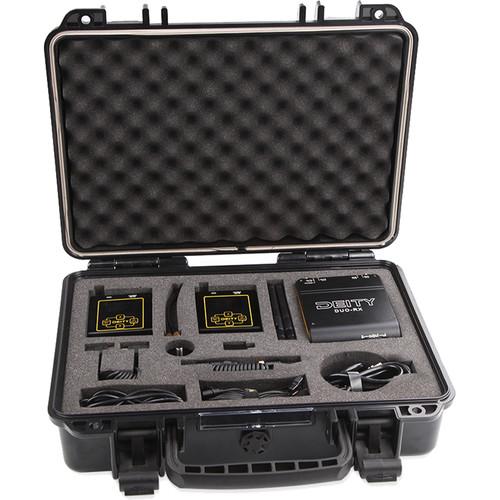
- Waterproof hardshell case with custom foam insert
In the Box Deity Microphones Deity Connect Dual-Channel True Diversity Wireless System (2.4 GHz) 2 x Lavalier Microphones 2 x XLR to 3.5mm Cables DSLR Locking Audio Cable DUO-RX Sync Cable USB Type-C Charging Cable USB Type-C to USB Type-A Firmware Update Adapter 2 x Transmitter Antennas 2 x Receiver Elbow Antennas 2 x Foam Windscreens 2 x Lavalier Tie Clips Cold Shoe to 1/4"-20 Adapter Waterproof Hardshell Case with Custom Foam Insert Limited 2-Year Warranty Upon Online Registration Table of Contents
|
Upload User Manual
Have you got an user manual for the Deity Microphones Deity Connect Dual-Channel True Diversity Wireless System in electronic form? Please send it to us and help us expand our library of instruction manuals.
Thank you, too, on behalf of other users.
To upload the product manual, we first need to check and make sure you are not a robot. After that, your "Submit Link" or "Upload File" will appear.
Technical parametersDeity Microphones Deity Connect Specs | | | Wireless Transmission | Digital 2.4 GHz | | Number of RF Channels | 18 | | Included Transmitters | 2 x Bodypack with Microphone | | Diversity | True Diversity | | Max Operating Range | 300' / 91.4 m | | Audio Codec | PCM | | Sample Rate/Resolution | 48 kHz / 24-Bit | | Latency | 19 ms | | Encryption | Yes | | Modulation | Proprietary | | | | Form Factor | Portable (Bag Suitable) | | Mounting Options | Belt Clip, Shoe-Mount (with Included Hardware) | | Antenna | 2 x External, SMA (Top-Mount) | | Number of Audio Channels | 2 | | Audio I/O | 2 x 1/8" / 3.5 mm TRS Female Balanced/Unbalanced Line Output (Lockable) | | Gain Range | -21 to +15 dB (3 dB Steps) | | Frequency Response | 50 Hz to 20 kHz | | Network I/O | None | | Network Protocols | None | | Word Clock I/O | None | | USB Port | 1 x USB Type-C (Bus Power, Charging) | | Approximate RF Sensitivity | -86 dBm | | RF Output Power | 100 mW | | Power Requirements | Battery, USB Bus Power | | Battery Type | 1 x Built-In Rechargeable (Included, Replaceable) | | Approx. Battery Life | 10 Hours (Lithium Rechargeable) | | Display & Indicators | 1 x OLED (AF Level, Battery Status, High-Pass Filter, Menu Navigation, Mute, RF Level)
1 x LED (Mute, Power)
1 x LED (Sync) | | Housing | Aluminum | | Dimensions | 3.4 x 4.4 x 1.3" / 87.4 x 113.0 x 33.5 mm (without Antennas) | | Weight | 8.7 oz / 248.0 g | | | | Form Factor | Bodypack with Microphone | | RF Output Power | Up to 100 mW (Switchable) | | Audio I/O | 1 x 1/8" / 3.5 mm TRS Female Balanced/Unbalanced Input (Lockable) | | Pad | None | | Muting | Mute Switch | | Gain Range | -51 to +21 dB | | Signal Processing | High-Pass Filter:
75 Hz
High-Pass Filter:
150 Hz
HF Boost:
| | Antenna | 1 x External, Detachable | | Power Requirements | Battery, USB Bus Power | | Battery Type | 1 x Built-In Rechargeable (Included, Replaceable) | | Approx. Battery Life | High:
10 Hours (Lithium Rechargeable) | | Battery Cycle Count | Up to 500 Cycles | | USB Port | 1 x USB Type-C (Bus Power, Charging) | | Display & Indicators | 1 x OLED (Audio Level, Battery Status, Mute, Signal Strength)
2 x LED (Mute, Power)
2 x LED (Sync) | | Housing | Aluminum | | Dimensions | 2.5 x 3.7 x 1.0" / 63.0 x 92.8 x 26.0 mm (without Antennas) | | Weight | 5.2 oz / 148.0 g | | | | Form Factor | Lavalier | | Sound Field | Mono | | Operating Principle | Pressure Operated | | Transducer | Electret Condenser | | Diaphragm | 0.41" / 10.4 mm | | Polar Pattern | Omnidirectional | | Frequency Range | 50 Hz to 20 kHz | | Sensitivity | -40 dBV/Pa | | Dynamic Range | 110 dB | | Output Connectors | 1 x 1/8" / 3.5 mm TRS Male Balanced (Lockable) | | Cable Length | 5.25' / 1.6 m | | Operating Voltage | 1.5 to 3 V |
Rating80% users recommend this product to others. And what about you?

This product has already been rated by 27 owners. Add your rating and experience with the product.
Discussion
 Ask our technicians if you have a problem with your settings,
or if anything is unclear in the user manual you have downloaded.
You can make use of our moderated discussion.
The discussion is public and helps other users of our website who may be encountering similar problems.
Ask our technicians if you have a problem with your settings,
or if anything is unclear in the user manual you have downloaded.
You can make use of our moderated discussion.
The discussion is public and helps other users of our website who may be encountering similar problems.
Post new comment to Deity Microphones Deity Connect Dual-Channel True Diversity Wireless System
| Subject: One of the transmitting is not working | | Date: 01.03.2023 20:43:29 | Name: Rene Alvarez | What can I do? One of the transmitter is not sending the audio
I have tried to do a reset and nothing
| | Post reply |
| Subject: My two sets of deity receivers cancel each other out? | | Date: 05.01.2022 16:34:29 | Name: Cael McNally | Hi,
I've been using the deity connect for a while and my receiver and transmitters worked fine. However I've just purchased the interview kit aswell and it seems like I can't use both sets without one cancelling the other out. It just flickers between being online and offline. Is there something I'm missing and a way to be able to use both receivers and the four transmitters altogether?
Thank you for taking the time to read this, if you could get back to me Asap it would be much appreciated as I have a job lined up.
Many thanks and happy new year,
Cael McNally. | | Post reply |
Post a new topic / query / comment:
|
|
|
| Request for user manual |
You can’t find the operation manual you are looking for? Let us know and we will try to add the missing manual:
I’m looking for a manual / Request for manual
Current requests for instruction manuals:
Call Of Duty World War Two For Xbox...
controller stratus XL...
stratus XL...
smart whatch serie S11 42mm...
Allen & Heath SQ-6 manual...
|
| Discussion |
Latest contributions to the discussion:
AEW R 4100
Name: MAURICIO ANGARITA
Audio-Technica AEW-R4100 UHF Diversity Receiver for
AEW R 4100 has the mute function blocked and does not allow audio to pass. I tried several times to turn off the mute from the transmitter but it does nothing, the mute stays on. Solution?
Thank you...
Instructions for assembling the 2015 Forecast Image Master Consoles GC3-A
Name: mike elam
Forecast Consoles GC3-A ImageMaster Editing Console
Looking for instructions for assembling this console. ...
EMPTY TONER ERROR MESSAGE AFTER REPLACING TONER
Name: LINDA BAD YELLOW EYES
Brother TN223BK Standard-Yield Toner
I HAD TO CHANGE OUT ALL THREE TONERS DUE TO LEAKS IN THE YELLOW AND CYAN. AFTER I REPLACED THEM, THE MACHINE KEEPS GIVING ME AN EMPTY TONER ERROR MESSAGE. HELP!!...
PS480D 20/24 pin Switching 480W Power Supply
Name: swkargo
Logisys 480W Power Supply
This item states in can run -5vdc .It is NOT listed on the board or I beleive is r4 is missing the resitior. Any body have thid issue. Shawn
...
Help needed
Name: Ann Carter
SanDisk 1TB Extreme Portable USB 3.1
When I click the link to download the user manual for my Sandisk Extreme external hard drive, it gives me the manual for the LG Cricket. Can you please change the link so I can download the Sandisk manual and begin using this drive? Thank you....
|
|


