|
User Manual for Drobo 16.256TB B810n 8-Bay NAS Server Click to enlarge the picture
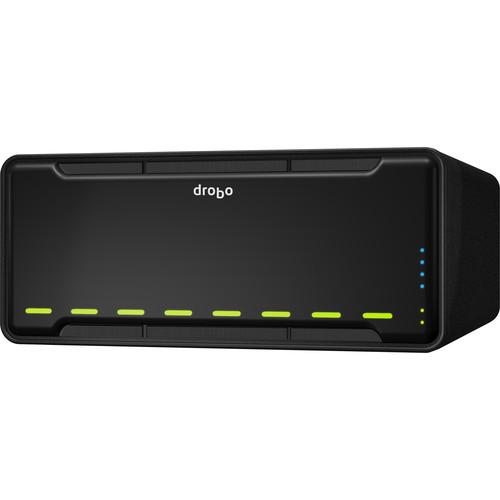 Contents of the user manual for the Drobo 16.256TB B810n 8-Bay NAS Server
- Product category: Network Attached Storage Drives Drobo
- Brand: Drobo
- Description and content of package
- Technical information and basic settings
- Frequently asked questions – FAQ
- Troubleshooting (does not switch on, does not respond, error message, what do I do if...)
- Authorized service for Drobo Network Attached Storage Drives
 |
User manual for the Drobo 16.256TB B810n 8-Bay NAS Server contain basic instructions
that need to be followed during installation and operation.
Before starting your appliance, the user manual should be read through carefully.
Follow all the safety instructions and warnings, and be guided by the given recommendations.
User manual is an integral part of any Drobo product,
and if it is sold or transferred, they should be handed over jointly with the product.
Following the instructions for use is an essential prerequisite for protecting
health and property during use, as well as recognition of liability on the part of the manufacturer
for possible defects should you make a warranty claim. Download an official Drobo user manual in which you will find instructions on how to install, use, maintain and service your product.
And do not forget – unsuitable use of a Drobo product will considerably shorten its lifespan!
|
Product description - Drobo | Reviews | Products - The Simplicity of BeyondRaid
- Meet the DroboPix App
- Joanne Tech Lover - Drobo B810n Review
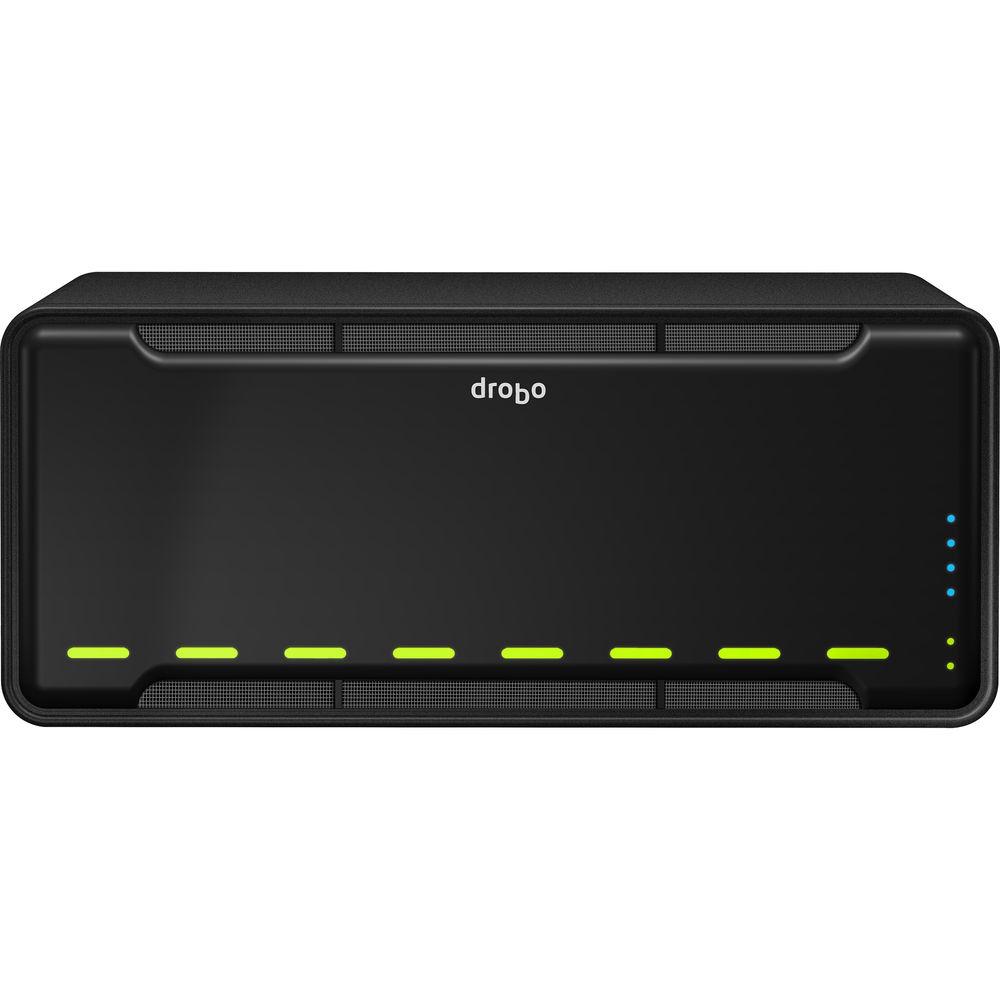
Designed for networks of up to 100 users, the 16.256TB (4 x 4TB HDD, 1 x 256GB SSD) B810n 8-Bay NAS Server from Drobo may be used as a primary storage device for important files and documents, a place to backup files and projects, or as a way of connecting computers on your network. It also provides reliable storage for server applications, email, and data protection while integrating into TCP/IP network infrastructure via SMB and AFP protocols. Additionally, Adaptive Link Bonding brings link failover and link aggregation support support without Ethernet switch support to help increase data throughput and compensate for network connection problems.
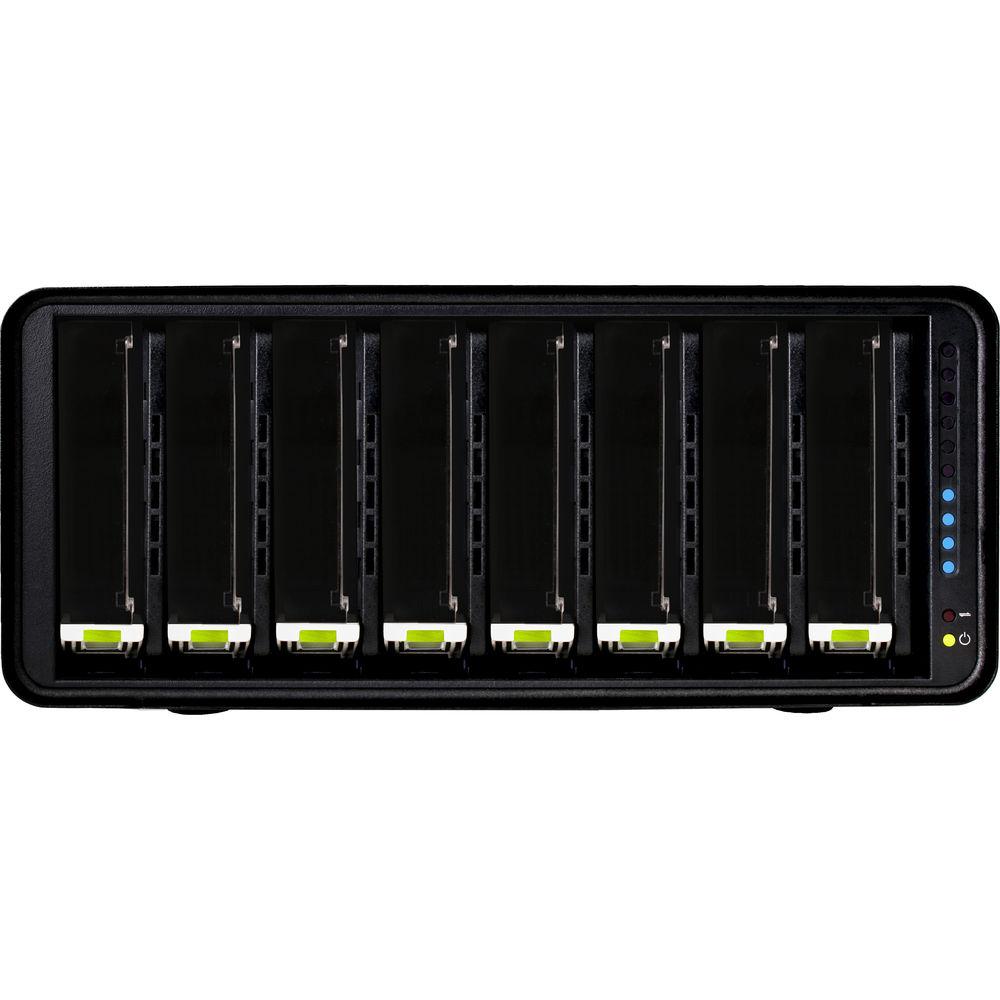
The Drobo B810n is powered by a Marvell Quad-Core processor and 2GB of RAM. It has eight 3.5" drive bays which are able to support up to eight SATA hard drives or SSDs, with no tools being required for installing 2.5" SSD carriers. The drive bays also support 4KN disks. Within its eight drive bays, this Drobo B810n is equipped with 4 x 4TB hard drives and a 1 x 256GB SSDs for a total storage capacity of 16.256TB. As SSDs are able to operate with faster data transfer speeds, Data-Aware Tiering migrates the most frequently accessed data to the SSDs, while less accessed data is stored on the hard drives.
The Drobo 810n has also been built on BeyondRAID technology. If there are any empty drive bays, BeyondRAID allows additional drives to be inserted into the array, where they would be automatically configured. If all drive bays are occupied, simply replace the smallest capacity drive with a larger one and BeyondRAID will handle the rest. BeyondRAID is also what allows drives of varying capacities to work in the same unit, which helps enable future expansion as larger drives become available.
Built with a 3U rackmount form factor and controlled using Drobo's Dashboard software, the 810n is powered using an internal 100/240 VAC power supplies that operate at 1.8/0.75 A and 50/60 Hz. It is compatible with Windows and Mac. Included is 1 x 6.0' power cord, 2 x 6.0' Ethernet cables, and international LED labels for the front panel. This NAS server is protected by a limited 1-year warranty. - BeyondRAID Technology
- To expand the storage capacity of an array, BeyondRAID enables additional disk drives to be inserted into empty drive bays. These new drives are automatically and transparently configured for use in the array without user intervention. However, if all drive bays are occupied, simply replace the smallest capacity drive with a higher capacity one and BeyondRAID will do the rest.
Unlike traditional RAID arrays, the BeyondRAID technology in Drobo enables different drive capacities to work in the same unit. This enables future expansion as larger SATA drives become available. With Drobo, access to data is always maintained while it protects against simultaneous drive failures - SSD Accelerated Performance
- Most NAS systems have issues when multiple users are accessing data, as the many simultaneous requests cause overall system performance to decrease. This is because to fulfill all the requests, the hard drive's recording mechanism has to move around the disk. The drive spends more time looking for data blocks than it does reading or writing data for users.
The B810n was designed to provide users with uniform performance. Add two SSDs and you can accelerate performance for simultaneous users. Drobo uses two techniques to accelerate access to your data:
- Data Tiering: as transactional data (small pieces of data) are read or written, they are places into SSD storage. Subsequent reads or writes to these blocks are almost instantaneous, as there is no delay induced by a hard drive's magnetic head having to move into position. Active, or "hot" data is stored in an SSD tier of storage. As it cools, i.e. access decreases, the B810n will move the data to the hard drive tier
- Hot Data Cache: this is a technique to accelerate data reads. As data is read from hard drives, the B810n will pre-fetch nearby data that it predicts will be also be read. Your benefit is faster access and less waiting - Dual Ethernet Ports: Bond Together, or Failover
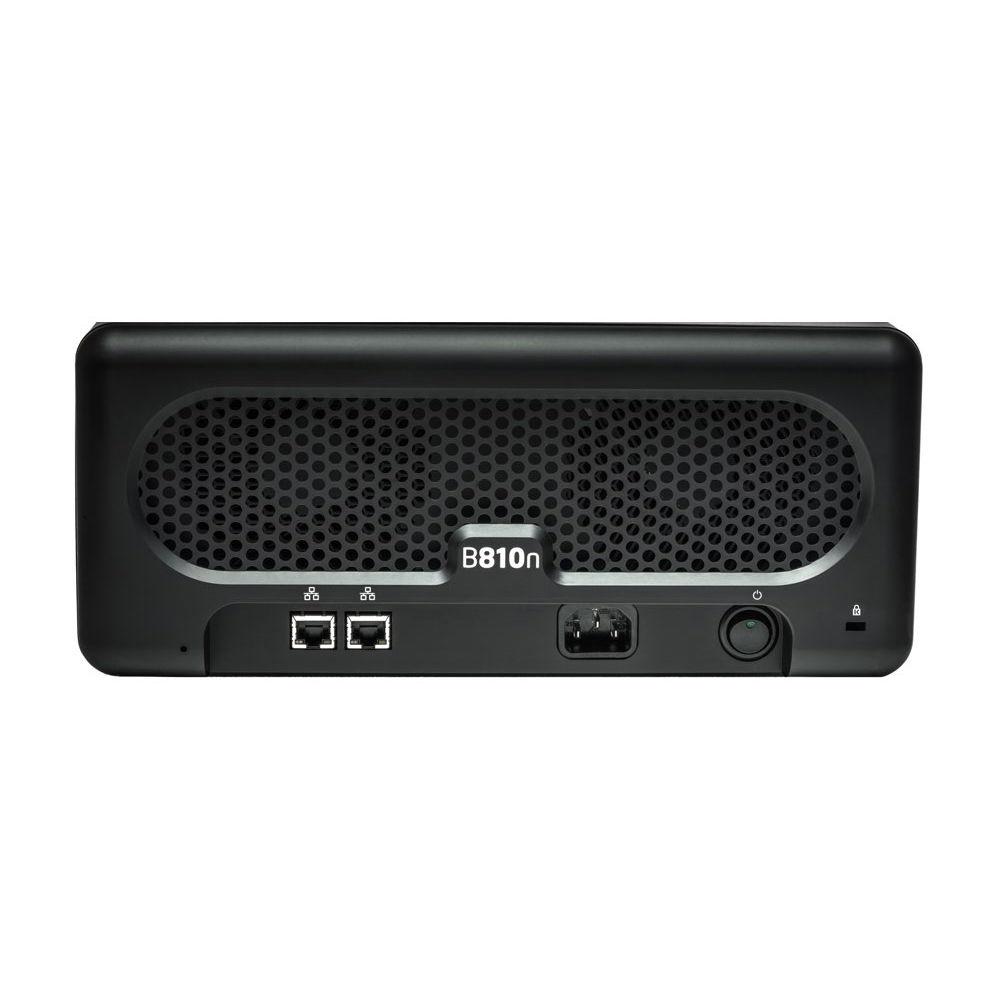
- The B810n has dual Gigabit Ethernet ports. These can be bonded together to provide approximately twice the read/write performance you get via a single port, or they can be used to provide a connection to two different subnets. Furthermore, they can be used in an "active/passive" mode so that if one port fails, the other takes over
- Share Files With OS X, Windows, or Linux Users
- The B810n works with computers running OS X, Windows, or Linux operating systems. By default, the Drobo B810n uses the SMB file sharing protocol to talk to OS X or Windows. If you set up a share for Time Machine backup, it uses Apple's AFP protocol. Linux users pick which file sharing method to use on their system
- Drobo DR: Offsite Data Replication Built-in
- The B810n has a feature called "Drobo DR" (DR = disaster recovery). You can set up a pair of B810n units to automatically make an offsite copy of your data. This provides an easy to setup offsite backup of your important data. Even better, the remote B810n stores all user account information so that recovery is simple
- Optimized for Time Machine
- One or more Macs on a network can use the Drobo B810n for storing their Time Machine backups. Create separate shares for use by Time Machine and assign them a maximum size. This lets users control how much space Time Machine uses, and stops it from taking over all storage on its backup target
- Designed for Hosting and Delivering Large Video Files
- This 8-Bay Drobo is well suited for security surveillance applications as well as hosting large amounts of video contained in a library. In fact, users that want to manipulate and render large video files will have no problem. The reason is that this Drobo is based on a Marvell Quad-Core processor with 2GB of RAM that uses a Linux operating system
- Protecting Your Critical Data from Power Loss
- Drobo protects your data from loss in the event of a sudden power outage. This protects directory structures, helping to ensure Drobo will remount on your computer. Drobo also has a battery inside that powers RAM memory. When there is a power outage, data is stored on internal flash-based non-volatile storage. Your data is safe until power returns. The battery recharges itself and lasts for the life of the product
- Add Customized Functionality With DroboApps
- DroboApps add functionality to your Drobo B810n. Whether it's cloud back up provided by either Crashplan or Elephant Drive or the video and music streaming offered through the Plex media server, these simple-to-install apps extend the capabilities of your Drobo B810n
- Drobo Dashboard
- Drobo Dashboard is an easy-to-use administration tool to centrally manage all your Drobos. It displays the status of all of your Drobos as if they were right in front of you. In fact, it provides the same status lights and storage capacity usage gauge that are on the front panel of each of your Drobos. So wherever you are, you can check the health of all your disk drives and know that Drobo has your back, keeping all your data safe. Plus the dashboard handles all administration tasks simply and easily without you needing to become a storage expert
- DroboCare
- DroboCare is simple, powerful protection for your Drobo storage. The DroboCare support program extends your peace of mind beyond the standard warranty term and phone support included with your Drobo purchase. In fact, DroboCare gives you more, even during your standard warranty period
UPC: 850737006420 In the Box Drobo 16.256TB (4 x 4TB HDD, 1 x 256GB SSD) B810n 8-Bay NAS Server 1 x 6.0' / 1.8m Power Cord 2 x 6.0' / 1.8m Ethernet Cables International LED labels for Front Panel (Dutch, French, and Japanese) Limited 1-Year Warranty More info from Drobo ufxzuquxuxxfyc Table of Contents
|
Upload User Manual
Have you got an user manual for the Drobo 16.256TB B810n 8-Bay NAS Server in electronic form? Please send it to us and help us expand our library of instruction manuals.
Thank you, too, on behalf of other users.
To upload the product manual, we first need to check and make sure you are not a robot. After that, your "Submit Link" or "Upload File" will appear.
Technical parametersDrobo B810N Specs | | | Total Raw Capacity | 16 TB | | Included Drives | 4 x 4 TB 3.5" HDD + 1 x 256 GB SSD | | | | Form Factor | Rackmount (3 RU) | | | | Supported Protocols | AFP
CIFS/SMB | | | | Security Features | Lockable Bay Door | | | | AC Input Power | 100 to 240 VAC, 50 / 60 Hz at 0.75 to 1.8 A | | Power Consumption | 82 W (In Operation)
13 W (Standby) | | | | Operating Temperature | 50 to 95°F / 10 to 35°C | | Operating Humidity | 5 to 80% | | Storage Temperature | -14 to 140°F / -26 to 60°C | | Certifications | BSMI, CE, CISPR 22 - Class B, FCC, REACH, RoHS, UL, VCCI, WEEE, cUL, as per Manufacturer | | | | Status Monitoring | LED Indicator | | Cooling | 2 x Fans | | Noise Level | 30.4 dBA | | Dimensions | 12.7 x 5.5 x 14.1" / 32.3 x 13.9 x 35.8 cm | | Weight | 16.3 lb / 7.4 kg without Drives | | | | Package Weight | 19.8 lb | | Box Dimensions (LxWxH) | 17.0 x 15.5 x 11.5" |
Rating70% users recommend this product to others. And what about you?

This product has already been rated by 81 owners. Add your rating and experience with the product.
Discussion
 Ask our technicians if you have a problem with your settings,
or if anything is unclear in the user manual you have downloaded.
You can make use of our moderated discussion.
The discussion is public and helps other users of our website who may be encountering similar problems.
Ask our technicians if you have a problem with your settings,
or if anything is unclear in the user manual you have downloaded.
You can make use of our moderated discussion.
The discussion is public and helps other users of our website who may be encountering similar problems.
The discussion is empty - enter the first post
Post a new topic / query / comment:
|
|
|
| Request for user manual |
You can’t find the operation manual you are looking for? Let us know and we will try to add the missing manual:
I’m looking for a manual / Request for manual
Current requests for instruction manuals:
Call Of Duty World War Two For Xbox...
controller stratus XL...
stratus XL...
smart whatch serie S11 42mm...
Allen & Heath SQ-6 manual...
|
| Discussion |
Latest contributions to the discussion:
AEW R 4100
Name: MAURICIO ANGARITA
Audio-Technica AEW-R4100 UHF Diversity Receiver for
AEW R 4100 has the mute function blocked and does not allow audio to pass. I tried several times to turn off the mute from the transmitter but it does nothing, the mute stays on. Solution?
Thank you...
Instructions for assembling the 2015 Forecast Image Master Consoles GC3-A
Name: mike elam
Forecast Consoles GC3-A ImageMaster Editing Console
Looking for instructions for assembling this console. ...
EMPTY TONER ERROR MESSAGE AFTER REPLACING TONER
Name: LINDA BAD YELLOW EYES
Brother TN223BK Standard-Yield Toner
I HAD TO CHANGE OUT ALL THREE TONERS DUE TO LEAKS IN THE YELLOW AND CYAN. AFTER I REPLACED THEM, THE MACHINE KEEPS GIVING ME AN EMPTY TONER ERROR MESSAGE. HELP!!...
PS480D 20/24 pin Switching 480W Power Supply
Name: swkargo
Logisys 480W Power Supply
This item states in can run -5vdc .It is NOT listed on the board or I beleive is r4 is missing the resitior. Any body have thid issue. Shawn
...
Help needed
Name: Ann Carter
SanDisk 1TB Extreme Portable USB 3.1
When I click the link to download the user manual for my Sandisk Extreme external hard drive, it gives me the manual for the LG Cricket. Can you please change the link so I can download the Sandisk manual and begin using this drive? Thank you....
|
|


