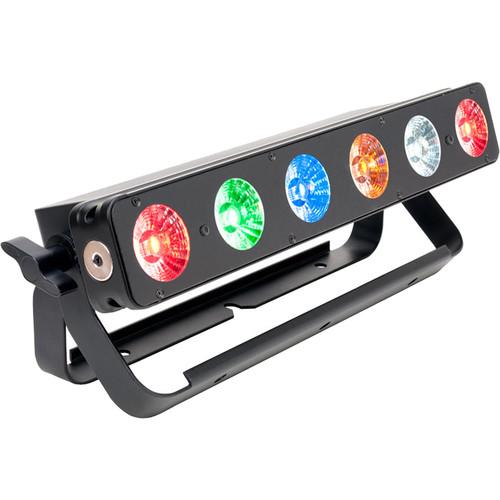
User Manual for Elation Professional SIXBAR 500 RGBAW UV LED Linear Fixture Click to enlarge the picture
 Contents of the user manual for the Elation Professional SIXBAR 500 RGBAW UV
- Product category: Stage & Studio Elation Professional
- Brand: Elation Professional
- Description and content of package
- Technical information and basic settings
- Frequently asked questions – FAQ
- Troubleshooting (does not switch on, does not respond, error message, what do I do if...)
- Authorized service for Elation Professional Stage & Studio
 |
User manual for the Elation Professional SIXBAR 500 RGBAW UV contain basic instructions
that need to be followed during installation and operation.
Before starting your appliance, the user manual should be read through carefully.
Follow all the safety instructions and warnings, and be guided by the given recommendations.
User manual is an integral part of any Elation Professional product,
and if it is sold or transferred, they should be handed over jointly with the product.
Following the instructions for use is an essential prerequisite for protecting
health and property during use, as well as recognition of liability on the part of the manufacturer
for possible defects should you make a warranty claim. Download an official Elation Professional user manual in which you will find instructions on how to install, use, maintain and service your product.
And do not forget – unsuitable use of a Elation Professional product will considerably shorten its lifespan!
|
Product description - Elation Professional - SixBar Series (SIXBAR 500 & SIXBAR 1000)
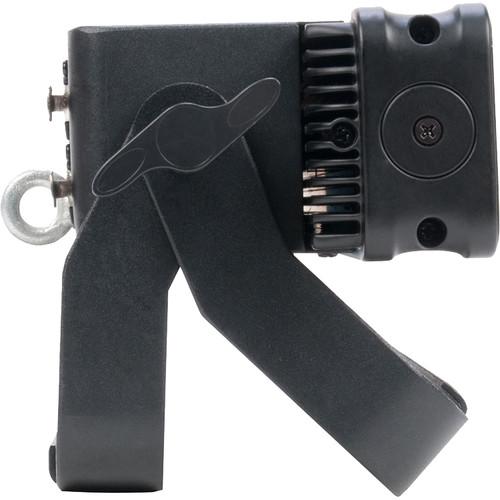
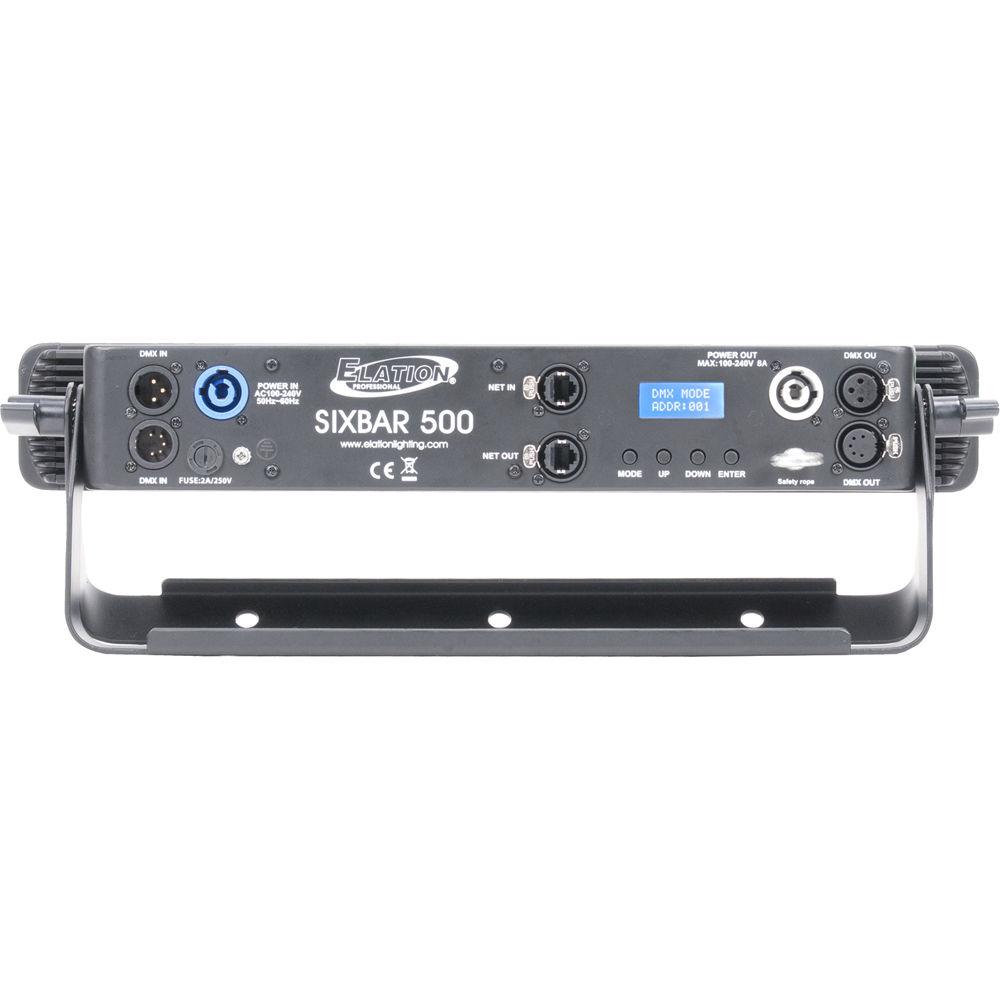
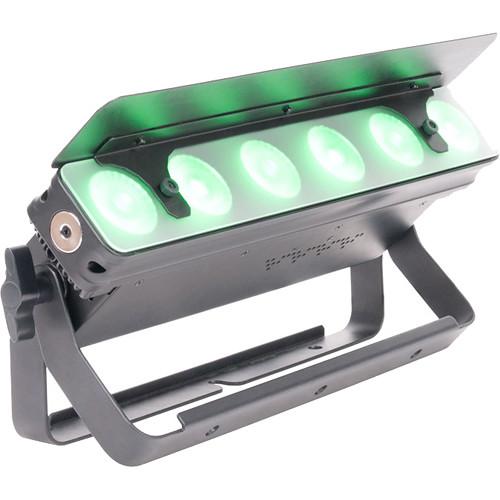
The Elation Professional SIXBAR 500 is a high-powered RGBAW+UV (red, green, blue, amber, white + ultraviolet) LED linear fixture designed to produce a broad spectrum of UV-infused color washes with natural-looking color temperatures. Featuring six, 12W (6-in-1) LEDs that have a beam angle of 30°, it provides wide washes for venue uplighting and heat-free illumination to performers on stage.The SIXBAR 500 offers both standalone and DMX operation. It comes with built-in automated programs, strobe and chase effects, variable dimming curves, and static colors, all accessible via the LED menu display with a four-button control panel. Eight DMX channel modes (channels: 6, 7, 11, 13, 18, 36, 39, or 43) allow for in-depth control of the unit. Additionally, the fixture supports RDM (Remote Device Management), Art-Net, and Kling-Net protocols. The Master/Slave option lets you coordinate multiple fixtures without the need for a controller.Other features include individual LED control, flicker-free operation (for video applications), and a universal auto-sensing power supply. You can also daisy-chain power for up to 11 units at 110V or 25 units at 240V.The SIXBAR 500 comes equipped with a rugged, die-cast aluminum exterior and integrated dual floor stand/rigging yokes that can be used for conventional mounting to a truss or lighting stand, or to create a variable-angle floor stand. The fixture ships with a frost filter and a glare shield. - Key Features
-
- 6 x 12W (6-in-1) RGBAW+UV (red, green, blue, amber, white + ultraviolet) LEDs for high-power color washes
- 30° beam angle
- Individual LED control
- Built-in automated programs
- Variable dimming curve modes
- Color macros
- LED strobe and chase effects
- 8 x DMX channel modes: 6, 7, 11, 13, 18, 36, 39, and 43
- Standalone, Master/Slave operation
- Art-Net, Kling-Net, and RDM (Remote Device Management) protocol support
- LED menu display with 4-button control panel
- Flicker-free operation for TV and film applications
- Daisy-chain power for up to 11 units at 110V or 25 units at 240V
- Multi-voltage operation: 100-240 VAC, auto-ranging
- Rugged die-cast aluminum exterior
- Integrated dual floor stand / rigging yokes for conventional mounting or as a variable-angle floor stand
- Includes a frost filter and a glare shield
UPC: 837874018325 In the Box Elation Professional SIXBAR 500 RGBAW+UV LED Linear Fixture (17.7") powerCON Cable Frost Filter Glare Shield Limited 2-Year Warranty Table of Contents
|
Upload User Manual
Have you got an user manual for the Elation Professional SIXBAR 500 RGBAW UV LED Linear Fixture in electronic form? Please send it to us and help us expand our library of instruction manuals.
Thank you, too, on behalf of other users.
To upload the product manual, we first need to check and make sure you are not a robot. After that, your "Submit Link" or "Upload File" will appear.
Technical parametersElation Professional SIXBAR 500 Specs | LED Source | 6 x 12 W 6-in-1 LEDs, RGBAW+UV (red, green, blue, amber, white + ultraviolet) | | LED Life Expectancy | 100,000 hours | | Beam Angle | 30° | | Photometric Data | 6500 lux (604 fc) at 3.3' / 1 m, 30° full-on
1934 lux (180 fc) at 6.6' / 2 m, 30° full-on
901 lux (84 fc) at 9.8' / 3 m, 30° full-on
508 lux (47 fc) at 13.1' / 4 m, 30° full-on
318 lux (30 fc) at 16.4' / 5, 30° full-on | | UV Wavelength | UV: 395 nm | | DMX Connectors | 3-pin XLR I/O
5-pin XLR I/O
EtherCON RJ45 port I/O | | Control | DMX Channel Modes: 6, 7, 11, 13, 18, 36, 39, and 43
Master/Slave mode
Four-button control panel and LCD menu display, standalone mode
RJ45 to DMX Art-Net and Kling-Net protocol support
RDM (Remote Device Management) | | Effects | Strobe and chase effects
Individual LED control
Variable and selectable dimming curves (0-100% electronic dimming) | | Input Voltage | 110-240 VAC, 50/60 Hz, auto-switching | | Power Connectors | 1 x powerCON, in
1 x powerCON, out | | Power Linking | 11 units at 110 V
25 units at 240 V | | Power Consumption | 93 W, maximum | | Operating Temperature | 5 to 113°F / -15 to 45°C | | Enclosure Material | Die-cast aluminum | | Rigging | Integrated dual-rigging brackets | | Approvals and Ratings | CE, cETLus, IP20 | | Dimensions (L x W x H) | 17.7 x 8.1 x 6.1" / 450.0 x 206.4 x 155.0 mm (with included glare shield) | | Weight | 9.0 lb / 4.1 kg | | | | Package Weight | 11.55 lb | | Box Dimensions (LxWxH) | 19.8 x 8.8 x 8.5" |
Rating80% users recommend this product to others. And what about you?

This product has already been rated by 87 owners. Add your rating and experience with the product.
Discussion
 Ask our technicians if you have a problem with your settings,
or if anything is unclear in the user manual you have downloaded.
You can make use of our moderated discussion.
The discussion is public and helps other users of our website who may be encountering similar problems.
Ask our technicians if you have a problem with your settings,
or if anything is unclear in the user manual you have downloaded.
You can make use of our moderated discussion.
The discussion is public and helps other users of our website who may be encountering similar problems.
The discussion is empty - enter the first post
Post a new topic / query / comment:
|
|


