User Manual for Elmo HS-G3 Huddle Space Hub & MX-1 Visual Presenter Kit Click to enlarge the picture
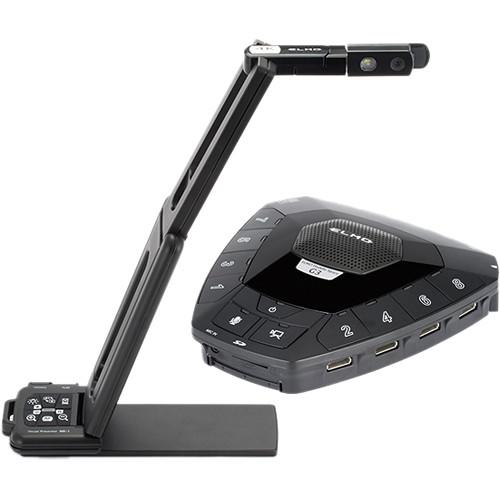 Contents of the user manual for the Elmo HS-G3 Huddle Space Hub &
- Product category: Video Presenters & Document Cameras Elmo
- Brand: Elmo
- Description and content of package
- Technical information and basic settings
- Frequently asked questions – FAQ
- Troubleshooting (does not switch on, does not respond, error message, what do I do if...)
- Authorized service for Elmo Video Presenters & Document Cameras
 |
User manual for the Elmo HS-G3 Huddle Space Hub & contain basic instructions
that need to be followed during installation and operation.
Before starting your appliance, the user manual should be read through carefully.
Follow all the safety instructions and warnings, and be guided by the given recommendations.
User manual is an integral part of any Elmo product,
and if it is sold or transferred, they should be handed over jointly with the product.
Following the instructions for use is an essential prerequisite for protecting
health and property during use, as well as recognition of liability on the part of the manufacturer
for possible defects should you make a warranty claim. Download an official Elmo user manual in which you will find instructions on how to install, use, maintain and service your product.
And do not forget – unsuitable use of a Elmo product will considerably shorten its lifespan!
|
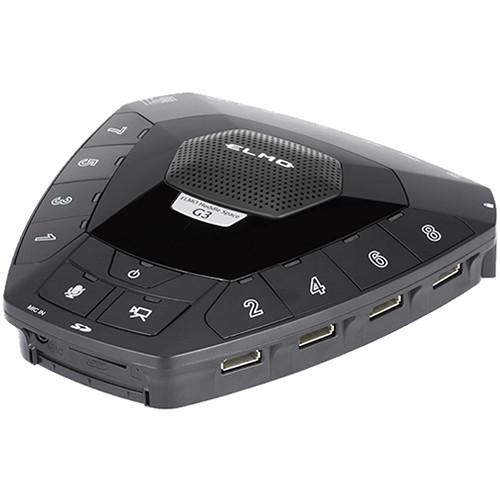
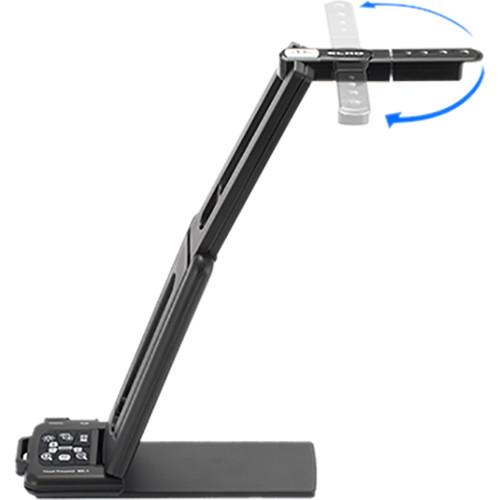
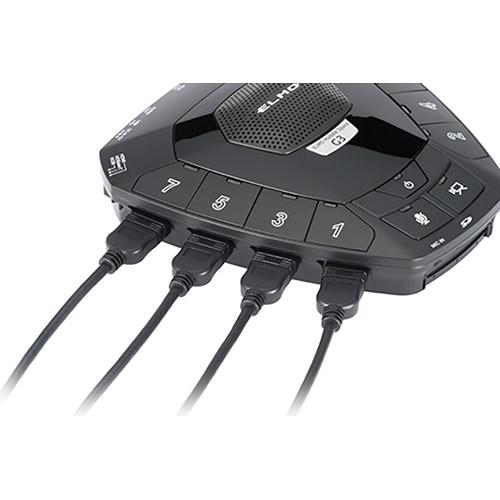
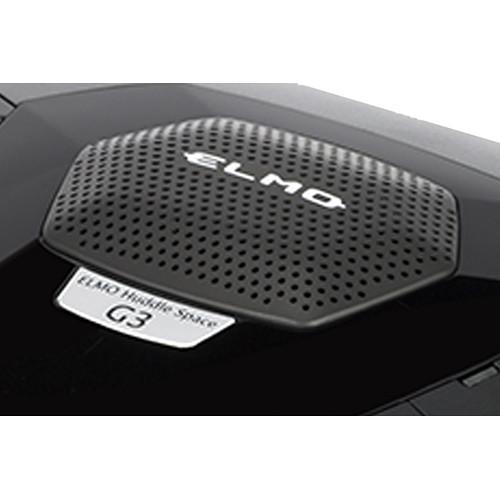
Product description This Elmo kit combines the HS-G3 Huddle Space Collaboration Hub with the MX-1 Visual Presenter. Designed for educational use, the MX-1 document camera can be used to highlight text and/or objects. The resulting images can then be shared with your classroom or group via the HS-G3 Collaboration Hub. Suited for group participation, the hub has eight HDMI inputs and is compatible with Android/Chromebook/Mac/Windows and other HDMI devices. The HS-G3 hub produces up to 1080p/60 and features HDMI, HDBaseT, and RGB outputs. The HDBaseT port may be used to transmit video over Cat 5e or above cable. The MX-1 Visual Presenter captures UHD video at up to 4K/30 fps or HD video at up to 1080p/60 fps. The HS-G3 hub cannot be labeled a bandwidth hog; since video/audio is output using cable, using the hub will not strain your network resources. An external mic or the built-in conferencing mic on the HS-G3 hub can be used to hear users' comments as a variety of material is presented. The hub also incorporates a 3.5mm line-out audio jack for outputting audio. The slim, flexible, lightweight MX-1 document camera features an 8x digital zoom, a 13MP, 1/3" CMOS sensor, 180° image rotation, and an on/off-switchable LED head lamp. Used with an intermediary PC, this MX-1 and HS-G3 kit enables you to use the document camera's image feed as one of the eight video outputs from the collaboration hub. Note: A PC with a USB input and an HDMI output is required when using the MX-1 with the HS-G3; the MX-1 connects to the PC's USB port and the PC is linked to the HS-G3 using the PC's HDMI port. The Elmo Connect Box (available separately) may also be used to provide an HDMI connection to the MX-1. - HS-G3 Huddle Space 8-HDMI Input Collaboration Hub The Elmo HS-G3 Huddle Space 8-HDMI Input Collaboration Hub enables you to switch among, and record input from, up to eight HDMI devices. This hub works with devices such as iPads, Chromebooks, Windows/Mac/Android tablets, and document cameras. Switching between sources is easily accomplished with the press of a button. Since video/audio is output via cable, using the hub does not drain your network resources. Suitable for classroom use, the HS-G3 Huddle Space can capture its users' comments as material is presented, using either the built-in conferencing microphone or a mic connected to the 3.5mm line-in jack (external mic not included). Video output options include HDMI, HDBaseT and RGB. The HDBaseT port may be used with a third party HDBaseT device (not included) to transmit video over Cat6 or higher cable. Audio may be output via the 3.5mm line-out jack. Both still images and video can be recorded to an SD card or to a drive (not included) via the USB 2.0 out port. The HS-G3 Huddle Space includes an IR remote control. An optional battery pack (not included) is available for added portability and the hub is also compatible with third-party wireless HDMI transmitters (not included). The hub incorporates LED lights that indicate various status modes. Note: Audio from connected devices may be output but not recorded; audio from the built-in microphone is recorded
Key Features - The Huddle Space hub is compatible with any HDMI device, accommodating a wide range of user devices
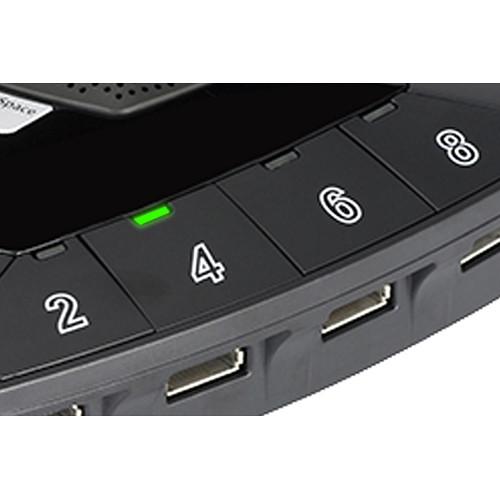
- Easily switch among the eight HDMI inputs with the press of a button
- HDMI, HDBaseT or RGB video output, plus a line-out audio jack
- Video and audio are output via cable, saving your network bandwidth for other uses
- The built-in microphone or an external mic (not included) can be used to capture users' comments while viewing the presented material
- An optional battery pack and third-party wireless HDMI transmitter (neither included) may be used to increase the hub's portability
- LED lights indicate the hub's various status modes
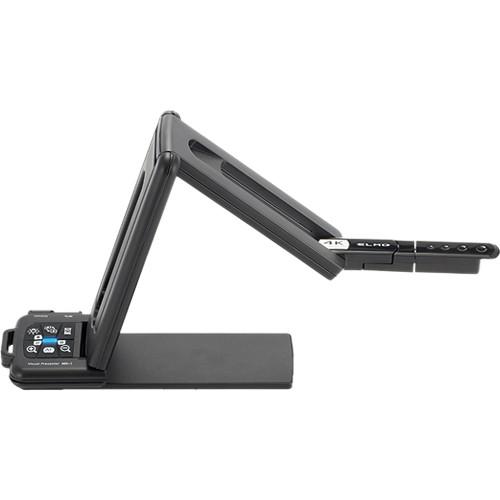
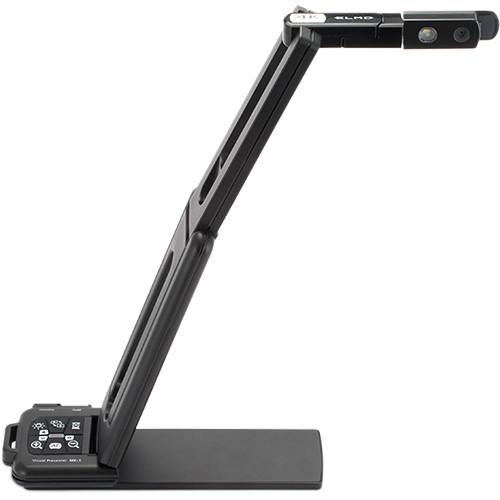
UPC: 008404104560 - MX-1 Visual Presenter The MX-1 Visual Presenter from Elmo delivers 4K imaging at up to 30 fps and full 1080p video at up to 60 fps. This document camera is powered via a USB 3.0 Micro-B interface, enabling delay-free viewing of moving objects. For a larger choice of display options, the separately available Connect Box expansion module features HMDI and RGB interfaces. A 1/3" CMOS sensor provides 13MP images and the 8x digital zoom enables you to see fine details of displayed objects. The MX-1 also features a 14.7" x 11" image area, 180° image rotation, and an off/off switchable LED lamp head. Auto or manual control is available for focus, exposure, white balance, and several other functions. The slim, flexible MX-1 Visual Presenter weighs in at slightly over one pound. It has a removable baseplate with a smaller magnetic bottom underneath, enabling you to attach the unit to a metal surface. Navigation buttons provide easy access to popular controls such as image rotation, brightness level, zoom, and auto focus. The downloadable Image Mate 4 software provides various effects and controls for further refining your images.
Key Features - Display documents and objects in up to 4K/30 Ultra HD or 1080p/60 HD video
- A fast USB 3.0 port enables viewing of moving objects without delay
- An 8x digital zoom and 1/3", 13MP CMOS sensor help to provide optimal images
- Optional Connect Box expansion module (not included) provides HDMI and RGB output ports
- Navigation buttons provide easy access to controls such as image rotation, brightness level, zoom, and auto focus
- The downloadable Image Mate 4 software offers further control for fine-tuning your images
- Flexible, slim, lightweight form factor for portability
- The baseplate can be removed to reveal a smaller, magnetic base for use on metal surfaces
UPC: 008404104478 In the Box Bundle Items HS-G3 Huddle Space 8-HDMI Input Collaboration Hub yzzrcdcacxxzqstdq - 3' HDMI Type-A to Micro-HDMI Cable
MX-1 Visual Presenter - USB 3.0 Type-A to Micro-B Cable
Table of Contents
|
Upload User Manual
Have you got an user manual for the Elmo HS-G3 Huddle Space Hub & MX-1 Visual Presenter Kit in electronic form? Please send it to us and help us expand our library of instruction manuals.
Thank you, too, on behalf of other users.
To upload the product manual, we first need to check and make sure you are not a robot. After that, your "Submit Link" or "Upload File" will appear.
Technical parameters - HS-G3 Huddle Space 8-HDMI Input Collaboration Hub
| Power Source | 12 VDC | | AC Adapter Input | 100~240 VAC | | Power Consumption | 7 W | | Compatible Devices | Input: AV devices with HDMI output
Output: AV devices with various input ports | | Input Terminals | Mono electret condenser microphone
1 x 3.5 mm mic-in jack
8 x HDMI Type-A
1 x DC jack | | Output Terminals | 1 x RGB mini D-sub 15-pin female
1 x WHDI module Type-A power
1 x HDMI Type-A
1 x 3.5 mm jack line out
1 x HDBaseT (RJ45) | | External Control | 1 x USB 2.0 Type-B | | Memory Interface | 1 x SD card slot | | USB Interface | Specification: USB 2.0-compliant
Transfer Speed: (rate varies based on computer performance/USB bus)
High Speed: 480 Mbps
Full Speed: 12 Mbps
Power Supply: Self-powered (USB bus does not supply power) | | Remote Control | IR pulse-position modulation method | | Output Modes | Output Mode Slide Switch:
Selectable: HDMI, RGB, HDBaseT | | Video Recording Format | H.264/MP4 | | Input Video Resolutions | 1080p/1080i/720p/XGA
Maximum: 1080p/60 | | Output Video Resolutions | Dependent on connected device | | Still Image Format | JPEG | | Operating Temperature | 32 to 104°F / 0 to 40°C | | Humidity (Non-Condensing) | 30~85% | | Dimensions (WxDxH) | 6.52 x 6.77 x 1.71" / 165.6 x 171.93 x 43.5 mm | | Weight | 2.2 lb / 1 kg | | | | Box Dimensions (LxWxH) | 10.3 x 9.2 x 5.8" | - MX-1 Visual Presenter
| | | Sensor | 1/3.1" CMOS | | Sensor Resolution | 13 MP | | Zoom | 8x (Digital) | | Aperture | f/2.0 | | Frame Rate | 3840 x 2160 @ 30 fps
1920 x 1080 @ 60 fps | | Effective Pixels | 4160 x 3120 | | | | Capture Area | 14.7 x 11" / 37.4 x 28.1 cm | | | | Image Rotation | 0
Rating80% users recommend this product to others. And what about you?

This product has already been rated by 52 owners. Add your rating and experience with the product.
Discussion
 Ask our technicians if you have a problem with your settings,
or if anything is unclear in the user manual you have downloaded.
You can make use of our moderated discussion.
The discussion is public and helps other users of our website who may be encountering similar problems.
Ask our technicians if you have a problem with your settings,
or if anything is unclear in the user manual you have downloaded.
You can make use of our moderated discussion.
The discussion is public and helps other users of our website who may be encountering similar problems.
The discussion is empty - enter the first post
Post a new topic / query / comment:
|
|
|
| Request for user manual |
You can’t find the operation manual you are looking for? Let us know and we will try to add the missing manual:
I’m looking for a manual / Request for manual
Current requests for instruction manuals:
Call Of Duty World War Two For Xbox...
controller stratus XL...
stratus XL...
smart whatch serie S11 42mm...
Allen & Heath SQ-6 manual...
|
| Discussion |
Latest contributions to the discussion:
AEW R 4100
Name: MAURICIO ANGARITA
Audio-Technica AEW-R4100 UHF Diversity Receiver for
AEW R 4100 has the mute function blocked and does not allow audio to pass. I tried several times to turn off the mute from the transmitter but it does nothing, the mute stays on. Solution?
Thank you...
Instructions for assembling the 2015 Forecast Image Master Consoles GC3-A
Name: mike elam
Forecast Consoles GC3-A ImageMaster Editing Console
Looking for instructions for assembling this console. ...
EMPTY TONER ERROR MESSAGE AFTER REPLACING TONER
Name: LINDA BAD YELLOW EYES
Brother TN223BK Standard-Yield Toner
I HAD TO CHANGE OUT ALL THREE TONERS DUE TO LEAKS IN THE YELLOW AND CYAN. AFTER I REPLACED THEM, THE MACHINE KEEPS GIVING ME AN EMPTY TONER ERROR MESSAGE. HELP!!...
PS480D 20/24 pin Switching 480W Power Supply
Name: swkargo
Logisys 480W Power Supply
This item states in can run -5vdc .It is NOT listed on the board or I beleive is r4 is missing the resitior. Any body have thid issue. Shawn
...
Help needed
Name: Ann Carter
SanDisk 1TB Extreme Portable USB 3.1
When I click the link to download the user manual for my Sandisk Extreme external hard drive, it gives me the manual for the LG Cricket. Can you please change the link so I can download the Sandisk manual and begin using this drive? Thank you....
|
|


