User Manual for Epiphan AV.io 4K USB 3.1 Gen 1 Video Grabber Click to enlarge the picture
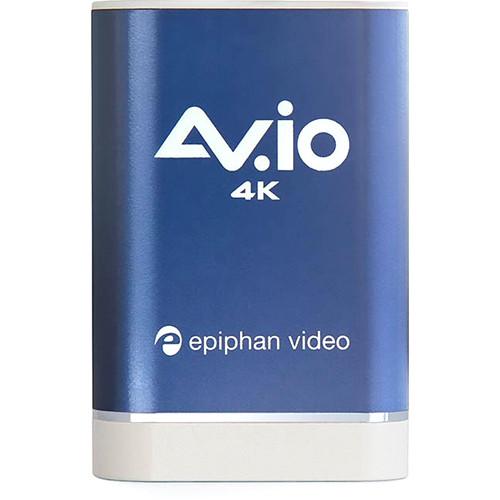 Contents of the user manual for the Epiphan AV.io 4K USB 3.1 Gen
- Product category: Computer Hardware Epiphan
- Brand: Epiphan
- Description and content of package
- Technical information and basic settings
- Frequently asked questions – FAQ
- Troubleshooting (does not switch on, does not respond, error message, what do I do if...)
- Authorized service for Epiphan Computer Hardware
 |
User manual for the Epiphan AV.io 4K USB 3.1 Gen contain basic instructions
that need to be followed during installation and operation.
Before starting your appliance, the user manual should be read through carefully.
Follow all the safety instructions and warnings, and be guided by the given recommendations.
User manual is an integral part of any Epiphan product,
and if it is sold or transferred, they should be handed over jointly with the product.
Following the instructions for use is an essential prerequisite for protecting
health and property during use, as well as recognition of liability on the part of the manufacturer
for possible defects should you make a warranty claim. Download an official Epiphan user manual in which you will find instructions on how to install, use, maintain and service your product.
And do not forget – unsuitable use of a Epiphan product will considerably shorten its lifespan!
|
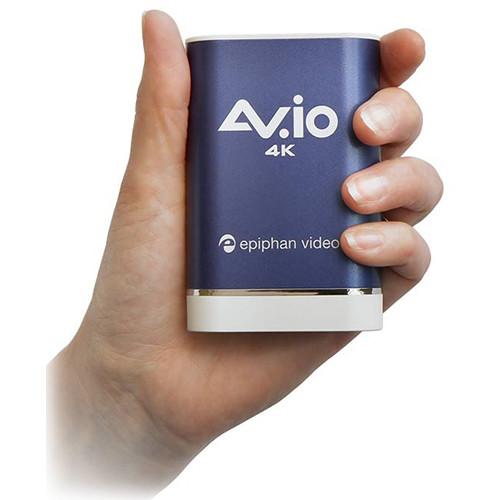
Product description Transfer up to a 4K HDMI video signal to your computer with Epiphan's robust and compact AV.io 4K Video Grabber.
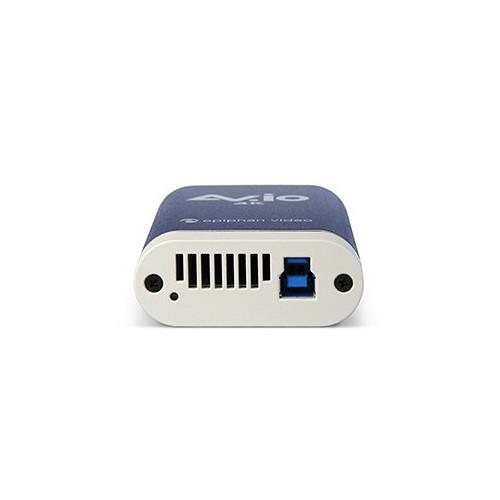
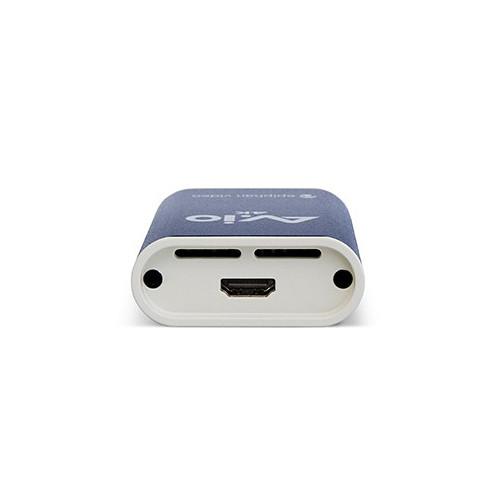
This sleek capture device features an HDMI input and USB 3.0 output. It supports up to 4096 x 2160 (DCI 4K) resolution on input and allows you to retain the resolution on output or scale it up or down. Connect cameras, mobile devices, home entertainment devices, and other HDMI sources, and transmit the content to your computer with audio, uncompressed, and with near-zero latency.
The AV.io 4K is a UVC device that shows up on your computer as a webcam. As a UVC device it's designed to integrate with a capture software on your computer, and it's seamlessly compatible with all the popular capture software, including Wirecast, Skype, QuickTime, Adobe FMLE, VLC media player, Windows Camera, and any conferencing software. The captured data can be used for a variety of purposes, like high-end streaming, webcam applications requiring higher image quality than standard webcams offer, and for recording, such as if a doctor needs to capture an ultrasound.
The AV.io 4K is auto-detected on Windows, Mac, and Linux systems, allowing for for easy integration. Its USB 3.0 output is backwards-compatible with USB 2.0 but a USB 2.0 port will limit the maximum frame rate and resolution support.
The AV.io 4K has a tough build and can be relied on for long-term use. It has a metal exterior that's strong enough to withstand being dropped as well as stepped on. Included along with the grabber are a 3 ft HDMI cable and 3 ft USB 3.0 cable, so you'll be able to get started right away. Note: High-Bandwidth Digital Content Protection (HDCP) is a form of digital copy protection intended to prevent illegal copying of video and audio content. The AV.io 4K cannot capture from video sources protected by HDCP. - Key Features
-
- Transfer up to a 4K HDMI video signal to your computer
- HDMI input and USB 3.0 output
- UVC device that seamlessly integrates with popular capture software
- Up to 4096 x 2160 (DCI 4K) resolution on input and output
- Up/down scaling on output
- Near-zero latency
- Auto-detected on Windows, Mac, and Linux systems
- Tough, metal exterior
- LED status indicators
- HDMI and USB cables included
UPC: 019962293801 In the Box Epiphan AV.io 4K USB 3.1 Gen 1 Video Grabber HDMI Cable (3 ft) USB 3.0 Cable (3 ft) Limited 1-Year Warranty EPAVIO4K User's Guide PDF 513.4kb Table of Contents
|
Upload User Manual
Have you got an user manual for the Epiphan AV.io 4K USB 3.1 Gen 1 Video Grabber in electronic form? Please send it to us and help us expand our library of instruction manuals.
Thank you, too, on behalf of other users.
To upload the product manual, we first need to check and make sure you are not a robot. After that, your "Submit Link" or "Upload File" will appear.
Technical parametersEpiphan ESP1360 Specs | System Requirements | Operating System:
Windows 8.1, 10
Mac OS X 10.10 +
Linux distribution with kernel 3.5.0 or higher
Processor:
2.4 GHz
RAM:
4 GB minimum recommended | | Drivers | Native UVC and UAC device auto-detected by OS | | Input | 1 x HDMI (or DVI via optional adapter) | | Output | 1 x USB 3.0 type B connector with USB 2.0 backward compatibility
*For capturing 4K resolutions, Epiphan recommends using a computer with an Intel USB host controller (which is the most common type) to achieve the best results. With other USB host controllers, such as from ASM, AMD, VIA, Renesas, Eltron, Fresco, and TI, capture will be at 79 - 96% of the expected frame rate. | | Supported Input Resolutions | Standard and non-standard resolution from 640 x 360 to 4096 x 2160 (DCI 4K) | | Output Resolutions | 4096 x 2160 (DCI 4K) in YUY2 4:2:2 at 5, 10, 15, 20 fps and in NV12 4:2:0 at 15, 23.97, 24 fps
3840 x 2160 (UHD 4K) in YUY2 4:2:2 at 5, 10, 15, 20 fps and in NV12 4:2:0 at 15, 23.97, 24, 25, 29.97, 30 fps
640 x 360, 640 x 480, 960 x 540, 1024 x 768, 1280 x 720, 1280 x 1024, 1600 x 1200, 1920 x 1080 in YUY2 4:2:2 and NV12 4:2:0 at 15, 23.97, 24, 25, 29.97, 30, 50, 59.94, 60 fps | | Scaling | Output Scaling Options:
No scaling (1:1)
Preserve aspect ratio scaling
Aspect ratio conversion scaling | | Supported Audio | Captures PCM audio over HDMI at up to 24-bit 96 kHz. The two-channel stereo audio output has automatic resampling at 48 kHz and encodes in 16 bit. | | Latency | Near-zero, but 3rd-party applications may cause capture delay | | HDCP | HDCP is a form of digital copy protection intended to prevent illegal copying of video and audio content. AV.io 4K cannot capture from video sources protected by HDCP. | | Dimensions | 3.5 x 2.4 x 0.9" (9 x 6 x 2.3 cm) | | | | Package Weight | 1.1 lb | | Box Dimensions (LxWxH) | 9.3 x 6.5 x 2.9" |
Rating94% users recommend this product to others. And what about you?

This product has already been rated by 54 owners. Add your rating and experience with the product.
Discussion
 Ask our technicians if you have a problem with your settings,
or if anything is unclear in the user manual you have downloaded.
You can make use of our moderated discussion.
The discussion is public and helps other users of our website who may be encountering similar problems.
Ask our technicians if you have a problem with your settings,
or if anything is unclear in the user manual you have downloaded.
You can make use of our moderated discussion.
The discussion is public and helps other users of our website who may be encountering similar problems.
The discussion is empty - enter the first post
Post a new topic / query / comment:
|
|


