|
User Manual for Epiphan Pearl-2 Rackmount Video Production Device Click to enlarge the picture
 Contents of the user manual for the Epiphan Pearl-2 Rackmount Video Production Device
- Product category: Production Switchers Epiphan
- Brand: Epiphan
- Description and content of package
- Technical information and basic settings
- Frequently asked questions – FAQ
- Troubleshooting (does not switch on, does not respond, error message, what do I do if...)
- Authorized service for Epiphan Production Switchers
 |
User manual for the Epiphan Pearl-2 Rackmount Video Production Device contain basic instructions
that need to be followed during installation and operation.
Before starting your appliance, the user manual should be read through carefully.
Follow all the safety instructions and warnings, and be guided by the given recommendations.
User manual is an integral part of any Epiphan product,
and if it is sold or transferred, they should be handed over jointly with the product.
Following the instructions for use is an essential prerequisite for protecting
health and property during use, as well as recognition of liability on the part of the manufacturer
for possible defects should you make a warranty claim. Download an official Epiphan user manual in which you will find instructions on how to install, use, maintain and service your product.
And do not forget – unsuitable use of a Epiphan product will considerably shorten its lifespan!
|
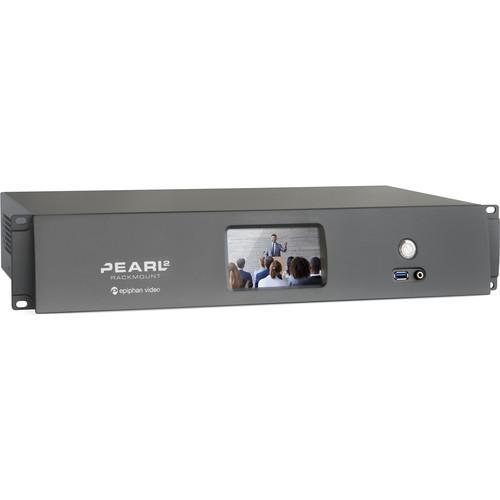
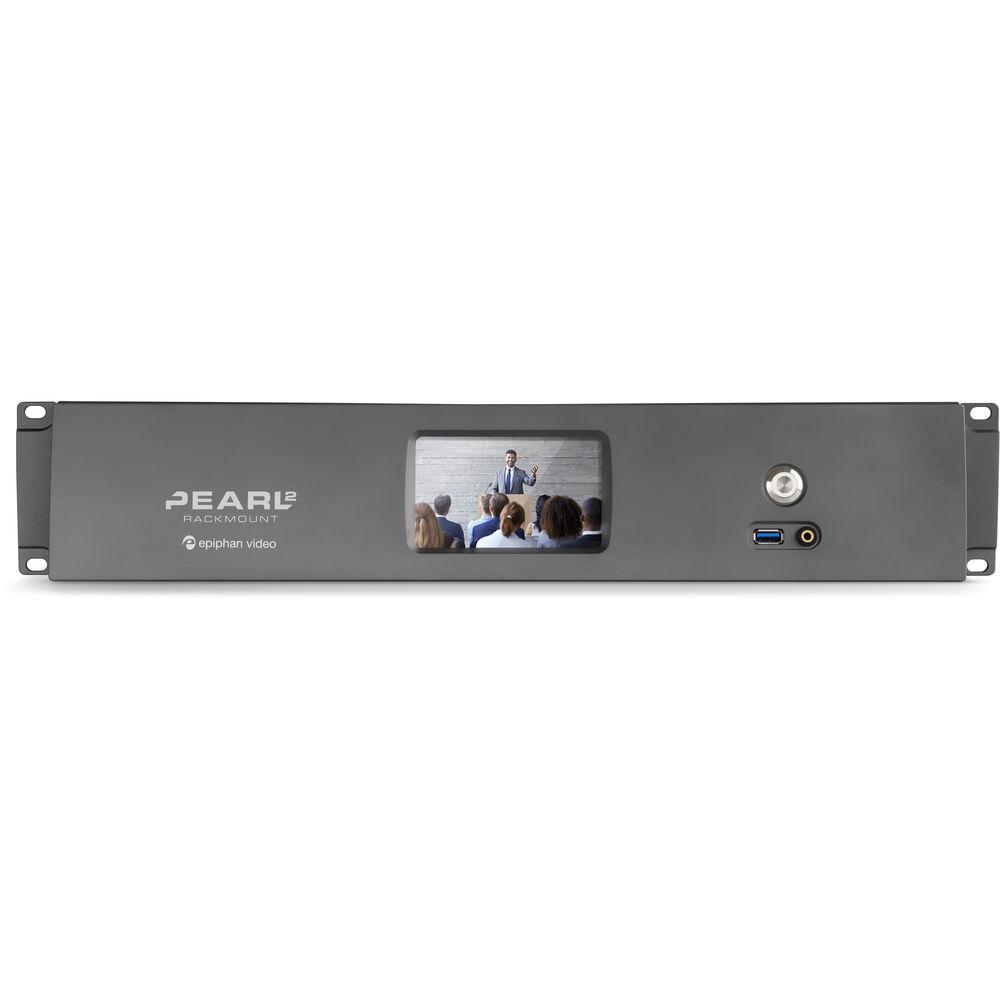
Product description The Pearl-2 Rackmount Video Production Device from Epiphan is a production video mixer that lets you create visually appealing live video programs by combining, encoding, switching, and recording up to six video sources and two audio sources. Simple to use with a web-based portal for initial configuration, you get a drag and drop interface to create completely customizable layouts for your live stream. You can choose to keep Pearl-2's default encoding settings, or customize them to meet your exact needs. Control the video recorder and video switcher capabilities via the touchscreen or the tablet-friendly Epiphan Live interface. It features a 2 RU rackmount server with all the same functionality as the portable Pearl-2, but designed for installation and operation in a rack. - Key Features
-
- Reliable, simple live streaming with Pearl-2's integrated live video production workflow
- Designed for installation in a rack
- Works with video sources from SD to 4K (separate add-on required for 4K)
- Connect up to six sources at once to encode and stream one 4K Ultra HD program, or up to six 1080p Full HD programs
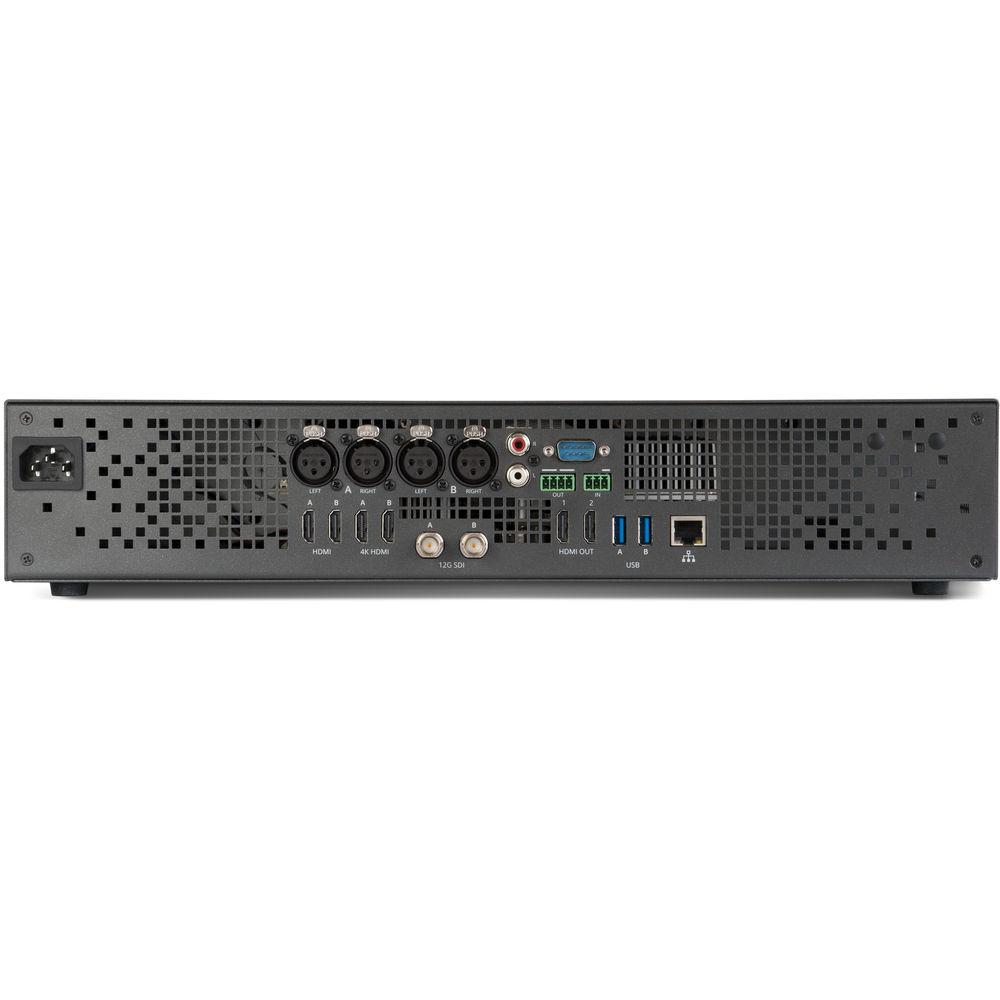
- Use any combination of your video sources connected to the HDMI, 4K HDMI, or 12G-SDI video input ports, or from IP cameras over your network
- Sixth generation Intel i7 processor
- Use the touchscreen or Epiphan Live to preview and change the live content in your video programs
- See changes immediately in your live video stream, and on displays connected to Pearl-2’s 4K HDMI video output ports
- Simultaneously live stream to YouTube, Facebook, and any other CDN or video portal
- Use the built-in streaming server to stream locally to web browsers, smart TVs, and set-top boxes
- Control your streaming and recording from any mobile device or computer on your local network
- Capture embedded HDMI and SDI audio, or use the XLR/RCA ports for professional level audio from mixing consoles and sound equipment
- Built-in attenuation and gain adjustment
- Design your own custom layouts, including picture-in-picture, by using the drag and drop editor in Pearl-2’s web-based Admin panel
- Combine, crop, and scale up to six video sources
- Customize the video source completely with backgrounds, overlay images, text, and timestamping
- Hold hundreds of hours of HD recordings on the 512GB solid-state hard drive
- Configure automatic file transfer to a networked storage or local USB drive via USB 3.0, to ensure your files are always protected
- Connect your headphones and monitor audio using the front-mounted 3.5mm audio jack and on-screen VU meter
- Send the content to a larger confidence monitor with Pearl-2’s two 4K HDMI video output ports
- Use Pearl-2’s built-in streaming server to share via unicast or multicast stream to up to 50 viewers with popular streaming protocols such as HTTP, HLS, FLV, ASF, UPnP, and SAP
- Publish your live video stream to a large audience using an enterprise streaming server or CDN using RTMP or RTSP
- Supported CDNs including Facebook Live, YouTube, Wowza, Livestream, Akamai, Ustream, and more
- Stream your final program output, in any desired resolution, while also recording high quality ISOs for post-processing
- Integrates easily with content management systems (CMS) and with learning management systems (LMS) such as Blackboard, Kaltura, Mediasite, and Moodle
- Comes with a rugged, hard-shell custom carry case to protect it while traveling
In the Box Epiphan Pearl-2 Rackmount Video Production Device (2 RU) Ethernet Cable Power Cable SDI Cable (3') HDMI Cable (3') HDMI to DVI Adapter Hard-Shell Carrying Case Limited 1-Year Warranty Guides & Manuals zfxzsayb Table of Contents
|
Upload User Manual
Have you got an user manual for the Epiphan Pearl-2 Rackmount Video Production Device in electronic form? Please send it to us and help us expand our library of instruction manuals.
Thank you, too, on behalf of other users.
To upload the product manual, we first need to check and make sure you are not a robot. After that, your "Submit Link" or "Upload File" will appear.
Download User ManualThe user manual for the Epiphan Pearl-2 Rackmount Video Production Device can be downloaded in PDF format at the link stated below.
Technical parametersEpiphan Pearl-2 Specs | | | Connectors | 2 x 12G-SDI
2 x HDMI / DVI
2 x 4K HDMI / DVI
2 x USB Video | | Network Inputs | RTSP Sources over IP (e.g. IP Cameras, or Channels from Pearl or Pearl-2 Systems) | | Resolutions Supported | Up to 4096 x 2160 (DCI 4K) | | HD Video Format Options | 4K HDMI, HDMI
12G/6G/3G/HD/SD-SDI
DVI Single-Link (Through Adapter) | | | | Connectors | 2 x XLR, Stereo
1 x RCA, Stereo
2 x SDI, Embedded Audio
4 x HDMI, Embedded Audio
2 x USB Web Camera | | Analog Audio | XLR Maximum Signal: 12.3 V (RMS), +24 dBu
RCA Signal: - 10 dBV | | | | Connectors | 2 x 4K HDMI, with Audio for Local Video Display or Larger Confidence Monitoring | | Built-In Display | Front Touchscreen Display Used for System Information, Confidence Monitoring, Simple Configuration, and Recording Control | | | | Aux 3.5 mm Mini-Jack Line-In | Front-Mounted Jack for Confidence Monitoring | | Built-In Display | Front Touchscreen Display for Live Switching, Confidence Monitoring, Quick Configuration, System Information, Recording Control, and Streaming Control | | | | Video Codecs | H.264, Motion JPEG | | Video Bit Rates | 1 to 20 Mb/s | | Key Frame Intervals | Programmable | | Color Resolution | 4:2:0 | | Output Frame Size | Configurable up to 4096 x 2160 | | Program | Encoded:
2 x Simultaneous 1080p60 Programs (With up to Six HD Sources)
6 x Simultaneous 1080p30 Programs (With up to Six HD Sources)
1 x UHD 4K Program at 30 fps (With up to two 4K and two HD Sources) | | | | Audio Codecs | MP3: 64-320 kb/s
22/44/48 kHz
PCM: 22/44/48 kHz
AAC: 64-320 kb/s
16/22/44/48 kHz | | | | Connector | 1 x 10/100/1000 Ethernet RJ45 | | Streams | MPEG-TS and FLV
RTSP over TCP/UDP
Publish to Streaming Server/CDN (RTSP, RTMP, RTMPS)
HLS: Native Apple HTTP Stream for iPad, iPhone, and iPod Touch | | Multicast Streams | RTP, MPEG-TS & RTP, and MPEG-TS over UDP | | Network Discovery / Announce | UPnP, SAP | | Network Security | 802.1x EAP Methods: PEAP, EAP-TLS, EAP-TTLS | | | | Internal Storage | 512 GB SSD
Automatically Removes Oldest Recordings from Internal Storage as Space is Required
File Maintenance through Admin Panel (Web Interface) | | Local Storage | 3 x USB 3.0 Ports for Automatic/Manual Copy to Local USB Drives | | Network Storage | FTP Server and FTP Client Capabilities (Automatic/Manual) | | Playback and Recorded Formats | Download Recorded Videos (AVI, MOV, MP4, or MPEG-TS) Using Admin Panel; Play Back Through Compatible Player | | Administration | Admin Panel for Full Administration
On-Screen Display and Mobile UI for Confidence Monitoring and Simple Administration/Control
Multiple User Accounts/Passwords
Included API for Integration into Existing Environments (via HTTP/HTTPS or RS-232) | | Time Synchronization | NTP, TIME (RFC 868), PTP v1 (IEEE-1588-2002 v1) | | Power Consumption | 0.8 A, 100 to 240 VAC | | Dimensions | 19.6 x 3.5 x 10.9" / 49.7 x 8.9 x 27.7 cm | | Weight | 12.1 lb / 5.5 kg | | | | Package Weight | 18.25 lb | | Box Dimensions (LxWxH) | 22.5 x 14.9 x 9.4" |
Rating70% users recommend this product to others. And what about you?

This product has already been rated by 48 owners. Add your rating and experience with the product.
Discussion
 Ask our technicians if you have a problem with your settings,
or if anything is unclear in the user manual you have downloaded.
You can make use of our moderated discussion.
The discussion is public and helps other users of our website who may be encountering similar problems.
Ask our technicians if you have a problem with your settings,
or if anything is unclear in the user manual you have downloaded.
You can make use of our moderated discussion.
The discussion is public and helps other users of our website who may be encountering similar problems.
The discussion is empty - enter the first post
Post a new topic / query / comment:
|
|
|
| Request for user manual |
You can’t find the operation manual you are looking for? Let us know and we will try to add the missing manual:
I’m looking for a manual / Request for manual
Current requests for instruction manuals:
Call Of Duty World War Two For Xbox...
controller stratus XL...
stratus XL...
smart whatch serie S11 42mm...
Allen & Heath SQ-6 manual...
|
| Discussion |
Latest contributions to the discussion:
AEW R 4100
Name: MAURICIO ANGARITA
Audio-Technica AEW-R4100 UHF Diversity Receiver for
AEW R 4100 has the mute function blocked and does not allow audio to pass. I tried several times to turn off the mute from the transmitter but it does nothing, the mute stays on. Solution?
Thank you...
Instructions for assembling the 2015 Forecast Image Master Consoles GC3-A
Name: mike elam
Forecast Consoles GC3-A ImageMaster Editing Console
Looking for instructions for assembling this console. ...
EMPTY TONER ERROR MESSAGE AFTER REPLACING TONER
Name: LINDA BAD YELLOW EYES
Brother TN223BK Standard-Yield Toner
I HAD TO CHANGE OUT ALL THREE TONERS DUE TO LEAKS IN THE YELLOW AND CYAN. AFTER I REPLACED THEM, THE MACHINE KEEPS GIVING ME AN EMPTY TONER ERROR MESSAGE. HELP!!...
PS480D 20/24 pin Switching 480W Power Supply
Name: swkargo
Logisys 480W Power Supply
This item states in can run -5vdc .It is NOT listed on the board or I beleive is r4 is missing the resitior. Any body have thid issue. Shawn
...
Help needed
Name: Ann Carter
SanDisk 1TB Extreme Portable USB 3.1
When I click the link to download the user manual for my Sandisk Extreme external hard drive, it gives me the manual for the LG Cricket. Can you please change the link so I can download the Sandisk manual and begin using this drive? Thank you....
|
|



