User Manual for ETC ColorSource DMX Relay Click to enlarge the picture
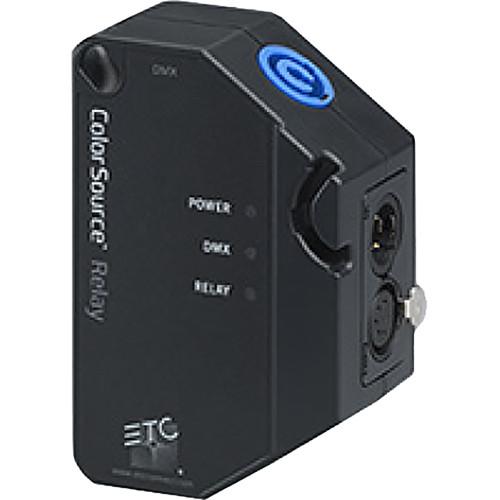 Contents of the user manual for the ETC ColorSource DMX Relay
- Product category: DMX Devices ETC
- Brand: ETC
- Description and content of package
- Technical information and basic settings
- Frequently asked questions – FAQ
- Troubleshooting (does not switch on, does not respond, error message, what do I do if...)
- Authorized service for ETC DMX Devices
|
User manual for the ETC ColorSource DMX Relay contain basic instructions
that need to be followed during installation and operation.
Before starting your appliance, the user manual should be read through carefully.
Follow all the safety instructions and warnings, and be guided by the given recommendations.
User manual is an integral part of any ETC product,
and if it is sold or transferred, they should be handed over jointly with the product.
Following the instructions for use is an essential prerequisite for protecting
health and property during use, as well as recognition of liability on the part of the manufacturer
for possible defects should you make a warranty claim. Download an official ETC user manual in which you will find instructions on how to install, use, maintain and service your product.
And do not forget – unsuitable use of a ETC product will considerably shorten its lifespan!
|
Product description Tired of sweating over your lighting? Gain fingertip control of your setup with the ColorSource DMX Relay from ETC. By centralizing power switching and data distribution, the relay greatly reduces time spent on setting up and managing your DMX-compatible lighting equipment. The relay uses 5-pin XLR ports to receive wired DMX signals from your console and deliver these signals to a fixture or daisy-chain of up to 32 fixtures. RDM feedback travels along the DMX connection from the relay back to the console, enabling remote configuration, status monitoring, and management of your RDM-compliant fixtures.
With the ColorSource system, your fixtures go on automatically when the relay detects a DMX signal coming from the console. Automated power sequencing ensures that no two relays turn on at the same time across a system. By default, five minutes after data is last detected, all connected fixtures go off. The ColorSource Relay can be easily mounted to a fixture using the included yoke, or to a pipe or wall using standard mounting hardware (available separately). - Plug-and-play, no programming
- Universal power support via PowerCON
- LED indicators show power, relay state, and DMX presence
- Incoming voltage and current draw feedback via RDM
- Zero-cross relay minimizes inrush to connected fixtures at turn-on
- Software upgrades via USB
- Integrated safety connection
- Convection-cooled, fanless
- Power input and output connectors arranged at 45° angle to the pipe for ease of tie-off
- Multiple yoke-fixing hole combinations for flexible mounting
- Ideal for systems with fixtures placed in hard-to-reach places
- Recommended for use in schools, small theaters, events, automated lighting systems, industrial facilities, conference & exhibition centers, meeting rooms, etc.
In the Box ETC ColorSource DMX Relay Yoke Limited 3-Year Warranty Table of Contents
|
Upload User Manual
Have you got an user manual for the ETC ColorSource DMX Relay in electronic form? Please send it to us and help us expand our library of instruction manuals.
Thank you, too, on behalf of other users.
To upload the product manual, we first need to check and make sure you are not a robot. After that, your "Submit Link" or "Upload File" will appear.
Technical parametersETC 4410A1030 Specs | | | Data Output | DMX512-A and RDM, wired | | Input Power | Max Breaker Sizing: 20 A | | Voltage Range | 90 to 250 V | | Frequency Range | 47 to 63 Hz | | Endurance | Resistive: 100,000 @ 16 A, 250 V; 20,000 @ 20A, 250 V
Inductive: 100,000 @ 6 A, 277 V
Electronic: 20,000 @ 12 A, 277 V | | Switching Current | 2-pole, 16 A (max) | | Sleep Mode | Power Consumption: 0.25 W | | Connectors | 1 x powerCON input
1 x powerCON thru
1 x 5-pin XLR input
1 x 5-pin XLR thru
1 x USB | | LED Indicators | Power, Relay Status, and DMX | | RDM | Read-Only Items: RDM Device Count, Type, Description, Product Detail List, Manufacturer, Defaults, Software Version, Sensor List and Values, Output Power (instantaneous voltage and current with Min/Max Record)
Editable Items: Name, RDM Enable, DMX Address, Threshold, DMX Loss Time, Max Turn-On Delay, Relay Personality/Mode | | | | Certification | CE, UL, cUL, FCC, and RoHS | | | | Endurance | 1,000,000 cycles | | Casing Material | Molded black textured plastic | | Mounting | Multiple yoke-fixing hole combinations | | Cooling | Convection-cooled, fanless | | Safety | Molded safety connection | | | | Operating Temperature | 32 to 104°F (0 to 40°C) | | Humidity | 5-95%, non-condensing | | IP Rating | IP20 rated for indoor dry location use | | | | Dimensions | 2.0 x 5.0 x 3.3" (5.1 x 12.7 x 8.4 cm) | | Weight | 0.68 lb (0.31 kg) | | | | Package Weight | 0.85 lb | | Box Dimensions (LxWxH) | 6.7 x 4.3 x 2.4" |
Rating90% users recommend this product to others. And what about you?

This product has already been rated by 03 owners. Add your rating and experience with the product.
Discussion
 Ask our technicians if you have a problem with your settings,
or if anything is unclear in the user manual you have downloaded.
You can make use of our moderated discussion.
The discussion is public and helps other users of our website who may be encountering similar problems.
Ask our technicians if you have a problem with your settings,
or if anything is unclear in the user manual you have downloaded.
You can make use of our moderated discussion.
The discussion is public and helps other users of our website who may be encountering similar problems.
The discussion is empty - enter the first post
Post a new topic / query / comment:
|
|


