User Manual for Eventide Ultra Essentials Bundle - Audio Tracking and Mixing Plug-Ins Click to enlarge the picture
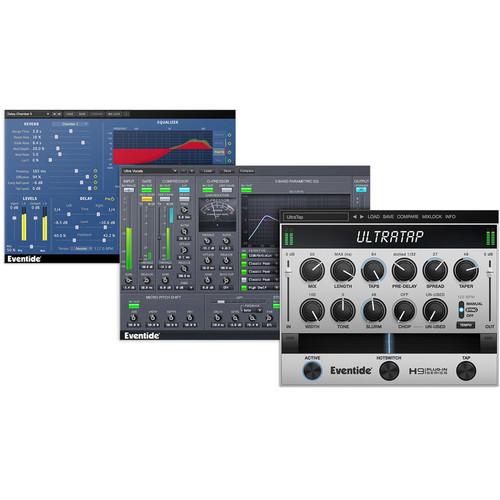 Contents of the user manual for the Eventide Ultra Essentials Bundle - Audio
- Product category: Virtual Processor Plug-Ins Eventide
- Brand: Eventide
- Description and content of package
- Technical information and basic settings
- Frequently asked questions – FAQ
- Troubleshooting (does not switch on, does not respond, error message, what do I do if...)
- Authorized service for Eventide Virtual Processor Plug-Ins
 |
User manual for the Eventide Ultra Essentials Bundle - Audio contain basic instructions
that need to be followed during installation and operation.
Before starting your appliance, the user manual should be read through carefully.
Follow all the safety instructions and warnings, and be guided by the given recommendations.
User manual is an integral part of any Eventide product,
and if it is sold or transferred, they should be handed over jointly with the product.
Following the instructions for use is an essential prerequisite for protecting
health and property during use, as well as recognition of liability on the part of the manufacturer
for possible defects should you make a warranty claim. Download an official Eventide user manual in which you will find instructions on how to install, use, maintain and service your product.
And do not forget – unsuitable use of a Eventide product will considerably shorten its lifespan!
|
Product description The Eventide Ultra Essentials Bundle includes the UltraChannel channel strip plug-in, UltraReverb reverb plug-in, and UltraTap multi-tap delay plug-in. It provides musicians, producers, and sound designers with three essential tools for transforming their sound and sparking their imagination when tracking or mixing for a record, live sound, or post-production.
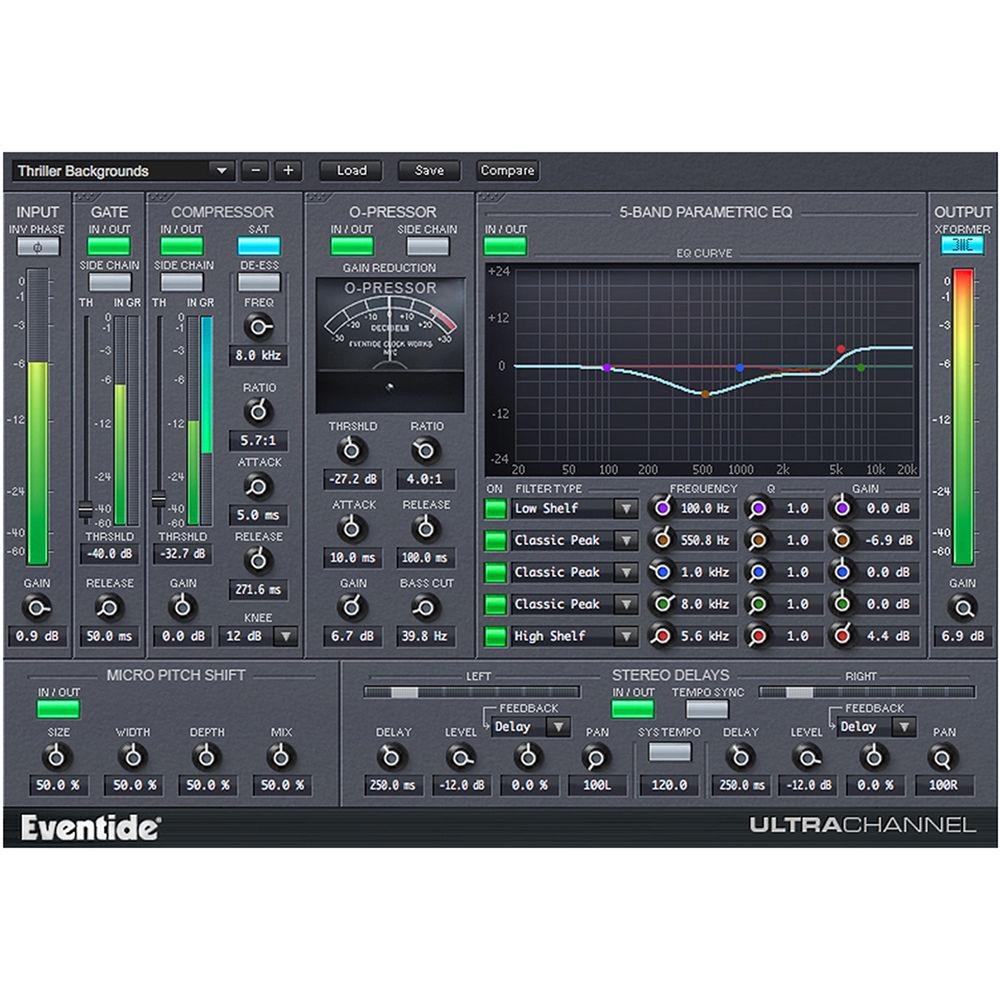
The Bundle comes with over 600 presets designed by world-renowned artists such as Andrew Scheps, Chris Carter, Richard Devine, Sasha, ROCASound, Brian Montgomery, Matt Lange, and many more. - UltraChannel Channel Strip Plug-In (Download) The Eventide UltraChannel is a channel strip plug-in, which brings you some of the company's legendary effects in a compact yet intuitive environment, in addition to offering familiar processors such as gain, gate, EQ, and compressor/de-esser. It features a Micro Pitch Shift module with functionality from the H8000FW Ultra-Harmonizer, ideal for widening tracks like guitars, synths, and vocals, a stereo delay module with variable feedback paths, built-in analog soft-saturation and transformer emulation, and the O-Pressor, a simplified version of the original Eventide Omnipressor capable of aggressive compression for adding just the right amount of character to your sound.The UltraChannel features FlexiPath routing, a flexible modular design that enables you to order the processors based on your desired workflow. The gate, compressor, and O-Pressor modules allow for sidechain operation, which lets you trigger the effects from a selected alternate audio source and color the characteristics of your main signal (AAX and Audio Units only).The plug-in ships with over 200 presets tailored for guitar, bass, kick drum, snare, piano, strings, synths, and vocals.
- FlexiPath Routing
-
- Allows drag-and-drop for reordering the signal path of the top-level components (O-Pressor, compressor/de-esser, EQ, gate)
- Gate
-
- Allows you to effectively remove signals occurring below the designated threshold
- Sidechain operation to trigger the gate from a selected alternate audio source (AAX and Audio Units only)
- 5-Band Parametric EQ
-
- Consists of five parametric filter sections that collectively cover the entire audio spectrum
- Filter curve individually, as well as a composite equalization curve for the cumulative EQ setting
- Each band can be turned on and off individually by using its respective ON button
- Graphical display allows you to edit the frequency, gain, and Q of each of the EQ sections 5 bands
- Each EQ band is shown graphically by a colored dot whose color corresponds to that in the controls below
- You can click and drag each dot and change the Frequency and Gain of the associated band
- O-Pressor Compressor
-
- Single-knee, compression-only version of Eventide Omnipressor
- Aggressive compressor which adds character to your sound
- Sidechain functionality (AAX and Audio Units only)
- Compressor / De-Esser
-
- Alter the dynamics of your input signal
- Sidechain operation (AAX and Audio Units only)
- De-Ess control removes unwanted sibilance
- Saturation button to activate soft saturation at the compressor’s output
- Micro Pitch Shift
-
- Micro Pitch functionality from the H8000FW Ultra-Harmonizer, to thicken or increase the stereo spread of any instrument or vocal
- Stereo Delays
-
- Module is comprised of a pair of delays that can be set either manually or to run in sync with the tempo of your session
- Each delay offers individual level, feedback, and pan control
- Stereo delays are after the main modules, in parallel with the Micro Pitch Shift, and before the output module
- Transformer Emulation
-
- The output module contains a model of an analog transformer which can be driven into classic transformer core saturation
- Adds harmonics to low frequency material while remaining relatively transparent to the rest of signal
- Brings life to otherwise dull mixes and helps glue disparate sound sources together
- Over 200 Presets
-
- Includes a wide range of factory presets, many created by Eventide artists
- Presets tailored for guitar, bass, kick drum, snare, piano, strings, synths, and vocals
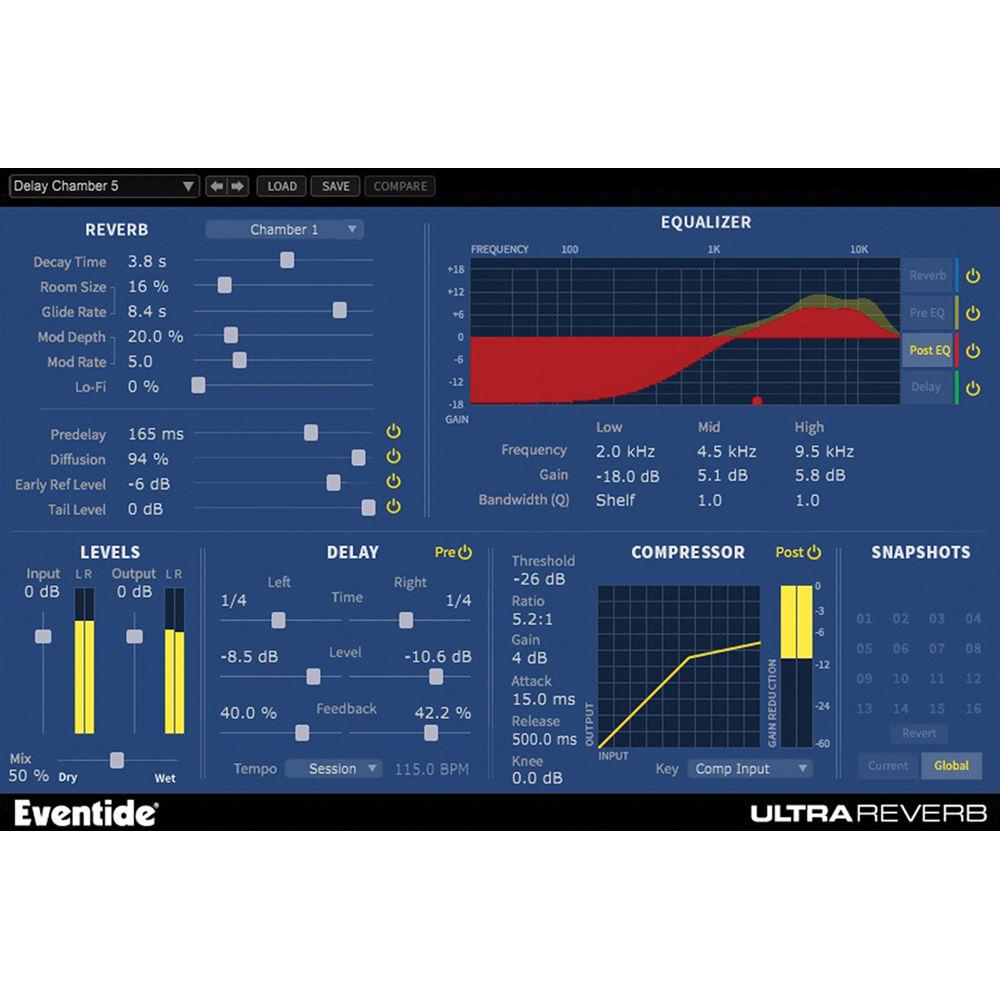
- UltraReverb Reverb Plug-In (Download) The Eventide UltraReverb plug-in combines multi-effects capabilities with nine reverb algorithms derived from the company's most prestigious hardware unit, the H8000 UltraHarmonizer. In addition to Hall, Chamber, Room, Plate, and Ambience reverb effects, it offers delays, EQs, and dynamic processors that provide engineers and producers with powerful tools to create acoustically natural or other-worldly environments, for mixing, mastering, post production, or sound-design applications.UltraReverb features an extensive set of parameters that enables you to precisely tweak the tone of your reverb, using an intuitive and easy-to-navigate GUI. Reverb controls include room size, early reflections, decay time, and pre-delay, as well as reverb modulation depth, rate, and Lo-Fi—a bit-reducer that adds subtle grit to your sound or all-out mangles it. Dual delays for echo effects can be inserted before or after the reverb with tempo sync to lock delays in time with your session.The plug-in is equipped with four independent, 3-band parametric EQs for pre- and post-reverb effects. A movable compressor can be routed pre- or post-reverb, and controlled with an external source via the sidechain input. UltraReverb comes with over 300 presets, including artist presets that are designed by top engineers and recording professionals.
- Key Features
-
- Nine reverb algorithms derived from Eventide's flagship hardware processor, the H8000 UltraHarmonizer
- Reverb includes: Hall 1 & 2, Chamber 1 & 2, Room 1 & 2, Plate 1 & 2, Ambience
- Create acoustically natural or other-worldly environments
- Dual delays for echo effects that can be moved before or after the reverb, with tempo sync to lock delays in time with your session
- Compressor (pre- and post-reverb / delays) provides dynamics before or after the reverb–with sidechain input that uses an external source as the key
- Pre-EQ and post-EQ—four, independent, three-band parametric equalizers for shaping the audio before and after the reverb and delays
- Reverb tail randomization based on the legendary H949 Harmonizer Random setting
- Modulation rate and depth controls
- Lo-Fi bit reducer effect for subtle grit or all-out mangling
- Graphical EQ interface for intuitive tone shaping
- Snapshots allow you to quickly store, recall, and automate up to 32 presets—load Snapshots directly from the plug-in panel
- Complete automation support
- Packed with over 300 presets for mixing, mastering, post production, and sound design
- Includes artist presets designed by top engineers and recording professionals
- Session compatible with Eventide Reverb HD/TDM from the Anthology II bundle (available separately)
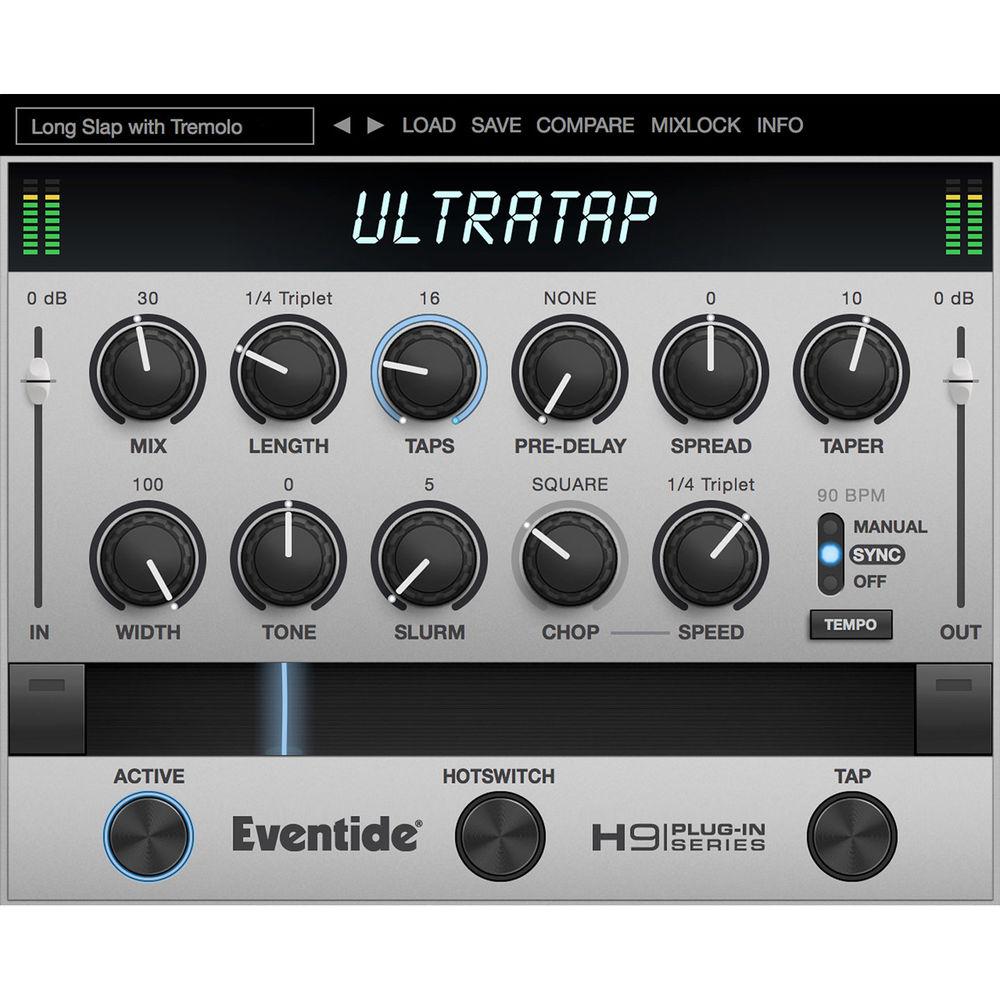
- UltraTap Multi-Tap Delay Plug-In (Download) The Eventide UltraTap is a multi-tap delay plug-in designed to provide creative and versatile delay sounds for musicians, composers, sound designers, and mix engineers in portable mixing setups, home rigs, project studios, and commercial facilities. The delay and all presets from the H9 Harmonizer were integrated into the UltraTap. All controls are in a single window for fast parameter access.It offers up to 64 taps, which can have customized spacing and volume fades. Slurm, Chop, and Speed knobs allow you to dial-up special modulation and tremolo effects for the delays. The Hotswitch button toggles between two configurations of settings, which makes it easy to set up different verse and chorus sounds. Real-time morphing between setups is possible via the horizontal ribbon strip. The Tempo can be set manually, automatically via syncing to the host session, or by repeatedly clicking the Tap button.The UltraTap supports AAX Native, Audio Units, and VST plug-in formats and is compatible with Mac OS X and Windows.
- Multi-tap delay effect from the Eventide H9 Harmonizer
- Adjustable rhythmic spacing between taps via Spread knob
- Taper control allows the volume of the taps to ramp up or down
- Adjustable modulation (Slurm) and tremolo (Chop and Speed)
- Hotswitch button toggles between two configurations of settings
- Ribbon strip allows morphing between configurations
- Tempo can be set manually, automatically via syncing to the host session, or by repeatedly clicking the Tap button
- Single-window GUI allows for easy operation without navigating through pages
- Supports AAX Native, Audio Units, and VST plug-in formats
- Compatible with Mac OS X and Windows
In the Box Bundle Items UltraChannel Channel Strip Plug-In (Download) UltraReverb Reverb Plug-In (Download) UltraTap Multi-Tap Delay Plug-In (Download) Table of Contents
|
Upload User Manual
Have you got an user manual for the Eventide Ultra Essentials Bundle - Audio Tracking and Mixing Plug-Ins in electronic form? Please send it to us and help us expand our library of instruction manuals.
Thank you, too, on behalf of other users.
To upload the product manual, we first need to check and make sure you are not a robot. After that, your "Submit Link" or "Upload File" will appear.
Technical parameters - UltraChannel Channel Strip Plug-In (Download)
| System Requirements | Windows: 7 and higher
Mac: OS X 10.7 and higher
Required for Activation: iLok user ID and PACE iLok License Manager software (free download available separately) | | Plug-In Support | AAX Native, VST, AU (32-/64-bit) | - UltraReverb Reverb Plug-In (Download)
| System Requirements | Windows: 7 and higher
Mac: OS X 10.7 and higher
Required for Activation: iLok user ID and PACE iLok License Manager software (free download available separately) | | Plug-In Support | AAX Native, VST, AU (32-/64-bit) | - UltraTap Multi-Tap Delay Plug-In (Download)
| System Requirements | Mac OS X 10.7 or later
Host software that supports AAX Native, Audio Units, or VST formats
Windows 7 or later
Host software that supports AAX Native or VST formats |
Rating70% users recommend this product to others. And what about you?

This product has already been rated by 98 owners. Add your rating and experience with the product.
Discussion
 Ask our technicians if you have a problem with your settings,
or if anything is unclear in the user manual you have downloaded.
You can make use of our moderated discussion.
The discussion is public and helps other users of our website who may be encountering similar problems.
Ask our technicians if you have a problem with your settings,
or if anything is unclear in the user manual you have downloaded.
You can make use of our moderated discussion.
The discussion is public and helps other users of our website who may be encountering similar problems.
The discussion is empty - enter the first post
Post a new topic / query / comment:
|
|


