User Manual for FabFilter Mastering Bundle Click to enlarge the picture
 Contents of the user manual for the FabFilter Mastering Bundle
- Product category: Virtual Processor Plug-Ins FabFilter
- Brand: FabFilter
- Description and content of package
- Technical information and basic settings
- Frequently asked questions – FAQ
- Troubleshooting (does not switch on, does not respond, error message, what do I do if...)
- Authorized service for FabFilter Virtual Processor Plug-Ins
 |
User manual for the FabFilter Mastering Bundle contain basic instructions
that need to be followed during installation and operation.
Before starting your appliance, the user manual should be read through carefully.
Follow all the safety instructions and warnings, and be guided by the given recommendations.
User manual is an integral part of any FabFilter product,
and if it is sold or transferred, they should be handed over jointly with the product.
Following the instructions for use is an essential prerequisite for protecting
health and property during use, as well as recognition of liability on the part of the manufacturer
for possible defects should you make a warranty claim. Download an official FabFilter user manual in which you will find instructions on how to install, use, maintain and service your product.
And do not forget – unsuitable use of a FabFilter product will considerably shorten its lifespan!
|
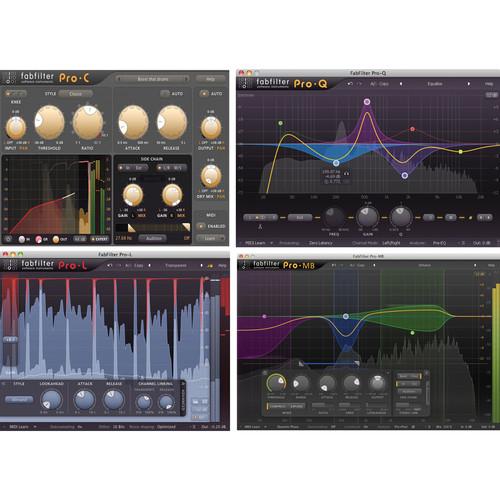
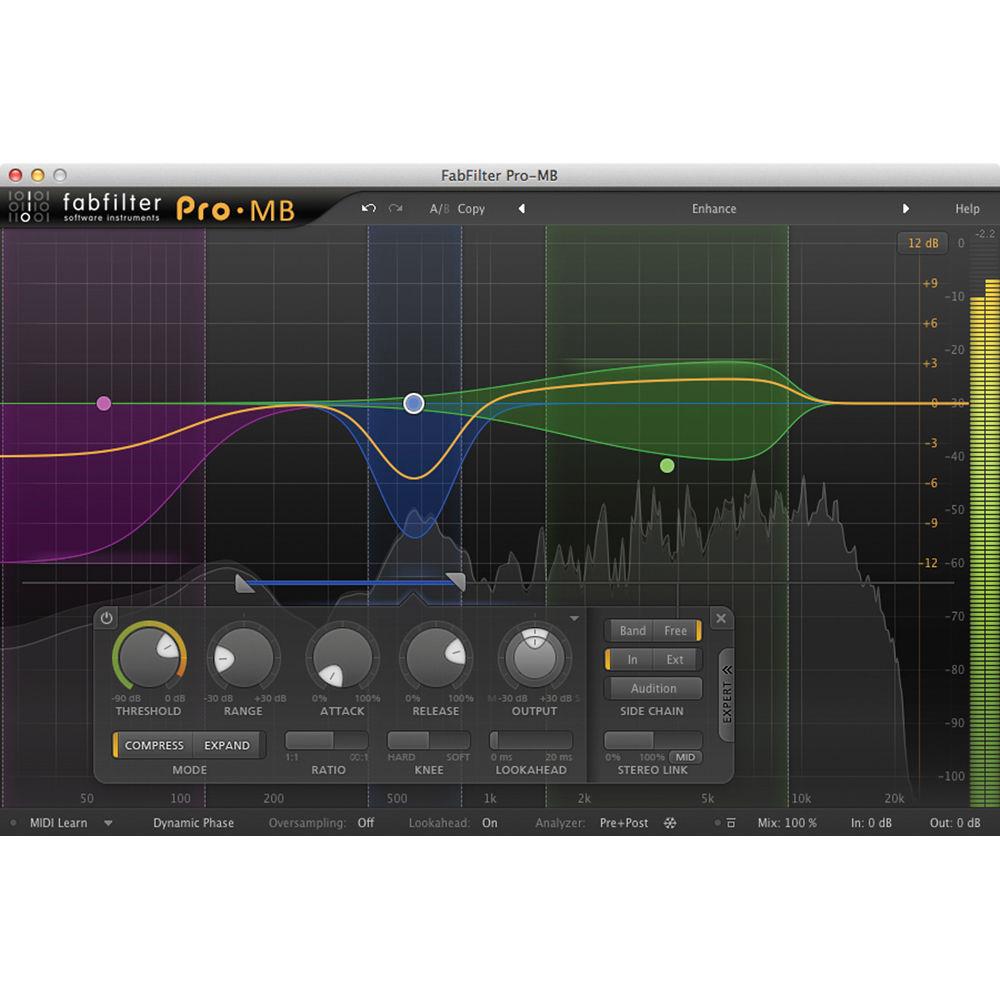
Product description The Mastering Bundle from FabFilter is a collection of four plug-ins for Mac and Windows computer workstations, which consist of professional quality mastering tools often used by engineers in audio production applications such as studio recording, post production, and more. With this bundle you get FabFilter's professional limiter, EQ, multiband dynamics and compressor plug-ins. This bundle includes Pro-MB, Pro-C, Pro-Q 2, and Pro-L plug-ins. These plug-ins are available in VST, VST 3, Audio Units, AAX Native and AudioSuite formats, in both 64- and 32-bit, as well as RTAS in 32-bit. - Pro-MB Multiband Dynamics Plug-In The Pro-MB Software Plug-In from FabFilter is a professional multiband compressor/expander with six processing bands that can be freely placed anywhere in the audio spectrum. It can be used for audio mixing and mastering applications such as studio recording, post production, and more. Instead of conventionally splitting the entire spectrum with crossovers, Pro-MB enables you to create a new band at the frequency range in which you wish to work. The interactive multiband display clearly shows what the rest of the spectrum is which stays untouched, and, if desired, you can snap bands together to recreate a traditional crossover system. Each band is fully customizable with a threshold, range, attack, release, output gain, ratio, variable knee, lookahead, variable stereo linking, mid-or side-only processing, and much more.The Pro-MB has a Dynamic Phase processing mode that features much of the same frequency response as traditional multiband processors but doesn't introduce latency or pre-ringing. Additionally, it only introduces minor phase changes when the gain actually changes. Also included are a Linear Phase mode and a Minimum Phase mode. The combination of professional processing with interactive multiband display can help you to optimize your workflow.The Pro-MB software has comprehensive MIDI specs, including MIDI learn, Smart Parameter Interpolation for smoother parameter transitions, and supports common Pro Tools hardware control surfaces. The software also offers an extensive interactive help feature, and AltiVec and SSE optimization. The plug-in is available in VST, VST 3, Audio Units, AAX Native and AudioSuite formats (both 64- and 32-bit), and RTAS (in 32-bit).
- Unique Dynamic Phase processing mode featuring zero latency, no static phase changes and no pre-ringing artifacts
- Handles any form of dynamics processing, from highly transparent compression, limiting and expansion to pumping upward compression and punchy gating
- Each band is customizable with features such as threshold, range, attack, release, output gain, ratio, variable knee, lookahead (up to 20 ms), variable stereo linking, mid- or side-only processing, external side chain input, triggering on a separate frequency range
- Steepness of each crossover slope can be freely adjusted between 6 dB/oct and 48 dB/oct
- Global dry/wet mix from 0 to 200% to easily scale the total effect of the plug-in
- Accurate and smooth real-time frequency analyzer with pre- and post-processing options and 'freeze' feature
- Up to four times linear-phase oversampling
- GPU-powered graphics acceleration
- Undo/redo and A/B comparison
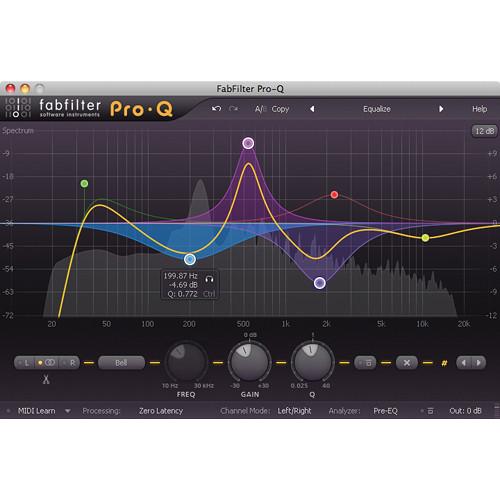
- Pro-Q2 EQ Plug-in Software The Pro-Q2 EQ Plug-in Software from FabFilter is a production tool to help sculpt and shape audio when creating, editing, mixing and mastering recordings on Mac and Windows computer workstations. It can be used in applications such as recording studios, sound design, film editing, composing, and more. The software features a large interactive EQ display and allows you to create frequency bands where you need them, then select and edit multiple bands at once. It offers features like Spectrum Grab, full screen mode and EQ match that will help speed up your production workflow.The Pro-Q2 offers features that engineers need, including natural phase modes, mid/side processing, variable stereo placement of EQ bands, an intelligent solo feature, optional auto gain, and a fully customizable spectrum analyzer. In addition you get perfectly tuned knobs, MIDI learn, and smart parameter interpolation for smoother parameter transitions. There is also a help file with interactive help hints. The plug-in is available in VST, VST 3, Audio Units, AAX Native and AudioSuite formats, all in both 64-bit and 32-bit, as well as RTAS in 32-bit only.
- Operates in zero latency mode, linear phase mode with adjustable latency or the unique natural phase mode
- Spectrum Grab allows you to grab and adjust a peak in the real-time spectrum analyzer right away
- Filter shapes such as bell, notch, high/low shelf, high/low cut, band pass, tilt shelf
- Intelligent solo mode allows you to find problem frequencies and hear the effect of a band
- The EQ match feature automatically matches the spectrum of another track via the side-chain input
- Phase Invert option to change polarity
- Mid/side mode where you can EQ the mid and side signals separately
- Optional gain-Q interaction
- Features a built-in spectrum analyzer with pre-EQ, post-EQ and SC modes, adjustable range, speed, resolution, tilt and freeze
- GPU-powered graphics acceleration
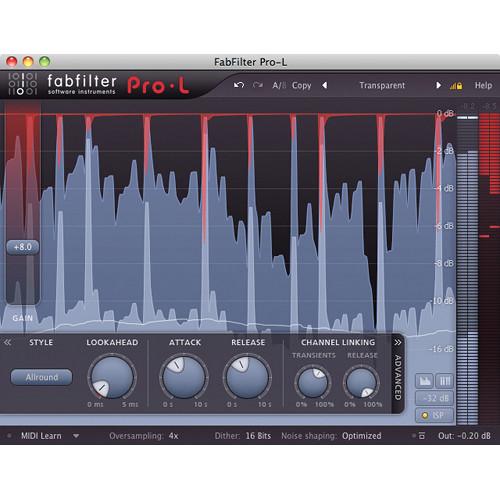
- Pro-L 2 Limiter Software Plug-In The Pro-L 2 Limiter Software Plug-In from FabFilter is a major update to the Pro-L Limiter plug-in. It adds four additional limiting algorithms: Modern for general all-purpose limiting, Aggressive for EDM and rock music, Bus specific for drums and individual track limiting, and Safe, which avoids distortion at all costs. The plug-in works for Mac or Windows computers and can be used for mixing and mastering audio applications such as studio recording, post production, and more.Combined with true peak metering and extensive loudness metering, it is compliant with the EBU R128, ITU-R BS.1770-4, and ATSC A/85 standards. Support for surround audio with flexible channel linking makes FabFilter Pro-L 2 much more versatile in multi-channel scenarios, with up to 32x linear phase oversampling. Other features like a DC offset filter, external side chain triggering for stem mastering, and a unity gain option ensure that Pro-L 2 is a solution to any mastering challenge.Furthermore, the real-time level display is offered with several display modes, including an infinite mode that shows all audio for an entire session. Significant gain reduction is highlighted with peak labels to give additional insight into the limiting process. The Pro-L2 interface has been carefully redesigned with an optimized workflow. Finally, the plug-in is available in VST, VST3, Audio Units, AAX Native, and AudioSuite formats, in both 64- and 32-bit, as well as RTAS in 32-bit.
- Features transparent sound combined with maximum loudness
- Eight carefully tuned limiting algorithms with true peak limiting
- Up to 32 x linear-phase oversampling to minimize aliasing and inter-sample peaks
- Accurate output and gain-reduction metering, including true peak metering
- Various meter scale settings, including K-System support
- Surround support, including Dolby Atmos 7.0.2 and 7.1.2 formats with flexible surround channel linking
- Highly-informative real-time level display
- Optional DC offset filter
- External side chain triggering for stem mastering
- Unity-gain option to easily listen to the effect of the current limiting at unity-gain level
- Audition limiting to listen to the difference between the input and output signal
- Adjustable look-ahead, attack, and release settings to fine-tune the sound of the algorithms
- Separate, freely-adjustable channel linking for both the transient and release stages
- Professional dithering with three different noise-shaping algorithms
- Adapts automatically to stereo, mono, and surround channel layouts
- Full screen mode for precise adjustments and insightful metering
- Multiple interface sizes: Medium, large, and extra large, as well as a separate compact mode
- Retina support on Mac OS X and high-DPI support on Windows
- GPU-powered graphics acceleration
- Supports common Pro Tools hardware control surfaces
- Available in VST, VST 3, Audio Units, AAX Native and AudioSuite formats, in both 64- and 32-bit, as well as RTAS in 32-bit
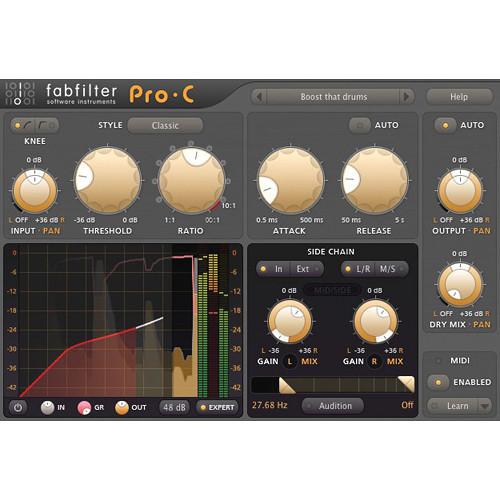
- Pro-C 2 - Compressor Plug-In (Download) The Pro-C 2 from FabFilter is a software compressor with eight different compressor styles and program-dependent attack and release curves. It is used in mixing and mastering audio applications such as studio recording, post production, and more. It features flexible signal routing, as for example, in Expert mode, where external side chain inputs are available, providing a choice of mono, stereo, or mid/side processing with customizable channel linking and routing.
Apart from the classic compressor controls, the plug-in provides smooth lookahead, up to 4x oversampling, intelligent auto-gain and auto-release. A variable knee, hold, range, external side-chain triggering, variable stereo linking and mid/side processing, are all packed in a beautiful Retina user interface. The redesigned interface offers insightful metering and real-time displays for improved workflow, with the large animated level knee display visualizing exactly when, why, and how compression is applied to incoming audio.
Additional features include perfectly tuned knobs, interactive MIDI Learn, and an undo/redo and A/B switch. Smart Parameter Interpolation delivers smooth parameter transitions, while an extensive help file with interactive help hints, sample-accurate automation, advanced optimization and much more, extend the functionality of the plug-in. -
- Eight different compression styles – vocal, mastering, bus, punch and pumping
- Retina interface, with (optional) animated level knee displays and accurate peak/loudness metering (Retina support on OS X and High DPI support on Windows)
- Side-chain EQ section, with customizable high- and low-pass filters, plus an additional freely adjustable filter
- Program-dependent attack and release curves
- Smooth lookahead (up to 20 ms), which can be enabled/disabled to ensure zero-latency processing
- Intelligent auto-gain
- Hold (up to 500 ms)
- Custom knee, variable from hard knee, to a 72 dB soft knee (to enable saturation-like effects)
- Auto release
- Super-fast attack times
- Up to 4x oversampling
- Variable stereo linking and mid/side processing, with mid-only, side-only, M > S and S > M processing
- Audition Triggering option, which enables users to hear on which parts of the audio Pro-C 2 is triggering and how much compression is taking place
- Multiple interface sizes - small, medium, large
- Range setting, which limits the maximum applied gain change
- Mix setting, which scales the gain change from 0% to 200%
- Full Screen mode, offering a large level-display and side-chain EQ controller
- Accurate, large level and gain-change meters, with peak and loudness level visualization.
- Loudness level complies with the momentary mode of the EBU R128 / ITU-R 1770 standards
- External side-chain triggering
- GPU-powered graphics acceleration
- Stereo and mono plug-in versions available
- Supports common Pro Tools hardware control surfaces
- MIDI Learn
- Undo/redo and A/B comparison
- Smart parameter-interpolation
- Sample-accurate automation of all parameters
- Extensive help file with interactive help hints
In the Box Bundle Items Pro-MB Multiband Dynamics Plug-In xedecxwtarccwwbsfdbqsf Pro-Q2 EQ Plug-in Software Pro-L 2 Limiter Software Plug-In Pro-C 2 - Compressor Plug-In (Download) Table of Contents
|
Upload User Manual
Have you got an user manual for the FabFilter Mastering Bundle in electronic form? Please send it to us and help us expand our library of instruction manuals.
Thank you, too, on behalf of other users.
To upload the product manual, we first need to check and make sure you are not a robot. After that, your "Submit Link" or "Upload File" will appear.
Technical parameters - Pro-MB Multiband Dynamics Plug-In
| Windows System Requirements | 32-bit: Windows 8, 7, Vista or XP
64-bit: Windows 8, 7 or Vista (x64)
VST 2/3 host or Pro Tools | | Mac OS X Requirements | 32-bit: OS X 10.5 or higher
64-bit: OS X 10.6 or higher
AU or VST 2/3 host or Pro Tools
Intel processor | - Pro-Q2 EQ Plug-in Software
| Windows System Requirements | 32-bit: Windows 8, 7, Vista or XP
64-bit: Windows 8, 7 or Vista (x64)
VST 2/3 host or Pro Tools | | Mac OS X Requirements | 32-bit: OS X 10.5 or higher
64-bit: OS X 10.6 or higher
AU or VST 2/3 host or Pro Tools
Intel processor | - Pro-L 2 Limiter Software Plug-In
| Windows Requirements | 32-bit: Windows 8, 7, Vista or XP
64-bit: Windows 8, 7 or Vista (x64)
VST 2/3 host or Pro Tools | | Mac OS X Requirements | 32-bit: Mac OS X 10.5 or later
64-bit: Mac OS X 10.6 or later
AU or VST 2/3 host or Pro Tools
Intel processor | - Pro-C 2 - Compressor Plug-In (Download)
| Mac System Requirements | Intel processor
OS X 10.6 or later | | Windows System Requirements | Windows XP (32-bit), Vista (32-/64-bit), Windows 7, 8, 10 (32-/64-bit) | | Plug-In Compatibility | AAX Native, Audio Units (Mac only), RTAS, AudioSuite, VST, VST3 |
Rating80% users recommend this product to others. And what about you?

This product has already been rated by 27 owners. Add your rating and experience with the product.
Discussion
 Ask our technicians if you have a problem with your settings,
or if anything is unclear in the user manual you have downloaded.
You can make use of our moderated discussion.
The discussion is public and helps other users of our website who may be encountering similar problems.
Ask our technicians if you have a problem with your settings,
or if anything is unclear in the user manual you have downloaded.
You can make use of our moderated discussion.
The discussion is public and helps other users of our website who may be encountering similar problems.
The discussion is empty - enter the first post
Post a new topic / query / comment:
|
|


