|
User Manual for FastRawViewer Software Click to enlarge the picture
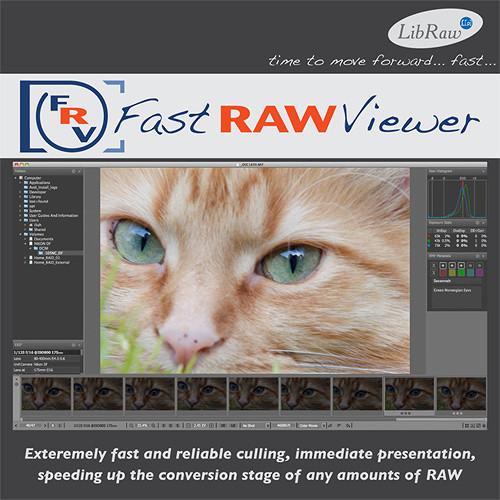 Contents of the user manual for the FastRawViewer Software
- Product category: Photo Software Others
- Brand: Others
- Description and content of package
- Technical information and basic settings
- Frequently asked questions – FAQ
- Troubleshooting (does not switch on, does not respond, error message, what do I do if...)
- Authorized service for Others Photo Software
|
User manual for the FastRawViewer Software contain basic instructions
that need to be followed during installation and operation.
Before starting your appliance, the user manual should be read through carefully.
Follow all the safety instructions and warnings, and be guided by the given recommendations.
User manual is an integral part of any Others product,
and if it is sold or transferred, they should be handed over jointly with the product.
Following the instructions for use is an essential prerequisite for protecting
health and property during use, as well as recognition of liability on the part of the manufacturer
for possible defects should you make a warranty claim. Download an official Others user manual in which you will find instructions on how to install, use, maintain and service your product.
And do not forget – unsuitable use of a Others product will considerably shorten its lifespan!
|
Product description Women of Influence: Katrin Eismann Read More - What Is FastRawViewer? Part 1
- What Is FastRawViewer? Part 2
- FastRawViewer - A Quick Start Tour
- FastRawViewer WorkFlow Tutorial
Speed the conversion of all your RAW files with FastRawViewer software from LibRaw LLC. This efficient workflow tool makes it possible to review and edit your RAW shots with confidence, because what you see is exactly what you got when shooting. The software's built-in ultrafast RAW converter provides an immediate display of non-adjusted RAW shots, as the camera captured them, both in full color and in a per-channel R/G/B view, which allows you to evaluate details and noise levels in each channel.
Additional tools for technical evaluation, such as the RAW histogram, over- and under-exposure indication and statistics, focus peaking, and shadow boost, are also based directly on RAW data, not a JPEG preview. You can instantly apply RAW-specific modifications to the screen preview, allowing you to adjust a studio setup, or present targeted images to a client on the fly. When working with a large sequence of similar images, propagation adjustments made to a single file can quickly be applied to the entire group. All adjustments are non-destructive; the software does not modify image files in any way. Adjustments are recorded as XMP sidecar files to be picked up by Adobe Raw converters.
The working environment can be fully customized, allowing you to tweak the metadata display, keyboard shortcuts, preferences and program windows to your liking. FastRawViewer supports nearly all RAW formats and more than 800 cameras, with frequent updates to support new DSLR and cell phone models. The software can read files from any media, from a flash card to a network server, without creating intermediate image databases, avoiding unnecessary delays and saving disk space. It works on a variety 32/64-bit Windows platforms and most Intel-based Macs with 64-bit support.
This version of FastRawViewer is delivered as a download, and the license key can be installed on up to two computers simultaneously. - Direct Visualization of RAW Files
-
- Evaluate the full dynamic range in your RAW image files as captured by your camera, instead of a compressed range as displayed by an in-camera (embedded) JPEG or JPEG preview generated with default settings.
- Very high (4-8 fps) RAW browsing speed for 16-24MP files on an average laptop.
- Provides instant display of RAW files, both in full color and as per channel R/G/B views, for evaluation of image details and noise levels in each channel.
- Supports most RAW file formats (except Sigma/Foveon), and more than 800 cameras, with frequent updates to support new cameras.
- Reads files from any media, from a flash card to a network server, without creating intermediate image databases, avoiding unnecessary delays and saving disk space.
- Image Adjustment Tools
-
- A wide range of image adjustment tools allow you to evaluate and adjust exposure based on the real RAW histogram. Over- and under-exposure indications and statistics allow for efficient review of clipped highlights and plugged shadows. Post-correction overexposure statistics display the number and percentage of over- and under-exposed pixels.
- Controls for Focus Peaking and Shadow Boost allow you to check in-focus edges and areas of high detail or open shadows to check for details and noise levels.
- Offers several methods for setting white balance: standard presets for As Shot/Auto/Daylight/Tungsten, custom white balance by clicking on a neutral image area, white balance display based on color temperature/tint value, mired/tint or per channel factors
- Mode for changing image orientation, useful for cameras lacking an orientation sensor, support for cameras modified to black-and-white
- Non-Destructive Photo Editing
-
- Image adjustments are non-destructive; FastRawViewer reads RAW files but does not modify them in any way. All adjustments are recorded as auxiliary (sidecar) files in a standard XMP format and picked by Adobe RAW converters from there.
- Instantly apply RAW-specific modifications to the screen preview, allowing you to adjust a studio setup, or present targeted images to a client on the fly.
- Adjustments made to one image can be applied to a series of similar shots.
- Fully Customizable Working Environment
-
- Customizable EXIF data panels allow you to select exactly which fields you want to display.
- Fully Customizable Keyboard Shortcuts can be adjusted to your needs. Keep the same shortcuts as previous software or export shortcuts from one machine to another.
- Enable the color management system to select a working profile according to the gamut of the monitor, or use the default sRGB workflow with non-calibrated monitors or in suboptimal viewing conditions.
- Modify the size and opacity of program window panels and move them to any area of the screen or to another monitor. Change the color scheme of windows and panels to black, white or any shade of gray. Bottom bar and panel font size can also be changed.
- 32/64-Bit Architecture
-
- The software supports a variety of 32/64-bit Windows/Mac operating systems and is optimized to work with files on high-speed storage devices: SSD drives, disk arrays (RAIDs), fast flash cards (UHS-I and similar in fast USB 3.0 readers).
- It supports most video cards with 3D acceleration support, such as cards with DirectX 9.0/OpenGL 2.1 support or later. There are two versions for Windows platforms: Graphics based on Microsoft DirectX (recommended for the majority of users) and Graphics based on OpenGL (recommended for use with Nvidia: GTX4xx and newer, and corresponding versions of Nvidia Quattro, or ATI/AMD: Radeon HD5xxx and newer).
Compatibility - Canon
- PowerShot 600/A5/A5 Zoom/A50; Pro1/70/90 IS; G1/1X/1X Mark II/2/3/3X/5/6/7X/9/10/11/12/15/16; S30/40/45/50/60/70/90/95/100/110/120; SX1 IS/50 HS/60 HS; PowerShot (CHDK hack) A460/470/530/550/570/590/610/620/630/640/650/710 IS/720 IS/3300 IS; G7; S2 IS/3 IS/5 IS; SD300/950; SX110 IS/120 IS/220 HS/20 IS/30 IS; EOS D30/60; 5D/DS/DS R/Mark II/ III, 6D, 7D/Mark II, 10D, 20D/Da, 30D, 40D, 50D, 60D/Da, 70D, 1200D, C500, D2000C; M/2/3; 1D/DS/D C/D X/Mark II/Mark II N/Mark III/Mark IV; 1Ds Mark II/Mark III; EOS 300D/Digital Rebel (DR)/Kiss Digital (KD), 350D/DR XT/KD N, 400D/DR XTi/KD X, 450D/DR XSi/KD X2, 500D/DR T1i/KD X3, 550D/DR T2i /KD X4, 600D/DR T3i/KD X5, 650D/DR T4i/KD X6i, 700D/DR T5i, 750D/DR T6i, 760D/DR T6S, 100D/DR SL1, 1000D/DR XS/KD F, 1100D/DR T3/KD X50
- Nikon
- D1/1H/1X/2H/2Hs/2X/2Xs/3/3s/3X/4/4s/40/40X/50/60/70/70s/80/90/100/200/300/300s/600/610/700/750/800/800E/810/810A/3000/3100/3200/3300/5000/5100/5200/5300/5500/7000/7100/7200/Df; 1/AW1/J1/J2/J3/J4/J5; S1/S2; V1/V2/V3; E700/800/880/900/950/990/995/2100/2500/3200/3700/4300/4500 ("DIAG RAW" hack); E 5000/5400/5700/8400/8700/8800; Coolpix A/P330/340/6000/7000/7100/7700/7800; S6 ("DIAG RAW" hack); Coolscan NEF
- Olympus
- AIR A01; C 3030Z/5050Z/5060Z/7070WZ/70Z/7000Z/740UZ/770UZ/8080WZ; X200/D560Z/C350Z; E-1/3/5/10/20/30/300/330/400/410/420/450/500/510/520/600/620/P1/P2/P3/P5/PL1/PL1s/PL2/PL3/PL5/PL6/PL7/PM1/PM2/M1/M10/M5/M5 Mark II; SP310/320/350/500UZ/510UZ/550UZ/560UZ/565UZ/570UZ; STYLUS1/1s; SH-2; TG-4; XZ 1/2/10
- Panasonic
- AG-GH4; DMC-CM1/FZ8/FZ18/FZ28/FZ30/FZ35/FZ38/FZ40/FZ50/FZ7/FZ70/FZ100/FZ150/FZ200/FZ300/ 330/FZ1000/FX150/G1/G10/G2/G3/G5/G6/G7/G70/GF1/GF2/GF3/GF5/GF6/GF7/GH1/GH2/GH3/GH4/GM1/GM1s/GM5/GX1/GX7/GX8/L1/L10/LC1/LX1/LF1/LX2/LX3/LX5/LX7/LX100/TZ60/61/SZ40/TZ70/71/ZS50
- Sony
- A 7/7 II/7R/7R II/7S; ILCA-77M2 (A77-II); ILCE-3000/5000/5100/6000/QX1; DSC-F828/R1/RX1/RX1R/RX10/RX10II/RX100/RX100II/RX100III/RX100IV/V3; DSLR-A100/A200/A230/A290/A300/A330/A350/A380/A390/A450/A500/A550/A560/A580/A700/A850/A900; NEX-3/3N/5/5N/5R/5T/6/7/C3/F3/VG20/VG30/VG900; SLT-A33/A35/A37/A55V/A57/A58/A65V/A77V/A99V; XCD-SX910CR; IMX135-mipi 13mp/QCOM; IMX072-mipi
- Other Manufacturers
-
ARRIRAW format
AVT: F-080C/145C/201C/510C/810C
Adobe Digital Negative (DNG)
AgfaPhoto DC-833m
Alcatel 5035D
Apple: QuickTake 100/150/200
Baumer TXG14
BlackMagic: Cinema Camera/Pocket Cinema Camera/Production Camera 4k
Casio: QV 2000UX, 3000EX, 3500EX, 4000, 5700, R41/51/61; EX 10/100/100F; F1; FC300S/400S; FH20/25/100; S20/100; Z4/50/500/55/60/75/750/8/850/1050/1080; ZR100/700/710/750/800/850/1000/1100/1200/1300/1500/3000; Exlim Pro 505/600/700
Contax N Digital
Creative PC-CAM 600
DJI 4384x3288
Digital Bolex: D16/16M
Epson: R-D1/D1s/D1x
Foculus 531C
FujiFilm E: 505/900; F700/710/800/810/505EXR/550EXR/600EXR/605EXR/770EXR/775EXR/800EXR/900EXR; S: 2Pro/3Pro/5Pro/20Pro/1/100FS/5000/5100/5500/5200/5600/6000fd/7000/9000/9500/9100/9600/200EXR/205EXR/L1000; HS 10/11/20EXR/22EXR/30EXR/33EXR/35EXR/50EXR; X Pro1/S1/Q1/Q2/100/100S/100T/10/20/30/A1/A2/E1/E2/M1/F1/T1/T1 Graphite Silver/T10; IS-1
HTC UltraPixel
Hasselblad: H5D-60/50/50c/40; H4D-60/50/40/31; H3D II-22/31/39/50; H3D-22/31/39; H2D-22/39; CFV/H; CF-22/31/39; V96C; Lusso; Lunar; Stellar/Stellar II; HV
ISG 2020x1520
Ikonoskop: A-Cam dII/dII Panchromatic
Imacon: Ixpress 96/96C/132C; Ixpress 384/384C/528C (single shot only)
JaiPulnix: BB-500CL, BB-500GE
Kinefinity: KineMINI/RAW Mini/RAW S35
Kodak: DC20/25/40/50/120; DCS200/315C/330C/420/460/460A/460D/520C/560C/620C/620X/660C/660M/720X/760C/760M; DCS Pro 14n/14nx/SLR/c/SLR/n; EOSDCS1/3B; NC2000F; ProBack; PB 645C/H/M; C 330/603; P 850/880; S-1; Z 980/981/990/1015; KAI-0340
Konica: KD-400Z/510Z
Leaf: AFi 7; AFi-II 5/6/7/8/10/10R/12/12R; Aptus 17/22/54S/65/75/75S; Cantare, CatchLight, CMost; Credo: 40/50/60/80; DCB2; Valeo 6/11/17/22; Volare
Leica: C (Typ 112); Digilux 2/3; Digital-Modul-R; D-LUX 2/3/4/5/6/(Typ 109); M 8/8.2/9/(Typ 240); Monochrom (Typ 240)/(Typ 246); M-E/-P; R8; Q (Typ 116); S/S2; T (Typ 701); X1, X (Typ 113), X2, X-E (Typ 102); V-LUX1/2/3/4/(Typ 114); X VARIO (Typ 107)
Lenovo a820
Logitech Fotoman Pixtura
Mamiya ZD
Matrix 4608x3288
Micron 2010
Minolta: RD175; DiMAGE 5/7/7i/7Hi/A1/A2/A200/G400/G500/G530/G600/Z2; Alpha/Dynax/Maxxum 5D/7D
Motorola PIXL
Nokia: N95, X2, 1200x1600, Lumia 1020/1520
OmniVision OV5647 (Raspberry Pi)
Pentax: *ist D/DL/DL2/DS/DS2; GR; K10D/20D/100D/100D Super/110D/200D/2000/K-m; K-x/K-r/K-01/K-3/K-3 II (std mode)/K-30/K-5/K-5 II/K-5 IIs/K-50/K-500/K-7/K-S1/K-S2/MX-1; Q/Q7/Q10/QS-1; Optio S/S4/33WR/750Z/645D/645Z
PhaseOne: IQ140/160/180/250/260/260 Achromatic/280; LightPhase; Achromatic+; H 10/20/25; P 20/20+/21/25/25+/30/30+/40+/45/45+/65/65+
Photron BC2-HD
Pixelink A782
Polaroid x530 (embedded JPEG only)
Ricoh: GR/GR Digital/Digital II/Digital III/Digital IV; GX100/200; GXR MOUNT A12/ A16 24-85mm F3.5-5.5; GXR, S10 24-72mm F2.5-4.4 VC/GR A12 50mm F2.5 MACRO/GR LENS A12 28mm F2.5/GXR P10
Rollei d530flex
RoverShot 3320af
SMaL Ultra-Pocket 3/4/5
STV680 VGA
SVS SVS625CL
Samsung: EX 1/2F; GX-1L/1S; GX10/20; Galaxy S3/Nexus/ NX (EK-GN120); NX1/5/10/11/100/1000/1100/20/200/210/2000/30/300/300M/3000/500/mini; Pro815; WB 550/2000; S85/S850 (hacked)
Sarnoff 4096x5440
Seitz: 6x17, Roundshot D3/D2X/D2Xs
Sigma, embedded JPEG only): SD9/10/14/15/1/1 Merill; DP 1/1 Merill/1S/1X/2/2 Merill/2S/2X/3 Merill; dp0 Quattro/1 Quattro/2 Quattro/3 Quattro
Sinar: eMotion 22/54/75; eSpirit 65; eVolution 75; 3072x2048, 4080x4080, 4080x5440; STI format; Sinarback 54 User Manual PDF 9.1mb Table of Contents
|
Upload User Manual
Have you got an user manual for the FastRawViewer Software in electronic form? Please send it to us and help us expand our library of instruction manuals.
Thank you, too, on behalf of other users.
To upload the product manual, we first need to check and make sure you are not a robot. After that, your "Submit Link" or "Upload File" will appear.
Technical parametersFastRawViewer FRV1BE Specs | | | Supported OS Versions | Windows 7, 8.1, 10 (32/64-Bit) | | Storage Requirements | 100 MB | | Processor Requirement | Intel Pentium 4
AMD Athlon 64 | | | | Supported OS Versions | 10.6 - | | Storage Requirements | 100 MB | | Processor Requirement | Intel | | | | RAM Requirement | 4 GB (Minimum)
6 GB (Recommended) | | Minimum Display Resolution | 1280 x 800 | | Internet Connection Required | Yes |
Rating80% users recommend this product to others. And what about you?

This product has already been rated by 86 owners. Add your rating and experience with the product.
Discussion
 Ask our technicians if you have a problem with your settings,
or if anything is unclear in the user manual you have downloaded.
You can make use of our moderated discussion.
The discussion is public and helps other users of our website who may be encountering similar problems.
Ask our technicians if you have a problem with your settings,
or if anything is unclear in the user manual you have downloaded.
You can make use of our moderated discussion.
The discussion is public and helps other users of our website who may be encountering similar problems.
The discussion is empty - enter the first post
Post a new topic / query / comment:
|
|
|
| Request for user manual |
You can’t find the operation manual you are looking for? Let us know and we will try to add the missing manual:
I’m looking for a manual / Request for manual
Current requests for instruction manuals:
Call Of Duty World War Two For Xbox...
controller stratus XL...
stratus XL...
smart whatch serie S11 42mm...
Allen & Heath SQ-6 manual...
|
| Discussion |
Latest contributions to the discussion:
AEW R 4100
Name: MAURICIO ANGARITA
Audio-Technica AEW-R4100 UHF Diversity Receiver for
AEW R 4100 has the mute function blocked and does not allow audio to pass. I tried several times to turn off the mute from the transmitter but it does nothing, the mute stays on. Solution?
Thank you...
Instructions for assembling the 2015 Forecast Image Master Consoles GC3-A
Name: mike elam
Forecast Consoles GC3-A ImageMaster Editing Console
Looking for instructions for assembling this console. ...
EMPTY TONER ERROR MESSAGE AFTER REPLACING TONER
Name: LINDA BAD YELLOW EYES
Brother TN223BK Standard-Yield Toner
I HAD TO CHANGE OUT ALL THREE TONERS DUE TO LEAKS IN THE YELLOW AND CYAN. AFTER I REPLACED THEM, THE MACHINE KEEPS GIVING ME AN EMPTY TONER ERROR MESSAGE. HELP!!...
PS480D 20/24 pin Switching 480W Power Supply
Name: swkargo
Logisys 480W Power Supply
This item states in can run -5vdc .It is NOT listed on the board or I beleive is r4 is missing the resitior. Any body have thid issue. Shawn
...
Help needed
Name: Ann Carter
SanDisk 1TB Extreme Portable USB 3.1
When I click the link to download the user manual for my Sandisk Extreme external hard drive, it gives me the manual for the LG Cricket. Can you please change the link so I can download the Sandisk manual and begin using this drive? Thank you....
|
|


