User Manual for FileStream TurboBackup 9.1 Twin Pack for Windows Click to enlarge the picture
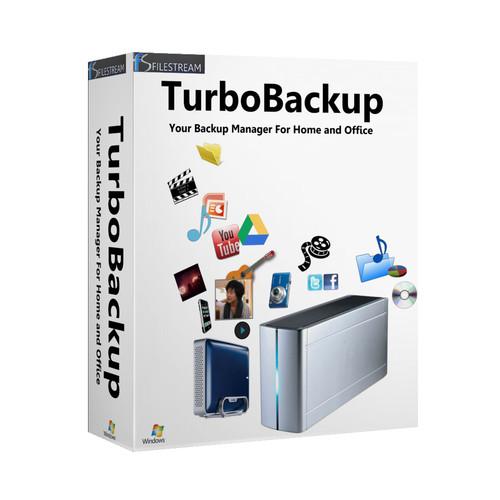 Contents of the user manual for the FileStream TurboBackup 9.1 Twin Pack for
- Product category: Home & Office FileStream
- Brand: FileStream
- Description and content of package
- Technical information and basic settings
- Frequently asked questions – FAQ
- Troubleshooting (does not switch on, does not respond, error message, what do I do if...)
- Authorized service for FileStream Home & Office
|
User manual for the FileStream TurboBackup 9.1 Twin Pack for contain basic instructions
that need to be followed during installation and operation.
Before starting your appliance, the user manual should be read through carefully.
Follow all the safety instructions and warnings, and be guided by the given recommendations.
User manual is an integral part of any FileStream product,
and if it is sold or transferred, they should be handed over jointly with the product.
Following the instructions for use is an essential prerequisite for protecting
health and property during use, as well as recognition of liability on the part of the manufacturer
for possible defects should you make a warranty claim. Download an official FileStream user manual in which you will find instructions on how to install, use, maintain and service your product.
And do not forget – unsuitable use of a FileStream product will considerably shorten its lifespan!
|
Product description This download of TurboBackup 9.1 Twin Pack for Windows from FileStream can back up files from multiple sources, such as a computer or networked storage, to multiple destinations, such as drives, Google Drive folders, or remote servers. This version of the software offers Drag-and-Drop backup. Simply drag and drop the files or folders you wish to back up to the Backup Task you have created, or to the Backup Wizard.
TurboBackup 9.1 includes new templates for creating either one-click backups or scheduled backups to Cloud accounts, such as Google Drive, Dropbox, iCloud, and Skydrive. If you experience data loss, any local or network-based backup may be restored to your computer. TurboBackup 9.1 also allows you to back up different versions of the same file so that their documents may be protected across different stages of the editing process.
If you want to know how much space your backup requires, TurboBackup always calculates the amount of space needed versus what is available. If you do not have enough storage space available, TurboBackup will let you know. Otherwise, the backup will begin without interruption.
This product licenses one user to install the software on two devices.. - Features New to this Edition
- - Templates for one-click or scheduled backups, unattended backups to users' Cloud accounts and restores from users' Cloud accounts (Google Drive, Dropbox, iCloud, SkyDrive, etc)
- Drag and Drop feature for adding files and folders to a backup
- Back up Database Management System
- Handling of locked up or unavailable files
- Supports additional backup target media types
- Full Windows 8 compatibility - Daily & Progressive Backup
- Use Daily Backup to back up today's work or Progressive Backup for only the new and updated files. You also have the option to keep all versions of the same file
- Prepare Backup Dialog
- If you are backing up to optical media and want to know the number of CD/DVD's required, click Prepare Backup and TurboBackup will analyze your data and give an estimate
- Preview Backup Files
- You can view backup files from the backup catalog. TurboBackup automatically catalogs your backup. This feature allows you to find where your data is even without the backup media present
- Secure and Compress Backup
- No matter what backup media you plan to use, you have the option to compress your backup files with password protection
- Backup to Remote Server
- FTP Remote Backup
Quickly back up large files from your computer directly to an FTP server using TurboBackup. FTP is a fast internet protocol used to transfer and share large files. It transfers files dramatically faster than traditional http or email. The built-in FTP feature in TurboBackup enables the transfer of large files and folders. Simply choose the backup media as FTP servers and follow the step-by-step wizard to set up the task
Backup Summary and History
Backup Summary accumulates general information about each task, including status and statistics. Backup History gives you all backup occurrences on the system in a timeline
Event Logs and Backup E-mail Notifications
Periodic backup of your data is the first step for recovery. The event log serves as a placeholder of all backup occurrences on the system, and monitoring the log can detect any failed attempts. When you use scheduled backup, you have options to include an email notification for the success or fail status of the backup - Restore Lost, Damaged, or Changed Files
- Full and Partial Restore
Restore in TurboBackup is a simple task that can have your backed-up files restored quickly. To begin, select the task and click on the Restore icon to restore individual files, groups of files, or all of the files that you've backed up. If you have more than one copy of the backup data, you have the choice of restoring from a particular backup, or you can use the Previous Version function that shows you all backups of the same document from which to choose - Batch and Automate Backup
- Easy Automation
You can automate the backup by scheduling the backup task. You have options to select how often to back up, from a minute's interval to hourly, daily, weekly, or monthly. You can specify the starting time and date, and optionally the ending date. It is easy to set up, test, change, start, and stop the scheduling
Batch Backup
Backup tasks can be grouped together, and with one click they can all be backed up concurrently, not sequentially. When performing multiple backups, TurboBackup uses its multi-threading technology
Auto Cataloging
A catalog is automatically created with each new backup. The default folder for the catalog is the task sub folder of your personal TurboBackup folder, which can be changed. This catalog serves not only as backup history, but also as a directory for your archived photos, music, and documents. It is much easier to find files in catalogs than going through piles of CDs - Templates
- TurboBackup comes with many easy-to-use backup templates such as: Photos, Documents, Favorites, Videos, Music, Winmail, Outlook, Registry, Settings, C Drive, D Drive, E Drive, F Drive, G Drive, Dropbox, Eudora, Google, GoogleDoc, HRBlock, iCloud Photos, iPhone, iTunes, Mozilla, Mozilla Thunderbird, Palm, QuickBooks, OneDrive (formerly Skydrive), Skype, and TurboTax
Table of Contents
|
Upload User Manual
Have you got an user manual for the FileStream TurboBackup 9.1 Twin Pack for Windows in electronic form? Please send it to us and help us expand our library of instruction manuals.
Thank you, too, on behalf of other users.
To upload the product manual, we first need to check and make sure you are not a robot. After that, your "Submit Link" or "Upload File" will appear.
Technical parametersFileStream FSTB9100EN1201 Specs | | | Supported OS Versions | Windows 7, 8, 8.1, Vista, XP |
Rating100% users recommend this product to others. And what about you?

This product has already been rated by 25 owners. Add your rating and experience with the product.
Discussion
 Ask our technicians if you have a problem with your settings,
or if anything is unclear in the user manual you have downloaded.
You can make use of our moderated discussion.
The discussion is public and helps other users of our website who may be encountering similar problems.
Ask our technicians if you have a problem with your settings,
or if anything is unclear in the user manual you have downloaded.
You can make use of our moderated discussion.
The discussion is public and helps other users of our website who may be encountering similar problems.
The discussion is empty - enter the first post
Post a new topic / query / comment:
|
|


