|
User Manual for Focusrite RedNet MP8R 8-Channel Remote-Controlled Mic Pre and A D for Dante Click to enlarge the picture
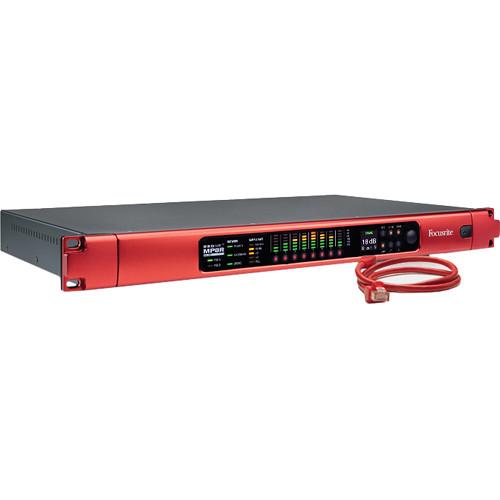 Contents of the user manual for the Focusrite RedNet MP8R 8-Channel Remote-Controlled Mic
- Product category: Accessories Focusrite
- Brand: Focusrite
- Description and content of package
- Technical information and basic settings
- Frequently asked questions – FAQ
- Troubleshooting (does not switch on, does not respond, error message, what do I do if...)
- Authorized service for Focusrite Accessories
 |
User manual for the Focusrite RedNet MP8R 8-Channel Remote-Controlled Mic contain basic instructions
that need to be followed during installation and operation.
Before starting your appliance, the user manual should be read through carefully.
Follow all the safety instructions and warnings, and be guided by the given recommendations.
User manual is an integral part of any Focusrite product,
and if it is sold or transferred, they should be handed over jointly with the product.
Following the instructions for use is an essential prerequisite for protecting
health and property during use, as well as recognition of liability on the part of the manufacturer
for possible defects should you make a warranty claim. Download an official Focusrite user manual in which you will find instructions on how to install, use, maintain and service your product.
And do not forget – unsuitable use of a Focusrite product will considerably shorten its lifespan!
|
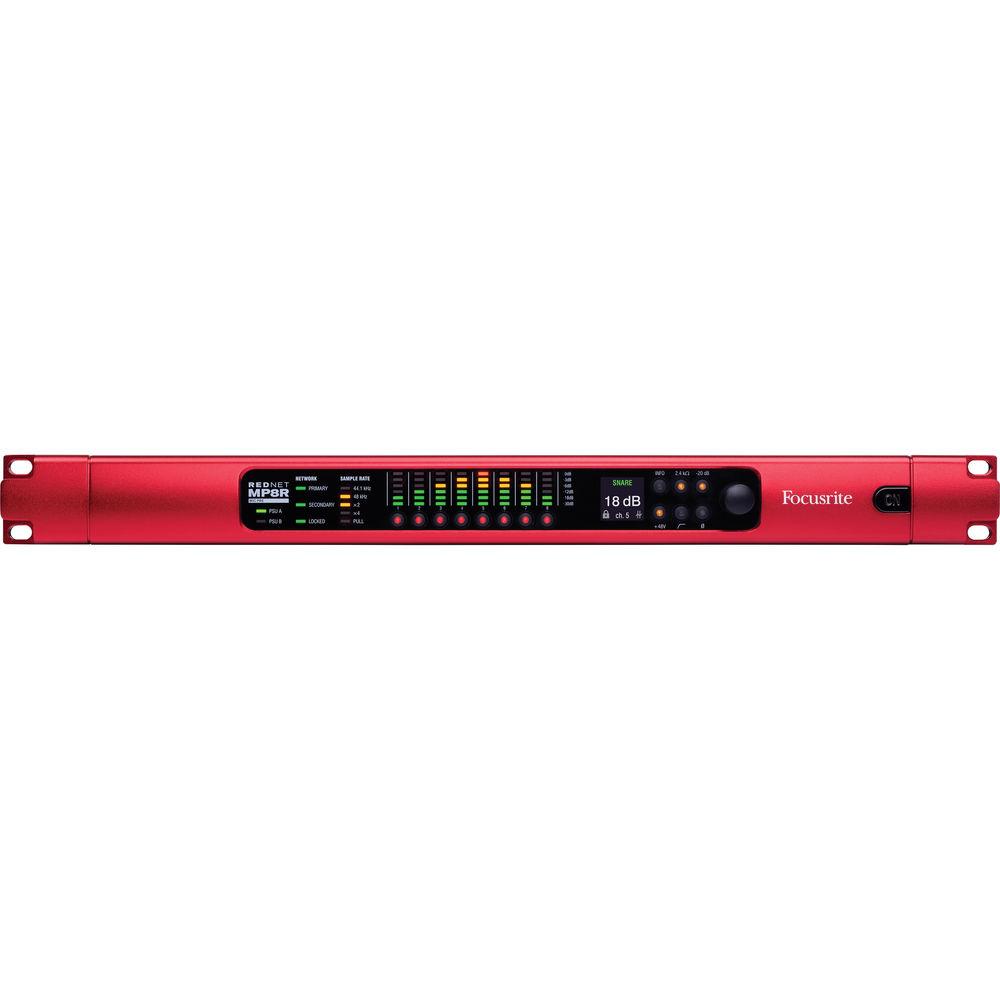
Product description The RedNet MP8R from Focusrite is an 8-channel remote-controlled microphone preamplifier and A/D for the Dante audio-over-IP network. The MP8R was developed from the RedNet 4 studio remote-controlled microphone preamp, and incorporated improvements from the considerable input of leading live sound practitioners during its development. The unit provides a wealth of features that make it particularly applicable to the live sound/recording and broadcast environments, and other workflows where reliability is paramount.
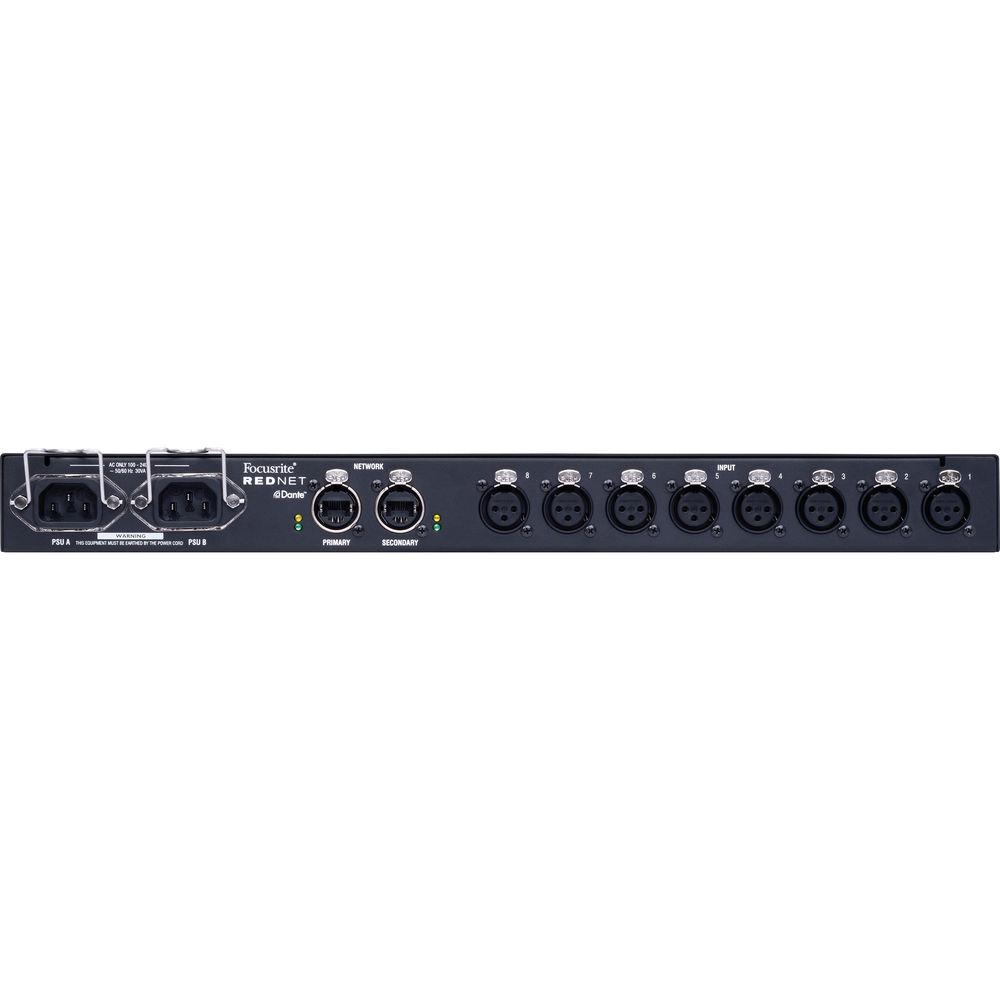
Dual Ethernet ports with locking etherCON connectors are provided, with several operating modes including daisy-chaining and redundancy confirmed by front-panel indicators. Two separate power supplies with fault detection capability are included, with separate power input sockets (with retaining clips) on the rear of the unit. The state of each power supply is indicated both remotely and on the front panel.
The MP8R features a rugged, roadworthy exterior and internal build quality. In addition, the unit offers a compact 1U rack-mount form factor.
The MP8R preamps utilize Focusrite's well-known mic pre designs,with a pedigree that stretches back to the original Focusrite products of the mid-1980s. Fully keeping pace with the latest developments in audio technology, today's Focusrite preamps offer lower noise, improved dynamic range, and better Common Mode Rejection. The preamps in the MP8R offer an increased maximum input level of 28 dBu, plus a 20 dB pad, high-pass filter, polarity inversion, and phantom power. Each preamp has a dual-input impedance of 2.4 or 10 kOhms, allowing flexibility when running multiple mic pres in parallel. - Built-in redundancy with dual power and network connections
- Rugged roadworthy all-metal construction, high build quality, locking power and etherCON Ethernet connectors
- Eight Focusrite remote-controlled preamps with enhanced input level capability, and dual input impedance to deliver maximum performance when one mic feeds single or multiple pres
- Two outputs from each preamp: one direct and the other automatically gain-compensated to deliver a constant level
- 20 dB pad, HPF, and polarity inversion per input
- Operate locally, or remotely via RedNet Control software, Pro Tools, MIDI, or OCA (Open Control Architecture - available via firmware update)
- Precision low-latency conversion at up to 24-bit/192 kHz, with a large dynamic range and high-quality audio
- 6-segment LED level meters; OLED display indicates input gain and system information
- Total interoperability with other Dante products and networks
- DSP Gain Tracking
- The MP8R includes a sophisticated gain tracking ability, appearing as a 16-channel device on the network, the first eight channels being direct preamp feeds, while the remaining eight are automatically DSP level-compensated outputs sourced from the first eight. This architecture allows "splits" – such as monitor/FOH – to be set up in the digital domain, permitting one engineer to control the analogue mic gain while a second receives an output level that is constant irrespective of the analogue mic gain setting.
- Local or Remote Control
- The preamps may be controlled remotely in a variety of ways, including via the RedNet Control software package, Pro Tools and MIDI, and OCA (Open Control Architecture – supported via firmware upgrade); in addition, the preamps can be operated from the MP8R front panel, where 6-segment level metering, numeric gain display, and other indicators provide comprehensive monitoring of the unit's operation.
- High-Precision Conversion
- Following the mic pres are eight channels of Focusrite's well-known high-precision A/D converters, operating at up to 192 kHz/24-bit with minimum latency and offering improved dynamic range and overall performance.
- Full Dante Interoperability
- Like the entire RedNet product range, the MP8R interoperates seamlessly and fully with any other Dante audio-over-IP network components and infrastructure. Patching and interconnection can be managed with the Dante control software.
UPC: 815301013099 In the Box Focusrite RedNet MP8R 8-Channel Remote-Controlled Mic Pre and A/D for Dante 2 x IEC AC Mains Cables 2 x IEC Mains Cable Retaining Clips Limited 2-Year Warranty Table of Contents
|
Upload User Manual
Have you got an user manual for the Focusrite RedNet MP8R 8-Channel Remote-Controlled Mic Pre and A D for Dante in electronic form? Please send it to us and help us expand our library of instruction manuals.
Thank you, too, on behalf of other users.
To upload the product manual, we first need to check and make sure you are not a robot. After that, your "Submit Link" or "Upload File" will appear.
Technical parametersFocusrite REDNET-MP8R Specs | Microphone Inputs | Specifications:
Gain Range: 0 to 55 dB in 1 dB steps
Type: Electronically balanced, Zin = 2.4/10 kOhms (switchable)
Maximum Input Level: 29 dBu ±0.5; minimum gain with pad for 0 dBFS, Rs = 150 ohms
Minimum Input Level: -46 dBu ±0.5; maximum gain without pad for 0 dBFS, Rs = 150 ohms
Frequency Response: 20 Hz to 55 kHz ±0.1 dB
THD + N: -98 dB (0.0012%) @ -1 dBFS, Rs = 150 ohms
EIN: -129 dBu 'A'-Weighted (typical), Rs = 150 ohms
Signal-to-Noise Ratio: 118 dB 'A'-Weighted (typical), Rs = 150 ohms
Phantom Power: +48 V, independently switchable per channel
Pad: -20 dB, independently switchable per channel
High Pass Filter: -6 dB @ 65 ± 3 Hz, 12 dB/Octave, independently switchable per channel
Crosstalk: < -100 dB, 20 Hz to 20 kHz; minimum input gain | | Connectors (Rear Panel) | 8 x XLR3 female analog audio microphone inputs
2 x etherCON locking Ethernet connectors (compatible with standard RJ45 connectors)
2 x IEC power inputs (with retaining clips) | | Digital Performance | Supported Sample Rates: 44.1, 48, 88.2, 96, 176.4, 192 kHz (-4, -0.1, +0.1, +4.167%) at 24 bit
Clock Sources: Internal or from network master device | | Front Panel Controls | Power on/off
Channel select buttons (1 to 8)
Illuminated Buttons: Info, 2.4/10 kOhm input impedance, 20 dB pad, +48 V Phantom Power, HPF, and Polarity
Gain setting knob | | Indicators | PSU A and PSU B power supply active LEDs
Network: Primary, Secondary, and Locked LEDs
Sample Rate: 44.1 kHz, 48 kHz, x2, x4 and Pull LEDs
8 x 6-segment level displays
Gain (dB) and status indication for selected channel via OLED display
Illuminated Buttons:
Info (displays device data on OLED panel)
2.4 kOhm input impedance
-20 dB, +48 V, HPF, and Polarity | | Network Modes | Redundant: Allows unit to connect two independent networks.
Switched: Connects both ports to integrated network switch, allowing daisy-chaining of devices. | | PSU | 2 x internal; IEC inputs, 100 to 240 VAC, 50/60 Hz
Apparent Power: 30 VA | | Dimensions (H x W x D) | 1.75 x 19 x 15.51" (44.5 x 482.6 x 394 mm) | | Weight | 12.68 lb (5.75 kg) | | | | Package Weight | 19.65 lb | | Box Dimensions (LxWxH) | 26.1 x 21.968 x 4.803" |
Rating60% users recommend this product to others. And what about you?

This product has already been rated by 59 owners. Add your rating and experience with the product.
Discussion
 Ask our technicians if you have a problem with your settings,
or if anything is unclear in the user manual you have downloaded.
You can make use of our moderated discussion.
The discussion is public and helps other users of our website who may be encountering similar problems.
Ask our technicians if you have a problem with your settings,
or if anything is unclear in the user manual you have downloaded.
You can make use of our moderated discussion.
The discussion is public and helps other users of our website who may be encountering similar problems.
The discussion is empty - enter the first post
Post a new topic / query / comment:
|
|
|
| Request for user manual |
You can’t find the operation manual you are looking for? Let us know and we will try to add the missing manual:
I’m looking for a manual / Request for manual
Current requests for instruction manuals:
Call Of Duty World War Two For Xbox...
controller stratus XL...
stratus XL...
smart whatch serie S11 42mm...
Allen & Heath SQ-6 manual...
|
| Discussion |
Latest contributions to the discussion:
AEW R 4100
Name: MAURICIO ANGARITA
Audio-Technica AEW-R4100 UHF Diversity Receiver for
AEW R 4100 has the mute function blocked and does not allow audio to pass. I tried several times to turn off the mute from the transmitter but it does nothing, the mute stays on. Solution?
Thank you...
Instructions for assembling the 2015 Forecast Image Master Consoles GC3-A
Name: mike elam
Forecast Consoles GC3-A ImageMaster Editing Console
Looking for instructions for assembling this console. ...
EMPTY TONER ERROR MESSAGE AFTER REPLACING TONER
Name: LINDA BAD YELLOW EYES
Brother TN223BK Standard-Yield Toner
I HAD TO CHANGE OUT ALL THREE TONERS DUE TO LEAKS IN THE YELLOW AND CYAN. AFTER I REPLACED THEM, THE MACHINE KEEPS GIVING ME AN EMPTY TONER ERROR MESSAGE. HELP!!...
PS480D 20/24 pin Switching 480W Power Supply
Name: swkargo
Logisys 480W Power Supply
This item states in can run -5vdc .It is NOT listed on the board or I beleive is r4 is missing the resitior. Any body have thid issue. Shawn
...
Help needed
Name: Ann Carter
SanDisk 1TB Extreme Portable USB 3.1
When I click the link to download the user manual for my Sandisk Extreme external hard drive, it gives me the manual for the LG Cricket. Can you please change the link so I can download the Sandisk manual and begin using this drive? Thank you....
|
|


