|
User Manual for For.A HVS-110 HD SD Portable Video Switcher Click to enlarge the picture
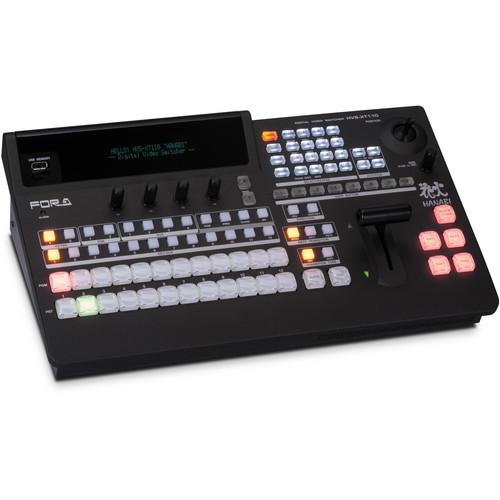 Contents of the user manual for the For.A HVS-110 HD SD Portable Video
- Product category: Production Switchers For.A
- Brand: For.A
- Description and content of package
- Technical information and basic settings
- Frequently asked questions – FAQ
- Troubleshooting (does not switch on, does not respond, error message, what do I do if...)
- Authorized service for For.A Production Switchers
 |
User manual for the For.A HVS-110 HD SD Portable Video contain basic instructions
that need to be followed during installation and operation.
Before starting your appliance, the user manual should be read through carefully.
Follow all the safety instructions and warnings, and be guided by the given recommendations.
User manual is an integral part of any For.A product,
and if it is sold or transferred, they should be handed over jointly with the product.
Following the instructions for use is an essential prerequisite for protecting
health and property during use, as well as recognition of liability on the part of the manufacturer
for possible defects should you make a warranty claim. Download an official For.A user manual in which you will find instructions on how to install, use, maintain and service your product.
And do not forget – unsuitable use of a For.A product will considerably shorten its lifespan!
|
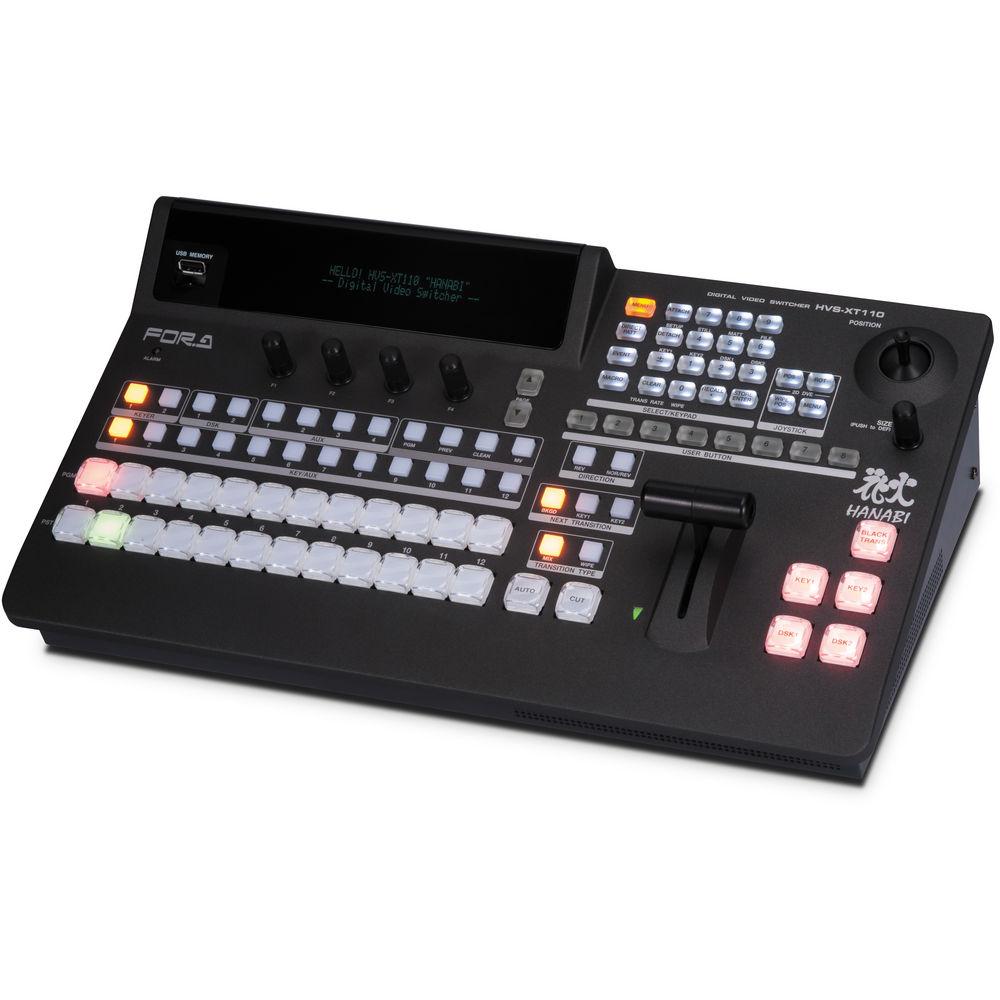
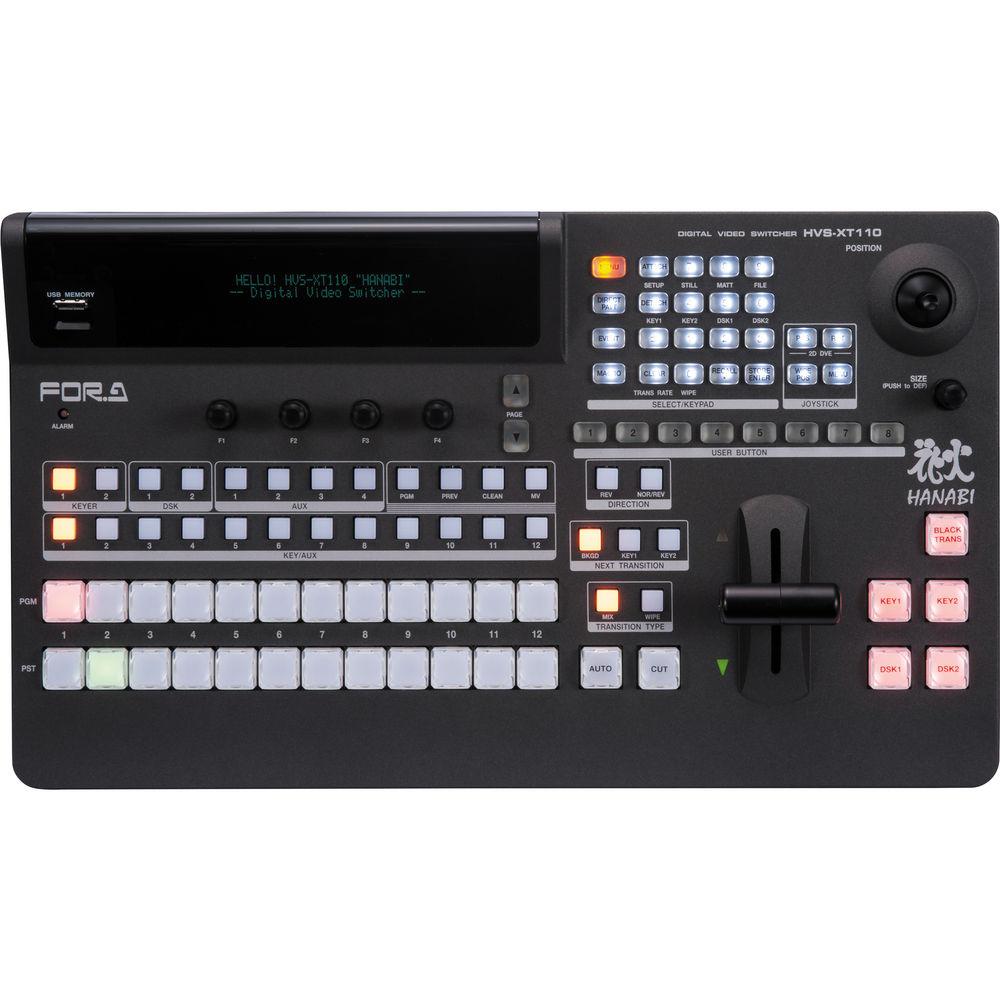
Product description The HVS-110 HD/SD Portable Video Switcher from For.A is a compact and portable unit that incorporates a range of functions and features including mixed SD/HD input, frame synchronizing, re-sizing engine, 2.5D wipe effects, DVE, keyer with chroma key, and DSK. The switcher also includes a built-in Web server that lets you change settings from a PC or tablet. A clip memory feature has been added to the still store to support elaborate performances such as through the use of CG wipes, while the multi-viewer meets a diverse range of monitoring needs.
The switcher combines the main unit and control panel into a compact and portable unit. With its ample amount of video input and output functionality, the HVS-110 is suitable for a variety of locations, including live events, ports, news studio, OB vans, helicopters, editorial offices, and presentation venues. Despite being portable, a redundant power source is also possible using an AC adapter (sold separately). - 12 Inputs; 6 + 1 Outputs
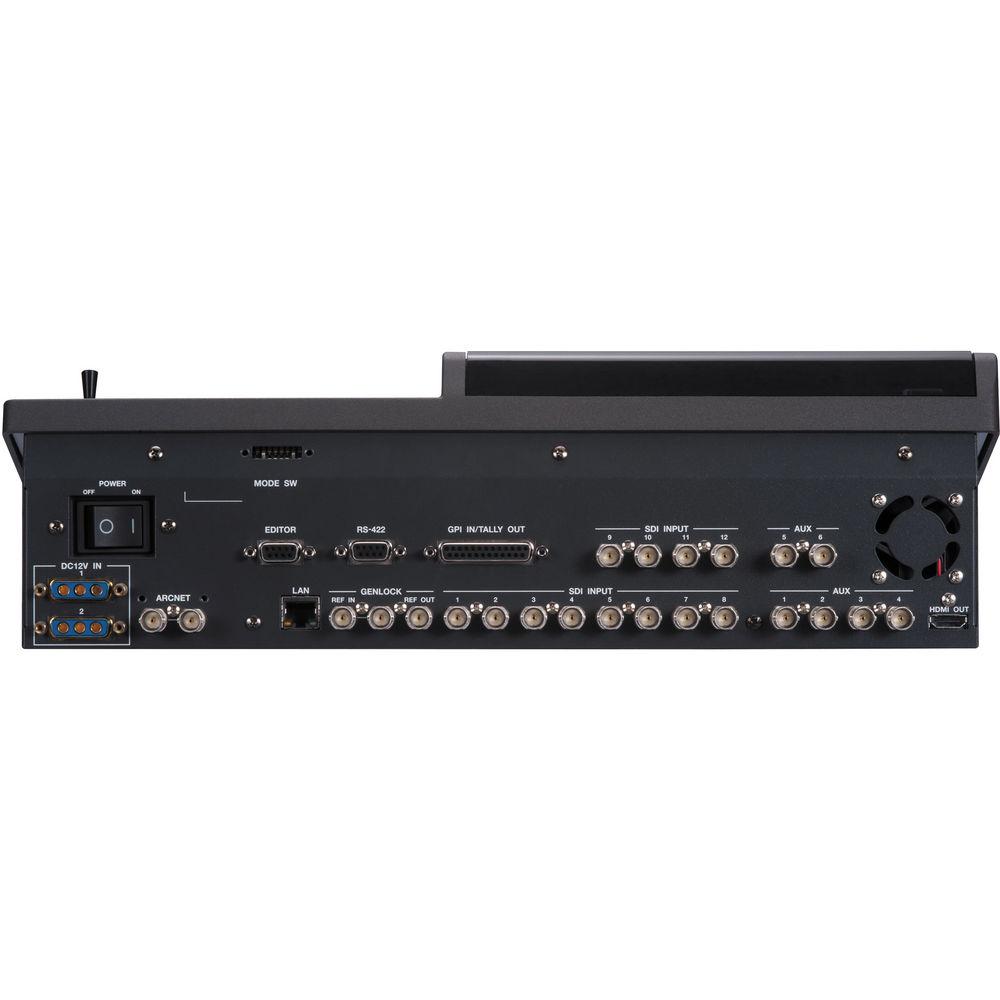
- 12 HD/SD SDI inputs, 8 HD/SD SDI outputs, and 1 HDMI output come standard. Mixed HD/SD input is also supported in the standard configuration, and the 9 outputs can all be freely assigned.
- Frame Synchronizers
- Eight inputs in the HVS-110 are fitted with frame synchronizers that enable switching of asynchronous video signals. Installation of optional expansion cards supports asynchronous picture input from PCs, etc. Each input is also equipped with a process amplifier capable of adjusting the video level and chroma level, etc. of the input signal.
- Re-Sizing Engine
- A re-sizing engine (expansion) is provided on 4 of the standard inputs. This achieves a fully mixed SD/HD environment with a switcher alone, with no need to connect any external equipment such as an up-converter. This is readily suitable for re-sizing not only SD signals but also PC video.
- 2 Keyers and 2 DSKs
- The mixer features 2 keyers, 2 DSKs, and 4 2.5D DVE engines. The keyer has a chroma key function. A chroma keyer can be assigned to any one of the two M/E keyers or two downstream keyers. The 4 DVE engines can be assigned to any keyer or used for functions such as transitions. With their standard 2.5D ability, allows flexible creativity for the operator to enhance productions.
- Abundant Transitions and DVEs
- Cut, mix, and wipe can be chosen for the transition. Diverse DVE wipes include 100 2.5D wipe patterns and page turn. Along with wipes, effects like mosaic and defocus are also provided.
- 2 Still/Clip Stores
- Each store can hold up to 227 frames of HD video. Images can be recorded and played back from incoming video or PGM o/p, or animations transferred over FTP (.bmp, .jpeg, .tga sequences). Clip store images can be used as CG wipe transitions, to further enhance possibilities and add production value. In addition, should both stores be used for clips, then still images can still be used as well, by the standard feature of using some of the inputs as still stores.
- Multi-Viewer
- Display channels can be freely assigned, allowing assignment of not only input source but also PGM output. Each channel offers title display and tally display functions. The multi-viewers lets you display 2, 4, 5, 7, 9, 10, 11, or 16 sources at once.
- Event Memory and User Button
- The main unit is equipped with an event memory function allowing up to 100 events to be stored. Event memories can be simply recalled by the user buttons. Mixer set-ups and useful operational tools such as key set up and DVE position/size can all be stored in event memories. You can freely set the transition time and effect for loading events. By setting up in advance, event memories can bring extra power and creativity, simply by pressing buttons during the live event. User buttons can also be used for many other features, such as instant navigation to a selectable menu page, grab a still, send a GPI, and preview a key.
- Macro Function
- A macro function enables you to store and register a series of operations and then perform complicated operations with the push of a button.
- Freely Assignable DSK
- You can assign 2 DSK channels to either PGM, PST, or AUX. This unit not only supports M/E and P/P bus, but also AUX bus transition switching. As a result, when displaying videos on a separate monitor besides the main system, you can actively use AUX to expand the range of your production.
- External Interfaces
- External interfaces include GPI port supporting up to 24 inputs/outputs and two RS-422 ports as standard. The RS-422 ports support for connecting an HVS-30RU remote unit, tally expansion boxes, device specific VDCP, VTR, MFR routers, or TSL. An Ethernet port is used during PC control. An editor interface option allows you to connect to an editor/automation system or other external control system.
- GUI Control Function
- A built-in Web server enables switcher settings to be changed from a PC via a network. Mobile and tablet devices can also be used through a wireless access point.
- Redundant Power Supply
- An optional redundant AC adapter enables doubling-up of power source. An enlarged fan and improved exhaust process provides quiet operation, making it suitable for installation near the control panel or in quiet environments.
- Additional Features
-
- Safety area marker display
- Built-in color bar display
- Built-in matte generation
In the Box For.A HVS-110 HD/SD Portable Video Switcher AC Power Adapter Limited 1-Year Warranty Table of Contents
|
Upload User Manual
Have you got an user manual for the For.A HVS-110 HD SD Portable Video Switcher in electronic form? Please send it to us and help us expand our library of instruction manuals.
Thank you, too, on behalf of other users.
To upload the product manual, we first need to check and make sure you are not a robot. After that, your "Submit Link" or "Upload File" will appear.
Technical parametersFor.A HVS-XT110 Specs | Video Formats | 1080/59.94i, 1080/50i, 1080/24PsF, 1080/23.98PsF, 1080/25PsF, 1080/29.97PsF, 720/59.94p, 720/50p, 525/60 (NTSC), 625/50 (PAL)
Optional expansion card is required to support 1080/59.94p and 1080/50p. | | Video Input | 12 x SD/HD-SDI, BNC, 75Ω (FSs on 8 inputs, re-size engines on 4 inputs) | | Video Output | 8 x SD/HD-SDI, BNC, 75Ω 1 x HDMI | | Signal Processing | 4: 2: 2: 4, digital component | | Quantization | HD/SD-SDI: 10-bit | | Effect | WIPE: 100 patterns, border and softness / 2.5D DVE: 56 patterns or more DVE WIPEs | | Transitions | Available Controller: Fader controller, AUTO or CUT button / Type: MIX or WIPE (DVE included) | | Still Store | 2 channels (with backup feature)
Each store can hold up to 227 frames of HD video | | Keyer/DSK | 4 channels (KEYER x 2 + DSK x 2), includes 2D DVE that can be freely assigned
KEYER: Chroma key and Edge effect | | Multi-viewer | 2/4/5/7/9/10/11/16-way split | | Processing Amplifier | Equipped with all inputs | | Event Memory | 100 events (complementary transition available when loading events) | | Macro | 30 commands (up to 230 series of operations can be registered per command) | | Genlock Input | 1 x BNC, 75Ω loop-through (to be terminated with 75 Ω terminator, if unused)
Black burst: NTSC: 0.429 Vpp
PAL: 0.45 Vpp
Tri-level Sync: 0.6 Vpp | | System Phase Adjust | Horizontal: -1/2H to +1/2H | | Genlock Output | 1 x BNC, 75Ω Black burst:
NTSC: 0.429 Vpp
PAL: 0.45 Vpp
Tri-level Sync: 0.6 Vpp | | I/O Delay | 1H (minimum delay)
1 to 2 frames +1H (when FS or re-size engine used)
2 to 3 frames +1H (when FS or re-size engine plus DVE used)
3 to 4 frames +1H (when FS or re-size engine plus output re-size engine and DVE used) | | External Memory | USB flash drive | | Interface | 1 x RJ-45, Ethernet (10/100Base-TX)
1 x 25GPI-IN/OUT, 25-pin D-sub (female) (24 inputs/24 outputs), TTL negative logic pulse or Make-contact
1 x RS-422, 9-pin D-sub (female) (for the HVS-30RU and tally unit connection or EDITOR port (BVS-3000 and GVG-100 protocols)
ARCNET (optional): 2 x BNC, 75Ω loop-through (to be terminated with 75Ω terminator, if unused; sold separately) | | Temperature / Humidity | 32 to 104°F (0 to 40°C) / 10 to 90% (no condensation) | | Power / Consumption | 100 to 240 VAC ±10%, 50/60 Hz
Approx. 190 W | | Consumables | Power supply unit (to be replaced every 5 years)
Cooling fan (to be replaced every 6 years) | | Dimensions (W x H x D) | Approximately 16.5 x 5.1 x 9.7" (420.0 x 129.3 x 246.0 mm) | | Weight | Approximately 8.8 lb (4.0 kg) | | | | Package Weight | 19.85 lb | | Box Dimensions (LxWxH) | 22.6 x 15.7 x 13.3" |
Rating80% users recommend this product to others. And what about you?

This product has already been rated by 42 owners. Add your rating and experience with the product.
Discussion
 Ask our technicians if you have a problem with your settings,
or if anything is unclear in the user manual you have downloaded.
You can make use of our moderated discussion.
The discussion is public and helps other users of our website who may be encountering similar problems.
Ask our technicians if you have a problem with your settings,
or if anything is unclear in the user manual you have downloaded.
You can make use of our moderated discussion.
The discussion is public and helps other users of our website who may be encountering similar problems.
The discussion is empty - enter the first post
Post a new topic / query / comment:
|
|
|
| Request for user manual |
You can’t find the operation manual you are looking for? Let us know and we will try to add the missing manual:
I’m looking for a manual / Request for manual
Current requests for instruction manuals:
Call Of Duty World War Two For Xbox...
controller stratus XL...
stratus XL...
smart whatch serie S11 42mm...
Allen & Heath SQ-6 manual...
|
| Discussion |
Latest contributions to the discussion:
AEW R 4100
Name: MAURICIO ANGARITA
Audio-Technica AEW-R4100 UHF Diversity Receiver for
AEW R 4100 has the mute function blocked and does not allow audio to pass. I tried several times to turn off the mute from the transmitter but it does nothing, the mute stays on. Solution?
Thank you...
Instructions for assembling the 2015 Forecast Image Master Consoles GC3-A
Name: mike elam
Forecast Consoles GC3-A ImageMaster Editing Console
Looking for instructions for assembling this console. ...
EMPTY TONER ERROR MESSAGE AFTER REPLACING TONER
Name: LINDA BAD YELLOW EYES
Brother TN223BK Standard-Yield Toner
I HAD TO CHANGE OUT ALL THREE TONERS DUE TO LEAKS IN THE YELLOW AND CYAN. AFTER I REPLACED THEM, THE MACHINE KEEPS GIVING ME AN EMPTY TONER ERROR MESSAGE. HELP!!...
PS480D 20/24 pin Switching 480W Power Supply
Name: swkargo
Logisys 480W Power Supply
This item states in can run -5vdc .It is NOT listed on the board or I beleive is r4 is missing the resitior. Any body have thid issue. Shawn
...
Help needed
Name: Ann Carter
SanDisk 1TB Extreme Portable USB 3.1
When I click the link to download the user manual for my Sandisk Extreme external hard drive, it gives me the manual for the LG Cricket. Can you please change the link so I can download the Sandisk manual and begin using this drive? Thank you....
|
|


