User Manual for GEOVISION GV-SNVR0811 8-Channel 4K UHD NVR Click to enlarge the picture
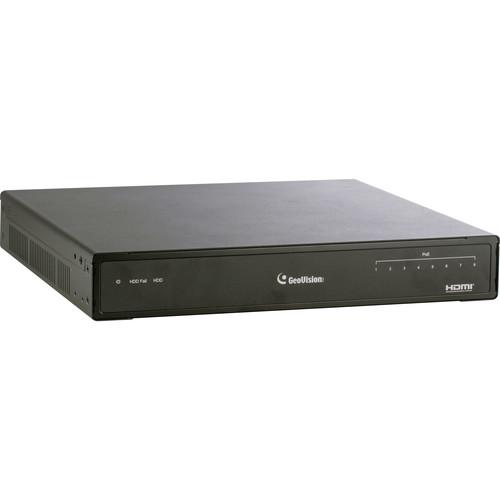 Contents of the user manual for the GEOVISION GV-SNVR0811 8-Channel 4K UHD NVR
- Product category: Network Video Recorders (NVRs) GEOVISION
- Brand: GEOVISION
- Description and content of package
- Technical information and basic settings
- Frequently asked questions – FAQ
- Troubleshooting (does not switch on, does not respond, error message, what do I do if...)
- Authorized service for GEOVISION Network Video Recorders (NVRs)
 |
User manual for the GEOVISION GV-SNVR0811 8-Channel 4K UHD NVR contain basic instructions
that need to be followed during installation and operation.
Before starting your appliance, the user manual should be read through carefully.
Follow all the safety instructions and warnings, and be guided by the given recommendations.
User manual is an integral part of any GEOVISION product,
and if it is sold or transferred, they should be handed over jointly with the product.
Following the instructions for use is an essential prerequisite for protecting
health and property during use, as well as recognition of liability on the part of the manufacturer
for possible defects should you make a warranty claim. Download an official GEOVISION user manual in which you will find instructions on how to install, use, maintain and service your product.
And do not forget – unsuitable use of a GEOVISION product will considerably shorten its lifespan!
|
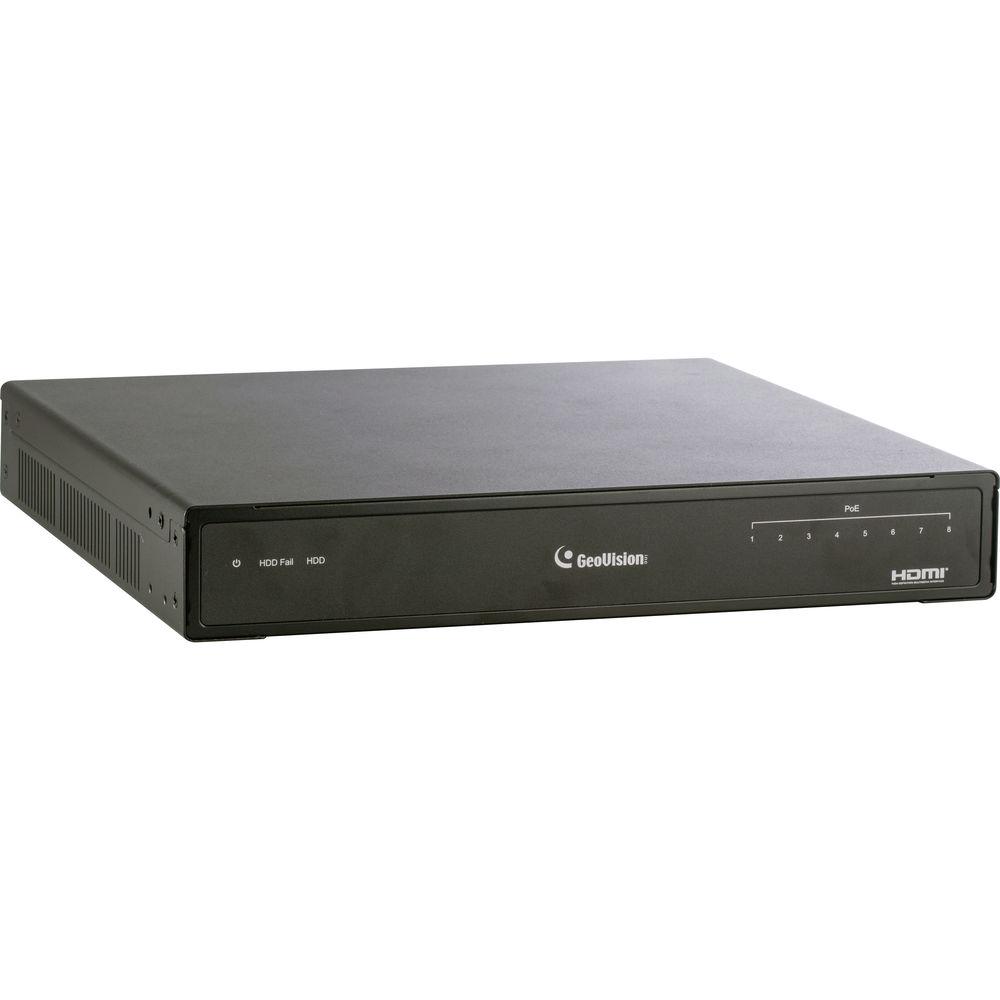
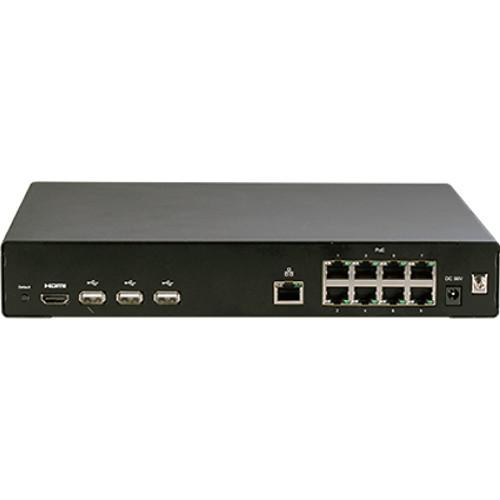
Product description The GV-SNVR0811 8-Channel 4K UHD NVR from GEOVISION records video files directly to an internal hard drive up to 8TB (available separately). An integrated PoE+ switch receives video from and transmits power to up to eight IP cameras over a single cable, simplifying connectivity. Featuring an HDMI video output, this recorder eliminates the need for a separate computer to view and play back recorded footage. Three integrated USB 2.0 ports allow you to connect peripherals as well as a USB flash drive, which can be used to update firmware, save snapshots, and back up video in AVI format. - Eight channels of video recording
- Up to 3840 x 2160 resolution for each channel
- 8-Port PoE+ (IEEE 802.3at) for camera connection
- 1 x 3.5" SATA HDD bay for up to 8TB storage (HDD available separately)
- Automatic search and setup for IP cameras
- Support for third-party IP cameras through ONVIF and RTSP protocols
- Continuous, motion, and scheduled recordings
- Display of HDD status and system temperature
- DST (Daylight Saving Time) support
- NTP (Network Time Protocol) support
- GEOVISION DDNS server support
- Email notification for recording error and password retrieval
- Remote live view through web browser
- Support for GV-Video server through RTSP protocol
- PTZ control using GV-joystick (available separately) or onscreen panel
- Smart device access (iOS and Android)
In the Box GEOVISION GV-SNVR0811 8-Channel 4K UHD NVR (No HDD) AC Power Cord AC/DC Adapter SATA Cable HDD Power Cable 4 x Screws for HDD USB Mouse Limited 2-Year Warranty Table of Contents
|
Upload User Manual
Have you got an user manual for the GEOVISION GV-SNVR0811 8-Channel 4K UHD NVR in electronic form? Please send it to us and help us expand our library of instruction manuals.
Thank you, too, on behalf of other users.
To upload the product manual, we first need to check and make sure you are not a robot. After that, your "Submit Link" or "Upload File" will appear.
Technical parametersGEOVISION GV-SNVR0811 Specs | | | Channels | 8 | | Video Compression | H.264, H.265 | | Video Streams | Dual streams | | Video Output Resolution | 3840 x 2160 and 1920 x 1080 | | Screen Division | 1, 4, 6, 8, or 9 | | Audio Compression | G.711 | | Audio Support | Yes | | Firmware | V2.61 | | Video Resolution Supported | Main Stream
4:3: 2592 x 1944, 2560 x 2048, 2560 x 1920, 2048 x 1536, 2048 x 1520, 1600 x 1200, 1280 x 960, 640 x 480, and 320 x 240
16:9 (Default): 3840 x 2160, 2592 x 1520, 2560 x 1440, 2304 x 1296, 1920 x 1080, 1280 x 720, and 448 x 252
5:4: 1280 x 1024, 640 x 512 , and 320 x 256
20:19 (Fisheye Camera Only): 2176 x 2048, 2048 x 1944, 1792 x 1696, 1440 x 1376, and 1280 x 1200
Sub Stream
4:3: 1024 x 768, 960 x 720, 640 x 480, and 320 x 240
16:9 (Default): 1280 x 720, 640 x 360, and 448 x 252
5:4: 1280 x 1024, 640 x 512, and 320 x 256
20:19 (Fisheye Camera Only): 640 x 608 | | Maximum Bandwidth | 80 Mb/s for 8 channels | | Recording Modes | Round the clock, motion detection, and schedule recording | | Pre Recording | 1 to 10 seconds | | Post Recording | 30 seconds | | Instant Playback | 3 minutes | | Backup Type | USB flash drive, FAT32 format | | Languages | Czech, English, Finnish, French, German, Hungarian, Italian, Japanese, Portuguese, Russian, Slovakian, Slovenian, Spanish, and Traditional Chinese | | Firmware Upgrade | Through OSD or GV-IP device utility | | Network Type | LAN, WAN, and Internet | | Protocol | DHCP, DynDNS, HTTP, NTP, ONVIF, RTSP, TCP, and UDP | | Power Restoration | Automatic restart after power outage | | Monitoring | Software Watchdog | | Live View | 18 channels | | Monitoring | Via IE browser, SNVR viewer for non-IE browsers, and mobile app | | Smart Device Access | GV-Eye for iOS and Android | | Web Browser Access | Live view, image snapshot, picture-in-picture, picture and picture, and digital PTZ | | | | Operating System | Embedded Linux | | Number of Drive Bays | 1 x 3.5" HDD bay, up to 8 TB capacity (HDD available separately) | | Power Source | Input: 100 to 240 VAC, 50 to 60 Hz
Output: 56 VDC, 2.32 A, 130 W max.
PoE: 100 W max. | | Ethernet Connectivity | 1 x port for WAN, RJ45 10/100 Mb/s
8 x ports for LAN, RJ45 10/100 Mb/s, and PoE+ (IEEE 802.3at) | | Video Output Connector | HDMI | | USB | 3 x USB 2.0 ports (rear) | | LED Indicators | NVR: 3 x LEDs for power, HDD error, and HDD status
PoE: 8 x LEDs for each port | | Operating Temperature | 32 to 122°F / 0 to 50°C | | Humidity | 0 to 80% RH (non-condensing) | | Regulatory | FCC, CE, and RoHS compliant | | Dimensions | 11.02 x 10.43 x 1.73" / 28.0 x 26.5 x 4.4 cm | | Weight | 3.52 lb / 1.6 kg | | | | Package Weight | 6.0 lb | | Box Dimensions (LxWxH) | 16.1 x 13.25 x 3.25" |
Rating80% users recommend this product to others. And what about you?

This product has already been rated by 77 owners. Add your rating and experience with the product.
Discussion
 Ask our technicians if you have a problem with your settings,
or if anything is unclear in the user manual you have downloaded.
You can make use of our moderated discussion.
The discussion is public and helps other users of our website who may be encountering similar problems.
Ask our technicians if you have a problem with your settings,
or if anything is unclear in the user manual you have downloaded.
You can make use of our moderated discussion.
The discussion is public and helps other users of our website who may be encountering similar problems.
The discussion is empty - enter the first post
Post a new topic / query / comment:
|
|


