|
User Manual for Grass Valley EDIUS Pro 9 Click to enlarge the picture
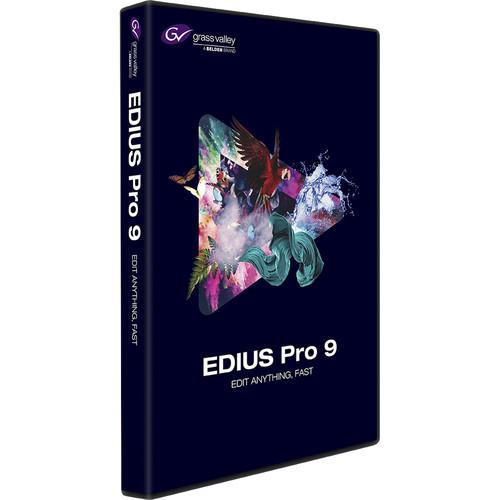 Contents of the user manual for the Grass Valley EDIUS Pro 9
- Product category: Video Editing Grass Valley
- Brand: Grass Valley
- Description and content of package
- Technical information and basic settings
- Frequently asked questions – FAQ
- Troubleshooting (does not switch on, does not respond, error message, what do I do if...)
- Authorized service for Grass Valley Video Editing
 |
User manual for the Grass Valley EDIUS Pro 9 contain basic instructions
that need to be followed during installation and operation.
Before starting your appliance, the user manual should be read through carefully.
Follow all the safety instructions and warnings, and be guided by the given recommendations.
User manual is an integral part of any Grass Valley product,
and if it is sold or transferred, they should be handed over jointly with the product.
Following the instructions for use is an essential prerequisite for protecting
health and property during use, as well as recognition of liability on the part of the manufacturer
for possible defects should you make a warranty claim. Download an official Grass Valley user manual in which you will find instructions on how to install, use, maintain and service your product.
And do not forget – unsuitable use of a Grass Valley product will considerably shorten its lifespan!
|
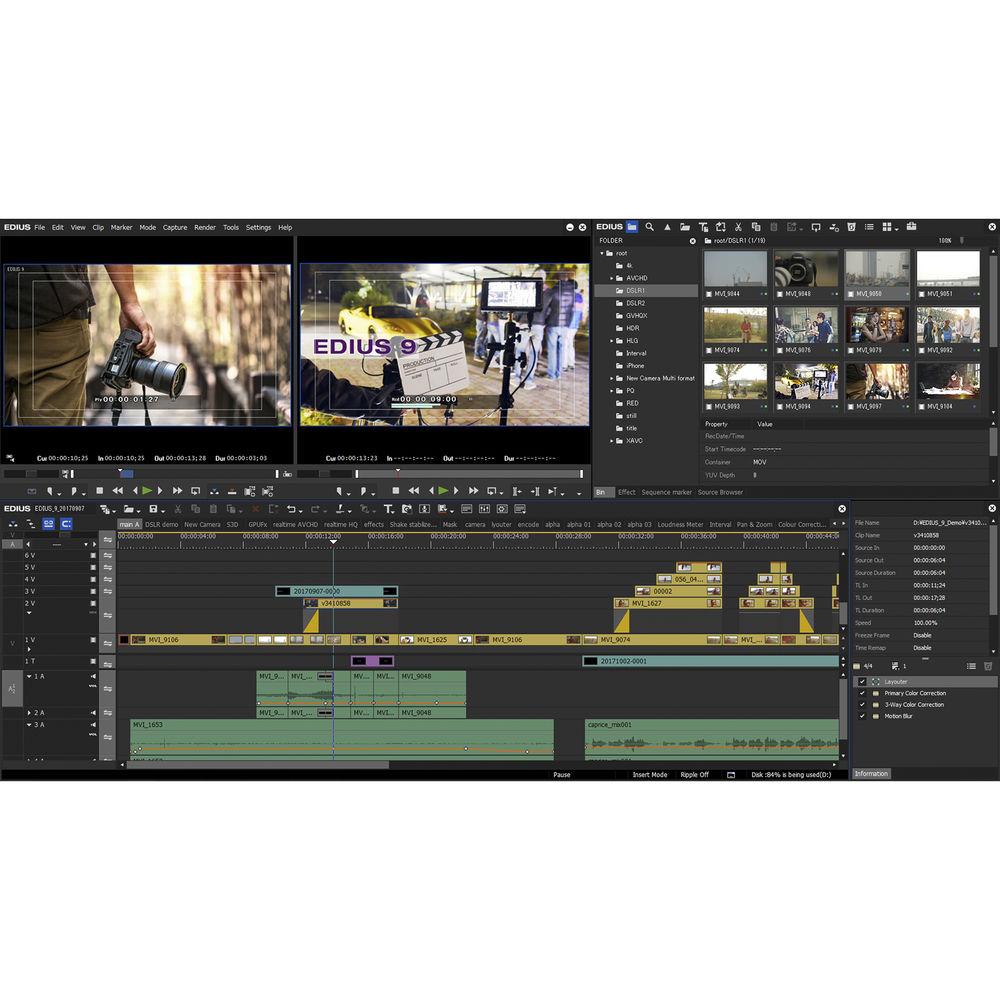
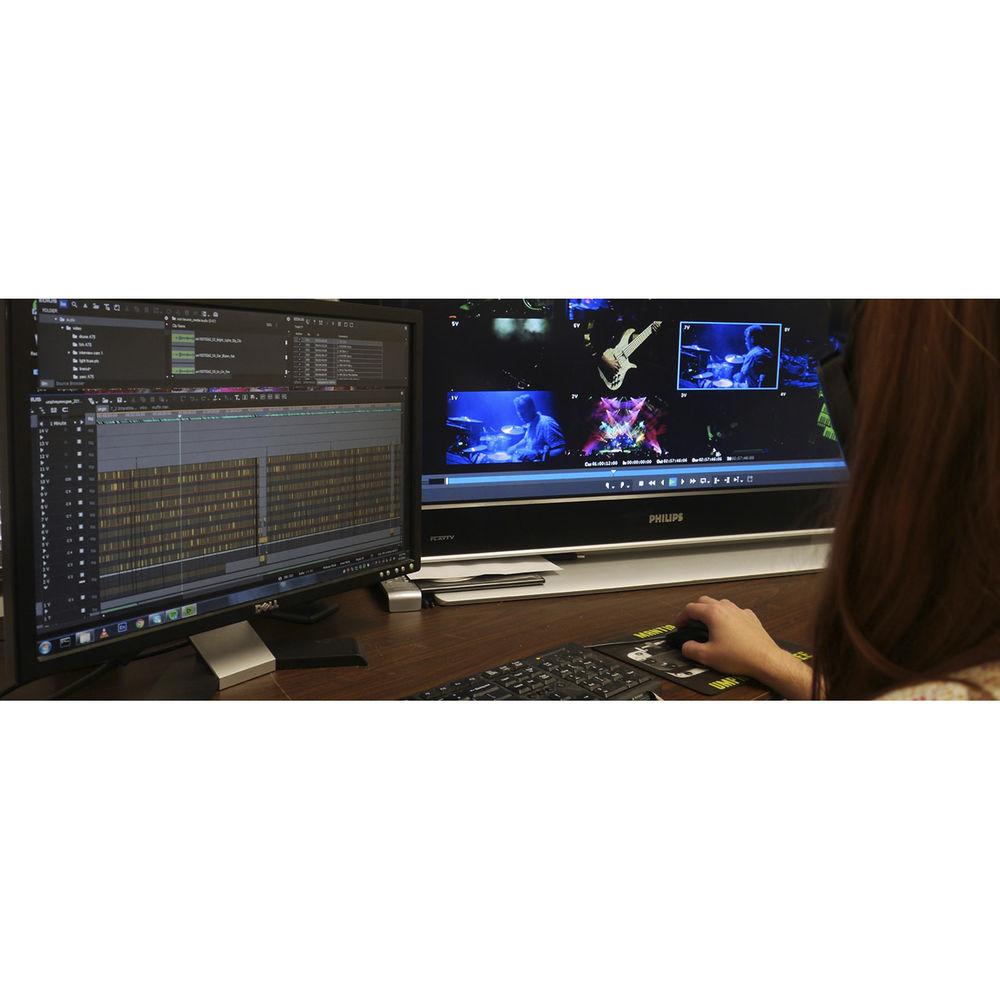
Product description Grass Valley EDIUS Pro 9 nonlinear editor provides native support for virtually all commonly used file formats, such as XAVC/XAVC S and AVC-Ultra/Intra, and allows for real-time editing of multiple formats and frame rates on the same timeline. EDIUS Pro 9 is designed as a native 64-bit application for Windows operating systems, and takes advantage of system memory for intensive media operations such as layering, stereoscopic 3D, multicam, and multi-track 4K editing.
EDIUS Pro 9 supports resolutions from 24 x 24 to 4K x 2K on the same timeline, and converts between HD/SD and HDR/SDR resolutions, aspect ratios, and frame rates in real time. You can edit in HD and place 4:3 video on the timeline, mix NTSC and PAL sources, add 4K content, or combine everything into projects in other resolutions and frame rates without waiting for any conversion or rendering to process. In addition to native format support, you can take advantage of Grass Valley's 10-bit intermediate codec, HQX, or even Avid DNxHD via an optional add-on.
The application can be installed on two machines, and you can edit in proxy mode if one of the machines isn't powerful enough. Note: This Educational version requires proof of full-time educational status and is not upgradeable. - New Features
-
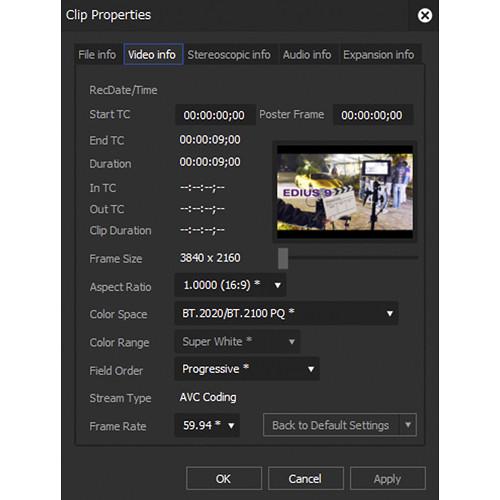
- Native editing for HDR material
- Export in HDR for broadcasting and web distribution
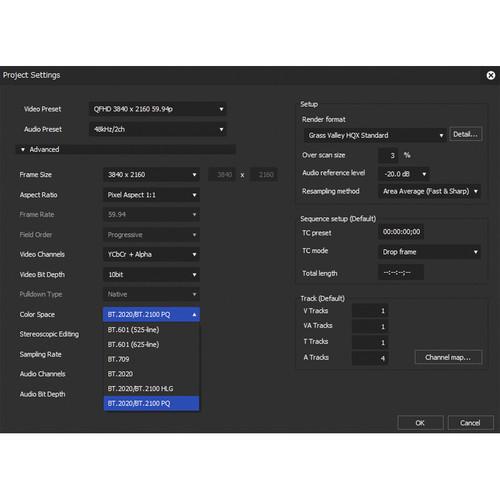
- Ability to mix SDR and HDR material on the same project, and output results in either color space
- Native end-to-end support for HDR contents from professional and consumer camcorders from major camera manufacturers, and also for HDR video from drones and smartphones
- Workflow updates, such as Canon EOS C200 "Cinema RAW Light" decoding, still raw file decoding, and improvement of the user interface
- Third-party hardware support update
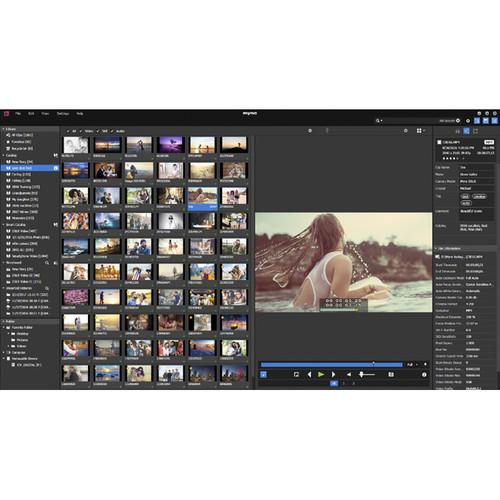
- Mync (media management software) bundled with EDIUS 9 implements a powerful, new Meta Smart Search function
- Includes free download of NewBlue Titler Pro 5 for EDIUS
- Other Features
-
- Superior 4K workflow, including support for Blackmagic Design/AJA hardware (preview only) and EDL or AAF import/export with Grass Valley HQX with DaVinci Resolve
- Edit media files with different resolutions from 24 x 24 to 4K x 2K
- Real-time conversion of frame rates on the same timeline
- Support for virtually all common file formats, including Sony XAVC (Intra/Long GOP)/XAVC S, Panasonic AVC-Ultra/AVC-Intra 422, AVC-Intra LT/LT 2K and Canon XF-AVC (import only), Sony RAW, Canon Cinema RAW/Cinema RAW Light, RED RAW, ProRes (import only), DNxHD/HR (option), and still image RAW
- Support for the latest color space for Log and RAW files - HLG/PQ, S-Log, Canon Log, V-Log/V-Log L, J-Log1, F-Log and LUT (.cube) file import
- Unlimited video, audio, title, and graphics tracks
- Native support for different video formats, including Sony XDCAM, Panasonic P2, Ikegami GF, and Canon XF and EOS
- Fast AVCHD editing (up to 3+ streams in real time)
- Multicam editing of up to 16 different sources simultaneously, with video output support
- Improved MPEG decoder and encoder
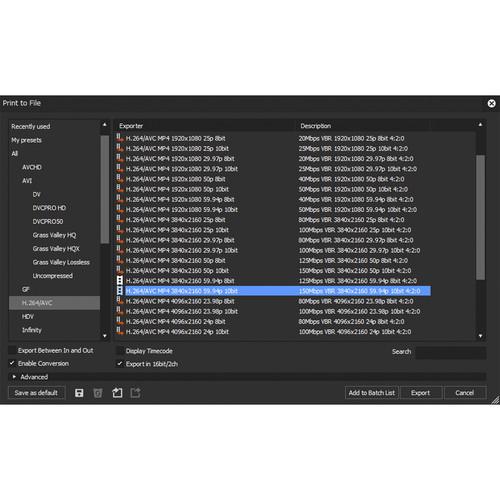
- Improved H.264/AVC decoder and encoder (for fast encoding of 4K XAVC)
- Accelerated 4K H.264 playback
- Optimized for Intel Core i architecture
- 64-bit native processing with maximum memory access for streamlined real-time editing
- Proxy mode workflow for legacy computers
- Supports Intel Quick Sync Video for fast H.264 export (for Blu-ray disc burning)
- Fast handling of large quantities of still image files (JPG, TGA, DPX, Cinema DNG and others)
- Primary color correction (RGB)
- 3-way color correction (YUV)
- Motion tracking
- Optical flow slow-motion
- Synthetic video filters, including masks and keyers
- Built-in image stabilization
- Direct to Blu-ray disc and DVD timeline export
- OFX support for Magic Bullet and Sapphire plug-ins
- Ability to save a current project as a template in order to re-use preferred track settings, screen layout, and more
- H.265/HEVC decoding support
- Support for high-resolution displays
Table of Contents
|
Upload User Manual
Have you got an user manual for the Grass Valley EDIUS Pro 9 in electronic form? Please send it to us and help us expand our library of instruction manuals.
Thank you, too, on behalf of other users.
To upload the product manual, we first need to check and make sure you are not a robot. After that, your "Submit Link" or "Upload File" will appear.
Technical parametersGrass Valley Edius Pro 9 Specs | | | Operating System | Windows 7 (64-bit) SP1 or later, Windows 8.1 (64-bit), Windows 10 (64-bit) (version 1607 or later) | | CPU | Any Intel Core 2 or Core iX CPU; any Intel or AMD CPU with SSSE3
Note: Multiple CPUs and/or multicore CPUs are recommended. | | Memory | 4 GB RAM minimum (8 GB or more recommended for 4K projects)
*Maximum amount of RAM is based on the physical memory limits of each OS:
Windows 10, Enterprise and Pro, 64-Bit:
512 GB
Windows 8.1, Enterprise and Professional, 64-Bit:
512 GB
Windows 8.1, 64-Bit:
128 GB
Windows 7, Ultimate, Enterprise, and Pro, 64-Bit:
192 GB
Windows 7, Home Premium, 64-Bit:
16 GB (not recommended for complex 4K projects)
Windows 7, Home Basic, 64-Bit:
8 GB (not recommended for projects above HD resolution) | | Graphics Card | Must support higher resolution than 1024 x 768, 32-bit. Direct3D 9.0c or later and PixelShader Model 3.0 or later required.
Requirements for video memory size when using GPUfx will vary depending on the project format. For 10-bit SD projects: 1 GB or more recommended; for HD/4K projects 2 GB or more recommended. | | Hard Disk | 6 GB of hard disk space is required for installation.
Drive with SATA/7,200 RPM or faster is required for video storage. Available hard drive disk space should be twice the size of the file to be edited.
RAID-0 is recommended for HD and above resolution editing. | | Hardware Support | Grass Valley manufactures the following high-quality desktop I/O hardware for EDIUS Pro 9:
STORM 3G Elite: 3G-SDI I/O + HDMI I/O+ analog I/O + RS-422 control
STORM 3G: 3G-SDI I/O + HDMI output + RS-422 control
STORM Mobile: HDMI I/O + analog I/O
STORM Pro: HD-SDI I/O + HDMI output
EDIUS Pro 9 also supports the following 3rd-party I/O hardware:
Blackmagic Design:
Intensity Pro 4K, DeckLink SDI 4K, DeckLink Studio 4K, DeckLink 4K Extreme, and DeckLink 4K Extreme 12G
Note: Only supports preview (4K 60/50p preview not supported)
AJA Video Systems:
KONA 4, KONA 3G, KONA LHi
Note: Only supports preview (4K 60/50p preview not supported) | | Sound Card | Sound card with WDM driver support is required | | Internet Connection | Internet connection required for software license activation; thereafter Internet connection is required once per month to maintain usage | | Languages | English, Chinese (traditional, simplified), French, German, Italian, Japanese, and Spanish | | License | Can be installed on two computers |
Rating100% users recommend this product to others. And what about you?

This product has already been rated by 68 owners. Add your rating and experience with the product.
Discussion
 Ask our technicians if you have a problem with your settings,
or if anything is unclear in the user manual you have downloaded.
You can make use of our moderated discussion.
The discussion is public and helps other users of our website who may be encountering similar problems.
Ask our technicians if you have a problem with your settings,
or if anything is unclear in the user manual you have downloaded.
You can make use of our moderated discussion.
The discussion is public and helps other users of our website who may be encountering similar problems.
The discussion is empty - enter the first post
Post a new topic / query / comment:
|
|
|
| Request for user manual |
You can’t find the operation manual you are looking for? Let us know and we will try to add the missing manual:
I’m looking for a manual / Request for manual
Current requests for instruction manuals:
Call Of Duty World War Two For Xbox...
controller stratus XL...
stratus XL...
smart whatch serie S11 42mm...
Allen & Heath SQ-6 manual...
|
| Discussion |
Latest contributions to the discussion:
AEW R 4100
Name: MAURICIO ANGARITA
Audio-Technica AEW-R4100 UHF Diversity Receiver for
AEW R 4100 has the mute function blocked and does not allow audio to pass. I tried several times to turn off the mute from the transmitter but it does nothing, the mute stays on. Solution?
Thank you...
Instructions for assembling the 2015 Forecast Image Master Consoles GC3-A
Name: mike elam
Forecast Consoles GC3-A ImageMaster Editing Console
Looking for instructions for assembling this console. ...
EMPTY TONER ERROR MESSAGE AFTER REPLACING TONER
Name: LINDA BAD YELLOW EYES
Brother TN223BK Standard-Yield Toner
I HAD TO CHANGE OUT ALL THREE TONERS DUE TO LEAKS IN THE YELLOW AND CYAN. AFTER I REPLACED THEM, THE MACHINE KEEPS GIVING ME AN EMPTY TONER ERROR MESSAGE. HELP!!...
PS480D 20/24 pin Switching 480W Power Supply
Name: swkargo
Logisys 480W Power Supply
This item states in can run -5vdc .It is NOT listed on the board or I beleive is r4 is missing the resitior. Any body have thid issue. Shawn
...
Help needed
Name: Ann Carter
SanDisk 1TB Extreme Portable USB 3.1
When I click the link to download the user manual for my Sandisk Extreme external hard drive, it gives me the manual for the LG Cricket. Can you please change the link so I can download the Sandisk manual and begin using this drive? Thank you....
|
|


