User Manual for Haida 150 Filter Holder Kit for Zeiss 15mm Lens Click to enlarge the picture
 Contents of the user manual for the Haida 150 Filter Holder Kit for
- Product category: Filter Holders & Frames Haida
- Brand: Haida
- Description and content of package
- Technical information and basic settings
- Frequently asked questions – FAQ
- Troubleshooting (does not switch on, does not respond, error message, what do I do if...)
- Authorized service for Haida Filter Holders & Frames
 |
User manual for the Haida 150 Filter Holder Kit for contain basic instructions
that need to be followed during installation and operation.
Before starting your appliance, the user manual should be read through carefully.
Follow all the safety instructions and warnings, and be guided by the given recommendations.
User manual is an integral part of any Haida product,
and if it is sold or transferred, they should be handed over jointly with the product.
Following the instructions for use is an essential prerequisite for protecting
health and property during use, as well as recognition of liability on the part of the manufacturer
for possible defects should you make a warranty claim. Download an official Haida user manual in which you will find instructions on how to install, use, maintain and service your product.
And do not forget – unsuitable use of a Haida product will considerably shorten its lifespan!
|
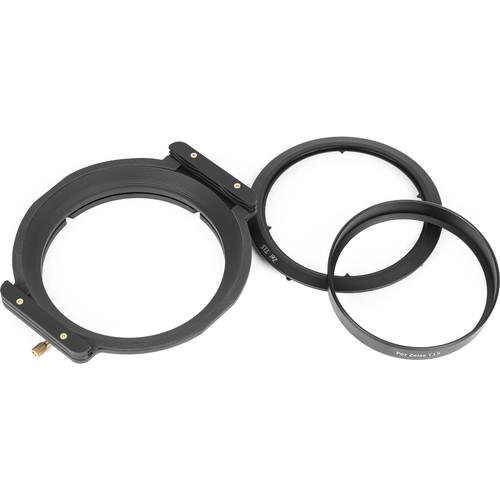
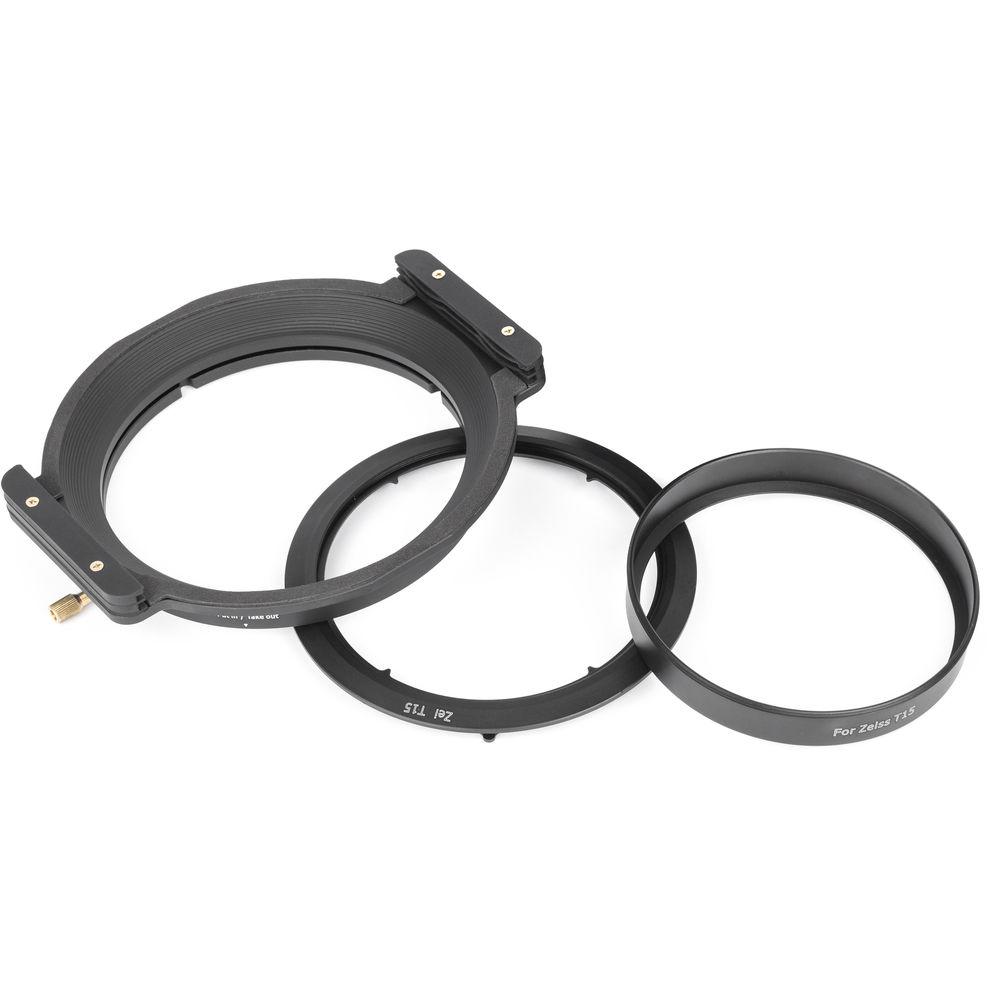
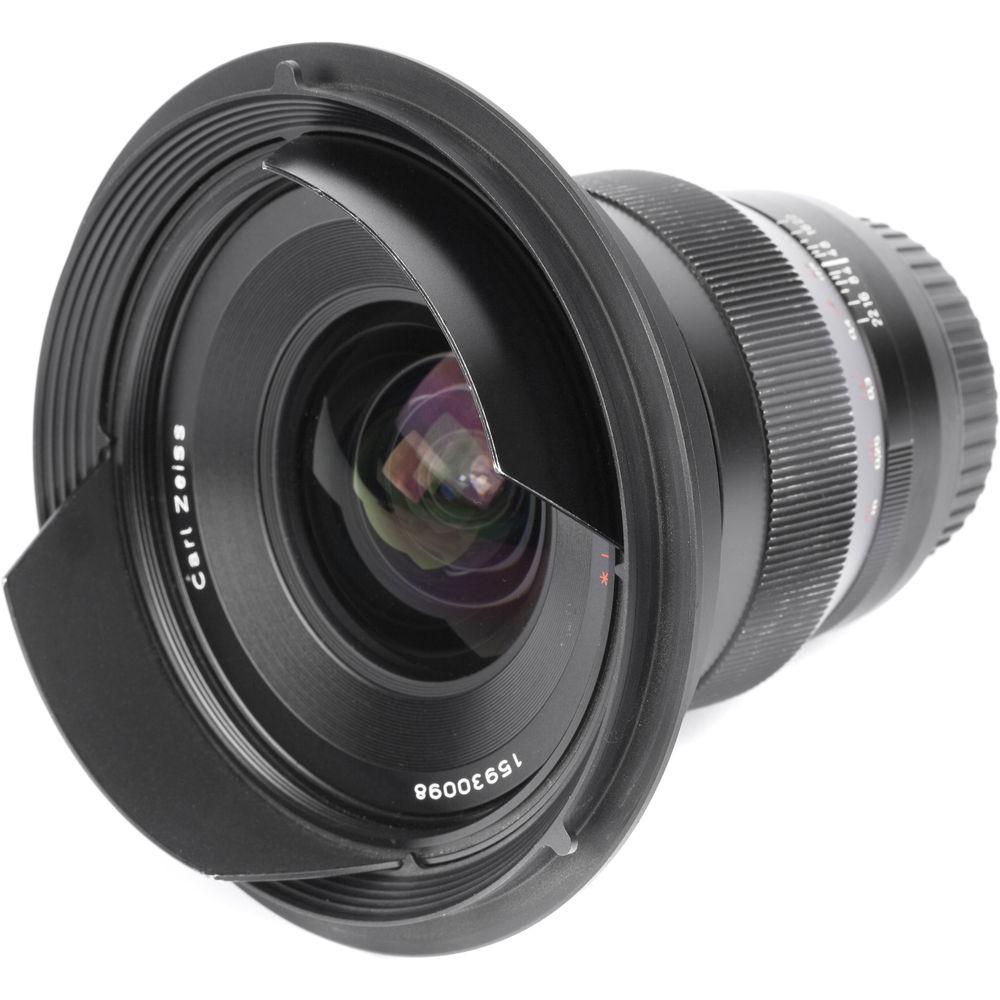
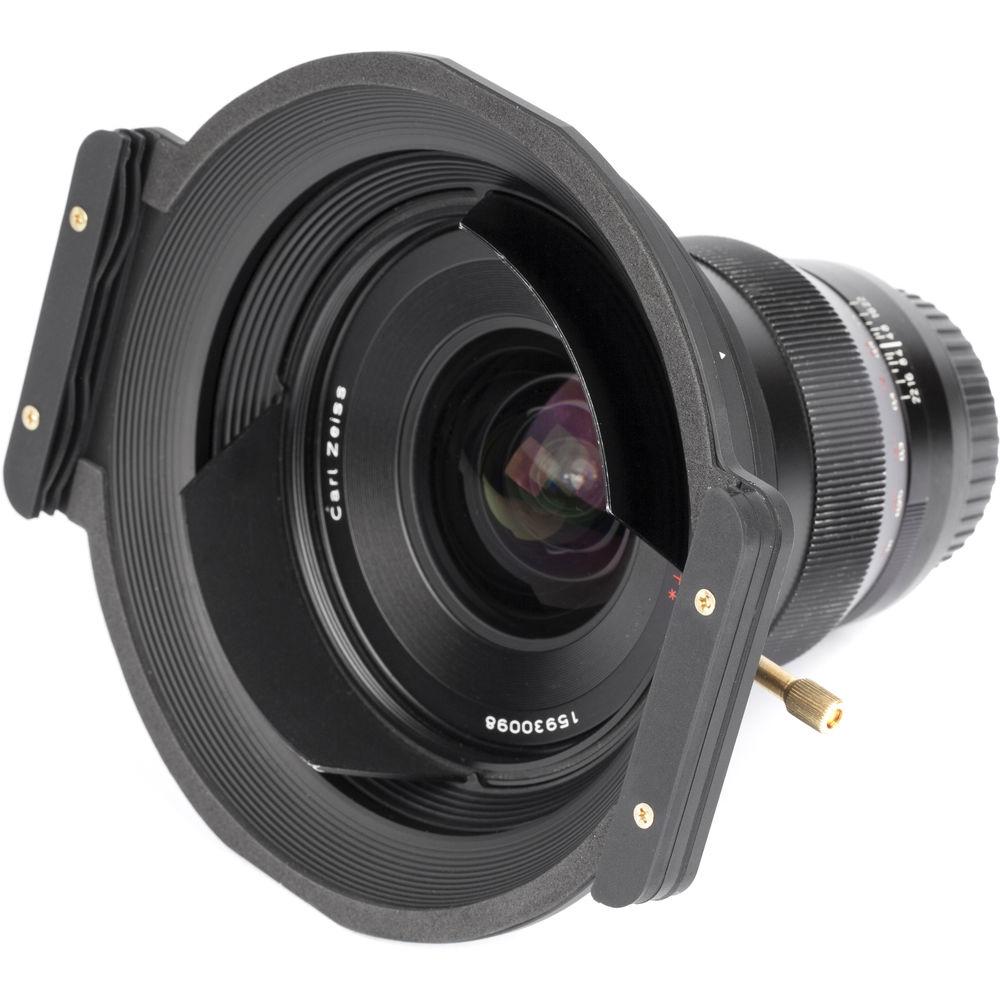
Product description This Haida 150 Filter Holder Kit is designed to allow for the convenient use of 150mm wide, 2mm thick filters with a Zeiss Distagon T* 15mm f/2.8 (ZE and ZF.2) lens without vignetting.
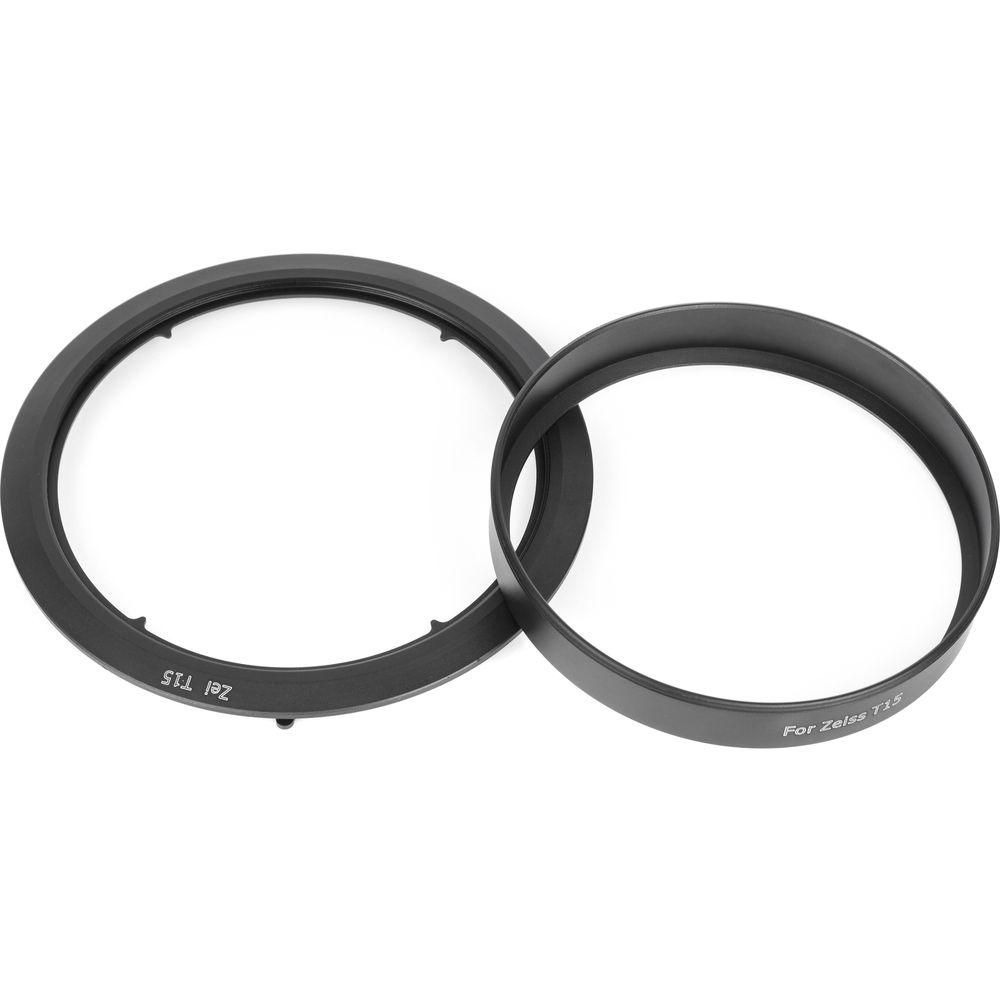
The kit consists of three main components, a front filter holder, a filter holder adapter ring, and an adapter ring lens collar. Use of the filter holder is easily accomplished by first sliding the filter holder adapter ring over the rear of a Zeiss Distagon T* 15mm f/2.8 (ZE and ZF.2) lens until it has achieved a secure fit. Afterwards, the adapter ring lens collar can also be slid over the rear of the lens. The adapter ring lens collar can then be screwed into the adapter ring to lock both components into place.
Adapter rings are separately available for lenses with 67mm, 72mm, 77mm, 82mm, 95mm, or 105mm front filter threads. After being fitted onto an adapter ring, the filter holder's screw-on locking pin helps to provide a reliable, yet adjustable connection that allows the holder to be rotated 360°, permitting the use of graduated neutral density and other filters that are enhanced by varied positioning. This Haida 150 Filter Holder Kit is pre-installed with one pair of filter slots, a configuration that accommodates one rectangular filter. Also included is a second pair of filter slots and a second set of screws designed to attach both pairs, which allows up to two rectangular filters to be used at the same time.
To prevent stray light, which could have unwanted effects on exposure, from coming in between an installed filter and a connected lens, two gaskets are positioned along the front of the filter holder. These gaskets are designed to form a seal between the pairs of plastic filter slots.
This kit's filter holder can also be used with a Haida filter holder adapter ring for a Nikon AF-S NIKKOR 14-24mm f/2.8G ED, Canon EF 14mm f/2.8L II USM, Sigma 12-24mm f/4.5-5.6 DG HSM II, Rokinon/Samyang 14mm f/2.8 IF ED UMC, Tokina AT-X 16-28mm f/2.8 Pro FX, Canon EF 11-24mm f/4L USM, Tamron SP 15-30mm f/2.8 Di (VC or non-VC) USD, Tamron SP 15-30mm f/2.8 Di VC USD G2, Olympus M.Zuiko Digital ED 7-14mm f/2.8 PRO, Nikon AF NIKKOR 14mm f/2.8D ED, Pentax HD D FA 15-30mm f/2.8 ED SDM WR, Sigma 20mm f/1.4 DG HSM Art, Sigma 12-24mm f/4 DG HSM Art, Samyang XP 14mm f/2.4, Sony FE 12-24mm f/4 G, Sigma 14mm f/1.8 DG HSM Art, or Sigma 14-24mm f/2.8 DG HSM Art lens. -
- Allows filters to be conveniently used with a Zeiss Distagon T* 15mm f/2.8 (ZE and ZF.2) lens without vignetting
- Holds 150mm wide, 2mm thick filters
- Preconfigured to hold one rectangular filter and can accommodate up to two rectangular filters
- Screw-on locking pin allows for adjustment of filter holder's grip for 360° rotation on adapter ring
- Gaskets help to prevent stray light, which could have unwanted effects on exposure, from coming in between an installed filter and a connected lens
- Separately available aluminum-alloy adapter rings for lenses with 67mm, 72mm, 77mm, 82mm, 95mm, or 105mm front filter threads
- Filter holder can also be used with a Haida filter holder adapter ring for a Nikon AF-S NIKKOR 14-24mm f/2.8G ED, Canon EF 14mm f/2.8L II USM, Sigma 12-24mm f/4.5-5.6 DG HSM II, Rokinon/Samyang 14mm f/2.8 IF ED UMC, Tokina AT-X 16-28mm f/2.8 Pro FX, Canon EF 11-24mm f/4L USM, Tamron SP 15-30mm f/2.8 Di (VC or non-VC) USD, Tamron SP 15-30mm f/2.8 Di VC USD G2, Olympus M.Zuiko Digital ED 7-14mm f/2.8 PRO, Nikon AF NIKKOR 14mm f/2.8D ED, Pentax HD D FA 15-30mm f/2.8 ED SDM WR, Sigma 20mm f/1.4 DG HSM Art, Sigma 12-24mm f/4 DG HSM Art, Samyang XP 14mm f/2.4, Sony FE 12-24mm f/4 G, Sigma 14mm f/1.8 DG HSM Art, or Sigma 14-24mm f/2.8 DG HSM Art lens
UPC: 748249031040 In the Box Haida 150 Filter Holder Kit for Zeiss 15mm Lens Filter Holder Adapter Ring Lens Collar 4 x Filter Slots 4 x Screws for up to One Pair of Filter Slots 4 x Screws for up to Two Pairs of Filter Slots Limited 1-Year Warranty Table of Contents
|
Upload User Manual
Have you got an user manual for the Haida 150 Filter Holder Kit for Zeiss 15mm Lens in electronic form? Please send it to us and help us expand our library of instruction manuals.
Thank you, too, on behalf of other users.
To upload the product manual, we first need to check and make sure you are not a robot. After that, your "Submit Link" or "Upload File" will appear.
Technical parametersHaida HD3104 Specs | Material | Filter Holder Plate: Aluminum alloy
Filter Holder Slots: Plastic
Filter Holder Adapter Ring: Aluminum alloy
Adapter Ring Lens Collar: Aluminum alloy | | Compatibility | Filter Holder Plate: Haida 150 adapter ring for a Zeiss Distagon T* 15mm f/2.8 (ZE and ZF.2), Nikon AF-S NIKKOR 14-24mm f/2.8G ED, Canon EF 14mm f/2.8L II USM, Sigma 12-24mm f/4.5-5.6 DG HSM II, Rokinon/Samyang 14mm f/2.8 IF ED UMC, Tokina AT-X 16-28mm f/2.8 Pro FX, Canon EF 11-24mm f/4L USM, Tamron SP 15-30mm f/2.8 Di (VC or non-VC) USD, Tamron SP 15-30mm f/2.8 Di VC USD G2, Olympus M.Zuiko Digital ED 7-14mm f/2.8 PRO, Nikon AF NIKKOR 14mm f/2.8D ED, Pentax HD D FA 15-30mm f/2.8 ED SDM WR, Sigma 20mm f/1.4 DG HSM Art, Sigma 12-24mm f/4 DG HSM Art, Samyang XP 14mm f/2.4, Sony FE 12-24mm f/4 G, Sigma 14mm f/1.8 DG HSM Art, or Sigma 14-24mm f/2.8 DG HSM Art lens
Haida 150 adapter ring for lenses with 67mm, 72mm, 77mm, 82mm, 95mm, or 105mm front filter threads
Adapter Ring: Haida 150 adapter ring lens collar for Zeiss Distagon T* 15mm f/2.8 (ZE and ZF.2) lens
Adapter Ring Lens Collar: Zeiss Distagon T* 15mm f/2.8 (ZE and ZF.2) lens
Accepts up to two rectangular filters (150mm wide, 2mm thick) | | Rotating | Yes, 360° | | Dimensions | 6.5 x 5.9 x 1.6" / 165.0 x 150.0 x 41.0 mm | | Weight | 7.6 oz / 216.0 g | | | | Package Weight | 1.3 lb | | Box Dimensions (LxWxH) | 9.1 x 7.2 x 2.6" |
Rating100% users recommend this product to others. And what about you?

This product has already been rated by 45 owners. Add your rating and experience with the product.
Discussion
 Ask our technicians if you have a problem with your settings,
or if anything is unclear in the user manual you have downloaded.
You can make use of our moderated discussion.
The discussion is public and helps other users of our website who may be encountering similar problems.
Ask our technicians if you have a problem with your settings,
or if anything is unclear in the user manual you have downloaded.
You can make use of our moderated discussion.
The discussion is public and helps other users of our website who may be encountering similar problems.
The discussion is empty - enter the first post
Post a new topic / query / comment:
|
|


