|
User Manual for Hasselblad H6D-100c Medium Format DSLR Camera Click to enlarge the picture
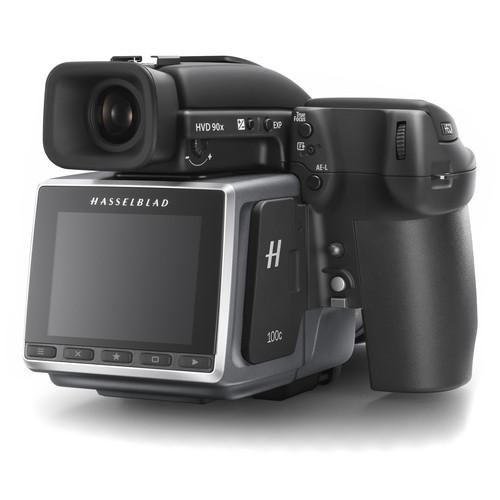 Contents of the user manual for the Hasselblad H6D-100c Medium Format DSLR Camera
- Product category: Medium Format Cameras Hasselblad
- Brand: Hasselblad
- Description and content of package
- Technical information and basic settings
- Frequently asked questions – FAQ
- Troubleshooting (does not switch on, does not respond, error message, what do I do if...)
- Authorized service for Hasselblad Medium Format Cameras
 |
User manual for the Hasselblad H6D-100c Medium Format DSLR Camera contain basic instructions
that need to be followed during installation and operation.
Before starting your appliance, the user manual should be read through carefully.
Follow all the safety instructions and warnings, and be guided by the given recommendations.
User manual is an integral part of any Hasselblad product,
and if it is sold or transferred, they should be handed over jointly with the product.
Following the instructions for use is an essential prerequisite for protecting
health and property during use, as well as recognition of liability on the part of the manufacturer
for possible defects should you make a warranty claim. Download an official Hasselblad user manual in which you will find instructions on how to install, use, maintain and service your product.
And do not forget – unsuitable use of a Hasselblad product will considerably shorten its lifespan!
|
Product description Bringing well-rounded shooting capabilities to the medium format realm, the Hasselblad H6D-100c revolves around an impressive 100MP 53.4 x 40mm CMOS sensor to produce high-resolution stills as well as UHD 4K video. Making use of the CMOS design, this sensor affords a wide sensitivity range of ISO 64-12800, along with 16-bit color depth and a dynamic range of up to 15 stops to maintain notable detail and quality when working in the most difficult of lighting conditions. Coupled with an enhanced electronic platform with faster processing capabilities, continuous shooting speeds up to 1.5 fps are possible, as well as the ability to shoot both UHD 4K and Full HD video at 30 fps in the Hasselblad RAW format. Now suitable for multimedia image-makers, the H6D maintains its exceptional stills recording capabilities and adds versatile video recording abilities to its skill-set.
Beyond imaging, the H6D also sports improved connectivity with the inclusion of a USB 3.0 Type-C connector for fast 5 Gbps transfer speeds and more fluid tethered shooting performance. The back itself incorporates a bright, clear 3.0" 920k-dot touchscreen LCD monitor for live view shooting and intuitive settings control, and a Mini HDMI port is available for working with larger external monitors. In-camera saving is possible via dual memory cards slots—one CFast slot and one SD slot—and files can also be saved remotely when shooting tethered over USB 3.0. Built-in Wi-Fi can also be used in conjunction with iOS devices running the Phocus Mobile app, which permits wireless remote control of the camera as well as the ability to preview imagery and browse files. - 100MP CMOS Sensor
- Revolving around a large 100MP CMOS sensor, measuring 53.4 x 40.0mm, the H6D-100c is capable of capturing an extremely wide dynamic range of up to 15 stops along with vivid 16-bit color depth. When combined with the Hasselblad Natural Color Solution, tonal transitions and skin tones show immense depth, detail, and clarity for lifelike image quality, even in dark shadow and bright highlight regions. To suit working in a variety of lighting conditions, a sensitivity range of ISO 64-12800 is available, and still files are saved in the Hasselblad 3FR raw file format.
- Updated Electronic Platform
- An improved electronic processing platform offers quicker performance throughout the camera system, along with more flexible connectivity options. A continuous shooting rate of up to 1.5 fps is available, along with an expanded buffer compared to previous H-series cameras for longer sustained shooting. This platform also expedites the handling of the large image sizes and permits recording both UHD and Full HD video.
- UHD 4K and Full HD Video
- In addition to high-resolution stills shooting, the H6D can also record both UHD 4K and Full HD 1080p video at 30 fps. Video can be saved in the proprietary Hasselblad RAW format, which can be converted to the edit-friendly Apple ProRes format using Phocus 3.0 software. Full HD video can also be saved in the H.264 compressed format for greater editing flexibility with a variety of software options.
- System Design and Connectivity
-
- Built-in 3.0" 920k-dot touchscreen LCD affords intuitive control over settings navigation and adjustment, and also permits bright, clear live view monitoring.
- USB 3.0 Type-C connector offers transfer speeds of up to 5 Gbps for quick and responsive tethered live view and stills capture.
- In addition to tethered shooting, dual memory card slots are incorporated into the back for flexible storage capabilities. One CFast card can be used for fast read/write speeds, which are necessary for continuous shooting or UHD 4K video recording, and one SD slot is provided for backup storage and wide compatibility with existing cards and card readers.
- Benefitting video applications, as well as working with the back on technical view cameras, a Mini HDMI port permits use of an optional external monitor for clear monitoring. Additional, audio in/out ports are provided for more flexible control over audio recording during video.
- Built-in Wi-Fi enables working with an iOS mobile device and the Phocus Mobile app for remote camera control, wireless image previews, and file browsing.
- Compatible with the updated range of HC and HCD lenses, which feature an improved leaf shutter unit for increased shutter and flash sync speeds of up to 1/2000 sec.
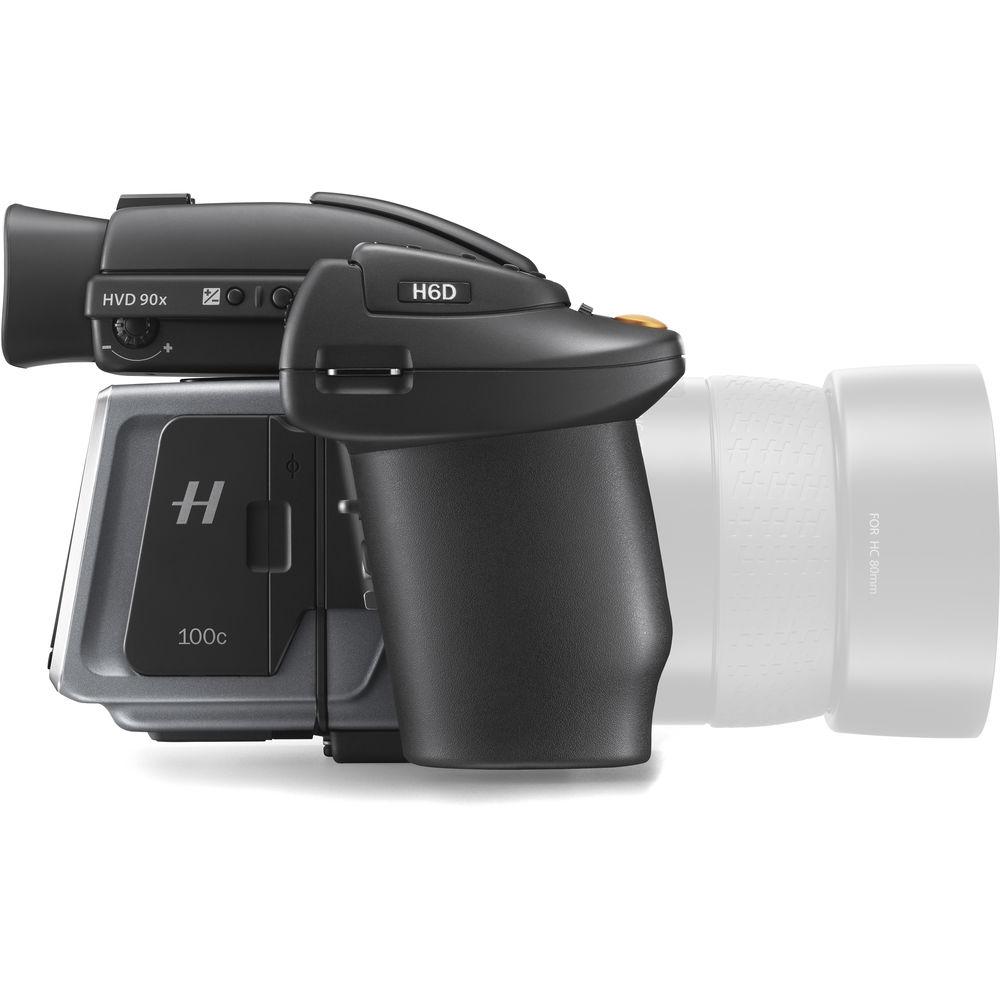
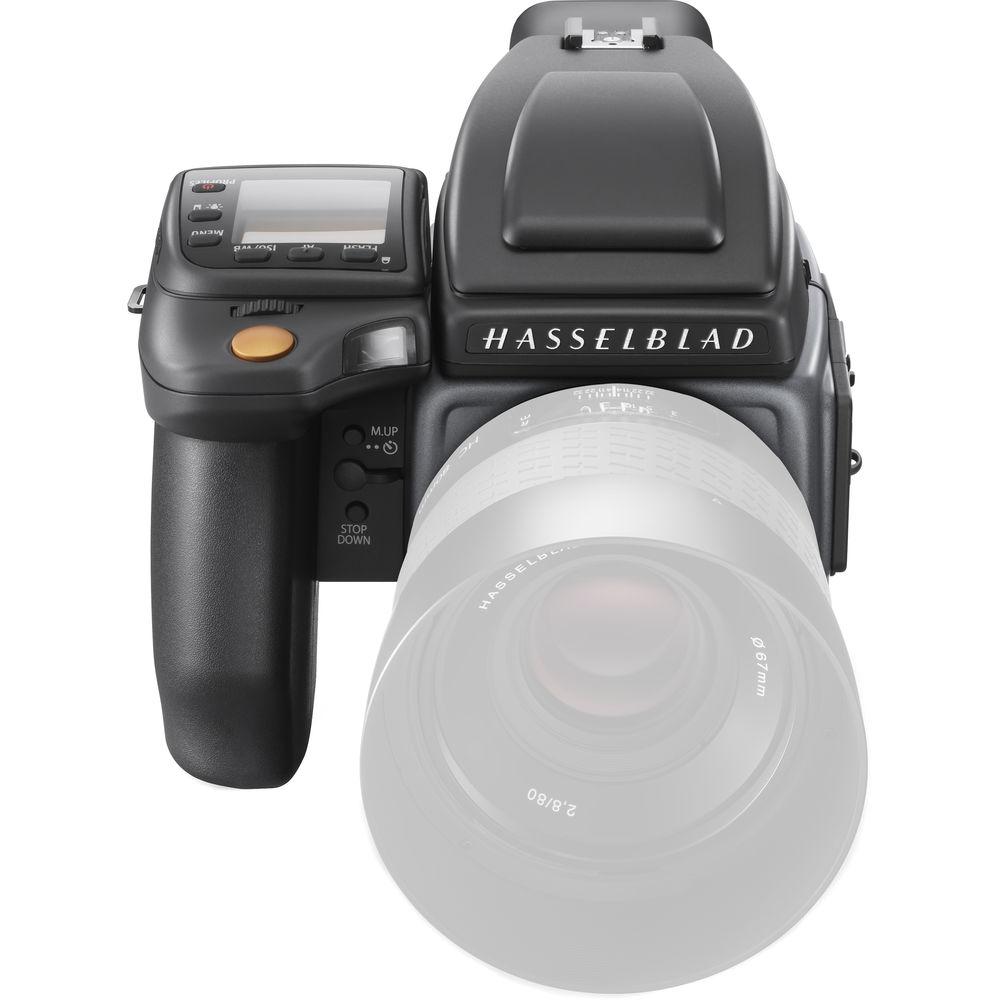
- Designed within a modular system, the H6D is comprised of the digital back, camera body, and an included HVD 90x viewfinder. Beyond the included components, additional optional viewfinders, film backs, and other accessories can also be used in conjunction with the digital back or the H6D body.
- Phocus 3.0 is a free image processing software that complements the H6D's capabilities, and enables raw file processing for both stills and video, as well as a range of editing capabilities, including automatic moiré detection and the ability to work with adjustment layers for applying exposure, white balance, and color corrections.
In the Box Hasselblad H6D-100c Medium Format DSLR Camera 16GB SDHC Memory Card HVD 90X Viewfinder (Gray) yzafyfzxsaarabcdax Battery Grip for H6D Camera (7.2V, 3200mAh) Battery Charger USB 3.0 Cable Body Front Cap for H Cameras Limited 1-Year Warranty Guides & Manuals Table of Contents
|
Upload User Manual
Have you got an user manual for the Hasselblad H6D-100c Medium Format DSLR Camera in electronic form? Please send it to us and help us expand our library of instruction manuals.
Thank you, too, on behalf of other users.
To upload the product manual, we first need to check and make sure you are not a robot. After that, your "Submit Link" or "Upload File" will appear.
Download User ManualThe user manual for the Hasselblad H6D-100c Medium Format DSLR Camera can be downloaded in PDF format at the link stated below.
Technical parametersHasselblad H6D-100c Specs | | | Resolution | 100 MP (11600 x 8700 pixels) | | Sensor | 53.4 x 40.0 mm CMOS sensor
IR filter mounted in front of CMOS sensor | | Pixel Size | 4.6 x 4.6 μm | | Bit Depth | 16-bit
Dynamic range approx. 15 stops | | File Formats | Hasselblad RAW 3FR | | File Size | RAW 3FR capture 120 MB on average
TIFF 8-bit: 289 MB | | Color Management System | Hasselblad Natural Color Solution | | Storage Type | 1x CFast card slot
1x SD card slot | | Shooting Modes | Single shot stills or video | | Capture Rate | 1.5 fps | | Focus | Autofocus metering with passive central cross-type sensor
Ultra focus digital feedback
Instant manual focus override
Metering range: EV 1 to 19 at ISO 100 | | Lens Compatibility | Hasselblad H system lens line with integral central lens shutter | | | | Shutter Speeds | 60 min. to 1/2000 sec. (depending on lens in use) | | ISO Range | ISO 64, 100, 200, 400, 800, 1600, 3200, 6400, 12800 | | Metering Options | Spot: EV 2 to 21
Center Weighted: EV 1 to 21
CenterSpot: EV 1 to 21 | | | | Recording Format | UHD 4K: 3840 x 2160p at 30 fps
Full HD: 1920 x 1080p at 30 fps | | File Format | Hasselblad RAW: HD and UHD
H.264 compressed: HD only | | Connectivity | Mini HDMI and audio in/out ports | | | | External Flash Connection | Yes; hot shoe and flash sync port | | Max Sync Speed | Flash can be used at all shutter speeds with central shutter lens | | Flash Control | Automatic TTL center weighted system
Uses built-in flash or flashes compatible with SCA3002 (Metz)
Output can be adjusted from -3 to +3EV
For manual flashes a built-in metering system is available | | | | Viewfinder | HVD 90x
90° eye-level viewfinder with diopter adjustment from -5 to +3.5 Image magnification 3.1x
Built-in flash (GN 39.4' / 12 m @ ISO 100)
TTL-compatible hot shoe for optional Metz SCA3002-system flashes | | Display | 3.0" 920k-dot touchscreen LCD
24-bit color | | Histogram | Yes; on rear display and camera grip | | | | Connectivity | USB 3.0 Type-C connector, Mini HDMI, audio in/out | | Wi-Fi | Built-in; 802.11a/b/g/n | | System & Software Requirements | Phocus for Mac and Windows: Mac OS X 10.9 or later
Windows 10, 8, 7 (32- and 64-bit), Vista, and XP | | | | Battery Type | Rechargeable lithium-ion battery (7.2 VDC, 3200 mAh) | | | | Operating Temperature | 14 to 113°F / -10 to 45°C | | Dimensions | 6.0 x 5.2 x 8.1" / 153 x 131 x 205 mm (complete camera with HC 80mm f/2.8 lens) | | Weight | 4.7 lb / 2130 g (with battery, card, and optional HC 80mm f/2.8 lens) | | | | Package Weight | 8.0 lb | | Box Dimensions (LxWxH) | 12.0 x 11.6 x 7.5" |
Rating84% users recommend this product to others. And what about you?

This product has already been rated by 64 owners. Add your rating and experience with the product.
Discussion
 Ask our technicians if you have a problem with your settings,
or if anything is unclear in the user manual you have downloaded.
You can make use of our moderated discussion.
The discussion is public and helps other users of our website who may be encountering similar problems.
Ask our technicians if you have a problem with your settings,
or if anything is unclear in the user manual you have downloaded.
You can make use of our moderated discussion.
The discussion is public and helps other users of our website who may be encountering similar problems.
The discussion is empty - enter the first post
Post a new topic / query / comment:
|
|
|
| Request for user manual |
You can’t find the operation manual you are looking for? Let us know and we will try to add the missing manual:
I’m looking for a manual / Request for manual
Current requests for instruction manuals:
Call Of Duty World War Two For Xbox...
controller stratus XL...
stratus XL...
smart whatch serie S11 42mm...
Allen & Heath SQ-6 manual...
|
| Discussion |
Latest contributions to the discussion:
AEW R 4100
Name: MAURICIO ANGARITA
Audio-Technica AEW-R4100 UHF Diversity Receiver for
AEW R 4100 has the mute function blocked and does not allow audio to pass. I tried several times to turn off the mute from the transmitter but it does nothing, the mute stays on. Solution?
Thank you...
Instructions for assembling the 2015 Forecast Image Master Consoles GC3-A
Name: mike elam
Forecast Consoles GC3-A ImageMaster Editing Console
Looking for instructions for assembling this console. ...
EMPTY TONER ERROR MESSAGE AFTER REPLACING TONER
Name: LINDA BAD YELLOW EYES
Brother TN223BK Standard-Yield Toner
I HAD TO CHANGE OUT ALL THREE TONERS DUE TO LEAKS IN THE YELLOW AND CYAN. AFTER I REPLACED THEM, THE MACHINE KEEPS GIVING ME AN EMPTY TONER ERROR MESSAGE. HELP!!...
PS480D 20/24 pin Switching 480W Power Supply
Name: swkargo
Logisys 480W Power Supply
This item states in can run -5vdc .It is NOT listed on the board or I beleive is r4 is missing the resitior. Any body have thid issue. Shawn
...
Help needed
Name: Ann Carter
SanDisk 1TB Extreme Portable USB 3.1
When I click the link to download the user manual for my Sandisk Extreme external hard drive, it gives me the manual for the LG Cricket. Can you please change the link so I can download the Sandisk manual and begin using this drive? Thank you....
|
|



