|
User Manual for Hercules P32 DJ Controller with High Performance Pads Click to enlarge the picture
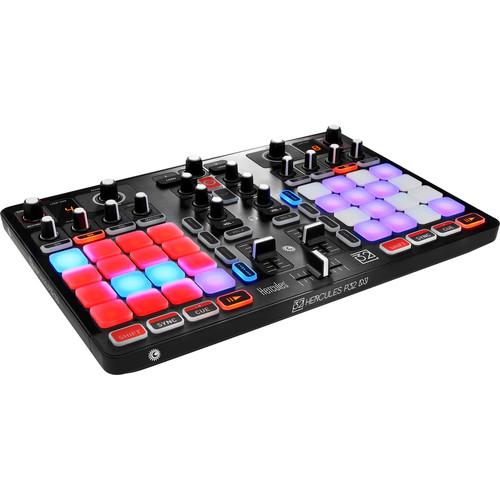 Contents of the user manual for the Hercules P32 DJ Controller with High
- Product category: DJ Controllers Hercules
- Brand: Hercules
- Description and content of package
- Technical information and basic settings
- Frequently asked questions – FAQ
- Troubleshooting (does not switch on, does not respond, error message, what do I do if...)
- Authorized service for Hercules DJ Controllers
 |
User manual for the Hercules P32 DJ Controller with High contain basic instructions
that need to be followed during installation and operation.
Before starting your appliance, the user manual should be read through carefully.
Follow all the safety instructions and warnings, and be guided by the given recommendations.
User manual is an integral part of any Hercules product,
and if it is sold or transferred, they should be handed over jointly with the product.
Following the instructions for use is an essential prerequisite for protecting
health and property during use, as well as recognition of liability on the part of the manufacturer
for possible defects should you make a warranty claim. Download an official Hercules user manual in which you will find instructions on how to install, use, maintain and service your product.
And do not forget – unsuitable use of a Hercules product will considerably shorten its lifespan!
|
Product description - Hercules P32 DJ ft. DJUCED 40° 3.0
- Hercules P32 DJ - Overview
- Hercules P32 DJ Factory Performance - Walkthrough
- Hercules P32 DJ Factory Performance with DJUCED 40
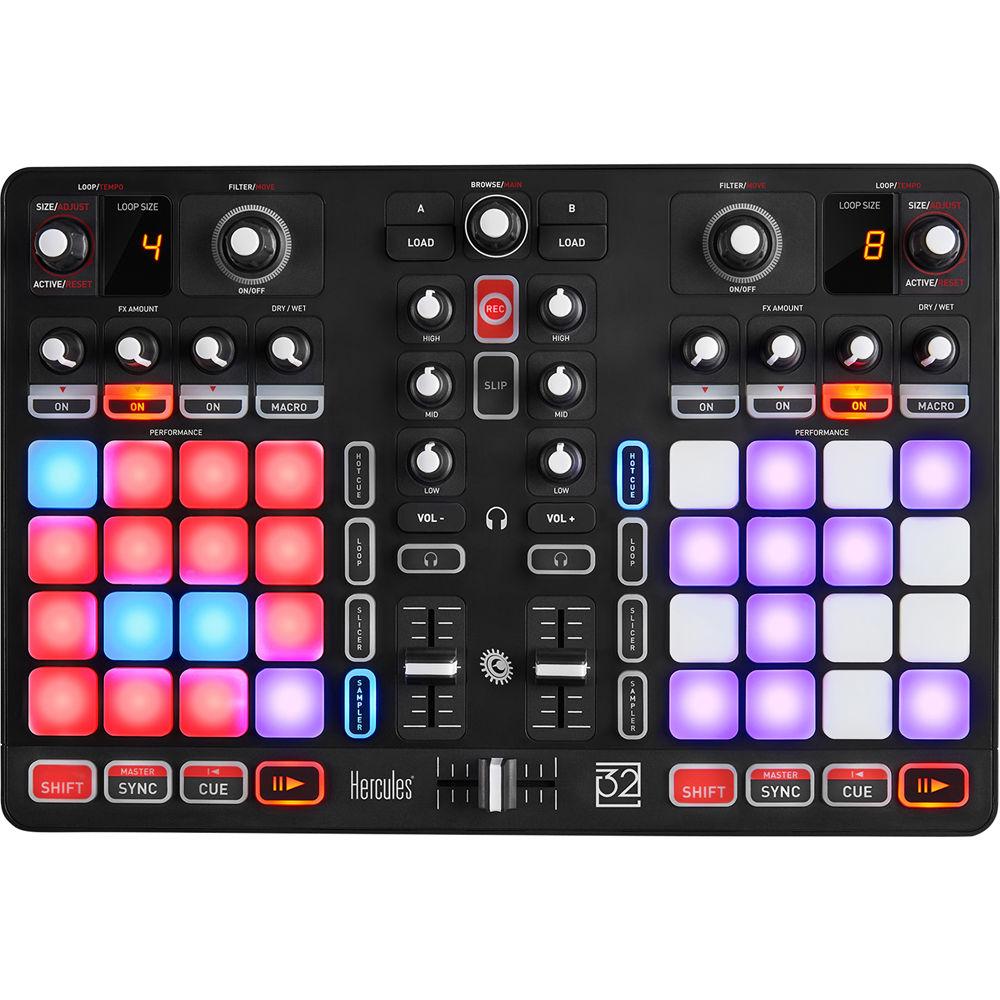
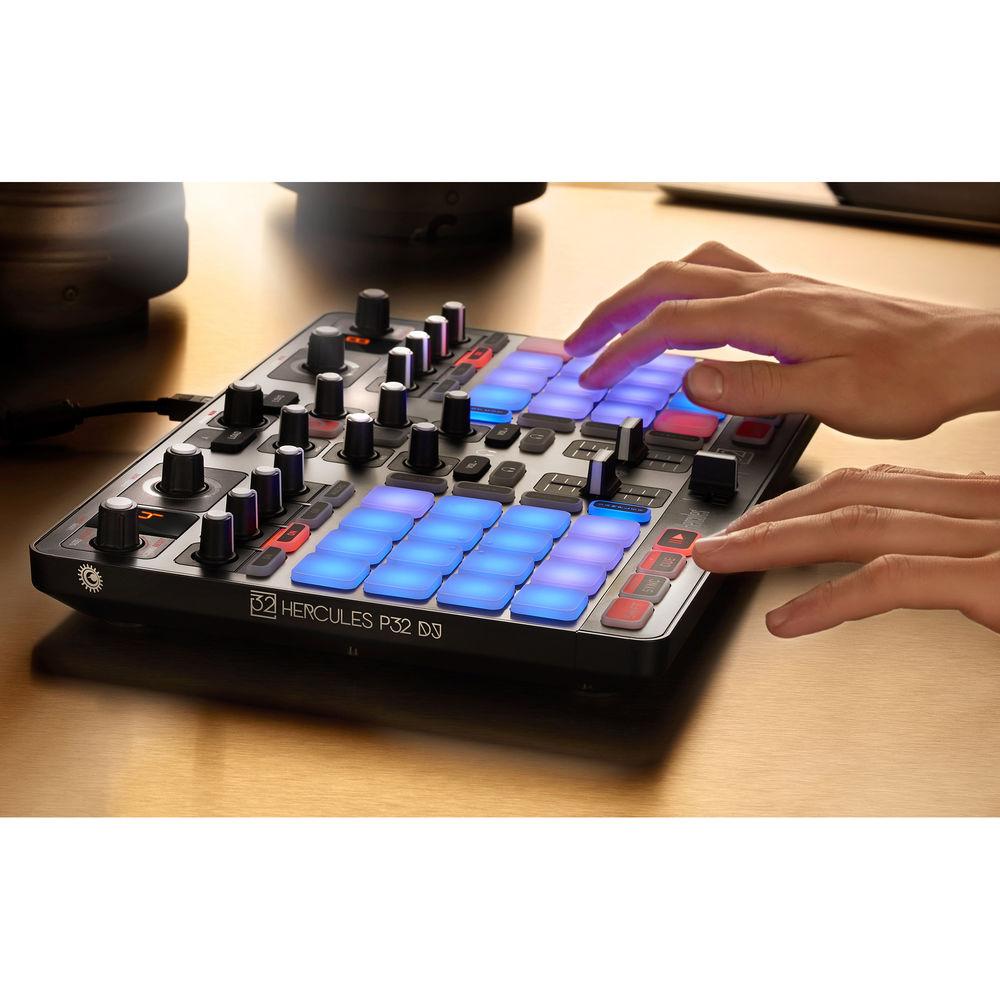
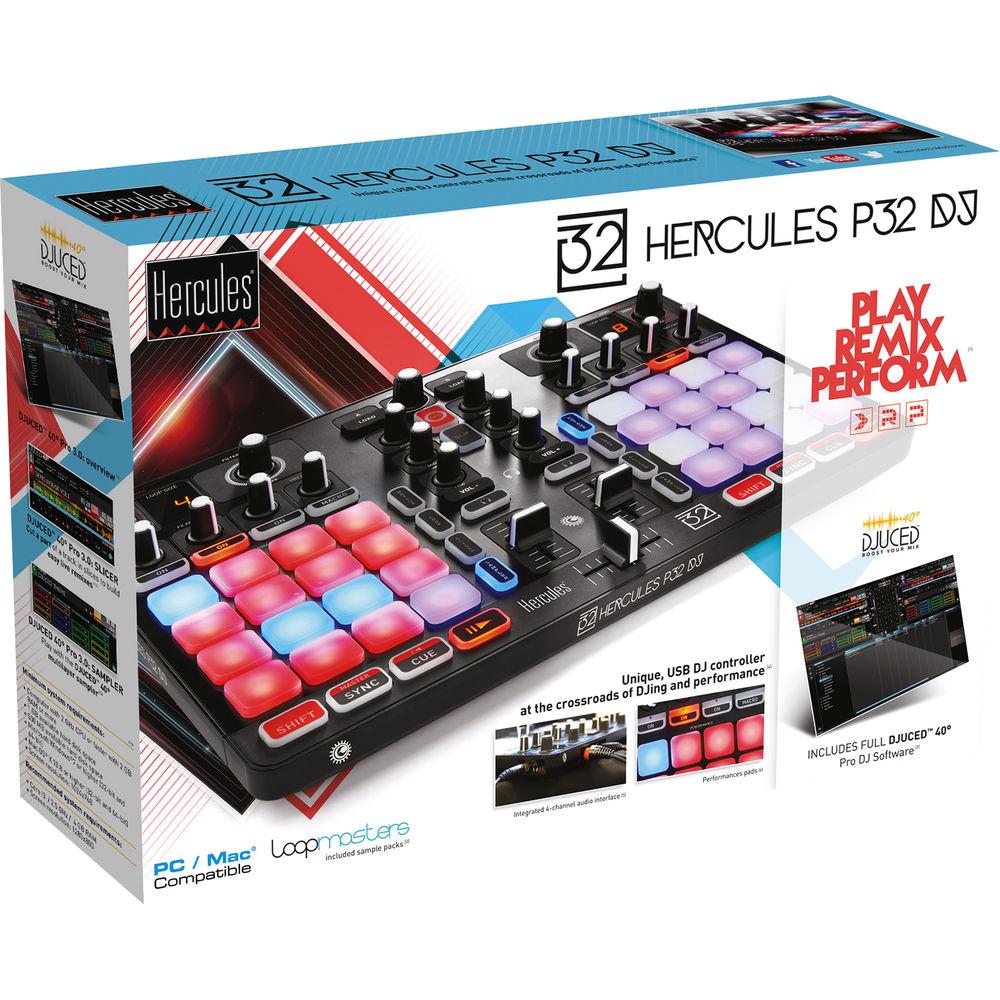
The P32 DJ Controller from Hercules is a compact and intuitive DJ software controller designed for the producer/DJ of electronic music and who wish to mix and remix tracks on the fly, add samples, loops, and create high energy performances. The controller easily connects to a Windows or Mac computer in seconds and features a dual-deck layout each with 16 dynamic performance pads, three dedicated FX engine controls, and dedicated filter/loop controls. In between the decks lays a 2-channel mixer with level fader, 3 band EQ, and a single crossfader. The dynamic performance pads offer power controls over hot cues, loops, the slicer, and the sampler. The internal soundcard features RCA main outputs for connecting the P32 to a PA system, and a separate 1/4" headphone output for monitoring and track cueing.Also included in this package is Hercules' DJuced 40° DJ software for Mac and Windows. DJuced software delivers intuitive yet powerful DJ mixing features for both novice and experienced DJs alike. Mix tracks automatically, manipulate tracks with filters and effects, and record mixes into software to share and upload. The bus-powered P32 ships with a USB cable. - General Features
-
- 3 Band EQ (per deck): Hi, Mid, Low
- Record: Stop and start recording
- Dedicated headphone cue with volume control
- Volume fader per deck
- Cross fader
- Browser function with push encoder and dedicated load buttons for each deck
- Loop/Tempo: Push encoder for engaging loop and changing loop length. Add shift to adjust master tempo
- Filter/Move: Push encoder to engage filter, while turning the knob adjusts filter parameter. Add shift while turning encoder adjusts loop size (BeatJump)
- Three dedicated FX knobs for each FX engine per deck. Macro knob controls dry/wet or press shift to engage macro function
- Transport (per deck): Play/Pause, Cue, and Sync buttons
- Performance Pad Modes
-
- HotCues
- Add or Delete up to 16 HotCues on the fly
- Loop
- There are two loop behaviors with Slip Mode:
- Slip Mode Off: Build a loop, let it repeat. When you stop the Loop, the track continues playing after the Loop
- Slip Mode On: Build one or more loops. When you stop the Loop, the track immediately jumps back to the original position in the timeline where the track would have been if it had continued playing. This is a great way to play Loops without losing the phrasing of your track
- Slicer
- Slicer mode splits an active loop into 8 Slices
- The size of the Slicer area is determined by the deck’s selected loop size
- Slices are triggered in real time: you jump between the 8 different sections of an active loop
- Once a Slice is triggered, looping will start within the selected Slice for as long as the pad is pressed
- Playback continues within the loop when no Pad is pressed
- Sampler
- This sampler lets you play using 4 Samplers per deck
- Each sampler has 4 layers, so you can load up to 16 samples per deck
- Each sample player can be individually set to Loop or Trigger mode (quantized or unquantized), and volume controlled
- DJuced DJ Software
-
- Function-rich software for both beginners and advanced DJs
- The controller and the software fit perfectly together
- Instantly view the beats, track lengths, and which songs fit well for the next track to be played
- Sync tracks automatically for smooth transitions
- Customize your songs with loops, effects, and samples
- Create your own sound with filters or the step sequencer
- Save your mix in audio files you can share with your friends
UPC: 663296420282 In the Box Hercules P32 DJ Controller with High Performance Pads USB Cable Limited 1-Year Warranty Table of Contents
|
Upload User Manual
Have you got an user manual for the Hercules P32 DJ Controller with High Performance Pads in electronic form? Please send it to us and help us expand our library of instruction manuals.
Thank you, too, on behalf of other users.
To upload the product manual, we first need to check and make sure you are not a robot. After that, your "Submit Link" or "Upload File" will appear.
Technical parametersHercules P32 Specs | Deck Control | 8x Transport Buttons: SHIFT / PLAY / CUE / SYNC
2x matrices of 16 pads each (32 pads in total) with two-color backlighting and 4 associated mode buttons (SAMPLER, SLICER, LOOP, HOTCUE)
2x effects sections, each composed of 4 potentiometers and 4 activation buttons
2x rotary encoders with integrated switch to control loops (LOOP) and tempo
2x double 7-segment displays to view the size of the loop in progress
2x rotary encoders with integrated switch to control filter (FILTER) and navigation | | Mixer Section | 1x rotary encoder with integrated switch to navigate through folders and playlists
2x buttons to load songs onto decks (virtual turntables)
1x record mix button
1x button to enable/disable SLIP mode
2x 3-band EQs with respective potentiometers (HIGH, MID, LOW)
2x volume control buttons (Vol +/-) for headphones
2x buttons to enable/disable headphone monitoring (PFL A and B)
2x volume faders
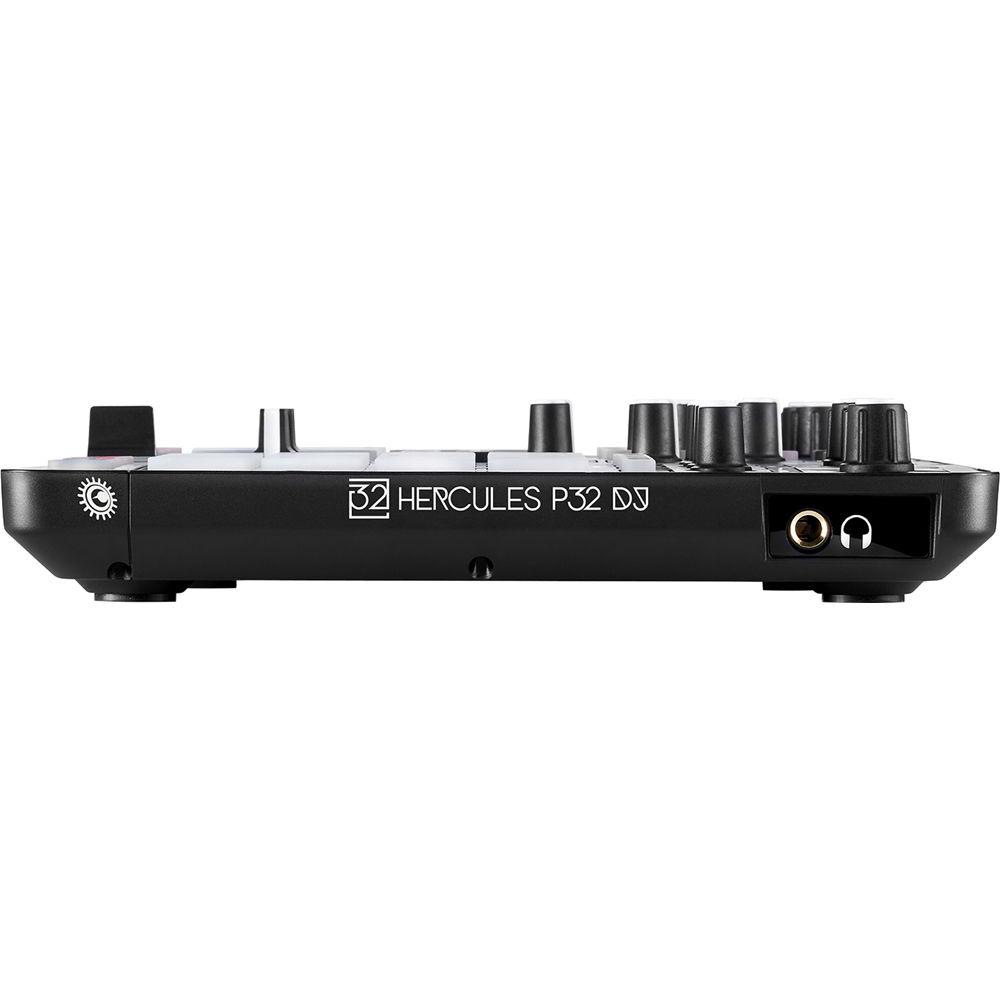
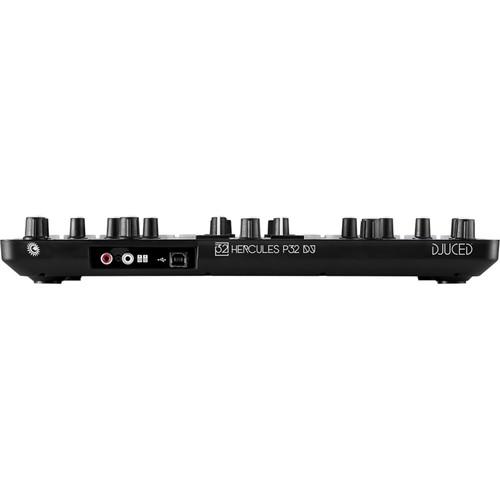
1x crossfader | | Inputs and Outputs | Stereo Output: 2x RCA
Headphone: 1/4" / 6.35 mm TRS
USB: Type B | | Maximum Power | Main Output: 5 dBu into 1 kOhm
Headphone Output: 5 dBu into 32 Ohms | | THD + N | Main Output (1&2): -85 dB at 1 kHz
Headphone Output (3&4): -75 dB at 1 kHz | | Resolution | 16-bit | | Sample Rate | 48 kHz | | Minimum System Requirements | DJUCEDTM 40°
PC / Mac
2 GHz CPU or higher
2 GB RAM or more
Windows 7 and higher (32 and 64-bit)
Mac OS X 10.8 and higher(32 and 64-bit)
Optional drivers are available for download on Hercules website (ASIO and product firmware update) | | Compatibility | Other Compatible Software (Not Included)
The Traktor mapping file is available for download on Hercules' website
The Hercules P32 DJ is also compatible with all optional DJing software open to MIDI mapping, such as Virtual DJ, Cross DJ, DJAY, etc. | | Dimensions | 14.0 x 9.4 x 1.9" / 35.6 x 23.8 x 4.8 cm | | Weight | 3.1 lb / 1.4 kg | | | | Package Weight | 4.0 lb | | Box Dimensions (LxWxH) | 16.5 x 10.8 x 3.2" |
Rating100% users recommend this product to others. And what about you?

This product has already been rated by 85 owners. Add your rating and experience with the product.
Discussion
 Ask our technicians if you have a problem with your settings,
or if anything is unclear in the user manual you have downloaded.
You can make use of our moderated discussion.
The discussion is public and helps other users of our website who may be encountering similar problems.
Ask our technicians if you have a problem with your settings,
or if anything is unclear in the user manual you have downloaded.
You can make use of our moderated discussion.
The discussion is public and helps other users of our website who may be encountering similar problems.
Post new comment to Hercules P32 DJ Controller with High Performance Pads
| Subject: Control pads | | Date: 04.06.2021 04:09:03 | Name: Tammy | | My pads don't hit notes properly its always doubling no matter what fingers or how light or hard I hit the pads. | | Post reply |
Post a new topic / query / comment:
|
|
|
| Request for user manual |
You can’t find the operation manual you are looking for? Let us know and we will try to add the missing manual:
I’m looking for a manual / Request for manual
Current requests for instruction manuals:
Call Of Duty World War Two For Xbox...
controller stratus XL...
stratus XL...
smart whatch serie S11 42mm...
Allen & Heath SQ-6 manual...
|
| Discussion |
Latest contributions to the discussion:
AEW R 4100
Name: MAURICIO ANGARITA
Audio-Technica AEW-R4100 UHF Diversity Receiver for
AEW R 4100 has the mute function blocked and does not allow audio to pass. I tried several times to turn off the mute from the transmitter but it does nothing, the mute stays on. Solution?
Thank you...
Instructions for assembling the 2015 Forecast Image Master Consoles GC3-A
Name: mike elam
Forecast Consoles GC3-A ImageMaster Editing Console
Looking for instructions for assembling this console. ...
EMPTY TONER ERROR MESSAGE AFTER REPLACING TONER
Name: LINDA BAD YELLOW EYES
Brother TN223BK Standard-Yield Toner
I HAD TO CHANGE OUT ALL THREE TONERS DUE TO LEAKS IN THE YELLOW AND CYAN. AFTER I REPLACED THEM, THE MACHINE KEEPS GIVING ME AN EMPTY TONER ERROR MESSAGE. HELP!!...
PS480D 20/24 pin Switching 480W Power Supply
Name: swkargo
Logisys 480W Power Supply
This item states in can run -5vdc .It is NOT listed on the board or I beleive is r4 is missing the resitior. Any body have thid issue. Shawn
...
Help needed
Name: Ann Carter
SanDisk 1TB Extreme Portable USB 3.1
When I click the link to download the user manual for my Sandisk Extreme external hard drive, it gives me the manual for the LG Cricket. Can you please change the link so I can download the Sandisk manual and begin using this drive? Thank you....
|
|


