User Manual for Hikvision Lightfighter Series 2MP Outdoor Motorized Vandal-Resistant Dome Camera with Night Vision Click to enlarge the picture
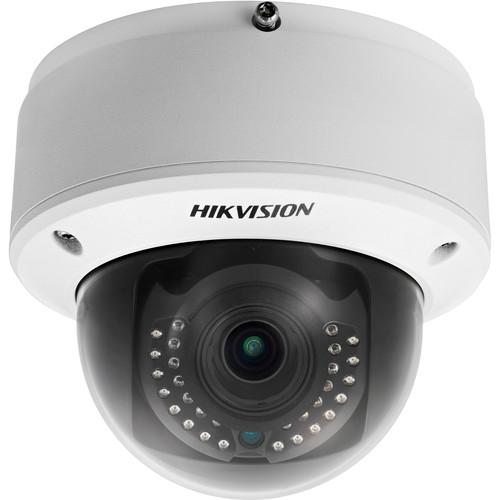 Contents of the user manual for the Hikvision Lightfighter Series 2MP Outdoor Motorized
- Product category: Wired IP Cameras Hikvision
- Brand: Hikvision
- Description and content of package
- Technical information and basic settings
- Frequently asked questions – FAQ
- Troubleshooting (does not switch on, does not respond, error message, what do I do if...)
- Authorized service for Hikvision Wired IP Cameras
 |
User manual for the Hikvision Lightfighter Series 2MP Outdoor Motorized contain basic instructions
that need to be followed during installation and operation.
Before starting your appliance, the user manual should be read through carefully.
Follow all the safety instructions and warnings, and be guided by the given recommendations.
User manual is an integral part of any Hikvision product,
and if it is sold or transferred, they should be handed over jointly with the product.
Following the instructions for use is an essential prerequisite for protecting
health and property during use, as well as recognition of liability on the part of the manufacturer
for possible defects should you make a warranty claim. Download an official Hikvision user manual in which you will find instructions on how to install, use, maintain and service your product.
And do not forget – unsuitable use of a Hikvision product will considerably shorten its lifespan!
|
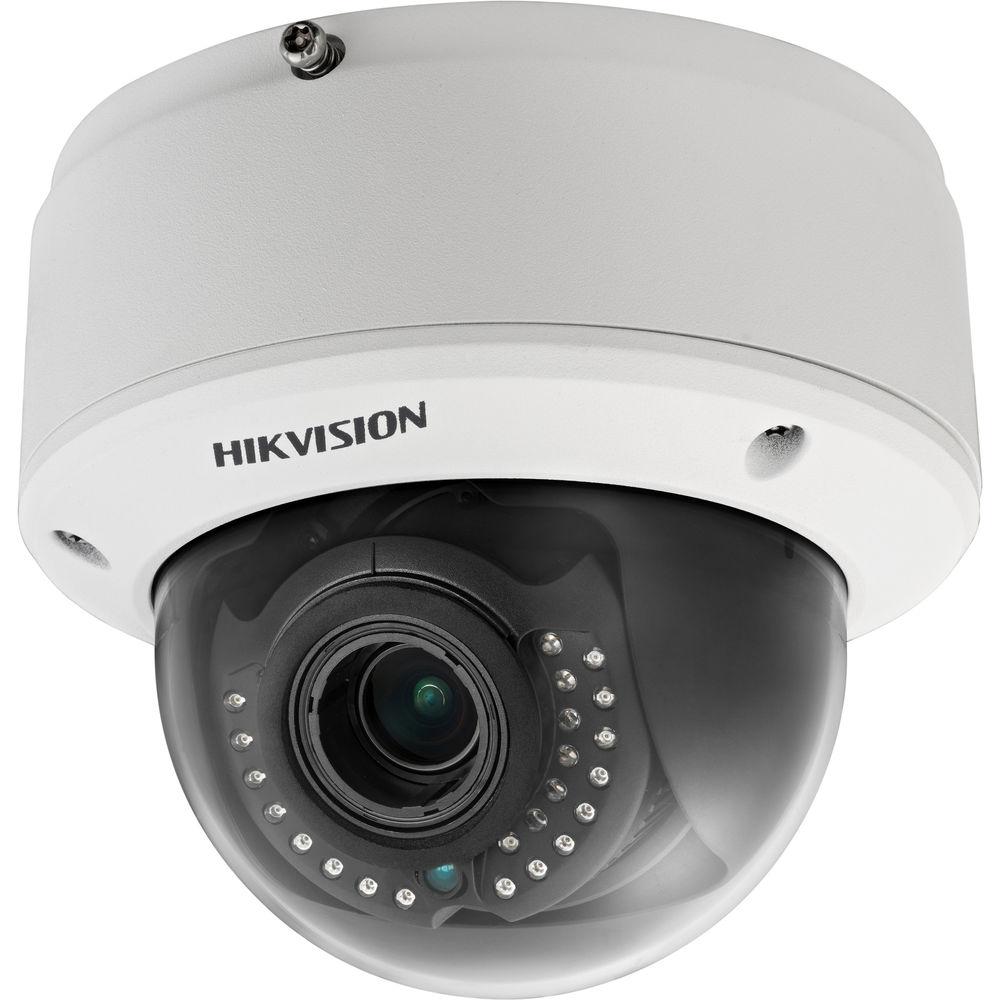
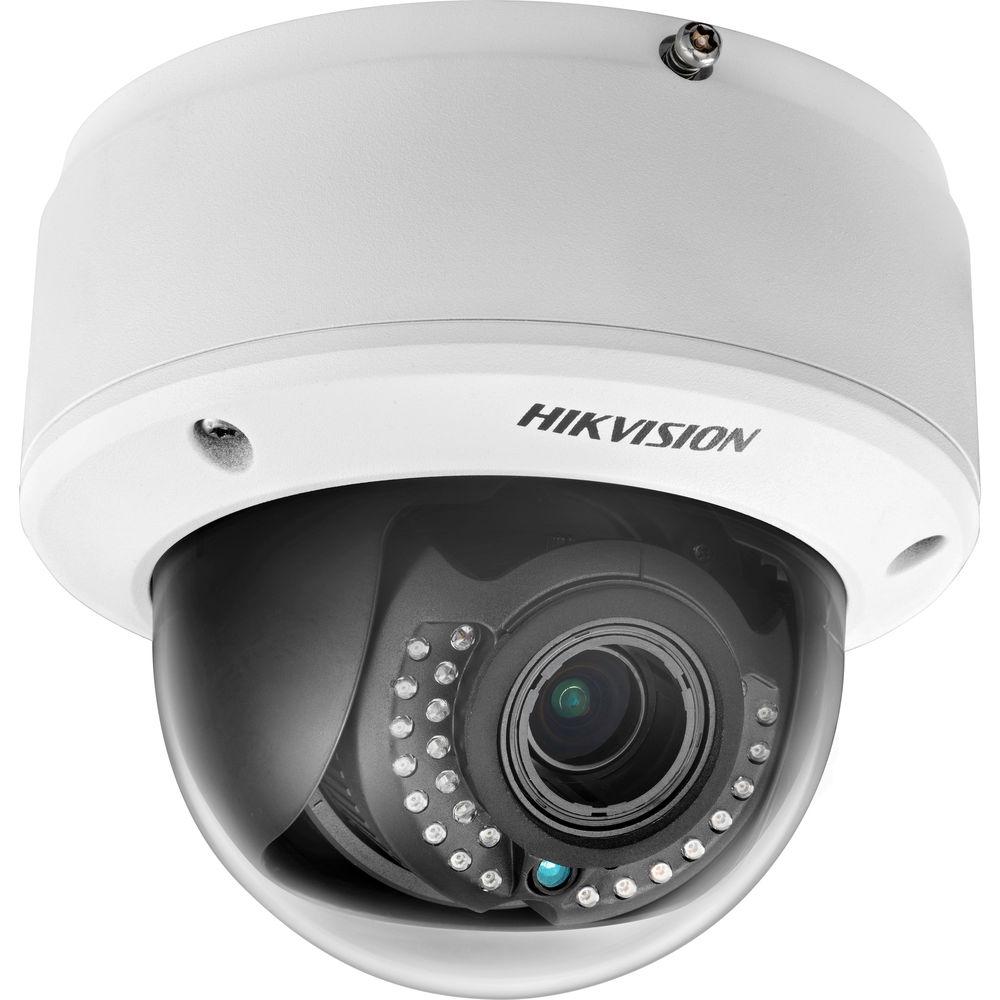
Product description The Lightfighter Series 2MP Outdoor Motorized Vandal-Resistant Dome Camera from Hikvision is designed to capture high-quality color images in a backlit environment. The camera features 1/2.8” progressive scan CMOS image sensor and 2.8 to 12mm motorized varifocal lens to produce 1920 x 1080 resolution images at 60 fps. Thanks to additional features such as 140dB WDR, PoE, Defog, 3D-DNR, and other smart features, this camera can meet a wide variety of needs. - Smart Detection
-
- Smart functions include Intrusion Detection, Line Crossing Detection, Object Left/Removal, Area Entering/Leaving, Scene Change Detection, Audio Surge Detection, Audio Loss Detection, Defocus Detection, Face Detection, Object Counting, and more
- Smart
-
- 6 behavior analysis, 4 exception detections, 1 recognition, 1 statistic function
- Smart recording supports edge recording and dual-VCA
- Smart encoding supports low bit rate, low latency, and ROI enhanced encoding
- Smart autofocus lens
- Image
-
- HD 1920 x 1080 @ 60 fps
- Supports image distortion correction
- Supports rotate mode, suitable for corridors
- Supports regional cropping to show detail with low bandwidth
- Code smoothness setting for different requirements of image quality and fluency
- Supports H.264+/H.264/MJPEG video compression, multi-level video quality configuration
- Supports Basic/Main/High Profile H.264 encoding complexity
- Multiple OSD black & white self-adaptive & custom colors
- Digital WDR supportable for backlight environment
- Features defog, BLC, and HLC
- Infrared
-
- IR range of up to 98'
- Smart IR prevents over-exposure at short distances
- System
-
- Supports ONVIF (profile S and profile G), CGI, PSIA, ISAPI protocol
- Supports triple streaming, and 20-channel simultaneous live view
- Fast autofocus maintains focus during zooming
- Anti-surge and anti-static
- Interface
-
- Supports standard 64GB microSD/SDHC/SDXC card storage
- Supports 10M/100M/1000M Ethernet port
- Supports audio I/O as well as dual-channel stereo audio
- Supports alarm I/O
- Supports CVBS analog output (4CIF resolution)
- Security
-
- Supports 3-level user authentication management, user and password authorization, IP address filtering, and anonymous access
- Supports security certificate as HTTPS, SSH, and certificate creation
- Basic and digest authentication is supportable in IE configuration
- Lock user IP option for multiple login error
UPC: 813908023619 In the Box Hikvision Lightfighter Series 2MP Outdoor Motorized Vandal-Resistant Dome Camera with Night Vision Limited 3-Year Warranty Guides & Manuals Table of Contents
|
Upload User Manual
Have you got an user manual for the Hikvision Lightfighter Series 2MP Outdoor Motorized Vandal-Resistant Dome Camera with Night Vision in electronic form? Please send it to us and help us expand our library of instruction manuals.
Thank you, too, on behalf of other users.
To upload the product manual, we first need to check and make sure you are not a robot. After that, your "Submit Link" or "Upload File" will appear.
Download User ManualThe user manual for the Hikvision Lightfighter Series 2MP Outdoor Motorized Vandal-Resistant Dome Camera with Night Vision can be downloaded in PDF format at the link stated below.
Technical parametersHikvision DS-2CD4125FWD Specs | | | Image Sensor | 1/2.8'' Progressive Scan CMOS | | Minimum Illumination | 0.005 lux @ (f/1.2, AGC ON), 0 lux with IR
0.007 lux @ (f/1.4, AGC ON), 0 lux with IR | | Shutter Speed | 1 to 1/100,000 seconds | | Slow Shutter | Supported | | Lens | 2.8 to 12mm @ f/1.4, angle of view: 113 to 33.8° | | Lens Mount | Diameter: 14 mm | | Angle Adjustment | Pan: 0 to 355°
Tilt: 0 to 75°
Rotation: 0 to 355° | | Auto Iris | DC drive | | Day & Night | IR cut filter with auto switch | | WDR Technology | 140 dB | | | | Video Compression | H.264/MPEG4/MJPEG | | H.264 Profile | Baseline Profile / Main Profile / High Profile | | Video Bit Rate | 32 kb/s to 16 Mb/s | | Audio Compression | G.711/G.722.1/G.726/MP2L2 | | Audio Bit Rate | 64 (G.711) / 16 (G.722.1) / 16(G.726) / 32 to 128 Kb/s (MP2L2) | | | | Maximum Resolution | 1920 x 1080 | | Frame Rate | 50 Hz: 50 fps (1920 x 1080)/(1280 x 960)/(1280 x 720)
60 Hz: 60 fps (1920 x 1080)/(1280 x 960)/(1280 x 720) | | Streaming | Third Stream:
Independent with main stream and sub stream
50Hz: 25fps (1920 x 1080)
60Hz: 60fps (1920 x 1080) | | Image Enhancement | BLC/HLC/3D-DNR/ROI/Defog | | Image Settings | Rotate Mode, Saturation, Brightness, Contrast, Sharpness adjustable by client software or web browser | | Distortion | Supported | | Cropping | Supported | | Day/Night Switching | Auto/Schedule/Triggered by Alarm In | | Picture | LOGO picture can be overlaid on video with 128 x 128, 24-bit bmp format | | | | Network Storage | NAS (Support NFS, SMB/CIFS), ANR | | Alarm Trigger | Motion detection, tampering alarm, network disconnect, IP address conflict, storage exception | | Protocols | TCP/IP, UDP, ICMP, HTTP, HTTPS, FTP, DHCP, DNS, DDNS, RTP, RTSP, RTCP, PPPoE, NTP, UPnP, SMTP, SNMP, IGMP, 802.1X, QoS, IPv6, Bonjour | | Security | User Authentication, Watermark, IP address filtering, Anonymous access | | Standard | ONVIF (PROFILE S and PROFILE G), PSIA, CGI, ISAPI | | | | Audio | 1-channel 3.5 mm audio in/out interface | | Communication Interface | 1 x RJ45 10M/100M/1000M Ethernet port, 1 x RS-485 interface | | Alarm | 1 x input, 1 x output (up to 24 VDC 1 A or 110 VAC 500 mA ) | | Video Output | 1 x V p-p composite output (75 Ohms/BNC) | | On-board Storage | Built-in microSD/SDHC/SDXC slot, up to 64 GB | | Reset Button | Yes | | | | Noise Filter | Supported | | Audio I/O | Supports dual audio track, stereo | | Audio Sampling Rate | 16 / 32 / 44.1 / 48 kHz | | | | Physical Behavior Modeling | Line crossing detection, Intrusion detection, Region entrance, Region exiting, Unattended baggage, Object removal | | Detection Method | Line Crossing Detection: Cross a pre-defined virtual line
Objects left over in the pre-defined region such as baggage, purses, or dangerous materials
Scene change detection, Sudden audio increase/decrease detection, Audio loss detection, Defocus detection | | Intrusion Detection and Prevention | Enter and loiter in a pre-defined virtual region | | Region Entrance | Enter a pre-defined virtual region from outside | | Region Exiting | Exit from a pre-defined virtual region | | Object Loss | Objects removed from the pre-defined region, such as the exhibits on display. | | Recognition | Face detection recognition | | Statistics | Object Counting (Entrance and Exit object number is accounted and showed on screen in real time) | | | | Vandal Resistance | IK10 | | IR Distance | 98' (30 m) | | Operating Conditions | -22 to 140°F (-30 to 60°C), Humidity 95% or less (non-condensing) | | Power Supply | 12 VDC ± 10%, PoE (802.3af) | | Power Consumption | Maximum 9 W (IR On: 2 W, motorized VF lens: 1 W) | | Dimensions (Ø x D) | 5.51 x 4.8" (14 x 12.2 cm) | | Weight | 3.1 lb (1.4 kg) | | | | Package Weight | 3.0 lb | | Box Dimensions (LxWxH) | 9.8 x 6.9 x 6.8" |
Rating90% users recommend this product to others. And what about you?

This product has already been rated by 66 owners. Add your rating and experience with the product.
Discussion
 Ask our technicians if you have a problem with your settings,
or if anything is unclear in the user manual you have downloaded.
You can make use of our moderated discussion.
The discussion is public and helps other users of our website who may be encountering similar problems.
Ask our technicians if you have a problem with your settings,
or if anything is unclear in the user manual you have downloaded.
You can make use of our moderated discussion.
The discussion is public and helps other users of our website who may be encountering similar problems.
The discussion is empty - enter the first post
Post a new topic / query / comment:
|
|



