User Manual for HP Color LaserJet Enterprise Flow M577c All-in-One Laser Printer Click to enlarge the picture
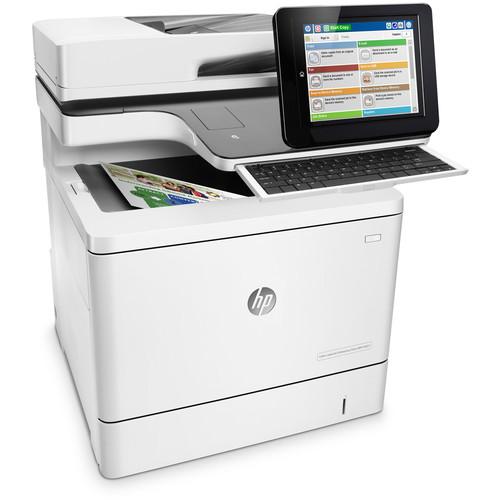 Contents of the user manual for the HP Color LaserJet Enterprise Flow M577c
- Product category: Laser Printers HP
- Brand: HP
- Description and content of package
- Technical information and basic settings
- Frequently asked questions – FAQ
- Troubleshooting (does not switch on, does not respond, error message, what do I do if...)
- Authorized service for HP Laser Printers
 |
User manual for the HP Color LaserJet Enterprise Flow M577c contain basic instructions
that need to be followed during installation and operation.
Before starting your appliance, the user manual should be read through carefully.
Follow all the safety instructions and warnings, and be guided by the given recommendations.
User manual is an integral part of any HP product,
and if it is sold or transferred, they should be handed over jointly with the product.
Following the instructions for use is an essential prerequisite for protecting
health and property during use, as well as recognition of liability on the part of the manufacturer
for possible defects should you make a warranty claim. Download an official HP user manual in which you will find instructions on how to install, use, maintain and service your product.
And do not forget – unsuitable use of a HP product will considerably shorten its lifespan!
|
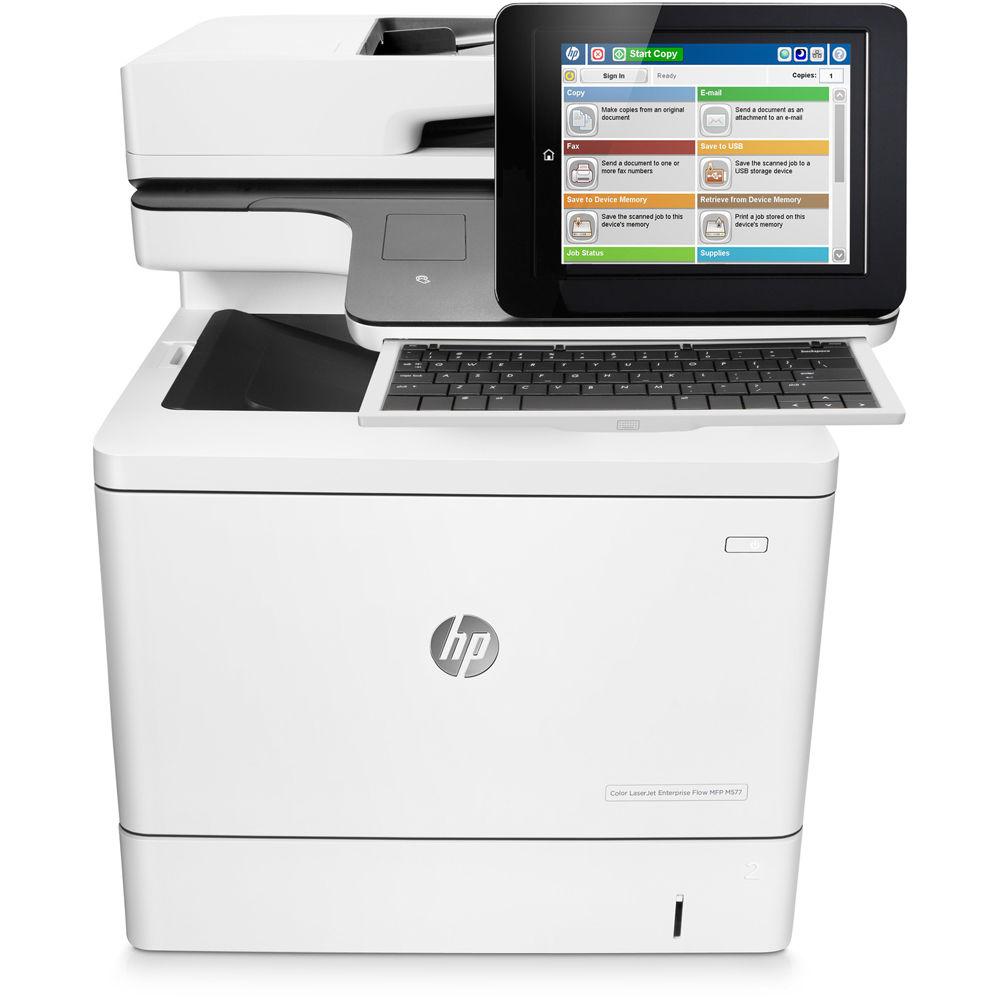
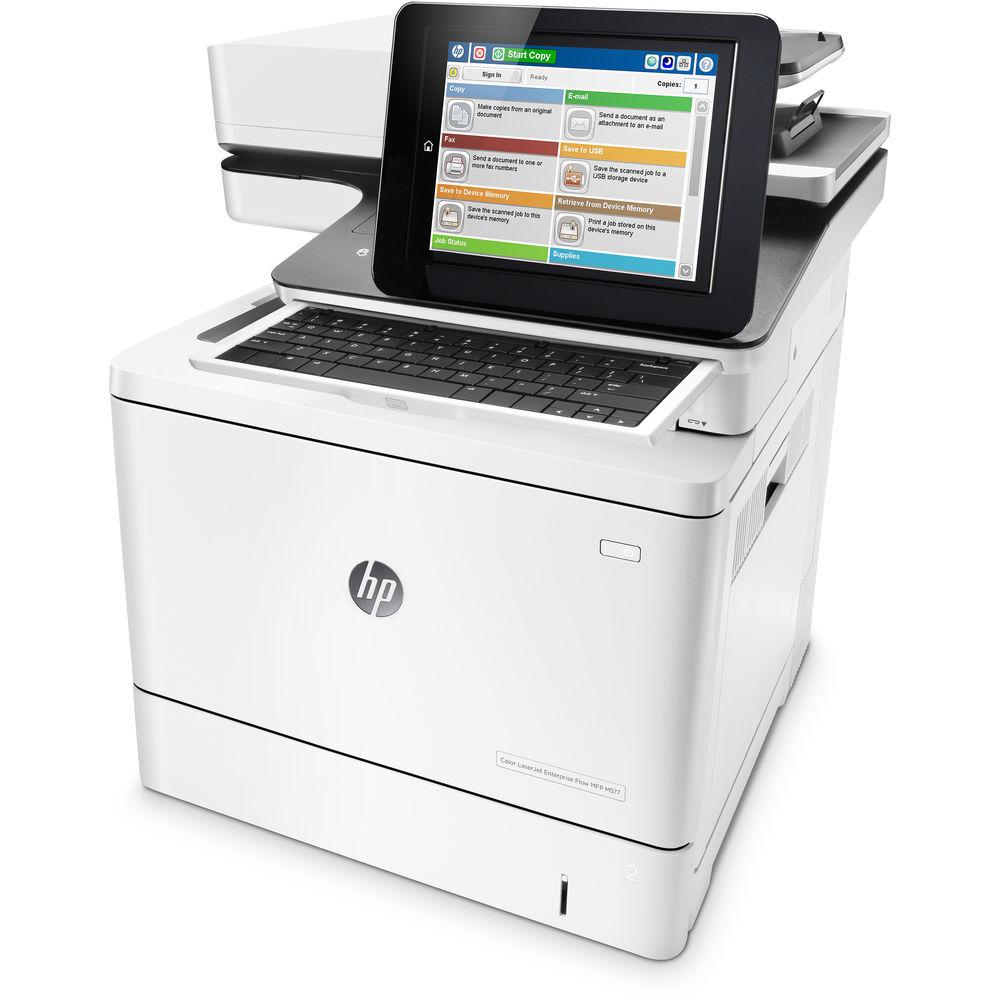
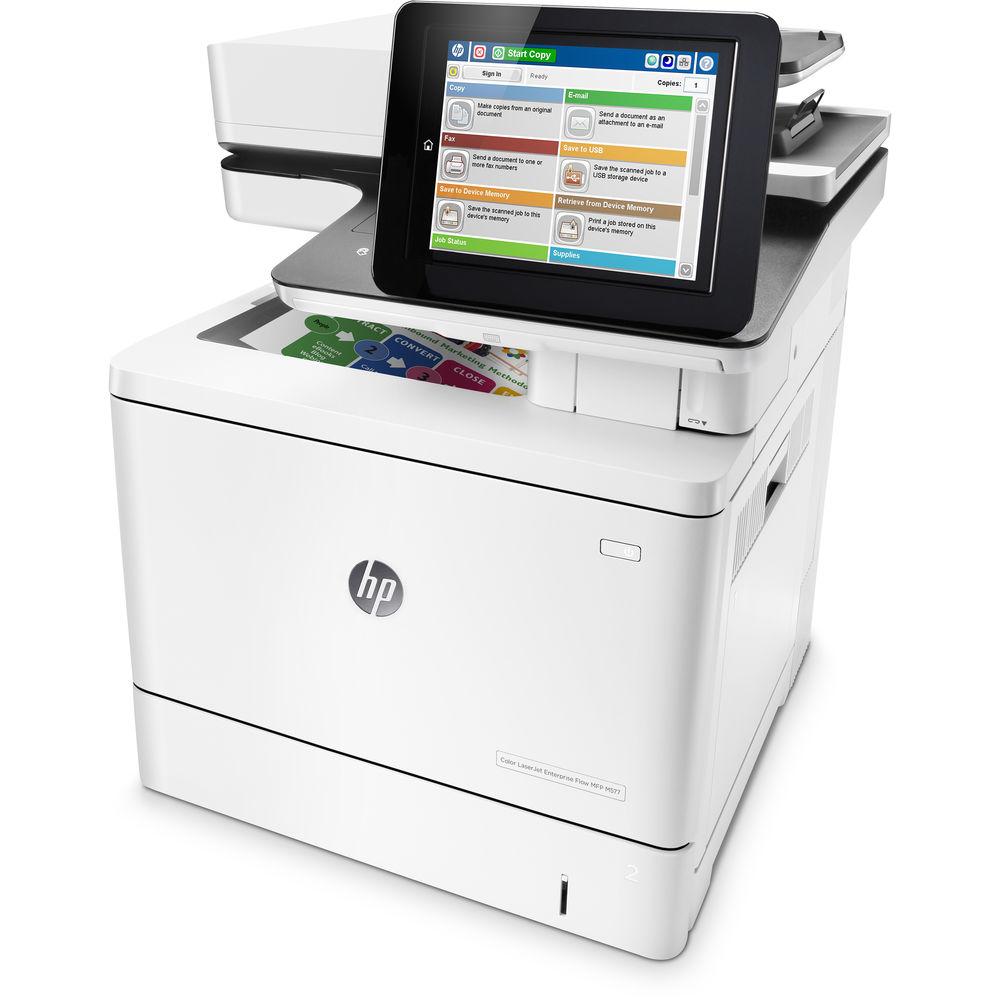
Product description Boost both the efficiency and productivity of your workgroup by adding a Color LaserJet Enterprise Flow M577c All-in-One Laser Printer from HP to your workspace. This all-in-one unit not only offers standard printing, scanning, copying, and fax capabilities, but combines it with intuitive controls and superb security. On the printer side, the unit is quite capable, creating full color documents at a rate of up to 40 ppm in both simplex and duplex modes. Along with this, the M577c can leverage a maximum print resolution of 1200 x 1200 dpi in order to render fine lines on documents ranging in size from 3 x 5" to 8.5 x 14".
Scanning, copying, and faxing are possible through the inclusion of an 8.5 x 14" flatbed, or the 100-sheet ADF. The flatbed will handle many jobs with ease and produce finely detailed 600 dpi images while the ADF benefits from fast scan speeds of up to 48 ppm in simplex or 68 ipm for single-pass two-sided scans. Also, it has both a 100-sheet multipurpose tray and a 500-sheet standard input tray to handle multiple media types at once. On top of this, a convenience stapler is available for jobs that require it.
User friendly, the M577c is equipped with a large 8.0" touchscreen LCD in order to change settings and quickly check status. This model is also built with a pull-out keyboard to speed up some tasks as needed. It is well connected with simple USB 2.0 and Ethernet options. Additionally, the printer is durable, with a rated monthly duty cycle of 80,000 pages. - First page out times as fast as 8.7 seconds from sleep or 5.7 seconds from ready
- HP Sure Start for run-time intrusion detection and whitelisting security features
- ENERGY STAR, EPEAT Silver, and Blue Angel qualified
- Optional input trays to increase maximum capacity
- HP Secure Hard Disk to ensure that files are protected as they are printed
- Centralized control of printing environment with HP Web Jetadmin
- Print directly from mobile devices
In the Box HP Color LaserJet Enterprise Flow M577c All-in-One Laser Printer 508A Black Toner Cartridge 508A Cyan Toner Cartridge 508A Magenta Toner Cartridge 508A Yellow Toner Cartridge Toner Collection Unit Fax Cable Power Cord Software CD-ROM Limited 1-Year Warranty More from Manufacturer Table of Contents
|
Upload User Manual
Have you got an user manual for the HP Color LaserJet Enterprise Flow M577c All-in-One Laser Printer in electronic form? Please send it to us and help us expand our library of instruction manuals.
Thank you, too, on behalf of other users.
To upload the product manual, we first need to check and make sure you are not a robot. After that, your "Submit Link" or "Upload File" will appear.
Technical parametersHP M577C Specs | Functions | Print, scan, copy, fax | | | | Printing Technology | Laser; HP ImageREt 3600, PANTONE calibrated | | Maximum Resolution | 1200 x 1200 dpi | | Print Speed | 40 ppm | | First Print Out Speed | Black: 5.7 seconds from ready; 8.7 seconds from sleep
Color: 6.8 seconds from ready; 8.9 seconds from sleep | | Duplex Printing | Automatic | | Print Color | CMYK: Cyan, Magenta, Yellow, Black | | Toner Cartridge Compatibility | HP 508A Black LaserJet Toner Cartridge (~6,000 pages)
HP 508A Cyan LaserJet Toner Cartridge (~5,000 pages)
HP 508A Magenta LaserJet Toner Cartridge (~5,000 pages)
HP 508A Yellow LaserJet Toner Cartridge (~5,000 pages)
HP 508X Black LaserJet Toner Cartridge (~12,500 pages)
HP 508X Cyan LaserJet Toner Cartridge (~9,500 pages)
HP 508X Magenta LaserJet Toner Cartridge (~9,500 pages)
HP 508X Yellow LaserJet Toner Cartridge (~9,500 pages) | | Printer Duty Cycle | Monthly: 80,000 pages
Recommended Monthly Volume: 2,000-7,500 pages | | Print Features | Print preview, two-sided printing, print multiple pages per sheet (2, 4, 6, 9, 16), collation, watermarks, store print jobs, easy-access USB, HP Easy Color | | | | Scanner Type | Flatbed, ADF | | Optical Resolution | 600 dpi | | Scan Speed | Single-Sided: 48 ppm
Two-Sided: 68 ipm black, 60 ipm color | | Maximum Scan Area | 8.5 x 14" / 21.6 x 35.6 cm | | Duplex Scanning | Yes, single-pass | | Duty Cycle | Recommended Monthly Volume: 8,350-13,900 pages | | Scanner Features | Optimize text/picture, image adjustments, job build, output quality setting, selectable scan resolution 75-600 dpi, auto detect color, edge erase, job notification, blank page suppression, HP Quick Sets, HP EveryPage, auto orientation, embedded optical character recognition (OCR), auto crop to page, auto-tone | | Digital Sending Features | Scan to e-mail, save to network folder, save to USB drive, send to FTP, send to Internet fax, local address book, SMTP over SSL, blank page removal, edge erase, auto color sense, auto crop to content, compact PDF, send to Microsoft SharePoint | | | | Maximum Resolution | Flatbed: 600 x 600 dpi
ADF: 600 x 450 dpi | | Duplex Copying | Yes | | Reduction / Enlargement | 25-400% | | Copy Features | Auto scale, reduce/enlarge, collate, auto color detection, image adjustments (darkness, background cleanup, sharpness), job build, convenience stapler | | | | Modem Speed | 33.6 kbps | | Fax Resolution | Standard: 204 x 98 dpi
Fine: 204 x 196 dpi
Superfine: 300 x 300 dpi | | Speed Dial Locations | 1,000 numbers | | Fax Broadcasting | 120 locations | | Fax Features | Fax forwarding, receive fax polling, auto-fax reduction, auto-redialing, stored faxes, fax archiving, scale-to-fit, fax address book, LAN/Internet fax, fax number confirmation, holiday fax schedule | | | | Paper Handling | Multipurpose tray
Input tray
Automatic document feeder
Output bin | | Paper Types | Paper (plain, light, bond, recycled, mid-weight, heavy, mid-weight glossy, heavy glossy, extra heavy, extra heavy glossy, cardstock, card glossy), color transparency, labels, letterhead, envelope, preprinted, prepunched, colored, rough, opaque film, user-defined | | Paper Sizes | Multipurpose Tray: 3 x 5" to 8.5 x 14" / 7.6 x 12.7 cm to 21.6 x 35.6 cm
Input Tray: 4.0 x 5.85" to 8.5 x 11.7" / 10.2 x 14.8 cm to 21.6 x 29.7 cm
Duplex: Letter, legal, oficio, executive, A4, A5, B5 (JIS)
ADF: Letter, legal, oficio, executive, statement, Postcard (JIS), DPostcard (JIS), 4 x 6" / 10.2 x 15.2 cm, 5 x 7" / 12.7 x 17.8 cm, 5 x 8" / 12.7 x 20.3 cm, A4, RA4, A5, A6, B5, B6 (JIS), 16K | | Media Weight | Trays: 16-58 lb / 60-220 gsm; gloss, 28-58 lb / 105-220 gsm
Duplex: 16-43 lb / 60-163 gsm; gloss, 28-58 lb / 105-220 gsm
ADF: 12-53 lb bond / 45-199 gsm | | Paper Capacity | Multipurpose Tray: 100 sheets
Input Tray: 550 Sheets
ADF: 100 sheets
Output Bin: 250 sheets | | | | Interfaces | USB 2.0
Ethernet (10/100/1000Base-TX)
2 x USB 2.0 Host
Hardware Integration Pocket | | Mobile Printing Features | HP ePrint, Apple AirPrint, Mopria-certified, Google Cloud Print 2.0 | | OS Compatibility | Windows 10 (32/64-bit), 8/8.1 (32/64-bit), 7 (32/64-bit), Vista (32/64-bit), XP SP3 (32/64-bit)
Mac OS 10.8-10.10
iOS, Android, Windows 8/8.1/10 RT
SUSE Linux (12.2, 12.3, 13.1), Fedora (17, 18, 19, 20), Linux Mint (13, 14, 15, 16, 17), Boss (3.0, 5.0), Ubuntu (10.04, 11.10, 12.04, 12.10, 13.04, 13.10, 14.04, 14.10), Debian (6.0.x, 7.x)
UNIX | | Processor | 1.2 GHz | | Memory | 1.25 GB (upgradable to 2 GB for printer)
500 MB (scanner) | | Hard Drive Capacity | 320 GB HP High-Performance Secure Hard Disk
AES 256 hardware encryption or greater
Secure erase capabilities (Secure File Erase-Temporary Job Files, Secure Erase-Job Data, Secure ATA Erase-Disk)
U.S. Government: FIPS 140-2 validated hard disk, minimum 500 GB | | Fonts | 105 internal TrueType fonts scalable in HP PCL
92 internal scalable fonts in HP postscript Level 3 emulation (Euro symbol built-in)
1 internal Unicode Fonts (Andale Mono World Type)
2 Internal Windows Vista 8 Fonts (Calibri, Cambria) | | Printer Language | HP PCL 6, HP PCL 5c, HP postscript level 3 emulation, native PDF printing (v1.7) | | Network Protocol Support | IPv4/IPv6: Apple Bonjour Compatible (Mac OS 10.2.4 or higher), SNMPv1/v2c/v3, HTTP, HTTPS, FTP, TFTP, Port 9100, LPD, WS Discovery, IPP, Secure-IPP, IPsec/Firewall
IPv6: DHCPv6, MLDv1, ICMPv6
IPv4: Auto-IP, SLP, Telnet, IGMPv2, BOOTP/DHCP, WINS, IP Direct Mode, WS Print
Other: NetWare NDS, Bindery, NDPS, ePrint, Google Cloud Print 2.0 | | Security | Identity Management: Kerberos authentication, LDAP authentication, 1000 user PIN codes, optional HP and third-party advanced authentication solutions (e.g., badge readers)
Network: IPsec/firewall with Certificate, Pre-Shared Key, and Kerberos authentication, Supports WJA-10 IPsec configuration Plug-in, 802.1X authentication (EAP-PEAP, EAP-TLS), SNMPv3, HTTPS, Certificates, Access Control List
Data: Storage Encryption, Encrypted PDF and Email (uses FIPS 140-2 validated cryptographic libraries), Secure Erase, SSL/TLS (HTTPS), Encrypted Credentials
Device: Security lock slot, USB port disablement, hardware integration pocket for security solutions, optional Trusted Platform Module
Management: Compatible with optional HP JetAdvantage Security Manager | | | | Control Panel | 8.0" / 20.3 cm color touchscreen with adjustable angle display
Illuminated Home button
Pull-out keyboard | | Power Requirements | 100-127 VAC, 60 Hz | | Power Consumption | Printing: 592 W
Ready: 47.3 W
Sleep: 3.48 W
Auto-Off/Auto-On/Wake on LAN: 0.49 W
Auto-Off/Manual On: 0.08 W | | Typical Power Consumption | ENERGY STAR: 1.581 kWh/week
Blue Angel: 1.513 kWh/week | | Certifications | ENERGY STAR certified
Blue Angel
EPEAT Silver
Mercury-free | | Compliance | Safety & Regulatory: IEC 60950-1:2005 +A1:2009 +A2:2013 (International); EN 60950-1:2006 +A11:2009 +A1:2010 +A12:2011 +A2:2013 (EU); EN 60825-1:2007/IEC 60825-1:2007 (Class 1 Laser Product); EN 62479: 2010/IEC 62479: 2010; Low Voltage Directive 2006/95/EC with CE Mark (Europe); GS Certificate (Germany, Europe); UL/cUL Listed and UC CoC (US/Canada); CAN/CSA C22.2 No. 60950-1-07 2nd Ed. 2011-12; Compliance with Laser safety standards 21 CFR 1040.10 and 1040.11 except for deviations pursuant to Laser notice No. 50, Dated June 24, 2007; Other safety approvals as required by individual countries
Electromagnetic Emission: CISPR 22:2008 (International) - Class A, EN 55022: 2010 (EU) - Class A, EN 61000-3-2: 2006 +A1: 2009 +A2: 2009, EN 61000- 3-3: 2008, EN 55024: 2010, EMC Directive 2004/108/EC, FCC CFR 47 Part 15 Class A / ICES-003, Issue 5 Class A, Other EMC approvals as required by individual countries
Telecom Wired: ES 203 021; R&TTE Directive 1999/5/EC with CE marking (Europe); FCC Rules and Regulations 47 CFR Part 68; Industry Canada CS03; Other Telecom approvals as required by individual countries | | Acoustic Noise | Power Emissions
Ready Mode: 4.7 B(A)
Active Printing: 6.5 B(A)
Active Copying: 6.9 B(A)
Active Scanning: 6.7 B(A)
Pressure Emissions (Bystander)
Ready Mode: 32 dB(A)
Active Printing: 51 dB(A)
Active Copying: 54 dB(A)
Active Scanning: 52 dB(A) | | Operating Conditions | Temperature: 59 to 81°F / 15 to 30°C
Recommended Temperature: 62 to 77°F / 17 to 25°C
Humidity: 10 to 80%
Recommended Humidity: 30 to 70% | | Storage Conditions | Temperature: 32 to 95°F / 0 to 35°C
Humidity: 10 to 90% | | Dimensions | Minimum: 19 x 19.8 x 23" / 48.2 x 50.4 x 58.3 cm
Maximum: 27.5 x 19.8 x 23" / 69.9 x 50.4 x 58.3 cm | | Weight | 85 lb / 38.6 kg |
Rating90% users recommend this product to others. And what about you?

This product has already been rated by 76 owners. Add your rating and experience with the product.
Discussion
 Ask our technicians if you have a problem with your settings,
or if anything is unclear in the user manual you have downloaded.
You can make use of our moderated discussion.
The discussion is public and helps other users of our website who may be encountering similar problems.
Ask our technicians if you have a problem with your settings,
or if anything is unclear in the user manual you have downloaded.
You can make use of our moderated discussion.
The discussion is public and helps other users of our website who may be encountering similar problems.
The discussion is empty - enter the first post
Post a new topic / query / comment:
|
|


