|
User Manual for HP Color LaserJet Enterprise Flow M681z All-In-One Laser Printer Click to enlarge the picture
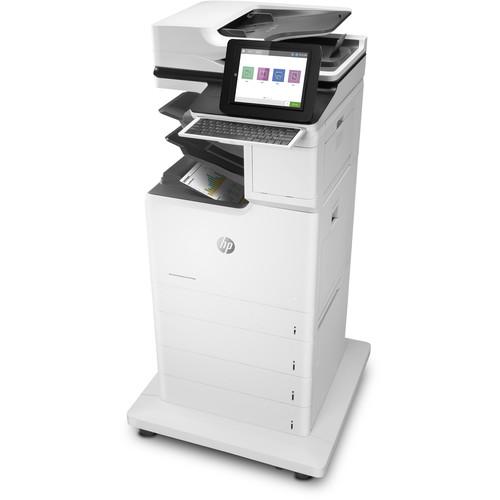 Contents of the user manual for the HP Color LaserJet Enterprise Flow M681z
- Product category: Laser Printers HP
- Brand: HP
- Description and content of package
- Technical information and basic settings
- Frequently asked questions – FAQ
- Troubleshooting (does not switch on, does not respond, error message, what do I do if...)
- Authorized service for HP Laser Printers
 |
User manual for the HP Color LaserJet Enterprise Flow M681z contain basic instructions
that need to be followed during installation and operation.
Before starting your appliance, the user manual should be read through carefully.
Follow all the safety instructions and warnings, and be guided by the given recommendations.
User manual is an integral part of any HP product,
and if it is sold or transferred, they should be handed over jointly with the product.
Following the instructions for use is an essential prerequisite for protecting
health and property during use, as well as recognition of liability on the part of the manufacturer
for possible defects should you make a warranty claim. Download an official HP user manual in which you will find instructions on how to install, use, maintain and service your product.
And do not forget – unsuitable use of a HP product will considerably shorten its lifespan!
|
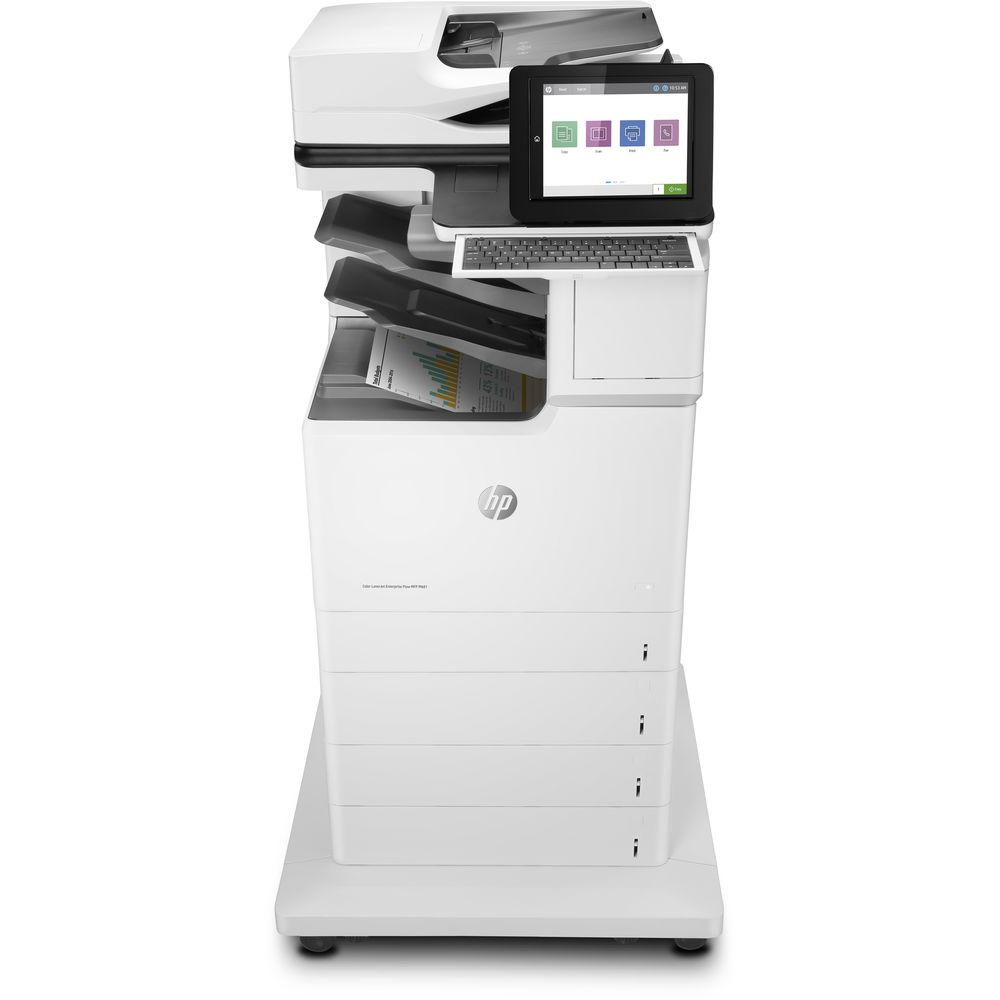
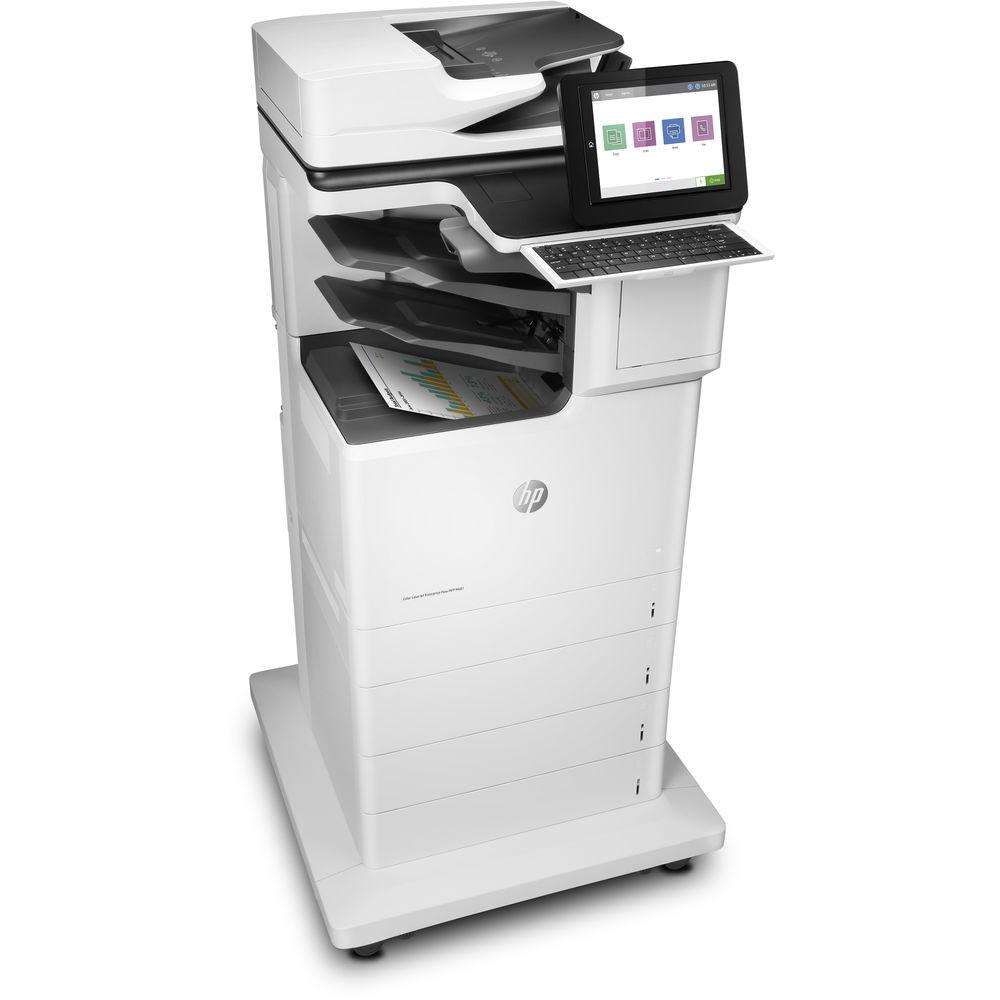
Product description Designed for demanding workplaces, the Color LaserJet Enterprise Flow M681z All-In-One Laser Printer from HP takes things up a notch with exceptional security, outstanding print features, and multi-functional capabilities including scanning, copying, and faxing that will make this machine the only one you will need for your essential office needs. This model can produce detailed black and color documents at up to 1200 x 1200 dpi and can even reach speeds of up to 50 ppm for maximum productivity. It also works with a variety of media up to 8.5 x 14" and can perform automatic duplexing for 2-sided printing.
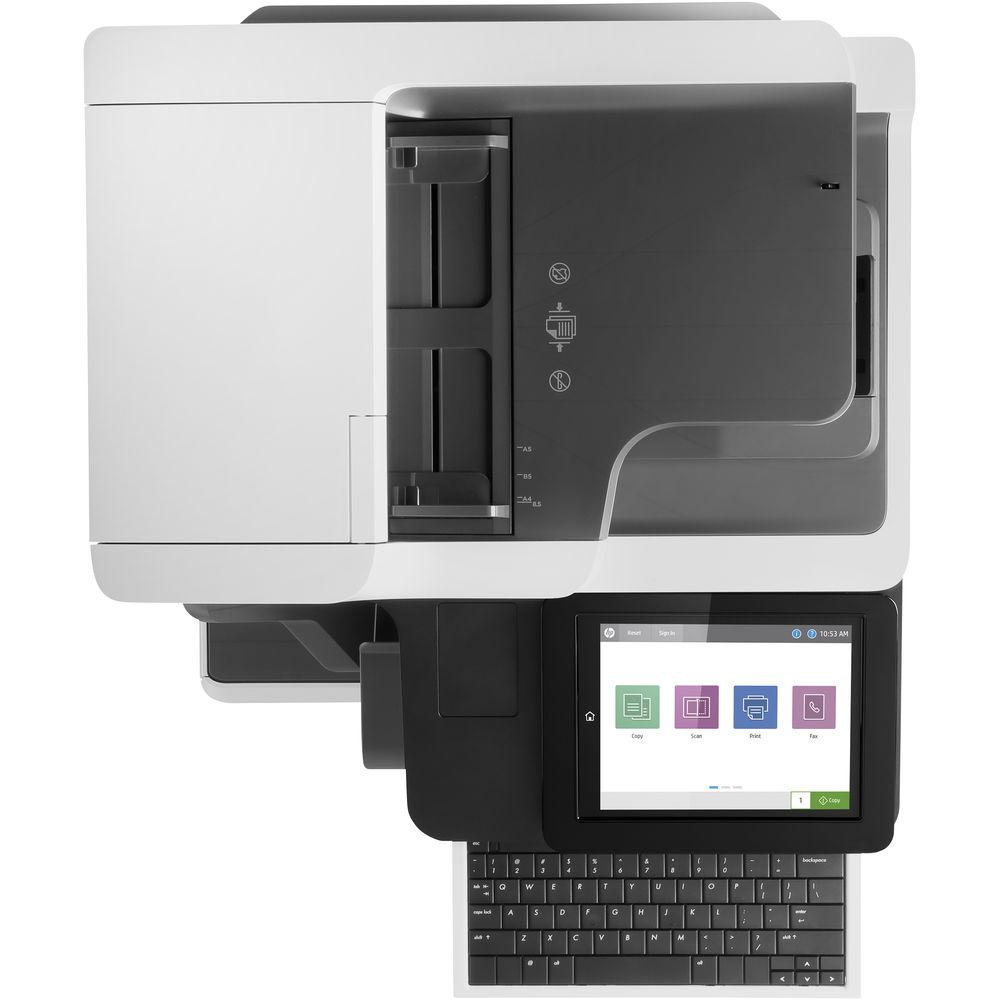
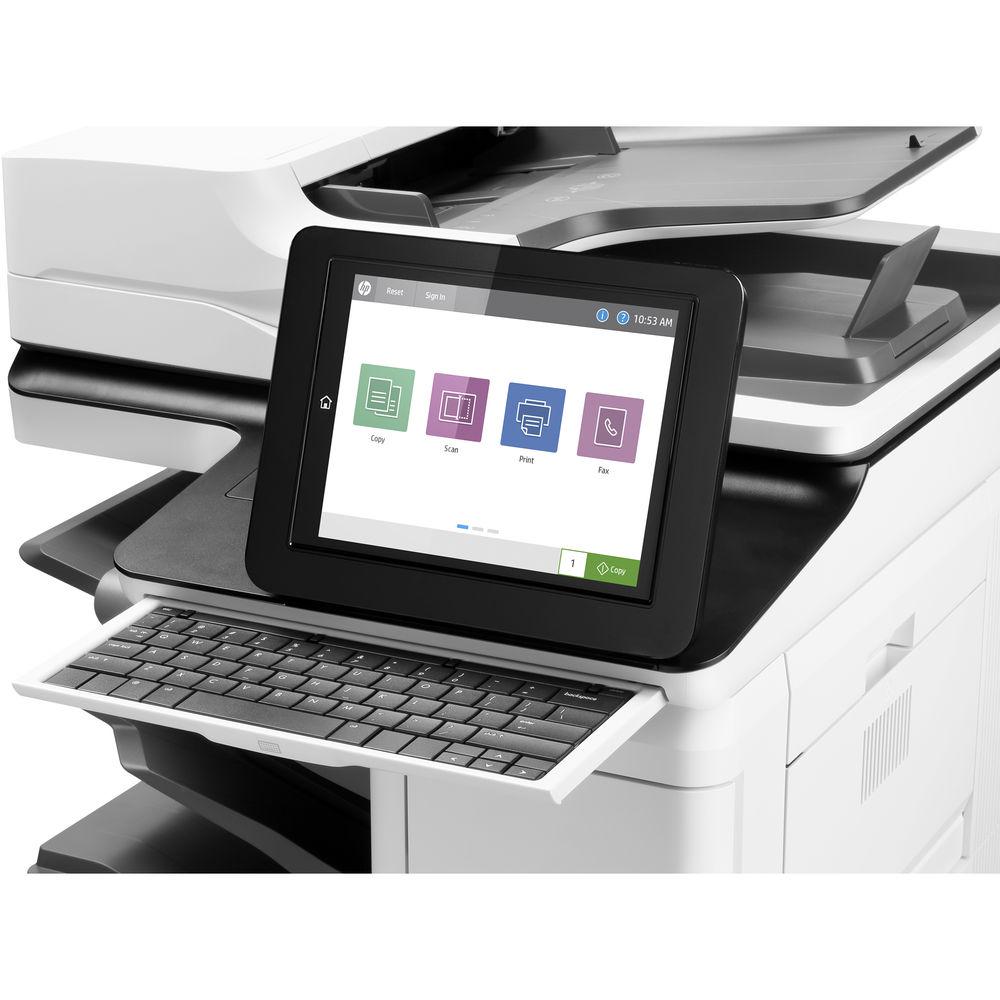
For scanning, the M681z uses a CCD sensor with either the 8.75 x 14.38" flatbed or a 150-sheet ADF capable of handling media up to 8.5 x 34" in size. Scans also benefit from an optical resolution of 600 dpi. For general media handling users have access to a 100-sheet multipurpose tray and four 550-sheet input trays. Also, there is a 3-bin stapler/stacker for organizing your documents as they are created. For operation, there is a large 8" CGD touchscreen as well as a pull-out keyboard for intuitive control and easy data entry. An easy-access USB port is available as well for direct printing and both USB 2.0 and Ethernet can be used for setup. - Print
-
- Print resolutions are available at up to 1200 x 1200 dpi in color and black.
- Users can print at speeds up to 50 ppm.
- First print out time of 6.5 seconds.
- Automatic duplexing for 2-sided prints.
- Mobile printing capabilities include Apple AirPrint, Google Cloud Print 2.0, HP ePrint, and Mopria.
- Standard print language of HP PCL 6, HP PCL 5c, HP PostScript Level 3 emulation, native PDF v1.7, and URF.
- A 100-sheet multipurpose tray, and four 550-sheet trays are present for versatile media handling and for working with large print jobs.
- Supported media types include plain paper, photo paper, thick paper, recycled paper, and more.
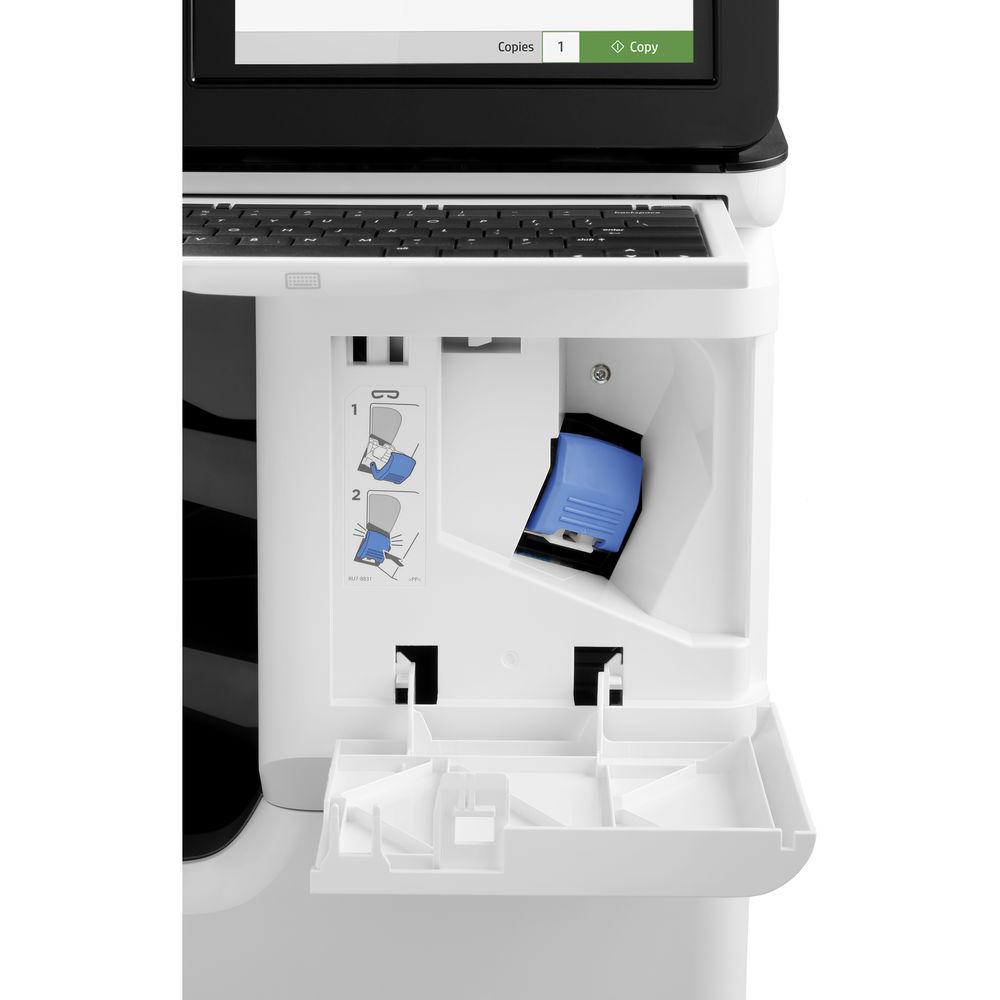
- A 3-bin stapler/stacker with offset job printing can be used to sort and staple your documents as they are made.
- Monthly duty cycle of 100,000 pages with a recommended monthly volume of 2000-14,000 pages.
- Scan
-
- Uses a Charge Coupled Device (CCD) with an optical resolution of 1200 dpi.
- Both an 8.75 x 14.38" flatbed and 150-sheet automatic document feeder are available for scanning.
- The ADF can handle documents from 2.7 x 5.8" up to 8.5 x 34" in size.
- The scanner has a hardware resolution of 600 x 600 dpi and can scan at speed up to 90 ppm or duplex at up to 180 ipm.
- Scanning benefits from a color depth of 24-bit and a grayscale depth of 8-bit or 256 levels.
- Scanning can be performed at speeds up to 90 ppm, or 180 ipm with duplexing.
- Native scan file formats include PF, JPG, TIF, and MTIF.
- Digital sending features include scan to email, save to network folder, save to USB drive, send to Sharepoint, send to FTP, send to LAN fax, send to Internet fax, local address book, SMTP over SSL, blank page removal, edge erase, auto color sense, auto crop to content, compact PDF, auto tonescale, auto orientation, multi-pick detect, auto straighten, auto crop to page, and OCR.
- Advanced scanner features include optimize text/picture, image adjustments, job build, output quality setting, selectable scan resolution from 75-600 dpi, auto detect color, edge erase, job notification, blank page suppression, HP Quick Sets, HP EveryPage, auto orientation, embedded OCR, auto crop to page, and auto-tone.
- Copy
-
- Copy resolutions of up to 600 dpi are available in both black and color.
- Copies can be made at speeds of up to 50 cpm in black and color.
- Reduction/enlargement from 25-400%.
- Up to 9999 copies can be made at a time.
- Copy settings include two-sided copying, scalability, image adjustments (darkness, contrast, background cleanup, sharpness), N-up, N or Z-ordering, content orientation, collation, booklet, job build, edge-to-edge, job storage, ID Copy, Book Copy, and A-to-B Copy (different media sizes).
- Fax
-
- Fax machine uses a 33.6 kbps modem to transmit one page in approximately 3 seconds.
- Fax resolutions of 300 x 300 dpi, or 400 x 400 dpi for received faxes, and 203 x 98 dpi are available.
- Internal fax memory for about 500 pages.
- Capacity for up to 1000 speed dial numbers, each with 210 destinations.
- Fax features include auto fax reduction support, auto-redialing, fax forwarding, fax polling, junk barrier, and PC interface support.
- Smart features include stored faxes, fax archiving, fax forwarding, scale to fit, fax address book, LAN/Internet fax, fax number confirmation, and holiday fax schedule.
- General
-
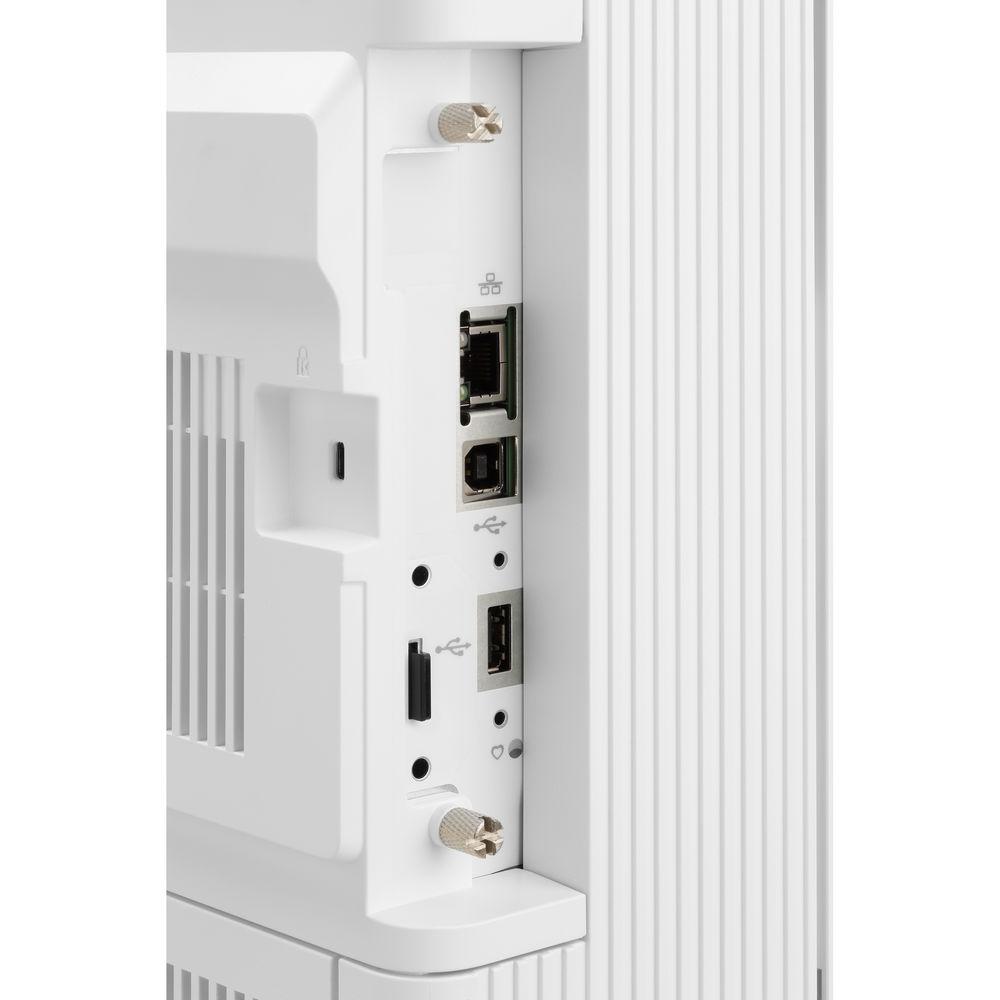
- USB 2.0 and Ethernet connectivity are available, as well as one RJ11 port for the fax function.
- A large, tilting 8" CGD touchscreen is available for intuitive control over settings alongside a pull-out keyboard and home button.
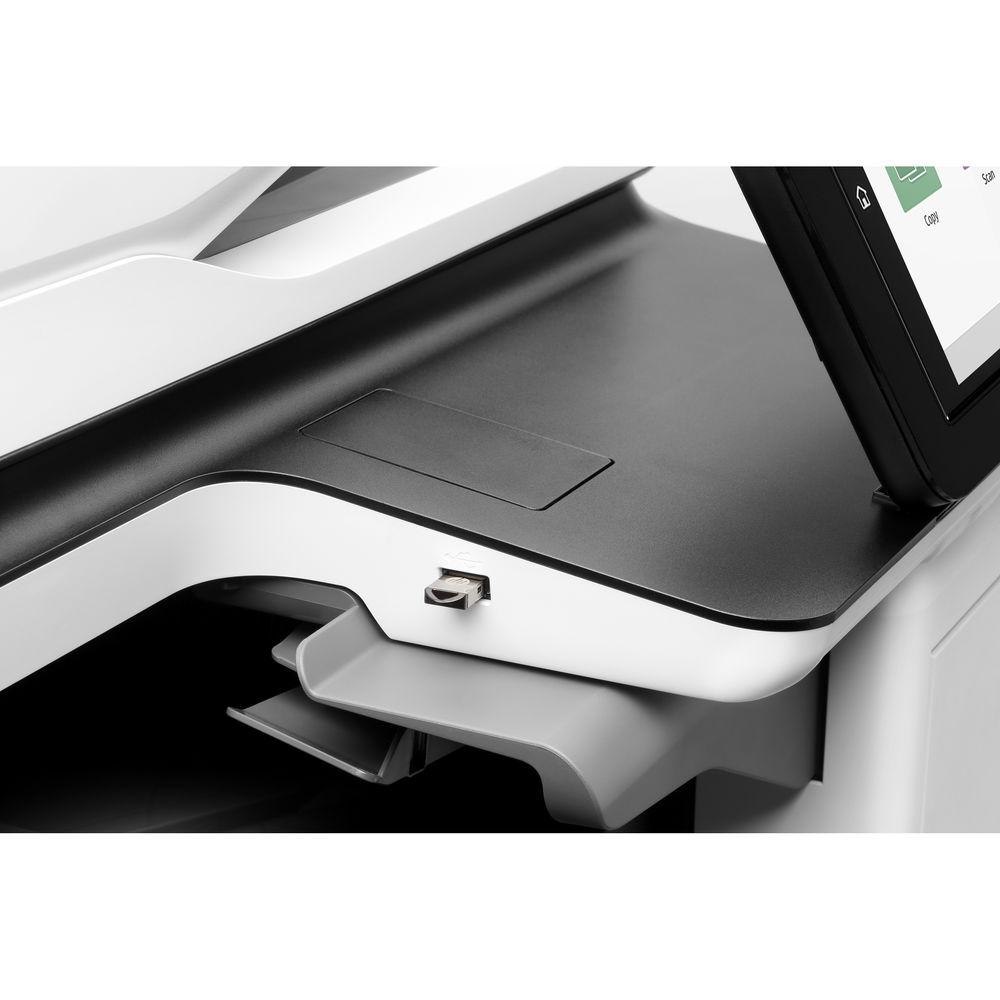
- An easy-access USB port is available for printing from and scanning to a portable storage device.
- HP Sure Start automatically checks the printer's operating code and repairs itself to help prevent hacks.
- Run-time intrusion detection monitors to detect and stop attacks and will then automatically reboot the unit.
- HP Web Jetadmin provides centralized control over your print network.
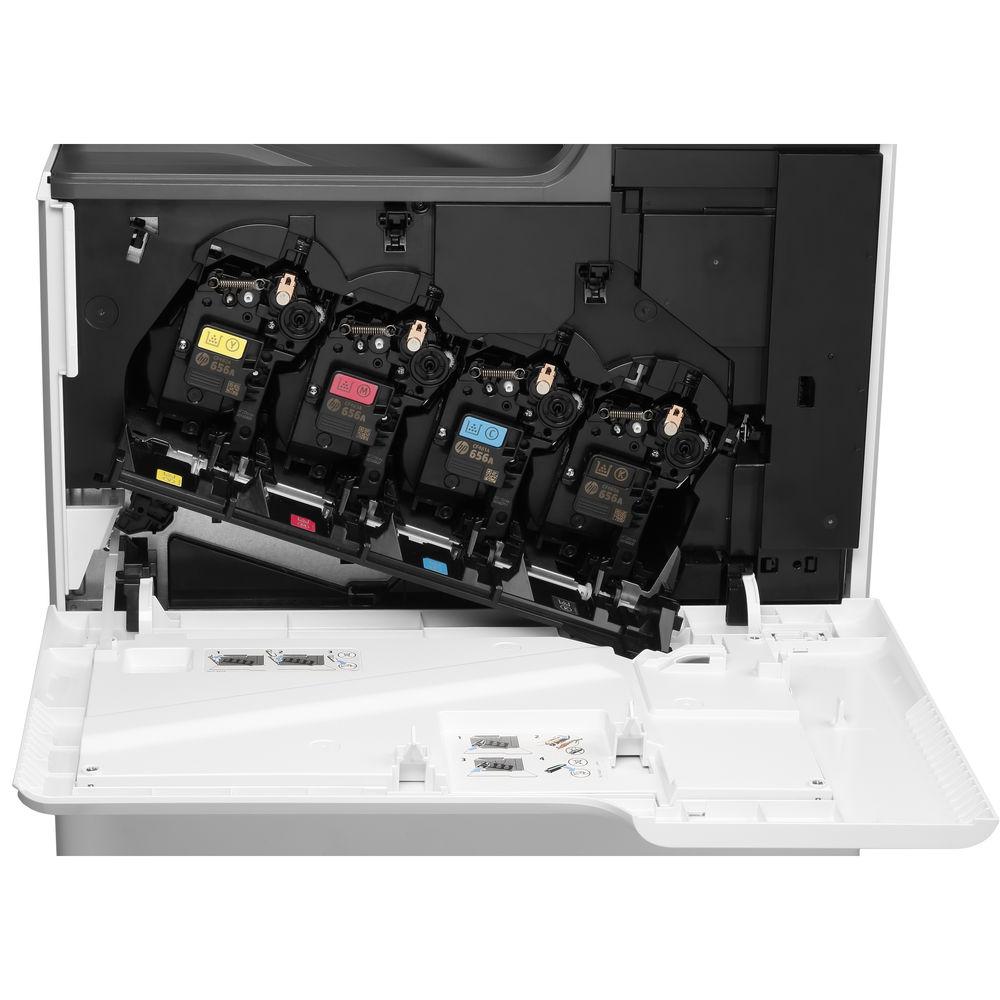
- ColorSphere3 toner and an automatic media sensor ensure optimized quality.
- A Hardware Integration Port is available for expanding functionality of the printer.
- Standard memory includes 1.5GB for the printer and 1GB for the scanner with an optional maximum of 3GB.
- A 320GB HP High-Performance Secure Hard Disk with AES 256 hardware encryption or better is available to safeguard your data.
- A multitude of security management tools are available to help protect your network and data.
- Wake-up time of just 8.9 seconds.
- Built-in fonts and typefaces include 105 TrueType fonts, 92 scalable PostScript fonts, one Unicode font, two Windows Vista 8 fonts, and more.
- ENERGY STAR, Blue Angel, CECP, and EPEAT Silver qualified.
In the Box HP Color LaserJet Enterprise Flow M681z All-In-One Laser Printer - 655A LaserJet Enterprise Black Toner Cartridge
- 655A LaserJet Enterprise Cyan Toner Cartridge
- 655A LaserJet Enterprise Magenta Toner Cartridge
- 655A LaserJet Enterprise Yellow Toner Cartridge
- Power Cord
- Documentation and Software CD-ROM
- Limited 1-Year Warranty
More from Manufacturer Table of Contents
|
Upload User Manual
Have you got an user manual for the HP Color LaserJet Enterprise Flow M681z All-In-One Laser Printer in electronic form? Please send it to us and help us expand our library of instruction manuals.
Thank you, too, on behalf of other users.
To upload the product manual, we first need to check and make sure you are not a robot. After that, your "Submit Link" or "Upload File" will appear.
Technical parametersHP M681z Specs | Functions | Print
Scan
Copy
Fax | | | | Printing Technology | Laser | | Print Resolution | 1200 x 1200 dpi | | Print Speed | 50 ppm | | First Print Out Speed | 6.5 seconds | | Duplex Printing | Yes | | Ink Type | Toner | | Ink Palette | Black
Cyan
Magenta
Yellow | | Ink Cartridge Configuration | 4 individual cartridges | | Printer Duty Cycle | Monthly: 100,000 pages
Recommended Monthly Volume: 2000-14,000 pages | | Printer Language | HP PCL 6
HP PCL 5c
HP PostScript Level 3 emulation
Native PDF v1.7
URF | | | | Scanner Type | Flatbed
ADF | | Image Sensor | Charge Coupled Device (CCD) | | Optical Resolution | 600 dpi | | Hardware Resolution | 600 x 600 dpi | | Scan Speed | 90 ppm / 180 ipm | | Scan Area | Flatbed: 8.75 x 14.38" / 22.2 x 36.5 cm
ADF: 2.7 x 5.8" to 8.5 x 34" / 6.9 x 14.7 cm to 21.6 x 86.4 cm | | Duplex Scanning | Yes | | Color Depth | 24-bit | | Grayscale Tones | 256 | | Scan File Format | PDF
JPEG
TIFF
XPS
TEXT
RTF
HTML
CSV | | | | Copy Resolution | 600 x 600 dpi | | Copy Speed | 50 cpm | | Reduction/Enlargement | 25-400% | | Number of Copies | Up to 9999 | | Duplex Copying | Yes | | | | Modem Speed | 33.6 kbps | | Transmission Speed | 3 seconds per page | | Fax Resolution | Black (Fine): 300 x 300 dpi (400 x 400 dpi for received)
Black (Standard): 203 x 98 dpi | | Fax Memory | 500 pages | | Speed Dial Capacity | 1000 numbers each with 210 destinations | | | | Paper Handling | Multipurpose Tray 1
Input Tray 2
Input Tray 3
Input Tray 4
Input Tray 5
Automatic Document Feeder
Output Tray | | Media Sizes | Multipurpose Tray 1: 3 x 5" to 8.5 x 14" / 7.6 x 12.7 cm to 21.6 x 35.6 cm
Input Tray 2: 4 x 5.8" to 8.5 x 14" / 10.2 x 14.7 cm to 21.6 x 35.6 cm
Input Tray 3: 4 x 5.8" to 8.5 x 14" / 10.2 x 14.7 cm to 21.6 x 35.6 cm
Input Tray 4: 4 x 5.8" to 8.5 x 14" / 10.2 x 14.7 cm to 21.6 x 35.6 cm
Input Tray 5: 4 x 5.8" to 8.5 x 14" / 10.2 x 14.7 cm to 21.6 x 35.6 cm
ADF: 2.7 x 5.8" to 8.5 x 34" / 6.9 x 14.7 cm to 21.6 x 86.4 cm | | Media Weight | Multipurpose Tray 1: 16-58 lb / 60-220 gsm
Input Tray 2: 16-90 lb / 60-163 gsm
Input Tray 3: 16-90 lb / 60-163 gsm
Input Tray 4: 16-90 lb / 60-163 gsm
Input Tray 5: 16-90 lb / 60-163 gsm
ADF: 12-53 lb / 45-199 gsm | | Paper Capacity | Multipurpose Tray 1: 100 sheets
Input Tray 2: 550 sheets
Input Tray 3: 550 sheets
Input Tray 4: 550 sheets
Input Tray 5: 550 sheets
ADF: 150 sheets
Output Tray: 500 sheets | | | | Interface | USB 2.0
Ethernet
RJ11 | | Direct Printing | USB port
HP ePrint
Apple AirPrint
Mopria
Google Cloud Print 2.0 | | Processor | 1.2 GHz | | Memory | Printer: 1.5 GB
Scanner: 1 GB
Maximum: 3 GB | | Hard Disk | 320 GB | | Compatible Operating Systems | Windows
macOS/OS X
Linux | | | | Front Panel Controls | 8" / 20.3 cm CGD touchscreen
Button
Keyboard | | Power Requirements | 100-127 VAC, 50-60 Hz, 12 A | | Power Consumption | Maximum: 900 W
Ready: 47 W
Sleep: 0.9 W
Auto Off/Manual On: 0.9 W
Manual Off: 0.1 W
TES: 2.72 kWh/week | | Acoustics | Power Emissions: 6.6 B(A)
Pressure Emissions: 52 dB(A) | | Operating Conditions | Temperature: 59 to 86°F / 15 to 30°C
Humidity: 10 to 80%
Recommended Temperature: 63.5 to 77°F / 17.5 to 25°C
Recommended Humidity: 30 to 70% | | Storage Conditions | Temperature: -4 to 104°F / -20 to 40°C
Humidity: 10 to 90% | | Dimensions (WxDxH) | 25.9 x 25.9 x 50" / 65.7 x 65.7 x 127 cm
Maximum: 39.1 x 38.1 x 60.2" / 99.2 x 96.7 x 152.9 cm | | Weight | 168.1 lb / 76.3 kg |
Rating50% users recommend this product to others. And what about you?

This product has already been rated by 80 owners. Add your rating and experience with the product.
Discussion
 Ask our technicians if you have a problem with your settings,
or if anything is unclear in the user manual you have downloaded.
You can make use of our moderated discussion.
The discussion is public and helps other users of our website who may be encountering similar problems.
Ask our technicians if you have a problem with your settings,
or if anything is unclear in the user manual you have downloaded.
You can make use of our moderated discussion.
The discussion is public and helps other users of our website who may be encountering similar problems.
The discussion is empty - enter the first post
Post a new topic / query / comment:
|
|
|
| Request for user manual |
You can’t find the operation manual you are looking for? Let us know and we will try to add the missing manual:
I’m looking for a manual / Request for manual
Current requests for instruction manuals:
Call Of Duty World War Two For Xbox...
controller stratus XL...
stratus XL...
smart whatch serie S11 42mm...
Allen & Heath SQ-6 manual...
|
| Discussion |
Latest contributions to the discussion:
AEW R 4100
Name: MAURICIO ANGARITA
Audio-Technica AEW-R4100 UHF Diversity Receiver for
AEW R 4100 has the mute function blocked and does not allow audio to pass. I tried several times to turn off the mute from the transmitter but it does nothing, the mute stays on. Solution?
Thank you...
Instructions for assembling the 2015 Forecast Image Master Consoles GC3-A
Name: mike elam
Forecast Consoles GC3-A ImageMaster Editing Console
Looking for instructions for assembling this console. ...
EMPTY TONER ERROR MESSAGE AFTER REPLACING TONER
Name: LINDA BAD YELLOW EYES
Brother TN223BK Standard-Yield Toner
I HAD TO CHANGE OUT ALL THREE TONERS DUE TO LEAKS IN THE YELLOW AND CYAN. AFTER I REPLACED THEM, THE MACHINE KEEPS GIVING ME AN EMPTY TONER ERROR MESSAGE. HELP!!...
PS480D 20/24 pin Switching 480W Power Supply
Name: swkargo
Logisys 480W Power Supply
This item states in can run -5vdc .It is NOT listed on the board or I beleive is r4 is missing the resitior. Any body have thid issue. Shawn
...
Help needed
Name: Ann Carter
SanDisk 1TB Extreme Portable USB 3.1
When I click the link to download the user manual for my Sandisk Extreme external hard drive, it gives me the manual for the LG Cricket. Can you please change the link so I can download the Sandisk manual and begin using this drive? Thank you....
|
|


