|
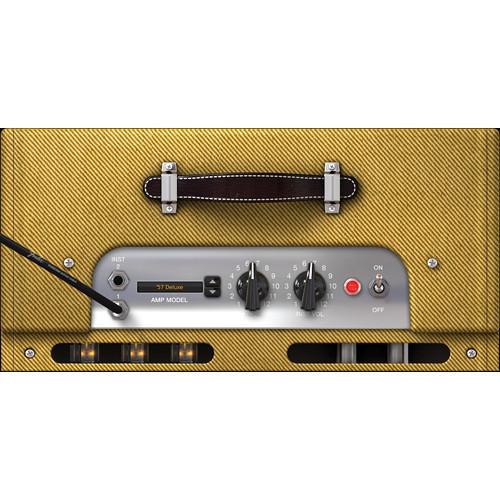
User Manual for IK Multimedia AmpliTube Fender Click to enlarge the picture
 Contents of the user manual for the IK Multimedia AmpliTube Fender
- Product category: Virtual Processor Plug-Ins IK Multimedia
- Brand: IK Multimedia
- Description and content of package
- Technical information and basic settings
- Frequently asked questions – FAQ
- Troubleshooting (does not switch on, does not respond, error message, what do I do if...)
- Authorized service for IK Multimedia Virtual Processor Plug-Ins
 |
User manual for the IK Multimedia AmpliTube Fender contain basic instructions
that need to be followed during installation and operation.
Before starting your appliance, the user manual should be read through carefully.
Follow all the safety instructions and warnings, and be guided by the given recommendations.
User manual is an integral part of any IK Multimedia product,
and if it is sold or transferred, they should be handed over jointly with the product.
Following the instructions for use is an essential prerequisite for protecting
health and property during use, as well as recognition of liability on the part of the manufacturer
for possible defects should you make a warranty claim. Download an official IK Multimedia user manual in which you will find instructions on how to install, use, maintain and service your product.
And do not forget – unsuitable use of a IK Multimedia product will considerably shorten its lifespan!
|
Product description Own a collector's collection of Fender dream machines - the sounds of your favorite (and sometimes legendary) players, together all in one spot with the AmpliTube Fender from IK Multimedia. With AmpliTube Fender, you have an impressive list of Guitar and Bass tones for your computer.
AmpliTube Fender is the first and only official guitar/bass Amp and FX software suite made by IK Multimedia and legendary music icon Fender Musical Instruments Corporation. IK worked hand-in-hand with the engineers, sound gurus, and management at Fender to bring the sounds of Fender's dream tone machines to your desktop/DAW.
With a collection of 49 pieces of gear collected from the most sought after classic and modern Fender amps (including the '65 Twin Reverb, '57 Deluxe, '59 Bassman LTD, '64 Vibroverb Custom, Super-Sonic, Metalhead, and many more), cabinets, stomp boxes, and rack effects, AmpliTube Fender sets a new standard for software amplifiers.
At its core, AmpliTube Fender is all about Certified Fender Tone. IK Multimedia worked with the engineers and directors at Fender to ensure that the sound you get from the digital models is virtually identical to the sound you'd get from the hardware components. IK meticulously recreated every sonic nuance and detail inherent in the amps, cabs, pedals, and rack gear. In AmpliTube Fender, you get 12 amps, 9 pedals, 12 cabinets, 7 rack effects, and 9 mics. The amps have been studied, analyzed, and reproduced with great attention to detail - from the true potentiometer curves to the characteristic amp behavior at all sound levels. Each amp sports its unique on-board reverb model that has been modeled separately in order to closely mirror how the original corresponding amp sounds.
IK’s exclusive technologies like DSM (Dynamic Saturation Modeling) have been used extensively to achieve sonic results in realism of guitar and bass gear models. And to accurately emulate the sonic characteristics of the Fender Vibratone, IK developed a unique technology - VRM (Volumetric Response Modeling) that is able to physically emulate the real sound of a rotary speaker in software.
The software engineers of IK Multimedia wanted to add more punch to the way their rotary speaker emulator was performing. So they came up with a new way to nail the Doppler Effect while preserving all the tonal characteristics of the source. IK created what's called Volumetric Response Modeling.
AmpliTube Fender gives you a great tone when used with Fender guitars and basses. So, plug in your Stratocaster, Telecaster, Precision Bass, etc., and you will love the effect. - Standalone and plug-in software for Mac/PC
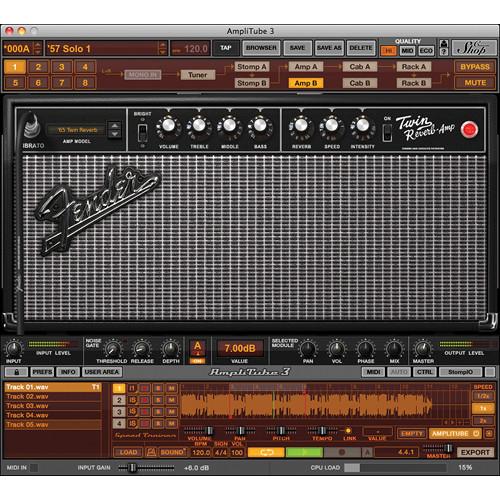
- 12 of the most influential guitar amps of all time
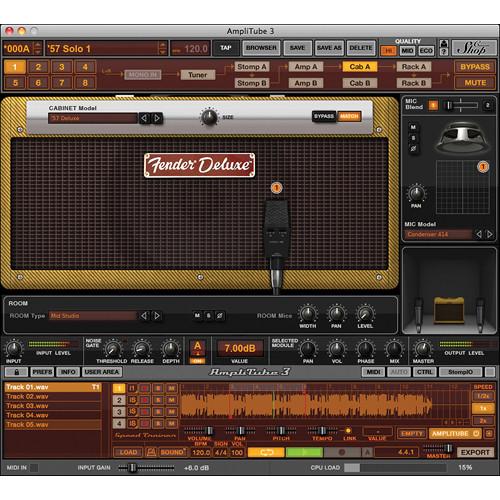
- 12 original matching cabinets
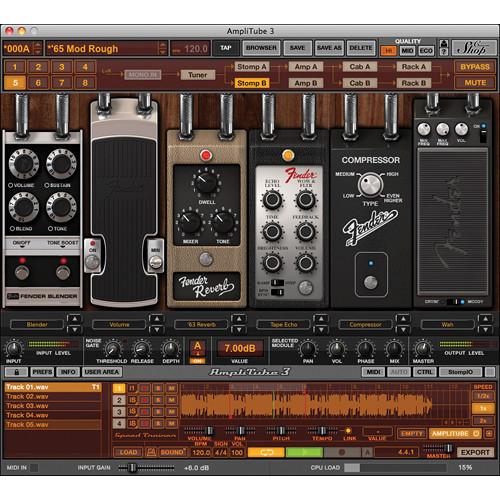
- 9 signature classic stomp effects
- Great Tonal Flexibility: Mix and match amps, cabinets, mics, and more
- Sound certified and approved by the tone gurus at Fender
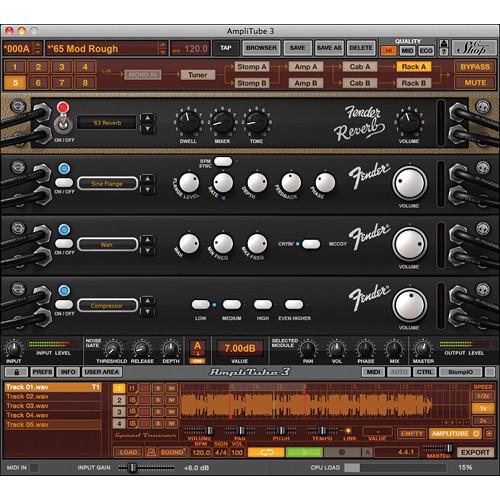
- 5 Separate Modules: Tuner, configurable Stomp pedal board, Amp head, Cabinet+Mic, and Rack Effects
- 2 fully configurable rigs with up to 32 simultaneous effects
- Standalone and VST/AU/RTAS plug-in
- Can be controlled live with StealthPedal, StealthBoard, and/or any traditional MIDI controller
- Industry-standard sound with DSM (Dynamic Saturation Modeling) and VRM (Volumetric Response Modeling) technologies offer a realistic emulation of real world gear and great sounding models
- Perfect as a plug-in for studio recording and mixing in any Mac/Win DAW, native compatibility with 64-bit applications and operating systems
- Also perfect for live performance thanks to the standalone version with instant preset switching
- Highest supported Sampling Rate: 96 kHz
- DAW automation and BPM synchronization
- Rig of up to 12 stomps, 2 Amp heads + 2 Cabs + 2 x double mics and 8 rack effects can be configured in up to 8 serial/parallel configurations
- Two movable microphones allow you to mic the cabinet exactly like in real world studio and live environment
- Stereo signal path makes it suitable for any type of instrument including drums, keyboards, vocals, and more
- Massive database of presets with multiple guitar and bass oriented tags and keywords, advanced search function, rig visualization, and more, plus free online sharing service for user presets called Preset XChange
- Perfect integration with IK's range of audio interfaces and controllers such as StealthPlug, SteathPedal, StealthBoard, and StompIO allows for instant recording and performing in the studio or on stage with full programming at the software level
- 4-track built-in multitrack recorder with DAW-like features enables you to quickly capture ideas or even record a small band in the standalone application without the need to open a DAW with the convenience of AmpliTube's quality audio processing
- Imports any Wav, Aiff, sd2, Apple Caf, Flac, MP3 audio file (Standalone version)
- SpeedTrainer for speeding up/slowing down imported tracks without affecting the pitch - the perfect tool for practicing and improving your instrument skills or learning your favorite riffs and solos (standalone version)
Table of Contents
|
Upload User Manual
Have you got an user manual for the IK Multimedia AmpliTube Fender in electronic form? Please send it to us and help us expand our library of instruction manuals.
Thank you, too, on behalf of other users.
To upload the product manual, we first need to check and make sure you are not a robot. After that, your "Submit Link" or "Upload File" will appear.
Technical parametersIK Multimedia AT-200-FD-IN Specs | Gear | Gear models included and the models you can add through the Custom Shop:
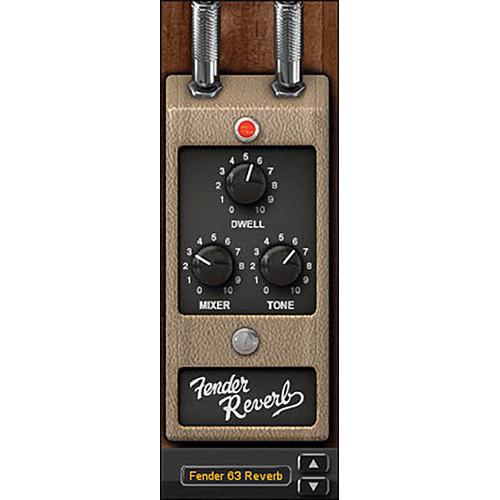
Fender '63 Reverb
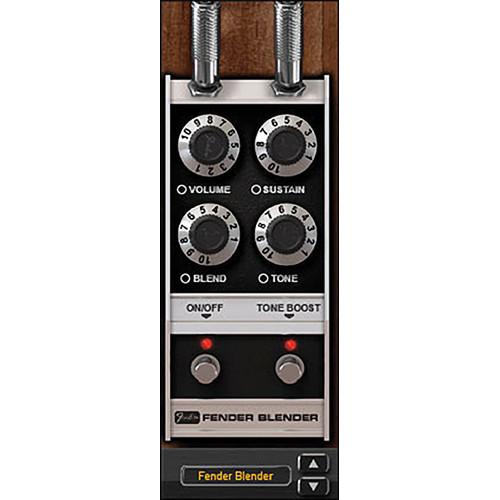
Fender Blender
Fender Compressor
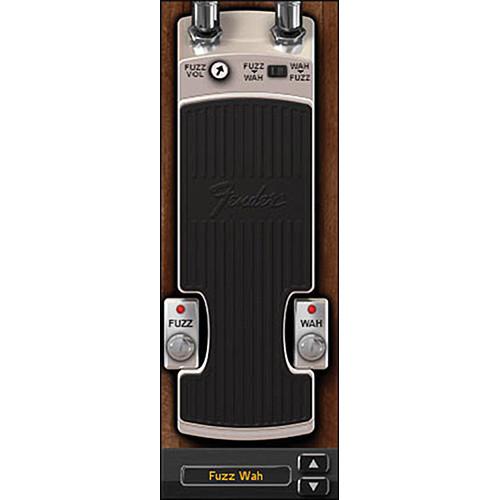
Fender Fuzz Wah
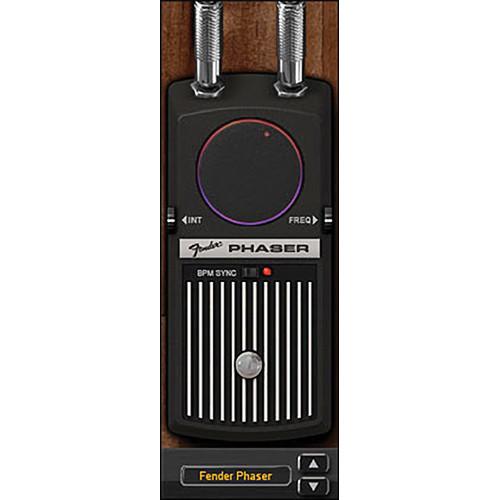
Fender Phaser
Fender Tape Echo
Fender Tremolo
Fender Wah
Volume
'57 Deluxe
'59 Bassman LTD
'64 Vibroverb Custom
'65 Deluxe Reverb
'65 Twin Reverb
Bassman 300 PRO
Champion 600
MH-500 Metalhead
Pro Junior
Super-Sonic
TBP-1 Bass Preamp
Vibro-King Custom
'57 Deluxe 1x12
'59 Bassman 4x10
'64 Vibroverb 1x15
'65 Deluxe Reverb 1x12
'65 Twin Reverb 2x12
810 PRO 8x10" Front Ported
Champion 600 1x6" Open Back
MH-412SL 4x12" Closed Back
Pro Junior 1x10" Open Back
Super-Sonic 1x12" Open Back
Vibratone 1x10" Rotary Speaker
Vibro-King 3x10" Open Back
Condenser 414
Condenser 84
Condenser 87
Dynamic 421
Dynamic 441
Dynamic 57
MD1b-FET
Ribbon 160
Velo-8
Compressor
Fender '63 Reverb
Pitch Shift
Sine Flange
Tape Echo
Triangle Chorus
Wah | | System Requirements | Mac (64 bit CPU, 32 or 64 bit Mac OS)
Minimal: 1.5 GHz Intel processor, 1 GB of RAM, Mac OS X 10.6 or later
Supported Plug-in formats: Audio Units, VST, RTAS, AAX (32 and 64-bit)
Windows (32 and 64 bit) Minimal: Intel Pentium 4 2.4 GHz or Intel Core Duo or AMD Athlon 64, 1 GB of RAM, Windows XP, Windows Vista or Windows 7
Supported Plug-in formats: VST, RTAS, AAX (32 and 64-bit) Note: On 64-bit systems, the plug-in also works in 32-bit compatibility mode |
Rating90% users recommend this product to others. And what about you?

This product has already been rated by 83 owners. Add your rating and experience with the product.
Discussion
 Ask our technicians if you have a problem with your settings,
or if anything is unclear in the user manual you have downloaded.
You can make use of our moderated discussion.
The discussion is public and helps other users of our website who may be encountering similar problems.
Ask our technicians if you have a problem with your settings,
or if anything is unclear in the user manual you have downloaded.
You can make use of our moderated discussion.
The discussion is public and helps other users of our website who may be encountering similar problems.
The discussion is empty - enter the first post
Post a new topic / query / comment:
|
|
|
| Request for user manual |
You can’t find the operation manual you are looking for? Let us know and we will try to add the missing manual:
I’m looking for a manual / Request for manual
Current requests for instruction manuals:
Call Of Duty World War Two For Xbox...
controller stratus XL...
stratus XL...
smart whatch serie S11 42mm...
Allen & Heath SQ-6 manual...
|
| Discussion |
Latest contributions to the discussion:
AEW R 4100
Name: MAURICIO ANGARITA
Audio-Technica AEW-R4100 UHF Diversity Receiver for
AEW R 4100 has the mute function blocked and does not allow audio to pass. I tried several times to turn off the mute from the transmitter but it does nothing, the mute stays on. Solution?
Thank you...
Instructions for assembling the 2015 Forecast Image Master Consoles GC3-A
Name: mike elam
Forecast Consoles GC3-A ImageMaster Editing Console
Looking for instructions for assembling this console. ...
EMPTY TONER ERROR MESSAGE AFTER REPLACING TONER
Name: LINDA BAD YELLOW EYES
Brother TN223BK Standard-Yield Toner
I HAD TO CHANGE OUT ALL THREE TONERS DUE TO LEAKS IN THE YELLOW AND CYAN. AFTER I REPLACED THEM, THE MACHINE KEEPS GIVING ME AN EMPTY TONER ERROR MESSAGE. HELP!!...
PS480D 20/24 pin Switching 480W Power Supply
Name: swkargo
Logisys 480W Power Supply
This item states in can run -5vdc .It is NOT listed on the board or I beleive is r4 is missing the resitior. Any body have thid issue. Shawn
...
Help needed
Name: Ann Carter
SanDisk 1TB Extreme Portable USB 3.1
When I click the link to download the user manual for my Sandisk Extreme external hard drive, it gives me the manual for the LG Cricket. Can you please change the link so I can download the Sandisk manual and begin using this drive? Thank you....
|
|


