User Manual for ikan EC1 Beholder 3-Axis Gimbal & DH7 Monitor Kit with Canon LP-E6 Battery Click to enlarge the picture
 Contents of the user manual for the ikan EC1 Beholder 3-Axis Gimbal &
- Product category: See All Gimbal Stabilizers ikan
- Brand: ikan
- Description and content of package
- Technical information and basic settings
- Frequently asked questions – FAQ
- Troubleshooting (does not switch on, does not respond, error message, what do I do if...)
- Authorized service for ikan See All Gimbal Stabilizers
 |
User manual for the ikan EC1 Beholder 3-Axis Gimbal & contain basic instructions
that need to be followed during installation and operation.
Before starting your appliance, the user manual should be read through carefully.
Follow all the safety instructions and warnings, and be guided by the given recommendations.
User manual is an integral part of any ikan product,
and if it is sold or transferred, they should be handed over jointly with the product.
Following the instructions for use is an essential prerequisite for protecting
health and property during use, as well as recognition of liability on the part of the manufacturer
for possible defects should you make a warranty claim. Download an official ikan user manual in which you will find instructions on how to install, use, maintain and service your product.
And do not forget – unsuitable use of a ikan product will considerably shorten its lifespan!
|
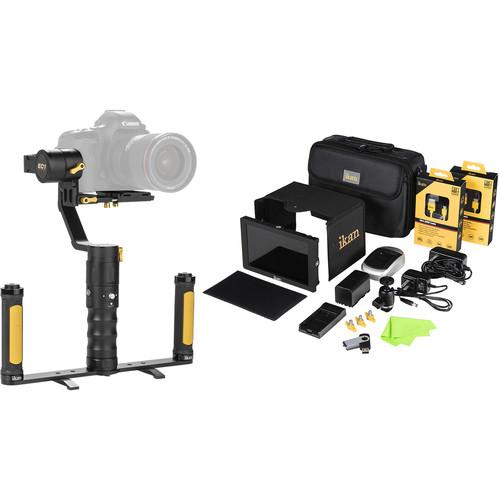
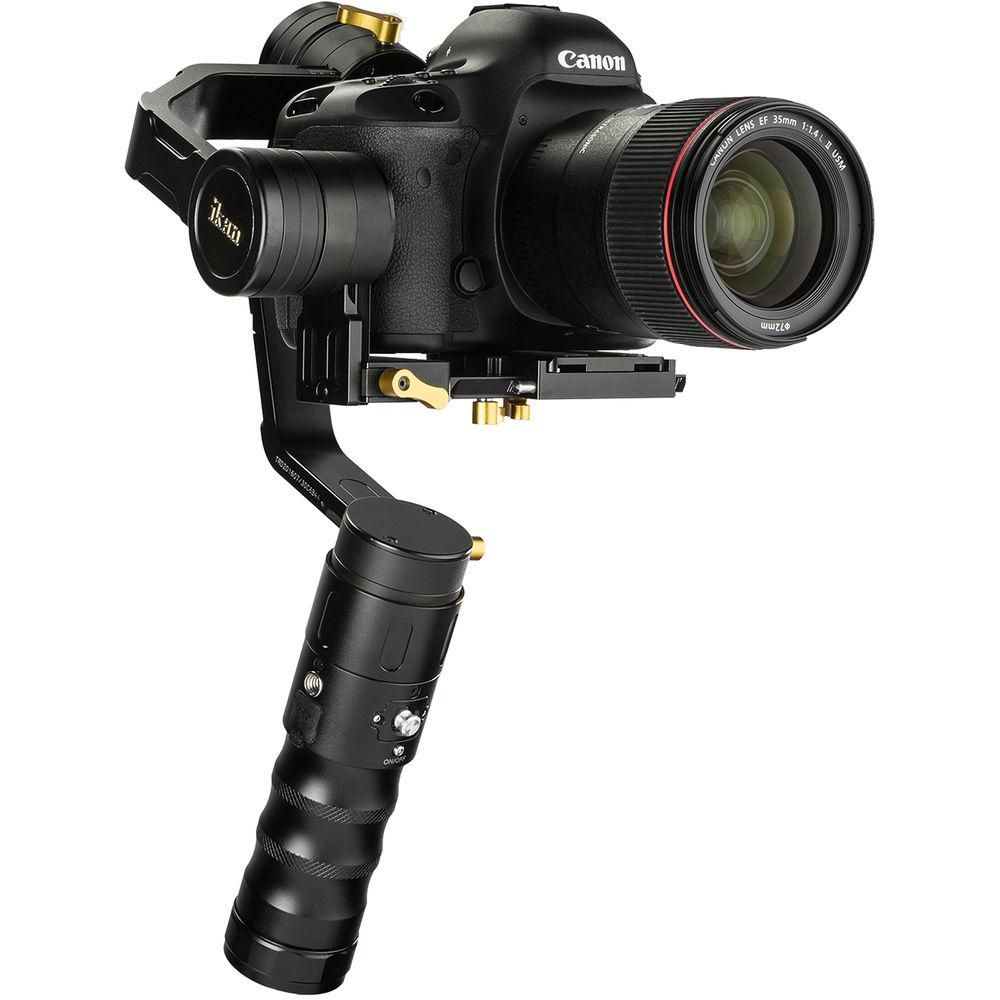
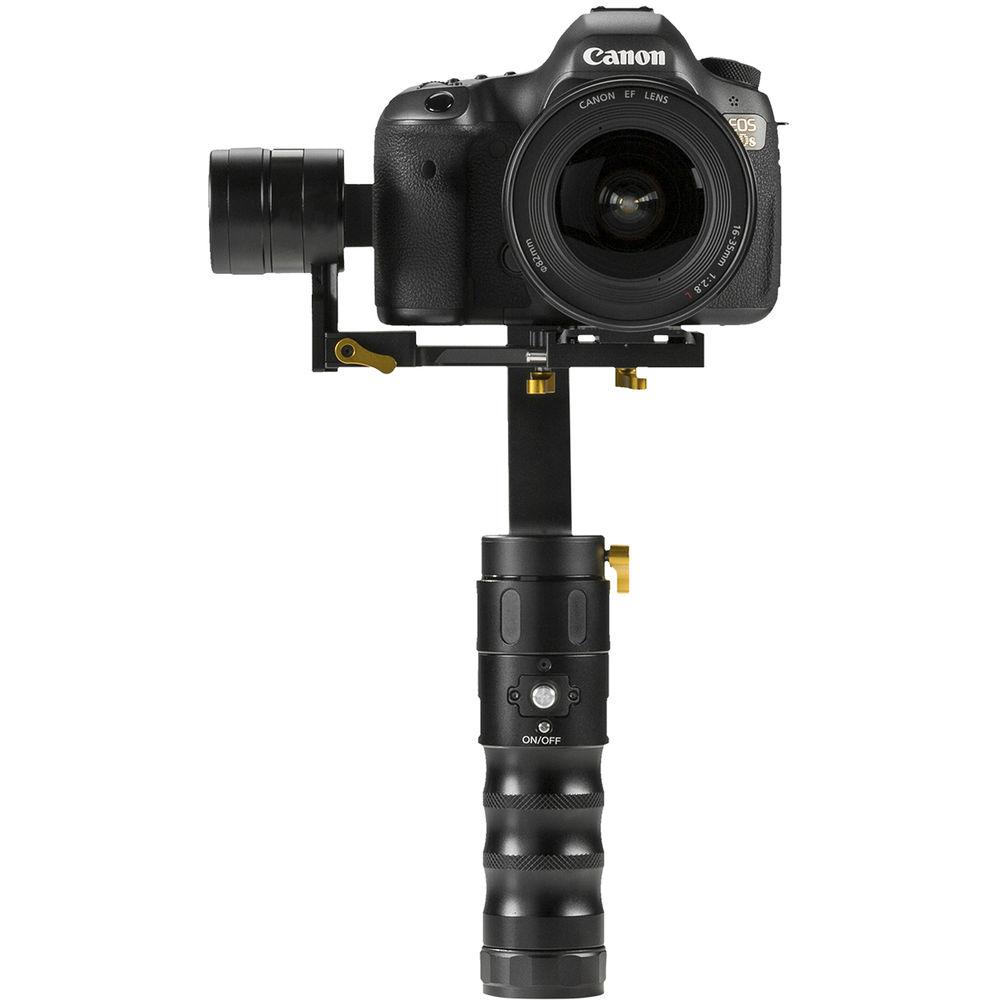
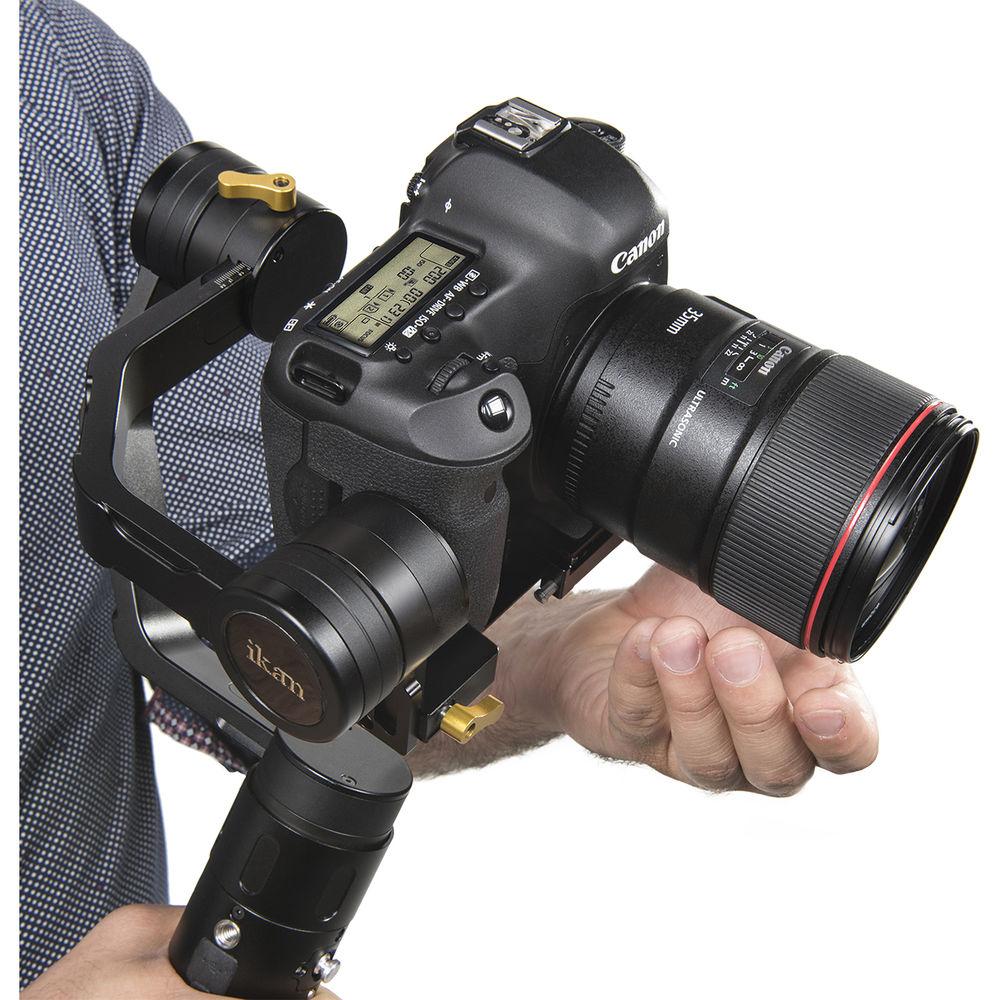
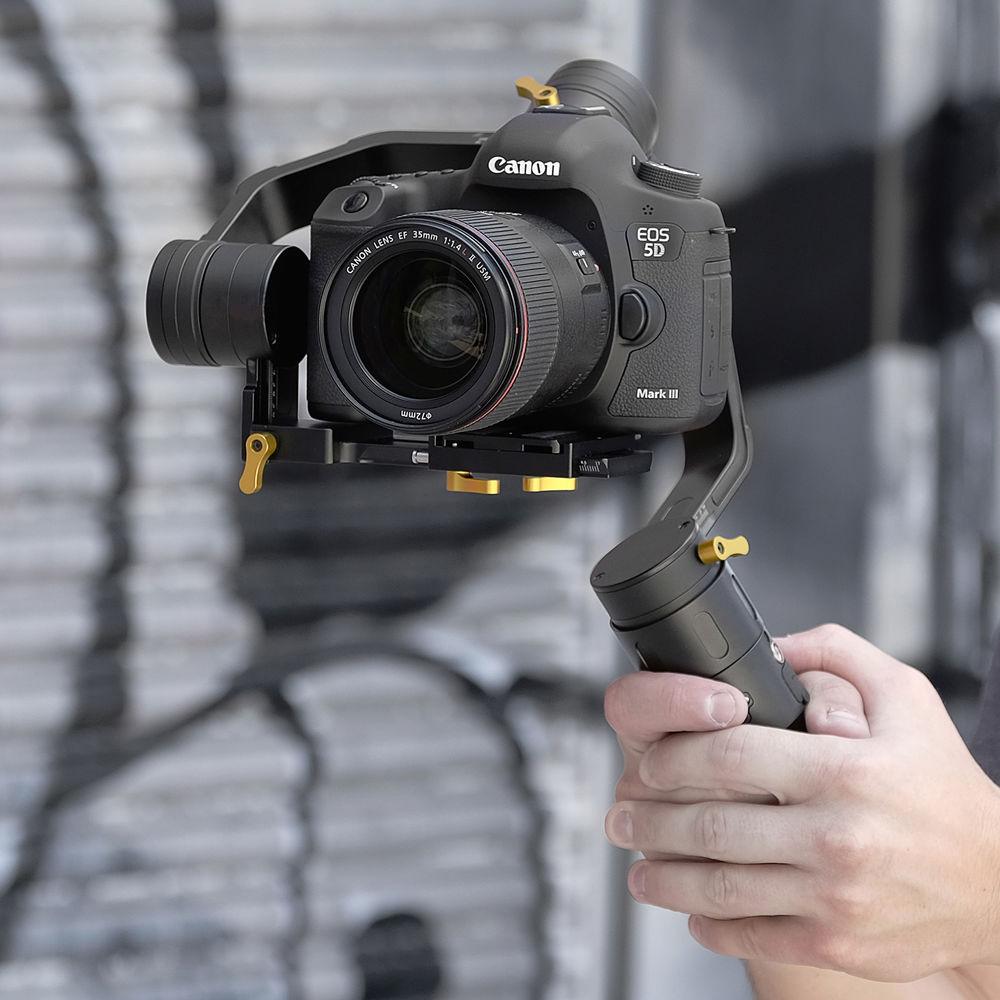
Product description The EC1 Beholder 3-Axis Gimbal & DH7 Monitor Kit from ikan is designed for use with DSLR or mirrorless cameras. The kit includes the EC1 Beholder 3-axis gimbal to give your shots a smooth cinematic stabilized look, dual-grip handles to provide you with a comfortable rig, and the DH7 7" 4K HDMI on-camera LCD monitor kit. The monitor kit comes with the DH7 LCD monitor, the Canon LP-E6 battery with compatible plate, a battery charger, a 1.5' HDMI to micro-HDMI cable, a 1.5' HDMI to Mini HDMI cable, and a soft padded case. - EC1 Beholder 3-Axis Handheld Gimbal Stabilizer The ikan EC1 Beholder is a 3-axis handheld gimbal stabilizer for DSLR and mirrorless cameras weighing between 2 and 4.5 lb. The EC1 offers unlimited 360° rotation along the yaw, pitch, and roll axes, and features an advanced 32-bit controller and 12-bit encoder system. The gimbal employs an adaptive PID algorithm to deliver stable rotation.
The EC1 offers three follow modes plus an auto-inversion mode that allows for upside down operation. Auto-inversion lets you use the gimbal with dual-handle support systems like the ikan DGH. The EC1 also features a lock mode that sets the camera in a fixed position, and a point-and-lock mode that locks the position you hold the camera in for a few seconds. The EC1 also has an OLED display on the rear that confirms the selected mode of operation and provides battery life info.
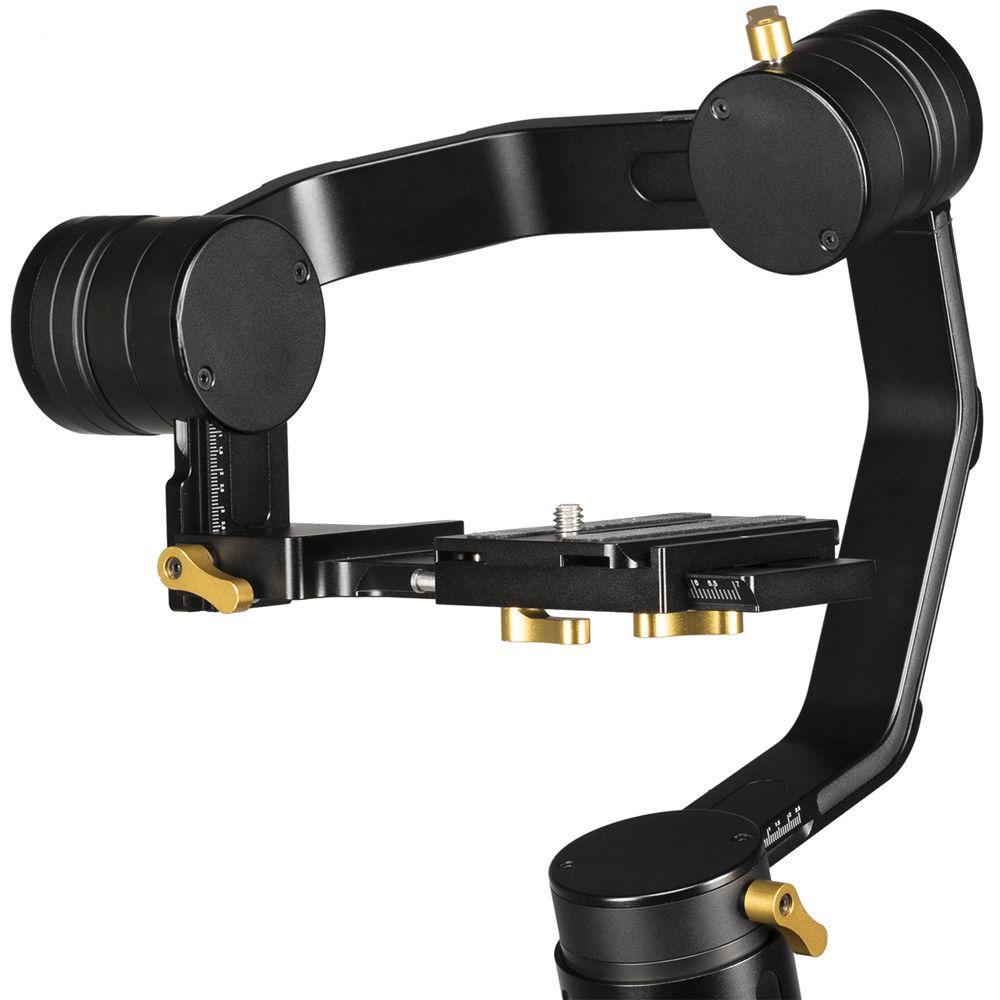
The EC1 is designed with a quick release baseplate that allows for convenient camera attachment and tool-less balancing. It also has a 1/4"-20 threaded mounting hole on the handle for attaching accessories for advanced setups, and a 3/8"-16 threaded mounting hole on the bottom for mounting onto a tripod, monopod, and other support gear.
The EC1 runs on three supplied 18650 batteries that provide 8 to 10 hours of operating life when used continuously, and up to 20 hours when the gimbal is switched between shooting and standby modes throughout the day. These batteries are rechargeable from within the EC1 via an included micro-USB AC adapter, and can also be charged using optional chargers such as the ikan ICH-SC4. - Unlimited 360° Rotation
- The EC1 Beholder features three 360° rotating brushless motors that give you a limitless range of motion along all three axes: yaw, roll, and pitch.
- Advanced Stabilization
- Using a 32-bit controller with a 12-bit encoder, the EC1 uses an adaptive PID algorithm to produce a reliably efficient handheld stabilizer.
- Lock Mode
- In Lock Mode, the Yaw, Pitch, and Roll axes work together to keep the camera fixed and pointed in one direction. The camera's position will stay the same no matter how you move the handle.
- Point & Lock
- Quickly lock your camera into any position by manually pointing and holding it in any direction. After a few seconds, the camera will lock and hold its position until it is reset back to default.
- Multiple Follow Modes
- The EC1 features 3 different follow modes. In yaw-axis follow mode, the EC1 will only follow your pan movements. In pitch and yaw-axis follow mode, the EC1 will follow your pan and tilt movements. The 3-axis follow mode gives you full control, allowing you to pan, tilt, and roll.
- Auto Inversion
- Switch to inverted mode at any time by simply flipping the handle over the camera. Inverted mode can be operated in conjunction with any of the lock and follow modes.
- OLED Status Display
- A display screen located on the back of the handle conveniently provides you with information on the battery life and operating mode.
- Quick Release Baseplate
- Featuring a newly designed quick release baseplate system, the EC1 is easy to balance without any tools.
- Multiple Mounting Points
- The EC1 handle a 1/4"-20 threaded mounting hole for attaching accessories such as a light, microphone, or monitor for advanced setups; and a 3/8"-16 threaded mounting hole on the bottom of the handle for to mount the EC1 on a tripod, jib, or dual-handle support system such as the ikan DGH.
UPC: 847983019465 - Dual-Grip Gimbal Handle This Dual-Grip Gimbal Handle from ikan enables you to operate your gimbal with both hands rather than one. Capturing smooth, professional-looking footage with your gimbal-mounted DSLR is rewarding, but nursing an aching arm is not. By transferring movement from your wrist to your core, this two-handed grip increases the time you can shoot comfortably. The Dual-Grip Gimbal Handle can be grasped overhanded, or underhanded (with gimbals that work in an inverted mode).The Dual-Grip Gimbal Handle features built-in feet so you can rest the unit on a tabletop, creating a stable base for hands-free gimbal calibrating. Constructed of lightweight, durable aluminum, the DGH attaches to most gimbals with a 3/8"-16 mounting socket.
Features - Compatible with ikan DS1, MS1, and EC1 gimbals, and most other DSLR gimbals
- Two-handed grip reduces user fatigue, increasing potential shooting time
- Movement is transferred from the operator's wrist to the body's core for increased maneuverability and stability
- Built-in feet enable tabletop placement for hands-free gimbal calibration and for resting between shots
- Use overhanded, or underhanded with gimbals that have an inverted mode
- Lightweight, aluminum construction with 3/8"-16 mount
UPC: 847983017171 - DH7 7" HDMI LCD Monitor Deluxe Kit with Canon LP-E6 Type Battery, Plate, & Charger The DH7 7" HDMI LCD Monitor Deluxe Kit from Ikan includes the DH7 7" Full HD HDMI Monitor with UHD 4K support, BP5 Canon LP-E6 Battery Plate, Canon LP-E6 Compatible Charger, 1.5' Mini HDMI to HDMI Cable, 1.5' Micro HDMI to HDMI Cable, and an Ultra-Heavy Duty Camera Shoe Mount. The DH7 Monitor features a 1920 x 1200 WUXGA IPS panel, and downscales to display the incoming 4K image. The 4K-compatible HDMI connections can accept and provide loop-through 4K output signals over HDMI. The BP5-E6 Battery Plate supports Canon LP-E6 batteries. The Canon LP-E6 Compatible Charger will charge a Canon LP-E6 or third-party equivalent battery. It comes with a power adapter.
The Mini HDMI and Micro HDMI cables enable you to use the DH7 with a wide variety of cameras. They can be used to connect a device with a Mini (type C) or Micro (type D) HDMI connector to a device with a full-sized HDMI connector. The removable sun hood mounts with three mounting screws, and the included screen protection film helps protect your screen from the rigors of production. The Ultra-Heavy Duty Camera Shoe Mount from Ikan is a 1/4"-20 mount that can mount directly onto a DSLR shoe, allowing for the attachment of accessories such as display monitors. This ball head has a single locking knob for fast and safe operation, and is easily removable. The included padded soft case protects your kit during transport and storage. In the Box Bundle Items EC1 Beholder 3-Axis Handheld Gimbal Stabilizer uqtysfzqavfvrc - Battery Cap with 3/8"-16 Mount
Dual-Grip Gimbal Handle DH7 7" HDMI LCD Monitor Deluxe Kit with Canon LP-E6 Type Battery, Plate, & Charger - Ultra-Heavy Duty Camera Shoe Mount
- BP5 Canon LP-E6 Battery Plate for ikan Monitors
- Canon LP-E6 Compatible Charger
- HDMI-AC-18 Mini HDMI to Standard HDMI Cable (1.5')
- HDMI-AD-18 Micro HDMI to Standard HDMI Cable (1.5')
- Sun Hood with 3 x Mounting Screws
User Manual PDF 2.9mbuqtysfzqavfvrc Table of Contents
|
Upload User Manual
Have you got an user manual for the ikan EC1 Beholder 3-Axis Gimbal & DH7 Monitor Kit with Canon LP-E6 Battery in electronic form? Please send it to us and help us expand our library of instruction manuals.
Thank you, too, on behalf of other users.
To upload the product manual, we first need to check and make sure you are not a robot. After that, your "Submit Link" or "Upload File" will appear.
Technical parameters - EC1 Beholder 3-Axis Handheld Gimbal Stabilizer
| | | Number of Axes | 3-Axis (Pitch, Roll, Yaw) | | Rotation Range | Yaw (Pan): 360
Rating100% users recommend this product to others. And what about you?

This product has already been rated by 75 owners. Add your rating and experience with the product.
Discussion
 Ask our technicians if you have a problem with your settings,
or if anything is unclear in the user manual you have downloaded.
You can make use of our moderated discussion.
The discussion is public and helps other users of our website who may be encountering similar problems.
Ask our technicians if you have a problem with your settings,
or if anything is unclear in the user manual you have downloaded.
You can make use of our moderated discussion.
The discussion is public and helps other users of our website who may be encountering similar problems.
The discussion is empty - enter the first post
Post a new topic / query / comment:
|
|
|
| Request for user manual |
You can’t find the operation manual you are looking for? Let us know and we will try to add the missing manual:
I’m looking for a manual / Request for manual
Current requests for instruction manuals:
Call Of Duty World War Two For Xbox...
controller stratus XL...
stratus XL...
smart whatch serie S11 42mm...
Allen & Heath SQ-6 manual...
|
| Discussion |
Latest contributions to the discussion:
AEW R 4100
Name: MAURICIO ANGARITA
Audio-Technica AEW-R4100 UHF Diversity Receiver for
AEW R 4100 has the mute function blocked and does not allow audio to pass. I tried several times to turn off the mute from the transmitter but it does nothing, the mute stays on. Solution?
Thank you...
Instructions for assembling the 2015 Forecast Image Master Consoles GC3-A
Name: mike elam
Forecast Consoles GC3-A ImageMaster Editing Console
Looking for instructions for assembling this console. ...
EMPTY TONER ERROR MESSAGE AFTER REPLACING TONER
Name: LINDA BAD YELLOW EYES
Brother TN223BK Standard-Yield Toner
I HAD TO CHANGE OUT ALL THREE TONERS DUE TO LEAKS IN THE YELLOW AND CYAN. AFTER I REPLACED THEM, THE MACHINE KEEPS GIVING ME AN EMPTY TONER ERROR MESSAGE. HELP!!...
PS480D 20/24 pin Switching 480W Power Supply
Name: swkargo
Logisys 480W Power Supply
This item states in can run -5vdc .It is NOT listed on the board or I beleive is r4 is missing the resitior. Any body have thid issue. Shawn
...
Help needed
Name: Ann Carter
SanDisk 1TB Extreme Portable USB 3.1
When I click the link to download the user manual for my Sandisk Extreme external hard drive, it gives me the manual for the LG Cricket. Can you please change the link so I can download the Sandisk manual and begin using this drive? Thank you....
|
|


