|
User Manual for Intel Core i7-4810MQ 2.8 GHz Processor Click to enlarge the picture
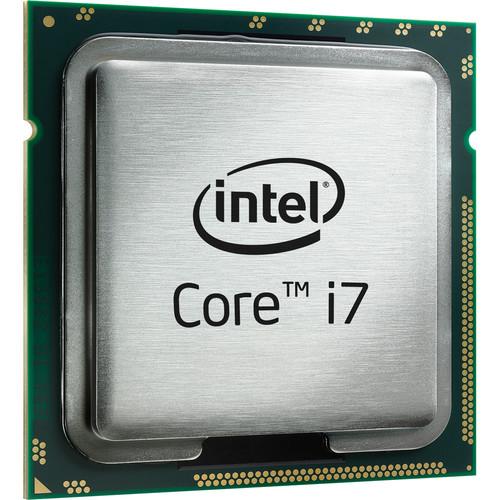 Contents of the user manual for the Intel Core i7-4810MQ 2.8 GHz Processor
- Product category: CPU Processors Intel
- Brand: Intel
- Description and content of package
- Technical information and basic settings
- Frequently asked questions – FAQ
- Troubleshooting (does not switch on, does not respond, error message, what do I do if...)
- Authorized service for Intel CPU Processors
|
User manual for the Intel Core i7-4810MQ 2.8 GHz Processor contain basic instructions
that need to be followed during installation and operation.
Before starting your appliance, the user manual should be read through carefully.
Follow all the safety instructions and warnings, and be guided by the given recommendations.
User manual is an integral part of any Intel product,
and if it is sold or transferred, they should be handed over jointly with the product.
Following the instructions for use is an essential prerequisite for protecting
health and property during use, as well as recognition of liability on the part of the manufacturer
for possible defects should you make a warranty claim. Download an official Intel user manual in which you will find instructions on how to install, use, maintain and service your product.
And do not forget – unsuitable use of a Intel product will considerably shorten its lifespan!
|
Product description The Core i7-4810MQ 2.8 GHz Processor from Intel features 4 cores and 8 threads and is equipped with 6MB cache. This processor supports PCIe revision 3.0 in x16, x8, and x4 configurations. It features Intel InTru 3D Technology, Intel Clear Video HD Technology, Enhanced Intel SpeedStep Technology, Thermal Monitoring Technology, and more. - Intel Quick Sync Video
- Intel Quick Sync Video delivers fast conversion of video for portable media players, online sharing, and video editing and authoring.
- Intel InTru 3D Technology
- Intel InTru 3D Technology provides stereoscopic 3-D Blu-ray playback in full 1080p resolution over HDMI 1.4 and premium audio.
- Intel Insider
- Intel Insider delivers premium HD content to an Ultrabook or PC.
- Intel Wireless Display
- Intel Wireless Display is a technology that enables wireless streaming of movies, photos, websites, and more from an Ultrabook or PC to an HDTV.
- Intel Flexible Display Interface (Intel FDI)
- The Intel Flexible Display Interface allows for two independently controlled channels of integrated graphics to be displayed.
- Intel Clear Video HD Technology
- Intel Clear Video HD Technology delivers high definition quality playback for a rich entertainment experience.
- Intel Turbo Boost Technology 2.0*
- Intel Turbo Boost Technology 2.0 dynamically increases the processor's frequency as needed, by taking advantage of thermal and power headroom to give you a burst of speed when you need it, and increased energy efficiency when you don't.
- Intel vPro Technology*
- Intel vPro Technology is a set of security and manageability capabilities built into the processor, aimed at addressing four critical areas of IT security: threat management (including protection from rootkits, viruses, and malware), identity and web site access point protection, confidential personal and business data protection, and remote and local monitoring, remediation, and repair of PCs and workstations.
- Intel Hyper-Threading Technology*
- Intel Hyper-Threading Technology delivers two processing threads per physical core. Highly threaded applications can get more work done in parallel, completing tasks sooner.
- Intel Virtualization Technology (VT-x)*
- Intel Virtualization Technology allows one hardware platform to function as multiple "virtual" platforms. It offers improved manageability by limiting downtime and maintaining productivity by isolating computing activities into separate partitions.
- Intel Virtualization Technology for Directed I/O (VT-d)*
- Intel Virtualization Technology for Directed I/O continues from the existing support for IA-32 (VT-x) and Itanium processor (VT-i) virtualization, adding new support for I/O-device virtualization. Intel VT-d can help end users improve the security and reliability of systems, and also improve performance of I/O devices in virtualized environments.
- Intel VT-x with Extended Page Tables (EPT)*
- Intel VT-x with Extended Page Tables, also known as Second Level Address Translation (SLAT), provides acceleration for memory-intensive virtualized applications. Extended Page Tables in Intel Virtualization Technology platforms reduce the memory and power overhead costs, and increase battery life through hardware optimization of page table management.
- Intel TSX-NI
- Intel Transactional Synchronization Extensions New Instructions are a set of instructions focused on multi-threaded performance scaling. This technology helps make parallel operations more efficient via improved control of locks in software.
- Intel 64*
- Intel 64 architecture delivers 64-bit computing on server, workstation, desktop, and mobile platforms when combined with supporting software. Intel 64 architecture improves performance by allowing systems to address more than 4GB of both virtual and physical memory.
- Idle States
- Idle States (C-states) are used to save power when the processor is idle. C0 is the operational state, meaning that the CPU is performing useful tasks. C1 is the first idle state, C2 the second, and so on, where more power saving actions are taken for numerically higher C-states.
- Enhanced Intel SpeedStep Technology
- Enhanced Intel SpeedStep Technology is an advanced means of enabling high performance while meeting the power-conservation needs of mobile systems. Conventional Intel SpeedStep Technology switches both voltage and frequency in tandem between high and low levels in response to processor load. Enhanced Intel SpeedStep Technology builds upon that architecture using design strategies such as Separation between Voltage and Frequency Changes, and Clock Partitioning and Recovery.
- Thermal Monitoring Technologies
- Thermal Monitoring Technologies protect the processor package and the system from thermal failure through several thermal management features. An on-die Digital Thermal Sensor (DTS) detects the core's temperature, and the thermal management features reduce package power consumption (and thereby temperature, when required) in order to remain within normal operating limits.
- Intel Identity Protection Technology*
- Intel Identity Protection Technology is a built-in security token technology that helps provide a simple, tamper-resistant method for protecting access to your online customer and business data from threats and fraud. Intel IPT provides a hardware-based proof of a unique user's PC to websites, financial institutions, and network services, thus providing verification that it is not malware attempting to log in. Intel IPT can be a key component in two-factor authentication solutions to protect your information.
- AES New Instructions
- Advanced Encryption Standard New Instructions (AES-NI) are a set of instructions that enable fast and secure data encryption and decryption. AES-NI are valuable for a wide range of cryptographic applications, such as applications that perform bulk encryption/decryption, authentication, random number generation, and authenticated encryption.
- Secure Key
- Intel Secure Key consists of a digital random number generator that creates truly random numbers to strengthen encryption algorithms.
- Trusted Execution Technology*
- Intel Trusted Execution Technology for safer computing is a versatile set of hardware extensions to Intel processors and chipsets that enhance the digital office platform with security capabilities, such as measured launch and protected execution. It enables an environment where applications can run within their own space, protected from all other software on the system.
- Execute Disable Bit*
- Execute Disable Bit is a hardware-based security feature that can reduce exposure to viruses and malicious-code attacks, and prevent harmful software from executing and propagating on the server or network.
- Anti-Theft Technology
- Intel Anti-Theft Technology helps keep your laptop safe and secure in the event that it's ever lost or stolen. Intel AT requires a service subscription from an Intel AT-enabled service provider.
Note:*These features may not be available on all computing systems. In the Box Intel Core i7-4810MQ 2.8 GHz Processor Limited 3-Year Warranty Table of Contents
|
Upload User Manual
Have you got an user manual for the Intel Core i7-4810MQ 2.8 GHz Processor in electronic form? Please send it to us and help us expand our library of instruction manuals.
Thank you, too, on behalf of other users.
To upload the product manual, we first need to check and make sure you are not a robot. After that, your "Submit Link" or "Upload File" will appear.
Technical parametersIntel i7-4810 Specs | | | Manufacturing Process | 22 nm | | Maximum CPU Configuration | 1S | | Maximum Number of PCIe Lanes | 16 (Revision 3.0) | | | | Number of Cores | 4 | | Number of Threads | 8 | | Base Clock Speed | 2.8 GHz | | Maximum Boost Speed | 3.8 GHz | | L3 Cache | 6 MB | | | | Maximum Capacity | 32 GB | | Memory Support | DDR3L 1333, 1600 MHz | | ECC Memory | No | | Channel Architecture | Dual Channel | | Maximum Memory Bandwidth | 25.6 GB/s | | | | Thermal Design Power (TDP) | 47 W | | Maximum Temperature | 212°F / 100°C | | Thermal Monitoring Technologies | Yes | | | | AES Support | Yes | | Extension | AVX 2.0, SSE 4.1/4.2 | | Instruction Set | 64-Bit | | Virtualization | Yes: Intel VT-d, Intel VT-x with Extended Page Tables (EPT) | | | | Graphics Chipset | Intel HD Graphics 4600 | | Number of Displays | 3 | | Output Support | eDP, DisplayPort, HDMI, VGA | | Base Clock Speed | 400 MHz | | Maximum Boost Speed | 1.3 GHz | | | | DMI | DMI2 (5 GT/s) | | vPro Support | Yes | | Performance Technologies | Hyper-Threading, SpeedStep, TSX-NI, Turbo Boost 2.0 | | Security Technologies | Anti-Theft Technology, Execute Disable Bit, Identity Protection, Secure Key, Trusted Execution Technology | | Video Technologies | Clear Video HD, InTru 3D, Insider, Quick Sync Video, Wireless Display |
Rating80% users recommend this product to others. And what about you?

This product has already been rated by 92 owners. Add your rating and experience with the product.
Discussion
 Ask our technicians if you have a problem with your settings,
or if anything is unclear in the user manual you have downloaded.
You can make use of our moderated discussion.
The discussion is public and helps other users of our website who may be encountering similar problems.
Ask our technicians if you have a problem with your settings,
or if anything is unclear in the user manual you have downloaded.
You can make use of our moderated discussion.
The discussion is public and helps other users of our website who may be encountering similar problems.
The discussion is empty - enter the first post
Post a new topic / query / comment:
|
|
|
| Request for user manual |
You can’t find the operation manual you are looking for? Let us know and we will try to add the missing manual:
I’m looking for a manual / Request for manual
Current requests for instruction manuals:
Call Of Duty World War Two For Xbox...
controller stratus XL...
stratus XL...
smart whatch serie S11 42mm...
Allen & Heath SQ-6 manual...
|
| Discussion |
Latest contributions to the discussion:
AEW R 4100
Name: MAURICIO ANGARITA
Audio-Technica AEW-R4100 UHF Diversity Receiver for
AEW R 4100 has the mute function blocked and does not allow audio to pass. I tried several times to turn off the mute from the transmitter but it does nothing, the mute stays on. Solution?
Thank you...
Instructions for assembling the 2015 Forecast Image Master Consoles GC3-A
Name: mike elam
Forecast Consoles GC3-A ImageMaster Editing Console
Looking for instructions for assembling this console. ...
EMPTY TONER ERROR MESSAGE AFTER REPLACING TONER
Name: LINDA BAD YELLOW EYES
Brother TN223BK Standard-Yield Toner
I HAD TO CHANGE OUT ALL THREE TONERS DUE TO LEAKS IN THE YELLOW AND CYAN. AFTER I REPLACED THEM, THE MACHINE KEEPS GIVING ME AN EMPTY TONER ERROR MESSAGE. HELP!!...
PS480D 20/24 pin Switching 480W Power Supply
Name: swkargo
Logisys 480W Power Supply
This item states in can run -5vdc .It is NOT listed on the board or I beleive is r4 is missing the resitior. Any body have thid issue. Shawn
...
Help needed
Name: Ann Carter
SanDisk 1TB Extreme Portable USB 3.1
When I click the link to download the user manual for my Sandisk Extreme external hard drive, it gives me the manual for the LG Cricket. Can you please change the link so I can download the Sandisk manual and begin using this drive? Thank you....
|
|


