|
User Manual for Intel NE020 10 Gb PCI Express Accelerated Ethernet Adapter Click to enlarge the picture
 Contents of the user manual for the Intel NE020 10 Gb PCI Express
- Product category: Network Interface Cards & Adapters Intel
- Brand: Intel
- Description and content of package
- Technical information and basic settings
- Frequently asked questions – FAQ
- Troubleshooting (does not switch on, does not respond, error message, what do I do if...)
- Authorized service for Intel Network Interface Cards & Adapters
|
User manual for the Intel NE020 10 Gb PCI Express contain basic instructions
that need to be followed during installation and operation.
Before starting your appliance, the user manual should be read through carefully.
Follow all the safety instructions and warnings, and be guided by the given recommendations.
User manual is an integral part of any Intel product,
and if it is sold or transferred, they should be handed over jointly with the product.
Following the instructions for use is an essential prerequisite for protecting
health and property during use, as well as recognition of liability on the part of the manufacturer
for possible defects should you make a warranty claim. Download an official Intel user manual in which you will find instructions on how to install, use, maintain and service your product.
And do not forget – unsuitable use of a Intel product will considerably shorten its lifespan!
|
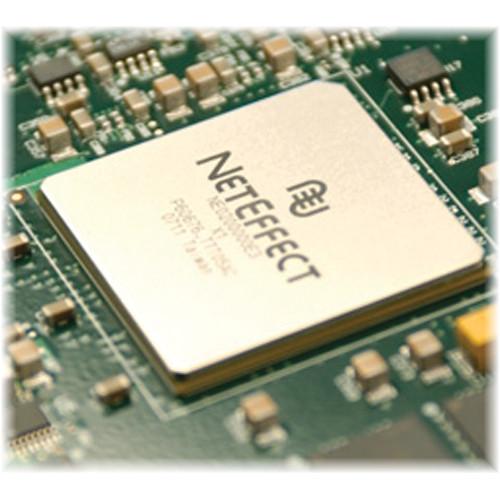
Product description The NE020 10 Gb PCI Express Accelerated Ethernet Adapter from Intel offers full function 10 Gb Ethernet NIC capabilities plus acceleration of networking, storage and clustering protocols in an ultra low power package. It consumes less power and gives sustained performance. Moreover, it supports simultaneous connectivity to scale out data and storage network. The NE020 10 Gb adapter is setting new standards in application support, networking performance, power efficiency and configuration simplicity. - Sustained, Predictable Performance under Load
- The NE020 10 Gb adapter features a patented Virtual Pipeline Architecture that strikes the optimal balance between high performance, low power consumption and small BOM. Unmatched low latency, high bandwidth and power efficiency are the result of seamlessly coordinated transport offload, RDMA and user level direct access (ULDA) techniques used in combination to accelerate various networking protocols. Scalable, deterministic performance is sustained in heavily loaded multiple connection environments such as multi-core, multiprocessor nodes, high-performance computing and the dense, compute and I/O intensive configurations that characterize virtualized environments.
- Lower Power, Higher Processing Densities
- At 6.2 W (typical), NE020 10 Gb adapters consume only one third of the power required by some competitive adapters. Critical in power constrained data centers, such power savings support higher computing densities within the existing power envelopes, increasing processing per square foot.
- Transparent Application Support
- The NE020 10 Gb adapter supports a broad range of industry-standard APIs. Existing applications using these APIs require no modification, re-compilation or porting.
- Standard Media Interfaces
- NE020 10 Gb PCIe low-profile adapters are available in single-port models supporting standard copper and optical media interfaces.
- One Adapter, One Firmware Image
- A single low power NE020 10 Gb PCIe adapter seamlessly replaces separate adapters for networking, storage and clustering. This reduces power, cost and complexity as well as simplifies management. A single firmware and OS driver image supports different program interfaces and network protocols, simplifying both deployment and ongoing maintenance.
- Highlights
-
- Sustained performance latency under 6 μsec, even heavily loaded
- Over 18 Gbps bandwidth (bi-directional)
- Low power consumption, less than 6.2W power
- Single adapter supports simultaneous connectivity to scale out data and storage networks
- Single firmware image supports all program interfaces and network protocols
- Patented architecture implements hardware TOE, iWARP (RDMA over Ethernet), ULDA
- Single-port models supporting standard copper and optical media interfaces
- Applications
-
- Compute and IO intensive applications in financial services, Oil and Gas, CAD/CAE and other industries
market data streaming
computational fluid dynamics
finite element analysis and simulation
reservoir simulation and visualization - High-performance database, web servers, research clusters
Brochure PDF 683.9kbzxdsqfbbzwsstvvwxvy Table of Contents
|
Upload User Manual
Have you got an user manual for the Intel NE020 10 Gb PCI Express Accelerated Ethernet Adapter in electronic form? Please send it to us and help us expand our library of instruction manuals.
Thank you, too, on behalf of other users.
To upload the product manual, we first need to check and make sure you are not a robot. After that, your "Submit Link" or "Upload File" will appear.
Technical parametersIntel E10G81GT2CX4 Specs | Performance | Latency: Less than 6 μsec
Bandwidth: Over 18 Gbps (bi-directional) | | Ethernet Interface | 10 Gb: Single-port CX4 or powered CX4 | | Network Interface | Layer 2:
Checksum offload (TCP, UDP, IP)
Large send offload (LSO)
Jumbo frame (9000 B) | | iWARP (RDMA over Ethernet) | RDMAC v1.0 and IETF specification support
User level and kernel level direct access support
Direct payload placement into application memory
Up to 32 independent accelerated IP addresses
Concurrent support for up to 8000 simultaneous
iWARP connections | | Block and File Storage | iSCSI connectivity using Linux Open iSCSI initiator and Microsoft iSCSI initiator
NFS and CIFS | | Memory | ECC protected industry-standard DDR2
256 MB standard on-board | | Host Interface | PCIe x8 v1.1 | | Management | ACPI 2.0c and PCI Power Management 1.2 compliant
PXE boot support | | APIs/Middleware | Sockets and standard NIC
Open Fabrics iWARP Verbs
uDAPL
Intel MPI, HP -MPI, Scali MPI, MVAPICH2 | | Operating Systems | Microsoft Windows Server 2003 (layer 2 only)
Protocol software supporting Linux Novell and Red Hat, kernels 2.6.9 and higher
Power (typical)
CX4 Single-Port: 6.2W
SFP+ Single-Port: pluggable (no module): 8.5W
SR Optical Module: 9W | | Standards | IEEE 802.3-2005: 10GbE, link aggregation, link pause, management
IEEE 802.3ae 10Gb Ethernet over fiber
IEEE 802.3ak CX4
IEEE 802.1p Priority Encoding
IEEE 802.1Q VLAN tagging, support for 4096 VLANs
IPv4 (all connections)
IPv6 (unaccelerated connections)
IETF RFCs: 793, 1323, 2581, 3782 | | Certifications | RoHS compliant
PCIe 1.1 compliant
FCC Class A | | Operating Temperature | 32 - 149oF (0 - 65oC) | | Bracket | Full-Height End Bracket: 4.72" (12 cm) Low-Profile End Bracket: 3.12" (7.92 cm) | | Dimensions (LxW) | 6.6 x 2.5" (16.76 x 6.35 cm) |
Rating80% users recommend this product to others. And what about you?

This product has already been rated by 92 owners. Add your rating and experience with the product.
Discussion
 Ask our technicians if you have a problem with your settings,
or if anything is unclear in the user manual you have downloaded.
You can make use of our moderated discussion.
The discussion is public and helps other users of our website who may be encountering similar problems.
Ask our technicians if you have a problem with your settings,
or if anything is unclear in the user manual you have downloaded.
You can make use of our moderated discussion.
The discussion is public and helps other users of our website who may be encountering similar problems.
The discussion is empty - enter the first post
Post a new topic / query / comment:
|
|
|
| Request for user manual |
You can’t find the operation manual you are looking for? Let us know and we will try to add the missing manual:
I’m looking for a manual / Request for manual
Current requests for instruction manuals:
Call Of Duty World War Two For Xbox...
controller stratus XL...
stratus XL...
smart whatch serie S11 42mm...
Allen & Heath SQ-6 manual...
|
| Discussion |
Latest contributions to the discussion:
AEW R 4100
Name: MAURICIO ANGARITA
Audio-Technica AEW-R4100 UHF Diversity Receiver for
AEW R 4100 has the mute function blocked and does not allow audio to pass. I tried several times to turn off the mute from the transmitter but it does nothing, the mute stays on. Solution?
Thank you...
Instructions for assembling the 2015 Forecast Image Master Consoles GC3-A
Name: mike elam
Forecast Consoles GC3-A ImageMaster Editing Console
Looking for instructions for assembling this console. ...
EMPTY TONER ERROR MESSAGE AFTER REPLACING TONER
Name: LINDA BAD YELLOW EYES
Brother TN223BK Standard-Yield Toner
I HAD TO CHANGE OUT ALL THREE TONERS DUE TO LEAKS IN THE YELLOW AND CYAN. AFTER I REPLACED THEM, THE MACHINE KEEPS GIVING ME AN EMPTY TONER ERROR MESSAGE. HELP!!...
PS480D 20/24 pin Switching 480W Power Supply
Name: swkargo
Logisys 480W Power Supply
This item states in can run -5vdc .It is NOT listed on the board or I beleive is r4 is missing the resitior. Any body have thid issue. Shawn
...
Help needed
Name: Ann Carter
SanDisk 1TB Extreme Portable USB 3.1
When I click the link to download the user manual for my Sandisk Extreme external hard drive, it gives me the manual for the LG Cricket. Can you please change the link so I can download the Sandisk manual and begin using this drive? Thank you....
|
|


