|
User Manual for iZotope BreakTweaker - Drum Sculpting and Beat Sequencing Virtual Instrument Click to enlarge the picture
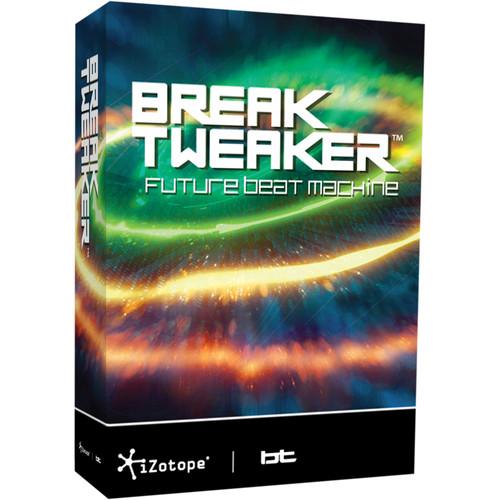 Contents of the user manual for the iZotope BreakTweaker - Drum Sculpting and
- Product category: Virtual Instruments iZotope
- Brand: iZotope
- Description and content of package
- Technical information and basic settings
- Frequently asked questions – FAQ
- Troubleshooting (does not switch on, does not respond, error message, what do I do if...)
- Authorized service for iZotope Virtual Instruments
|
User manual for the iZotope BreakTweaker - Drum Sculpting and contain basic instructions
that need to be followed during installation and operation.
Before starting your appliance, the user manual should be read through carefully.
Follow all the safety instructions and warnings, and be guided by the given recommendations.
User manual is an integral part of any iZotope product,
and if it is sold or transferred, they should be handed over jointly with the product.
Following the instructions for use is an essential prerequisite for protecting
health and property during use, as well as recognition of liability on the part of the manufacturer
for possible defects should you make a warranty claim. Download an official iZotope user manual in which you will find instructions on how to install, use, maintain and service your product.
And do not forget – unsuitable use of a iZotope product will considerably shorten its lifespan!
|
Product description BreakTweaker from iZotope is a virtual instrument for drum sculpting and beat sequencing, compatible with all modern major DAWs. Geared towards EDM producers, DJs, and composers, the software consists of three modules, the Sequencer, the Generator, and the MicroEdit Engine.
Assemble pattern-based beats in the sequencer, which features six tracks for layering sounds. The sequencer can store up to twenty-four different step patterns, triggered via MIDI for on-the-fly remixing. Isorhythmic step sequencing makes it possible for each track to have a unique tempo and step length.
The Generator is a drum synthesis module, featuring morphing wavetable synthesis, one-shot sample loading, and noise tables. Additional processing includes dual-stage distortions and vintage-modeled filters. Four LFOs with unique wavetable shapes and four envelopes provide extensive modulation possibilities for almost every single generator parameter. Every sequencer track supports up to three generators.
The MicroEdit Engine provides a different method of sound design. A "MicroEdit" is the division of a single step within a pattern into potentially thousands of slices. These slices can be contoured and shaped to create harmonic, pitched, and rhythmic effects. Each step can be repeated or chopped at an infinitesimally small rate.
A factory library comes with over eighty global presets that are ready for any project. It also features over 2 GB of royalty-free samples designed by electronic production professionals. Optional add-on expansion libraries suited to a variety of production styles are also available. Note: This product is an educational discounted version available to qualified students, faculty/staff, and accredited academic institutions only. Proof of current educational status is required. - MicroEdit
-
- Slice and manipulate audio at very fine resolution levels using the MicroEdit Engine
- Each step can be repeated or chopped at an infinitesimally small rate, allowing for creating buzzing musical harmony, texturing a step with extra rhythms, or using rhythm as a synthesis tool, locking drum hits to individual pitches
- Glitch and process any drum sample or rhythm with pitch, arp, and texture control
- Divide a single sequenced event into thousands of unique slices that pulse with sonic movement, as defined by division, pitch, time or speed
- Add tension, slopes and curves to shape the contour and rotation of the slices and then apply additional FX
- Quickly change the entire sound of a beat with the randomize feature, which automatically MicroEdits the selected step in a sequencer pattern
- Evolving Sequences
-
- Whether working with drums, bass, or abstract noises the software is driven by the patterns defined in the sequencer
- Freed from the constraints of a pre-defined time signature, the sequencer can program anything from basic patterns to unique tracks of patterns with individual lengths and speeds
- Build beats with the 32-step sequencer, with up to twenty-four patterns synced to a DAW
- Evolve and transform patterns by giving each sequencer track a unique tempo and step length, allowing the entire beat pattern to develop into new musical ideas over time
- Create entire productions and then route the individual sequencer tracks to separate outputs for optimum mixing with the multi-out mode
- Factory Library
-
- Extensive library of samples to choose from for building custom kits
- Explore sounds designed by top musicians and DJs, including BT, available royalty free for use in BreakTweaker or a sampler of choice
- Wield dubstep power with multi-layered kicks and snares
- Elicit cinematic drama with booms and hits, metals, cymbals and bells, as well as vocal breath one-shots
- Eighty beat presets
- Drum Synthesis
-
- The Generator features two morphing wavetable oscillators capable of reproducing anything from the simplest to the most complex synthesizer sounds
- Library of custom waveforms by BT and other top producers for use as building blocks
- Choose from five wavetable synthesis modes – single, additive, ring modulation, amplitude modulation (AM), frequency modulation (FM)
- Quadruple LFO and envelope modulation routing, perfect for adjusting pitch, wavetables, amplitude, and more
- Start on advanced drum design with inbuilt generator presets that can be adjusted to taste
- Modulation
-
- Custom-designed LFOs and envelopes provide for many creative modulation options
- Each modulation source can manipulate the settings of any generator parameter
- Modulate anything in the generator window with one of four LFOs or envelopes
- Assign up to two modulators per parameter
- Innovative wavetable LFO control, featuring exotic LFO shapes
- Effects
-
- Array of distortion effects, as well as vintage-modeled New York and Tokyo filters for shaping sounds
- Custom-modeled, analog-style New York and Tokyo high-pass, band-pass, and low-pass filters
- Dual-stage distortions inspired by the company's Trash 2 features algorithms such as warm, transistor, hard, digital, raw, and aliasing
- Enhance width, add stereo space and create lush drum hits with individual chorus effects for every sequenced step via the MicroEdit engine
- Search
-
- Discover feature narrows down the search for just the right drum sound
- Powered by the company's MediaMined technology, Discover will analyze and display similar-sounding samples when browsing the factory library using musical analysis, not metadata
- No more scrolling endlessly through sample lists when a drum sound is close but not perfect
- Click "Discover" to instantly view intelligently-selected, similar-sounding drum hits from the BreakTweaker collection for quick auditioning
Table of Contents
|
Upload User Manual
Have you got an user manual for the iZotope BreakTweaker - Drum Sculpting and Beat Sequencing Virtual Instrument in electronic form? Please send it to us and help us expand our library of instruction manuals.
Thank you, too, on behalf of other users.
To upload the product manual, we first need to check and make sure you are not a robot. After that, your "Submit Link" or "Upload File" will appear.
Technical parametersiZotope BREAKTWEAKER-E Specs | System Requirements | Mac
OS X 10.6.8 to 10.11
Host software that supports AAX Native, Audio Units, RTAS, VST, or VST3 plug-in formats
Windows
Windows XP SP3 (32-bit), Windows 7, 8,10
Host software that supports AAX Native, RTAS, VST, or VST3 plug-in formats |
Rating60% users recommend this product to others. And what about you?

This product has already been rated by 79 owners. Add your rating and experience with the product.
Discussion
 Ask our technicians if you have a problem with your settings,
or if anything is unclear in the user manual you have downloaded.
You can make use of our moderated discussion.
The discussion is public and helps other users of our website who may be encountering similar problems.
Ask our technicians if you have a problem with your settings,
or if anything is unclear in the user manual you have downloaded.
You can make use of our moderated discussion.
The discussion is public and helps other users of our website who may be encountering similar problems.
The discussion is empty - enter the first post
Post a new topic / query / comment:
|
|
|
| Request for user manual |
You can’t find the operation manual you are looking for? Let us know and we will try to add the missing manual:
I’m looking for a manual / Request for manual
Current requests for instruction manuals:
Call Of Duty World War Two For Xbox...
controller stratus XL...
stratus XL...
smart whatch serie S11 42mm...
Allen & Heath SQ-6 manual...
|
| Discussion |
Latest contributions to the discussion:
AEW R 4100
Name: MAURICIO ANGARITA
Audio-Technica AEW-R4100 UHF Diversity Receiver for
AEW R 4100 has the mute function blocked and does not allow audio to pass. I tried several times to turn off the mute from the transmitter but it does nothing, the mute stays on. Solution?
Thank you...
Instructions for assembling the 2015 Forecast Image Master Consoles GC3-A
Name: mike elam
Forecast Consoles GC3-A ImageMaster Editing Console
Looking for instructions for assembling this console. ...
EMPTY TONER ERROR MESSAGE AFTER REPLACING TONER
Name: LINDA BAD YELLOW EYES
Brother TN223BK Standard-Yield Toner
I HAD TO CHANGE OUT ALL THREE TONERS DUE TO LEAKS IN THE YELLOW AND CYAN. AFTER I REPLACED THEM, THE MACHINE KEEPS GIVING ME AN EMPTY TONER ERROR MESSAGE. HELP!!...
PS480D 20/24 pin Switching 480W Power Supply
Name: swkargo
Logisys 480W Power Supply
This item states in can run -5vdc .It is NOT listed on the board or I beleive is r4 is missing the resitior. Any body have thid issue. Shawn
...
Help needed
Name: Ann Carter
SanDisk 1TB Extreme Portable USB 3.1
When I click the link to download the user manual for my Sandisk Extreme external hard drive, it gives me the manual for the LG Cricket. Can you please change the link so I can download the Sandisk manual and begin using this drive? Thank you....
|
|


