|
User Manual for iZotope Insight - Metering Suite Plug-In for Post Production and Broadcast Click to enlarge the picture
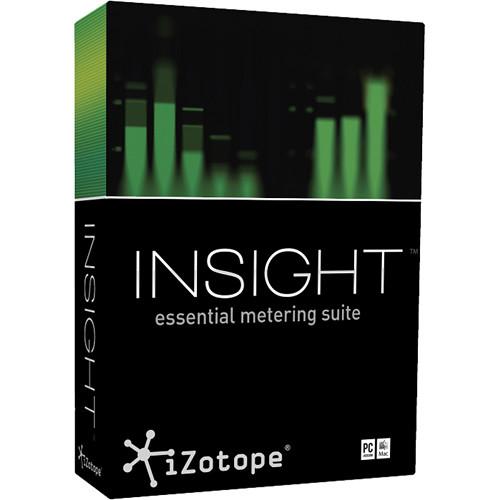 Contents of the user manual for the iZotope Insight - Metering Suite Plug-In
- Product category: Virtual Processor Plug-Ins iZotope
- Brand: iZotope
- Description and content of package
- Technical information and basic settings
- Frequently asked questions – FAQ
- Troubleshooting (does not switch on, does not respond, error message, what do I do if...)
- Authorized service for iZotope Virtual Processor Plug-Ins
 |
User manual for the iZotope Insight - Metering Suite Plug-In contain basic instructions
that need to be followed during installation and operation.
Before starting your appliance, the user manual should be read through carefully.
Follow all the safety instructions and warnings, and be guided by the given recommendations.
User manual is an integral part of any iZotope product,
and if it is sold or transferred, they should be handed over jointly with the product.
Following the instructions for use is an essential prerequisite for protecting
health and property during use, as well as recognition of liability on the part of the manufacturer
for possible defects should you make a warranty claim. Download an official iZotope user manual in which you will find instructions on how to install, use, maintain and service your product.
And do not forget – unsuitable use of a iZotope product will considerably shorten its lifespan!
|
Product description The iZotope Insight Essential Metering Suite is designed for post production and broadcast applications. The Insight Suite provides an extensive set of audio analysis and metering tools, suitable for visualizing changes made during mixing and mastering, troubleshooting problematic mixes, and ensuring compliance with broadcast loudness standards. Fully customizable and scalable, Insight allows you to visually monitor all the relevant information from your mono, stereo, or surround mix in a convenient floating window.
Insight visually guides you throughout the mixing process, empowering you to look deeper into your audio with intelligent analysis tools and real-time monitoring capabilities. You can view tried and tested analog-style meters with digital twists, and keep tabs on cutting-edge displays that give you limitless access to your audio. You can design your ideal metering plug-in with customizable views, settings, and presets.
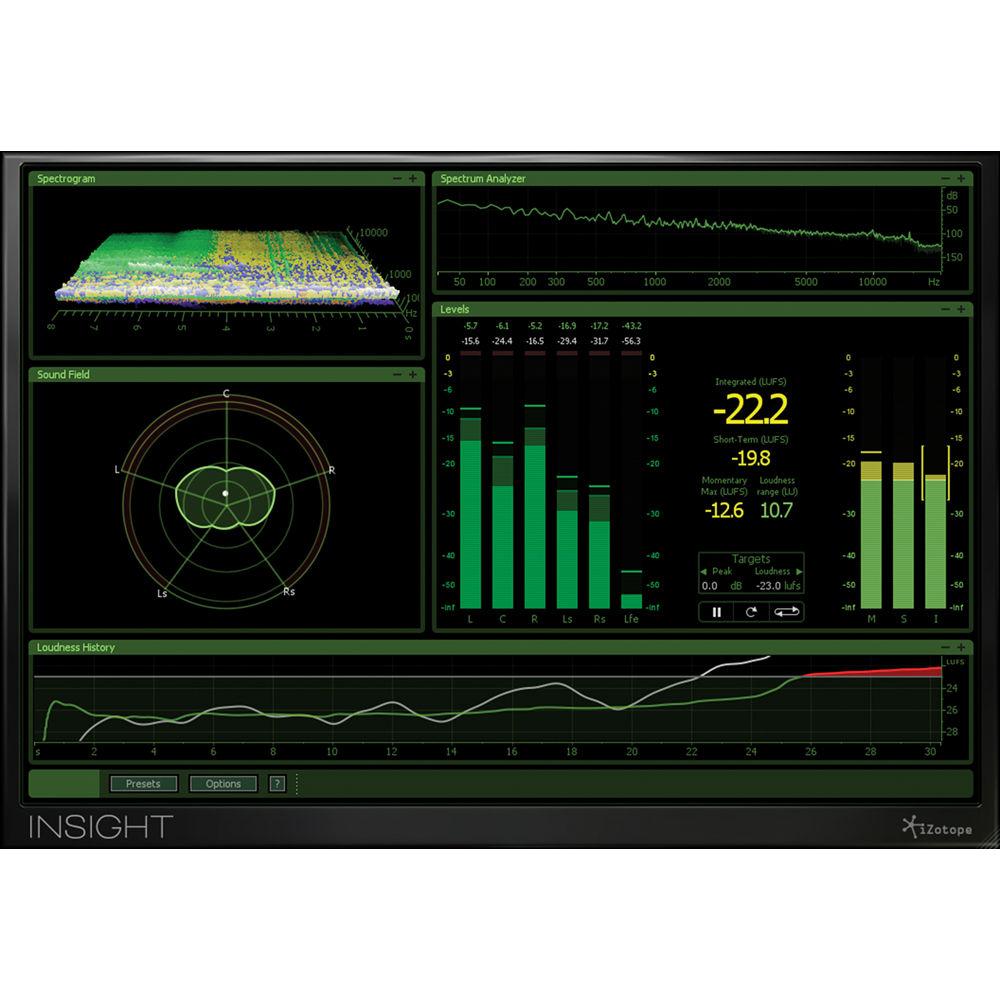
Insight provides a combination of both established and innovative metering solutions for any type of audio work. The flexible interface features 5 distinct metering partitions: Spectrogram, Spectrum Analyzer, Sound Field, Levels, and Loudness History.
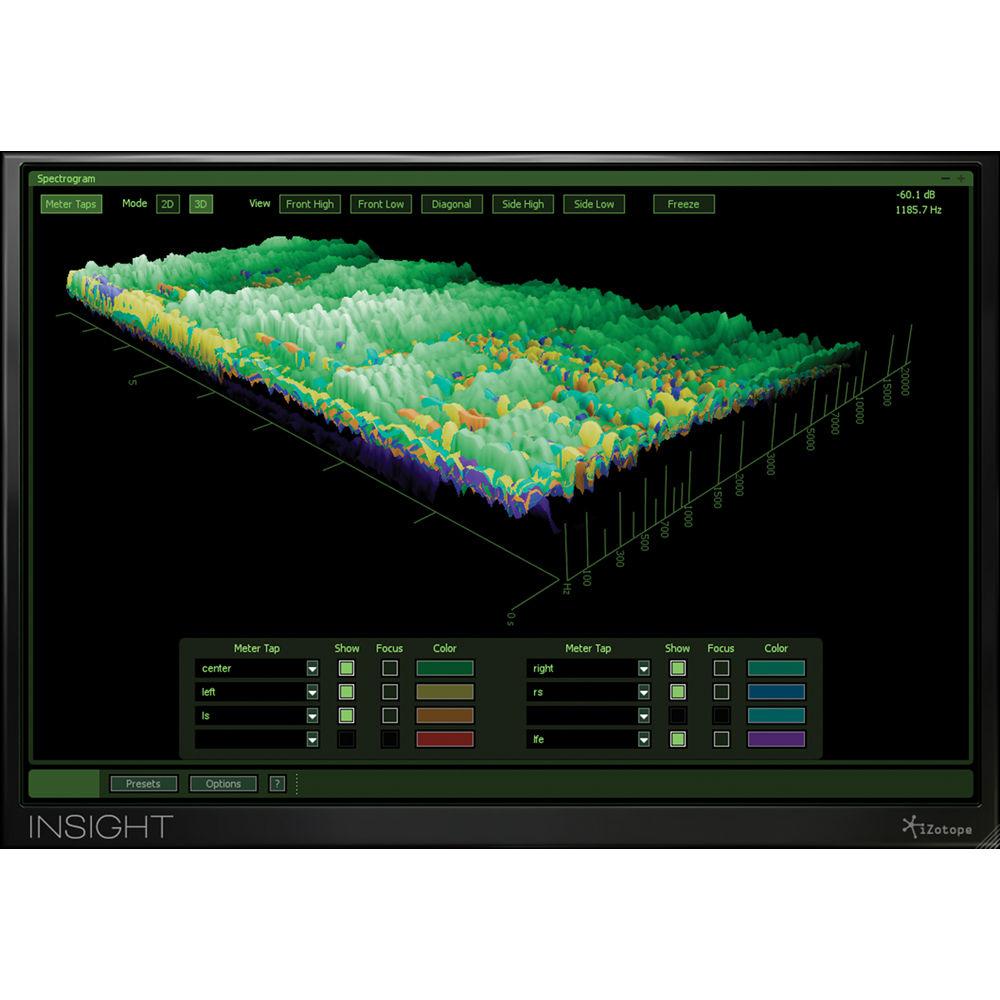
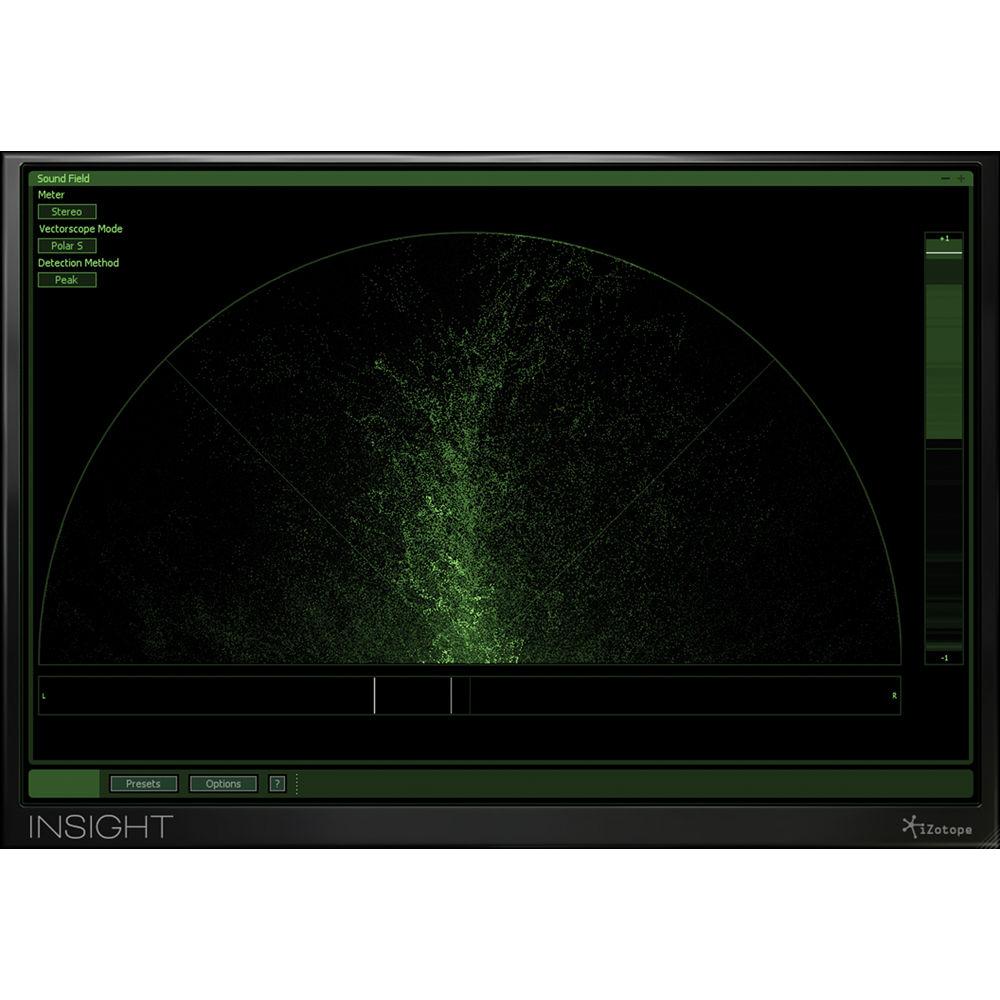
Unlike typical waterfall plots, Insight's real-time 3D spectrogram creates a detailed topographical map of audio using iZotope's high-resolution spectrogram capabilities. It also includes a real-time spectrum analyzer for examining the frequency balance of your mix. Insight's resizable Stereo Vectorscope provides useful display options for examining the stereo image of your mix.
Insight features a number of tools that help ensure your audio adheres to the loudness standards. By evaluating audio levels in terms of how the human ear perceives loudness, loudness meters are used to ensure a mix complies with broadcast regulations, like those specified by the Advanced Television Standards Committee and European Broadcasting Union. Fully compliant with the ITU-R BS.1770-1, ITU-R BS.1770-2, ITU-R BS.1770-3, and EBU R128 standards, Insight provides the tools you need to be confident that your audio meets regulations.
Insight lets you choose the meters you want to view, customize them, and navigate to exactly the level of detail that you require. For eye-popping visual insight, you can feed information on multiple audio streams to the Spectrogram via Meter Taps. Add Meter Tap plug-ins to individual tracks or buses and then open the Spectrogram to see how mix elements combine in real-time details.
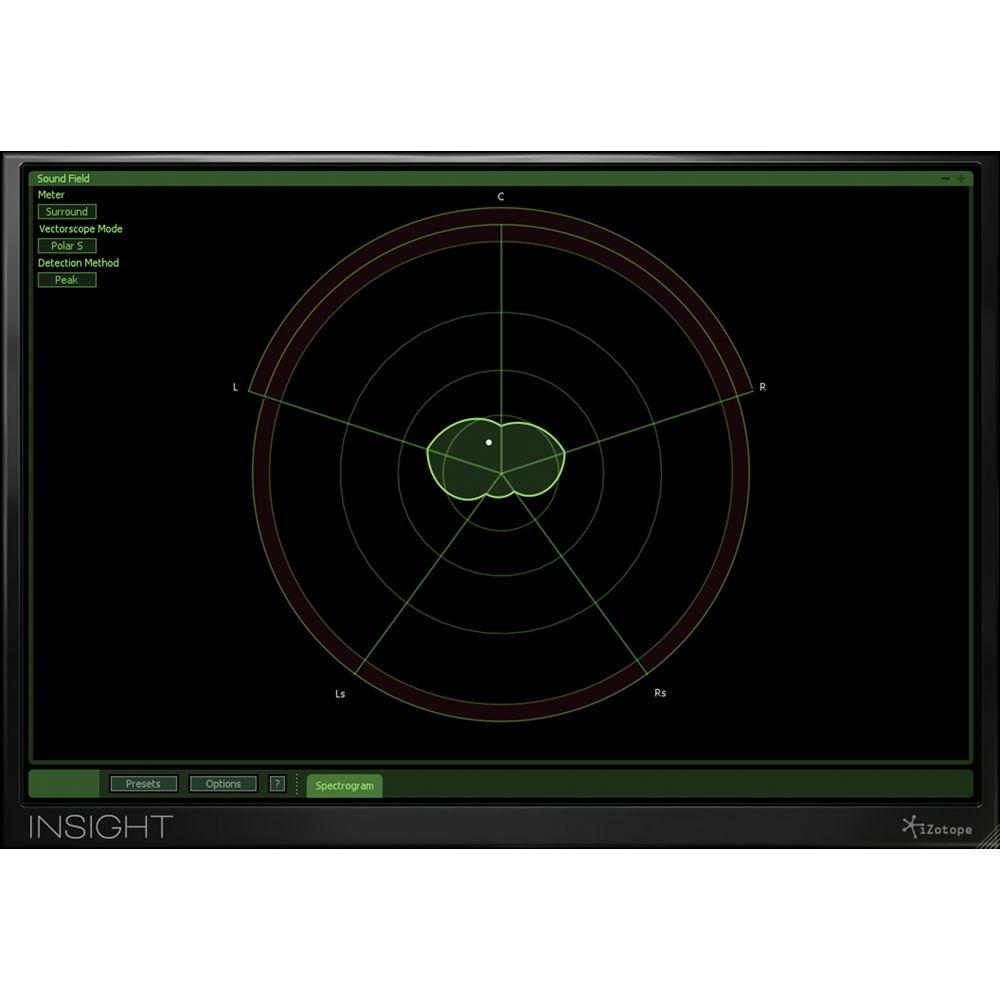
Insight's Surround Scope feature helps you visualize how your surround project will be spatially perceived by your audience during playback, and also keeps you aware of any potential technical problems with your audio's alignment. The Insight Essential Metering Suite is designed for post production and broadcast engineers, music engineers, video editors, and sound designers and composers. - Complete Suite of Metering Tools
-
- Spectrogram: View a detailed topographical map of your audio stream in 2D or 3D, and feed in any individual tracks or buses via Meter Taps.
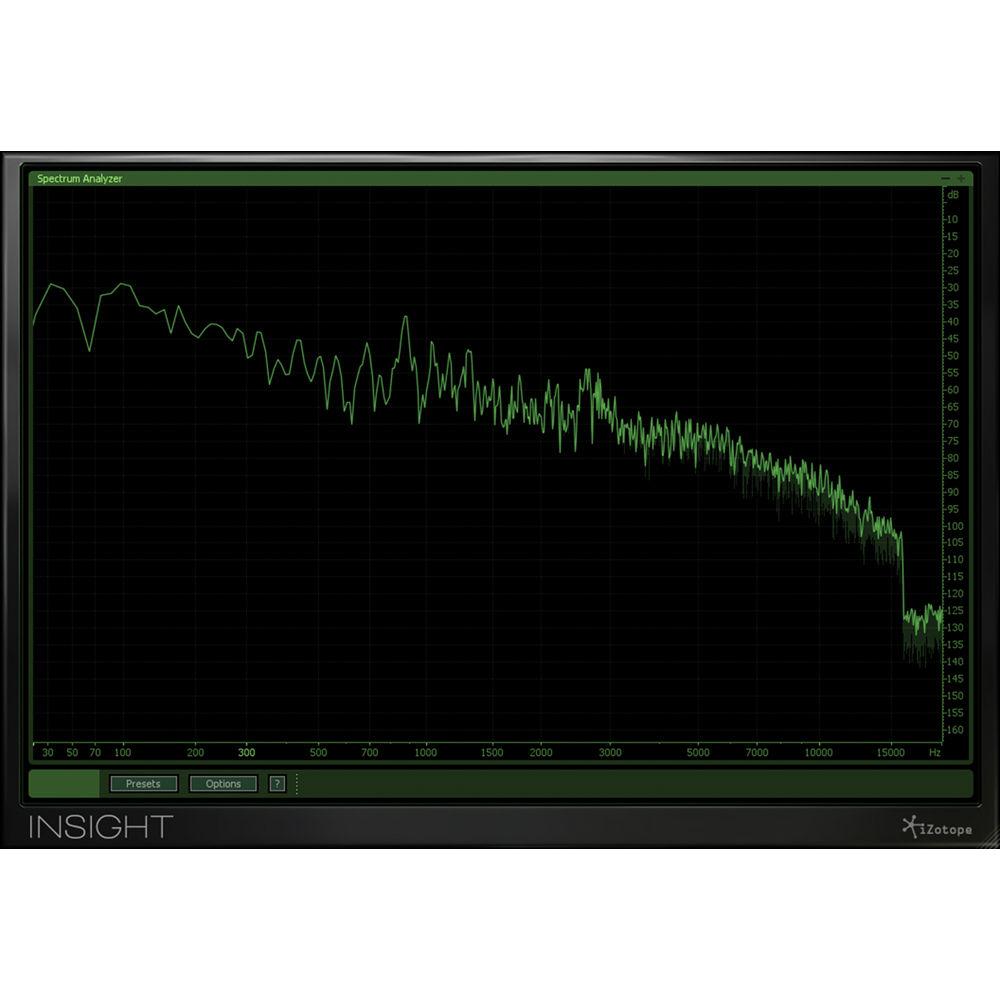
- Spectrum Analyzer: You can see the frequency balance of your mix in real-time with display options like Linear, Octave, Critical B etc.
- Sound Field: Examine the behavior and balance of stereo and surround mixes, visualize spatial activity in real time, and quickly diagnose phase issues with the Stereo Vectorscope and Surround Scope.
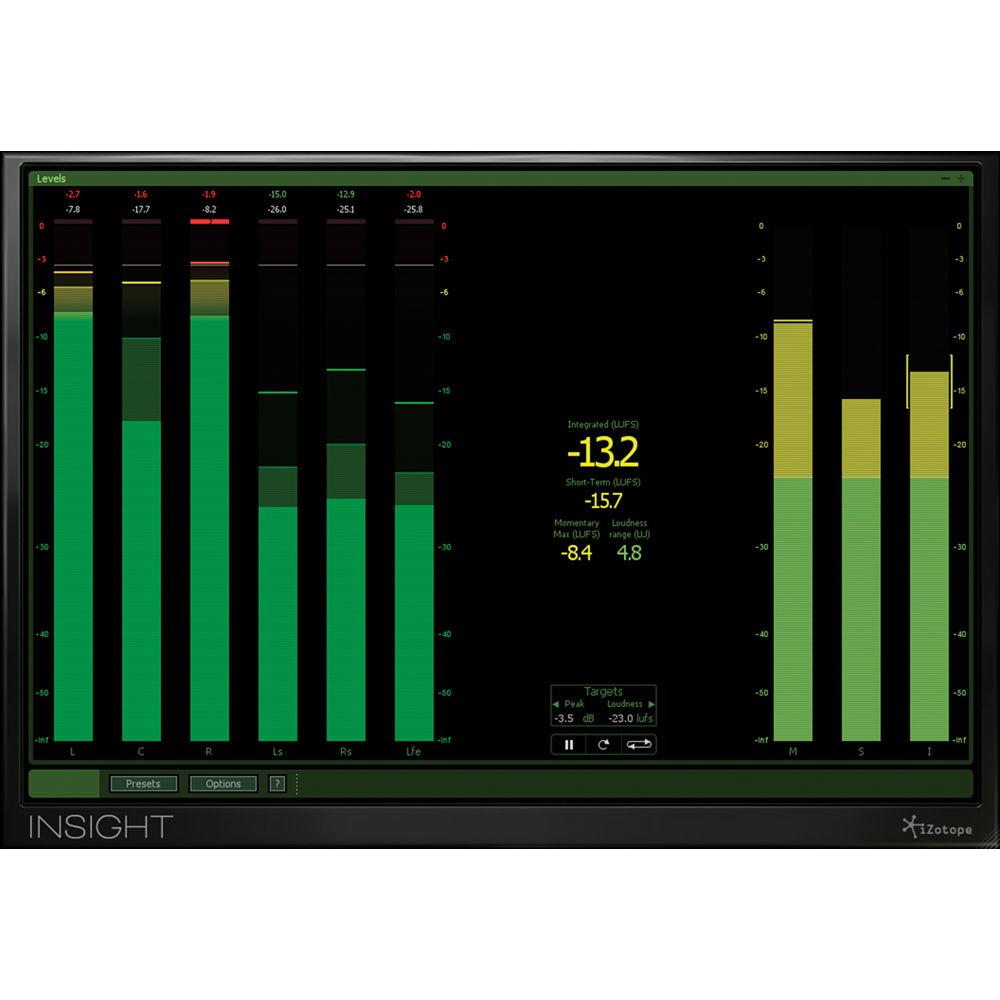
- Levels: Monitor both True Peak and Loudness meters for immediate feedback on your project's levels.
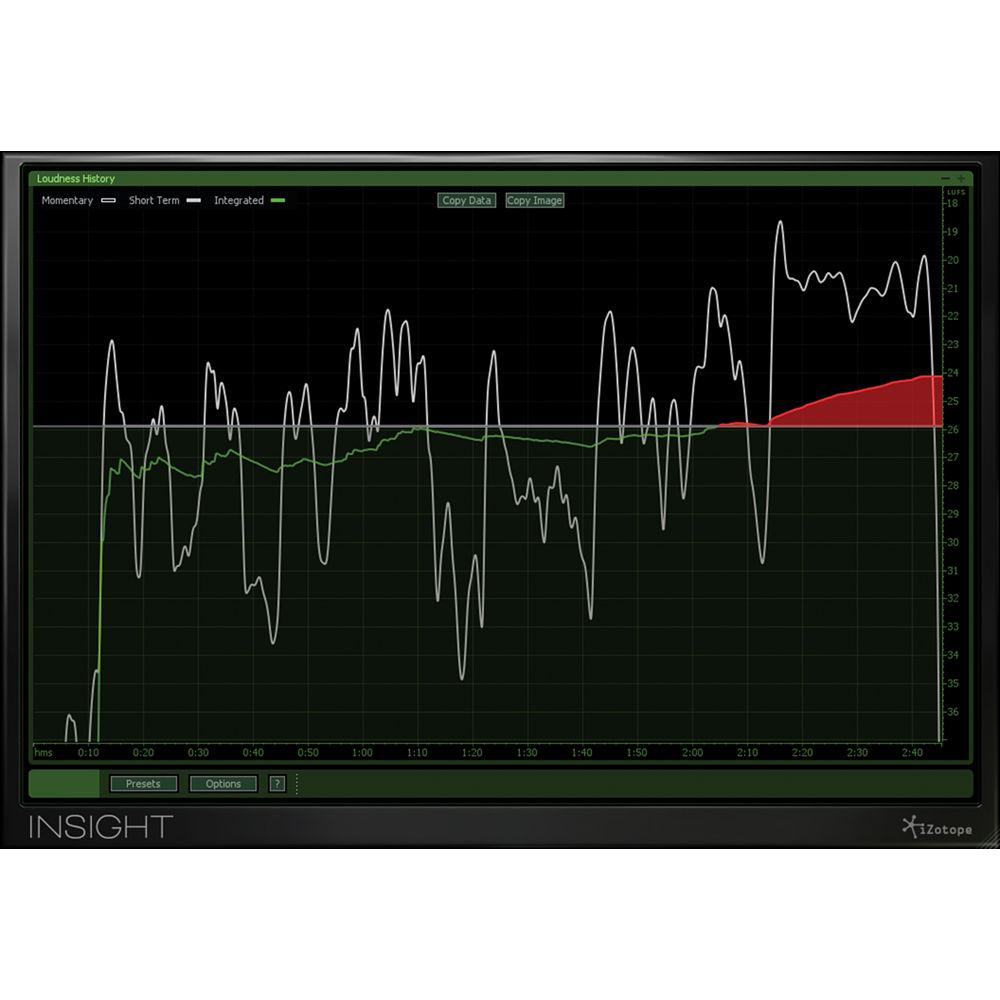
- Loudness History: Visualize and inspect loudness over time, in real time or retrospectively, with the option to capture loudness data in an exportable log or graph.
- Loudness Compliant
-
- Fully compliant with the BS.1770-1/2/3 standard, Insight includes meters for immediate loudness calculation and True Peak detection, loudness calculation over time, and faster than real-time offline loudness calculation.
- Plot an infinite history of the loudness of your mix with the Loudness History Graph; use it for retrospective examination of your mix's loudness, or for real-time monitoring of loudness trends as they occur over time.
- Set your loudness targets and mark when any levels exceed them with Loudness Overflow Tracking, which writes automation to your DAW to capture loudness overflow alerts.
- Prove adherence to loudness standards by exporting a log or graph of your loudness data to clients, networks, broadcasters, and other legislation enforcers that require documentation.
- Customizable and Flexible
-
- Insight shows meters for up to 6 channels of surround data.
- You can size the plug-in to optimize your studio screen space and choose the meters appropriate for your workflow. You can then adjust each partition's size to best suit your preferences.
- Try out common metering views with 30+ Insight presets and choose metering options based on the loudness standards in your region.
- Easily save your favorite meter settings and recall them later, or cycle through various views within the same session as you move through different workflows.
- You can take total control over how your audio is visualized; each meter provides numerous display options.
- Pick and choose which meters you want visible and then adjust each partition's size as per your preference.
- Configure each meter precisely to your needs with a variety of per-meter display options and settings.
- Perform deep analysis with easy freezing, zooming, scrolling, scaling, freezing, and hovering within relevant meters for closer inspection, exploration, and data pinpointing.
- Tailor exactly which tracks and buses the Spectrogram monitors by adding Meter Taps to any track or bus.
- Loudness and True Peak Metering
-
- View important values at a glance with Loudness Meter Readouts that show momentary, momentary maximum, short-term, integrated, and loudness range calculations, as defined by BS.1770 metering guidelines.
- Retrospectively analyze the loudness of a mix, or monitor loudness trends as they occur with the Loudness History Graph.
- Ensure no audio will clip during analog playback with BS.1770-3-compliant True Peak Meters.
- Define your own loudness and clipping thresholds and be quickly alerted to increased loudness and clipping with Adjustable Loudness and True Peak Targets.
- Quickly assess if current or past audio projects are in compliance by running an Offline Loudness Calculation, which is faster than real-time in-hosts offering offline processing.
- Write automation to your DAW to capture when the loudness level is above your target with Loudness Overflow Tracking.
- Prove adherence to loudness standards to clients, networks, broadcasters, and legislation enforcers: document and archive a project's loudness data with an exportable log or graph.
- Quickly configure Insight to reflect the loudness settings in your region with Insight's Loudness Presets.
- Surround Scope
-
- Display up to 5 channels of surround data in Film, SMPTE/ITU, and DTS channel configurations.
- Quickly deduce how a surround mix will be perceived in the surround space with a uniquely stylized, 360° Surround Amplitude Meter.
- Be instantly aware of any potential phase issues with Sound Correlation Alerts, which indicate when there's a chance of signal cancellation during summing or playback.
- Easily pinpoint the overall surround location of a signal with the Surround Balance Indicator.
- Spectrogram
-
- Choose between a high-resolution and real-time 2D or 3D scrolling Spectrogram.
- Perform detailed inspections with Freeze and Zoom modes.
- Easily examine gain values by frequency with a convenient mouse pointer readout.
- Insight takes advantage of video card graphics processing for full-screen 3D metering, preserving more processing power for your audio work.
- Meter Taps
-
- Use Overlay, Tile, or Stack views to compare different Meter Tap streams and see their relationships.
- Bring different audio streams into focus to see how each fits in the mix.
- Tailor the display to your preferences with customizable colors for different tracks and buses.
- Insert Meter Taps on mono, stereo, or surround tracks and buses.
- Stereo Vectorscope
-
- Rapidly diagnose mono and/or stereo phase compatibility issues within the Sound Field partition.
- Choose between Lissajous and Polar modes for multiple visualizations of stereo field activity and activity history.
- Check the balance between Left and Right channels with Stereo Balance Meters.
- Compare the similarity between left and right channels with Stereo Correlation Meters.
- Spectrum Analyzer
-
- Display one of the 4 different types of spectrums including Linear, Octave, 1/3 Octave, and Critical Bands.
- Select between specific Peak Hold Times to hold the peaks for different millisecond values, or select Infinite to hold peaks until you click to reset.
- Click and zoom by both time and frequency, or hover to pinpoint exact Hertz / decibel values.
- Adjust advanced controls to customize how the analyzer appears and how frequently it updates.
- Applications
- For Post Production and Broadcast Engineers:
- Monitor your audio for compliance with recently passed loudness standards like the CALM Act with Loudness Meters and the Loudness History Graph.
- Ensure your audio won't clip in the analog domain with Insight's True Peak meters, fully compliant with the recently released BS.1770-3 technical specifications.
- Easily visualize both the stereo and surround sound field of your mix to ensure a successful down mix.
- Assess how dialog and/or voiceover levels are balanced alongside your project's music and effects by routing tracks or buses to the Spectrogram via Meter Taps.
For Music Engineers: - Visualize the frequencies of your mix in real time with the linear Spectrum Analyzer or with a display divided into octaves or critical bands
- Make insightful mixing decisions and tweaks by routing your mix's tracks and buses to the Spectrogram via Meter Taps.
- Monitor the stereo width of your song throughout mixing and ensure successful mono playout.
- Compare the loudness of multiple tracks on a record or compare your track with a reference track to see how your master matches up.
For Video Editors: - Seamlessly monitor audio loudness through all stages of video production, from offline to online, reducing the need to later remix the soundtrack for broadcast.
- Assure compatibility with mono televisions using the Stereo Vectorscope.
- Use time-saving presets to quickly load settings relevant to the loudness standards in your part of the world.
- Reduce visual clutter by resizing Insight and enabling only the meters relevant to video post work.
For Sound Designers and Composers: - Compare your composition to a reference track by simultaneously displaying them in the 2D or 3D Spectrogram via Meter Taps.
- Prepare loudness-compliant audio for video games and film from the very start of your project, reducing the need to remix your work for a final deliverable.
- Make informed creative decisions regarding panning with the Stereo Vectorscope and Surround Scope.
- Choose the sound effect or atmosphere with the right spectral properties for your mix; analyze how it will fit into your project by using the Spectrogram or the Spectrum Analyzer.
Table of Contents
|
Upload User Manual
Have you got an user manual for the iZotope Insight - Metering Suite Plug-In for Post Production and Broadcast in electronic form? Please send it to us and help us expand our library of instruction manuals.
Thank you, too, on behalf of other users.
To upload the product manual, we first need to check and make sure you are not a robot. After that, your "Submit Link" or "Upload File" will appear.
Technical parametersiZotope 10-INSIGHT Specs | System Requirements | Mac
OS X 10.6.8 to 10.11
Host software that supports AAX Native, AudioSuite, Audio Units, RTAS, VST, or VST3 plug-in formats
Windows
Windows XP SP3 (32-bit), Vista (64-bit), Windows 7, 8,10
Host software that supports AAX Native, AudioSuite, RTAS, VST, or VST3 plug-in formats
Note: For use of the scrolling 3D Spectrogram, Insight requires a graphics card that supports OpenGL 2.0 |
Rating80% users recommend this product to others. And what about you?

This product has already been rated by 42 owners. Add your rating and experience with the product.
Discussion
 Ask our technicians if you have a problem with your settings,
or if anything is unclear in the user manual you have downloaded.
You can make use of our moderated discussion.
The discussion is public and helps other users of our website who may be encountering similar problems.
Ask our technicians if you have a problem with your settings,
or if anything is unclear in the user manual you have downloaded.
You can make use of our moderated discussion.
The discussion is public and helps other users of our website who may be encountering similar problems.
The discussion is empty - enter the first post
Post a new topic / query / comment:
|
|
|
| Request for user manual |
You can’t find the operation manual you are looking for? Let us know and we will try to add the missing manual:
I’m looking for a manual / Request for manual
Current requests for instruction manuals:
Call Of Duty World War Two For Xbox...
controller stratus XL...
stratus XL...
smart whatch serie S11 42mm...
Allen & Heath SQ-6 manual...
|
| Discussion |
Latest contributions to the discussion:
AEW R 4100
Name: MAURICIO ANGARITA
Audio-Technica AEW-R4100 UHF Diversity Receiver for
AEW R 4100 has the mute function blocked and does not allow audio to pass. I tried several times to turn off the mute from the transmitter but it does nothing, the mute stays on. Solution?
Thank you...
Instructions for assembling the 2015 Forecast Image Master Consoles GC3-A
Name: mike elam
Forecast Consoles GC3-A ImageMaster Editing Console
Looking for instructions for assembling this console. ...
EMPTY TONER ERROR MESSAGE AFTER REPLACING TONER
Name: LINDA BAD YELLOW EYES
Brother TN223BK Standard-Yield Toner
I HAD TO CHANGE OUT ALL THREE TONERS DUE TO LEAKS IN THE YELLOW AND CYAN. AFTER I REPLACED THEM, THE MACHINE KEEPS GIVING ME AN EMPTY TONER ERROR MESSAGE. HELP!!...
PS480D 20/24 pin Switching 480W Power Supply
Name: swkargo
Logisys 480W Power Supply
This item states in can run -5vdc .It is NOT listed on the board or I beleive is r4 is missing the resitior. Any body have thid issue. Shawn
...
Help needed
Name: Ann Carter
SanDisk 1TB Extreme Portable USB 3.1
When I click the link to download the user manual for my Sandisk Extreme external hard drive, it gives me the manual for the LG Cricket. Can you please change the link so I can download the Sandisk manual and begin using this drive? Thank you....
|
|


