|
User Manual for iZotope RX 6 Standard Audio Restoration and Enhancement Software Click to enlarge the picture
 Contents of the user manual for the iZotope RX 6 Standard Audio Restoration
- Product category: Virtual Processor Plug-Ins Others
- Brand: Others
- Description and content of package
- Technical information and basic settings
- Frequently asked questions – FAQ
- Troubleshooting (does not switch on, does not respond, error message, what do I do if...)
- Authorized service for Others Virtual Processor Plug-Ins
 |
User manual for the iZotope RX 6 Standard Audio Restoration contain basic instructions
that need to be followed during installation and operation.
Before starting your appliance, the user manual should be read through carefully.
Follow all the safety instructions and warnings, and be guided by the given recommendations.
User manual is an integral part of any Others product,
and if it is sold or transferred, they should be handed over jointly with the product.
Following the instructions for use is an essential prerequisite for protecting
health and property during use, as well as recognition of liability on the part of the manufacturer
for possible defects should you make a warranty claim. Download an official Others user manual in which you will find instructions on how to install, use, maintain and service your product.
And do not forget – unsuitable use of a Others product will considerably shorten its lifespan!
|
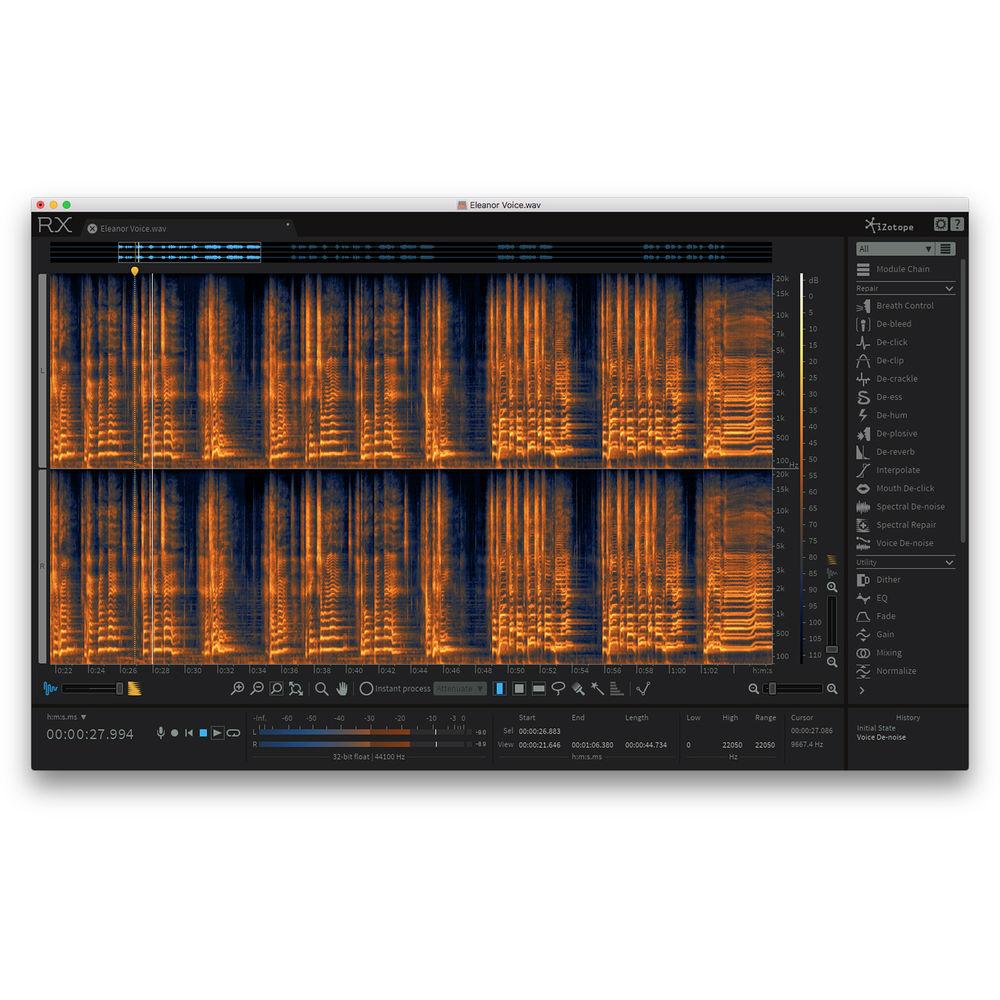
Product description Available for download, RX 6 Standard from iZotope is the latest update to their audio repair software, which is considered a staple for recording, mastering, and audio-for-video post-processing. The software can operate either as a standalone application or as a plug-in for both Mac and Windows based DAWs and NLEs. From fixing common audio problems like noises, distortions, and inconsistent recordings to repairing severely damaged audio using Spectral Repair, the RX can transform previously unusable audio into something usable.The standard edition of RX 6 incorporates many of the advanced features of RX 5, adding some extra processes for good measure. EQ Match, Ambience Match, and De-plosive are all provided, while operations previously buried in the utilities have been given their own modules. Voice De-noise is now its own dedicated module with separated optimization modes for dialogue and music. A new Mouth De-click module has been tailored to zoom in on—and promptly eradicate—those pesky mouth sounds found in dialogue recordings.Also new to the RX workflow is the ability to edit up to 16 tracks at one time. This makes the process of editing one flaw out of a multi-miked, live-classical recording much easier to accomplish. A De-bleed module is included, allowing you to reduce the leakage of errant audio; you can use this to eliminate headphone bleed, small amounts of cross-bleed between mics and click tracks. Other new features include the ability to export MP3s and module list filters.The Process Tool works as it did in earlier versions of RX, allowing you to paint away audio problems on the spectrogram in one of several modes (Attenuate, De-click, Fade, Gain, and Replace), as does the Module Chain, which reduces the number of mouse clicks required for using a series of processes. Corrective EQ, De-clip, and some other classic processes have been ported over and improved upon.More of these tools are now accessible as a plug-in; however, some processes are still only available in the standalone version. RX Connect has been provided to use offline processes in conjunction with your DAW or NLE. This facilitates seamless transfers and keeps productivity flowing. Additional features include high-quality re-sampling and dithering, rebuilding distorted audio, and batch processing. A detailed spectrum analyzer detects peaks automatically, and a suite of automatic, intelligent modules reduce manual tasks in the audio production workflow. RX 6 Audio Editor can be used as a standalone audio editor (including standalone but connected to your host via RX Connect), or it can be used as a suite of plug-ins. Note: This item is for registered users of any iZotope Standard or iZotope Elements product who wish to upgrade to RX 6 Standard (Please note: DDLY, Mobius Filter, or any free product are not included in this offer).
This download is eligible for a FREE upgrade to RX 7. New Modules and Features - Composite View
- Composite View allows you to edit and apply processing to 16 individual audio tracks as if they were one, easily addressing audio issues that appear across multiple microphones. The Composite View feature in the RX Audio Editor combines all active tabs into the Composite tab that allows you to apply the same processing to multiple files simultaneously. Composite View can be used to increase expediency when performing repetitive spectral editing functions. This makes it particularly useful when making repairs in recording situations with multiple microphones or repairs to multichannel files.
- De-bleed
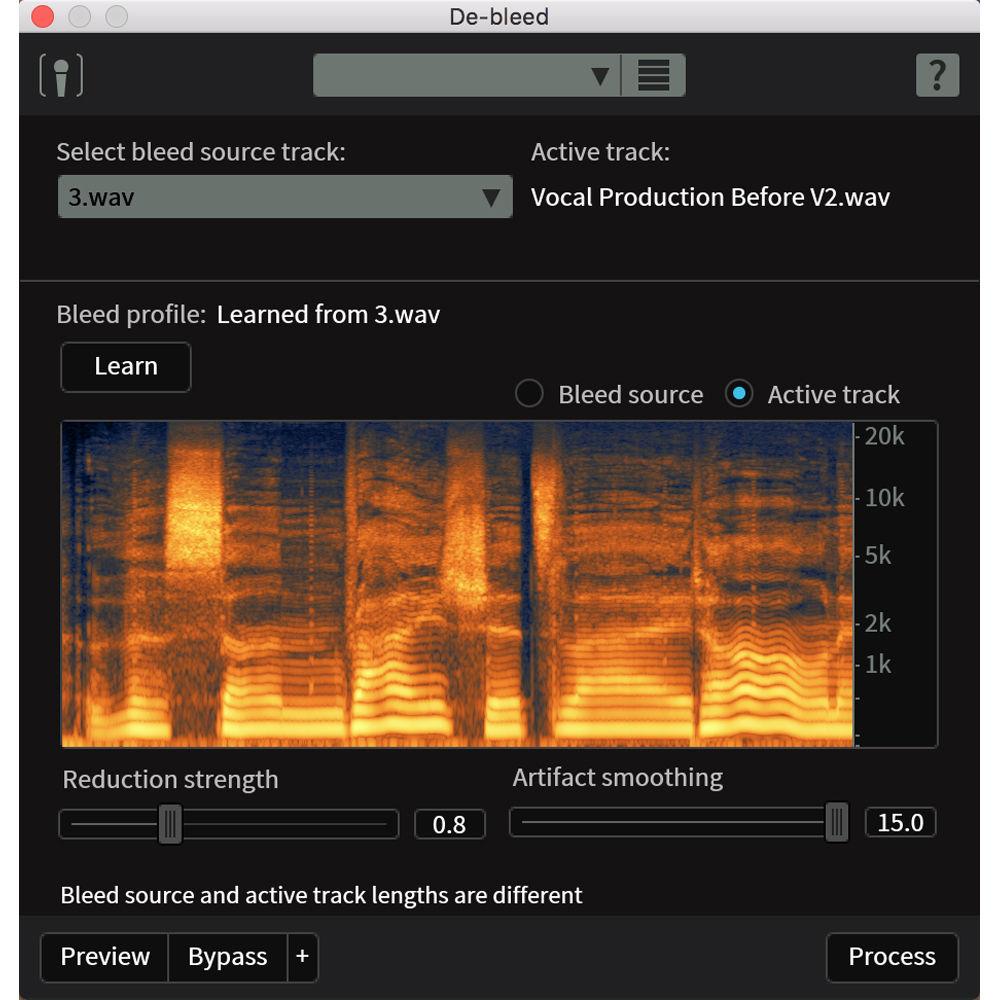
- Working across multiple tracks, the De-bleed module reduces the leakage of one signal into another. De-bleed can help reduce or eliminate bleed from headphones, click tracks, multiple mics with small amounts of cross bleed, and even some drum bleed issues.
- De-ess
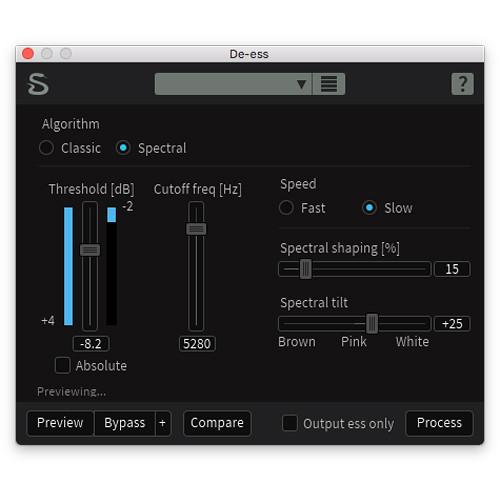
- The De-ess plug-in and module attenuates or reduces sibilance (the harsh high-frequency sounds that come from S, F, X, SH, and soft C sounds). Two modes for handling sibilance are provided. Classic Mode detects sibilants and attenuates them with a broadband gain envelope. Spectral Mode is more transparent, intelligent, and frequency-specific and only attenuates the high frequencies where sibilance is most active, leaving the lower frequencies untouched.
- Mouth De-click
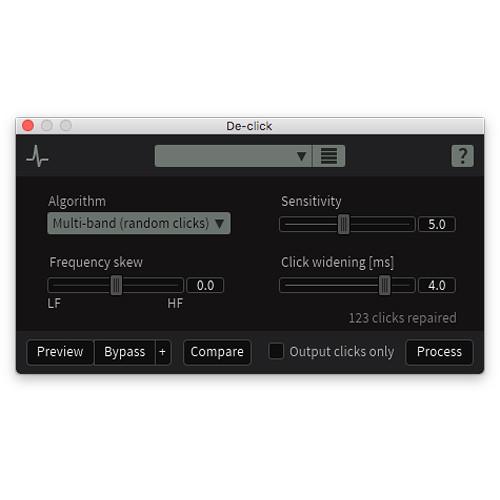
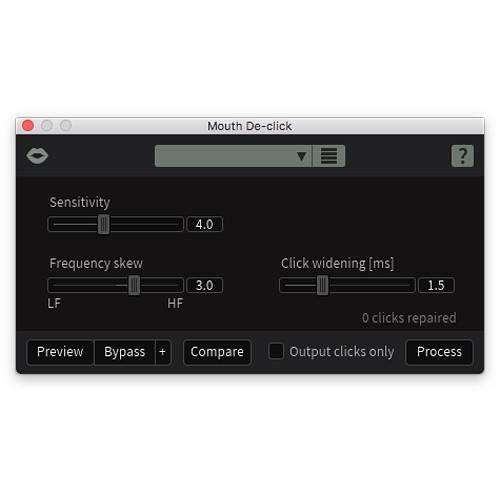
- The Mouth De-click module has been finely tuned to detect and reduce mouth noises such as clicks and lip smacks—many a listener's worst nightmare. It's designed for use on longer audio selections, but it can be used to remove individual clicks.
- Breath Control
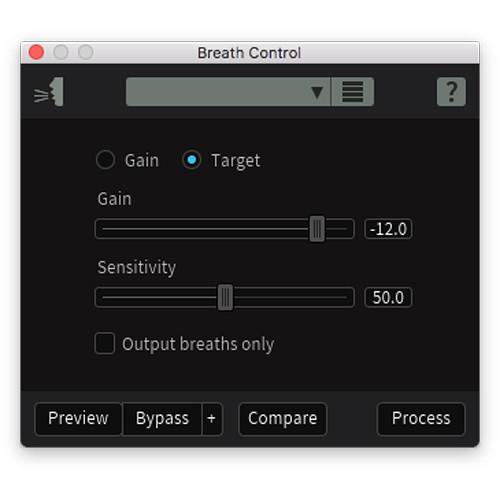
- The Breath Control module intelligently detects breaths in dialogue or vocal recordings and suppresses them. Removing and reducing breaths in recordings can be a time-consuming process for dialogue editors and music producers. Breath Control can help reduce the time spent on repetitive editing without sacrificing audio quality.
- MP3 Export
- RX 6 supports exporting files in MP3 format. Constant bit rate, average bit rate, and variable bit rate are supported with bit rates up to 320 kBps.
- Module List Filters
- The Module List in iZotope RX has been redesigned to group features under the following categories: Repair, Utility, and Measurement. The Module List now features the ability to save custom views as presets so you can quickly access the modules that you use the most.
- Separated Voice De-Noiser
- Improving on the earlier Dialogue De-noise tab in the overall De-noise module, the newly separated zero-latency Voice De-noise has been designed to focus on dialogue and sung vocal treatment. Voice De-noise has an Adaptive mode that can adjust to a changing noise floor in real time, making it ideal for dialogue denoising. Also added are optimization modes for dialogue and music. When optimized for music, Voice De-noise excels at attenuating unwanted background noise from like air conditioners and street noise from sung vocals in apartment recording situations.
General Features - Improvements over Previous Versions
-
- Improvements made to De-click, Deconstruct, De-plosive, and Ambience Match Modules.
- Improvements made to Center Extract and Find Similar processes
- Key Features at a Glance
-
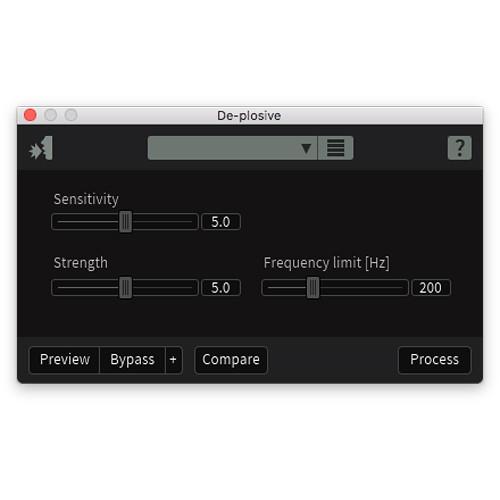
- De-plosive eliminates every plosive from any dialogue track with transparency
- Leveler smooths any volume inconsistencies with an automatic clip gain envelope; leveler optimized for dialogue using intelligent De-breath and De-ess algorithms
- Instant Process tool is a one-click eraser for removing unwanted coughs, scene-interrupting sirens, etc.
- Module Chain can process multiple modules at once, save your customized chains as presets, and execute them all with a single click, enhancing workflow and reducing mouse clicks
- Sync and integrate the RX Audio Editor with any DAW or NLE timeline using RX Connect
- Pro Tools support for clip-by-clip and handles, which preserves the boundaries of clips, allowing for simpler conformation to future picture changes
- Corrective EQ for removing harsh high frequencies, whines, rumbles, resonances, and distortion artifacts, and for accurately honing in on any problem frequency areas
- Sixty problem-oriented presets across several modules
- Signal Generator creates accurate test tones, calibration tones for post-production delivery specs, bleep tones for eliminating obscenities in dialogue
- Markers and regions (search) provide greater flexibility for those longer edits, with the ability to perform text based searches of any markers, regions, and comments in the metadata of the audio
- Turn flawed audio into usable material by removing noises, distortions, and more
- Edit audio with visual editing techniques using precision drawing tools, such as a brush and magic wand
- Salvage unusable material by filling in audio gaps instantly with Spectral Repair
- Seamlessly integrates with audio or video editing software, both as a standalone application or plug-in
- EQ Match allows for quickly learning the EQ of a source audio clip and applying that EQ curve to a target audio clip, enabling sonic balance and smooth transitions between multiple audio sources with different EQ qualities
- Ambience Match for matching the environment noise of two different audio recordings
- Learn the ambient noise from a source audio clip and apply it to another audio clip, and create long sections of constant ambient noise to insert under inconsistent dialogue recordings
- Loudness module processes whole program mixes or segments to comply with international industry standards, ensuring mixes never fail network specifications
- High-quality resampling using the SRC sample rate conversion algorithm
- Reduce bit resolution for final delivery of a project without sacrificing quality with the MBIT+ Dither algorithm
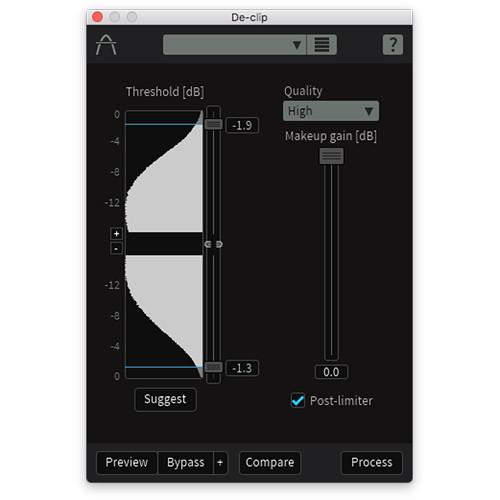
- Rebuild distorted audio caused by analog and digital overload, and get through projects faster with the automatic Suggest feature
- Spectrum Analyzer delivers a detailed spectral display that detects peaks automatically
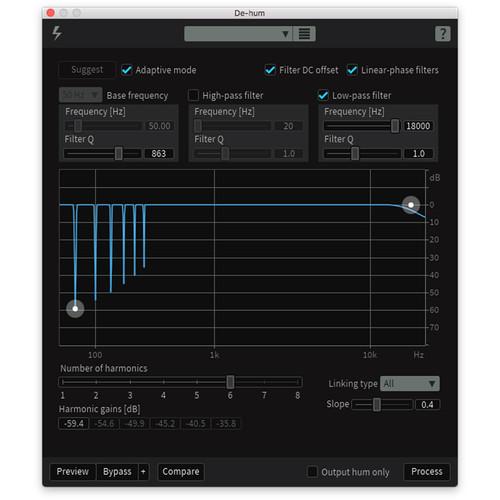
- Adaptive Hum Removal notches out fundamental hum frequencies that may change over time, like when recording a shot in multiple locations
- Non-destructive Clip Gain allows for easily adjusting and balancing the volume of vocals and instrumentals
- Export marker regions as files
- Metadata display (see ID3 tags and broadcast WAV metadata like source Timecode, etc.)
- Time-reverse audio
- Updated timeline ruler that displays original recorded source Timecode
- Movable tabs
- Full-screen support for Mac
Table of Contents
|
Upload User Manual
Have you got an user manual for the iZotope RX 6 Standard Audio Restoration and Enhancement Software in electronic form? Please send it to us and help us expand our library of instruction manuals.
Thank you, too, on behalf of other users.
To upload the product manual, we first need to check and make sure you are not a robot. After that, your "Submit Link" or "Upload File" will appear.
Technical parametersiZotope iZotope RX 6 Standard Specs | System Requirements | Mac OS X 10.8.5 to 10.12
Host software that supports AAX Native (64-bit), Audio Units (32- / 64-bit), AudioSuite DPM, RTAS (32-bit), or VST2 (32- / 64-bit) plug-in formats
Windows 7, 8, 10
Host software that supports AAX Native (64-bit), AudioSuite DPM, RTAS (32-bit), or VST2 (32- / 64-bit) plug-in formats |
Rating80% users recommend this product to others. And what about you?

This product has already been rated by 42 owners. Add your rating and experience with the product.
Discussion
 Ask our technicians if you have a problem with your settings,
or if anything is unclear in the user manual you have downloaded.
You can make use of our moderated discussion.
The discussion is public and helps other users of our website who may be encountering similar problems.
Ask our technicians if you have a problem with your settings,
or if anything is unclear in the user manual you have downloaded.
You can make use of our moderated discussion.
The discussion is public and helps other users of our website who may be encountering similar problems.
The discussion is empty - enter the first post
Post a new topic / query / comment:
|
|
|
| Request for user manual |
You can’t find the operation manual you are looking for? Let us know and we will try to add the missing manual:
I’m looking for a manual / Request for manual
Current requests for instruction manuals:
Call Of Duty World War Two For Xbox...
controller stratus XL...
stratus XL...
smart whatch serie S11 42mm...
Allen & Heath SQ-6 manual...
|
| Discussion |
Latest contributions to the discussion:
AEW R 4100
Name: MAURICIO ANGARITA
Audio-Technica AEW-R4100 UHF Diversity Receiver for
AEW R 4100 has the mute function blocked and does not allow audio to pass. I tried several times to turn off the mute from the transmitter but it does nothing, the mute stays on. Solution?
Thank you...
Instructions for assembling the 2015 Forecast Image Master Consoles GC3-A
Name: mike elam
Forecast Consoles GC3-A ImageMaster Editing Console
Looking for instructions for assembling this console. ...
EMPTY TONER ERROR MESSAGE AFTER REPLACING TONER
Name: LINDA BAD YELLOW EYES
Brother TN223BK Standard-Yield Toner
I HAD TO CHANGE OUT ALL THREE TONERS DUE TO LEAKS IN THE YELLOW AND CYAN. AFTER I REPLACED THEM, THE MACHINE KEEPS GIVING ME AN EMPTY TONER ERROR MESSAGE. HELP!!...
PS480D 20/24 pin Switching 480W Power Supply
Name: swkargo
Logisys 480W Power Supply
This item states in can run -5vdc .It is NOT listed on the board or I beleive is r4 is missing the resitior. Any body have thid issue. Shawn
...
Help needed
Name: Ann Carter
SanDisk 1TB Extreme Portable USB 3.1
When I click the link to download the user manual for my Sandisk Extreme external hard drive, it gives me the manual for the LG Cricket. Can you please change the link so I can download the Sandisk manual and begin using this drive? Thank you....
|
|


