|
User Manual for iZotope Stutter Edit - Audio Slicing and Manipulation Plug-In Click to enlarge the picture
 Contents of the user manual for the iZotope Stutter Edit - Audio Slicing
- Product category: Virtual Processor Plug-Ins iZotope
- Brand: iZotope
- Description and content of package
- Technical information and basic settings
- Frequently asked questions – FAQ
- Troubleshooting (does not switch on, does not respond, error message, what do I do if...)
- Authorized service for iZotope Virtual Processor Plug-Ins
 |
User manual for the iZotope Stutter Edit - Audio Slicing contain basic instructions
that need to be followed during installation and operation.
Before starting your appliance, the user manual should be read through carefully.
Follow all the safety instructions and warnings, and be guided by the given recommendations.
User manual is an integral part of any iZotope product,
and if it is sold or transferred, they should be handed over jointly with the product.
Following the instructions for use is an essential prerequisite for protecting
health and property during use, as well as recognition of liability on the part of the manufacturer
for possible defects should you make a warranty claim. Download an official iZotope user manual in which you will find instructions on how to install, use, maintain and service your product.
And do not forget – unsuitable use of a iZotope product will considerably shorten its lifespan!
|
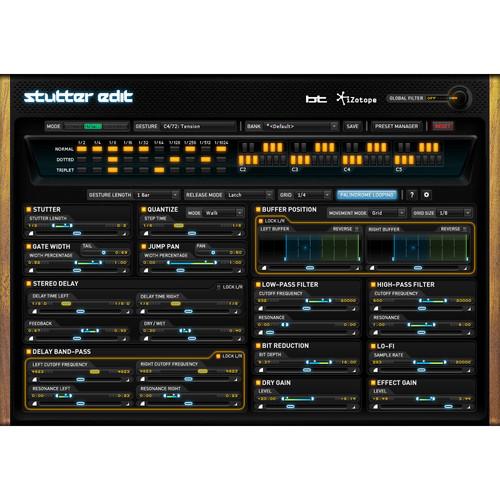
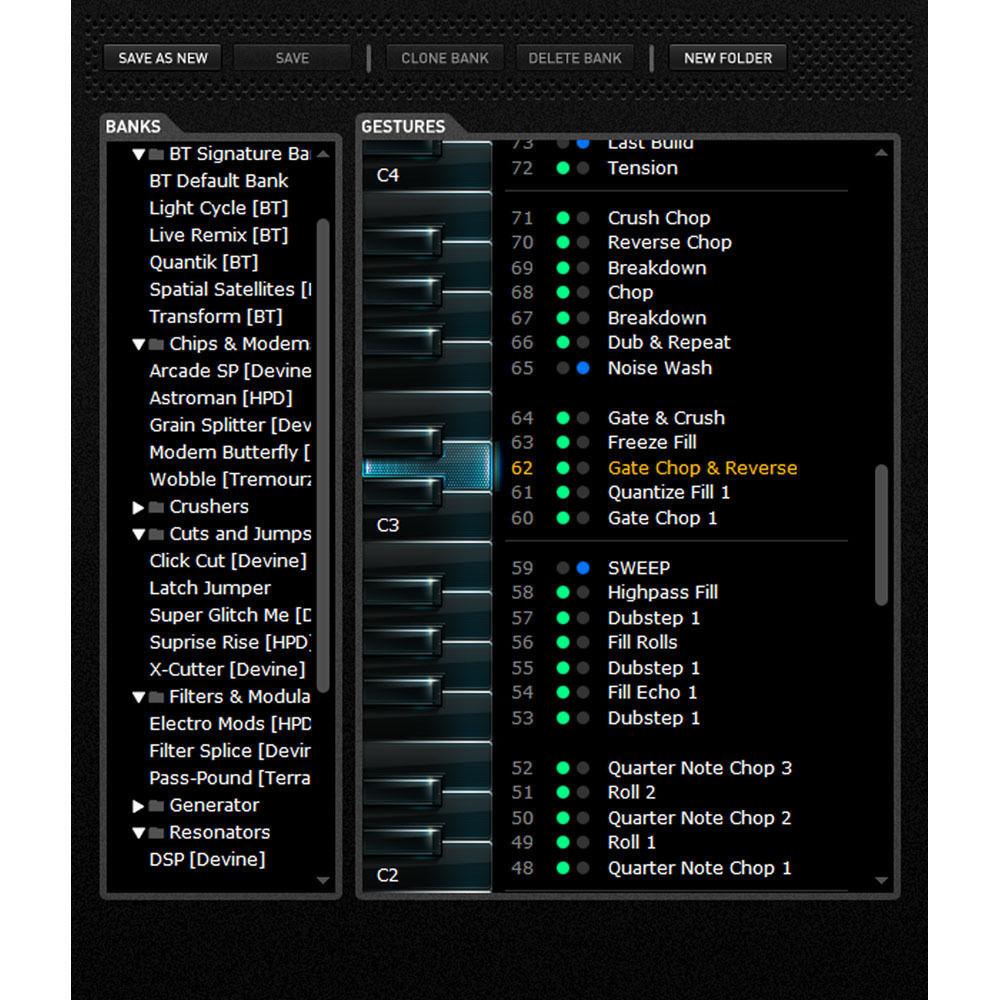
Product description Stutter Edit from iZotope is a plug-in designed developed in cooperation with BT that allows you to play its effects like an instrument. It provides audio slicing and manipulation along with elegant and intuitive MIDI control. It allows you to build fills, complex effects, shimmering sweeps, and stutters in real-time. Stutter Edit's features revolve around an innovative engine that continuously samples live audio, storing that audio in a buffer that can be manipulated in a myriad of ways. The software works using" Gestures", a set of effects and their associated timelines that reside on a single MIDI note. The audible result can vary from simple to complex. Condensing these effects into a single key press is what makes Stutter Edit so playable, especially with its intelligent sense of timing. The plug-in is suitable for laptop performers, producers, sound designer and musicians, whether working in electronica, hip-hop, pop, or beyond. Note: This product is an educational discounted version available to qualified students, faculty/staff, and accredited academic institutions only. Proof of current educational status is required. - Stutter Gestures
- Combine real-time sampling and audio chopping with a range of versatile color effects—trigger Stutter Gestures back-to-back to create limitless combinations of rhythmic variation and audio decimation.
- Stutter - repeat audio at a rhythmic note value; create incredible sweeps that transition from one rhythmic value to another.
- Quantize - sweeps between note values continuously; with it on, you can create stepping effects that transform your audio into complex rolls, trills and even arpeggios.
- Delay - dual-channel Delay can slide between 1/8th to 1/64th note rhythmic delay times, flying from a subtle chorus to a springy rubber-band effect; dedicated resonant band-pass filters provide perfectly tweakable results
- Gate - achieve intense chopping effects that modulate in sync with your track by gating each individual event created by the Stutter module.
- Filters - shape the sound of each key-controlled Gesture individually. Perfect for cutting the bass, making aggressive resonant sweeps, or creating LFO-like modulation that locks to each Gesture's timeline.
- Stutter Matrix - choose from a note value from 1/4 to 1/1024 for the stutter module to sweep or step between; you can also make your audio repeat at a high enough frequency to turn it into musical pitches.
- Buffer Position - use this slick radar screen to choose where Stutter Edit pulls audio out of the buffer; dice drum loops, jump between notes in a vocal phrase; you can even randomize playback order for unexpected results.
- Bit Reduction - digital distortion or add a periodic growl and will in sync with the tempo if required.
- Pan - send stuttered patterns flying left and right at breakneck speeds, or create subtle width and doubled audio that sweeps side to side.
- Lo-Fi - adjust the settings to get a "vintage digital" vibe or bury the whole track in fuzz.
- Generator Gestures
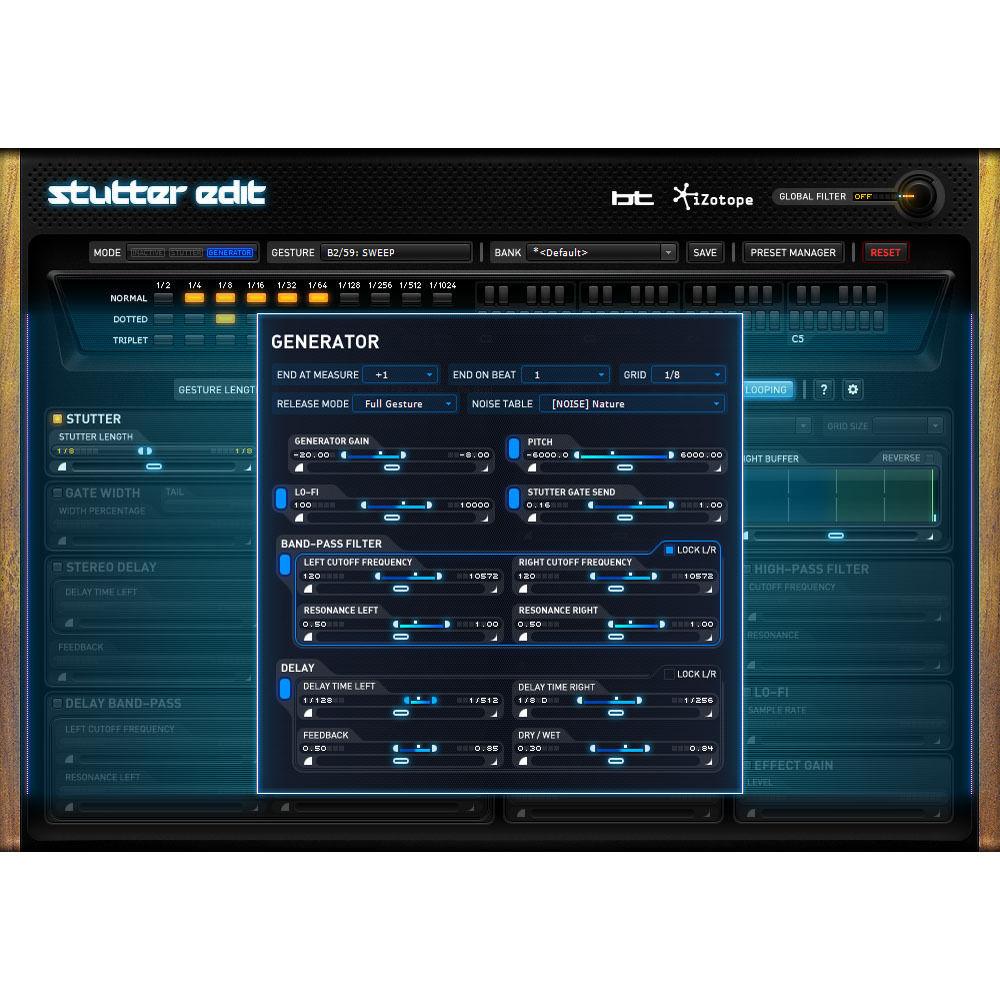
- While Stutter Gestures process audio, Generator Gestures mix noises and crashes with your tracks, providing the ideal tool for creating washes of noise, dramatic build-ups, and hits that add excitement to a track. For performance, choose where you want the Generator Gesture to end, and no matter where you trigger it, it will intelligently stop on the perfect beat. You can even hold a Generator Gesture as you jump between different Stutter Gestures—the result will be an improvised arrangement that sounds like you've spent hours toiling in the studio.
- Pitch - scale the pitch of the Generator's noise tables over twelve octaves automatically. Build tension, or drop a track into a breakdown with a downward swoosh of noise.
- Band Pass - the Generator can automate this resonant band-pass filter to shape and squelch blasts of noise.
- Global Filter - grab the Pitch Wheel of your MIDI controller to engage a dual low- and high-pass filter; push it up to cut lows and add resonance, push it down to roll off highs and bring things down to a low rumble.
- Lo-Fi - for a little more bite, add some Lo-Fi to a Generator Gesture for a grainy, gritty noise wash or stab.
- Delay - the Generator has its own dedicated delay: when you release a dramatic build-up, it can decay into a trail of echoes for a perfectly smooth transition.
- Timeline Override - while Stutter Gestures automate everything in sync to the beat, you can also take control of the Gesture timeline with Timeline Override; grab the Mod Wheel of your controller to hijack the motion of all of the modules at once; improvise wild rolls, fills, transitions and even "freeze" the Buffer Position.
Table of Contents
|
Upload User Manual
Have you got an user manual for the iZotope Stutter Edit - Audio Slicing and Manipulation Plug-In in electronic form? Please send it to us and help us expand our library of instruction manuals.
Thank you, too, on behalf of other users.
To upload the product manual, we first need to check and make sure you are not a robot. After that, your "Submit Link" or "Upload File" will appear.
Technical parametersiZotope STUTTER EDIT-E Specs | System Requirements | Mac
OS X 10.6.8 to 10.11 (Intel only)
Host software that supports AAX Native, AudioSuite, Audio Units, RTAS, VST, or VST3 plug-in formats
Windows
Windows XP SP3 (32-bit), Vista (64-bit), Windows 7, 8, 10
Host software that supports AAX Native, AudioSuite, DirectX, RTAS, VST, or VST3 plug-in formats
Note: Stutter Edit requires MIDI input from the host to trigger its effects – not all hosts allow for sending MIDI to audio effects |
Rating100% users recommend this product to others. And what about you?

This product has already been rated by 54 owners. Add your rating and experience with the product.
Discussion
 Ask our technicians if you have a problem with your settings,
or if anything is unclear in the user manual you have downloaded.
You can make use of our moderated discussion.
The discussion is public and helps other users of our website who may be encountering similar problems.
Ask our technicians if you have a problem with your settings,
or if anything is unclear in the user manual you have downloaded.
You can make use of our moderated discussion.
The discussion is public and helps other users of our website who may be encountering similar problems.
The discussion is empty - enter the first post
Post a new topic / query / comment:
|
|
|
| Request for user manual |
You can’t find the operation manual you are looking for? Let us know and we will try to add the missing manual:
I’m looking for a manual / Request for manual
Current requests for instruction manuals:
Call Of Duty World War Two For Xbox...
controller stratus XL...
stratus XL...
smart whatch serie S11 42mm...
Allen & Heath SQ-6 manual...
|
| Discussion |
Latest contributions to the discussion:
AEW R 4100
Name: MAURICIO ANGARITA
Audio-Technica AEW-R4100 UHF Diversity Receiver for
AEW R 4100 has the mute function blocked and does not allow audio to pass. I tried several times to turn off the mute from the transmitter but it does nothing, the mute stays on. Solution?
Thank you...
Instructions for assembling the 2015 Forecast Image Master Consoles GC3-A
Name: mike elam
Forecast Consoles GC3-A ImageMaster Editing Console
Looking for instructions for assembling this console. ...
EMPTY TONER ERROR MESSAGE AFTER REPLACING TONER
Name: LINDA BAD YELLOW EYES
Brother TN223BK Standard-Yield Toner
I HAD TO CHANGE OUT ALL THREE TONERS DUE TO LEAKS IN THE YELLOW AND CYAN. AFTER I REPLACED THEM, THE MACHINE KEEPS GIVING ME AN EMPTY TONER ERROR MESSAGE. HELP!!...
PS480D 20/24 pin Switching 480W Power Supply
Name: swkargo
Logisys 480W Power Supply
This item states in can run -5vdc .It is NOT listed on the board or I beleive is r4 is missing the resitior. Any body have thid issue. Shawn
...
Help needed
Name: Ann Carter
SanDisk 1TB Extreme Portable USB 3.1
When I click the link to download the user manual for my Sandisk Extreme external hard drive, it gives me the manual for the LG Cricket. Can you please change the link so I can download the Sandisk manual and begin using this drive? Thank you....
|
|


