User Manual for iZotope Vocal Bundle - Software Suite for Vocal Production Click to enlarge the picture
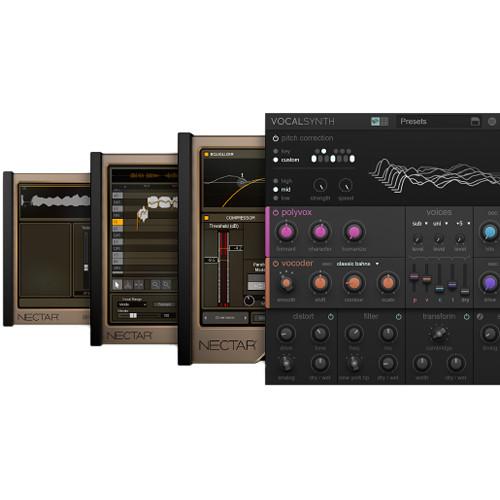 Contents of the user manual for the iZotope Vocal Bundle - Software Suite
- Product category: Virtual Processor Plug-Ins iZotope
- Brand: iZotope
- Description and content of package
- Technical information and basic settings
- Frequently asked questions – FAQ
- Troubleshooting (does not switch on, does not respond, error message, what do I do if...)
- Authorized service for iZotope Virtual Processor Plug-Ins
|
User manual for the iZotope Vocal Bundle - Software Suite contain basic instructions
that need to be followed during installation and operation.
Before starting your appliance, the user manual should be read through carefully.
Follow all the safety instructions and warnings, and be guided by the given recommendations.
User manual is an integral part of any iZotope product,
and if it is sold or transferred, they should be handed over jointly with the product.
Following the instructions for use is an essential prerequisite for protecting
health and property during use, as well as recognition of liability on the part of the manufacturer
for possible defects should you make a warranty claim. Download an official iZotope user manual in which you will find instructions on how to install, use, maintain and service your product.
And do not forget – unsuitable use of a iZotope product will considerably shorten its lifespan!
|
Product description Available for download, the iZotope Vocal Bundle is a collection of software designed to provide everything you need to mix, produce, or creatively mangle vocals. The bundle includes the Nectar 2 Vocal Production Suite, which offers tools such as compression, equalization, limiting, pitch correction, reverb, harmonization, delay and more, and VocalSynth, a plug-in and virtual instrument for creating talkbox, vocoder, and other creative vocal-based effects. Note: This software is only available to new iZotope customers. - VocalSynth - Vocal Resynthesis and Harmony Generation Software (Download) Designed by iZotope to give you a plethora of options in processing and resynthesizing your voice, VocalSynth is a software download for both Windows and Mac operating systems. It's intended for use with major digital audio workstations (DAWs). An instance of this plug-in provides access to four separate vocal engines (Vocoder, Talkbox, Polyvox, & Compuvox), each of which aids in creating synthetic vocal effects of the sort endemic in many pop productions; whether you're going for a Talkbox sound reminiscent of Daft Punk, a Vocoder timbre conjuring the Beastie Boys, or an entirely new sound of your own creation, VocalSynth provides the powerful engine of an iZotope plug-in with intuitive controls.
In addition to its synthesis capabilities, VocalSynth provides other tools useful to the mixing vocals, such as a dedicated pitch corrector, which allows you to tune your voice to varying degrees. Also, a dedicated effects section complements the module chain, giving you distortion, filtering, speaker emulation, beat repeat (shred), and delay. - Input Flexibility
- No MIDI? No problem: you can sidechain any vocal—or indeed, any instrument—as a foundation for VocalSynth's effects. Should you happen to have access to a MIDI controller (or wish to draw in the notes yourself), feel free to use VocalSynth's on-board wavetable synthesizers.
- Auto or MIDI Voice Generation
- You can use Auto mode to choose which intervals you'd like to use (unison, octave, third, fifth, etc.), or plug in a MIDI controller to voice the exact harmonies you'd like to hear.
- Four Dedicated Modules
- VocalSynth provides separate engines for Vocoder, Talkbox, Polyvox, and Compuvox timbres. Use any of these to emulate the tones of classic records or to achieve something truly new.
- Pitch Corrector
- Correct off-key notes within your vocal takes in real-time, preserving the timbre and formants of your voice for a more natural result—though of course, as with any pitch corrector, you can throw caution to the wind and generate truly bizarre results.
- Effects
- Shape the character of the processed vocal even more with this dedicated effects section, which provides distortion, filtering, beat-repeating via shred, stereo delays, and speaker convolution modeling.
- Presets
- As with other iZotope bundles, VocalSynth comes stocked with many presets evoking classic production techniques for you to try at a moment's notice. You can create, modify, and store your own as well.
- Nectar 2 Production Suite - Vocal Enhancement Software (Download)
In the Box Bundle Items Nectar 2 Production Suite - Vocal Enhancement Software (Download) uauvrbfr VocalSynth - Vocal Resynthesis and Harmony Generation Software (Download) Table of Contents
|
Upload User Manual
Have you got an user manual for the iZotope Vocal Bundle - Software Suite for Vocal Production in electronic form? Please send it to us and help us expand our library of instruction manuals.
Thank you, too, on behalf of other users.
To upload the product manual, we first need to check and make sure you are not a robot. After that, your "Submit Link" or "Upload File" will appear.
Technical parameters - VocalSynth - Vocal Resynthesis and Harmony Generation Software (Download)
| Operating System Requirements | Windows: 7, 8, and 10
Mac: OS X 10.8 and higher | | System Recommendations (Minimum) | 2.8 GHz Intel Core i7 (or comparable)
VocalSynth's Wave-meter requires a graphics card that supports OpenGL 2.0 | | Plug-In Format | AAX (64-bit), AAX AudioSuite (64-bit), RTAS (32-bit), DPM AudioSuite (32-bit), VST2, VST3, and Audio Unit | | Host Compatibility | Pro Tools 10.3.1, Pro Tools 11.3.1, Pro Tools 12.4, Ableton Live 9.5, Logic Pro X, Cubase Pro 8.5, REAPER 5.11, Studio One 3.1.1, FL Studio 12.2 and more | - Nectar 2 Production Suite - Vocal Enhancement Software (Download)
Rating70% users recommend this product to others. And what about you?

This product has already been rated by 68 owners. Add your rating and experience with the product.
Discussion
 Ask our technicians if you have a problem with your settings,
or if anything is unclear in the user manual you have downloaded.
You can make use of our moderated discussion.
The discussion is public and helps other users of our website who may be encountering similar problems.
Ask our technicians if you have a problem with your settings,
or if anything is unclear in the user manual you have downloaded.
You can make use of our moderated discussion.
The discussion is public and helps other users of our website who may be encountering similar problems.
The discussion is empty - enter the first post
Post a new topic / query / comment:
|
|


