|
User Manual for Kinotehnik LCDVFe Electronic Viewfinder Click to enlarge the picture
 Contents of the user manual for the Kinotehnik LCDVFe Electronic Viewfinder
- Product category: Viewfinders Kinotehnik
- Brand: Kinotehnik
- Description and content of package
- Technical information and basic settings
- Frequently asked questions – FAQ
- Troubleshooting (does not switch on, does not respond, error message, what do I do if...)
- Authorized service for Kinotehnik Viewfinders
 |
User manual for the Kinotehnik LCDVFe Electronic Viewfinder contain basic instructions
that need to be followed during installation and operation.
Before starting your appliance, the user manual should be read through carefully.
Follow all the safety instructions and warnings, and be guided by the given recommendations.
User manual is an integral part of any Kinotehnik product,
and if it is sold or transferred, they should be handed over jointly with the product.
Following the instructions for use is an essential prerequisite for protecting
health and property during use, as well as recognition of liability on the part of the manufacturer
for possible defects should you make a warranty claim. Download an official Kinotehnik user manual in which you will find instructions on how to install, use, maintain and service your product.
And do not forget – unsuitable use of a Kinotehnik product will considerably shorten its lifespan!
|
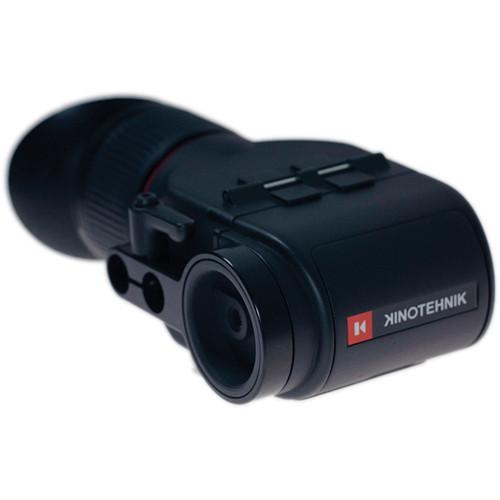
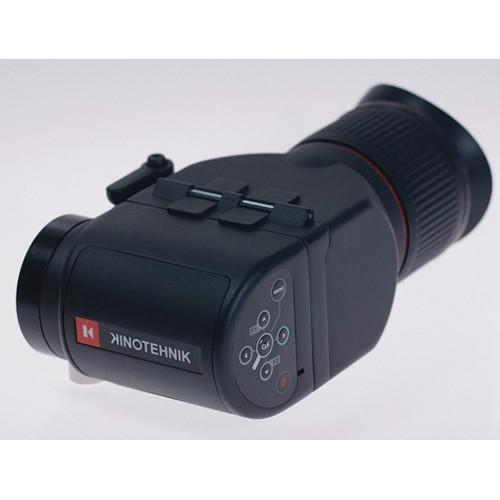
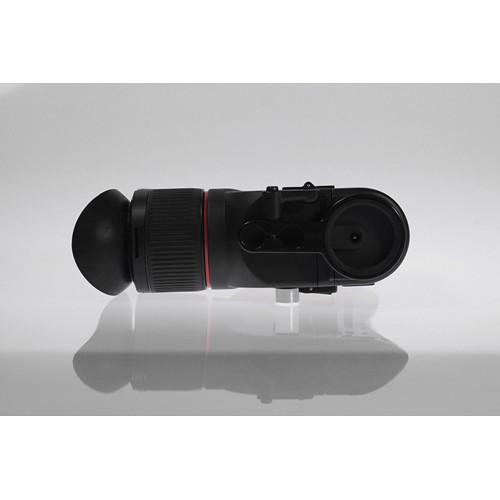
Product description The Kinotehnik LCDVFe Electronic Viewfinder is a universal production style electronic viewfinder with Retina-like display, superior ergonomics and real-time response unique to the industry. At its heart is an Altera Cyclone FPGA integrated circuit with very high memory-to-logic and DSP-to-logic ratios, enabling lightning fast startup and HD video processing at highest possible picture quality, while retaining exceptional energy efficiency. This amount of firepower is usually seen in sci-fi movies.
The VF repositions and shoots in no time, whether over the crowd, at waist level or on your shoulder (no time is lost when re-configuring). Opening the flip, changing the battery pack, and many other functions can be fully operated with just one hand. - Advanced Hardware
-
- Real-time image processing: virtually no latency
- Hardware supports jitter-free panning
- Optional remote control via external USB joystick
- Works on 4 separately-sold AA batteries with run-times up to 6 hours
- Accepts universal power supply for unmatched powering flexibility from 4V to 17V -- reverse polarity protected
- Economy mode for extended battery life; intelligent sleep option built-in with LED indicator light
- Encased battery compartment to avoid battery drain in extreme cold
- Super crisp 24-bit 3" LCD screen with 800 x 480 resolution (1.2 megapixels)
- Sleek yet rugged physical design and maximized usability after hundreds of hours of testing
- Optical construction offering generous diopter compensation
- Vacuum laminated double element achromatic lens, utilizing ULD glass element for perfect image quality
- Separate HDMI transmitter for untouched HDMI loop-through with audio for recording uncompressed video to external devices
- The HDMI transmitter can be switched off for conserving battery power
- Software Advantages
-
- 1.5 second boot-up time
- Auto-scaling for 480p
- < 0.5 seconds blackout while switching resolution
- Fully configurable Color Peaking Focus Assist
- Repositionable and recallable Zoom Focus Assist
- Fully configurable Zebra Exposure Assist
- Zone system False Color Focus Assist
- Anamorphic stretch
- Frame lines, crop guides
- Configurable, automatic to crop guides safe area guides
- High resolution audio level metering with ballistics and peak hold (L/R)
- RGB and luminance histograms
- Brightness, contrast, saturation, RGB adjust
- HDMI loop through with audio
- Updateable firmware via USB on Mac or PC
- Up to 5 fully customizable user presets
- LCDVFe Manager for easy user preset management and sharing and software updates (for Mac and PC)
- Power saving: configurable automatic suspend, wake-up on signal, and power-off
- Backlight dimming Eco-mode
- LED-indication light avoids unwanted battery drain and provides user feedback
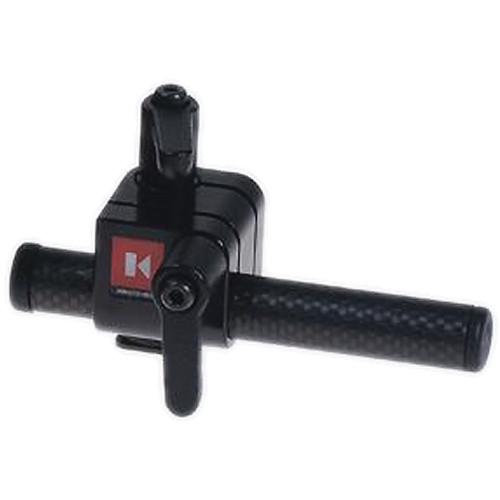
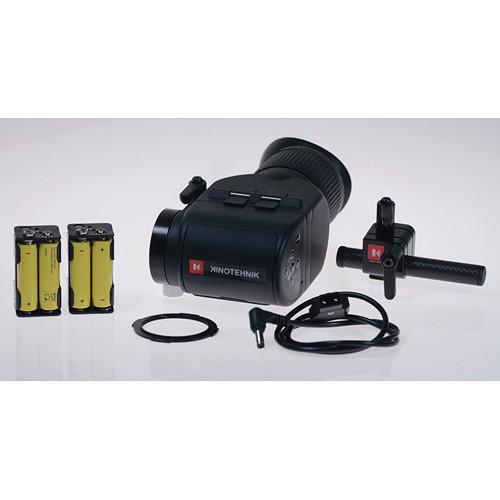
In the Box Kinotehnik LCDVFe Electronic Viewfinder Universal 90° Rod Clamp 15mm Rod to Hot-Shoe Adapter 15mm Carbon-Fiber Rod with Safety Stoppers (for Offset Mounting) 2 x Battery Cartridges for AA Batteries D-Tap DC Cable Printed User Manual 2-Year Warranty Table of Contents
|
Upload User Manual
Have you got an user manual for the Kinotehnik LCDVFe Electronic Viewfinder in electronic form? Please send it to us and help us expand our library of instruction manuals.
Thank you, too, on behalf of other users.
To upload the product manual, we first need to check and make sure you are not a robot. After that, your "Submit Link" or "Upload File" will appear.
Technical parametersKinotehnik LCDVFE Specs | Screen Size | 3-inch TFT LCD (7.6 cm) | | Resolution | 800 x 480 | | Pixel Count | 1.2 megapixels | | Pixel Density | 311 PPI | | Color Depth | 24-bit 16.7M colors | | Connections | 1x full-size heavy-duty HDMI input
1x full-size heavy-duty HDMI output
HDMI loop-through with audio
Mini-USB PC/Mac connection
Mini-USB dedicated remote connection | | Supported Video Formats | SD:
480p59.94, 480pH59.94, 480i59.94, 480iH59.94, 576p50, 576pH50, 576i50, 576iH50, DMT0659p59.94
HD:
720p24, 720p50, 720p59.94, 720p60, 1080PsF23.98, 1080p23.98, 1080PsF24, 1080p24, 1080PsF25, 1080p25, 1080PsF29.97, 1080p29.97, 1080PsF30, 1080p30, 1080i50, 1080i59.94 and 1080i60 | | Diopter Range | -2 … +2
Additional 46 mm filter threads for individual diopter correction | | Power | On-board: 4x AA batteries (6 hour run-time on 2600mAH batteries)
External power: 4-17V, reverse polarity protected
Power drain: 1.9W | | Dimensions | 6.6 x 3.4 x 2.5" (16.8 x 8.6 x 6.4 cm) | | Weight | .77 lbs (350 g) | | | | Package Weight | 2.05 lb | | Box Dimensions (LxWxH) | 12.1 x 6.6 x 3.8" |
Rating90% users recommend this product to others. And what about you?

This product has already been rated by 67 owners. Add your rating and experience with the product.
Discussion
 Ask our technicians if you have a problem with your settings,
or if anything is unclear in the user manual you have downloaded.
You can make use of our moderated discussion.
The discussion is public and helps other users of our website who may be encountering similar problems.
Ask our technicians if you have a problem with your settings,
or if anything is unclear in the user manual you have downloaded.
You can make use of our moderated discussion.
The discussion is public and helps other users of our website who may be encountering similar problems.
The discussion is empty - enter the first post
Post a new topic / query / comment:
|
|
|
| Request for user manual |
You can’t find the operation manual you are looking for? Let us know and we will try to add the missing manual:
I’m looking for a manual / Request for manual
Current requests for instruction manuals:
Call Of Duty World War Two For Xbox...
controller stratus XL...
stratus XL...
smart whatch serie S11 42mm...
Allen & Heath SQ-6 manual...
|
| Discussion |
Latest contributions to the discussion:
AEW R 4100
Name: MAURICIO ANGARITA
Audio-Technica AEW-R4100 UHF Diversity Receiver for
AEW R 4100 has the mute function blocked and does not allow audio to pass. I tried several times to turn off the mute from the transmitter but it does nothing, the mute stays on. Solution?
Thank you...
Instructions for assembling the 2015 Forecast Image Master Consoles GC3-A
Name: mike elam
Forecast Consoles GC3-A ImageMaster Editing Console
Looking for instructions for assembling this console. ...
EMPTY TONER ERROR MESSAGE AFTER REPLACING TONER
Name: LINDA BAD YELLOW EYES
Brother TN223BK Standard-Yield Toner
I HAD TO CHANGE OUT ALL THREE TONERS DUE TO LEAKS IN THE YELLOW AND CYAN. AFTER I REPLACED THEM, THE MACHINE KEEPS GIVING ME AN EMPTY TONER ERROR MESSAGE. HELP!!...
PS480D 20/24 pin Switching 480W Power Supply
Name: swkargo
Logisys 480W Power Supply
This item states in can run -5vdc .It is NOT listed on the board or I beleive is r4 is missing the resitior. Any body have thid issue. Shawn
...
Help needed
Name: Ann Carter
SanDisk 1TB Extreme Portable USB 3.1
When I click the link to download the user manual for my Sandisk Extreme external hard drive, it gives me the manual for the LG Cricket. Can you please change the link so I can download the Sandisk manual and begin using this drive? Thank you....
|
|


