|
User Manual for Korg MicroKorg XL Synthesizer Vocoder Click to enlarge the picture
 Contents of the user manual for the Korg MicroKorg XL Synthesizer Vocoder
- Product category: Synthesizer Keyboards Korg
- Brand: Korg
- Description and content of package
- Technical information and basic settings
- Frequently asked questions – FAQ
- Troubleshooting (does not switch on, does not respond, error message, what do I do if...)
- Authorized service for Korg Synthesizer Keyboards
 |
User manual for the Korg MicroKorg XL Synthesizer Vocoder contain basic instructions
that need to be followed during installation and operation.
Before starting your appliance, the user manual should be read through carefully.
Follow all the safety instructions and warnings, and be guided by the given recommendations.
User manual is an integral part of any Korg product,
and if it is sold or transferred, they should be handed over jointly with the product.
Following the instructions for use is an essential prerequisite for protecting
health and property during use, as well as recognition of liability on the part of the manufacturer
for possible defects should you make a warranty claim. Download an official Korg user manual in which you will find instructions on how to install, use, maintain and service your product.
And do not forget – unsuitable use of a Korg product will considerably shorten its lifespan!
|
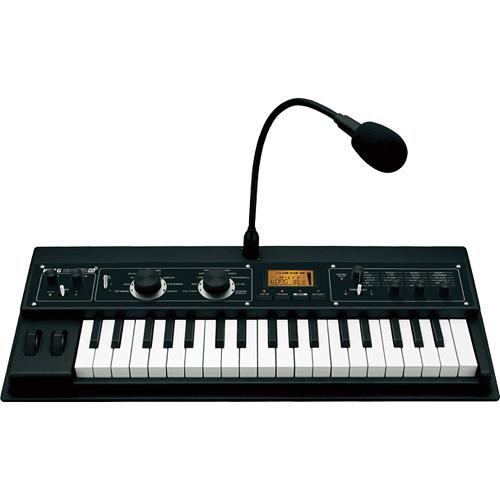
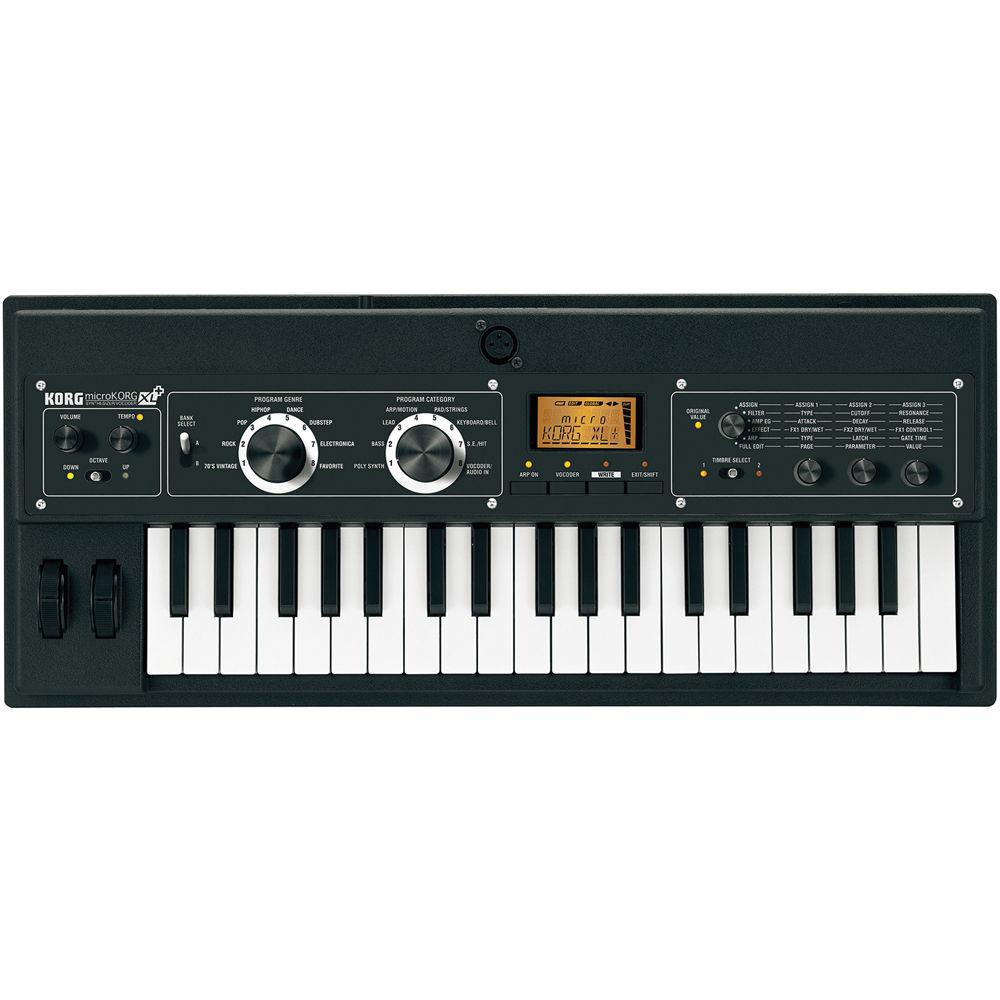
Product description The MicroKorg XL+ from Korg is a synthesizer/vocoder housed in a compact but rugged enclosure and features thirty-seven, velocity sensitive "Natural Touch" mini-keys. Combining analog modeling with a vocoder provides the user with a wide range of styles and sounds. Initially featuring 128 programs, the sound banks can be further expanded using the downloadable and free editor software.
For band use the keyboard includes the piano sound from Korg's SGproX classic stage piano, as well as its hard-edged, grand-type electric piano. Other sounds include the M1 and the VOX organ sounds, vintage tape-type string and flute machines, and more. All of the sounds can be played full-range either by using the onboard octave switch, or by connecting a MIDI-capable, full-sized keyboard.
A sound selector allows for choosing sounds using two large dials, "music genre" and "instrument category." This arrangement is further enhanced by letting the user leave one of the dials fixed and use the other to make program changes during a song (music genre fixed), or use it to select vocoder variations (instrument category fixed).
The MMT (Multiple Modeling Technology) engine provides two oscillators for sound generation. Oscillator 1 features seven oscillator algorithms including formant waveforms such as human voice, and PCM/DWGS waveforms for vintage keyboard and strings. It also allows for the use of techniques such as cross modulation, unison, and VPM (Variable Phase Modulation). And by taking advantage of modulation (sync or ring) with Oscillator 2, it's easy to create complex sounds.
The vocoder consists of a 16-band filter bank that simulates the sounds of the past, while also allowing for filter frequency shifting (Format Shift), or adjusting the level and pan of each band to dramatically change the overall character of a sound. A gooseneck microphone is included. Two master effects utilize the effect engine from the company's Kaoss Pad series, with a total of seventeen types including delay and echo, a ring modulator and grain shifter. Time based effects can be synchronized to MIDI clock. - Vintage sounds, including the Korg SGproX piano, M1 and VOX organs, and "Tape" instruments
- Program genre selector allows for choosing sounds using two large dials marked "music genre" and "instrument category"
- Dial usage can be set to make one dial fixed, while using the other to make program changes during a song (music genre fixed), or to select vocoder variations (instrument category fixed)
- 128 onboard sounds, plus 640 additional sounds included with the downloadable editor/librarian software for Mac and Windows
- Features MMT, Korg's analog modeling technology
- Vocoder with gooseneck microphone
- Two master effects utilize the Kaoss effects engine with a total of seventeen effect types including delay and echo as well as ring modulator and grain shifter
- Effects such as delay can be synchronized to MIDI clock to provide a wide range of time-based effects during a live performance
- "Natural Touch" mini-keyboard, designed with an emphasis on playability
- The proportion of the waterfall-type keys has been adjusted to make chords easier to play, with the touch refined for greater ease when playing rapid phrases or a glissando
- Battery powered operation is supported for increased portability
- Connecting the keyboard to a computer via USB allows for using the downloadable editor/librarian software for easy parameter editing and access to additional sounds
In the Box Korg MicroKorg XL+ Synthesizer/Vocoder External Power Supply Gooseneck Microphone One (1) Year Warranty User Manual PDF 7.7mbzuvudxfdvyvyqcewtwtbfrs Table of Contents
|
Upload User Manual
Have you got an user manual for the Korg MicroKorg XL Synthesizer Vocoder in electronic form? Please send it to us and help us expand our library of instruction manuals.
Thank you, too, on behalf of other users.
To upload the product manual, we first need to check and make sure you are not a robot. After that, your "Submit Link" or "Upload File" will appear.
Technical parametersKorg MicroKorg XL+ Specs | Synthesis Method | MMT (Multiple Modeling Technology)
2 oscillators + noise generator structure | | Keyboard | 37 velocity sensitive keys ("Natural Touch" mini-keyboard) | | Polyphony | 8 voice maximum (4 voices when using Vocoder) | | Multitimbral | 2-part when using Layer, Split, or Multi modes | | Programs | 128 (A/B banks x 8 genres x 8 category) | | Oscillators | Oscillator 1
Waveform - 8 types (Sawtooth, Pulse, Triangle, Sine, Formant, Noise, DWGS, Audio In)
Modulation - Waveform, Cross, Unison, VPM
Oscillator 2
Waveform - 4 types (Sawtooth, Pulse, Triangle, Sine)
Modulation - Ring, Sync, Ring+Sync
Waveshape
Type - Drive, Decimator, HardClip, OctSaw, MultiTri, MultiSin, SubOSCSaw, SubOSCSqu, SubOSCTri, SubOSCSin, LevelBoost, | | Filters | Multimode Filters
Filter 1
-24 dB/octave low-pass
-12 dB/octave low-pass
-12 dB/octave band-pass
-12 dB/octave high-pass
Thru
Filter 2
Low-pass, high-pass, band-pass (switchable) | | Effects | Timber
2-band EQ
Master Effects
2 units, 17 effect algorithms | | Vocoder | 16-channel with formant shift and formant hold and adjustable level and pan for each channel | | Arpeggiator | 6 types (Up, Down, Alt1, Alt2, Random, Trigger, Individual step on/off) | | Controllers | Pitch Bend wheel
Modulation wheel | | Inputs | 1 x XLR Microphone, balanced (top panel)
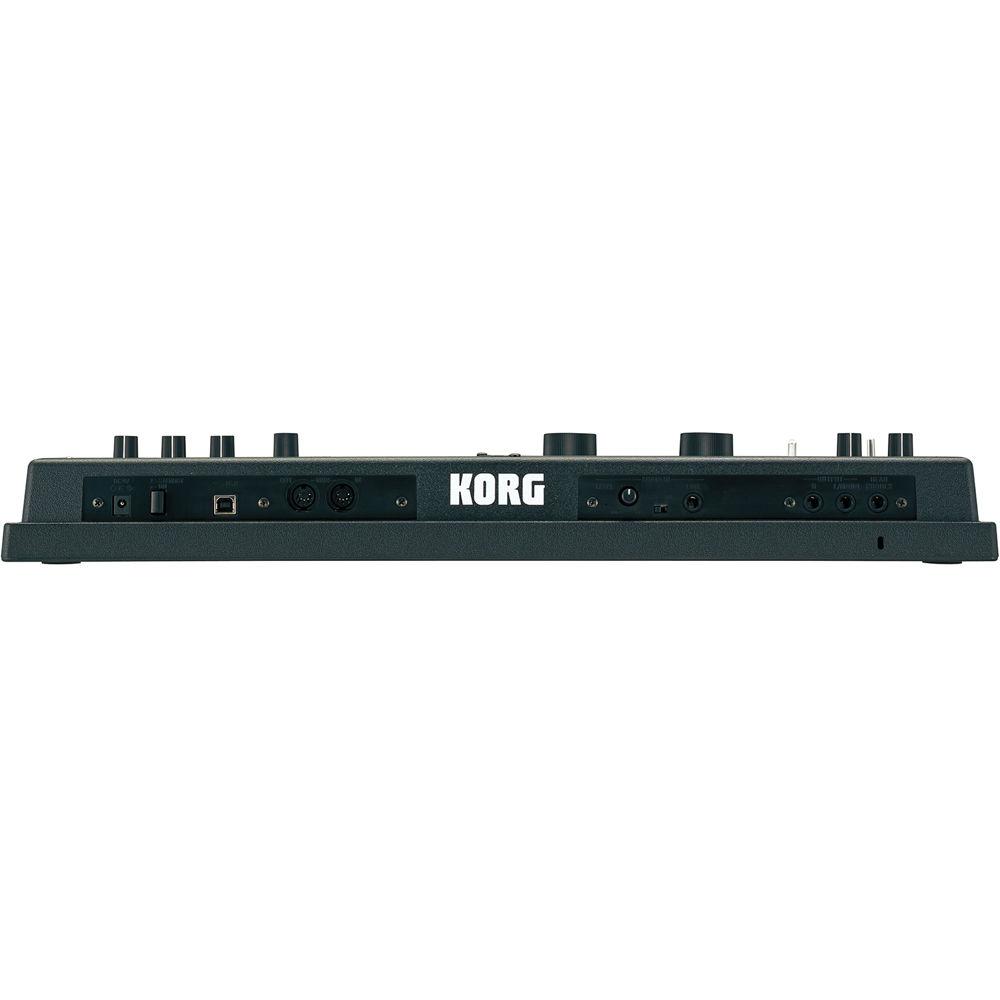
1 x 1/4" TS phone, unbalanced with mic/line switch (rear panel) | | Outputs | 2 x 1/4" TS phone L/MONO, R (unbalanced) | | Headphones | 1 x 1/4" TRS phone | | Other Connectors | 2 x 5-pin DIN MIDI I/O
1 x USB Type B | | Display | Custom LCD | | Power Requirements | 9V DC external power supply (included)
6 x AA batteries (optional) | | Battery Life | Approximately 4 hours with alkaline batteries | | System Requirements | For Librarian/Editor Software
Mac
Intel or PowerPC processor
OS X version 10.5 or later (Intel only)
Available USB port
PC
Computer that satisfies the following operating system requirements
Windows XP SP3 (32-bit), Vista SP2 (32- and 64-bit), Windows 7 SP1 (32- and 64-bit)
Available USB port | | Dimensions (WxDxH) | 21.9 x 9.1 x 2.9" (556 x 231 x 73 mm) | | Weight | 4.4 lb (2 kg) without batteries and microphone | | | | Package Weight | 7.05 lb | | Box Dimensions (LxWxH) | 25.2 x 14.8 x 10.2" |
Rating100% users recommend this product to others. And what about you?

This product has already been rated by 55 owners. Add your rating and experience with the product.
Discussion
 Ask our technicians if you have a problem with your settings,
or if anything is unclear in the user manual you have downloaded.
You can make use of our moderated discussion.
The discussion is public and helps other users of our website who may be encountering similar problems.
Ask our technicians if you have a problem with your settings,
or if anything is unclear in the user manual you have downloaded.
You can make use of our moderated discussion.
The discussion is public and helps other users of our website who may be encountering similar problems.
The discussion is empty - enter the first post
Post a new topic / query / comment:
|
|
|
| Request for user manual |
You can’t find the operation manual you are looking for? Let us know and we will try to add the missing manual:
I’m looking for a manual / Request for manual
Current requests for instruction manuals:
Call Of Duty World War Two For Xbox...
controller stratus XL...
stratus XL...
smart whatch serie S11 42mm...
Allen & Heath SQ-6 manual...
|
| Discussion |
Latest contributions to the discussion:
AEW R 4100
Name: MAURICIO ANGARITA
Audio-Technica AEW-R4100 UHF Diversity Receiver for
AEW R 4100 has the mute function blocked and does not allow audio to pass. I tried several times to turn off the mute from the transmitter but it does nothing, the mute stays on. Solution?
Thank you...
Instructions for assembling the 2015 Forecast Image Master Consoles GC3-A
Name: mike elam
Forecast Consoles GC3-A ImageMaster Editing Console
Looking for instructions for assembling this console. ...
EMPTY TONER ERROR MESSAGE AFTER REPLACING TONER
Name: LINDA BAD YELLOW EYES
Brother TN223BK Standard-Yield Toner
I HAD TO CHANGE OUT ALL THREE TONERS DUE TO LEAKS IN THE YELLOW AND CYAN. AFTER I REPLACED THEM, THE MACHINE KEEPS GIVING ME AN EMPTY TONER ERROR MESSAGE. HELP!!...
PS480D 20/24 pin Switching 480W Power Supply
Name: swkargo
Logisys 480W Power Supply
This item states in can run -5vdc .It is NOT listed on the board or I beleive is r4 is missing the resitior. Any body have thid issue. Shawn
...
Help needed
Name: Ann Carter
SanDisk 1TB Extreme Portable USB 3.1
When I click the link to download the user manual for my Sandisk Extreme external hard drive, it gives me the manual for the LG Cricket. Can you please change the link so I can download the Sandisk manual and begin using this drive? Thank you....
|
|


