User Manual for Kramer VP-425 PC Component to HDMI Scaler Click to enlarge the picture
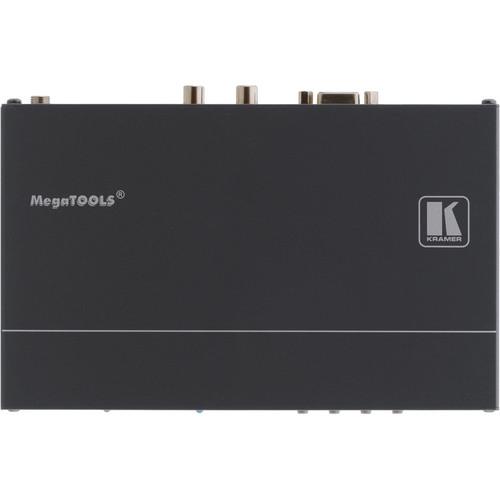 Contents of the user manual for the Kramer VP-425 PC Component to HDMI
- Product category: Signal Converters Kramer
- Brand: Kramer
- Description and content of package
- Technical information and basic settings
- Frequently asked questions – FAQ
- Troubleshooting (does not switch on, does not respond, error message, what do I do if...)
- Authorized service for Kramer Signal Converters
 |
User manual for the Kramer VP-425 PC Component to HDMI contain basic instructions
that need to be followed during installation and operation.
Before starting your appliance, the user manual should be read through carefully.
Follow all the safety instructions and warnings, and be guided by the given recommendations.
User manual is an integral part of any Kramer product,
and if it is sold or transferred, they should be handed over jointly with the product.
Following the instructions for use is an essential prerequisite for protecting
health and property during use, as well as recognition of liability on the part of the manufacturer
for possible defects should you make a warranty claim. Download an official Kramer user manual in which you will find instructions on how to install, use, maintain and service your product.
And do not forget – unsuitable use of a Kramer product will considerably shorten its lifespan!
|
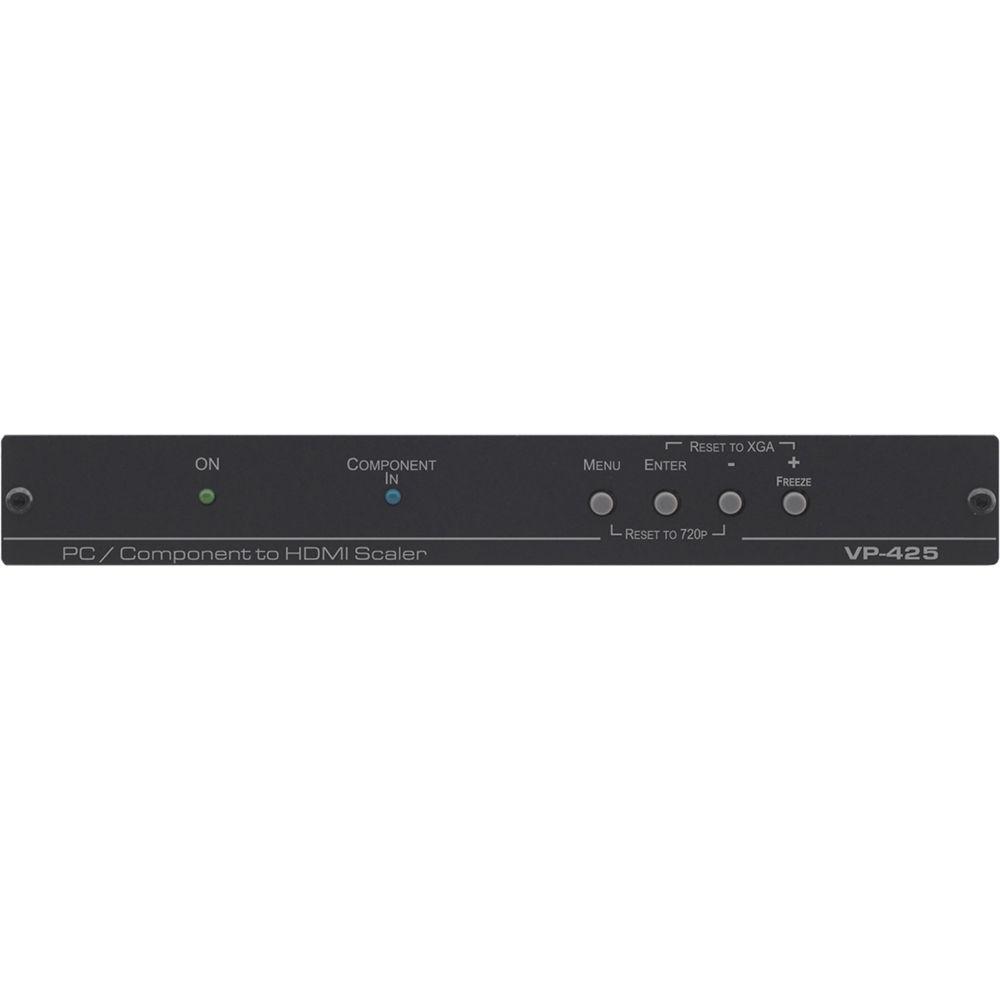
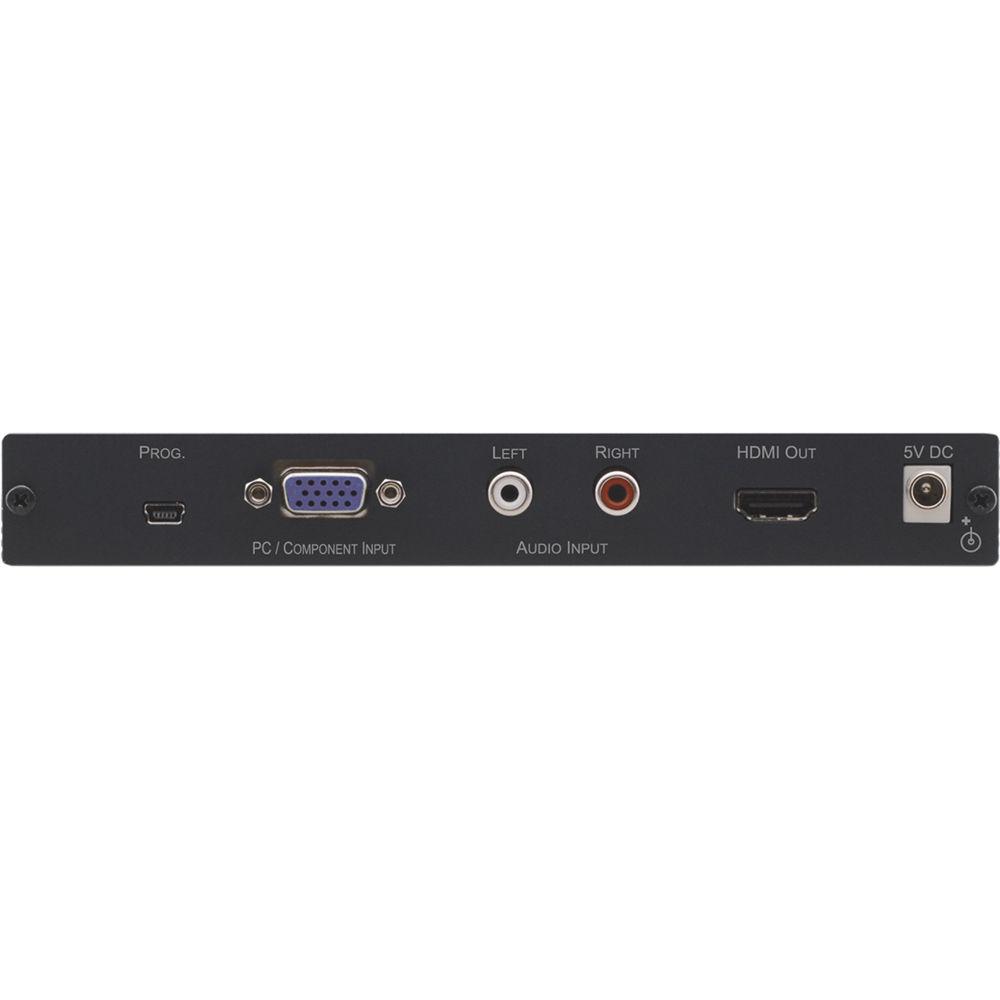
Product description The Kramer VP-425 PC / Component to HDMI Scaler converts a VGA signal and independent RCA stereo audio to HDMI and allows you to upscale or downscale the output resolution. The HDMI output is non-HDCP encrypted.
Using front panel buttons and an On-Screen Display (OSD), you can scale the input between 480p and 1080p, and between 640 x 480 and 1920 x 1200. You can also select the output aspect ratio, overscan rate, noise reduction rate, refresh rate, and colorspace. A built-in processing amplifier (ProcAmp) allows you to adjust color, sharpness, brightness, contrast, and other settings.
Mounting brackets and rubber feet are included for different mounting options, and you can also rack-mount two units side by side in a 1U rack using an optional RK-T2B rack adapter. - Key Features
- - Converts VGA input and RCA audio to HDMI
- Upscales output resolution to up to 1080p and 1920 x 1200
- Downscales to 480p and 640 x 480
- Selectable aspect ratio, overscan rate, noise reduction rate, refresh rate, and colorspace
- ProcAmp adjustable color, sharpness, brightness, contrast, and other settings
- Two units are 1U rack-mountable using an optional RK−T2B rack adapter - Selectable Output Settings
- - ASPECT RATIO: Full, 16:9, 4:3, Best Fit
- OVER SCANNING: Off, 5%, 10%, 15%, 20%
- NOISE REDUCTION: Off, Min, Typ, Max
- OUTPUT RESOLUTION: Up to 1080p and 1920 x 1200
- OUTPUT REFRESH RATE: 50Hz, 60Hz, Follow
- HD OUTPUT COLORSPACE: RGB, YPbPr
- OSD SETTINGS: H, V, Transparency, Timeout, Display In the Box Kramer VP-425 PC / Component to HDMI Scaler Power Adapter Mounting Brackets Set of 4 Rubber Feet Limited 7-Year Warranty Table of Contents
|
Upload User Manual
Have you got an user manual for the Kramer VP-425 PC Component to HDMI Scaler in electronic form? Please send it to us and help us expand our library of instruction manuals.
Thank you, too, on behalf of other users.
To upload the product manual, we first need to check and make sure you are not a robot. After that, your "Submit Link" or "Upload File" will appear.
Technical parametersKramer VP-425 Specs | Inputs | 1x VGA 15-pin HD connector, RGBHV / YPbPr (selectable)
1x unbalanced stereo audio on RCA connectors | | Output | 1x HDMI | | USB Port | 1x USB for firmware upgrades | | Input Resolutions | PC:
VGA, SVGA, XGA, 1280 x 800, UXGA, SXGA, WXGA, SXGA+, WXGA+, WSXGA, WUXGA
HDTV:
480p, 576p, 720p @ 50/60 Hz, 1080p @ 50/60 Hz, 1080i @ 50/60 Hz | | Output Resolutions | 480p, 576p, 720p, 1080i, 1080p
640 x 480, 800 x 600, 1024 x 768, 1280 x 800, 1280 x 1024, 1360 x 768, 1400 x 1050, 1440 x 900, 1600 x 1200, 1680 x 1050, 1920 x 1200, and native | | Processing Delay | Approx. 30 ms | | Output Refresh Rate | 60 Hz, 50 Hz, follow input | | Power Consumption | 5 VDC, 400 mA | | Operating Temperature | 32 to 131°F (0 to 55°C) | | Storage Temperature | -49 to 162°F (-45 to 72°C) | | Humidity | 10 to 90%, RHL non-condensing | | Dimensions | 7.4 x 4.5 x 1" (18.8 x 11.4 x 2.5 cm) | | Weight | Approx. 1.45 lb (0.66 kg) | | | | Package Weight | 1.95 lb | | Box Dimensions (LxWxH) | 13.7 x 8.5 x 2.0" |
Rating94% users recommend this product to others. And what about you?

This product has already been rated by 48 owners. Add your rating and experience with the product.
Discussion
 Ask our technicians if you have a problem with your settings,
or if anything is unclear in the user manual you have downloaded.
You can make use of our moderated discussion.
The discussion is public and helps other users of our website who may be encountering similar problems.
Ask our technicians if you have a problem with your settings,
or if anything is unclear in the user manual you have downloaded.
You can make use of our moderated discussion.
The discussion is public and helps other users of our website who may be encountering similar problems.
The discussion is empty - enter the first post
Post a new topic / query / comment:
|
|


