User Manual for Kurzweil Forte 7 76-Key Portable Stage Piano Click to enlarge the picture
 Contents of the user manual for the Kurzweil Forte 7 76-Key Portable Stage
- Product category: Stage Pianos & Organs Kurzweil
- Brand: Kurzweil
- Description and content of package
- Technical information and basic settings
- Frequently asked questions – FAQ
- Troubleshooting (does not switch on, does not respond, error message, what do I do if...)
- Authorized service for Kurzweil Stage Pianos & Organs
 |
User manual for the Kurzweil Forte 7 76-Key Portable Stage contain basic instructions
that need to be followed during installation and operation.
Before starting your appliance, the user manual should be read through carefully.
Follow all the safety instructions and warnings, and be guided by the given recommendations.
User manual is an integral part of any Kurzweil product,
and if it is sold or transferred, they should be handed over jointly with the product.
Following the instructions for use is an essential prerequisite for protecting
health and property during use, as well as recognition of liability on the part of the manufacturer
for possible defects should you make a warranty claim. Download an official Kurzweil user manual in which you will find instructions on how to install, use, maintain and service your product.
And do not forget – unsuitable use of a Kurzweil product will considerably shorten its lifespan!
|
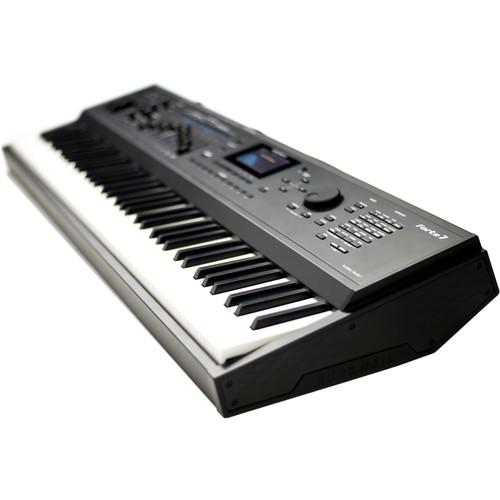
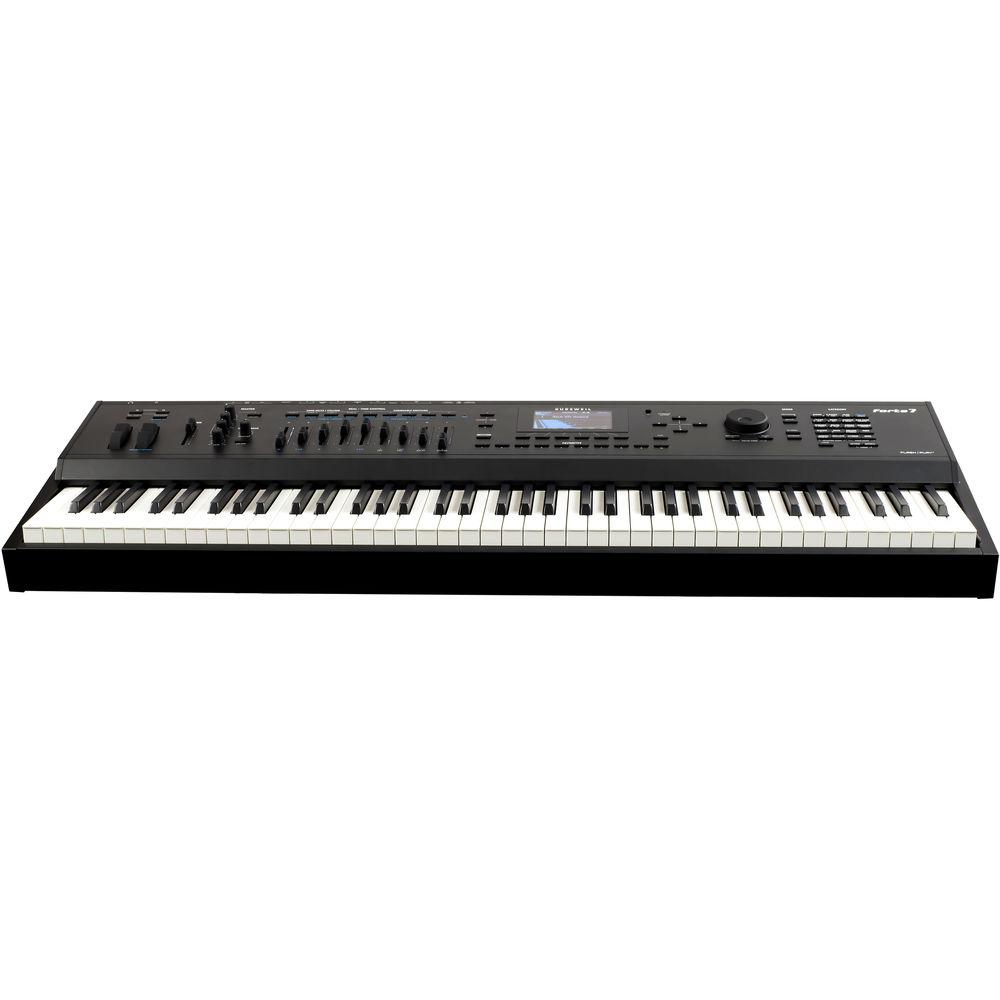
Product description The Forte 7 76-Key Portable Stage Piano from Kurzweil features 16GB of sound presets including German and vintage Japanese concert grand pianos, as well as new Rhodes, Wurlitzer, Clav, Harpsichord, Orchestral Percussion, Celeste, Glockenspiel, Chimes, Bells, and Crotales; along with a wide selection of sounds from the acclaimed PC3 and KORE 64 expansion. This piano is powered with Flash-Play which provides high-horsepower 16GB sample content without any loading time, powerful DSP, and fast performance capability. The FX Engine also provides an array of options including reverbs, delays, choruses, flangers, phasers, distortions, rotary amplifiers, compressors, and many more. A 4.3” 480 x 272 widescreen color-LCD display allows you to conveniently navigate the Forte 7 Piano. Sound - 16GB of Sound Presets
- The piano features 16GB of sound presets including German and vintage Japanese concert grand pianos, as well as new Rhodes, Wurlitzer, Clav, Harpsichord, Orchestral Percussion, Celeste, Glockenspiel, Chimes, Bells, and Crotales; along with a wide selection of sounds from the acclaimed PC3 and KORE 64 expansion
- Patented Flash-Play Technology
- Flash-Play provides the Forte 7 Piano with high-horsepower 16GB sample content without any loading time, heaping mounds of powerful DSP, and quick performance
- KB3 ToneReal Organs
- Featuring all the controls you need including 9 realistic drawbars
- Powerful FX Engine
- Remarkable set of options including reverbs, delays, choruses, flangers, phasers, distortions, rotary amplifiers, compressors, and many more
Controls - 76-Note Italian Hammer-Action Keyboard
- Every sound within the Forte 7 is matched to its 76-note fully-weighted Italian hammer-action keyboard with aftertouch
- Front-Panel Master Compressor & 3-Band EQ
- The Master Compressor & EQ section features bass, treble, and midrange
- 23 Programmable Physical Controllers
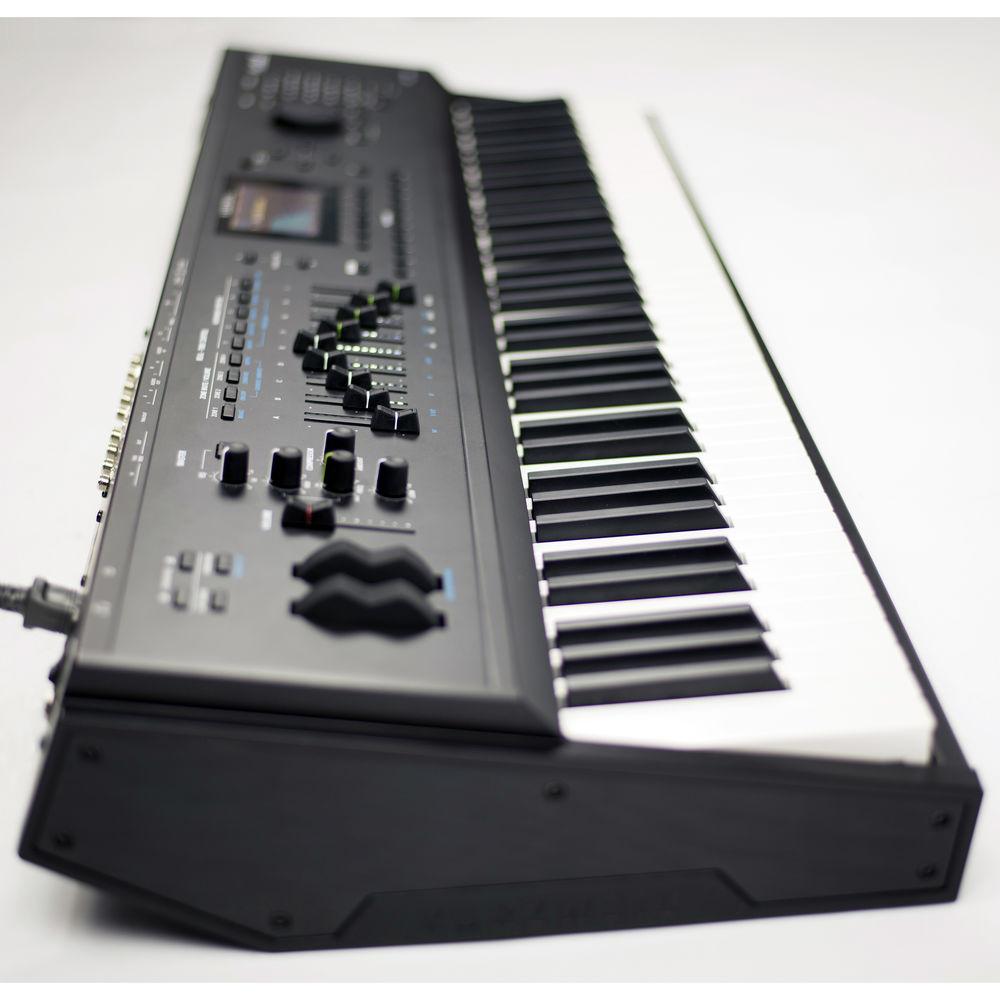
- Features 9 sliders with brilliant LED ladders, 6 switches, 2 wheels, 3 switch-pedal inputs supporting half-damper for pianos, 2 continuous-control pedal inputs and aftertouch; 1 sustain/switch pedal is included
- Easy Access Controls
- Pitch/modulation wheels along with dedicated -/+ transpose, tap tempo, and sound variation controls conveniently located on the front panel
User Interface - Widescreen Color Display
- A 4.3" 480 x 272 widescreen color-LCD display allows you to navigate the Forte 7 Piano
- Sound Selection
- Offers easy category and program/multi selection and saves your own preset for each category
- Favorites Section
- Conveniently located right below the Forte 7 Piano's display, the Favorites section lets you access your 10 favorite sounds with a single button press
- Software Editors
- Get deeper into editing your Forte 7 Piano programs and effects with the freely downloadable software
In the Box Kurzweil Forte 7 76-Key Portable Stage Piano Power Cable Switch Pedal USB Cable 4 x Self Adhesive Feet Limited 3-Year Warranty for Parts (2 Years for Labor) Table of Contents
|
Upload User Manual
Have you got an user manual for the Kurzweil Forte 7 76-Key Portable Stage Piano in electronic form? Please send it to us and help us expand our library of instruction manuals.
Thank you, too, on behalf of other users.
To upload the product manual, we first need to check and make sure you are not a robot. After that, your "Submit Link" or "Upload File" will appear.
Technical parametersKurzweil KFORTE-7 Specs | Keyboard | 76-note fully-weighted hammer-action with velocity- and aftertouch-sensitive keys (Fatar TP/40L) | | Display | 480 x 272 pixel color LCD with front-panel brightness adjust | | Polyphony | 128 Voice Polyphony, dynamically allocated
KB3 is Polyphony Free*, not using any of the Forte's 128 voices | | Multitimbral | 16 parts (one per MIDI channel) | | Layer | Quick/Split Layer: Easy access with adjustable relative volume (up to 16 zones) | | Built-In Programs | 322 factory programs including vintage Japanese and German grands, new Rhodes, Wurlitzer, Clav, Harpsichord, Orchestral Percussion, Celeste, Glockenspiel, Chimes, Bells, and Crotales, as well as a wide selection of sounds from the acclaimed PC3 and KORE 64 expansion | | Preset/User Programs | 1024 | | Multis | 186 Factory-crafted Multis - featuring up to 16 independent zones
User: 1024 | | Master EQ Frequency | Front-panel 3-band EQ with sweepable mid and on/off switch
Front-panel single-knob master compressor with separate on/off bypass switch | | Effects | Over 1000 complex effect chains, incorporated into programs featuring our award-winning effects: Reverbs, delays, chorus, flange, phaser, EQs, distortions, rotary speaker simulators, compressors, and more
32 total FX units | | Controllers | 1 pitch wheel
1 modulation wheel
9 front-panel sliders (w/ LED ladders)
9 switches (assignable/zone mutes/KB3 control)
1 variation switch
1 tap-tempo switch
2 transpose switches
3 switch-pedal inputs (1 switch/sustain pedal is included)
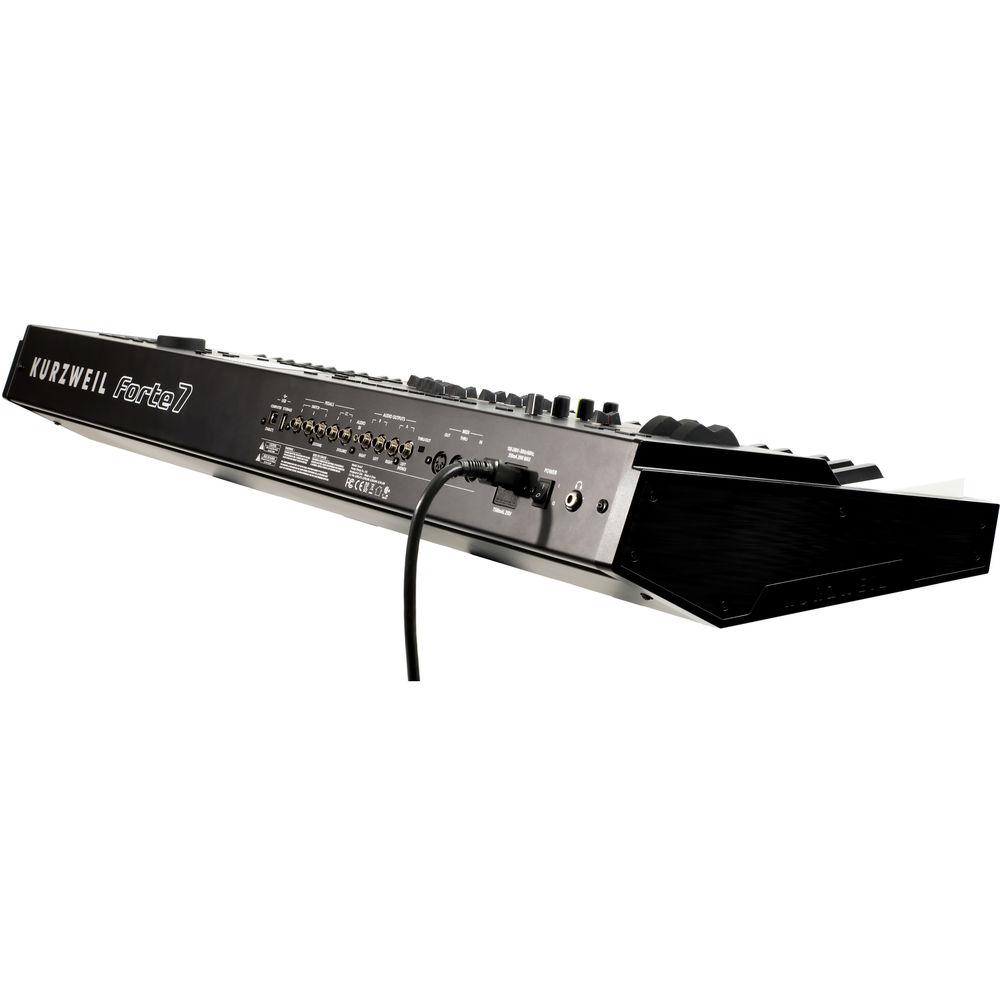
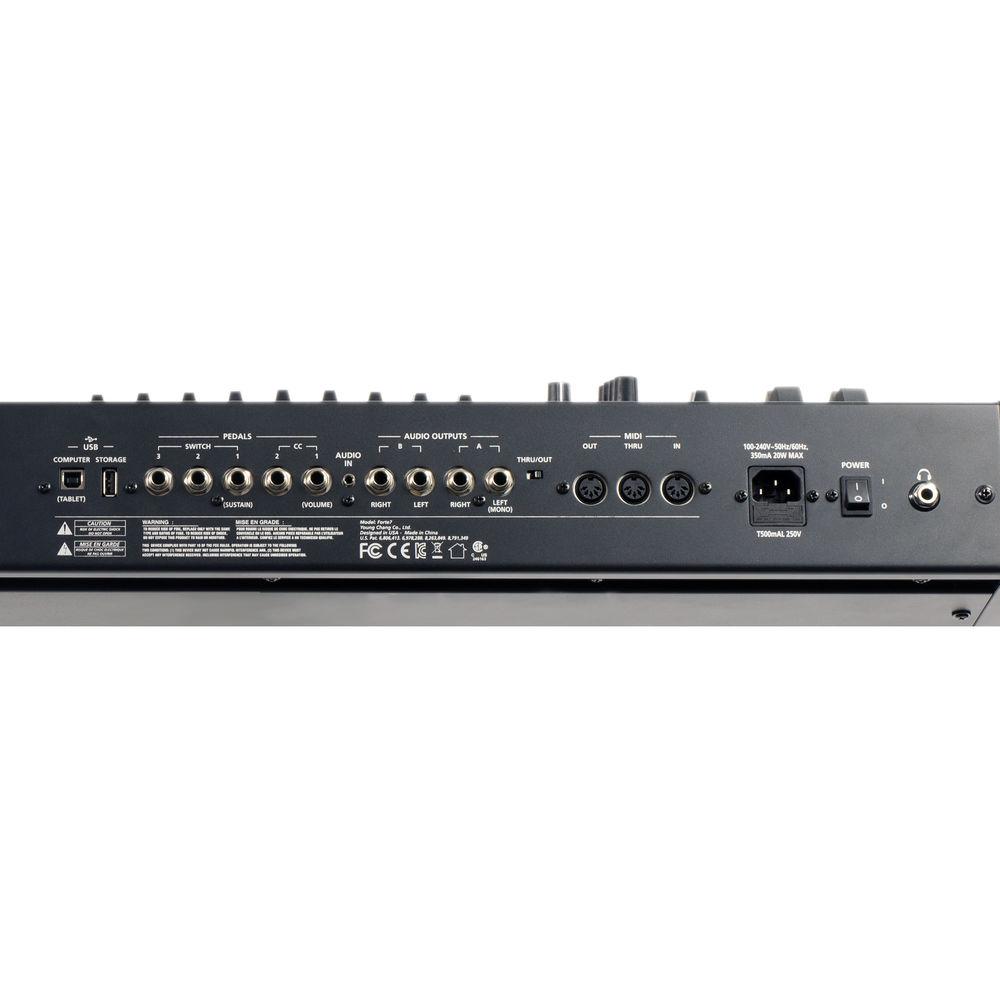
2 continuous control-pedal inputs mono pressure (aftertouch) | | Analog Output | Four (2 pairs) 1/4" balanced TRS analog (24-bit DACs)
Automatic mono-switching on both pairs
+21 dBu maximum output
50 ohms balanced source impedance | | Audio Input | One stereo 1/8" back-panel input for connecting your favorite MP3 player or other audio source for accompaniment playback | | Headphones | 1 back-panel 1/4" headphone output
130 mW into 32-ohm headphones | | MIDI | In, Thru, Out (w/ Thru/Out switch) | | USB | Two USB ports (one A port / one B port)
Complete MIDI functionality over USB
User program/multi-file transfer to/from Windows computer/Mac/flash drive
Operating System updates from Windows computer/Mac/flash drive | | Software | External editors for Mac OS X, Windows, and iOS devices | | OS | OS updates over USB and/or Flash Drive | | Power | Internal Power Supply, free voltage 100 to 240 VAC 50/60 Hz, 20 W max | | Dimensions (H x W x L) | 5.50 x 15.6 x 43.2" (14.0 x 39.7 x 110 cm) | | Weight | 41.4 lb (18.8 kg) | | | | Package Weight | 40.0 lb | | Box Dimensions (LxWxH) | 51.0 x 20.0 x 10.5" |
Rating90% users recommend this product to others. And what about you?

This product has already been rated by 86 owners. Add your rating and experience with the product.
Discussion
 Ask our technicians if you have a problem with your settings,
or if anything is unclear in the user manual you have downloaded.
You can make use of our moderated discussion.
The discussion is public and helps other users of our website who may be encountering similar problems.
Ask our technicians if you have a problem with your settings,
or if anything is unclear in the user manual you have downloaded.
You can make use of our moderated discussion.
The discussion is public and helps other users of our website who may be encountering similar problems.
The discussion is empty - enter the first post
Post a new topic / query / comment:
|
|


