|
User Manual for LaCie 24TB 8big Thunderbolt 2 8-Bay Rack RAID Array Click to enlarge the picture
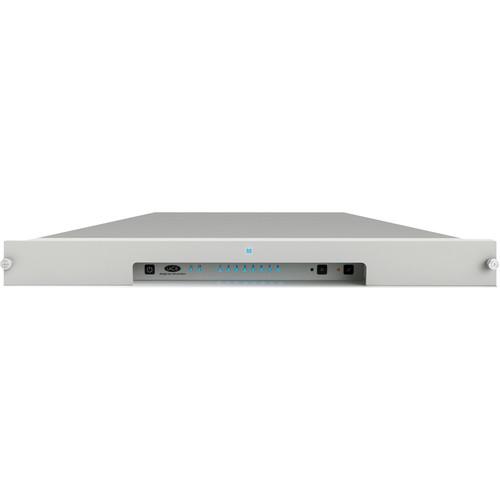 Contents of the user manual for the LaCie 24TB 8big Thunderbolt 2 8-Bay
- Product category: Hard Drive Arrays LaCie
- Brand: LaCie
- Description and content of package
- Technical information and basic settings
- Frequently asked questions – FAQ
- Troubleshooting (does not switch on, does not respond, error message, what do I do if...)
- Authorized service for LaCie Hard Drive Arrays
 |
User manual for the LaCie 24TB 8big Thunderbolt 2 8-Bay contain basic instructions
that need to be followed during installation and operation.
Before starting your appliance, the user manual should be read through carefully.
Follow all the safety instructions and warnings, and be guided by the given recommendations.
User manual is an integral part of any LaCie product,
and if it is sold or transferred, they should be handed over jointly with the product.
Following the instructions for use is an essential prerequisite for protecting
health and property during use, as well as recognition of liability on the part of the manufacturer
for possible defects should you make a warranty claim. Download an official LaCie user manual in which you will find instructions on how to install, use, maintain and service your product.
And do not forget – unsuitable use of a LaCie product will considerably shorten its lifespan!
|
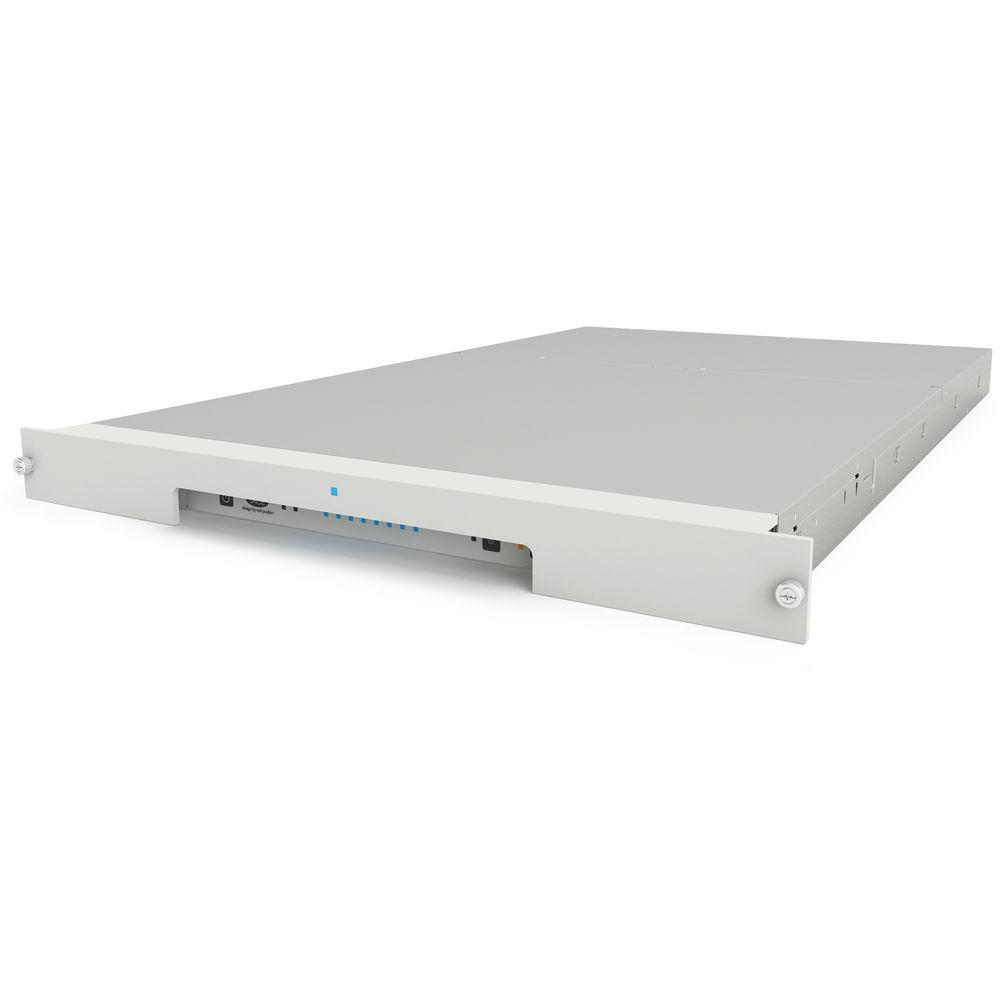
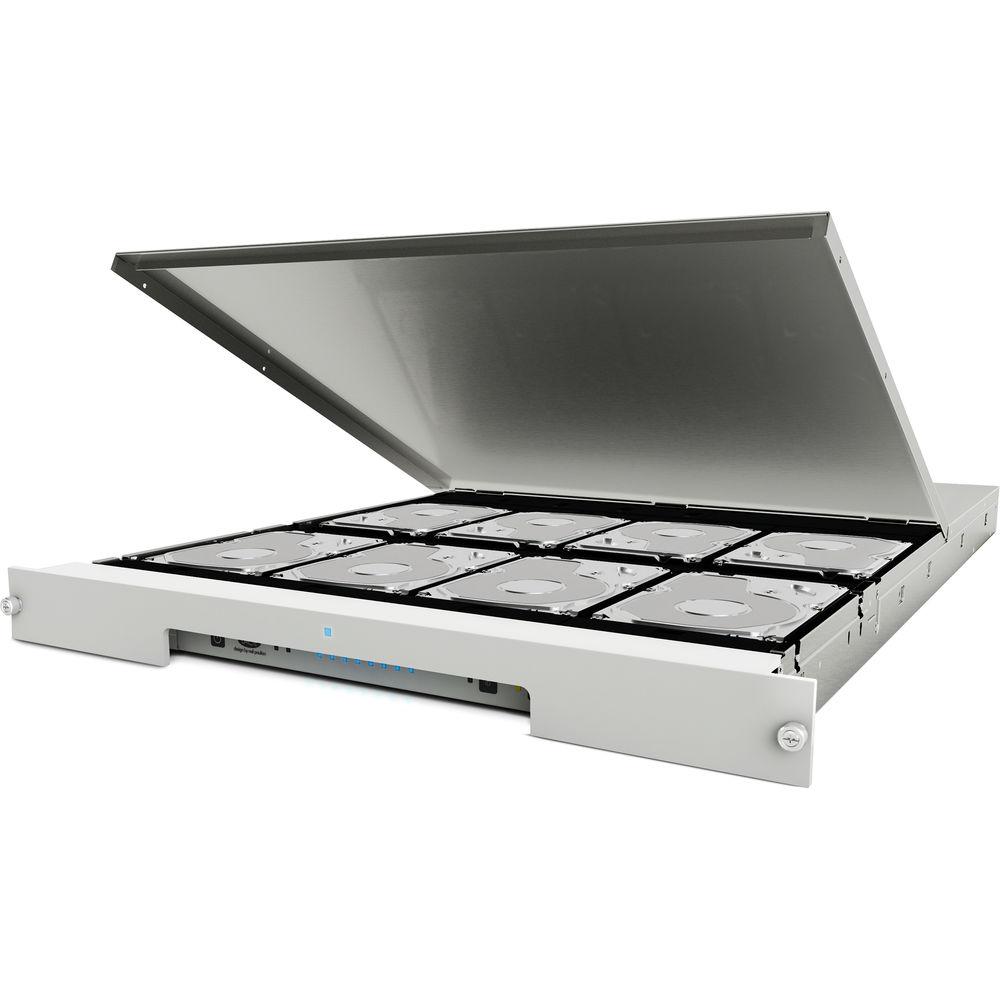
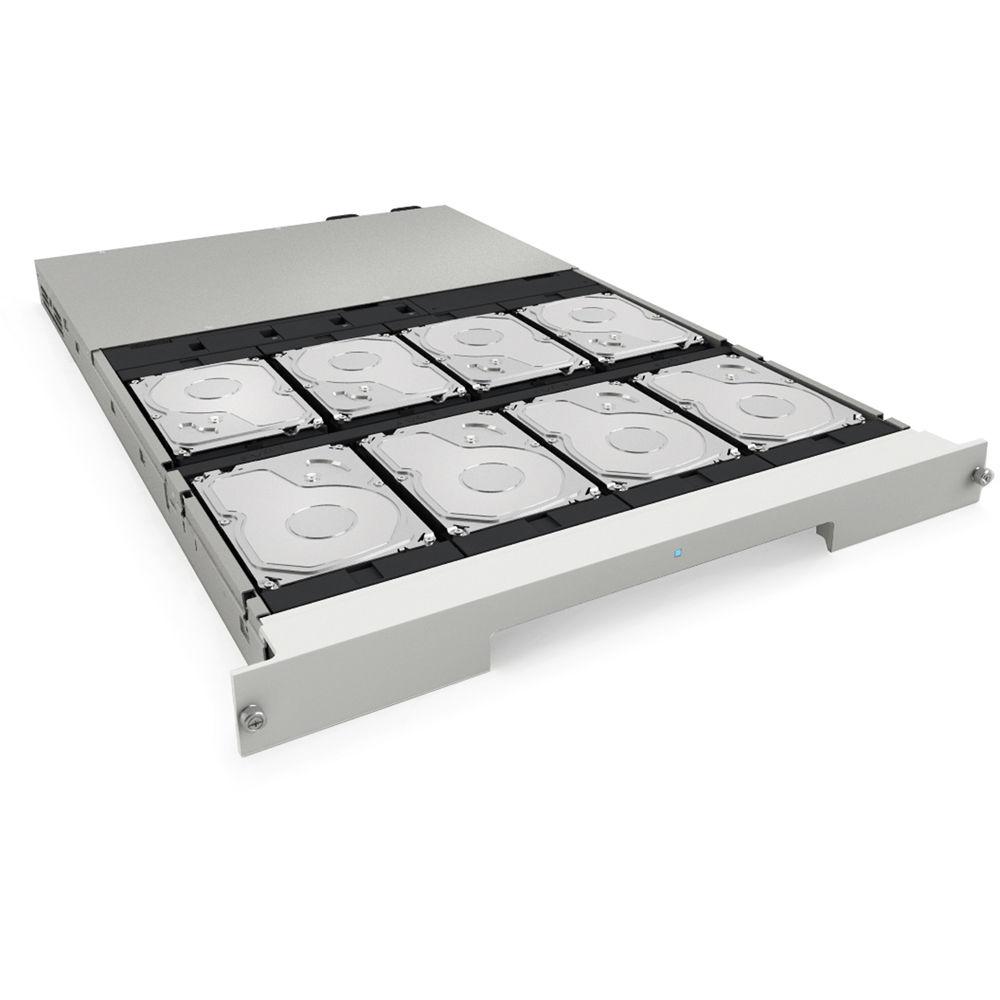
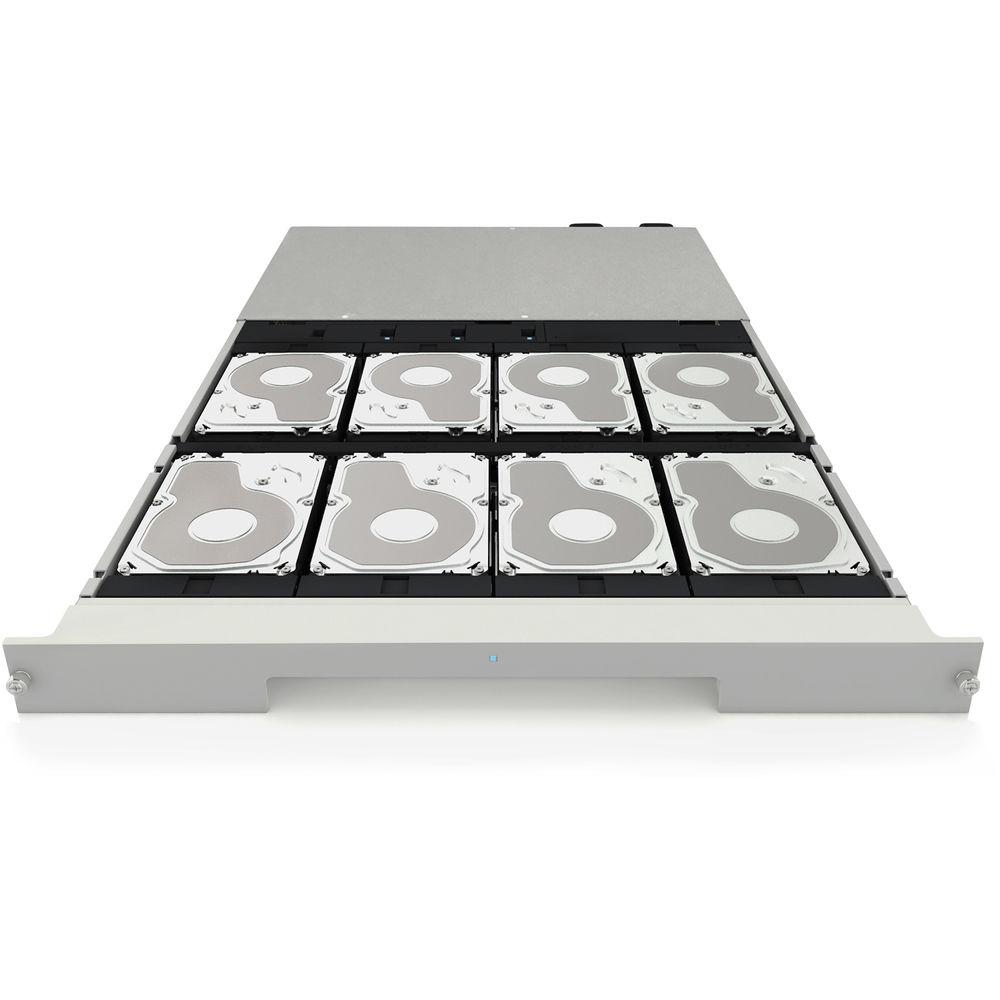
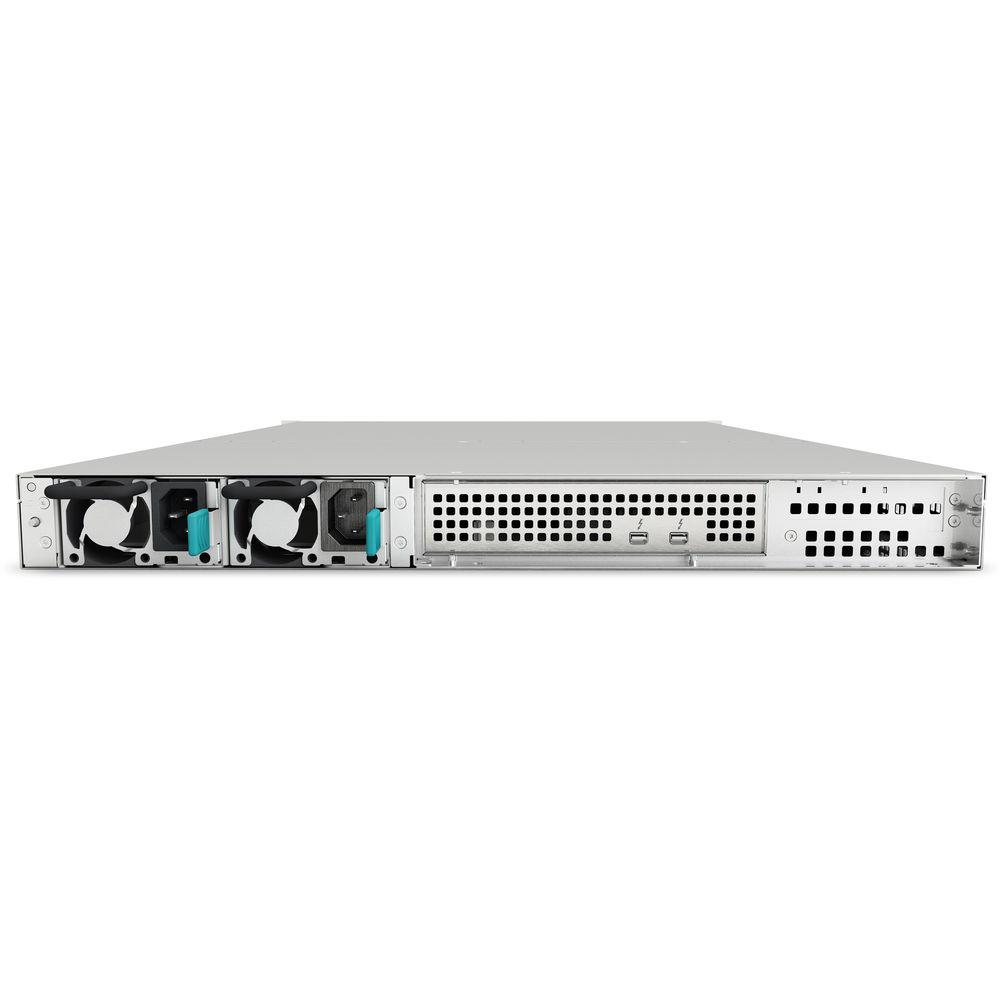
Product description RAID Arrays for Photography and Pro Video Read More The 24TB 8big Thunderbolt 2 8-Bay Rack RAID Array from LaCie is a 1U rackmount storage enclosure complete with 24TB of storage capacity split in eight 3TB drives, perfect for storing large files such as 4K video, RAW photos, and much more. With Thunderbolt 2 connectivity you can transfer data at speeds up to 1330 MB/s, in RAID 0, to greatly enhance 4K workflows with real-time edits. The 8big supports many of RAID configurations including RAID 0, 1, 5, 6, 10, and JBOD. While this RAID array comes preconfigured in RAID 5, it can be reconfigured to suit your needs. Additionally, the drives are formatted in HFS+ to work out of the box for Mac systems, and require reformatting for Windows use. - 2K & 4K Video Compatible
- With the speed offered by the Thunderbolt 2 connectivity, videographers can edit multiple 2K uncompressed 10-bit streams, play back compressed 4K video, and even see edits in real time. Digital photographers can browse a massive RAW photo library with zero lag.
- Improved Reliability
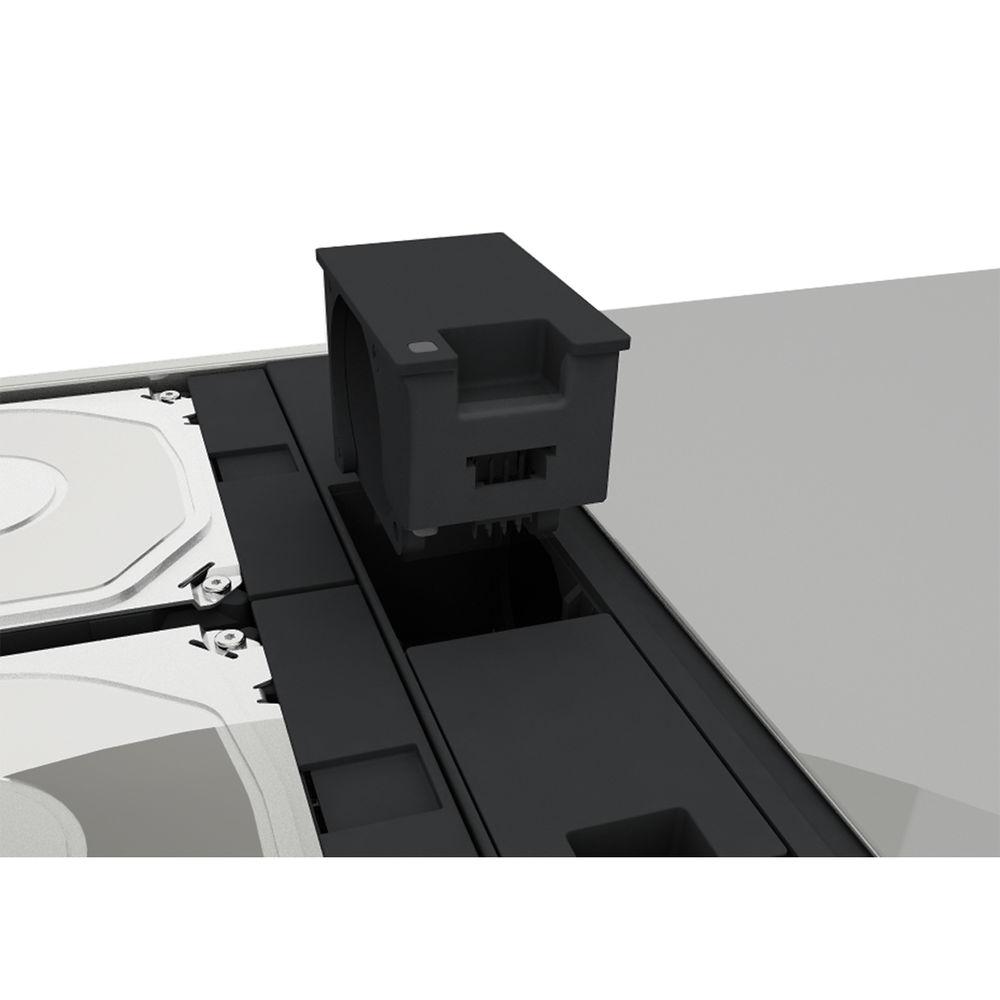
- With full component redundancy, the LaCie 8big Rack provides enhanced reliability and data security. Fans, disks, and PSU, are fully redundant, hot-swappable, and user-serviceable. And hardware RAID 5/6 provides security against disk failure and data loss, without compromising on transfer speeds.
The integrated cooling system prolongs component lifespan, featuring three efficient, thermoregulated cooling fans to drive airflow. A metal sheet beneath the disks dissipates heat, and cool air flows under the sheet to drain hot air away. Above and between the two rows of disks, air flows from front to back, conducting heat away from sensitive components. - Powerful Inputs & Outputs
- Thunderbolt 2 doubles the speed of first generation Thunderbolt ports to 20 Gb/s and enables simultaneous RAW 4K video editing and display. Additionally, Thunderbolt 2 supports DisplayPort 1.2 connectivity making it possible to daisy chain higher-resolution displays such as 4K monitors.
In addition to higher performances, the Thunderbolt 2 I/O offers simpler connections than Fibre Channel. Connect the LaCie 8big Rack to a computer via the Thunderbolt cable - no HBA (host bus adapter) necessary - and instantly the volume mounts on your OS. And unlike Fibre Channel, Thunderbolt 2 is truly a plug and play and single-vendor solution. No port mapping or multipathing is required to achieve this performance. Thunderbolt technology even supports optical cables, which means you could connect a LaCie 8big Rack to a computer located up to 197 feet (60 meters) away.
Thanks to dual Thunderbolt 2 ports, you can daisy chain up to six devices to a computer via a single cable (included in the box). For example, you could connect a total of 36 LaCie 8big Racks via the six Thunderbolt 2 ports on a single Mac Pro, enabling more than 1.7PB (1728TB) of storage and more than 3000 MB/s of bandwidth - in a mere 36U of space. - Status LEDs
- From any angle, instantly check system health, disk status, and Thunderbolt connectivity, even when many LaCie 8big Racks are installed in a cabinet.
- Power Saving Mode
- Save energy by pressing the power button to spin down disks without interrupting daisy chain transfers. Press and hold the button to shut down the product completely.
- ID Buttons
- From front or rear, press the ID button for an easy way to target a specific LaCie 8big Rack for maintenance.
- Easy Access
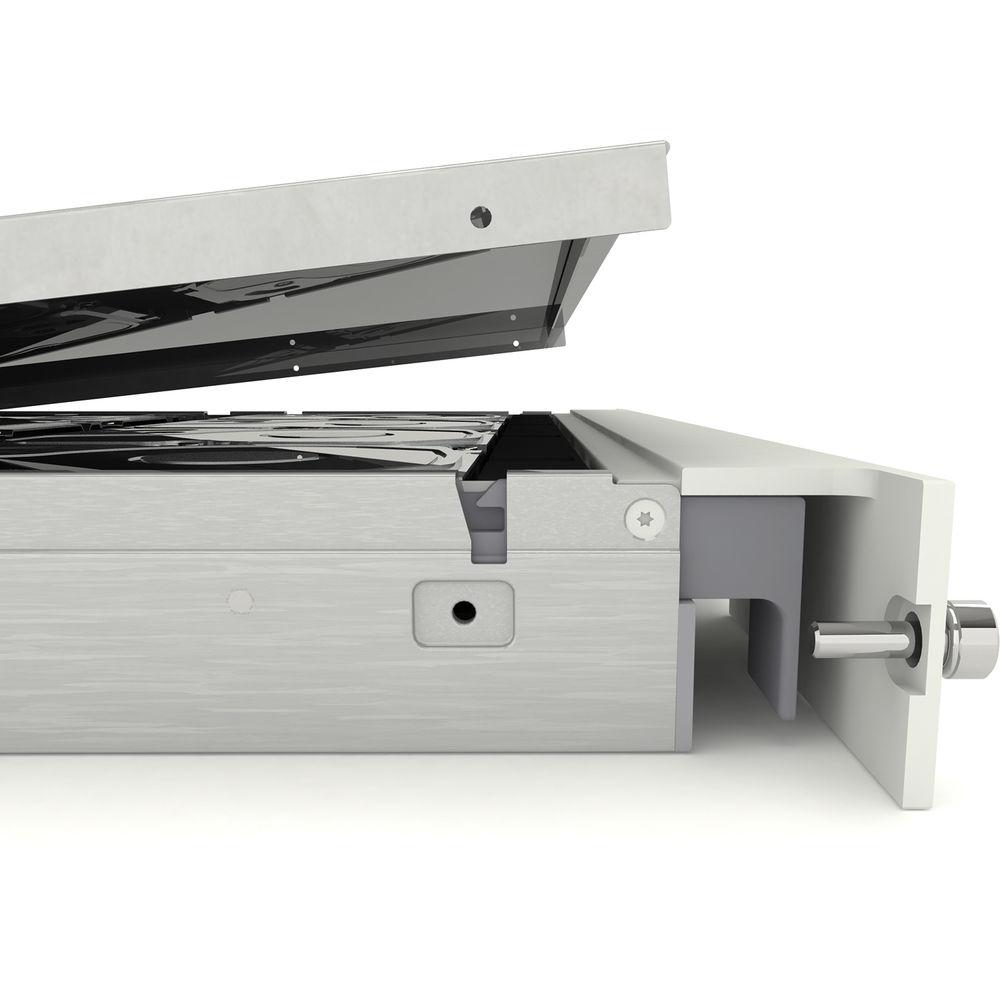
- The cable management arm lets the LaCie 8big Rack glide out from the cabinet without unplugging cables. And accessing components is as easy as clicking a hidden latch to release the top panel.
- Tool-Free Maintenance
- Quickly identify failing components thanks to the internal status LEDs for fans and disks. Then, simply pull out and replace the failed component.
- RAID Manager Software
- LaCie RAID Manager software gives you a centralized, powerful way to configure and monitor all the LaCie 8big Racks that are connected to a single workstation. From one application, you can control the RAID mode, system monitoring, and email alerts. Select RAID 0, 1 (two-disk configuration only), 5, 6, 10, or JBOD. RAID Manager even supports RAID migration, so you can move from RAID 5 on 4 disks to RAID 5 on 8 disks - without data loss. And system monitoring can alert you of problems or potential problems via desktop notifications or email, so you can address issues before they result in data loss.
UPC: 763649121658 In the Box LaCie 24TB 8big Thunderbolt 2 8-Bay Rack RAID Array (8 x 3TB) Thunderbolt Cable Rack Mounting Kit Empty Hard Disk Trays and Screws Cable Management Arm Kit Limited 3-Year Warranty Table of Contents
|
Upload User Manual
Have you got an user manual for the LaCie 24TB 8big Thunderbolt 2 8-Bay Rack RAID Array in electronic form? Please send it to us and help us expand our library of instruction manuals.
Thank you, too, on behalf of other users.
To upload the product manual, we first need to check and make sure you are not a robot. After that, your "Submit Link" or "Upload File" will appear.
Technical parametersLaCie STGM24000400 Specs | Capacity | 24 TB | | Internal Storage Media | 8 x 3TB Hot Swappable 7200 rpm / 64 MB cache hard disks
Hot swapping will result in data loss in a RAID 0 array | | Interface | 2 x Thunderbolt 2 ports | | Interface Transfer Rate (Max) | 20 Gb/s | | Performance Benchmark | Reads | Writes (MB/s)
RAID 0: 1330 | 1060
RAID 5: 1150 | 1060 (8-disk)
These transfer rates were achieved using AJA System Test when connected to a 13" Macbook Pro with a 2.8 GHz Intel Core i7 processor and 8 GB RAM. Actual data rates may vary depending on operating environment and other factors, such as RAID mode, RAID configuration, and disk capacity | | Interface Technology | Bidirectional 20 Gb/s permits a high-resolution display and RAW 4K video editing | | Power Saving Mode | Reduce power consumption by pressing the front button to spin down disks without disrupting daisy chain transfers
(short press initiates power-saving mode; long press turns product off completely) | | RAID Modes | Preconfigured in RAID 5
Hardware RAID 0 / 1 / 5 / 6 / 10 / JBOD
Configure RAID using LaCie RAID Manager software | | Daisy Chain | Connect up to six Thunderbolt-compatible devices - including Thunderbolt 2 and LaCie Thunderbolt Series products - to a computer via a single Thunderbolt cable
To achieve full interface bandwidth, connect the product to a Thunderbolt 2 port on a computer or device | | Security | AES 256-bit software encryption
Cable management arm | | Cooling | Redundant, hot-swappable fans
Aluminum front and all-metal enclosure
Efficient cooling for long-term reliability | | Acoustics | Idle: 50 dB
Operating mode: 53 dB
Operating max: 69 dB
These measurements have been made under normal conditions, one meter/three feet from the front of the product. This value may vary with conditions and product configuration | | Power Supply | 2 x 100 - 240 V; 50 / 60 Hz; 250 W | | System Requirements | Computer with a Thunderbolt 2 or Thunderbolt port
Mac OS X 10.9 and later
Minimum free disk space: 600 MB recommended
To achieve full interface bandwidth, connect the product to a Thunderbolt 2 port on a computer or device | | Software | Intego Backup Manager Pro
LaCie Private-Public (protect data with AES 256-bit encryption)
LaCie RAID Manager (administration console) | | Dimensions (L x W x H) | 30.394 x 18.779 x 1.713" / 772 x 477 x 43.5 mm | | Weight | 36.156 lb / 16.4 kg | | | | Package Weight | 60.0 lb | | Box Dimensions (LxWxH) | 38.0 x 24.0 x 7.0" |
Rating80% users recommend this product to others. And what about you?

This product has already been rated by 17 owners. Add your rating and experience with the product.
Discussion
 Ask our technicians if you have a problem with your settings,
or if anything is unclear in the user manual you have downloaded.
You can make use of our moderated discussion.
The discussion is public and helps other users of our website who may be encountering similar problems.
Ask our technicians if you have a problem with your settings,
or if anything is unclear in the user manual you have downloaded.
You can make use of our moderated discussion.
The discussion is public and helps other users of our website who may be encountering similar problems.
The discussion is empty - enter the first post
Post a new topic / query / comment:
|
|
|
| Request for user manual |
You can’t find the operation manual you are looking for? Let us know and we will try to add the missing manual:
I’m looking for a manual / Request for manual
Current requests for instruction manuals:
Call Of Duty World War Two For Xbox...
controller stratus XL...
stratus XL...
smart whatch serie S11 42mm...
Allen & Heath SQ-6 manual...
|
| Discussion |
Latest contributions to the discussion:
AEW R 4100
Name: MAURICIO ANGARITA
Audio-Technica AEW-R4100 UHF Diversity Receiver for
AEW R 4100 has the mute function blocked and does not allow audio to pass. I tried several times to turn off the mute from the transmitter but it does nothing, the mute stays on. Solution?
Thank you...
Instructions for assembling the 2015 Forecast Image Master Consoles GC3-A
Name: mike elam
Forecast Consoles GC3-A ImageMaster Editing Console
Looking for instructions for assembling this console. ...
EMPTY TONER ERROR MESSAGE AFTER REPLACING TONER
Name: LINDA BAD YELLOW EYES
Brother TN223BK Standard-Yield Toner
I HAD TO CHANGE OUT ALL THREE TONERS DUE TO LEAKS IN THE YELLOW AND CYAN. AFTER I REPLACED THEM, THE MACHINE KEEPS GIVING ME AN EMPTY TONER ERROR MESSAGE. HELP!!...
PS480D 20/24 pin Switching 480W Power Supply
Name: swkargo
Logisys 480W Power Supply
This item states in can run -5vdc .It is NOT listed on the board or I beleive is r4 is missing the resitior. Any body have thid issue. Shawn
...
Help needed
Name: Ann Carter
SanDisk 1TB Extreme Portable USB 3.1
When I click the link to download the user manual for my Sandisk Extreme external hard drive, it gives me the manual for the LG Cricket. Can you please change the link so I can download the Sandisk manual and begin using this drive? Thank you....
|
|


