User Manual for LigoWave 5 GHz Outdoor CPE MIMO 15dBi Antenna Click to enlarge the picture
 Contents of the user manual for the LigoWave 5 GHz Outdoor CPE MIMO
- Product category: Wireless Access Points LigoWave
- Brand: LigoWave
- Description and content of package
- Technical information and basic settings
- Frequently asked questions – FAQ
- Troubleshooting (does not switch on, does not respond, error message, what do I do if...)
- Authorized service for LigoWave Wireless Access Points
 |
User manual for the LigoWave 5 GHz Outdoor CPE MIMO contain basic instructions
that need to be followed during installation and operation.
Before starting your appliance, the user manual should be read through carefully.
Follow all the safety instructions and warnings, and be guided by the given recommendations.
User manual is an integral part of any LigoWave product,
and if it is sold or transferred, they should be handed over jointly with the product.
Following the instructions for use is an essential prerequisite for protecting
health and property during use, as well as recognition of liability on the part of the manufacturer
for possible defects should you make a warranty claim. Download an official LigoWave user manual in which you will find instructions on how to install, use, maintain and service your product.
And do not forget – unsuitable use of a LigoWave product will considerably shorten its lifespan!
|
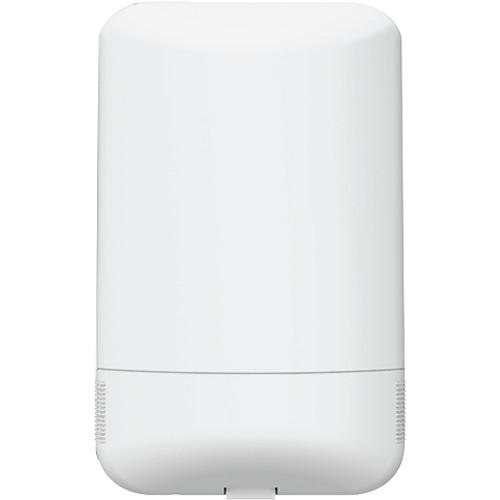
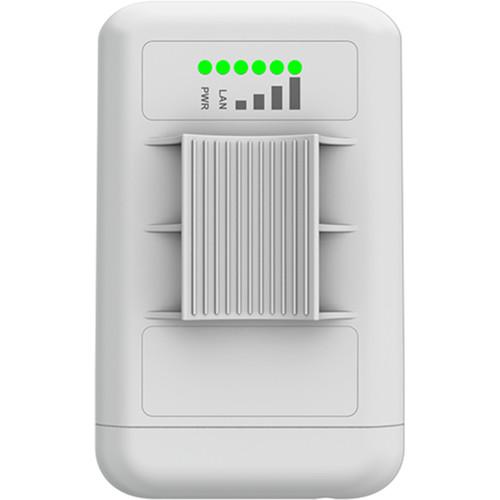
Product description This stable Customer-Premises Equipment (CPE) 5 GHz Outdoor CPE MIMO 15dBi Antenna from LigoWave operates on the 5 GHz frequency and features an output power of up to 29 dBm while supporting the 802.11n network standard. Additionally, this CPE supports the proprietary protocol, iPol 2, which utilizes smart dynamic polling to offer enhanced wireless connectivity even in congested areas. Couple the iPol 2 protocol with MIMO 2x2 radio functionality and devices can easily connect directly to this antenna as it supports multiple data pathways resulting in increased bandwidth.
Setup and configuration is simple as this CPE radio comes equipped with a single Fast Ethernet port and supports a variety of operating modes including access point (auto WDS), access point (iPoll 2), station (WDS, iPoll 2), and station (ARP NAT). Once configured, you can manage your network using the WNMS or Wireless Network Management System. This management system makes it easy to manage multiple networks from a single dashboard. You can also diagnose network problems, visualize networks on a map, schedule firmware upgrades, and much more. - OS
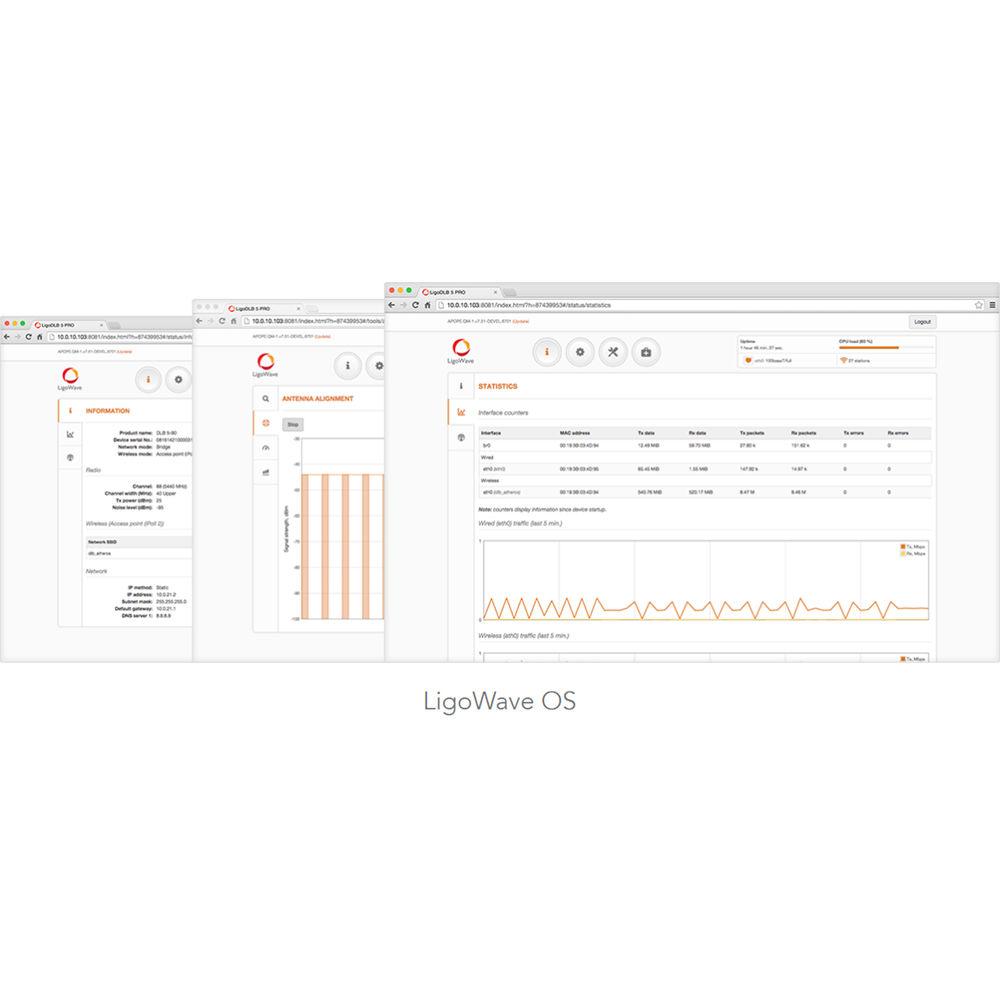
- The DLB OS is highly functional and easy to use. This powerful and flexible operating system ensures flawless operation of all DLB hardware devices and effortless setup for those deploying the networks.
• Smart polling data transmission protocol (iPoll 2)
• Dual-firmware image support
• Responsive HTML 5 based GUI
• 170 Mb/s capacity
• 80,000 PPS rate
• IPv6 support
• WNMS compatible - Wireless Network Management System
- WNMS is a free enterprise-grade Wireless Network Management System. A single software solution simplifies a large number of management and monitoring tasks for network administrators. LigoWave's comprehensive network management system supports several thousand nodes. Multiple networks may be maintained and monitored using one server. A rich feature set helps to diagnose network problems effectively, visualize networks on a map, perform scheduled firmware upgrades automatically, track states of devices, get failure alerts, and collect statistics. The Web-based system environment supports multi-user accounts. Several administrators may manage different networks on the same server, without having access to each other's equipment. WNMS is available as a stand-alone version for Linux and Windows servers, as a cloud-based system and as a mobile application for Android devices.
UPC: 855138006048 Table of Contents
|
Upload User Manual
Have you got an user manual for the LigoWave 5 GHz Outdoor CPE MIMO 15dBi Antenna in electronic form? Please send it to us and help us expand our library of instruction manuals.
Thank you, too, on behalf of other users.
To upload the product manual, we first need to check and make sure you are not a robot. After that, your "Submit Link" or "Upload File" will appear.
Technical parametersLigoWave DLB 5-15 Specs | Wireless Specifications | WLAN Standard
IEEE 802.11 a/n, iPoll (proprietary)
Radio Mode
MIMO 2x2
Radio Frequency Band
5.150 - 5.850 GHz (FCC 5.150 - 5.250 and 5.725 - 5.850 GHz)
Transmit Power
Up to 29 dBm
Receive Sensitivity
Varying between -97 and -75 dBm depending on modulation
Channel Size
5,10, 20, 40 MHz
Modulation Schemes
802.11 a/n: OFDM (64-QAM, 16-QAM, QPSK, BPSK)
Data Rates
802.11 n: 300, 270, 240, 180, 120, 90, 60, 30 Mb/s
802.11 a: 54, 48, 36, 24, 18, 12, 9, 6 Mb/s
Error Correction
FEC, Selective ARQ
Duplexing Scheme
Time division duplex | | Internal Antennas | Frequency Range
5.1 - 5.9 GHz
Gain
15 dBi
Polarization
Dual linear
Cross-pol Isolation
27 dBi
VSWR
<1.4
Azimuth Beamwidth (H pol)
35°
Azimuth Beamwidth (V pol)
35°
Elevation Beamwidth
35° | | Distance Information | PTMP Mode
3.11 mi / 5 km
PTP Mode
4.35 mi / 7 km
PTP Mode (Full Capacity)
3.11 mi / 5 km | | Antenna Specifications | Type
Integrated directional panel antenna
Gain
15 dBi | | Wired Connectivity | Interface
10/100 Base-T, RJ45 | | Software Specifications | Wireless Operating Modes
Access point (auto WDS), access point (iPoll 2), station (WDS, iPoll 2), station (ARP NAT)
Wireless Techniques
Smart station polling, smart auto-channel, adaptive auto modulation, automatic transmit power control (ATPC)
Wireless Security
WPA/WPA2 personal, WPA/WPA2 enterprise, WACL, user isolation
Wireless QoS
4 queues prioritization on iPoll 2
Network Operating Modes
Bridge, router iPv4, router IPv6
Network Techniques
Routing with and without NAT, VLAN
WAN Protocols
Static IP, DHCP client, PPPoE client
Services
DHCP server, SNMP server, NTP client, router advertisement daemon, ping watchdog
Management
HTTP(S) GUI, SSH, SNMP read, WNMS, Telnet
Tools
Site survey, link test, antenna alignment | | Power | Power Supply
12 - 24 VDC passive PoE (24 V passive PoE adapter is included in the package)
Power Source
100 - 240 VAC
Power Consumption (Max.)
4.5 W | | Temperature & Humidity | Operating Temperature
-40 to 149°F / -40 to 65°C
Humidity
0 to 90% non-condensing | | Management | System Monitoring
SNMP v1 server, Syslogs, system alerts via e-mail and SNMP trap | | Regulatory Certifications | Certification
FCC/IC/CE | | Dimensions | 5.51 x 3.54 x 1.38" / 140 x 90 x 35 mm | | Weight | 4.3 oz / 122 g |
Rating80% users recommend this product to others. And what about you?

This product has already been rated by 67 owners. Add your rating and experience with the product.
Discussion
 Ask our technicians if you have a problem with your settings,
or if anything is unclear in the user manual you have downloaded.
You can make use of our moderated discussion.
The discussion is public and helps other users of our website who may be encountering similar problems.
Ask our technicians if you have a problem with your settings,
or if anything is unclear in the user manual you have downloaded.
You can make use of our moderated discussion.
The discussion is public and helps other users of our website who may be encountering similar problems.
The discussion is empty - enter the first post
Post a new topic / query / comment:
|
|


