|
User Manual for Line 6 Firehawk FX Guitar Pedal Board and Audio Interface Click to enlarge the picture
 Contents of the user manual for the Line 6 Firehawk FX Guitar Pedal
- Product category: Effects Pedals Line 6
- Brand: Line 6
- Description and content of package
- Technical information and basic settings
- Frequently asked questions – FAQ
- Troubleshooting (does not switch on, does not respond, error message, what do I do if...)
- Authorized service for Line 6 Effects Pedals
 |
User manual for the Line 6 Firehawk FX Guitar Pedal contain basic instructions
that need to be followed during installation and operation.
Before starting your appliance, the user manual should be read through carefully.
Follow all the safety instructions and warnings, and be guided by the given recommendations.
User manual is an integral part of any Line 6 product,
and if it is sold or transferred, they should be handed over jointly with the product.
Following the instructions for use is an essential prerequisite for protecting
health and property during use, as well as recognition of liability on the part of the manufacturer
for possible defects should you make a warranty claim. Download an official Line 6 user manual in which you will find instructions on how to install, use, maintain and service your product.
And do not forget – unsuitable use of a Line 6 product will considerably shorten its lifespan!
|
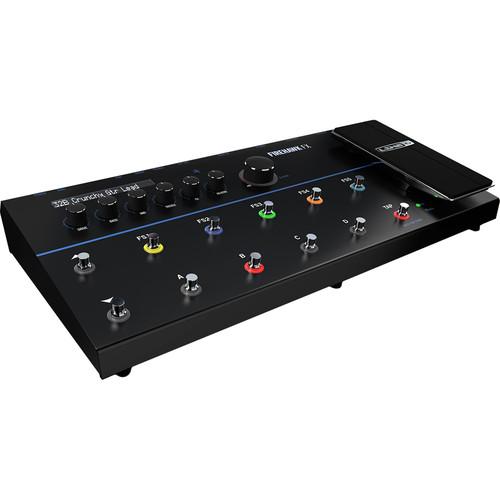
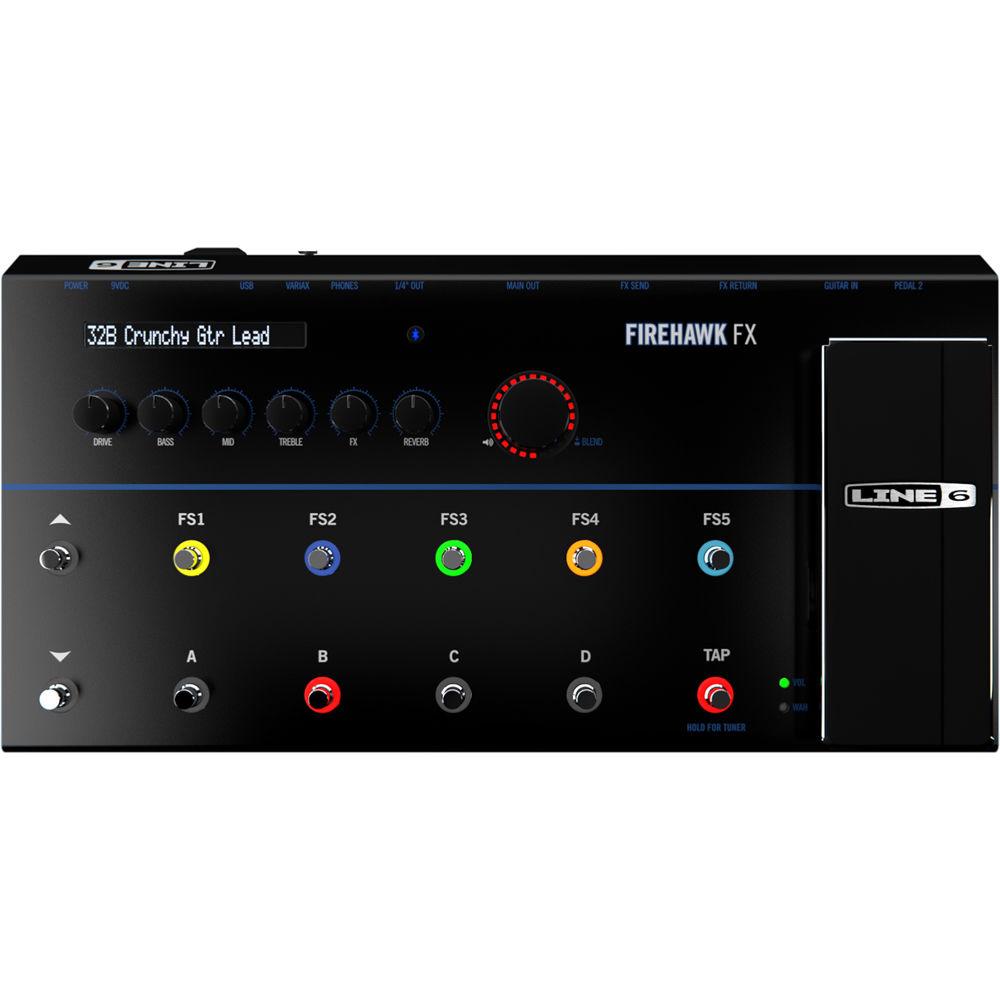
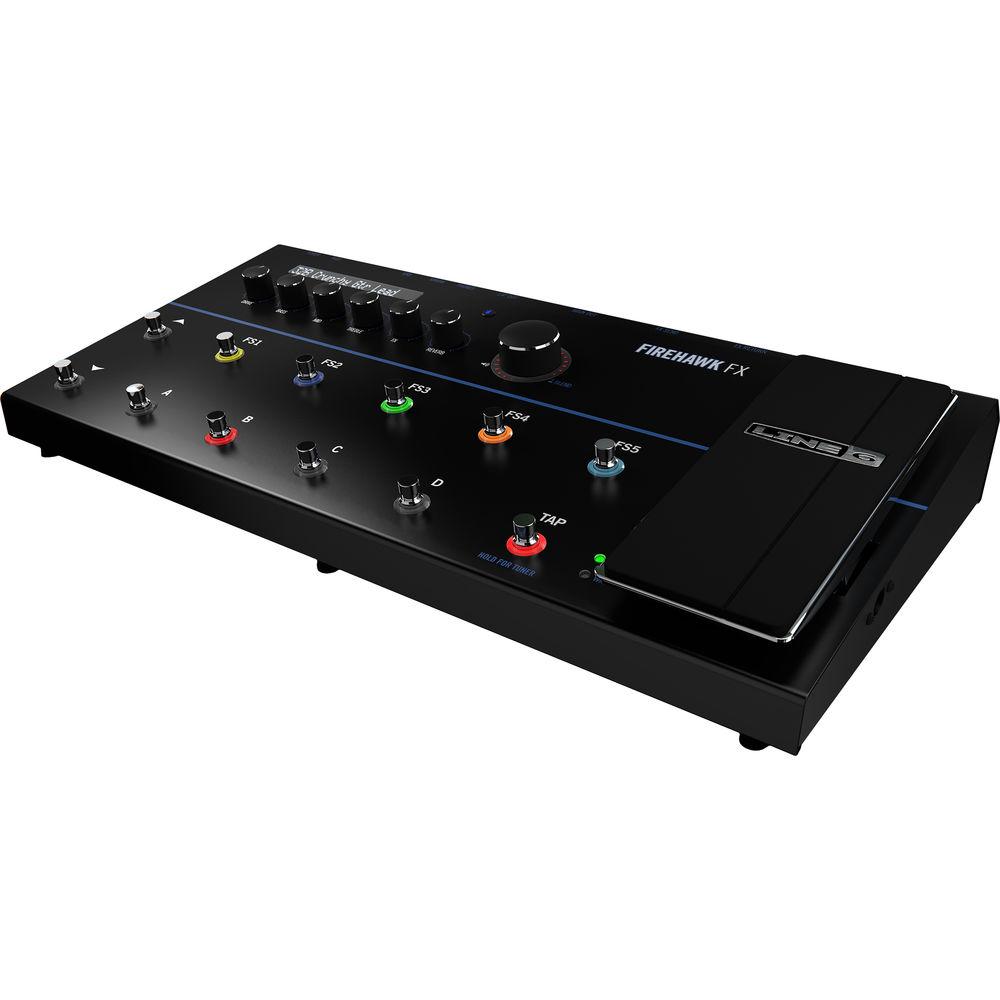
Product description The Line 6 Firehawk FX is an amp-modeling stompbox effects system designed for electric guitar players on the stage and in the studio. The box lets you conjure over 200 amps and effects, including warm classic pieces, high-octane powerhouses, and a multitude of delay, reverb, modulation, and other effects.
The pedal carries 128 factory presets that can be edited easily and effectively thanks to the built-in tone controls, the prominent LCD display, and the remote app, to which you can connect via Bluetooth. Visualize your effects chain as a series of effects blocks and assign controls to one of five footswitches on the pedal.
In the case of continuously variable effects like wah-wah and envelope filtering, you can plug in your favorite expression pedal or make use of the expression pedal located right on the board. Switch among banks with marked up/down footswitches. When you're in a bank, select among presets with the five clearly labeled footswitches.
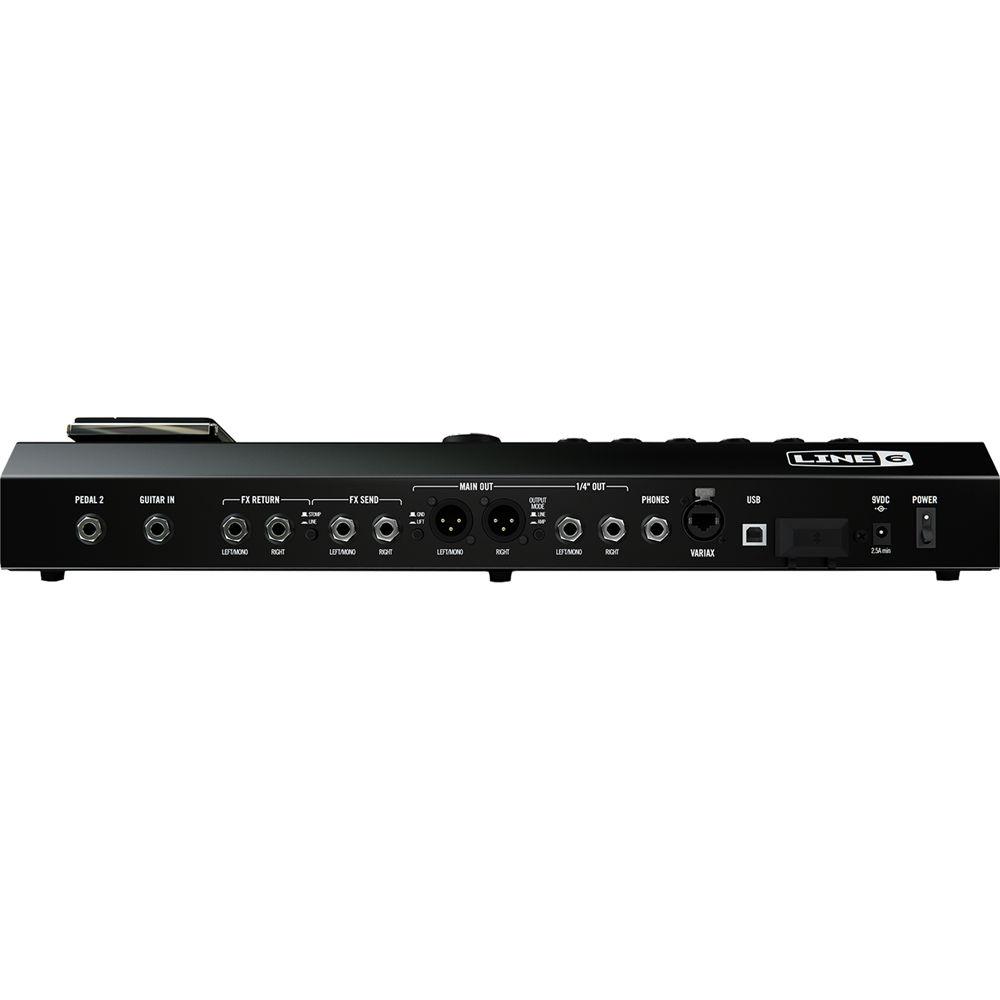
I/O is on hand for 1/4" guitar inputs, Line 6 Variax guitars, and even line-level instruments. Send sound to the house PA or to your favorite amplifier. Record to an interface either over XLR connections, or by utilizing the Firehawk FX as a 24-bit USB audio interface. You can even route your favorite pedals into the Firehawk FX through the built-in effects loop. Make use of the onboard looper to layer soundscapes, tap delays to tempo, and more. This device can make a useful companion to any electric guitarist, studio cat, or road dog. - Prominent LCD Display
- The Firehawk FX display is multifunctional, showing different information depending on the footswitches and modes you access. In most cases, you'll see the Bank & Preset location and title for the currently loaded tone.
- For Live and Studio Use
- The Firehawk FX leverages five footswitches, colored LED rings, and a bright LCD display to give you easy switching of tones and enhanced visibility on the stage. Use the built-in looper to create sonic layers on stage. As for recording, connect the unit an iPad, Mac, or Windows computer to utilize Firehawk FX as a stereo 24-bit digital audio interface.
- Bluetooth Capabilities
- Using Bluetooth technology, your Firehawk FX communicates wirelessly with your mobile device.
- Remote App
- When using Firehawk Remote with your mobile device, all tone adjustments can be made using the app Editor screen.
- A Panoply of Controls
- With an extensive tone-control section, assignable footswitches, inputs for optional expression pedals, and an expression pedal mounted to the board, the Firehawk FX gives you multiple ways to control your sound on the stage and in the studio.
- Effects Blocks
- Each preset is broken down in to processing blocks, and each processing block offers its own properties and functions. Signal flow is easy to grasp: one block leads to another, and you can drag many of them around the signal chain. Some blocks include:
- Variax Input Block: This provides tonal processing for Line 6 Variax Guitars.
- Standard Blocks: The Amp & Cab Block contains your choice of Amp and Cab models, and the others include a fixed effect such as compression, EQ, and gating. Standard Blocks cannot be moved.
- FX Blocks: Here you'll find dedicated effects such as Wah and Reverb. Some of these can be moved around the signal chain.
- Flex FX Blocks: These blocks contain a multitude of effect possibilities such as stomp distortion, modulation, delay, pitch modulation, and more. These have more flexible routing possibilities.
- Cloud Search
- The Firehawk FX gives you access to tones from the ever growing Line 6 Cloud. You can even browse through the presets created by your peers for their own Firehawk FX rigs.
- Multiple Output Modes
- Route audio to 1/4" outputs; send signal through the XLR connections to the house PA or the analog front end of an interface. The 1/4" outputs can be set to instrument level or line level.
- Key Features at a Glance
-
- Guitar and Variax guitar inputs.
- Balanced XLR main outs, 1/4" line outs, 1/4" amp outs, a headphone out, and a built-in effects loop switchable between parallel and series.
- Streaming and control over Bluetooth.
- 128 onboard presets.
- Onboard tone control.
- Detailed editing via Bluetooth remote app for Android and iOS.
- USB interface.
- 29 HD amp models.
- 25 HD FX models.
- 78 POD Farm AMP models.
- 95 POD Farm FX models.
- Tone searching.
- Compatible with iOS and Android devices.
- 5 FX on/off; channel and bank footswitches with colored LED rings.
- Firehawk Remote Possibilities
-
- Create, save, and recall unlimited presets in the cloud.
- Search a cloud-based library of thousands of tones.
- Remotely control amp parameters to dial in your sound.
- Share tones via Twitter and Facebook.
UPC: 602003585500 In the Box Line 6 Firehawk FX Guitar Pedal Board and Audio Interface Power Supply Limited 90-Day Warranty on Power Supply Limited 1-Year Warranty Table of Contents
|
Upload User Manual
Have you got an user manual for the Line 6 Firehawk FX Guitar Pedal Board and Audio Interface in electronic form? Please send it to us and help us expand our library of instruction manuals.
Thank you, too, on behalf of other users.
To upload the product manual, we first need to check and make sure you are not a robot. After that, your "Submit Link" or "Upload File" will appear.
Technical parametersLine 6 990602105 Specs | I/O | 1 x 1/4" Instrument Input, Phone Type
1 x 1/4" Expression Pedal Input, Phone Type
2 x 1/4" Effects Return Inputs, Phone Type
2 x 1/4" Effects Send Outputs, Phone Type
1 x RJ45 Variax Input
1 x 1/4" TRS Headphone Output, Phone Type
2 x 1/4" Outputs, Phone Type
2 x XLR Outputs, Phone Type
1 x USB Port | | Controls | 5 x FX Footswitches
4 x Preset Select Footswitches
1 x Bank Up and Down Footswitches
1 x Bank Knob
1 x Tap Tempo / Tuner Footswitch
1 x Drive Knob
1 x Bass Knob
1 x Mid Knob
1 x Treble Knob
1 x FX Knob
1 x Reverb Knob
1 x Master Volume Knob
1 x Expression Pedal | | Factory Presets | 128 | | Effects | 29 HD Amp Models
25 HD FX Models
78 POD Farm AMP Models
95 POD Farm FX Models | | Dimensions | Not Specified by Manufacturer | | Weight | Not Specified by Manufacturer |
Rating100% users recommend this product to others. And what about you?

This product has already been rated by 25 owners. Add your rating and experience with the product.
Discussion
 Ask our technicians if you have a problem with your settings,
or if anything is unclear in the user manual you have downloaded.
You can make use of our moderated discussion.
The discussion is public and helps other users of our website who may be encountering similar problems.
Ask our technicians if you have a problem with your settings,
or if anything is unclear in the user manual you have downloaded.
You can make use of our moderated discussion.
The discussion is public and helps other users of our website who may be encountering similar problems.
The discussion is empty - enter the first post
Post a new topic / query / comment:
|
|
|
| Request for user manual |
You can’t find the operation manual you are looking for? Let us know and we will try to add the missing manual:
I’m looking for a manual / Request for manual
Current requests for instruction manuals:
Call Of Duty World War Two For Xbox...
controller stratus XL...
stratus XL...
smart whatch serie S11 42mm...
Allen & Heath SQ-6 manual...
|
| Discussion |
Latest contributions to the discussion:
AEW R 4100
Name: MAURICIO ANGARITA
Audio-Technica AEW-R4100 UHF Diversity Receiver for
AEW R 4100 has the mute function blocked and does not allow audio to pass. I tried several times to turn off the mute from the transmitter but it does nothing, the mute stays on. Solution?
Thank you...
Instructions for assembling the 2015 Forecast Image Master Consoles GC3-A
Name: mike elam
Forecast Consoles GC3-A ImageMaster Editing Console
Looking for instructions for assembling this console. ...
EMPTY TONER ERROR MESSAGE AFTER REPLACING TONER
Name: LINDA BAD YELLOW EYES
Brother TN223BK Standard-Yield Toner
I HAD TO CHANGE OUT ALL THREE TONERS DUE TO LEAKS IN THE YELLOW AND CYAN. AFTER I REPLACED THEM, THE MACHINE KEEPS GIVING ME AN EMPTY TONER ERROR MESSAGE. HELP!!...
PS480D 20/24 pin Switching 480W Power Supply
Name: swkargo
Logisys 480W Power Supply
This item states in can run -5vdc .It is NOT listed on the board or I beleive is r4 is missing the resitior. Any body have thid issue. Shawn
...
Help needed
Name: Ann Carter
SanDisk 1TB Extreme Portable USB 3.1
When I click the link to download the user manual for my Sandisk Extreme external hard drive, it gives me the manual for the LG Cricket. Can you please change the link so I can download the Sandisk manual and begin using this drive? Thank you....
|
|


