User Manual for MAGIX Entertainment Academic Suite MX Click to enlarge the picture
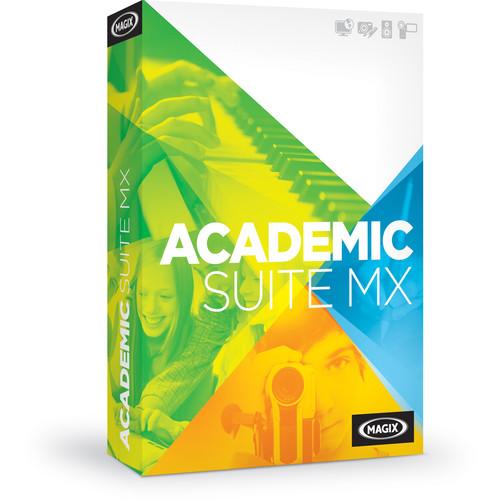 Contents of the user manual for the MAGIX Entertainment Academic Suite MX
- Product category: Video Editing MAGIX Entertainment
- Brand: MAGIX Entertainment
- Description and content of package
- Technical information and basic settings
- Frequently asked questions – FAQ
- Troubleshooting (does not switch on, does not respond, error message, what do I do if...)
- Authorized service for MAGIX Entertainment Video Editing
|
User manual for the MAGIX Entertainment Academic Suite MX contain basic instructions
that need to be followed during installation and operation.
Before starting your appliance, the user manual should be read through carefully.
Follow all the safety instructions and warnings, and be guided by the given recommendations.
User manual is an integral part of any MAGIX Entertainment product,
and if it is sold or transferred, they should be handed over jointly with the product.
Following the instructions for use is an essential prerequisite for protecting
health and property during use, as well as recognition of liability on the part of the manufacturer
for possible defects should you make a warranty claim. Download an official MAGIX Entertainment user manual in which you will find instructions on how to install, use, maintain and service your product.
And do not forget – unsuitable use of a MAGIX Entertainment product will considerably shorten its lifespan!
|
Product description MAGIX Academic Suite MX is a comprehensive multimedia package for students and teachers. It is ideal for educational levels from junior high school and higher. The Academic Suite MX includes Movie Edit Pro, Music Maker, Xara Web Designer, and Xara Photo & Graphic Designer, all Windows-compatible.
Movie Edit Pro is a complete video editing software offering consumer and pro editing features. It provides an ideal introduction into the expansive world of video editing. You can create your own movies with easy-to-use video/audio editing functions.
Music Maker allows you to make your own songs, your own sound. Just like Movie Edit Pro is designed for the aspiring video editor, Music Maker is made for the aspiring music producer. It offers thousands of loops from a vast selection of genres, virtual instruments, and studio effects. With Music Maker you can create your own songs in minutes.
Xara Web Designer enables you to create websites like a pro, but without having to learn programming skills. Simply choose a website template, customize the design any way you want, and add your content.
Xara Photo & Graphic Designer is a complete solution for photo editing and graphic design. Edit images with creative filters and effects or design your own graphics. Xara Photo & Graphic Designer has the right format for school newspapers, websites, presentations, and more. Note: The Academic Suite MX requires proof of student/teacher status at activation. - Music Maker - Music Production Software (Educational, Download) Music Maker from MAGIX Entertainment is a desktop music production software that lets you easily compose, mix, and share your songs, using your computer mouse and keyboard. It offers six Soundpools with over 5000 loops & sounds designed to quickly get you started creating Dubstep, Hip Hop, Techno, Rock Pop, Jazz, and Deep House grooves. Lay down a basic track by dragging & dropping beats, bass lines, guitar melodies or programming your own rhythms using two virtual drum machines. Add synthesizer parts, grand piano chords, and record your vocals with pitch correction. For even more creative options, you can drag audio files into the Vita Sampler which automatically cuts and assign sounds to pads, allowing you to design your own instrument. Mix your song using the essential and vintage effects suites of EQ, dynamic, modulation, and delay effect plug-ins. The Integrated Upload feature lets you share your songs right away with your audience, on Facebook, SoundCloud or YouTube. Note: This product is an educational discounted version available to qualified students, faculty/staff, and accredited academic institutions only. Proof of current educational status is required.
- Creating Music with Soundpools
-
- 6 Soundpools with over 5000 loops & sounds – Dubstep, Hip Hop, Techno, Rock Pop, Jazz, Deep House
- All sounds are available in 7 different pitches allowing you to add in melodies, hook lines, and bridges into your songs
- Music Maker Store includes regularly updated new instruments and loops
- Drag & Drop the Beat
-
- Combine pre-produced sounds from the most popular music styles to create your own songs in just a few mouse clicks
- Samples can be combined with each other and with your own melodies and are adjusted to fit the current tempo
- Structure Songs
-
- Use various loops to put down the basic structure of your track quickly and easily
- When finished, simply select one of the pitch presets, and the song will be automatically structured with intro, verse, chorus and harmony
- Pitch Changes
-
- When you change the pitch of an object, all underlying objects, samples, and sounds are automatically adjusted
- Screen Keyboard
-
- Play chords and arpeggios with just one finger
- On-screen keyboard is optimized for touch displays and includes a MIDI chord/arpeggio function
- Software Instruments
-
- Vita Sampler – drag audio files into the sampler – cuts & pad assignments are made automatically
- Vita 2 Sample Player – various string sounds, acoustic pianos, e-pianos, bass, brass, drums, and guitars or design your own instrument
- Drum Engine – provides bright drum sounds for electronic beat productions
- Concert Grand – the sound of one of the most popular concert pianos
- Pop Drums – basic beats for electronic music, calm chillout songs, and relaxed hip-hop
- DN-e1 Synthesizer – synthetic bass, oscillating leads, and shimmering pads
- Studio Effects
-
- Vocal Tune 2 – corrects out-of-tune notes
- Essential effects rack offers quick access to the equalizer, hall, delay, pitch, and tempo sections
- Virtual guitar amp
- Vintage Effects Suite features professional effect templates for hip retro sounds
- Edit Music
-
- Record, edit audio files and combine various sounds & loops on up to 99 tracks
- MIDI editor – display, edit, and modify notes with your mouse
- Publish
-
- Directly import music videos into the software, load images or simply activate the camera on your computer, record a video, and add your own songs
- Integrated upload feature lets you share your songs with friends on Facebook, SoundCloud or YouTube
- MAGIX Audio Remote
-
- Control Music Maker on your computer from your smartphone or tablet
- Operate virtual instruments and the most important record functions with the free MAGIX Audio Remote app (available separately)
- Xara Web Designer (Academic, Download) Xara Web Designer from MAGIX Entertainment is a Windows software program that lets you create multimedia websites without programming skills required. Web Designer offers adjustable website templates, design elements, and smart shapes so you can build a website quickly. The templates feature subpages, graphics, and menus. It comes with an easy-to-use drag-and-drop interface, allowing you to easily add photos, videos, and music. Once your project is finished, Online Designer is included to help you upload your website from the program as well as edit your creation while you're away from your computer. Moreover, this product provides a perpetual license and the latest version at the time of purchase.
- Arrange images, graphics, and text any way you want
- No programming skills required
- Designed for Windows Vista, 7, 8, and 10 systems
- More smart shapes, templates, and design elements over previous versions
- Improved embedding of photos, videos, and music
- Edit collaboratively in Online Designer
- Includes 500MB of web storage
- Input Image Formats Supported: JPEG, BMP, PNG, TIFF, PSD, PDF
- Input Video Formats Supported: WMF, MPEG4, SWF, H.264; with automatic integration as video player
- Additional Input Formats Supported: HTML, HTM, RTF
- Export Formats Supported: HTML, HTM, RTF, JPEG, PNG, SWF, (animated) GIF, WMF, PSD
- Xara Photo & Graphic Designer (Download, Academic Edition) A versatile software for both photographic and digital drawing needs, Xara Photo & Graphic Designer from MAGIX spans a range of tools and functions to creatively refine the look of and produce original images and vector graphics. For working with photographs or other raster graphics, a series of image optimization tools is available, including the ability to remove unwanted elements, apply blend modes for selective editing, use a magnetic lasso tool to make selections and masks, use preset filters and effects to adjust the overall look of imagery, and a Photo Manager is also accessible for organizing, finding, and rating imagery. In addition to photographs, this program is also adept at producing illustrations and other vector graphics, and also contains a set of design-oriented tools for simultaneously working with text and image as well as creating collages to blend multiple photographs, illustrations, and text into a finished piece.
- Image Optimization
-
- Selective Light and Shadow Editing - Selective adjustments to specific tonal regions allows you to better control brightness ratios.
- Adjust Brightness and Contrast - The photo tool can be used to adjust global brightness and contrast levels.
- Cut and Level - This cropping tool can make use of a grid overlay for accurate re-composing and guidelines help to ensure straight alignment.
- Color Correction - Hue, brightness, and saturation of specific color ranges afford more selective control over color correcting imagery.
- Resharpen - This sharpening tool offers two functions for increasing apparent sharpness in your image: a slider in the photo optimization tools for quickly applying global sharpness effects, and an unsharp mask filter for more fine-tuned control.
- Intelligent Scaling and Zoom - Scaling control lets you resize your image by inputting new width or height dimensions, and specific elements can also be transformed to scale to fit certain compositions.
- Customize Specific Areas - A Selection Tool lets you highlight and select specific portions of an image for more refined editing.
- Remove Distortions - Perspective distortions, such as keystoning and converging lines, can be removed with a single click to render them as a parallel, naturally appearing line pairs.
- Retouch
-
- Remove Unwanted Elements - The Photo Heal tool lets you remove spots and wrinkles from people's faces, and a Magic Erase function allows you to remove unwanted elements from a picture, such as footprints, signs, or other objects.
- Restore Old Photos - Photo Heal can also be used to erase scratches and dust from images, such as in the case as working with older photographic prints to restore their appearance.
- Change Body Shapes - A Liquid Paint feature offers control in adjusting the shape, posture, and size of various elements, such as straightening a nose or enlarging or shrinking body parts.
- Red-Eye Correction - This single-click tool instantly removes red-eye from subjects.
- Creative Design
-
- Photomontage - Individual image elements can be selected and merged together into a single composition for a unique collage appearance.
- Blend Modes - A trio of blend modes lets you apply special effects and textures to an image, and include: Soft Light, for softly applying washes of color to an image; Hard Light, to add highlights and intensify shadows; and Optimize, for selective editing of specific features.
- Panoramas - Several images can be automatically combined into a single seamless stitched panoramic photo.
- Photo Filters - A range of 12 distinct filter effects are available to creatively refine the look of your image with a single click.
- Combine Image and Text - Ideal for creating your own album, collage, or greeting cards, photos can be edited in conjunction with text using font effects to transform the look of your text, including the ability to have text flow around shapes or images themselves; utilize painting and drawing tools for a handmade effect; add 3D effects for a dynamic appearance; and adjust the look of text by controlling leading, paragraph formatting, and more.
- Illustrations
-
- 3D Design - A dedicated 3D tool lets you add dimension to your graphics by setting perspective, depth, and shadow parameters.
- Web Graphics - Buttons, menus, cards, and more can be designed for your website, and finished graphics can be transferred directly to Xara Web Designer for use online.
- Logos - Vector graphics can be created, which are ideally suited for producing logos or other symbols with scalable freedom.
- Avatars - Using photographic elements, you can construct your own illustrated avatar that is ideal for use online.
- Flow Charts and Process Diagrams - Useful charts and diagrams can easily be created using the graphics tool.
- Floor Plans - Ideal for interior decorating or planning, floor plans and blueprints can easily be created.
- Smart Shapes - Special handles can be used to intuitively change the pre-made smart shapes for fast, easily application.
- Online Catalog - Over 2500 design templates and decorative elements are available from the Xara online catalog.
- Stock Photos - A dedicated catalog is also available to access more than 760,000 free stock photos and illustrations.
- Digital Drawings
-
- Liquefying Vector Graphics - Updated paint brush tools are available for intuitively working with vector graphics, and vectors can now be enlarged, stretched, and distorted in various ways.
- Merge Graphics into New Shapes - Different vector objects can be combined or altered to create new, more complex shapes. A circle can be cut out from a square, or graphics can be split at overlapping edges.
- Custom Art Brushes - You can produce your own photorealistic brush patterns using scans, photos, and vectors in order to produce more realistic looking effects.
- Performance
-
- Vector Graphic Engine - A fast graphics processing engine enables more intuitive and responsive performance when editing large graphics and complex vectors.
- Non-Destructive Editing - By preserving original image files, you have more freedom to experiment with edits without sacrificing the quality of your originals.
- Raw File Format Support - Numerous raw file formats are supported for import in order to retain the most data possible from the image files.
- Graphics Tablet Support - As an alternative to a mouse or track pad, graphics tablets are also supported as a navigational tool as well as a more precise way for freehand drawing.
- Plug-In Expansion - Adobe Photoshop plug-ins are supported to expand the functionality of the application.
- MX Media-X-Change - Files can be exchanged between various MAGIX applications using Media-X-Change for a more seamless complete workflow.
- Movie Edit Pro (Academic, Download)
In the Box Bundle Items Movie Edit Pro (Academic, Download) ysrzbadwtcyxazfbdddxuwcwfzdfff Music Maker - Music Production Software (Educational, Download) Xara Web Designer (Academic, Download) Xara Photo & Graphic Designer (Download, Academic Edition) Table of Contents
|
Upload User Manual
Have you got an user manual for the MAGIX Entertainment Academic Suite MX in electronic form? Please send it to us and help us expand our library of instruction manuals.
Thank you, too, on behalf of other users.
To upload the product manual, we first need to check and make sure you are not a robot. After that, your "Submit Link" or "Upload File" will appear.
Technical parameters - Music Maker - Music Production Software (Educational, Download)
| System Requirements | Windows 7, 8, 10
2 GHz or higher processor
2 GB RAM
1280 x 768 minimum resolution
Onboard sound card
7.5 GB available drive space | | Supported File Formats | Audio Import/Export: WAV, MP3, OGG Vorbis, WMA, MIDI, FLAC
Video Import/Export: AVI, MXV, WMV
Photo Import/Export: BMP, JPG
Import/export of audio CD | | Supported Plug-In Formats | VST2, VST3 | - Xara Web Designer (Academic, Download)
| Supported Operating Systems | Microsoft Windows Vista, 7, 8, and 10 | | System Requirements | 700 MHz processor or higher
512 MB of RAM
Display supporting 1024 x 600 resolution or higher
300 MB of free disk space
Internet connection | - Xara Photo & Graphic Designer (Download, Academic Edition)
| Delivery | Download | | System Requirements | Windows 10, 8, 7, or Vista
700 MHz processor
512 MB RAM
300 MB disk space
On-board graphics card
1280 x 600 resolution monitor
Graphic tablet support requires Windows 7 or higher
Internet connection required for software registration | | Compatible File Formats | Image Import: BMP, CUT, DCM, DCX, FAX, GIF, ICO, JPG/JPEG, JP2/J2C/J2K/JPX/JPF, MXB, PBM, PCD, PCT, PCX, PDF, PGM, PNG, PPM, PSD, RAS, SGI, TGA, TIF, XBM, XPM, WBMP, RAW, Illustrator AI, Illustrator EPS, CorelDraw 3 & 4 EPS, Freehand 3.0 EPS, Photoshop EPS, XAR
Image Export: BMP, DCX, GIF, JPG/JPEG, PBM, PCD, PCT, PCX, PDF, PNG, PSD, RAS, TGA, TIF, Illustrator AI, Illustrator EPS, CorelDraw 3 & 4 EPS, Freehand 3.0 EPS, Photoshop EPS, XAR
Raw File Import: ARW, DNG, CR2, CRW, KDC, MRW, NEF, ORF, PEF, PTX, RAF, RW2, X3F
Other File Import: ART, WEB, AFF, CDR, CDT, CMX, DRW, HTM, WMF, EMF, RTF, WIX, CPL, CorelDraw PAL, Microsoft PAL, PaintShop Pro PAL, Adobe ACT, Adobe ACO, SWF, SVG
Other File Export: WEB, CMX, HTM, WMF, EMF, RTF, WIX, AVI, SWF, SVG | - Movie Edit Pro (Academic, Download)
Rating90% users recommend this product to others. And what about you?

This product has already been rated by 26 owners. Add your rating and experience with the product.
Discussion
 Ask our technicians if you have a problem with your settings,
or if anything is unclear in the user manual you have downloaded.
You can make use of our moderated discussion.
The discussion is public and helps other users of our website who may be encountering similar problems.
Ask our technicians if you have a problem with your settings,
or if anything is unclear in the user manual you have downloaded.
You can make use of our moderated discussion.
The discussion is public and helps other users of our website who may be encountering similar problems.
The discussion is empty - enter the first post
Post a new topic / query / comment:
|
|


